Your motherboard’s form factor locks in your case size, expansion options, and build complexity before you buy a single other component. In early 2026, with mini-ITX Z890 boards like the ASRock Phantom Gaming Z890i Nova finally delivering full PCIe 5.0 GPU bandwidth to compact Intel builds, the form factor decision involves real tradeoffs — not just a size preference.
| Spec | MSI MAG X870 Tomahawk WiFi 9.1/10 | ASUS ROG Strix B650-A Gaming WiFi 8.8/10 | MSI MAG B650M Mortar WiFi 9/10 | Gigabyte B650I Aorus Ultra Unavailable 8.7/10 | ASRock Phantom Gaming Z890i Nova WiFi Unavailable 8.9/10 |
|---|---|---|---|---|---|
| socket | AM5 (LGA1718) | AM5 (LGA1718) | AM5 (LGA1718) | AM5 (LGA1718) | LGA1851 |
| chipset | AMD X870 | AMD B650 | AMD B650 | AMD B650 | Intel Z890 |
| formFactor | ATX (305 x 244mm) | ATX (305 x 244mm) | mATX (244 x 244mm) | Mini-ITX (170 x 170mm) | Mini-ITX (170 x 170mm) |
| memory | 4x DDR5, up to 256GB | 4x DDR5, up to 192GB | 4x DDR5, up to 192GB | 2x DDR5, up to 64GB | 2x DDR5, up to 128GB |
| pcie | PCIe 5.0 x16, 3x M.2 Gen5 | PCIe 4.0 x16, 3x M.2 (1x Gen5) | PCIe 4.0 x16, 2x M.2 | PCIe 4.0 x16, 2x M.2 (1x Gen5) | PCIe 5.0 x16, 2x M.2 |
| networking | WiFi 7, 5GbE LAN | WiFi 6E, 2.5GbE LAN | WiFi 6E, 2.5GbE LAN | WiFi 6E, 2.5GbE LAN | WiFi 7, 2.5GbE LAN |
| Rating | 9.1/10 | 8.8/10 | 9/10 | 8.7/10 | 8.9/10 |
Prices change daily — tap Check Price for the current Amazon price.
Prices change daily — tap Check Price for the current Amazon price.
Quick Picks
- ATX (full-size flexibility): MSI MAG X870 Tomahawk WiFi — PCIe 5.0, 256GB DDR5, WiFi 7 at $240
- mATX (compact, no RAM compromise): MSI MAG B650M Mortar WiFi — four DDR5 DIMM slots in 244 x 244mm at $165
- Mini-ITX (smallest footprint): Gigabyte B650I Aorus Ultra for AMD, ASRock Phantom Gaming Z890i Nova WiFi for Intel
Form Factor Breakdown
Before picking a specific board, understand what each form factor actually costs you.
ATX (305 × 244mm)
Standard ATX is the default for mid-tower and full-tower builds. You get four DDR5 DIMM slots, typically three to five M.2 slots, and two to four PCIe expansion slots beyond the GPU. The extra PCIe slots matter when you run secondary hardware — a 10GbE networking card, a PCIe capture card for streaming, or a PCIe add-in card for additional NVMe storage.
More board area also means more VRM real estate. ATX boards at the $200+ tier routinely fit 12-16 power stage configurations, which matters for sustained workloads on the Ryzen 9 9950X (170W TDP) or Core Ultra 9 285K (125W base, 253W turbo).
The tradeoff is physical size. ATX requires a case with at least 305mm of motherboard length clearance, which rules out all SFF and compact mATX enclosures.
mATX (244 × 244mm)
Micro-ATX cuts board size to 244 × 244mm — 61mm shorter than ATX. The GPU PCIe x16 slot is unaffected. On well-designed boards, all four DIMM slots survive the size reduction; on budget options, they drop to two. You typically lose one or two PCIe expansion slots, and M.2 count drops from three to five (ATX) down to two or three (mATX).
The backward compatibility built into the mATX standard is underrated: mATX boards mount in any ATX case, so you can build in a compact mATX enclosure now and move the board to a larger case later without buying a new motherboard.
Mini-ITX (170 × 170mm)
Mini-ITX compresses everything to 170 × 170mm — 28% of ATX’s board area. You get one PCIe x16 slot (GPU only), two DIMM slots, and typically two M.2 slots. Every trace runs shorter distances, but the routing density demands tighter tolerances and more expensive manufacturing, which explains the consistent $50-100 price premium over comparable ATX and mATX options.
Mini-ITX requires an SFF-specific case. Popular enclosures like the Fractal Design Terra (187 x 218 x 293mm), Cooler Master NR200P, and Lian Li A4-H2O are ITX-only designs. Case airflow is tighter, CPU cooler clearance is typically 65-72mm maximum in the smallest cases, and GPU length restrictions apply (330mm or less in most SFF enclosures).
Choosing Your Form Factor
Pick ATX when you need secondary PCIe expansion cards, are running a 170W+ CPU where VRM headroom matters, or want the widest selection of boards at every price point.
Pick mATX when you want a compact build but can’t give up four RAM slots — workstations requiring 128GB+ benefit significantly from the extra DIMM capacity that mini-ITX can’t provide.
Pick mini-ITX when physical footprint is the real constraint, your build is GPU + NVMe + CPU with no secondary PCIe devices, and you accept the price premium as the cost of compact engineering.
ATX Motherboards
MSI MAG X870 Tomahawk WiFi
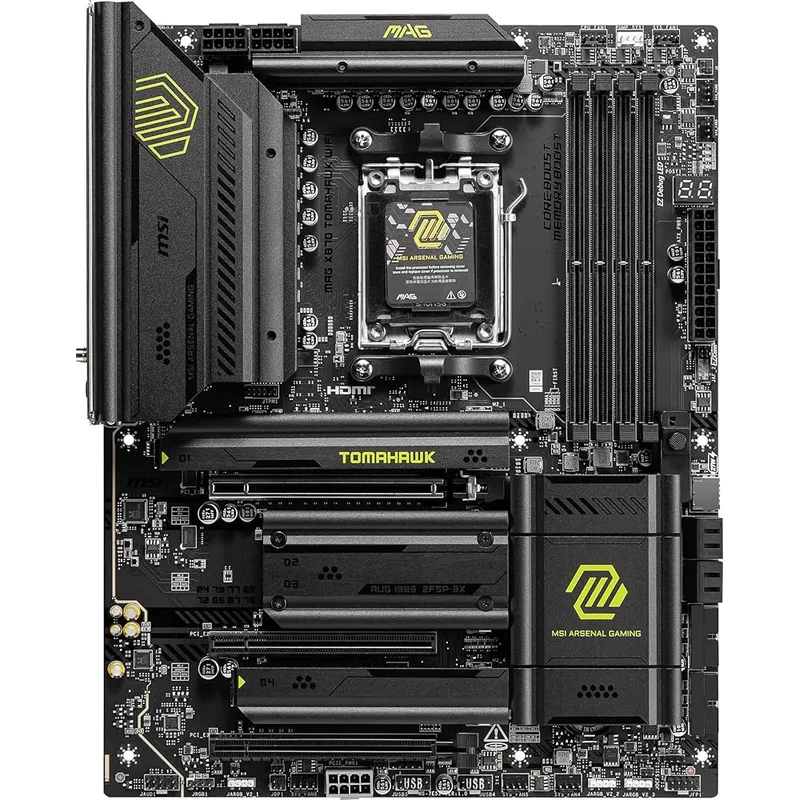
The MSI MAG X870 Tomahawk WiFi sets the standard for AM5 ATX builds without stepping into X870E territory. The X870 chipset enables three PCIe 5.0 M.2 slots running at independent bandwidth — not shared, so a second NVMe drive doesn’t throttle the first. The 80A SPS VRM phases handle Ryzen 9 9950X under Cinebench R24 multi-thread with VRM temps staying south of 85°C using the stock heatsink.
WiFi 7 and 5GbE LAN at $240 is the board’s biggest competitive advantage. ASUS and Gigabyte charge $280-300 for equivalent networking on their X870 ATX lineup.
The one miss: no USB4 40Gbps on the rear I/O panel despite the X870 chipset supporting it natively. If you need Thunderbolt-compatible speeds for external storage, the ASRock Z890i Nova covers that in mini-ITX.
ASUS ROG Strix B650-A Gaming WiFi
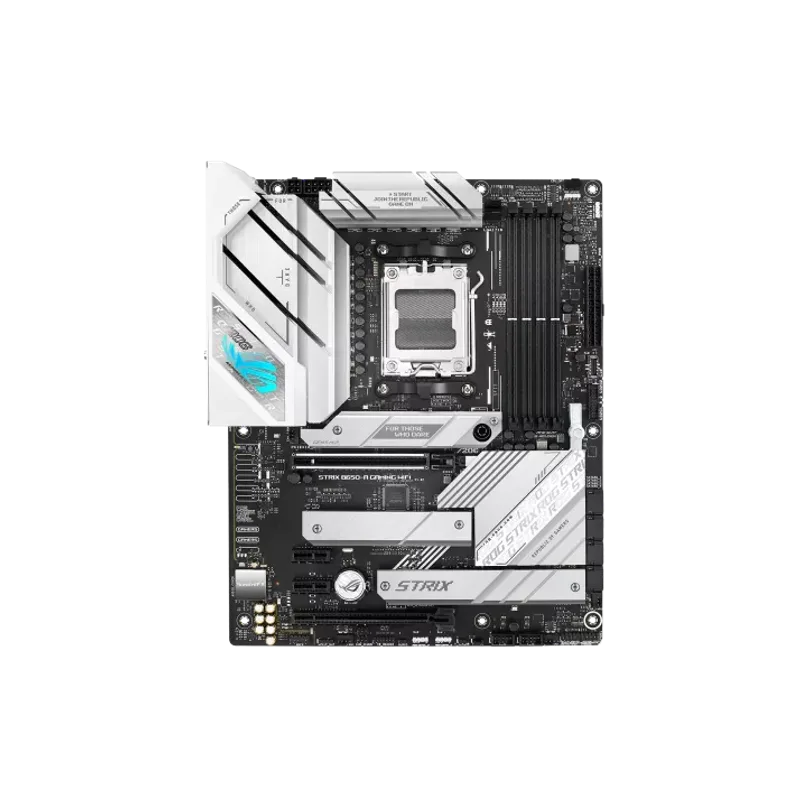
The ASUS ROG Strix B650-A Gaming WiFi exists for one use case: white builds. The full white PCB, white VRM heatsinks, and white M.2 armor deliver an aesthetic that no other ATX AM5 board at $230 matches without custom work. Performance-wise, the 12+2 power stage VRM handles the full AM5 lineup, and three M.2 slots (one PCIe 5.0, two PCIe 4.0) cover most storage configurations.
B650 chipset means the GPU slot runs at PCIe 4.0 x16. Current GPU benchmarks show under 1% performance difference between PCIe 4.0 x16 and 5.0 x16 at 4K — this is a non-issue for any GPU through the RTX 5090 generation. If you’re building in black or don’t care about aesthetics, the MSI X870 Tomahawk WiFi gives you a chipset upgrade for $10 more.
mATX Motherboard
MSI MAG B650M Mortar WiFi
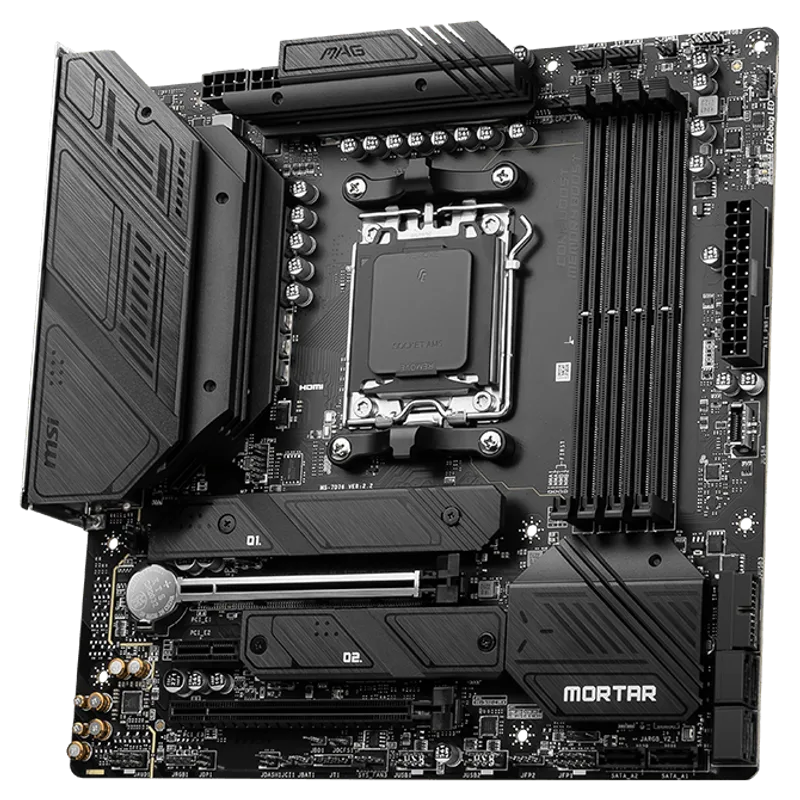
The MSI MAG B650M Mortar WiFi addresses the main reason people avoid mATX: RAM slot count. Most mATX boards at this price point drop to two DIMM slots to simplify trace routing. The Mortar keeps all four, letting you run 128GB DDR5 kits or maintain proper dual-channel with four matched sticks.
The 12+2+1 VRM handles Ryzen 7 9800X3D at sustained gaming workloads without throttling. Two M.2 slots is a real limitation if you’re running three or more NVMe drives — but for a primary OS drive plus one secondary, this is enough. At $165, it’s $75 cheaper than comparable ATX B650 boards with equivalent VRM tiers.
Mini-ITX Motherboards
Gigabyte B650I Aorus Ultra
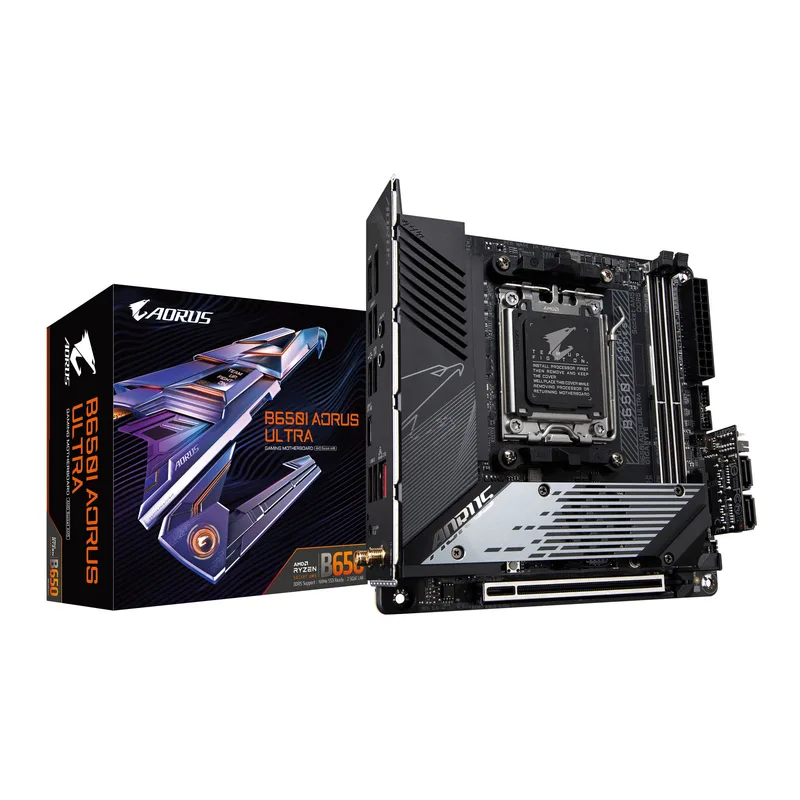
Gigabyte B650I Aorus Ultra
The Gigabyte B650I Aorus Ultra is the AMD mini-ITX option that doesn’t compromise on storage performance. The primary M.2 slot runs at PCIe 5.0, delivering full sequential read speeds from drives like the Samsung 990 Pro (7,450 MB/s) or Crucial T705 (14,500 MB/s when available). The secondary M.2 drops to PCIe 4.0.
VRM capacity is the honest constraint: the 8+2+1 power stages handle Ryzen 7 processors without issue, but the Ryzen 9 9950X runs the VRMs warm under extended Blender or Handbrake workloads in cases with limited airflow. Pair this board with a Ryzen 7 9700X or 9800X3D and the VRM story is clean.
Gigabyte’s EZ-Latch system — tool-free M.2 and PCIe retention clips — is genuinely useful in SFF cases where accessing the M.2 screw with a standard screwdriver requires disassembling the GPU first.
ASRock Phantom Gaming Z890i Nova WiFi
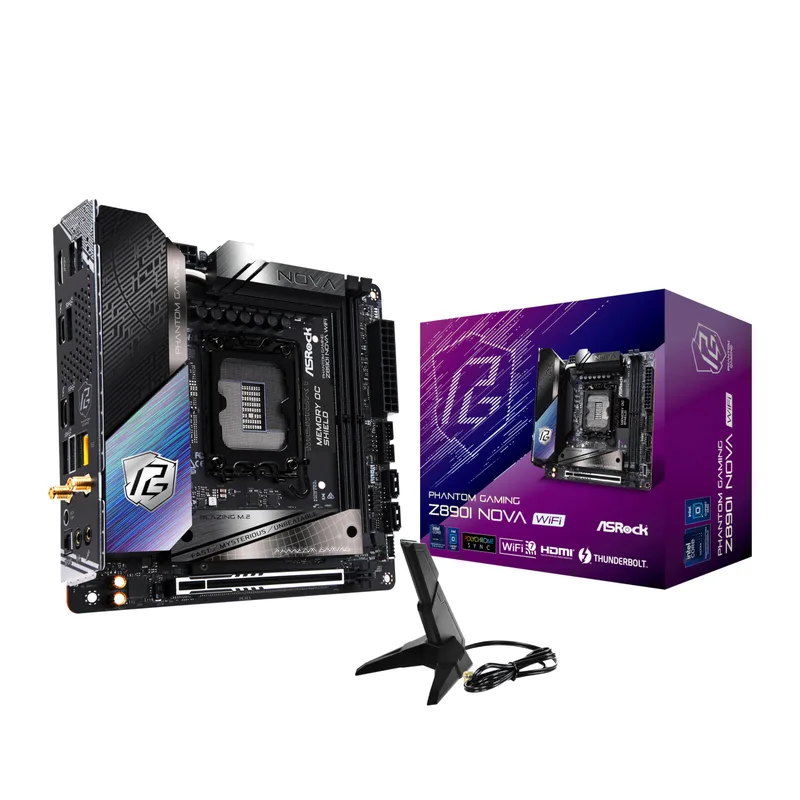
ASRock Phantom Gaming Z890i Nova WiFi
The ASRock Phantom Gaming Z890i Nova WiFi is the most capable Intel mini-ITX board available in early 2026. Z890 chipset delivers full PCIe 5.0 x16 GPU bandwidth and enables DDR5 memory overclocking to 9466 MT/s — paired with Arrow Lake’s refined memory controller, tight DDR5-7600 kits at sub-40ns latency are achievable.
The Thunderbolt 4 rear port supports 40Gbps external NVMe enclosures and TB4 docks without touching the single PCIe slot. That matters in a form factor where every slot counts. At $310, you’re paying for board-level engineering that packs X870E-class IO into 170 × 170mm.
FAQ
Can I use an mATX motherboard in an ATX case? Yes. mATX mounting holes are a subset of ATX mounting points, and the I/O panel cutout is identical. An mATX board fits any mid-tower or full-tower ATX case. The reverse isn’t true — ATX boards won’t fit in mATX-only cases.
Is mini-ITX significantly harder to build in? Yes. Cable routing is tighter, component order matters (M.2 drives before CPU cooler, GPU last), and there’s no room for error on cooler clearance. Budget an additional 60-90 minutes versus a standard ATX build, especially on your first SFF build.
Do mini-ITX boards support the same CPUs as ATX? Yes — socket and chipset compatibility is form-factor-agnostic. A mini-ITX B650 board supports the same AMD Ryzen 9000/8000/7000 CPUs as an ATX B650 board. VRM headroom varies by board, so check that the specific model is rated for your CPU’s TDP.
Is there a gaming performance difference between form factors? No, assuming equivalent chipset and VRM. A Ryzen 7 9800X3D in a B650I mini-ITX board scores within margin of error versus the same CPU in a B650 ATX board. Case airflow and CPU cooler quality affect thermals more than board size.
What happens if I put a mini-ITX board in an ATX case? It works fine electrically. The board uses two of the ATX mounting hole positions in the bottom-left corner. You’ll have unused space in the case, which improves airflow compared to a dedicated SFF enclosure.
The Bottom Line
Form factor determines your case options first, then shapes your expansion ceiling and budget. The MSI MAG X870 Tomahawk WiFi is the ATX pick for AM5 builders who want PCIe 5.0 and WiFi 7 without X870E pricing. The MSI MAG B650M Mortar WiFi is the rare mATX board that keeps four DIMM slots and a capable VRM at $165 — the compact build value pick of 2026. Mini-ITX earns its premium only when size is a hard constraint; the Gigabyte B650I Aorus Ultra covers AMD SFF builds, and the ASRock Phantom Gaming Z890i Nova WiFi brings Intel’s Z890 feature set down to 170 × 170mm.