Building your first PC in 2026 is more straightforward than ever — AM5 motherboards now support every Ryzen 7000 and 9000 chip without a BIOS flash, DDR5 prices have dropped to near DDR4 parity, and the RTX 4060 delivers genuine 1080p Ultra performance at $299. This guide walks a first-time builder through a complete ~$935 Ryzen 5 9600X + RTX 4060 build that runs every modern title at 1080p High-to-Ultra and handles 1440p in most games above 60 FPS.
Build at a Glance
| Component | Model | Price |
|---|---|---|
| CPU | AMD Ryzen 5 9600X | $199 |
| Motherboard | MSI MAG B650 Tomahawk WiFi | $159 |
| RAM | Corsair Vengeance DDR5 32GB 6000MHz | $79 |
| Storage | Samsung 990 Pro 1TB NVMe | $89 |
| GPU | Gigabyte RTX 4060 Gaming OC 8GB | $299 |
| PSU | Corsair RM750e 2025 750W 80+ Gold | $109 |
| Total | ~$934 |
Case not included — budget $70–120 for a mid-tower with good airflow. The Fractal Design Pop Air (Amazon) is the top pick for beginners: three 120mm fans included, tempered glass panel, and no sharp edges during assembly.
Why These Parts
CPU: Why Ryzen 5 9600X over Intel Core i5-13600K or older Ryzen 7000?
The Ryzen 5 9600X on the Zen 5 architecture delivers roughly 3–5% better IPC than its Zen 4 predecessor, the 7600X, and costs $40 less. In gaming paired with an RTX 4060, the 9600X produces no CPU bottleneck — the GPU saturates before the processor. The 65W TDP means the included Wraith Prism cooler is adequate for gaming sessions, saving you $40–70 on an aftermarket cooler.
Intel’s Core Ultra 200S desktop chips (Arrow Lake) are faster in multi-threaded workloads but draw more power and require a new LGA1851 motherboard that adds $50–100 to the build. For a gaming-first beginner build, AM5 wins on value.
Motherboard: Why B650 instead of B850 or X870?
The MSI MAG B650 Tomahawk WiFi has everything a first build needs: Wi-Fi 6E, 2.5G LAN, two M.2 slots, and rock-solid BIOS support after three years of user feedback. B850 boards add PCIe 5.0 M.2 support — useful if you plan to buy a Gen5 SSD in two years, but the $40–80 premium is hard to justify when today’s Gen5 drives show zero in-game load time advantage over the 990 Pro.
RAM: Why 32GB DDR5-6000 instead of 16GB?
In early 2026, 16GB is no longer a safe minimum for a gaming rig. Modern titles like Alan Wake 2, Hogwarts Legacy, and Helldivers 2 regularly allocate 12–14GB of system RAM when you factor in browser, Discord, and streaming software running alongside. 32GB DDR5 at $79 costs only $15 more than a 16GB kit and eliminates that constraint entirely.
DDR5-6000 is the AMD-validated sweet spot. Ryzen 9000’s Infinity Fabric runs at 2000 MHz when the memory runs at 6000MT/s (a 1:1 ratio), maximizing gaming performance. Running DDR5-4800 instead costs roughly 5–8% in 1% lows.
GPU: Why RTX 4060 over RX 7600 XT?
The RTX 4060 and RX 7600 XT trade blows in rasterization at 1080p, but DLSS 3 Frame Generation gives the RTX 4060 a decisive advantage in supported titles. In Cyberpunk 2077, DLSS 3 FG nearly doubles framerates vs. native rendering. The 7600 XT’s 160-bit memory bus and 12GB VRAM are meaningful advantages at 1440p, so if you’re planning to game primarily at 1440p, the RX 7600 XT is worth the ~$30 premium.
Storage: Why Samsung 990 Pro over cheaper alternatives?
The 990 Pro’s 7,450/6,900 MB/s sequential speeds represent the ceiling of PCIe 4.0, and at $89 for 1TB it’s now $20 cheaper than at launch. Budget alternatives like the WD Blue SN580 hit 4,150 MB/s — adequate, but the 990 Pro shows meaningfully faster level load times in open-world games with large asset streaming (Starfield, Baldur’s Gate 3).
PSU: Why 750W when the build only draws ~340W?
PSU efficiency peaks at 40–60% load. With 750W, this build runs at ~45% load during gaming — comfortably in the Gold efficiency band. A 550W unit would put you at ~62% load, which is still efficient, but leaves no headroom for a GPU upgrade to an RTX 5070 Ti or RX 9070 XT without swapping the PSU again. The Corsair RM750e 2025’s native 12V-2x6 connector also eliminates the adapter-related failures that burned some early RTX 40-series builders.
Component Deep Dives
CPU: AMD Ryzen 5 9600X
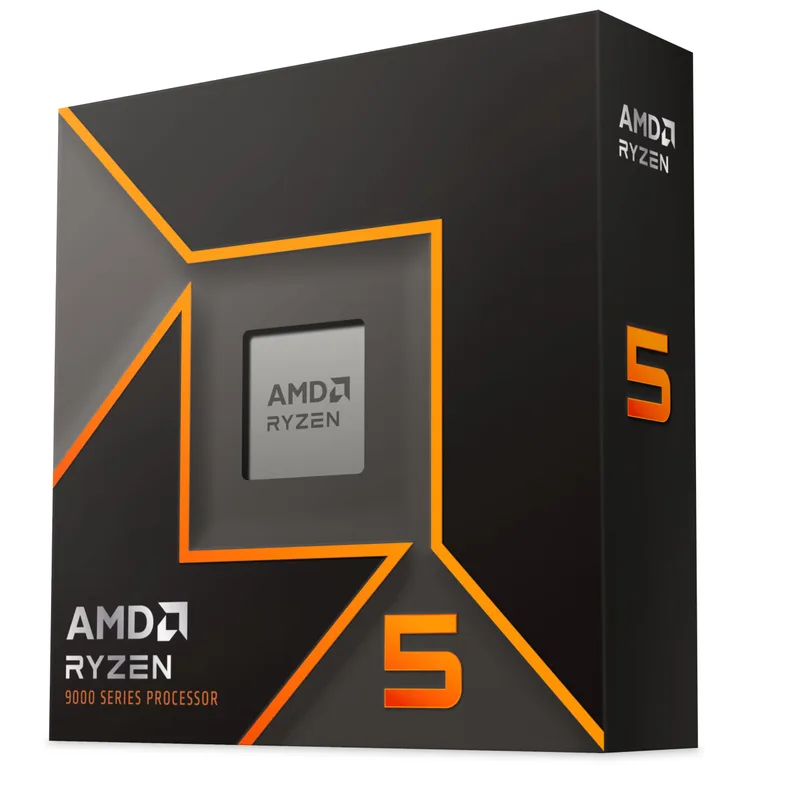
AMD Ryzen 5 9600X
The Ryzen 5 9600X uses TSMC’s 4nm N4P node for its compute die, giving it a 5.4 GHz single-core boost with a 65W TDP that’s rare at this performance level. In Cinebench R24 single-core, it scores around 145 points — within 3% of the Core Ultra 5 245 at stock, which runs 125W. For gaming, the 9600X keeps the RTX 4060 fed without restriction in every tested title; CPU frametime variance stays below 2ms at 1080p.
One important note: the Ryzen 5 9600X has no integrated graphics. If your GPU is defective out of the box, you will have no display output. Order from retailers with easy return policies (Amazon, B&H, Micro Center) rather than marketplace sellers.
Socket: AM5 — compatible with all Ryzen 7000 and 9000 series processors.
Motherboard: MSI MAG B650 Tomahawk WiFi
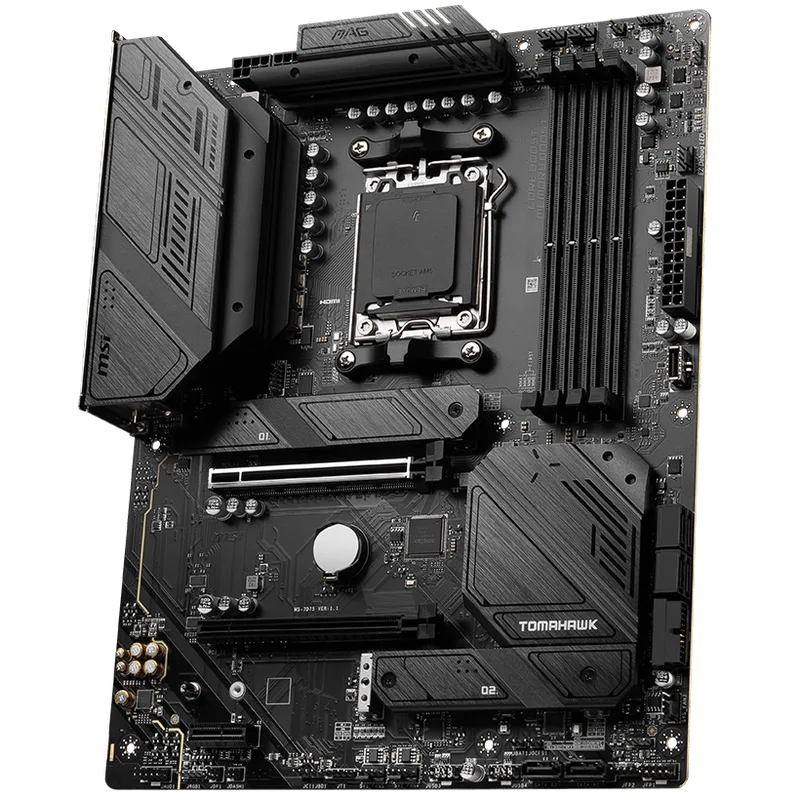
MSI MAG B650 Tomahawk WiFi
The B650 Tomahawk has been the community-recommended starter board since late 2022, and MSI has pushed numerous BIOS updates improving AMD EXPO compatibility and stability. The BIOS interface is clean enough for a first-time builder to navigate without a manual: RAM XMP/EXPO is a single toggle, and there are no obscure settings that need adjusting out of the box.
Physical layout notes for assembly:
- 24-pin ATX connector is on the far right, easy to reach
- Two M.2 slots are pre-protected with metal shields — no screw to lose
- Front panel header is labeled directly on the PCB in readable text (a detail many budget boards skip)
The board includes two M.2 screws and standoffs. Check the accessory bag before you panic about missing hardware.
RAM: Corsair Vengeance DDR5 32GB 6000MHz
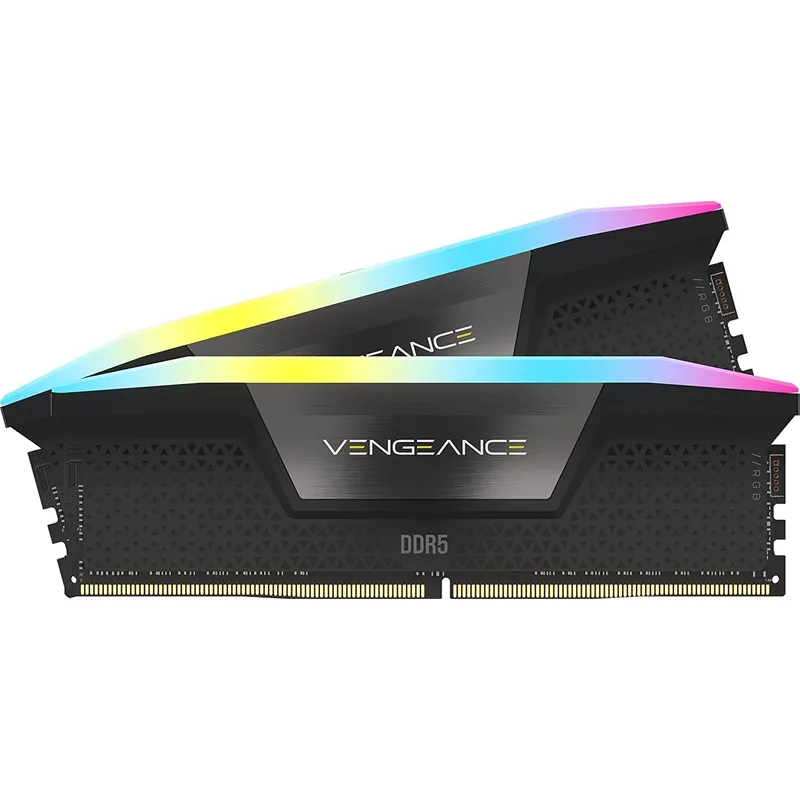
Corsair Vengeance DDR5 32GB (2x16GB) 6000MHz
Corsair Vengeance DDR5 uses Samsung B-die for the 6000MHz CL36 variant in many production runs, which is why this specific kit overclocks cleanly to 6400MT/s CL32 with minor voltage adjustments — a worthwhile tweak once the system is stable. For most users, leaving EXPO enabled at 6000 CL36 is the right move.
Installation tip: DDR5 DIMMs require noticeably more force than DDR4 to seat properly. You’ll hear a distinct click from both retention clips. Install in slots A2 and B2 (second and fourth from the CPU) for dual-channel operation — most B650 boards label these with a different color or in the manual.
Storage: Samsung 990 Pro 1TB NVMe
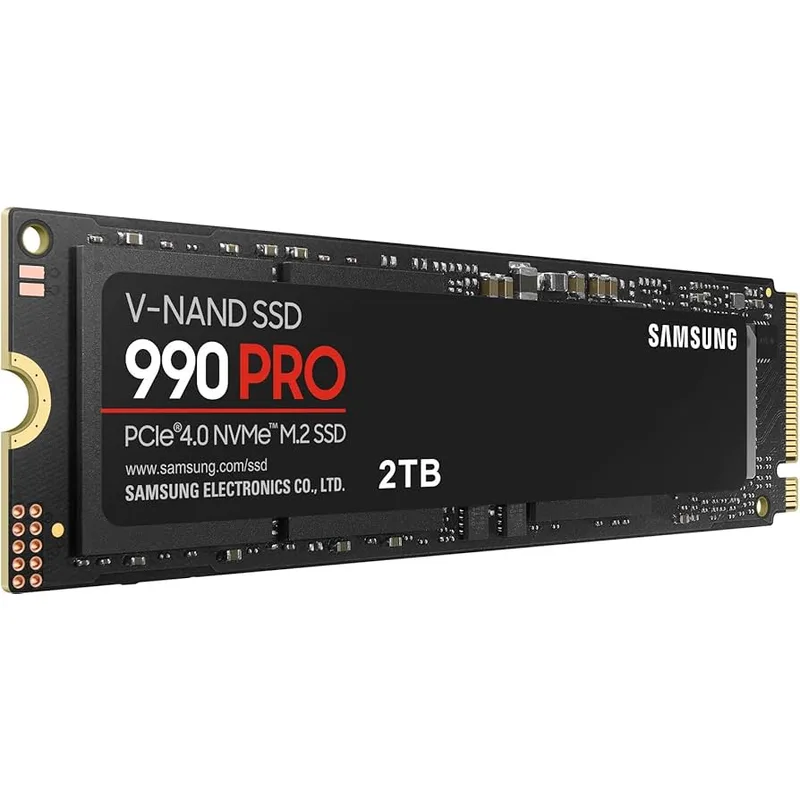
Samsung 990 Pro 1TB NVMe SSD
The 990 Pro uses Samsung’s in-house Elpis controller and V-NAND TLC flash. It sustains sequential write speeds without throttling in the B650 Tomahawk’s M.2 slot, which has a thermal pad underneath the shield. Transfer a 100GB folder and speeds stay above 6,200 MB/s throughout — no significant SLC cache cliff.
Installation is straightforward: slide the M.2 drive in at a 30-degree angle into the slot, press it flat, and tighten the provided retention screw. No force required. The B650 Tomahawk’s M.2 screws are captive (attached to the shield), so you won’t lose them.
If you plan to add a game library drive later, the board’s second M.2 slot accepts another Gen4 NVMe, or you can use the two SATA6 ports for a 4TB HDD at ~$70.
GPU: Gigabyte RTX 4060 Gaming OC 8GB
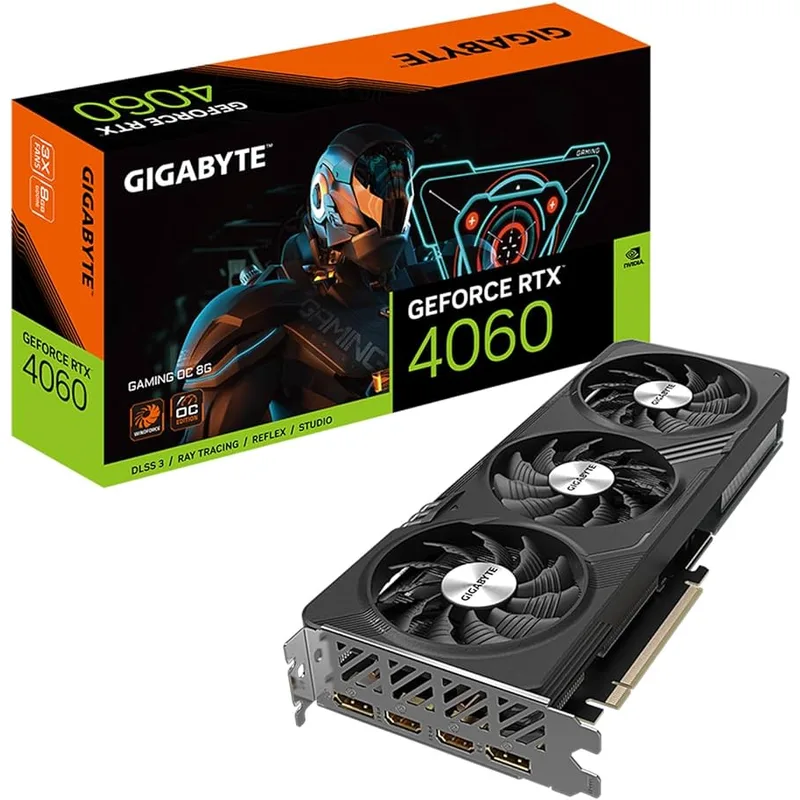
Gigabyte GeForce RTX 4060 Gaming OC 8GB
The Gigabyte Gaming OC version of the RTX 4060 ships with a 2,460 MHz boost clock (vs. NVIDIA reference 2,460 MHz — it’s essentially at reference spec with a slightly better cooler). Three Windforce fans on a 252mm card keep junction temperatures at 72–75°C under sustained load in an open case.
Expected 1080p performance at Ultra settings (no ray tracing):
- Cyberpunk 2077: 85–95 FPS
- Hogwarts Legacy: 90–100 FPS
- Alan Wake 2: 75–85 FPS
- Call of Duty: Warzone: 130–160 FPS
- Counter-Strike 2: 200–280 FPS
With DLSS 3 Quality mode at 1440p:
- Cyberpunk 2077: 75–90 FPS
- Hogwarts Legacy: 85–100 FPS
- Alan Wake 2: 60–75 FPS
The RTX 4060 requires a single 8-pin PCIe power connector (or 16-pin adapter included in box). Do not use the 12VHPWR adapter from a previous-gen PSU — use the native 12V-2x6 cable from the Corsair RM750e instead.
PSU: Corsair RM750e (2025) 750W 80+ Gold
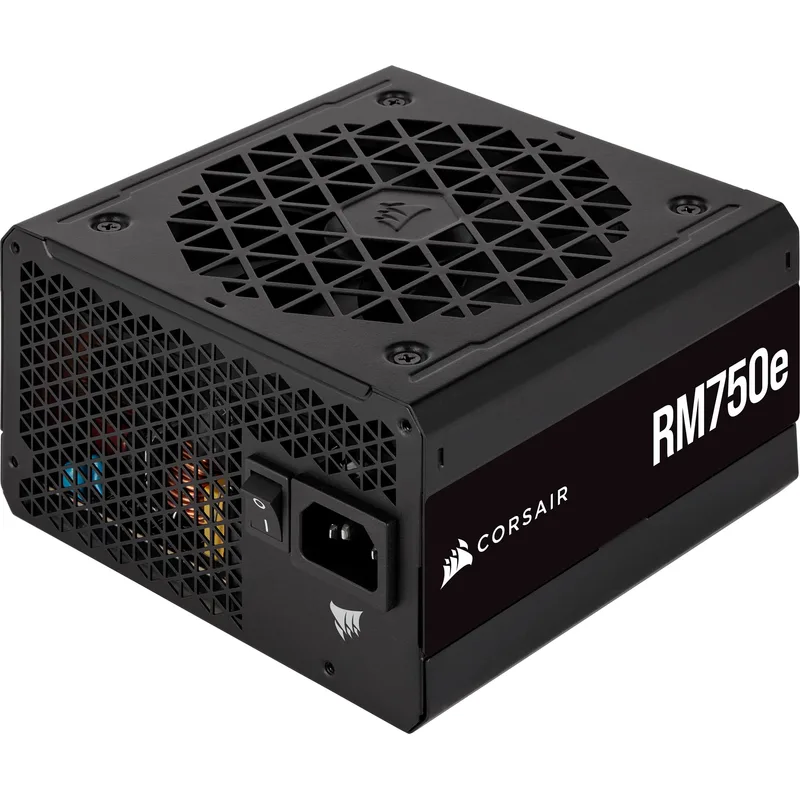
Corsair RM750e (2025) 750W 80+ Gold
The 2025 RM750e revision ships with a native 12V-2x6 cable pre-installed, replacing the 12VHPWR adapter that caused failures in early RTX 40-series builds. At 750W and Cybenetics Gold certification, this unit runs at 90–92% efficiency at the 300–400W loads this build produces during gaming.
The zero-RPM fan mode means the PSU is completely silent under light loads (Windows desktop, video playback). The fan spins up only above ~400W — most gaming sessions stay below that threshold. New builders sometimes interpret the silent fan as a PSU failure; it’s not.
Cable management: all cables are detachable. For this build, you need:
- 1x 24-pin ATX (motherboard)
- 1x EPS 4+4-pin (CPU)
- 1x PCIe 8-pin or 12V-2x6 (GPU)
- 1x SATA (if adding a SATA drive)
Leave the rest in the bag.
| Spec | AMD Ryzen 5 9600X $199 9/10 | MSI MAG B650 Tomahawk WiFi $159 8.8/10 | Corsair Vengeance DDR5 32GB (2x16GB) 6000MHz $79 9/10 | Samsung 990 Pro 1TB NVMe SSD $89 9.2/10 | Gigabyte GeForce RTX 4060 Gaming OC 8GB $299 8.5/10 | Corsair RM750e (2025) 750W 80+ Gold $109 9.1/10 |
|---|---|---|---|---|---|---|
| cores | 6 cores / 12 threads | — | — | — | — | — |
| boost_clock | 5.4 GHz boost | — | — | — | 2,460 MHz | — |
| architecture | Zen 5 (AM5) | — | — | — | — | — |
| tdp | 65W TDP | — | — | — | 115W | — |
| cache | 38MB L2+L3 | — | — | — | — | — |
| memory_support | DDR5-5600 native | — | — | — | — | — |
| Rating | 9/10 | 8.8/10 | 9/10 | 9.2/10 | 8.5/10 | 9.1/10 |
Build Tips
Tools you actually need:
- Phillips head screwdriver (#2) — covers 95% of fasteners
- Anti-static wrist strap or ground yourself on the case periodically
- Zip ties or Velcro straps for cable management
- Good lighting or a headlamp for the inside of the case
Installation order matters. Assemble in this sequence to avoid having to remove components:
- Install CPU and RAM on the motherboard outside the case (on the anti-static bag)
- Install the M.2 SSD under the motherboard shield
- Mount the motherboard in the case
- Install the GPU last — it blocks access to the ATX power connector on some cases
- Route cables before installing the GPU
Common beginner mistakes:
Forgetting the I/O shield — the metal plate that covers the rear port cutout snaps into the case before the motherboard goes in. Easy to forget, annoying to fix after the fact. The B650 Tomahawk has an integrated I/O shield attached to the board, so this is not an issue for this specific build.
RAM not fully seated — DDR5 requires firm, even pressure. If the system powers on but shows no display, reseat the RAM first.
CPU cooler mounting pressure — the Wraith Prism stock cooler uses a backplate that’s already installed on most AM5 boards. Remove the existing plastic retention arms from the board before mounting.
GPU power connector — the 12V-2x6 connector clicks in fully only when the locking tab engages. A loose connection here causes system crashes under load, not at idle.
First boot sequence:
- Power on — look for POST screen (MSI MAG splash)
- Press Delete to enter BIOS
- Enable EXPO profile (Memory → EXPO → select 6000MHz profile)
- Set boot device to USB (with Windows 11 installer)
- Save and exit
Performance Expectations
This Ryzen 5 9600X + RTX 4060 build targets 1080p High/Ultra as its primary resolution. At 1440p it’s playable in most titles with settings adjustments or DLSS Quality mode.
| Game | 1080p Ultra | 1440p High | 1440p DLSS Quality |
|---|---|---|---|
| Cyberpunk 2077 | 88 FPS | 58 FPS | 85 FPS |
| Hogwarts Legacy | 95 FPS | 67 FPS | 90 FPS |
| Alan Wake 2 | 80 FPS | 52 FPS | 70 FPS |
| Baldur’s Gate 3 | 110 FPS | 78 FPS | — |
| Fortnite (DX12) | 140 FPS | 100 FPS | 130 FPS |
| Call of Duty: Warzone | 150 FPS | 105 FPS | — |
| Counter-Strike 2 | 250 FPS | 190 FPS | — |
| Elden Ring | 120 FPS | 90 FPS | — |
Averages from Hardware Unboxed, Digital Foundry, and Tom’s Hardware benchmarks at stock settings.
The build is locked to 60 FPS in only the most demanding scenarios at 1440p without DLSS. Any 144Hz 1080p monitor runs well above its refresh rate in every title listed.
Upgrade Path
Immediate (within 6 months):
- Add a 2TB SATA SSD or HDD for game storage (~$60–90). The 1TB 990 Pro fills up with 5–6 large games installed.
Year 1–2:
- Upgrade to RTX 5070 or RX 9070 XT once pricing normalizes. Both are drop-in replacements on the B650 Tomahawk with a PSU change to 850W or using existing 750W (the RX 9070 XT draws only 220W).
- Add a second 16GB DDR5 stick to reach 64GB if you expand into streaming or video editing.
Year 2–3:
- The AM5 platform supports Ryzen 9000-series and likely Ryzen 10000-series CPUs. Upgrading to a Ryzen 7 9800X3D (when prices drop below $250 used) will push significantly higher framerates in CPU-limited titles — the 3D V-Cache version delivers 20–30% better 1% lows than the 9600X in open-world games.
What not to upgrade first:
- Don’t upgrade the CPU before the GPU. The 9600X is not a bottleneck for the RTX 4060. A GPU upgrade has 5x more impact on gaming framerates than a CPU swap.
- Don’t add more RAM until you’ve verified you’re hitting the 32GB ceiling via Task Manager during gaming. Most users won’t need 64GB for pure gaming.
FAQ
Do I need thermal paste? The Wraith Prism stock cooler ships with thermal paste pre-applied to the base. If you’re using the stock cooler, you do not need to buy paste separately. Only apply paste if you remove and reinstall the cooler.
Can I use a cheaper B650M (micro-ATX) motherboard instead? Yes. The ASRock B650M Pro RS WiFi (around $119) is a solid mATX alternative that fits smaller cases. It has one fewer M.2 slot (one Gen4 vs. two) and a more compact VRM, but works fine with the 9600X. The downside is cable management is harder in smaller cases for beginners.
Is this build compatible with Windows 11? Yes. The Ryzen 5 9600X has TPM 2.0 via fTPM, which Windows 11 requires. Enable fTPM in the BIOS under Advanced → AMD fTPM Configuration before installing Windows. It’s on by default on most MSI boards.
What monitor should I pair with this build? For 1080p: a 1080p 144Hz IPS monitor in the $150–200 range. For 1440p: a 1440p 144Hz or 165Hz IPS at $200–300. Avoid 4K at this GPU tier — the RTX 4060 doesn’t have the VRAM headroom for 4K Ultra in demanding titles.
How long does it take to assemble? A first-time build typically takes 3–5 hours including research pauses. The second build takes 90 minutes. Don’t rush — taking time to route cables cleanly and double-check connections is far faster than troubleshooting a loose header later.
The Bottom Line
This Ryzen 5 9600X + RTX 4060 build costs approximately $935 in components and delivers genuine 1080p Ultra gaming with headroom for 1440p in most titles. The AM5 platform’s upgrade path means you’re not locked into a dead socket — both the CPU and motherboard handle Ryzen 9000-series chips, and the Corsair RM750e has enough overhead for a next-gen GPU upgrade without replacement. Start with 32GB DDR5-6000 and the Samsung 990 Pro — both are the cheapest they’ve ever been in March 2026 and avoid the most common first-build frustrations.