1080p gaming monitors are not a compromise choice in 2026 — they are the deliberate pick for competitive players who need sustained frame rates above 240 FPS, where resolution is irrelevant compared to refresh rate. While 1440p has largely taken over for general-purpose gaming, the 1080p panel market has evolved to fill a specific niche: fast IPS panels at 240Hz, 280Hz, and 360Hz that a high-end GPU can actually saturate. The options below span from budget IPS panels to 360Hz esports displays, covering every competitive use case.
| Spec | AOC 24G2SP 24-inch 165Hz IPS Gaming Monitor Unavailable 8.2/10 | LG 27GN600-B UltraGear 27-inch 144Hz IPS Gaming Monitor 8.4/10 | ASUS TUF Gaming VG259QM 24.5-inch 280Hz Fast IPS Monitor Unavailable 9/10 | ViewSonic XG2431 23.8-inch 240Hz Blur Busters 2.0 IPS Monitor Unavailable 8.8/10 | Alienware AW2523HF 24.5-inch 360Hz IPS Gaming Monitor Unavailable 9.2/10 |
|---|---|---|---|---|---|
| Panel | IPS | IPS | Fast IPS | IPS | IPS |
| Resolution | 1920×1080 | 1920×1080 | 1920×1080 | 1920×1080 | 1920×1080 |
| Refresh Rate | 165Hz | 144Hz | 280Hz | 240Hz | 360Hz |
| Response Time | 1ms GtG | 1ms GtG | 1ms GtG | 0.5ms GtG | 0.5ms GtG |
| Size | 23.8-inch | 27-inch | 24.5-inch | 23.8-inch | 24.5-inch |
| Adaptive Sync | AMD FreeSync Premium | G-Sync Compatible / AMD FreeSync | G-Sync Compatible / FreeSync Premium | AMD FreeSync Premium / G-Sync Compatible | AMD FreeSync Premium |
| Rating | 8.2/10 | 8.4/10 | 9/10 | 8.8/10 | 9.2/10 |
Prices change daily — tap Check Price for the current Amazon price.
Prices change daily — tap Check Price for the current Amazon price.
Quick Picks
- Best overall: ASUS TUF Gaming VG259QM — 280Hz Fast IPS with G-Sync Compatible support at $229
- Budget pick: AOC 24G2SP — IPS colors and a height-adjustable stand for $189
- Competitive esports: Alienware AW2523HF — 360Hz IPS panel with full ergonomic stand at $329
Buying Guide: What to Know Before You Choose
Refresh Rate: How Much Do You Actually Need?
The jump from 60Hz to 144Hz is transformational. From 144Hz to 240Hz is noticeable in competitive shooters. From 240Hz to 360Hz is real but subtle — you need consistent 300+ FPS to use it, which demands a high-end GPU.
If your GPU is an RTX 5070 or RX 9070 and you play primarily Valorant, CS2, or Apex Legends, a 280Hz or 360Hz panel is genuinely useful. If you’re on a mid-range card, a 165Hz or 240Hz monitor is a better fit — your frame rates won’t consistently hit the panel ceiling anyway.
IPS vs. VA vs. TN at 1080p
TN panels hit the highest refresh rates (some reach 500Hz and 600Hz) but their viewing angles are narrow and colors look washed out. Avoid TN unless you are a dedicated tournament player who needs maximum Hz at all costs.
IPS panels offer wide viewing angles, accurate color, and modern response times of 0.5ms to 1ms GtG. Most of the 2026 competitive gaming market has moved to fast IPS or IPS variants, and all five monitors in this roundup use IPS panels.
VA panels offer the best contrast ratios and are better for dark game environments, but fast-motion smearing remains a concern in competitive play. VA is a strong choice for single-player gaming but not covered in this roundup.
Screen Size: 24-inch vs. 27-inch at 1080p
At 24 inches, 1920×1080 is sharp enough — pixel density is around 92 PPI, comparable to a 1440p panel at 27 inches. At 27 inches, 1080p drops to about 82 PPI and text starts looking noticeably softer. The 27-inch 1080p option here (LG 27GN600-B) is recommended only if you genuinely prefer a larger screen and are aware of the trade-off.
Adaptive Sync: G-Sync vs. FreeSync
All five monitors here support both G-Sync Compatible (Nvidia) and AMD FreeSync via the official compatible list or factory certification. You do not need to pay the G-Sync hardware premium for a gaming monitor in 2026.
Detailed Reviews
AOC 24G2SP — Best Budget 1080p Monitor

AOC 24G2SP 24-inch 165Hz IPS Gaming Monitor
The AOC 24G2SP is the most complete budget 1080p monitor available. At $189, it ships with a height-adjustable stand — a feature most competitors at this price require an aftermarket arm to replicate. The 23.8-inch IPS panel runs at 165Hz with AMD FreeSync Premium support.
Owner feedback via Amazon and forums consistently notes accurate color out of the box and minimal backlight bleed. The 165Hz ceiling is achievable with a mid-range GPU: an RX 9070 or RTX 5070 Ti can sustain well above 165 FPS in competitive titles at 1080p.
The downsides are minor for the price: the HDR designation is marketing-level rather than functional, and there is no USB hub. For a first 1080p gaming monitor or a secondary display, the AOC 24G2SP is the value benchmark in 2026.
LG 27GN600-B — Best 27-inch 1080p Monitor
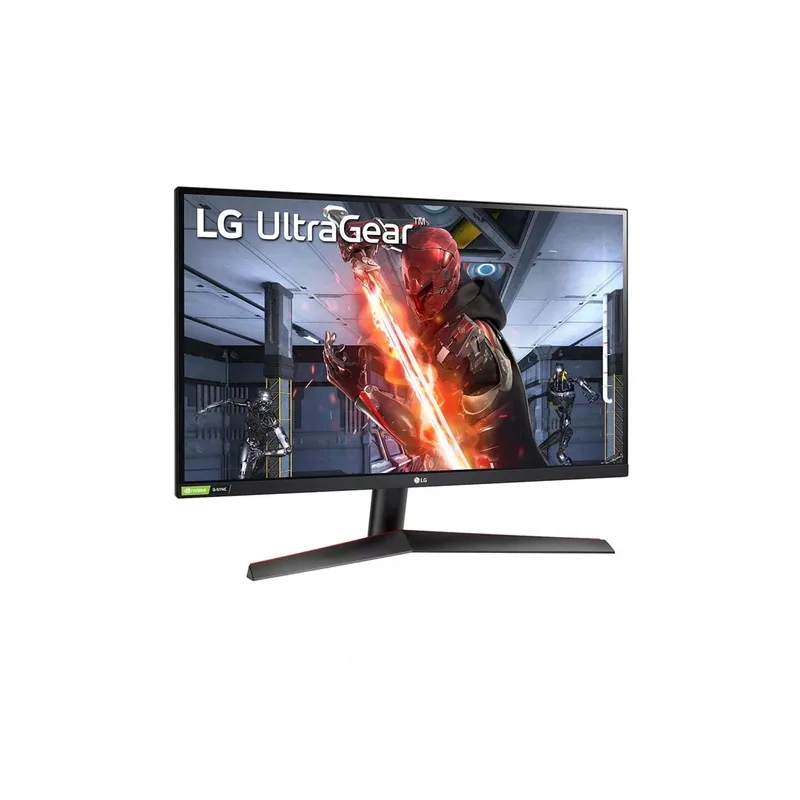
LG 27GN600-B UltraGear 27-inch 144Hz IPS Gaming Monitor
The LG 27GN600-B UltraGear is the pick for buyers who want a larger screen without paying for 1440p. At 27 inches and 1920×1080, pixel density is lower than a 24-inch panel — you will notice softer text at normal desk distances. In games where the action fills the screen, this is a non-issue; in productivity or web browsing, it is a visible trade-off.
The IPS panel covers 99% sRGB and supports both G-Sync Compatible and AMD FreeSync, which covers the full GPU market. At 144Hz, it falls behind the 165Hz AOC and the 280Hz ASUS, but the extra screen real estate appeals to players who prefer a more cinematic field of view over maximum refresh rate.
The stand only tilts — no height or swivel adjustment. A VESA arm resolves this if your desk setup demands it.
ASUS TUF Gaming VG259QM — Best Overall 1080p Gaming Monitor
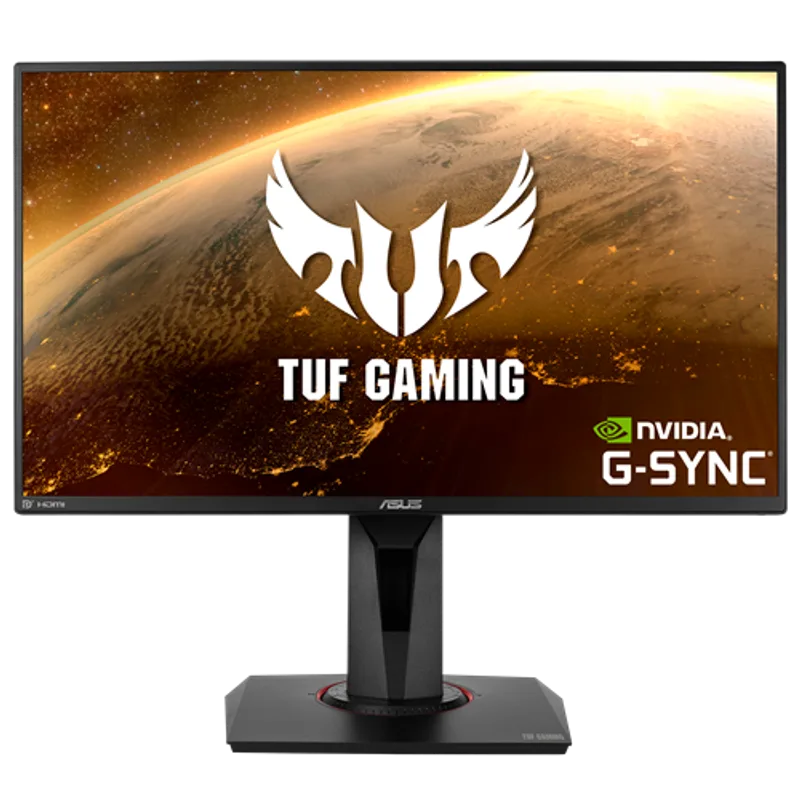
ASUS TUF Gaming VG259QM 24.5-inch 280Hz Fast IPS Monitor
The ASUS TUF Gaming VG259QM is the top recommendation for 1080p gaming in 2026 because it hits the best intersection of refresh rate, panel quality, and price. 280Hz on a Fast IPS panel at $229 outperforms every $250-and-under 1080p monitor in motion clarity.
The Fast IPS technology ASUS uses in the VG259QM reduces pixel response times compared to standard IPS, addressing the overshoot issues common to older panels running beyond their rated spec. At 280Hz with ELMBS (Extreme Low Motion Blur Sync) active, motion in CS2 at 250+ FPS looks sharper than equivalent 240Hz panels.
G-Sync Compatible certification means you get VRR on Nvidia GPUs without needing a G-Sync module. DisplayHDR 400 certification is present, though as with all 400-nit HDR panels, the effect is subtle compared to true HDR displays.
This is the monitor we recommend pairing with a mid-to-high-end 1080p gaming build — an RTX 5070 or RX 9070 driving Valorant at 280+ FPS is a legitimate use case.
ViewSonic XG2431 — Best for Competitive FPS (Blur Busters 2.0)
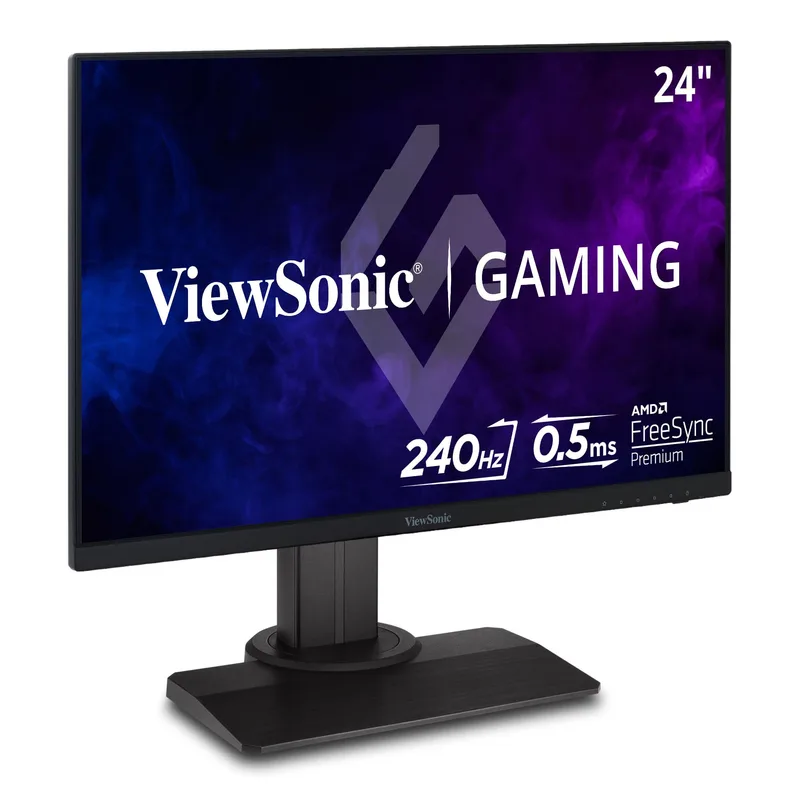
ViewSonic XG2431 23.8-inch 240Hz Blur Busters 2.0 IPS Monitor
The ViewSonic XG2431 earned the first-ever Blur Busters 2.0 certification, which means its backlight strobe has been independently calibrated to minimize cross-talk and double-image artifacts that plague most monitors running strobing motion blur reduction. For CS2 players specifically, the motion clarity difference between a standard 240Hz monitor and the XG2431 at the same frame rate is measurable on screen.
The 0.5ms GtG response time is among the fastest available on an IPS panel, and owner reports back up the manufacturer spec — pixel trailing in horizontal panning is not visible at 240Hz.
The main limitation is one that affects all strobe-based monitors: Blur Busters MBR (Motion Blur Reduction) must be turned off to use adaptive sync. At 240Hz with VRR disabled and a GPU holding consistently above 240 FPS, MBR is a net positive. Below that threshold, keep VRR active and disable strobing.
The comprehensive ergonomic stand is a bonus at $249 — height, tilt, swivel, and pivot all come in the box.
Alienware AW2523HF — Best High-Refresh Esports Monitor
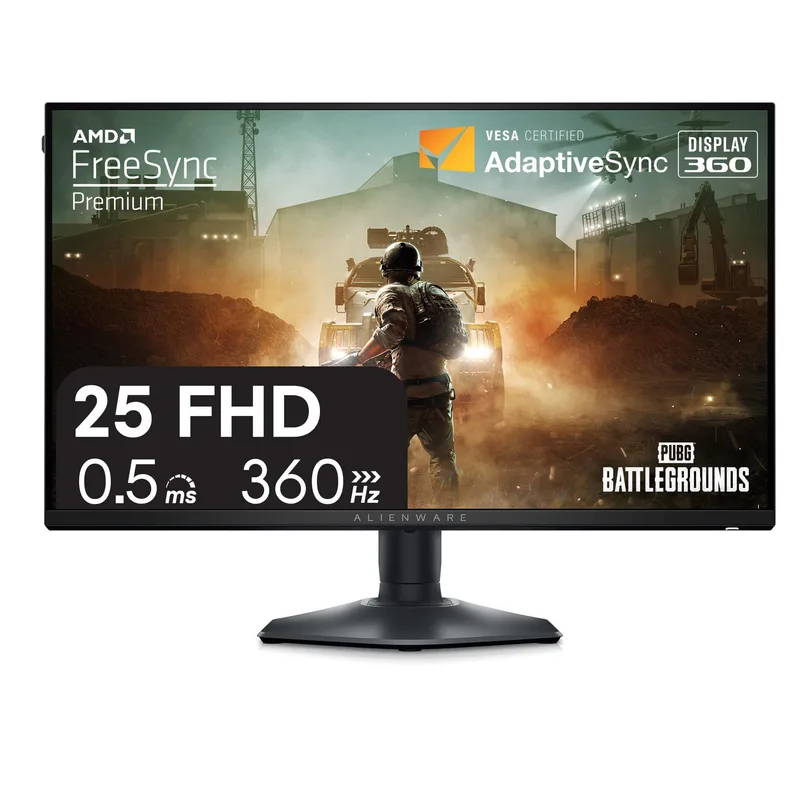
Alienware AW2523HF 24.5-inch 360Hz IPS Gaming Monitor
The Alienware AW2523HF reaches 360Hz on an IPS panel — the highest refresh rate available on an IPS 1080p monitor as of mid-2026. Unlike earlier 360Hz monitors that relied on TN panels with poor viewing angles and washed-out color, the AW2523HF delivers IPS-class color accuracy at full refresh.
The 360Hz advantage over 240Hz is real but requires context. According to Alienware’s spec data and user benchmarks across Reddit’s r/monitors community, the perceptual smoothness benefit of 360Hz over 240Hz is most visible in CS2 and Valorant when frame rates stay consistently above 280+ FPS. Below that threshold, the extra Hz are largely unused. Plan your GPU budget accordingly — an RTX 5080 or RX 9070 XT is the practical minimum for keeping CS2 above 300 FPS at 1080p competitive settings.
The IPS panel reaches 0.5ms GtG, the stand covers all four ergonomic adjustments, and AMD FreeSync Premium is supported. The HDR implementation at 400 nits is nominal — the AW2523HF is a competitive gaming tool, not a cinematic display.
FAQ
Is 1080p still worth it in 2026 or should I go 1440p?
1080p makes sense when your priority is maximum frame rate over image sharpness. In competitive games like CS2, Valorant, and Apex Legends, sustaining 240+ FPS at 1080p is achievable on a mid-range GPU. Sustaining 240+ FPS at 1440p requires a significantly more powerful GPU. If you play competitive shooters primarily and own an RX 9070 or RTX 5070 or better, 1080p 240Hz or higher is the better competitive choice. For general gaming and single-player titles, 1440p 165Hz is the more balanced pick in 2026.
What GPU do I need to use a 240Hz or 360Hz 1080p monitor effectively?
To consistently hit 240 FPS in CS2 or Valorant at 1080p competitive settings, an RX 9070 or RTX 5070 is the practical target. For 360Hz use, an RTX 5080 or RX 9070 XT holds frame rates above 300 FPS in those titles on optimized settings. Note: 360Hz is largely irrelevant in GPU-limited games or single-player titles.
Does screen size matter for competitive gaming?
Most competitive players prefer 24-inch to 24.5-inch monitors because the entire screen fits within a narrower field of vision, reducing head movement. Professional esports setups almost universally use 24-inch panels. The 27-inch option in this roundup is better suited to casual gaming and desk setups where the extra size is comfortable.
Is TN or IPS better for competitive gaming in 2026?
IPS has largely replaced TN for competitive gaming. Modern Fast IPS panels achieve 0.5ms GtG response times that match or beat older TN implementations, while offering significantly better color accuracy and viewing angles. The only remaining advantage of TN is at extreme refresh rates (500Hz, 600Hz) for tournament players with specialized requirements. For most esports players, IPS is the better choice in 2026.
Can I use these monitors with a console?
Yes. All five monitors support HDMI 2.0 inputs and will accept PS5 or Xbox Series X output at 1080p 120Hz. The panel’s 240Hz or 360Hz refresh rate is not usable via console since HDMI 2.0 caps at 240Hz at 1080p and console hardware typically targets 60Hz or 120Hz.
The Bottom Line
The ASUS TUF Gaming VG259QM is the best 1080p gaming monitor for most buyers in 2026 — 280Hz on a Fast IPS panel at $229 outperforms competitors at this price in both motion clarity and panel quality. Budget-conscious builders get strong value from the AOC 24G2SP at $149, which delivers IPS colors and a height-adjustable stand that most competitors skip at this price. Competitive players with a high-end GPU who need every frame should look at the Alienware AW2523HF, the fastest IPS 1080p panel on the market at 360Hz.