The 65% layout hits a specific sweet spot: you lose the function row and numpad, but you keep dedicated arrow keys and a navigation column — the keys that actually matter mid-game. Razer’s BlackWidow V3 Mini HyperSpeed has quietly dropped to under $70 in 2026 after launching at $180, making wireless 65% keyboards legitimately competitive against wired options for the first time. Meanwhile, Glorious’s GMMK 3 brought gasket mounting and pre-lubed switches to the $119 price point, raising the baseline for what a mid-range enthusiast board should include.
| Spec | Corsair K65 PRO Mini RGB 9.2/10 | Razer BlackWidow V3 Mini HyperSpeed Unavailable 8.7/10 | HyperX Alloy Origins 65 8.4/10 | Keychron K7 Pro Unavailable 8.5/10 | Glorious GMMK 3 65% 8.6/10 |
|---|---|---|---|---|---|
| Layout | 65% (68 keys) | 65% (68 keys) | 65% (68 keys) | 65% (68 keys, ultra-slim) | 65% (68 keys) |
| Switches | Corsair OPX Optical-Mechanical | Razer Green Mechanical (clicky) | HyperX Red (linear) | Low-Profile Gateron Brown (tactile) | Glorious Fox (linear, pre-lubed) |
| Polling Rate | 8,000 Hz (8KHz) | 1,000 Hz wired / HyperSpeed wireless | 1,000 Hz | 1,000 Hz | 1,000 Hz |
| Connection | USB-C (wired) | HyperSpeed 2.4GHz, Bluetooth 5.0, USB-C | USB-C (wired, braided cable) | Bluetooth 5.1 (3 devices), USB-C | USB-C (wired) |
| Keycaps | PBT Double-Shot | Phantom Pudding ABS | PBT Double-Shot | Low-Profile Double-Shot PBT | — |
| Actuation | 1.0mm / 45g | — | — | — | — |
| Rating | 9.2/10 | 8.7/10 | 8.4/10 | 8.5/10 | 8.6/10 |
Prices change daily — tap Check Price for the current Amazon price.
Prices change daily — tap Check Price for the current Amazon price.
Quick Picks
- Best overall: Corsair K65 PRO Mini RGB — 8KHz polling and OPX optical switches make this the fastest 65% you can buy outright
- Best wireless: Razer BlackWidow V3 Mini HyperSpeed — tri-mode (2.4GHz + BT + wired) with 200-hour battery, now under $70
- Best value: HyperX Alloy Origins 65 — aluminum top plate and PBT keycaps at $69.99 is hard to argue with
Buying Guide: What Matters in a 65% Keyboard
Polling Rate
The Corsair K65 PRO Mini runs at 8,000 Hz (8KHz), reporting position every 0.125ms. Standard gaming keyboards poll at 1,000 Hz (1ms). For most players, the difference is imperceptible below 300+ FPS, but competitive FPS players chasing frame-perfect inputs will feel the edge. Every other board in this roundup caps at 1,000 Hz.
Switch Type
Linear switches (Red, Yellow) have a straight-down stroke with no bump or click. They’re the most popular choice for gaming because you feel no resistance before actuation. The HyperX Red and Razer Yellow fall here.
Tactile switches (Brown) have a slight bump partway through the stroke that confirms the keypress without a click. The Keychron K7 Pro’s Gateron Brown is the only tactile option here — better for typing, acceptable for gaming.
Optical switches like the Corsair OPX use a light beam to detect actuation instead of metal contacts, eliminating debounce delay entirely. The result is a faster-feeling stroke, especially relevant at 8KHz polling.
Hot-Swap vs. Soldered
Hot-swap sockets let you pull and replace switches without a soldering iron. The Keychron K7 Pro and Glorious GMMK 3 both have hot-swap; the Corsair, Razer, and HyperX are soldered. If you want to experiment with different switches, pay the hot-swap premium.
Wireless Connectivity
The Razer HyperSpeed protocol runs at ~1ms latency, comparable to wired polling at 1,000 Hz. Bluetooth 5.0 on the same keyboard adds device-switching capability but adds 7-15ms latency — fine for productivity, not for competitive gaming. The Keychron K7 Pro’s Bluetooth 5.1 is similar. If you need sub-1ms wireless, nothing here beats HyperSpeed.
Gasket vs. Tray Mount
Tray-mount keyboards (Corsair, Razer, HyperX in this roundup) screw the PCB directly to the case. Bottom-out sound is sharper and keystroke vibration transmits directly to your desk. Gasket-mount boards (the GMMK 3) suspend the PCB on silicone gaskets, absorbing vibration and producing a softer thock. You hear the difference immediately if you type fast.
Detailed Reviews
1. Corsair K65 PRO Mini RGB — Best Overall
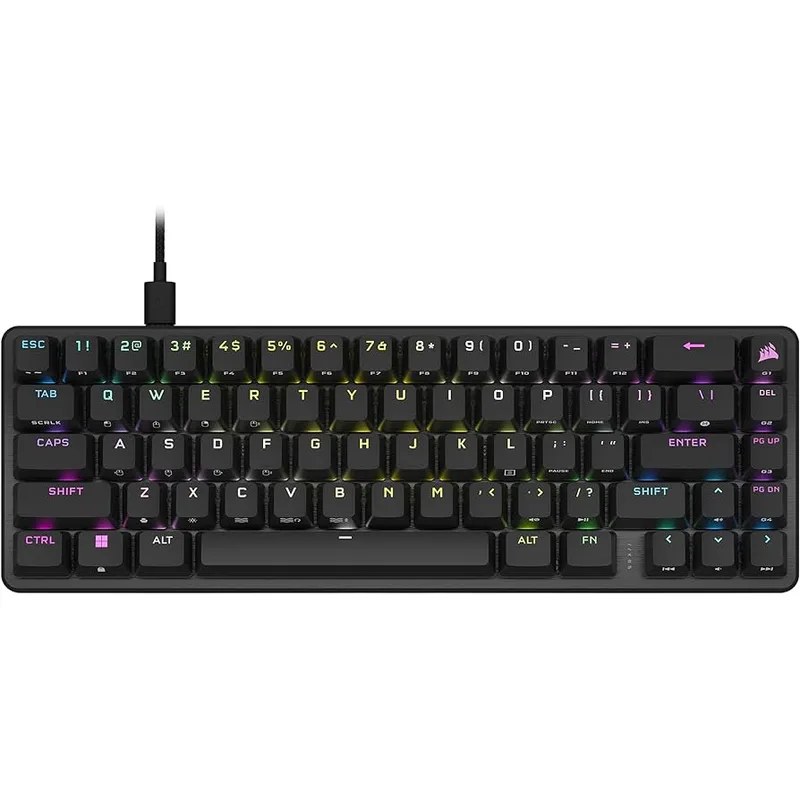
The K65 PRO Mini is the only keyboard in this roundup that ships with 8KHz polling enabled out of the box. The OPX optical-mechanical switches actuate at 1.0mm with a 45g force — lighter than Cherry MX Red (45g over a longer travel) and faster due to zero debounce time. At $79.99, the poll-rate advantage alone justifies the price premium over the HyperX Alloy Origins 65 for anyone playing competitive shooters.
PBT double-shot keycaps at sub-$100 remain unusual. The legends are crisp after months of use where ABS keycaps would already show shine. The USB-C detachable cable is a small convenience that most boards in this class skip.
The downside is straightforward: no wireless option exists at any price, and iCUE software loads ~200MB into RAM at idle. If you keep a lean gaming rig and resent background processes, the software overhead is real. The sound profile is also thockier than a gasket-mount board — the GMMK 3 is noticeably quieter at max volume.
For pure gaming performance at a reasonable price, this is the pick.
2. Razer BlackWidow V3 Mini HyperSpeed — Best Wireless
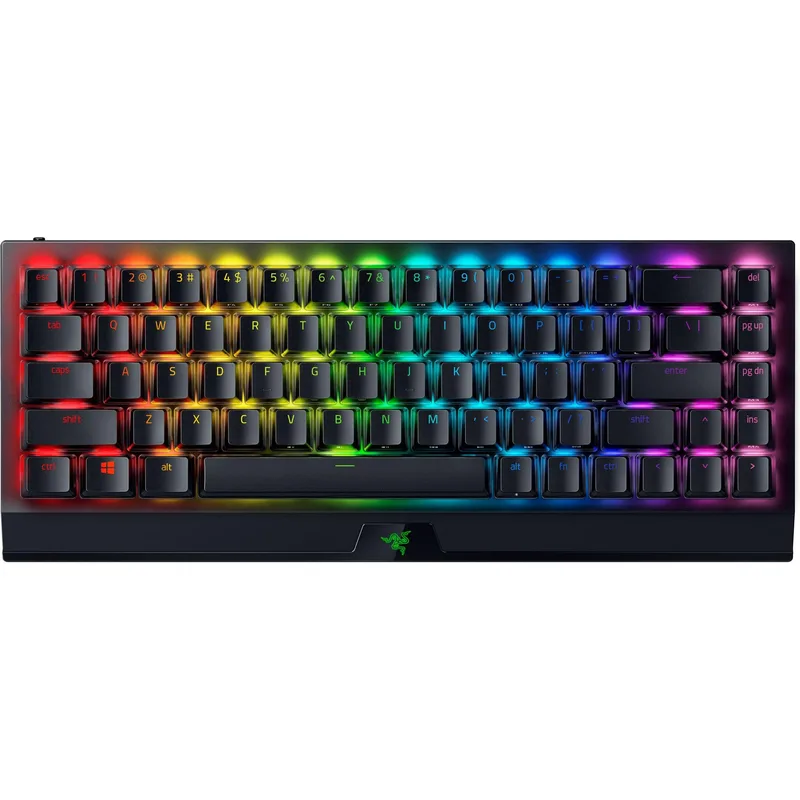
Razer BlackWidow V3 Mini HyperSpeed
The BlackWidow V3 Mini launched at $179.99 in 2021. In March 2026, it hit an all-time low under $60 via Amazon/Woot before settling around $69.99. That price collapse changes the calculus: you now get tri-mode wireless (HyperSpeed 2.4GHz, Bluetooth 5.0, USB-C) for the same price as a wired HyperX.
HyperSpeed runs at ~1,000 Hz equivalent latency in 2.4GHz mode. Razer’s own testing shows the wireless input lag is indistinguishable from a cable in controlled conditions. Battery life reaches 200 hours on Green switches — roughly three weeks of daily 4-hour sessions before charging. That’s meaningful; the closest competitor manages ~100 hours.
Snap Tap (formerly Anti-ghosting) handles SOCD (simultaneous opposing cardinal directions) automatically, a feature competitive players care about for strafing mechanics. It’s enabled via Synapse software per-profile.
The compromises: Green switches are polarizing. The click is satisfying for some and annoying for everyone nearby. Yellow linear switches are available as a separate listing if you want a silent wireless option. ABS pudding keycaps look good fresh but degrade faster than PBT — expect visible shine within 6 months of daily use.
3. HyperX Alloy Origins 65 — Best Value
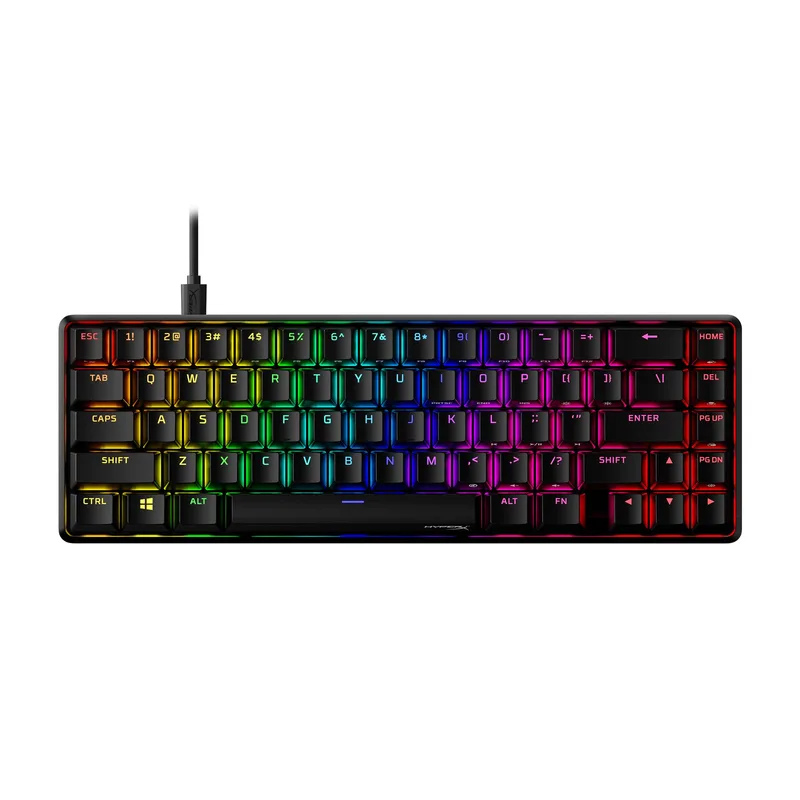
The Alloy Origins 65 is the easiest recommendation when someone asks for a competent 65% board under $75. The aluminum top plate is the story here — it’s the same frame construction you find on $150+ boards like the Ducky One 3. On a $69.99 keyboard, it gives a solidity to typing that plastic-framed alternatives simply don’t match.
HyperX Red switches are linear with 45g actuation at 1.8mm (total travel 4.0mm). They’re not fast optical switches, but they’re smooth, consistent, and familiar. For gaming, they perform like most competitive linear switches — nothing to complain about. For typing, the slightly heavier actuation than MX Speed is fine for extended sessions.
NGENUITY software is lightweight compared to iCUE. RGB control and macro setup work without requiring an account or cloud sync, which matters to users who want to avoid bloatware. Three-key rollover on USB, full N-key rollover on the board itself.
The ceiling is clear: no wireless, no hot-swap, no software-side features beyond what NGENUITY provides. If those constraints don’t bother you, this is arguably the best price-to-build-quality ratio in the roundup.
4. Keychron K7 Pro — Best for Typing and Mac Users
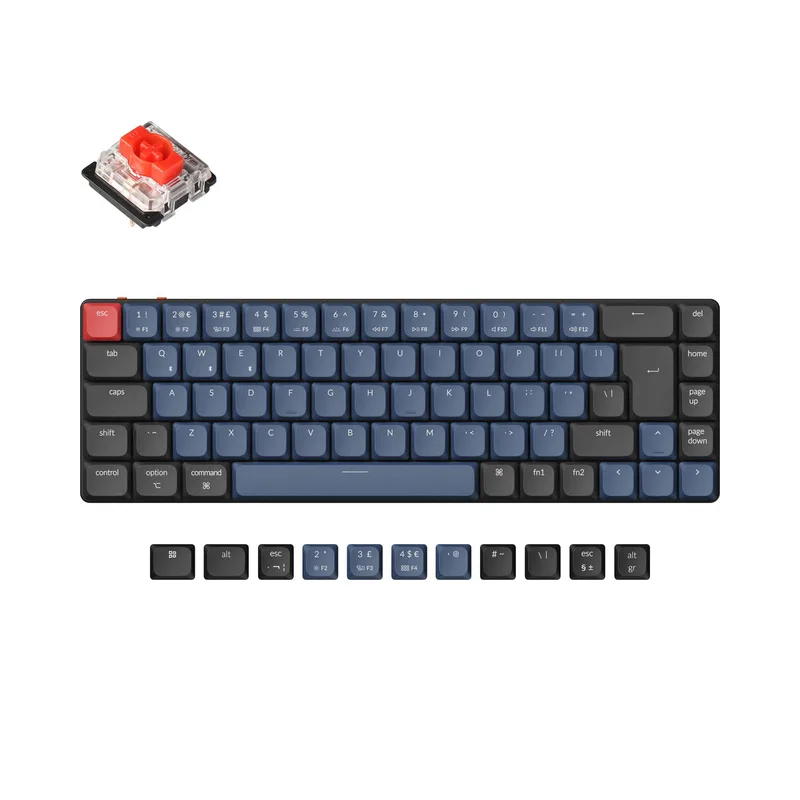
Keychron K7 Pro
The K7 Pro is the only keyboard in this roundup that supports QMK/VIA firmware — open-source keyboard software that lets you remap every key, create layers, and program macros without any proprietary application. For developers, writers, and anyone who wants granular control over key behavior, QMK is a meaningful differentiator.
The low-profile form factor is the defining characteristic. At 15mm total height (from desk to keycap top), the K7 Pro sits closer to a laptop keyboard than a full-height mechanical board. The low-profile Gateron switches have 3mm total travel vs. 4mm on standard MX-style switches. Some users prefer the shorter stroke for typing efficiency; others find it less satisfying for gaming where you want more tactile confidence.
Bluetooth 5.1 pairs three devices simultaneously. Switching between a gaming PC, work laptop, and iPad takes one key combination. Battery life is moderate (~70-100 hours with RGB on) compared to the Razer’s 200-hour lead.
Mac layout support (Command, Option, correct media keys) is native — this is the only keyboard in the roundup designed explicitly for macOS while remaining fully functional on Windows and Linux. If you’re cross-platform, that matters.
5. Glorious GMMK 3 65% — Best Enthusiast Build
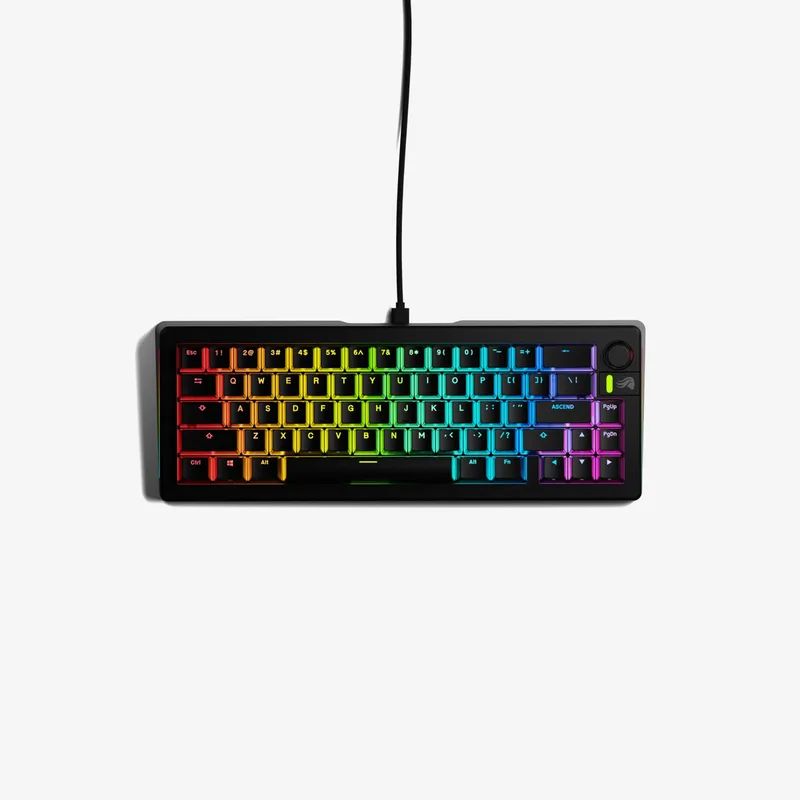
The GMMK 3 65% represents the customization tier of this roundup. The modular gasket system places silicone gaskets between the PCB assembly and the case, dampening keystroke vibration before it reaches the desk. The result is a softer sound profile — fewer harsh high-frequency clicks, more low thock — compared to the tray-mounted boards above.
Fox switches arrive pre-lubed from the factory. Manual switch lubing is one of the most time-consuming parts of keyboard building, typically adding 2-4 hours to setup. Glorious addresses this by applying lubricant during manufacturing. The result isn’t as precise as a hand-lubed switch, but it’s meaningfully better than dry switches out of the box.
The volume knob sits in the top-right corner and doubles as an encoder for software-configurable functions. Combined with GLORIOUS CORE software, it maps to any control you want — media playback, browser zoom, in-game sensitivity adjustments. It’s a small feature that once you have it, you miss on every other board.
At $119, this costs $40 more than the Corsair K65 PRO Mini. The premium buys you gasket mounting, hot-swap sockets, pre-lubed switches, and a knob. If any of those features matter to your use case, the GMMK 3 is the correct choice. If you only need fast gaming switches with minimal fuss, the Corsair wins on raw polling rate and lower price.
FAQ
Is a 65% keyboard good for gaming?
Yes — the 65% layout removes the numpad and function row but keeps arrow keys and a navigation cluster (Delete, Page Up/Down, End). For most games, you never use the missing keys. The smaller footprint increases mouse space, which is a practical advantage in FPS games where you need room for low-sensitivity swipes.
What’s the difference between 60% and 65%?
A 60% keyboard removes everything to the right of the backslash key, including arrow keys. A 65% adds those arrow keys back and typically includes a small right column (Delete, Page Up, Page Down, End). Most gamers who try 60% end up returning to 65% for the arrow keys alone — they’re used more often than you’d expect.
Does polling rate matter for gaming keyboards?
At 1,000 Hz (standard), keyboard input lag is 1ms — already imperceptible in most scenarios. At 8,000 Hz (Corsair K65 PRO Mini), that drops to 0.125ms. The practical difference is measurable in competitive FPS at 240+ FPS, but most players won’t notice it in real gameplay. If you’re playing at 360 Hz with a pro-level mouse, the 8KHz keyboard is a logical match. Otherwise, 1,000 Hz is sufficient.
Are wireless keyboards good for competitive gaming?
Modern 2.4GHz wireless keyboards like the Razer HyperSpeed match wired 1,000 Hz polling in controlled tests. Bluetooth adds 7-15ms of latency and is not suitable for competitive play. If you want wireless gaming, choose a keyboard with a dedicated 2.4GHz dongle (HyperSpeed, Logitech Lightspeed) rather than Bluetooth-only boards.
What switch should I get for gaming?
Linear switches (Red, Yellow) are the most popular for gaming — no tactile bump means consistent actuation without resistance. Optical linear switches like the Corsair OPX add a speed advantage by removing debounce delay. Tactile switches (Brown) work fine for gaming but are optimized for typing feel. Clicky switches (Green, Blue) are the least popular for gaming due to noise.
The Bottom Line
The Corsair K65 PRO Mini RGB is the strongest all-around pick: 8KHz polling, OPX optical switches, and PBT keycaps at $79.99. If you need wireless, the Razer BlackWidow V3 Mini HyperSpeed at ~$70 delivers HyperSpeed 2.4GHz and 200-hour battery now that its launch price has collapsed. Budget shoppers who don’t need wireless should look at the HyperX Alloy Origins 65 — an aluminum top plate and PBT keycaps at $69.99 is genuinely good value. The Glorious GMMK 3 earns its $119 price for enthusiasts who want gasket mounting and hot-swap; the Keychron K7 Pro is the correct choice if QMK firmware or Mac support is a requirement.