AMD’s AM5 platform dropped in late 2022 and motherboard prices have come down significantly since. In early 2026, you can build a solid Ryzen 7000, 8000, or 9000 system for under $100 on the motherboard — but the A620 chipset is doing most of the heavy lifting at this price. The B850 chipset has taken over from B650 as AMD’s mainstream mid-range option, while A620 holds down the budget end. New entrants like JGINYUE recently launched Aurora B850 and B650E boards priced under $70, signaling that competition at the bottom of the AM5 market is intensifying.
| Spec | ASRock A620M-HDV/M.2 7.8/10 | MSI PRO A620M-E 8.2/10 | Gigabyte A620M DS3H 8/10 | Gigabyte A620M Gaming X 8.4/10 | ASRock A620M Pro RS 8.6/10 |
|---|---|---|---|---|---|
| socket | AM5 (LGA 1718) | AM5 (LGA 1718) | AM5 (LGA 1718) | AM5 (LGA 1718) | AM5 (LGA 1718) |
| chipset | AMD A620 | AMD A620 | AMD A620 | AMD A620 | AMD A620 |
| formFactor | Micro-ATX | Micro-ATX | Micro-ATX | Micro-ATX | Micro-ATX |
| memory | DDR5, 2 slots, up to 96GB, 6400+ MHz OC | DDR5, 2 slots, up to 96GB, 6400+ MHz OC | DDR5, 2 slots, up to 7600 MHz OC | DDR5, 2 slots, PCIe 4.0 | DDR5, 2 slots, up to 7200+ MHz OC |
| storage | 1x M.2 PCIe 4.0, 4x SATA | 1x M.2 PCIe 4.0 Gen4, 4x SATA | 1x M.2 PCIe 4.0, 4x SATA | 2x M.2 PCIe 4.0, 4x SATA | 2x M.2 (dual PCIe 4.0), 4x SATA |
| networking | Realtek GbE LAN | Realtek GbE LAN | Realtek GbE LAN | Realtek GbE LAN, USB 3.2 Gen1x2 Type-C | 2.5GbE LAN (Realtek RTL8125B) |
| Rating | 7.8/10 | 8.2/10 | 8/10 | 8.4/10 | 8.6/10 |
Prices change daily — tap Check Price for the current Amazon price.
Prices change daily — tap Check Price for the current Amazon price.
Quick Picks
- Best overall value: MSI PRO A620M-E — $70, solid VRM, beginner-friendly BIOS, triple video outputs
- Best feature set: ASRock A620M Pro RS — $120, 2.5GbE LAN, dual M.2, 6+2+1 VRM — the strongest spec sheet in the A620 lineup
- Absolute cheapest: ASRock A620M-HDV/M.2 — $75, BIOS flashback, and HDMI 2.1 for iGPU builds
Buying Guide: A620 vs B650 Under $100
The honest answer in 2026 is that genuine B650 boards under $100 are nearly impossible to find at retail — most have settled into the $110-$130 range as B650 production wound down in mid-2025. A620 is the chipset you’re actually buying at this price.
What A620 can and can’t do:
A620 supports all Ryzen 7000, 8000, and 9000 series CPUs on AM5 and handles DDR5 memory overclocking. What it doesn’t do: CPU overclocking. You can’t push a Ryzen 5 7600X beyond its rated boost clock on an A620 board — EXPO/XMP memory profiles still work, but CPU multiplier overclocking is locked. If you’re pairing with a non-X CPU like the Ryzen 5 7600 or Ryzen 7 7700 (both non-overclockable by default anyway), you lose nothing meaningful.
TDP limits matter more than you think:
Some A620 boards — notably the ASRock A620M-HDV/M.2 — impose a 65W CPU TDP cap in default BIOS settings. The Ryzen 5 7600 and Ryzen 7 7700 are both 65W chips, so they’re unaffected. The Ryzen 7 7700X (105W) and Ryzen 9 7900X (170W) will throttle unless the BIOS is configured to remove the power limit. The ASRock A620M Pro RS has no such cap at 95W pricing, making it the correct choice for 105W+ CPUs.
Form factor: Every board here is Micro-ATX (mATX), fitting any mid-tower or mATX case. None are ITX — if you need a small form factor build, you’ll spend more.
Memory: All A620 boards use DDR5 — there’s no DDR4 option on AM5. Budget DDR5 kits (32GB DDR5-5600) start around $50, so your total platform cost for board + RAM remains reasonable.
When to spend more: If you need WiFi, PCIe 5.0 M.2 storage, or more than 2 M.2 slots, you’re looking at B650 or B850 territory. The jump from $100 to $130 buys meaningful connectivity upgrades on those platforms.
Detailed Reviews
ASRock A620M-HDV/M.2 — $75
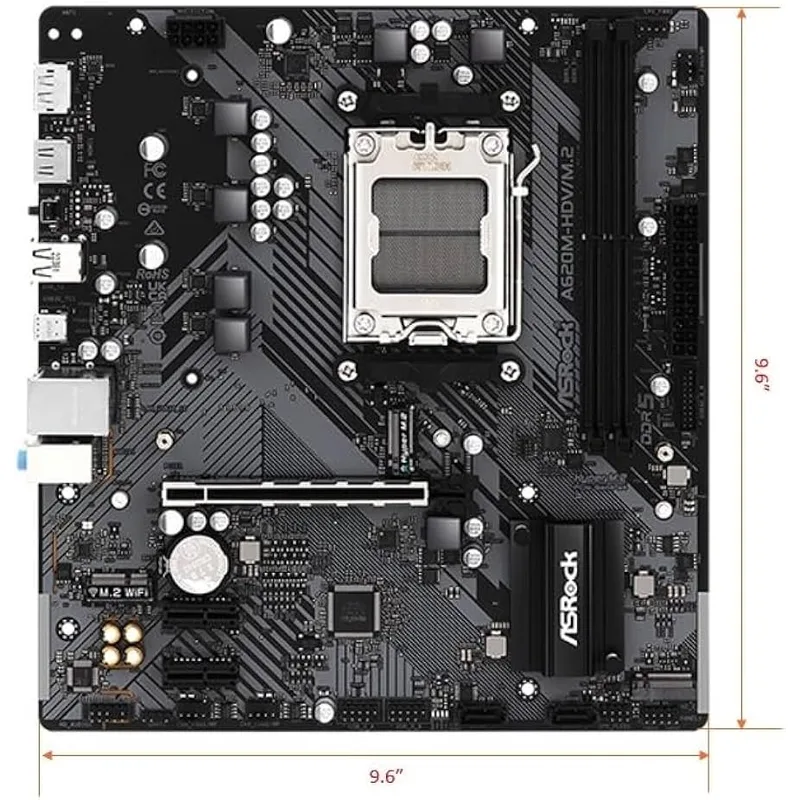
The ASRock A620M-HDV/M.2 is the floor of the AM5 market at $75. It has everything you need for a Ryzen 5 or Ryzen 7 build: DDR5 support, one PCIe 4.0 M.2 slot, four SATA ports, and HDMI 2.1 + DisplayPort for iGPU output. The 4+1+1 power phase is minimal but sufficient for any 65W AMD CPU.
The catch is that 65W TDP cap. Pair this with a Ryzen 5 7600 ($150-160 street price) and it’s a clean, capable budget system. Try to run a 7700X or higher and you’ll need to manually remove the power limits in BIOS — doable, but it’s an extra step that shouldn’t exist at any price. BIOS Flashback (updatable without a CPU installed) is a nice inclusion at this price, making it easier to support future Ryzen 9000 series chips.
MSI PRO A620M-E — $80
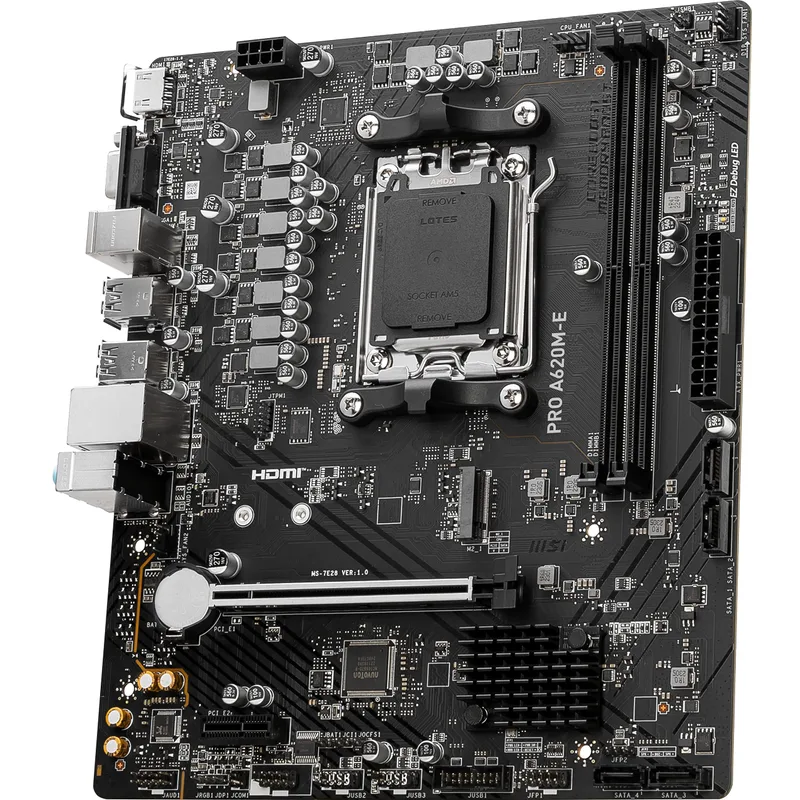
The MSI PRO A620M-E adds $5 over the ASRock and removes the TDP headaches. Its Core Boost digital VRM handles 105W CPUs like the Ryzen 7 7700X without throttling according to reviewer benchmarks, and MSI’s BIOS has the best EZ Mode interface in this price range — useful for builders who don’t want to dig into manual settings.
The triple video output (DVI + HDMI + DisplayPort) stands out. Workstations that need dual-monitor support without a discrete GPU can use HDMI + DP simultaneously off the Ryzen iGPU. The tradeoff is no rear USB-C and 1 GbE networking, same limitations as everything else at this price. At $80, it’s the most versatile A620 option for general-purpose builds.
Gigabyte A620M DS3H — $80
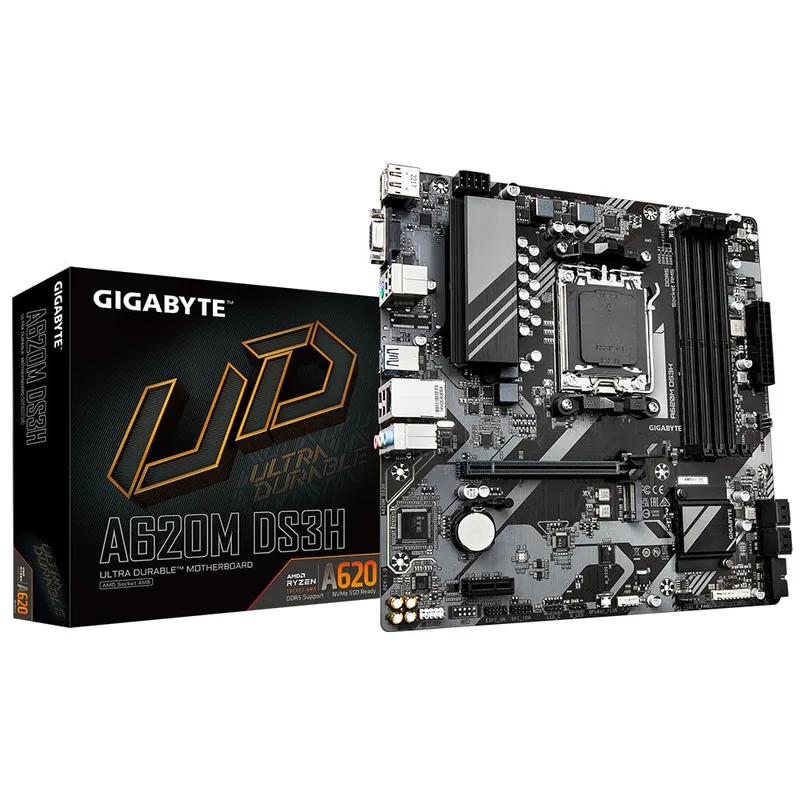
Gigabyte A620M DS3H
The Gigabyte A620M DS3H matches the MSI on price but differentiates on VRM quality and warranty. The 5+2+2 phase digital power delivery is noticeably stronger than the 4-phase ASRock or MSI designs — closer to what you’d see on a B650 entry board. Gigabyte’s 5-year warranty is the longest in this roundup by two years, which matters for a platform you might run for 4-5 years.
DDR5 OC support goes to 7600 MHz, higher than the 6400+ ceiling on the ASRock and MSI boards. Practically speaking, most budget DDR5 kits top out at 5600-6000 MHz, so you won’t hit that ceiling often. Where this board loses ground: no rear USB-C, GbE networking only, and Q-Flash Plus requires a FAT32-formatted USB stick to use. None are dealbreakers, but the MSI’s BIOS and connectivity are marginally more convenient.
Gigabyte A620M Gaming X — $90
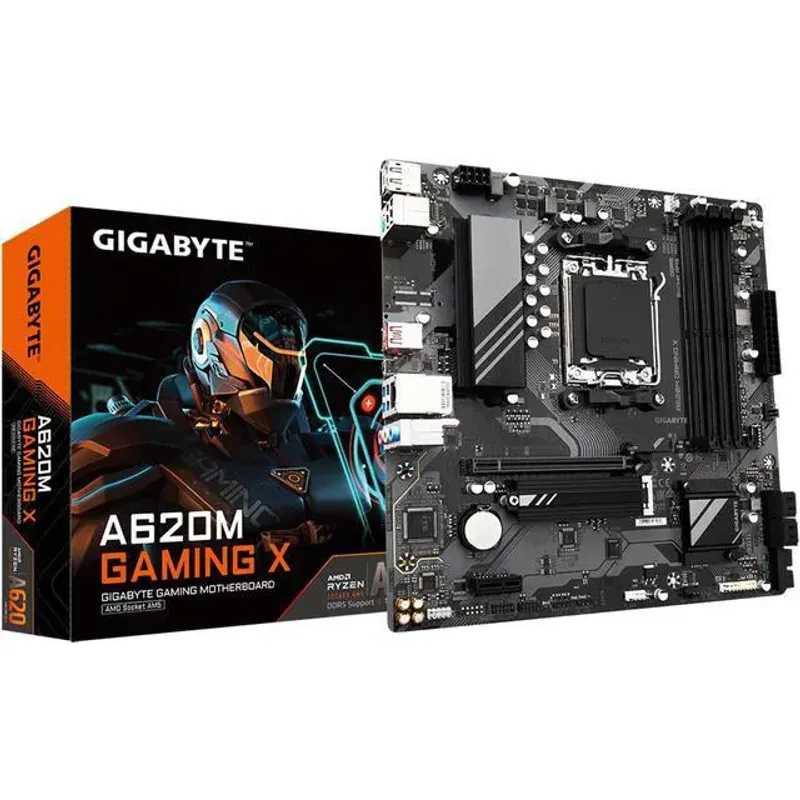
The Gigabyte A620M Gaming X justifies its $10 premium over the DS3H with one key feature: two M.2 slots. Every other board in this roundup except the ASRock Pro RS limits you to a single NVMe. If you want OS drive + game storage NVMe without touching SATA, this is the only sub-$95 option.
The USB 3.2 Gen1x2 Type-C front header supports modern cases with 10Gbps front panel USB-C ports — the DS3H only has a USB 3.2 Gen1 front header at half that speed. Gaming peripheral use cases (fast external SSD via front USB-C) benefit from this. The “Gaming X” branding is mostly cosmetic — the networking is still 1 GbE and there’s no WiFi — but the dual M.2 and USB-C header are genuine value adds for $90.
ASRock A620M Pro RS — $95
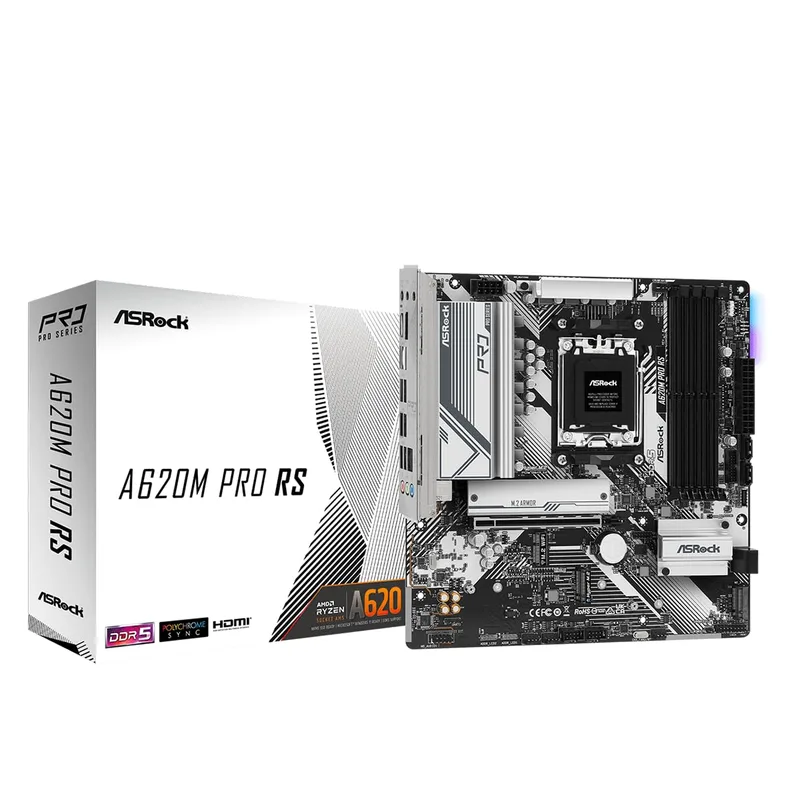
The ASRock A620M Pro RS is the top of the budget AM5 stack and the board that makes the strongest case for spending $95 instead of $75-80. It packs 2.5GbE LAN (the only board here with it), a 6+2+1 VRM power phase design that handles 105W CPUs without thermal concerns, dual M.2 slots, and both front and rear USB Type-C.
The 2.5GbE is the standout. If you’re on a router or switch that supports 2.5G (increasingly common in 2026), local network transfers to a NAS or gaming library server jump from ~115 MB/s (1 GbE) to ~280 MB/s. That’s a real, measurable difference for anyone moving large files regularly. At $95 it’s $20-30 below the cheapest B650 options and beats several of them on connectivity. The only reason to pass: if you need WiFi (the WiFi variant costs $120-125) or if you genuinely need to spend $75 and the $20 premium matters.
FAQ
Can I use a Ryzen 9000 CPU on an A620 board? Yes. All Ryzen 9000 series CPUs are AM5 and compatible with A620 chipset boards. You may need a BIOS update first — use BIOS Flashback (ASRock) or Q-Flash Plus (Gigabyte) to update before inserting the new CPU if your board shipped with older firmware.
Does A620 support PCIe 5.0 for the GPU slot? No. A620 boards top out at PCIe 4.0 x16 for the primary GPU slot. For an RTX 4070 or RX 7800 XT running at PCIe 4.0, there’s no measurable performance difference vs PCIe 5.0 — the bandwidth ceiling of PCIe 4.0 x16 (~32 GB/s) isn’t hit by current-gen cards.
Will a Ryzen 7 7800X3D work in these boards? The 7800X3D is a 120W processor. The ASRock A620M-HDV/M.2’s 65W default TDP limit will throttle it. The MSI PRO A620M-E, Gigabyte DS3H, Gaming X, and ASRock Pro RS can all handle it with proper BIOS settings, but A620 cannot overclock the 3D V-Cache architecture regardless — you’re paying for a chip that can’t be tuned on this platform.
Is DDR5 expensive on AM5? Less so than in 2023. In early 2026, 32GB (2x16GB) DDR5-5600 kits from G.Skill, Corsair, and Kingston run $45-60. DDR5-6000 kits for memory OC are ~$60-75. The platform premium over DDR4 has largely disappeared.
What’s the difference between A620 and A620M? Nothing meaningful — “M” indicates mATX form factor, while A620 without the M suffix typically means full ATX. Functionally identical chipsets. All boards in this roundup are mATX.
The Bottom Line
The ASRock A620M Pro RS is the best AM5 motherboard under $100 in 2026 — its 2.5GbE LAN, dual M.2, and 6+2+1 VRM are features you’d normally pay $110-130 for on competing platforms. For builders who want to spend less, the MSI PRO A620M-E at $80 is the safest all-rounder with the best BIOS experience and no TDP restrictions. If dual M.2 matters more than networking, the Gigabyte A620M Gaming X at $90 is the move.