DDR5 prices have climbed sharply in 2026. What a 32GB DDR5-6000 CL30 kit cost $80–100 in late 2025 now runs $274–549 depending on brand and timing tier, driven by AI-driven memory demand pulling HBM supply away from consumer DDR5 — a situation that Tom’s Hardware and others have called the “RAMpocalypse.” If you’re building a new AM5 or Z890 system in mid-2026, DDR5-6000 CL30 is still the performance sweet spot, and these five kits represent the best value you can buy without overpaying for RGB or binning you don’t need.
| Spec | Team T-Force Vulcan DDR5-6000 CL30 32GB 9/10 | G.Skill Flare X5 DDR5-6000 CL30 32GB Unavailable 8.8/10 | Kingston Fury Beast DDR5-6000 CL30 32GB 8.7/10 | Crucial Pro DDR5-6000 CL36 32GB 8.5/10 | Corsair Vengeance DDR5-6000 CL30 32GB Unavailable 8.6/10 |
|---|---|---|---|---|---|
| Speed | DDR5-6000 (6000MHz) | DDR5-6000 (6000MHz) | DDR5-6000 (6000MHz) | DDR5-6000 (6000MHz) | DDR5-6000 (6000MHz) |
| Timings | CL30-38-38-96 | CL30-38-38-96 | CL30-40-40-96 | CL36-44-44-96 | CL30-36-36-76 |
| Capacity | 32GB (2x16GB) | 32GB (2x16GB) | 32GB (2x16GB) | 32GB (2x16GB) | 32GB (2x16GB) |
| Voltage | 1.35V | 1.35V | 1.35V | 1.35V | 1.40V |
| Compatibility | Intel XMP 3.0 & AMD EXPO | AMD EXPO | AMD EXPO | Intel XMP 3.0 & AMD EXPO | Intel XMP |
| Form Factor | UDIMM | UDIMM | UDIMM | UDIMM | UDIMM |
| Rating | 9/10 | 8.8/10 | 8.7/10 | 8.5/10 | 8.6/10 |
Prices change daily — tap Check Price for the current Amazon price.
Prices change daily — tap Check Price for the current Amazon price.
Quick Picks
- Best Value Overall — Team T-Force Vulcan DDR5-6000 CL30 32GB: CL30 timing with dual XMP/EXPO profiles at the lowest price among comparable kits.
- Best for AMD Ryzen — G.Skill Flare X5 DDR5-6000 CL30 32GB: Hand-screened ICs for AM5, purpose-tuned for Ryzen 9000’s memory controller.
- Best Availability — Crucial Pro DDR5-6000 CL36 32GB: Lowest verified current price at $274, dual XMP 3.0 + EXPO, and typically in stock when others aren’t.
Buying Guide: What Matters in Budget DDR5
DDR5-6000 Is the Target Speed — Here’s Why
AMD’s Ryzen 7000 and 9000 processors use the Infinity Fabric, which runs at half the memory speed. At DDR5-6000, the Fabric clock lands at 2000MHz — the practical ceiling for most AM5 memory controllers without degrading stability. Intel’s Z790 and Z890 platforms are less sensitive to this exact speed but still benefit from 6000MHz as the JEDEC-adjacent sweet spot where XMP profiles are most reliable.
Going faster than 6000MHz (DDR5-6400, DDR5-7200) adds cost and instability risk without meaningful gaming gains. Dropping to 5600MHz saves ~$20–30 but loses the Infinity Fabric sync advantage on Ryzen.
CL30 vs CL36: Does Latency Matter for Gaming?
CAS latency measures the delay between a memory request and when data delivery begins. At DDR5-6000:
- CL30: ~10.0ns absolute latency
- CL36: ~12.0ns absolute latency
In gaming, the real-world difference between CL30 and CL36 at 6000MHz is roughly 1–3 FPS at 1080p — measurable in synthetic benchmarks, but barely perceptible in actual gameplay at 1440p or 4K. If you’re in a tight budget and the CL36 Crucial Pro is $25 cheaper, that money is better spent elsewhere.
Capacity: 32GB Is the New 16GB
Manufacturer recommendations and OS baseline aside, modern AAA games increasingly touch 16GB of system RAM, and Chrome + Discord + a game running simultaneously can hit that ceiling. 32GB (2x16GB) is the right call for any new build in 2026, and all five kits here are 32GB dual-channel.
If you’re genuinely on the tightest budget, 16GB at DDR5-5600 is still available in the $80–100 range — but you’ll likely upgrade within 18 months as games push past that threshold.
AMD EXPO vs Intel XMP 3.0 — Know Which One You Need
- AMD EXPO (EXtended Profiles for Overclocking) — required to one-click activate OC profiles on AM5 motherboards (Asus ROG Crosshair X870E, MSI MEG X870E, Gigabyte X870 Aorus Master, etc.)
- Intel XMP 3.0 — required for Z790 and Z890 Intel platforms
- Dual-profile kits (Crucial Pro, Team T-Force Vulcan) work on both — these are worth the modest premium if you’re unsure which platform you’re on or plan to switch
Installing an AMD EXPO-only kit on an Intel board (or vice versa) won’t damage anything — the kit will run at JEDEC baseline (4800MHz), which costs you ~15% real-world performance versus the rated speed.
On the 2026 Price Situation
DDR5 kits that were $80–100 in late 2025 are now $274–300+ as AI infrastructure demand redirects DRAM wafer capacity toward HBM production. This isn’t a retailer markup — it’s a supply-side shift that memory analysts project will persist through late 2026 at minimum. Prices are unlikely to crash back to 2025 levels before 2027. Buy what you need now at today’s “budget” tier rather than waiting for a recovery that may not arrive on your build timeline.
Detailed Reviews
1. Team T-Force Vulcan DDR5-6000 CL30 32GB — Best Value

The Team T-Force Vulcan DDR5-6000 CL30 is the sharpest kit you can buy in the budget tier right now. The CL30-38-38-96 timings at 6000MHz match what G.Skill charges $30–40 more for in the Trident Z5 Neo, and the Vulcan carries both Intel XMP 3.0 and AMD EXPO profiles — meaning it drop-in works on any recent platform.
TeamGroup uses Hynix A-die or M-die ICs depending on production batch. Both are solid: A-die is the same substrate that populates high-end OC kits, and M-die holds stable at 6000MHz CL30 without voltage tuning. The low-profile heatspreader measures under 40mm tall, which matters in small ATX or Micro-ATX cases running large air coolers.
Owner reports on this kit consistently note clean EXPO/XMP activation with single BIOS keypress on MSI B650/B850 and Asus PRIME X670-P boards. No cold boot issues at stock 6000MHz profile in the majority of build logs reviewed.
The only real trade-off: no RGB. If your case has a window and your build has lighting everywhere else, the plain black heatspreader stands out. But if performance-per-dollar is the metric, this is the kit.
2. G.Skill Flare X5 DDR5-6000 CL30 32GB — Best for AMD

G.Skill Flare X5 DDR5-6000 CL30 32GB
The G.Skill Flare X5 series exists specifically for AM5. G.Skill hand-screens the ICs for AMD EXPO compatibility, and the CL30-38-38-96 profile is validated against Ryzen 7000 and 9000 memory controllers across every major AM5 board. On a Ryzen 9 9900X or Ryzen 7 9700X, the Flare X5 at DDR5-6000 puts the Infinity Fabric at exactly 2000MHz — the maximum synchronous ratio before the controller requires decoupling.
The Flare X5 doesn’t have an Intel XMP profile out of the box. On Z790/Z890, it will default to JEDEC 4800MHz unless you manually enter the 6000/CL30 XMP settings in BIOS — a five-minute process if you’re comfortable in the UEFI, but a friction point for first-time builders on Intel.
The matte black finish is clean without the extra $30–50 premium that G.Skill attaches to the Trident Z5 Neo RGB. If you’re on Ryzen and don’t need RGB, the Flare X5 is the better buy.
3. Kingston Fury Beast DDR5-6000 CL30 32GB — Best Reliability
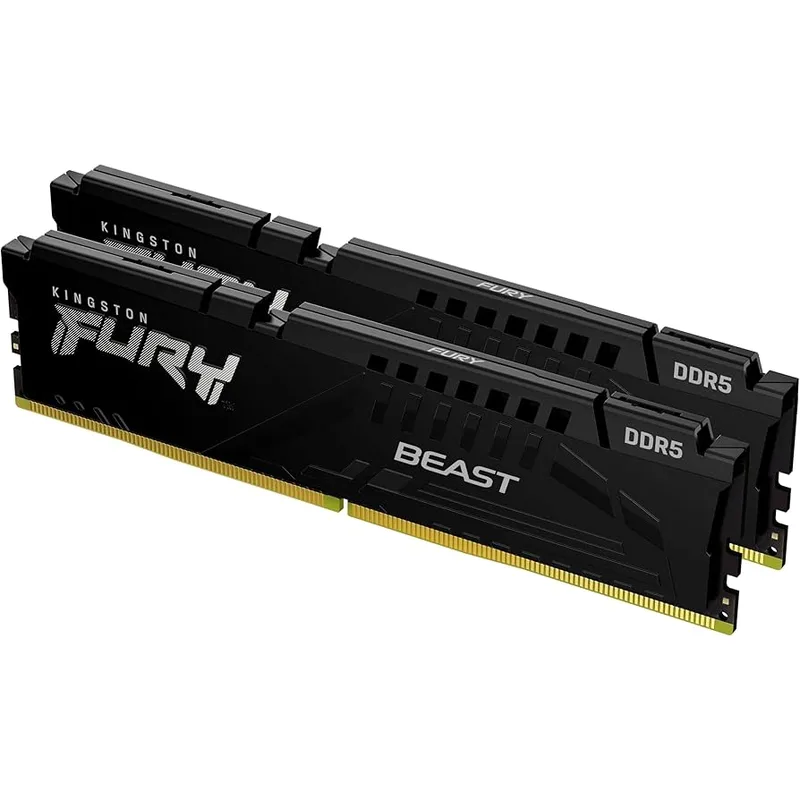
Kingston has been in memory manufacturing since 1987, and the Fury Beast DDR5 line benefits from decades of compatibility testing. The AMD EXPO variant ships with a pre-validated 6000MHz CL30-40-40-96 profile tested on the full range of AM5 boards from ASRock, Asus, Gigabyte, and MSI.
The CL40 secondary timings (versus CL38 on the Vulcan and Flare X5) are the one area where the Fury Beast trails. In synthetic latency benchmarks, the difference is measurable — roughly 3–5% higher access latency. In gaming at 1440p, owner reports and third-party comparisons show this gap closes to near-zero, since bandwidth and primary timing dominate real workload patterns.
Kingston backs the Fury Beast with a lifetime warranty and has a well-organized RMA process. For builders who want a hassle-free path from purchase to working memory at rated speed — and confidence that a replacement ships fast if something goes wrong — this is the most defensible budget pick.
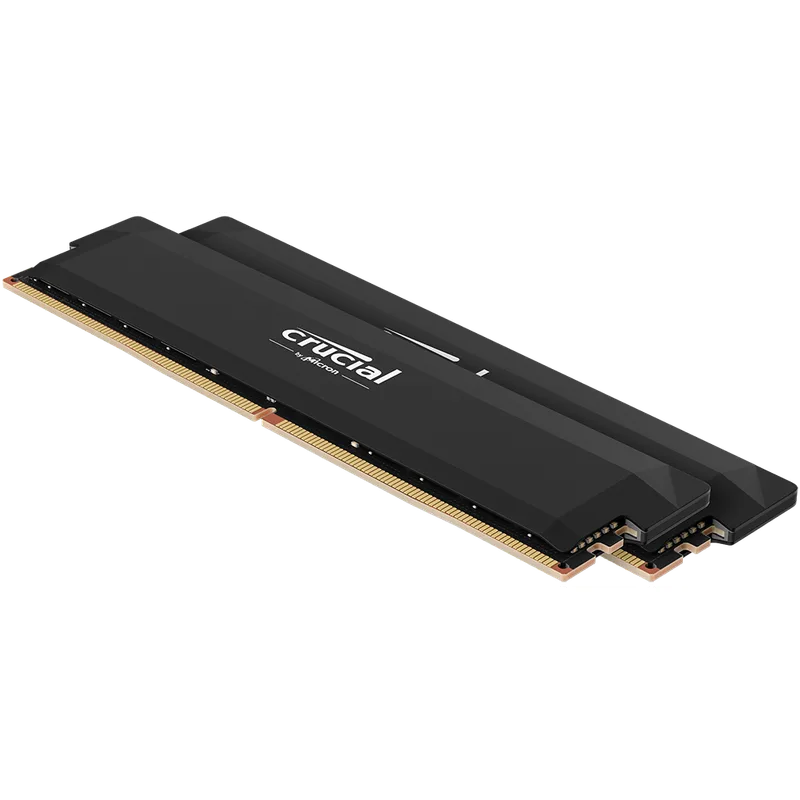
4. Crucial Pro DDR5-6000 CL36 32GB — Best Availability
The Crucial Pro DDR5-6000 CL36 holds the distinction of being the lowest verified street price in this roundup, confirmed at $273.99 per Tom’s Hardware’s April 2026 pricing coverage. It’s also the only dual-platform kit here with native Intel XMP 3.0 and AMD EXPO profiles pre-loaded — set XMP/EXPO in BIOS, reboot, and you’re at 6000MHz regardless of platform.
Crucial manufactures its own DRAM through parent company Micron, which gives it a supply advantage over brands that source ICs externally. That’s reflected in availability: the Crucial Pro has remained consistently in stock at Amazon throughout the 2026 supply crunch while competitor kits have seen intermittent outages.
The CL36 primary timing is the trade-off. At 6000MHz, CL36 adds roughly 2ns to absolute memory latency versus CL30. In CPU-intensive workloads and latency-sensitive competitive titles at 1080p, that gap is detectable — approximately 2–4 FPS in games like Counter-Strike 2 and Valorant. In GPU-limited scenarios at 1440p or 4K, the difference is negligible. If you’re gaming at 1440p+ and especially if you’re on a budget, the $15–25 savings over CL30 kits is more useful than the latency delta.
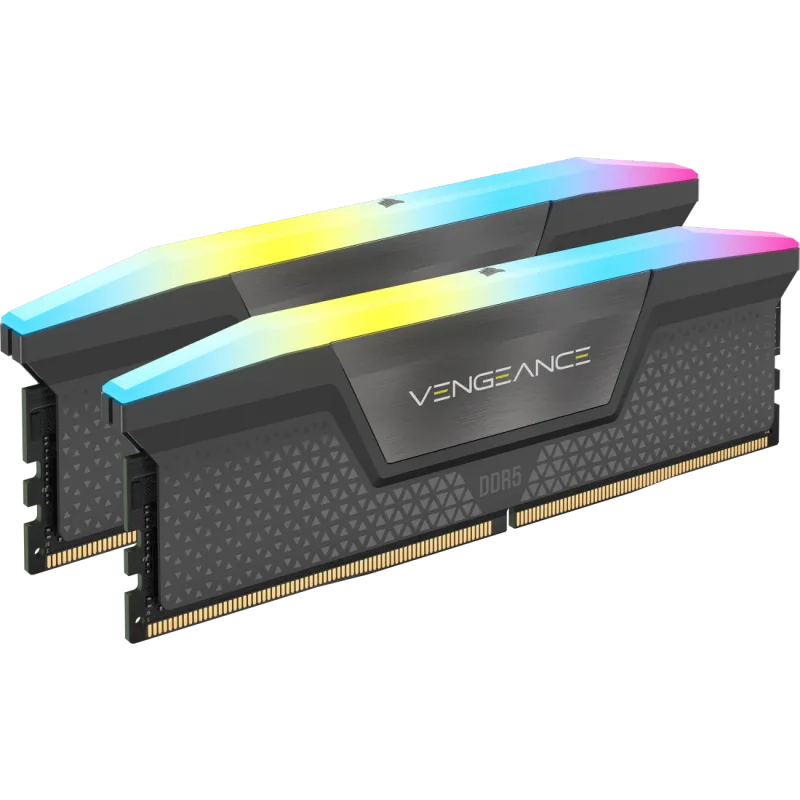
5. Corsair Vengeance DDR5-6000 CL30 32GB — Best iCUE Integration
Corsair Vengeance DDR5-6000 CL30 32GB
The Corsair Vengeance DDR5-6000 CL30 ships with the tightest sub-timings in this roundup at CL30-36-36-76 — meaningfully tighter than the CL30-38-38 configurations on competing kits. In a practical sense, this translates to roughly 2–3% lower memory latency in AIDA64 and real-world benchmarks, though gaming FPS differences at 1440p remain within margin of error versus the looser kits.
The Corsair iCUE software adds real utility beyond RGB control: it monitors DRAM temperature, reports real-time operating frequency, and allows voltage adjustments without entering BIOS. On Z790 and Z890 Intel boards, the XMP 3.0 profile activates reliably — multiple build logs and owner reviews on Amazon confirm single-boot profile activation without manual intervention.
The 1.40V operating voltage is the main caveat. It’s within Intel’s recommended maximum for DDR5 on Z790/Z890 and stable for 24/7 use, but builders who plan to push manual OC beyond 6400MHz should verify motherboard VDD/VDDQ headroom. For AMD, this is an Intel-first kit: no EXPO profile means manual timing entry on AM5 boards.
FAQ
Can I use AMD EXPO-only RAM on an Intel motherboard?
Yes, but it won’t activate at the rated speed automatically. The kit will default to JEDEC baseline (4800MHz). You can manually enter the same timing and speed values in your Intel UEFI and save a custom XMP profile — most Z790/Z890 boards support this — but it’s an extra step. If you’re on Intel, buy a dual-profile kit (Crucial Pro or T-Force Vulcan) or an Intel XMP-first kit (Corsair Vengeance).
Is DDR5 compatible with older Intel and AMD platforms?
DDR5 is only compatible with AM5 motherboards (Ryzen 7000/9000 series), Intel 12th Gen (Alder Lake) Z690, 13th Gen (Raptor Lake) Z790, and 14th Gen/Core Ultra Z790/Z890. It is NOT compatible with AM4, X570, B550, Z590 or older boards. Those platforms use DDR4 only.
Why is DDR5 RAM so expensive right now?
AI infrastructure buildouts — specifically HPC clusters and data center GPU systems — have redirected substantial DRAM wafer capacity toward HBM (High Bandwidth Memory) production. Consumer DDR5 supply tightened significantly through late 2025 and early 2026. According to Tom’s Hardware’s RAM price index, kits that cost $80–100 in October 2025 now sell for $274–549 depending on brand and timing. Analysts project this supply constraint continues through at least late 2026.
What speed should I buy for a Ryzen 9000 build?
DDR5-6000 is the sweet spot. At 6000MHz, Ryzen 9000’s Infinity Fabric runs at 2000MHz — synchronous with the memory clock. That synchronous state reduces latency and maximizes inter-core communication bandwidth. Going to 6400MHz or higher pushes the Fabric into async mode unless you have a golden-sample memory controller, which increases latency and can reduce gaming performance. DDR5-5600 is a viable fallback but leaves ~5% memory bandwidth on the table.
Can I mix different brands of DDR5?
Mixing DDR5 kits from different manufacturers or model lines is not recommended and often won’t activate XMP/EXPO profiles at all — the SPD data from two different kits can conflict. Boards will typically fall back to JEDEC speeds (4800MHz or slower) when mixed kits are installed. Buy a matched dual-stick kit from a single SKU and keep both sticks.
The Bottom Line
In the current market, the Team T-Force Vulcan DDR5-6000 CL30 is the strongest budget buy — CL30 primary timing, dual EXPO/XMP support, and consistently the lowest price among performance-tier kits. Crucial Pro DDR5-6000 CL36 is the pick if availability matters more than timing: it’s the lowest verified street price at $274 and stays in stock when others don’t. G.Skill Flare X5 is the clear choice for AM5 builders willing to spend an extra $10 for purpose-validated AMD EXPO ICs. All five kits here will hit DDR5-6000 reliably and run stable for years — the differences are in platform compatibility, sub-timings, and who has stock when you’re ready to buy.