Budget motherboard shoppers in early 2026 are in a strong position. Both Intel’s B760 chipset and AMD’s B650 have matured with broad CPU support and steady price drops — the ASRock B760M Pro RS WiFi, for example, now delivers Killer WiFi 6E and PCIe 5.0 M.2 at $99, a combination that cost significantly more at launch. LGA1700 pairs with Core i5-13400F builds, AM5 pairs with Ryzen 5 7600 builds, and both socket choices have solid board options in the $99-135 range covered here.
| Spec | ASRock B760M Pro RS WiFi 8.8/10 | GIGABYTE B650M K 8.3/10 | MSI PRO B760M-A WiFi Unavailable 8.6/10 | GIGABYTE B650M D3HP AX 8.7/10 | ASUS TUF Gaming B760M-Plus WiFi 9/10 |
|---|---|---|---|---|---|
| socket | LGA1700 | AM5 (LGA 1718) | LGA1700 | AM5 (LGA 1718) | LGA1700 |
| chipset | Intel B760 | AMD B650 | Intel B760 | AMD B650 | Intel B760 |
| formFactor | Micro-ATX | Micro-ATX | mATX | mATX | mATX |
| memory | DDR5, 4 slots, up to 192GB, 7200+ MHz OC | DDR5, 2 slots, up to 64GB | DDR5, 4 slots, up to 192GB | DDR5, 4 slots, up to 128GB | DDR5, 4 slots, up to 192GB, AEMP II |
| storage | 2x M.2 (PCIe 5.0 + PCIe 4.0), 4x SATA | 2x M.2 PCIe 4.0, 4x SATA | 1x M.2 PCIe 4.0, 4x SATA | 2x M.2 PCIe 4.0, 4x SATA | 2x M.2 PCIe 4.0, 4x SATA |
| networking | Killer WiFi 6E, Bluetooth 5.2, 2.5G LAN | 2.5GbE LAN (no WiFi) | WiFi 6E, Bluetooth 5.3, 2.5Gbps LAN | WiFi 6E, Bluetooth 5.2, 2.5 GbE | WiFi 6, 2.5Gb LAN, Thunderbolt 4 / USB4 |
| Rating | 8.8/10 | 8.3/10 | 8.6/10 | 8.7/10 | 9/10 |
Prices change daily — tap Check Price for the current Amazon price.
Prices change daily — tap Check Price for the current Amazon price.
Quick Picks
- Best budget Intel pick: ASRock B760M Pro RS WiFi — Killer WiFi 6E + PCIe 5.0 M.2 at $99 is hard to beat
- Best budget AMD pick: GIGABYTE B650M K — cheapest confirmed AM5 board with full Ryzen 9000 support
- Best all-around under $150: ASUS TUF Gaming B760M-Plus WiFi — 12+1 DrMOS + Thunderbolt 4 at $135
Buying Guide: What to Know Before Choosing a Budget Motherboard
Intel (LGA1700) vs AMD (AM5)
Both platforms are solid for budget builds in 2026. LGA1700 with B760 is the better choice if you want a Core i5-12400F or i5-13400F — those CPUs hit ~$130-150 used and offer strong 1080p gaming performance. AM5 makes more sense if you want long-term upgrade flexibility: Intel confirmed LGA1700 is end-of-life, while AMD has committed to AM5 through at least 2027.
Key decision: if you’re buying new and planning an upgrade later, lean AM5. If you’re pairing with a cheap used Intel CPU, LGA1700 B760 boards are still the better value.
DDR4 vs DDR5
Every board in this roundup uses DDR5. DDR4 variants exist (especially for B760) but cost savings have shrunk to under $20 in 2026, and DDR5 is now the smarter long-term pick. Don’t let DDR4 boards tempt you with a $10 discount.
Form Factor: mATX vs ATX
All five boards here are Micro-ATX, which is the sweet spot for budget builds — fits in mid-tower cases, costs less than ATX, and still provides 4 RAM slots and 2+ M.2 connectors. Full ATX boards at this price offer minimal advantages.
What to Skip at This Price
Under $150, don’t expect:
- USB 3.2 Gen 2x2 (20Gbps) ports on the rear — you’ll find Gen 2 (10Gbps) at best
- Multiple PCIe x16 slots — one x16 for the GPU is standard
- Unlocked overclocking — B760 and B650 lock the CPU multiplier on Intel; AMD B650 allows OC but VRM limits apply at this price
What You Should Get
At $100-150 you should reasonably expect:
- PCIe 5.0 GPU slot (standard on B760/B650)
- At least one PCIe 4.0 M.2 slot for NVMe
- WiFi 6 or better (check specs — a few boards at $99 now include WiFi 6E)
- 2.5GbE LAN
- 4 RAM slots (exception: GIGABYTE B650M K has 2)
Detailed Reviews
ASRock B760M Pro RS WiFi — Best Budget Intel Pick
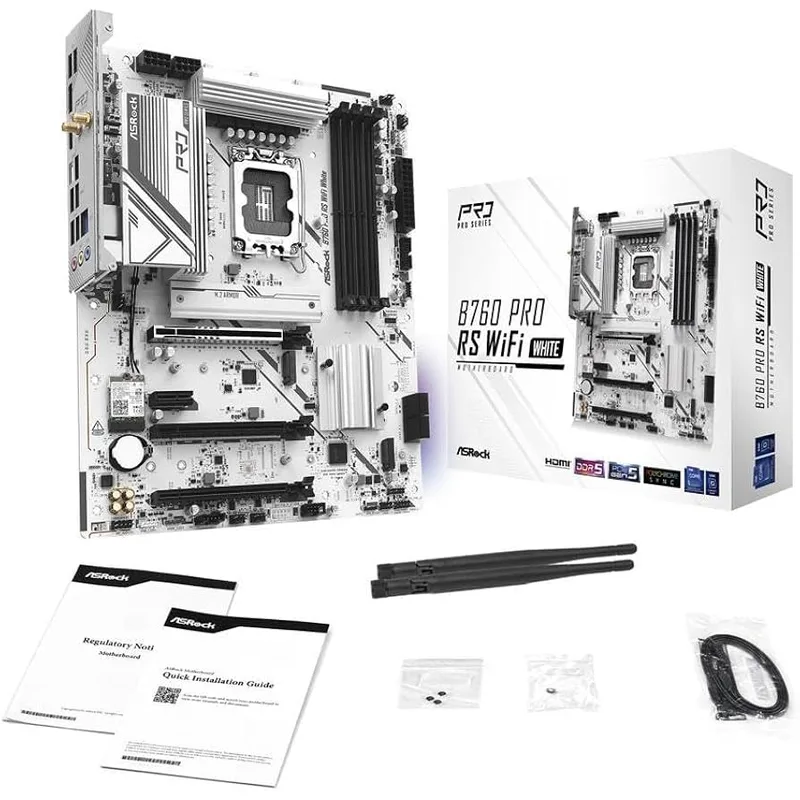
The ASRock B760M Pro RS WiFi is the answer to “what’s the cheapest Intel board with WiFi that doesn’t embarrass itself?” At around $99, it ships with Killer WiFi 6E — the same wireless solution found on boards costing $50 more.
The board supports 12th, 13th, and 14th Gen Intel Core CPUs on LGA1700. Its PCIe 5.0 M.2 slot is forward-looking at this price — when PCIe 5.0 NVMe SSDs drop below $100/TB (they’re getting close), you won’t need a board upgrade. The second M.2 is PCIe 4.0, covering a primary drive and secondary storage without using any SATA ports.
Power delivery at 7+1+1 phases is appropriate for Core i5/i7 non-K CPUs. Pairing this with a Core i5-13400F or i5-12400F? No issues. Trying to run a Core i9-14900K at full 253W PL2? You’ll want better VRM — look at the ASUS TUF below instead.
The BIOS is functional and supports EXPO DDR5 profiles, but ASRock’s UI lags behind ASUS and MSI in polish. Not a dealbreaker, just expect to spend a few extra minutes navigating XMP/EXPO setup the first time.
GIGABYTE B650M K — Best Budget AMD Pick
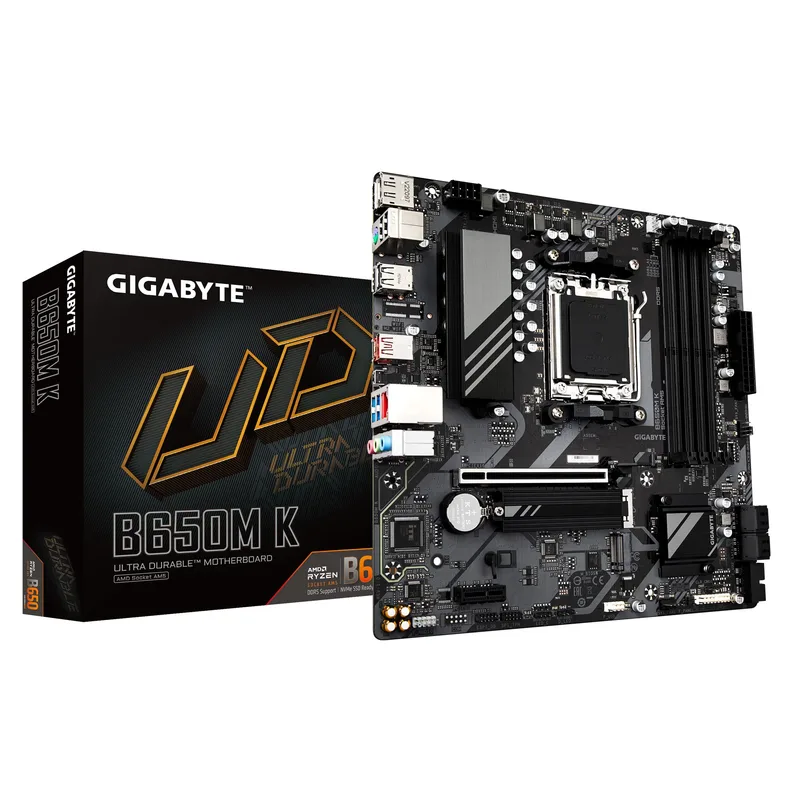
The GIGABYTE B650M K strips the AM5 platform down to its essentials and delivers them at $99. You get full support for the Ryzen 9000/8000/7000 lineup, two PCIe 4.0 M.2 slots, PCIe 5.0 x16 for the GPU, and GIGABYTE’s 5-year warranty — more than any other brand in this roundup.
The two-slot limitation is real: 64GB maximum vs 128GB on 4-slot boards. For a gaming build pairing with a Ryzen 5 9600X or Ryzen 7 9700X, 2x 16GB DDR5-6000 hits the Ryzen sweet spot for performance and won’t leave you wishing for more slots until you’re doing serious creative work.
No WiFi is the other notable absence. If you’re in a room with a wired ethernet port, not a problem. If you need wireless, factor in a PCIe WiFi 6E card ($15-25 on Amazon) and the total cost is still competitive.
GIGABYTE’s Q-Flash Plus lets you flash the BIOS without a CPU or RAM installed — useful for future Ryzen compatibility updates and a feature usually reserved for more expensive boards.
MSI PRO B760M-A WiFi — Solid Mid-Range Intel
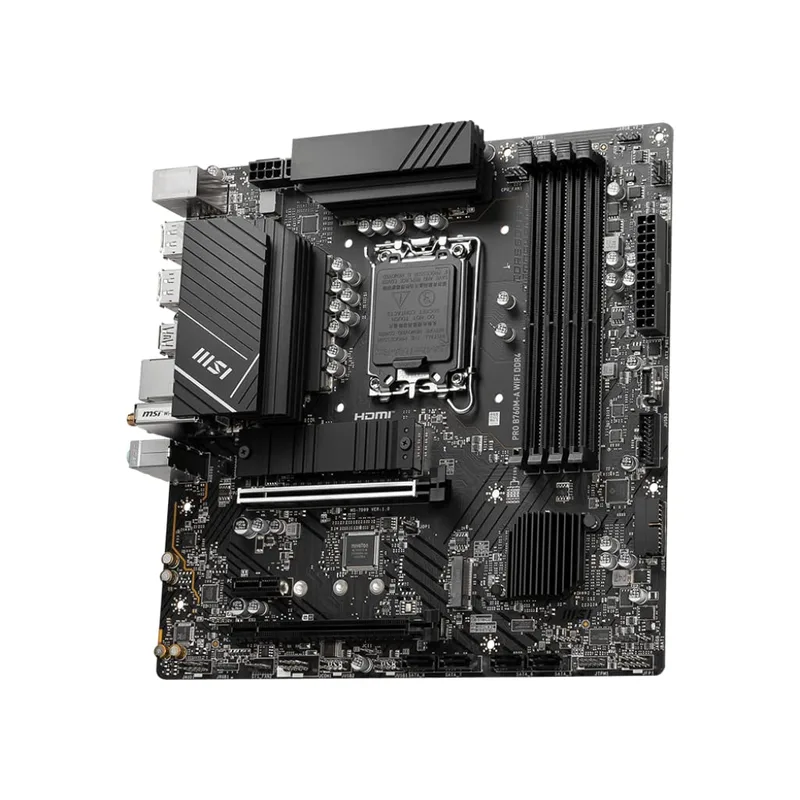
MSI PRO B760M-A WiFi
The MSI PRO B760M-A WiFi occupies the $115 sweet spot between “budget with compromises” and “premium Intel mATX.” It adds WiFi 6E and Bluetooth 5.3 over cheaper non-wireless Intel boards, keeps all 4 RAM slots, and supports the full LGA1700 CPU lineup from Alder Lake through Raptor Lake Refresh.
The main limitation is a single M.2 slot. For most builds — primary NVMe boot drive plus SATA secondary — this works fine. If you want two NVMe drives, the ASRock B760M Pro RS WiFi is a better fit with its dual M.2 configuration at a lower price.
MSI’s BIOS (click BIOS 5) is one of the better budget-board experiences. The EZ Mode gives you memory XMP enable and fan curves without digging through submenus. Power limits on the 13th/14th Gen CPUs default to Intel’s specifications, and adjusting them is straightforward.
The ProSeries aesthetic is understated — no RGB, gray/black PCB. A good match for professional or office-adjacent builds where flashy aesthetics aren’t the goal.
GIGABYTE B650M D3HP AX — Best AMD Value Under $150
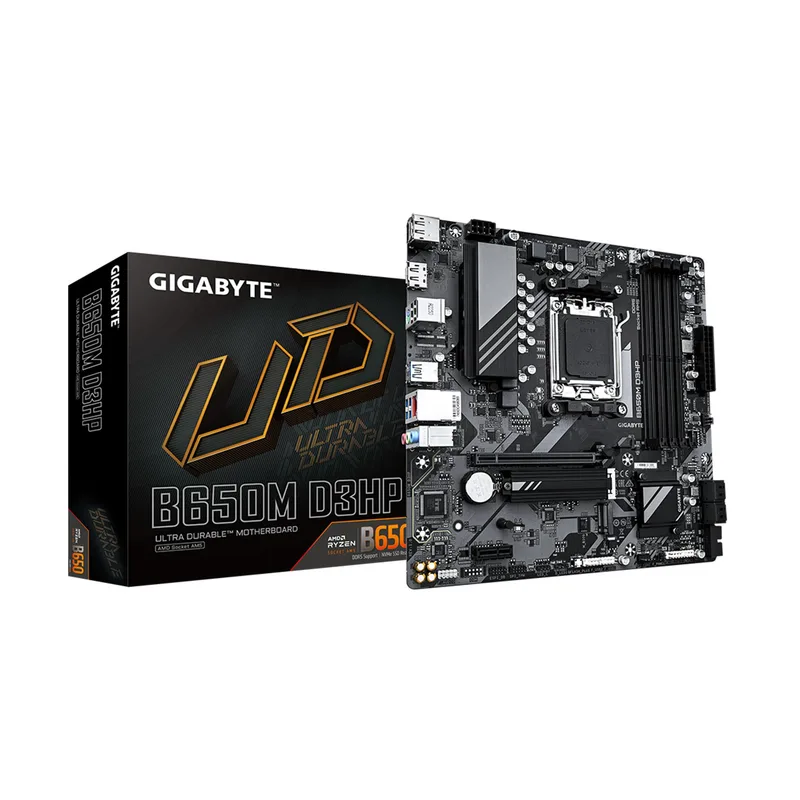
The GIGABYTE B650M D3HP AX is what the B650M K becomes when you add $30 and a WiFi card: 4 RAM slots, dual M.2 (both PCIe 4.0), WiFi 6E, and GIGABYTE’s EZ-Latch for tool-free M.2 installation. For AM5 builders who want wireless without building two budgets (board + WiFi adapter), this is the cleaner solution.
The 5+2+2 power design works comfortably with Ryzen 5 9600X and Ryzen 7 9700X at stock. Ryzen 5 9600X running PBO (Precision Boost Overdrive) is also fine. Where you’ll hit a wall is a Ryzen 9 9900X or 9950X at anything beyond conservative power limits — thermal throttling becomes a factor under sustained workloads. Those CPUs need a $180+ board with beefier VRM.
DDR5-6000 is the Ryzen 9000 performance sweet spot, and this board handles it via EXPO profiles without drama. Two display outputs (HDMI + DisplayPort) support AMD integrated graphics on APUs, useful for builds that use the Ryzen 8000G series.
At $129, the B650M D3HP AX competes directly with MSI’s MAG B650M MORTAR WiFi ($155-170), and in raw specifications for gaming builds, the price difference isn’t justified. The Mortar wins on VRM (for power users), but for the Ryzen 5/7 audience this board targets, the D3HP AX delivers the same practical result for less.
ASUS TUF Gaming B760M-Plus WiFi — Best Premium Pick Under $150
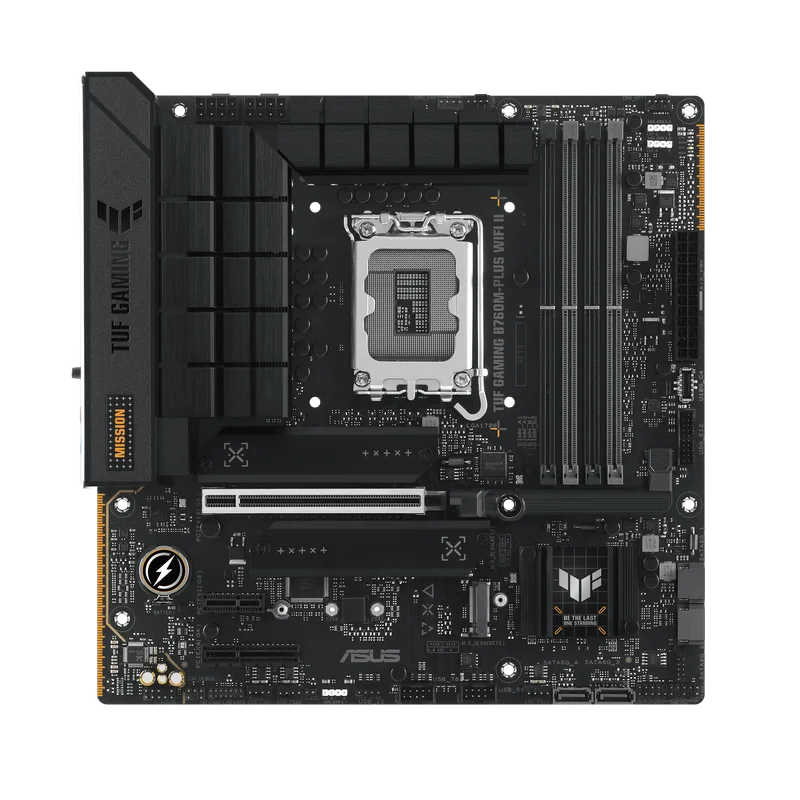
The ASUS TUF Gaming B760M-Plus WiFi at $135 is the answer to “what’s the best mATX Intel board I can get for under $150 without compromising?” The 12+1 DrMOS power design is the headline — it’s the only board in this roundup capable of running a Core i9-14900K at the full 253W PL2 limit without thermal throttling the VRM.
Thunderbolt 4 / USB4 on the rear I/O is the other standout spec. Most B760 boards omit Thunderbolt to cut costs; ASUS includes it here. If you run external SSDs, docks, or displays via Thunderbolt/USB4, this matters. Competitors charge $200+ for this combination.
ASUS AEMP II memory profiles push DDR5 frequencies reliably — DDR5-7200 is achievable with quality kits, though DDR5-6400 is the practical ceiling for stability on most configs.
The WiFi story is the one compromise: this board ships with WiFi 6 (not 6E), while the ASRock B760M Pro RS WiFi costs less and includes WiFi 6E. For most users, the range difference between WiFi 6 and 6E is negligible unless you’re in a dense wireless environment — check both spec sheets before deciding.
If you’re pairing with Core i7-13700K or i9-14900K and want a board that keeps up, this is the pick. For Core i5 builds, the $99 ASRock frees up budget for GPU, RAM, or storage.
FAQ
Q: Can I use a 14th Gen Intel CPU on these B760 boards?
Yes. B760 officially supports 12th, 13th, and 14th Gen Intel Core CPUs on LGA1700 without exception. The boards listed here — ASRock B760M Pro RS WiFi, MSI PRO B760M-A WiFi, and ASUS TUF B760M-Plus WiFi — all confirmed 14th Gen support in their specs. A BIOS update may be required if the board shipped before 14th Gen CPUs launched.
Q: Do these AM5 boards support Ryzen 9000 out of the box?
The GIGABYTE B650M K and B650M D3HP AX both list Ryzen 9000 Series support in their current product descriptions, but like any AM5 board, a BIOS update may be required if the board sat on a shelf since 2022. Check the shipping BIOS version on the box — if it’s below the Ryzen 9000 compatibility revision, update before installing the CPU.
Q: Is DDR5 worth it over DDR4 in 2026?
The price gap between DDR4 and DDR5 kits has compressed to roughly $10-20 for a 32GB set. DDR5 is now the default for new builds — the platform longevity and memory bandwidth advantages are worth the marginal extra cost. DDR4 makes sense only if you’re reusing an existing kit from a previous build.
Q: Can I run a discrete GPU on all of these boards?
Yes. Every board in this roundup includes a full-length PCIe 5.0 x16 slot for the GPU (the B650M K uses PCIe 4.0 x16, still plenty of bandwidth for current GPU generations including RTX 4090). PCIe 5.0 GPU slots have zero performance advantage over PCIe 4.0 for today’s graphics cards.
Q: Which board is best for a first PC build?
The MSI PRO B760M-A WiFi is the friendliest for first builds — the BIOS EZ Mode is well-designed, it includes WiFi so you’re not hunting for an ethernet port on first boot, and the single M.2 slot keeps the cable situation simple. If you’re comfortable with BIOS navigation, the ASUS TUF B760M-Plus WiFi is also excellent with its more comprehensive feature set.
The Bottom Line
For Intel builds under $150, the ASRock B760M Pro RS WiFi at $99 is the value leader — Killer WiFi 6E and dual M.2 at that price is genuinely impressive. If you’re running a Core i9 or want Thunderbolt 4, step up to the ASUS TUF Gaming B760M-Plus WiFi at $135. For AMD, the GIGABYTE B650M D3HP AX at $129 covers everything a Ryzen 5/7 builder needs: WiFi 6E, 4 RAM slots, and dual M.2 — without the price premium of the MSI MAG B650M MORTAR WiFi that sits $30-40 higher for minimal practical gain on most builds. For a dedicated look at Intel B760 options including ATX-form-factor and newer DDR5 boards, see our best B760 motherboards guide.