Disclosure: PCBuildRanked earns a commission on qualifying Amazon purchases at no extra cost to you.
Samsung dropped a 1,040Hz Odyssey G6 concept at CES 2026, and the monitor market took it as a starting gun. The 600Hz barrier — already breached by BenQ’s XL2586X+ and the ASUS ROG Strix Ace XG248QSG — is no longer a novelty. Meanwhile, QD-OLED panels have matured to the point where 360Hz OLED is now available under $700. For competitive FPS players, 2026 is the year the old “just get a 240Hz IPS” advice finally needs an update.
| Spec | BenQ ZOWIE XL2586X+ 9.2/10 | ASUS ROG Strix OLED XG27ACDNG 9/10 | ASUS ROG Swift OLED PG27UCDM 8.8/10 | Alienware AW2725DM Unavailable 8.5/10 | LG UltraGear 27GP850-B 8.2/10 |
|---|---|---|---|---|---|
| panel | Fast TN | QD-OLED | QD-OLED | Fast IPS | Nano IPS |
| resolution | 1920x1080 | 2560x1440 | 3840x2160 | 2560x1440 | 2560x1440 |
| refresh_rate | 600Hz | 360Hz | 240Hz | 180Hz | 165Hz |
| response_time | 0.5ms GTG | 0.03ms GTG | 0.03ms GTG | 1ms GTG | 1ms GTG |
| size | 24.1-inch | 26.5-inch | 27-inch | 27-inch | 27-inch |
| hdr | No | HDR400 True Black | HDR True Black 400 | VESA DisplayHDR 400 | VESA DisplayHDR 400 |
| Rating | 9.2/10 | 9/10 | 8.8/10 | 8.5/10 | 8.2/10 |
Prices change daily — tap Check Price for the current Amazon price.
Prices change daily — tap Check Price for the current Amazon price.
Quick Picks
- Best for pros: BenQ ZOWIE XL2586X+ — 600Hz TN, DyAc 2 strobe, purpose-built for esports with zero image-quality concessions tolerated
- Best OLED: ASUS ROG Strix XG27ACDNG — 360Hz with 0.03ms pixel response; priced at $669, it’s the top pick for players who want competitive specs without color compromise
- Best value: Alienware AW2725DM — 27-inch 1440p 180Hz Fast IPS at $249 beats similarly-specced panels priced $100–$150 higher
Buying Guide
Refresh Rate: Where the Gains Are Real and Where They Stop
Moving from 60Hz to 144Hz is transformational. From 144Hz to 240Hz is significant — tests show measurable reductions in missed shots at 240Hz vs 144Hz in aim training. From 240Hz to 360Hz, the advantage narrows to roughly 10-15% in controlled target-acquisition tests. From 360Hz to 600Hz, the difference exists but falls within human reaction time variance for most players.
The practical cutoff depends on your skill bracket. Below Diamond/Immortal in most ranked games, a fast 240Hz panel at $200–$400 is competitive enough that hardware is not the bottleneck. At professional and high-Radiant/top-500 level, every millisecond of perceived latency is contested — which is why ZOWIE and ASUS continue to push 540–600Hz products.
Panel Type Trade-Offs
| Panel | Strengths | Weaknesses |
|---|---|---|
| TN | Fastest pixel response, highest refresh rates, lowest cost | Poor colors, narrow viewing angles |
| IPS / Nano IPS / Fast IPS | Good colors, wide angles, solid response | Lower maximum refresh than TN, some IPS glow |
| QD-OLED | 0.03ms response, infinite contrast, wide gamut | Burn-in risk, more expensive, some glare |
For pure competitive play at the highest level, TN still holds the speed crown. For players who also watch video, stream, or care about image quality, QD-OLED at 360Hz gives you competitive performance without the color penalty.
Resolution: 1080p vs 1440p vs 4K
Higher resolution increases GPU load. At 600Hz or 360Hz, you need consistent frame rates to fully use the refresh rate. At 1080p and 600Hz, even a mid-range GPU like an RTX 4070 can hit 400+ fps in VALORANT. At 1440p and 360Hz, the RTX 4080 or RTX 5070 is the comfortable entry point for most titles. At 4K and 240Hz, you need flagship GPU performance (RTX 5080 / RTX 4090 / RX 7900 XTX) for competitive framerates in demanding engines.
Most competitive players who buy 360Hz+ hardware also have the GPU to push frames — these products don’t tend to end up in budget systems.
Response Time and Input Lag
GTG (gray-to-gray) response and input lag are different specs. GTG describes how fast a pixel changes; input lag measures the time from signal to display. Both matter for competitive play:
- GTG response affects motion blur — lower is better. QD-OLED at 0.03ms and TN at 0.5ms both produce cleaner motion than most IPS at 1–2ms.
- Input lag is determined by the monitor’s processing pipeline. TN panels typically post 1–2ms input lag; most OLED and fast IPS panels run 3–5ms. The gap is rarely perceivable but shows up in pro-level tests.
Strobe backlight modes (DyAc 2, ELMB 2) dramatically reduce perceived blur but increase input lag and reduce brightness. Most competitive players use strobe or g-sync, not both simultaneously.
Detailed Reviews
BenQ ZOWIE XL2586X+
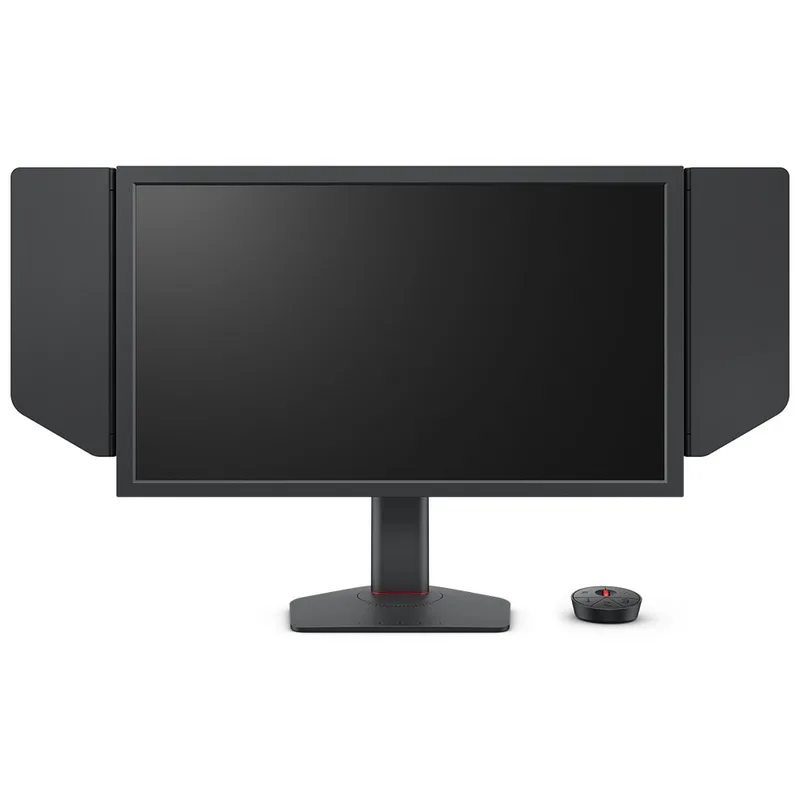
The BenQ ZOWIE XL2586X+ is the most purpose-specific product in this roundup. It doesn’t try to be anything other than a competitive esports monitor, and at 600Hz with DyAc 2, it succeeds completely at that singular goal.
The Fast TN panel posts 0.5ms GTG response and runs a 600Hz refresh rate. DyAc 2’s dual-backlight system — one for game content, one for ELMB strobe — allows blur reduction without the severe brightness loss that made older strobe implementations impractical. The implementation is notably cleaner than the original DyAc, with strobe crosstalk kept to a minimum even at maximum brightness.
At 1920x1080, everything is rendered at lower resolution than 1440p alternatives, which does help frame rates. In VALORANT at low/medium settings, an RTX 4070 can sustain 400–500fps — meaning you’re using a meaningful fraction of that 600Hz capacity. In CS2 with maxed settings, that same card posts 300–400fps, still above 240Hz but not saturating 600Hz.
The S Switch controller, shielding hood, and XL Setting to Share software are unchanged from the previous ZOWIE lineup — if you’ve used a ZOWIE monitor before, you know what to expect. The new industrial-grade bearing stand is a genuine improvement; it holds its set height without creep under repeated adjustments.
At $999, the XL2586X+ costs more than most people’s entire PC build fund. It’s justified for players where the difference between placing 1st and 2nd has direct financial consequences. For everyone else, the XG27ACDNG or AW2725DM is the more rational purchase.
ASUS ROG Strix OLED XG27ACDNG
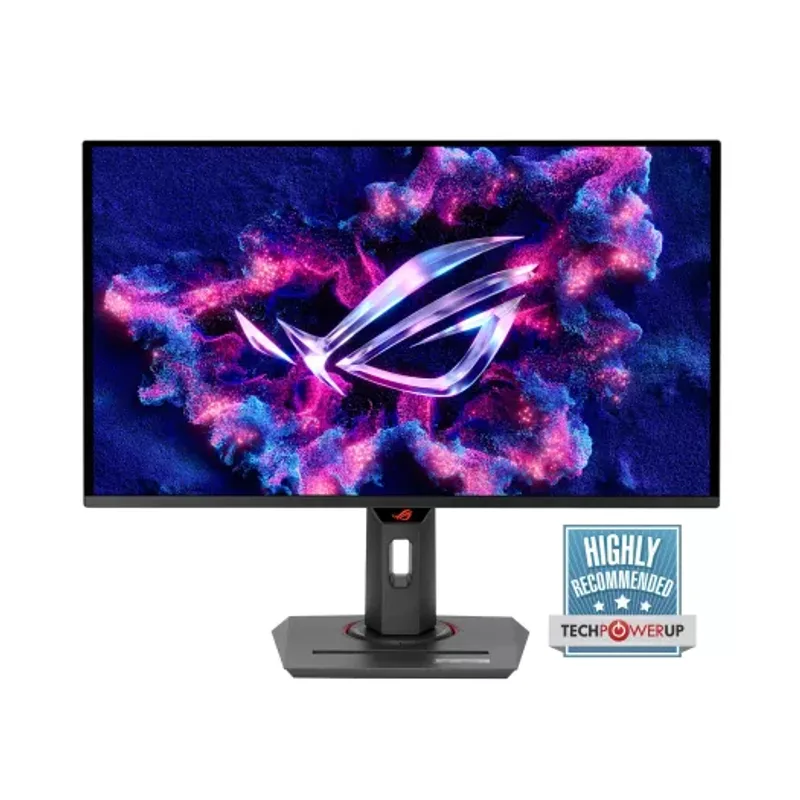
The ASUS ROG Strix OLED XG27ACDNG represents where the monitor market has settled as the practical upper limit for most competitive players: 360Hz on a QD-OLED panel that produces 0.03ms GTG response and 99% DCI-P3 color accuracy.
The QD-OLED panel’s 0.03ms GTG holds across the full grayscale range — not just the cherry-picked fastest transitions that manufacturers tend to highlight on spec sheets. At 360Hz, perceived motion is cleaner than most 540Hz IPS panels because OLED pixels go fully dark between frames without the luminance persistence that IPS pixels carry.
The QD-OLED panel’s contrast ratio is functionally infinite — dark areas in maps and environments read differently than on any IPS or TN. Whether that helps or hurts competitive play depends on how bright you set your in-game gamma and contrast. Most competitive players actually prefer flatter images, so some users will neutralize the OLED contrast advantage through settings anyway.
HDMI 2.1 and USB-C with 90W PD are notable inclusions: the XG27ACDNG works as a primary display for PS5 and Xbox Series X at 1440p@120Hz, and accepts a laptop over USB-C without an adapter. That versatility matters if this isn’t a dedicated single-purpose gaming rig.
At $669, it’s the best option here for players who want a panel that competes at 360Hz but won’t make them visually miserable during non-gaming hours.
ASUS ROG Swift OLED PG27UCDM
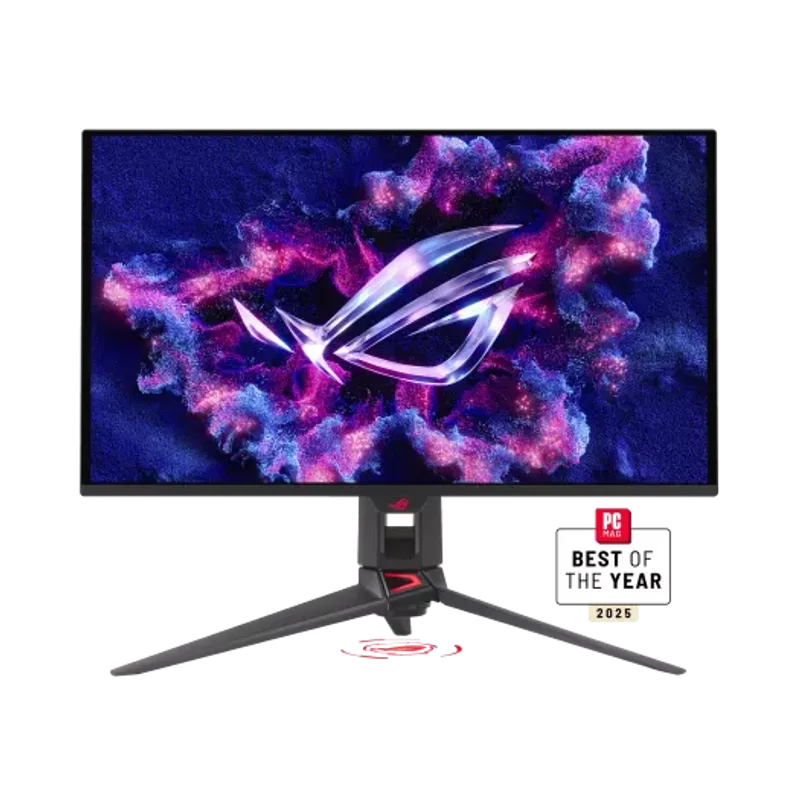
The ASUS ROG Swift OLED PG27UCDM is the answer to “what if you want the best display on the market and also happen to play competitive games?”
At 4K and 240Hz with QD-OLED, the PG27UCDM is not a specialized competitive tool in the way the ZOWIE is. It’s a premium all-purpose panel that happens to be faster than everything except the 360Hz+ options in this list. The 3840x2160 resolution at 27 inches produces 163 PPI — noticeably sharper than the 27GP850-B at 108 PPI or the XG27ACDNG at 111 PPI.
The custom heatsink ASUS added to this model addresses a real problem: earlier QD-OLED monitors based on Samsung panels throttled brightness under sustained gaming loads as the panel heated up. Independent testing at Tom’s Hardware confirmed the PG27UCDM’s heatsink keeps sustained brightness within spec during multi-hour gaming sessions.
DisplayPort 2.1a UHBR20 is the key connectivity spec. The previous generation DP 2.1 UHBR10 (used on many earlier monitors) can technically carry 4K@240Hz but requires DSC compression at those settings, which introduces minor artifacts. UHBR20 delivers the signal uncompressed. You need a GPU with a DP 2.1 output — the RTX 5080, RTX 5090, RTX 4090, RTX 4080 Super, and AMD RX 7900 series all qualify.
The practical limitation is GPU requirements. Running 240fps at 4K in Warzone or Apex at playable settings needs an RTX 5070 Ti or RTX 4080 or better. Players with RTX 4070-class hardware will be leaving frames on the table. If you have the GPU budget to match, the PG27UCDM is the closest thing to a definitive display available in 2026.
Alienware AW2725DM
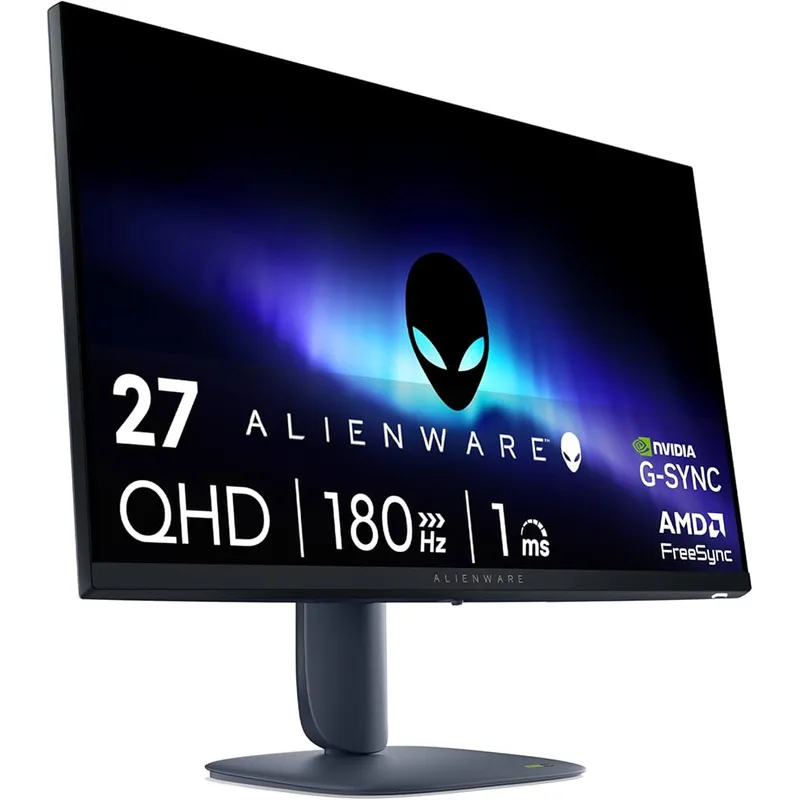
Alienware AW2725DM
The Alienware AW2725DM sits at $249 — and at that price, a 27-inch 1440p 180Hz Fast IPS with G-SYNC and FreeSync support undercuts comparably-specced panels from competing brands by $100 or more.
The Fast IPS panel covers 95% DCI-P3 and posts 1ms GTG. That GTG figure comes with a caveat: at 180Hz with aggressive overdrive, the panel shows measurable overshoot (inverse ghosting). Setting overdrive to “Medium” reduces effective response to around 2–2.5ms GTG but eliminates the ghosting artifacts — still fully competitive at 180Hz.
What Alienware got right here is the ergonomics and build quality. The stand adjusts for height, tilt, swivel, and pivot, and the adjustment mechanisms use damped movement that doesn’t let the monitor drift. At this price, competing panels often ship cheaper stands that wobble — this one doesn’t.
180Hz is the ceiling here, and the gap between 180Hz and 240Hz is perceptible in direct A/B comparisons. For players in mid-ranked brackets, the actual performance cost is minimal — most competitive kills in ranked FPS come from aim and decision-making, not the 16ms difference between 180Hz and 240Hz frame intervals. For players who want to invest in competitive hardware and grow into it, spending the extra money on the XG27ACDNG or XL2586X+ now avoids a second purchase later.
LG UltraGear 27GP850-B
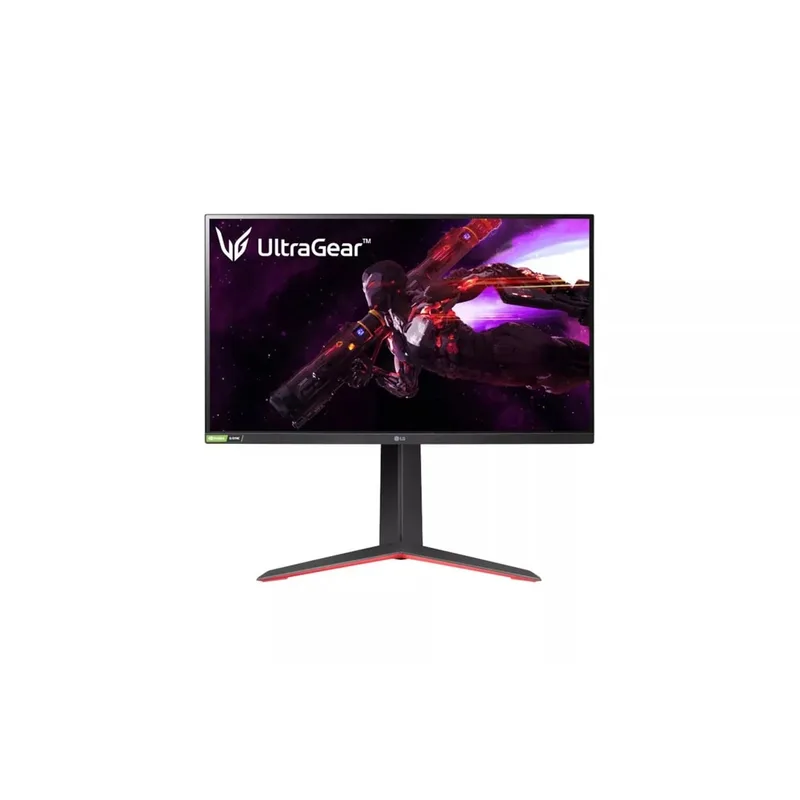
LG UltraGear 27GP850-B
The LG UltraGear 27GP850-B is the established reference point that most competitive monitor recommendations have cited for the last two years. It’s 27 inches, 1440p, 165Hz (overclockable to 180Hz), on a Nano IPS panel.
The Nano IPS panel improvement over standard IPS is real: 98% DCI-P3 vs approximately 90% for typical IPS, achieved by coating the backlight filters to expand the color range. In practice, this means environment textures and enemy models render with slightly more accurate colors. Whether that changes your competitive performance versus a standard IPS is debatable; whether it makes the monitor more pleasant during non-gaming use is not.
The honest problem with the 27GP850-B in 2026 is pricing. At $329, it runs 165Hz base on an older IPS panel while faster alternatives cost less.
The Alienware AW2725DM, for instance, delivers 180Hz on a modern Fast IPS panel at a meaningfully lower price. Unless the LG drops significantly, the value case doesn’t hold.
For players upgrading from 60Hz or 75Hz monitors, the 27GP850-B delivers a massive improvement in motion clarity and response. It’s just no longer the default recommendation it once was when newer Fast IPS options have appeared at lower prices.
FAQ
Is 360Hz worth it over 240Hz for competitive FPS?
In direct A/B testing, 360Hz shows measurable improvement in target acquisition speed over 240Hz — roughly 5–10% faster acquisition in studies using aim trainers with consistent hardware. Whether that translates to ranked performance depends on whether your reaction time is already at the limit, which is rare below top-ranked play. For most players, 240Hz is sufficient; 360Hz is meaningful for players whose ceiling is determined by hardware, not skill.
Should I get 1080p or 1440p for competitive play?
At 24 inches, 1080p produces 92 PPI, which looks noticeably less sharp than 1440p on a 27-inch panel at 108 PPI or 24-inch at 122 PPI. The main argument for 1080p is frame rate — it’s easier to push 400+ fps in competitive titles, which maximizes high-refresh-rate utilization. If you’re running a mid-tier GPU (RTX 4070 or RX 7700), 1080p lets you use more of a 360–600Hz monitor. With an RTX 4080 or better, 1440p at 240–360Hz is well within reach.
Does an OLED monitor burn in during competitive gaming?
This depends on play patterns. Static HUD elements — health bars, minimaps, crosshairs, ammo counters — are the primary burn-in risk. In FPS titles, these elements occupy a consistent position for thousands of hours. Most OLED panel manufacturers now include pixel shifting, screen savers, and logo detection to mitigate this. ASUS OLED Care+ on the XG27ACDNG actively manages panel health. Real-world reports of visible burn-in from gaming use cases have been rare, but the risk is not zero over multi-year ownership.
What GPU do I need to use a 360Hz or 600Hz monitor effectively?
In VALORANT (a low-spec esports title), an RTX 4060 can sustain 360fps at 1080p/1440p on competitive settings, matching a 360Hz monitor’s capacity. In CS2 at competitive settings, an RTX 4070 is comfortable at 300-400fps at 1440p. In more demanding titles like Apex Legends or Warzone, an RTX 4080 is the reasonable floor for consistent 300fps at 1440p. For 600Hz utilization at 1080p, any mid-to-high tier GPU manages it in dedicated esports titles.
Do I need G-SYNC or FreeSync for competitive play?
Variable refresh rate (VRR) via G-SYNC or FreeSync eliminates screen tearing without V-Sync’s input lag penalty. For competitive play where frame rates vary, VRR at high frame rates (over 144fps) is clearly beneficial — you get a tear-free image without any added latency. When your fps consistently exceeds your refresh rate (e.g., 600fps on a 600Hz monitor), VRR is less relevant. Most monitors in this roundup support both standards.
The Bottom Line
For all-out competitive performance, the BenQ ZOWIE XL2586X+ at 600Hz with DyAc 2 is the fastest panel available — but $999 for a 1080p TN display is a hard ask for most players.
The ASUS ROG Strix XG27ACDNG delivers 360Hz QD-OLED with 0.03ms pixel response — the practical choice for players who want elite competitive specs without sacrificing image quality. At $669, it undercuts what you’d expect to pay for this level of panel performance.
If budget is the priority, the Alienware AW2725DM at $249 offers the best price-per-Hz ratio in this roundup and competes well above its price class.