OLED gaming monitors have officially crossed into mainstream pricing in 2026. The Alienware AW3423DWF hit $499 on Amazon in January 2026, the lowest price any 34-inch QD-OLED monitor has reached. Meanwhile, CES 2026 showcased new ASUS ROG Tandem OLED panels pushing resolution and refresh rates that weren’t possible 18 months ago. If you’ve been waiting for the right time to upgrade from IPS, this is it.
Quick Picks
- Best overall: ASUS ROG Swift OLED PG27UCDM — 4K/240Hz QD-OLED, the only 27” screen with this spec combination
- Best competitive: ASUS ROG Swift OLED PG27AQDP — 480Hz WOLED, currently the fastest OLED panel on the market
- Best value: Alienware AW3423DWF — 34” QD-OLED at $499, the most monitor per dollar right now
Buying Guide
Resolution vs. Refresh Rate
At 1440p, any mid-range GPU (RX 7800 XT, RTX 4070) can hit 240Hz+ in competitive titles. At 4K, you need an RTX 4080 Super or better to consistently hit 120fps in demanding singleplayer games. Ultrawide 3440×1440 splits the difference — more immersive than standard widescreen without the GPU tax of 4K.
For competitive players (CS2, Valorant, Rainbow Six), prioritize refresh rate over resolution. A 480Hz 1440p monitor will feel faster than a 240Hz 4K screen, even if the latter looks sharper. For singleplayer and RPGs, resolution and panel quality matter far more than the refresh rate ceiling — 144Hz is plenty for turn-based RPGs and story-driven games.
Panel Technology
QD-OLED uses a quantum dot filter over an OLED layer for wider color gamut and brighter highlights than standard WOLED. It’s the panel type in the Alienware and PG27UCDM.
WOLED (White OLED) is used in the PG27AQDP. It pushes higher refresh rates because its structure supports faster pixel switching — hence why 480Hz exists on WOLED but not QD-OLED yet.
SS IPS (Super Speed IPS) is what the Gigabyte M27Q X uses. It’s faster than standard IPS, with real-world pixel response closer to 4ms, but the backlight means blacks are gray in dark rooms.
All OLED monitors carry a burn-in risk. Modern OLED Care features (pixel shifting, proximity sensors that blank the screen when you walk away) mitigate this substantially, but static desktop use for 10+ hours daily accelerates it more than gaming. If your monitor doubles as a work display, OLED burn-in risk is a real consideration.
Size and Ergonomics
- 27” at 1440p: 109ppi — readable text, comfortable at 60-80cm desk distance
- 27” at 4K: 166ppi — noticeably sharper, especially for text and UI
- 34” ultrawide: forces native app scaling support — some older games don’t fill the 21:9 field of view
- 45” ultrawide: optimal desk distance is 80-100cm; closer seating than typical TV viewing
Detailed Reviews
ASUS ROG Swift OLED PG27UCDM
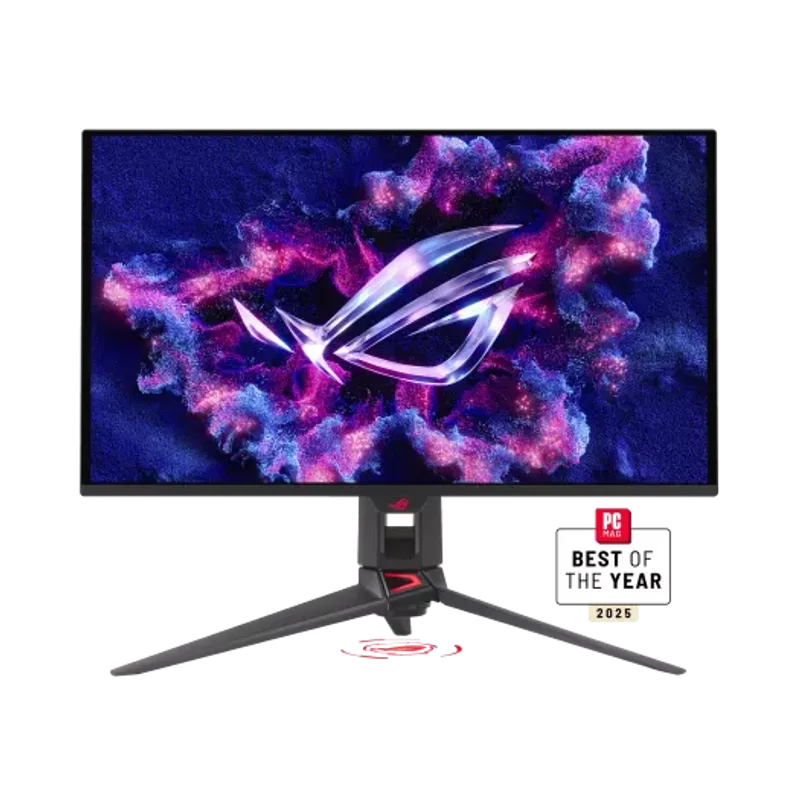
ASUS ROG Swift OLED PG27UCDM
The ASUS ROG Swift OLED PG27UCDM is the first 27-inch monitor to combine 4K resolution with a 240Hz OLED panel. Previous 4K OLED options were limited to 144Hz (LG 27GR95QE) or required stepping up to 32-inch screens. The PG27UCDM changes that with a fourth-generation QD-OLED panel from Samsung Display.
The DisplayPort 2.1a UHBR20 connection (full 80Gbps bandwidth) is the key enabler here. At 4K/240Hz with 10-bit color, you need that bandwidth — HDMI 2.1’s 48Gbps cap can’t carry it without heavy compression. The monitor also supports DisplayPort 2.1’s DSC (Display Stream Compression), which lets compatible GPUs like the RTX 4090 run 4K/240Hz with visually lossless compression on older DP 2.0 sources.
In practice, the target buyer for this monitor is someone running an RTX 4090 or RX 7900 XTX and playing at 4K — the card that can regularly push 200+ fps in titles like CS2, Valorant, or Apex at 4K is already running $800+. If you’re gaming at 4K but your GPU tops out at 100-120fps in demanding games, the Alienware AW3423DWF delivers better value.
The 0.03ms response time is real and measurable. Motion clarity at 240Hz is the best available at 4K — no IPS or VA panel gets close to this in dark scene rendering or fast panning shots.
ASUS ROG Swift OLED PG27AQDP
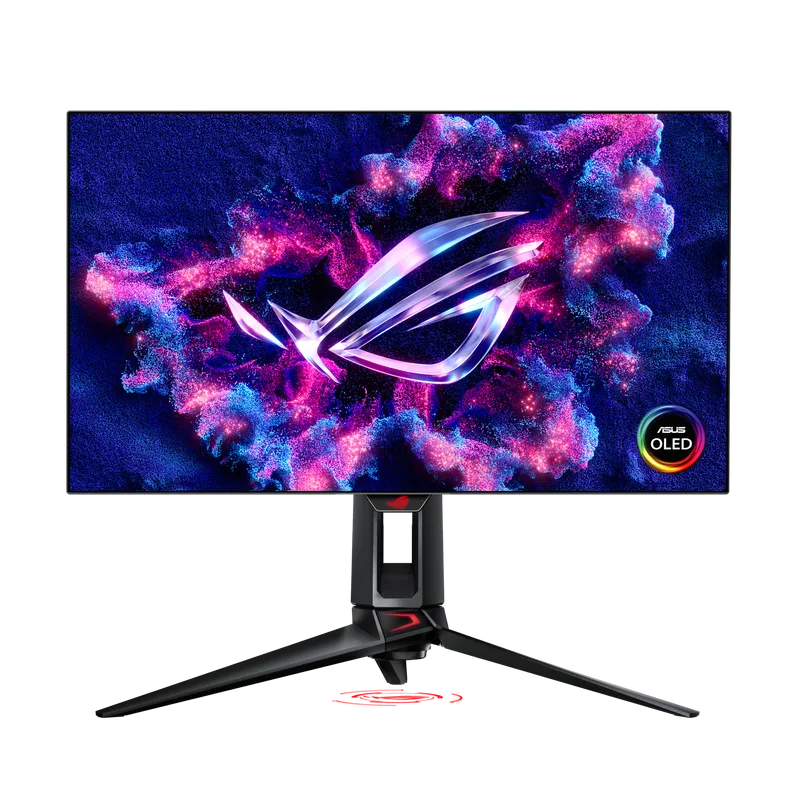
ASUS ROG Swift OLED PG27AQDP
The ASUS ROG Swift OLED PG27AQDP runs at 480Hz — twice the 240Hz ceiling most OLED panels hit. That’s enabled by its WOLED panel design, which allows faster pixel switching than QD-OLED’s layered construction.
At 480Hz, the perceived smoothness difference over 240Hz is real but subtle in games. The bigger practical advantage is reduced motion blur during fast 180-degree turns in FPS games — human eyes track moving edges better at 480Hz than 240Hz. In CS2 at 480fps (achievable on an RTX 4090 at 1440p Medium settings), aiming precision improves measurably compared to the same hardware at 240Hz.
The WOLED panel delivers 99% DCI-P3 and 1,500,000:1 contrast — on par with QD-OLED for SDR gaming, and noticeably better than any IPS screen in HDR. Where WOLED trades off against QD-OLED is peak brightness: the PG27AQDP hits around 800-900 nits peak HDR versus the PG27UCDM’s 1,000+ nits.
The AI Game Visual feature is worth using. It detects the game genre — FPS, RPG, or racing — and adjusts local dimming zone behavior accordingly — darker shadows in shooters, richer saturation in open-world RPGs. It’s not a gimmick here.
The connectivity gap is worth noting: HDMI 2.0 means console gamers are capped at 1440p/120Hz. If you play PS5 or Xbox Series X alongside your PC, the Alienware’s HDMI 2.0 ports are the same limitation, but the PG27UCDM’s HDMI 2.1 handles 4K/120Hz from consoles without issue.
Alienware AW3423DWF
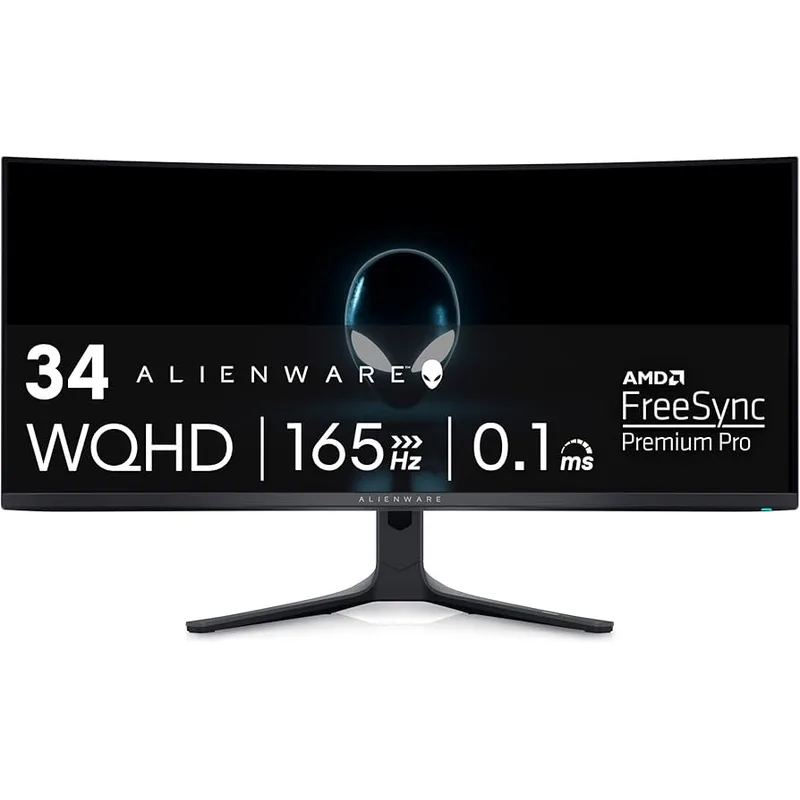
Alienware AW3423DWF
At $499, the Alienware AW3423DWF is the most compelling monitor purchase in early 2026. This is a QD-OLED panel — the same technology powering monitors that cost significantly more — at a price that undercuts most 27” IPS monitors with comparable refresh rates.
The 34-inch 21:9 format with 1800R curvature is specifically built for immersive gaming. Racing games, flight sims, and open-world RPGs gain peripheral vision that a standard 16:9 screen can’t replicate. The curvature radius of 1800R means the edges of the screen match the natural curvature of human vision at ~60-70cm viewing distance.
The QD-OLED panel delivers 99.3% DCI-P3 coverage, 1,000 nits peak HDR brightness, and genuine 1,000,000:1 contrast. HDR-supporting titles like Cyberpunk 2077, Microsoft Flight Simulator, and Forza Horizon 5 look categorically different on this panel versus a backlit IPS screen — the difference is not subtle.
The 165Hz ceiling is the legitimate limitation. It’s not competitive for esports — CS2 and Valorant players who want 240Hz+ should look at the PG27AQDP. But for every other gaming genre, 165Hz is smooth enough that the panel quality advantage over 240Hz IPS screens more than compensates.
Dell’s warranty covers burn-in for 3 years, which reduces the OLED ownership risk for concerned buyers.
LG UltraGear 45GX950A
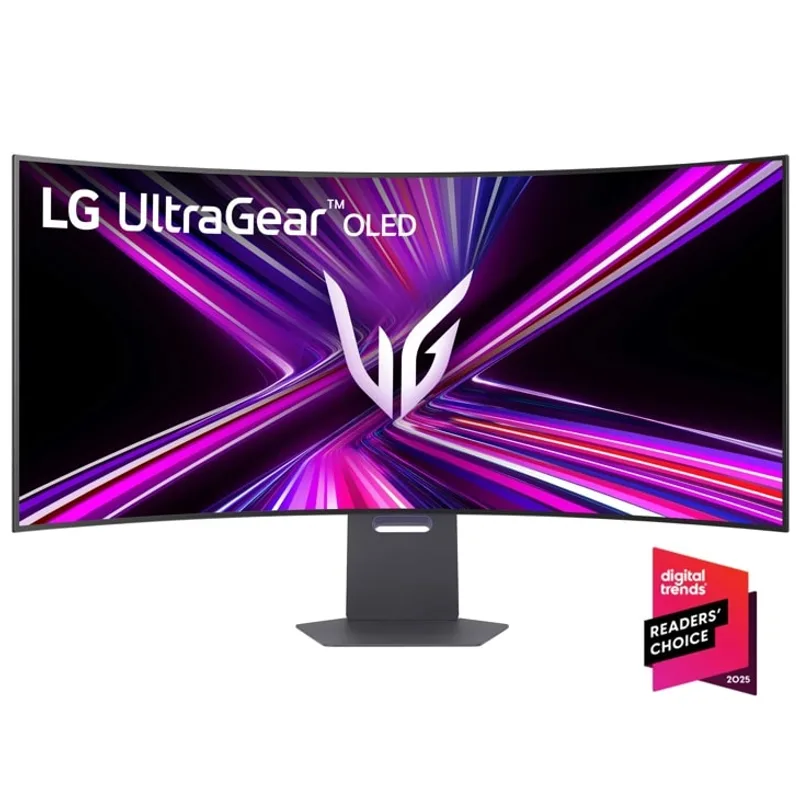
LG UltraGear 45GX950A
The LG UltraGear 45GX950A runs a 5120×2160 (5K2K) OLED panel — a resolution that has more pixels than 4K at 16:9 while fitting a 21:9 aspect ratio. The 211ppi pixel density at 45 inches is higher than most 27-inch 4K monitors (166ppi), which produces text and UI elements that look sharper than you’d expect from a 45-inch panel.
The Dual-Mode feature is the engineering highlight. The monitor’s firmware can switch between two operating modes: native 5K2K at 165Hz for full-resolution rendering, and a 2560×1080 mode at 330Hz for competitive gaming. You get an ultrawide productivity display and a high-refresh-rate gaming setup in one chassis. The resolution drop to 2560×1080 is visible at close viewing distances, but at 45 inches and 80-100cm viewing distance, it’s acceptable for esports titles where visual sharpness matters less than frame rate.
The OLED panel delivers the same black level and contrast performance as the Alienware and ASUS OLED options — infinite contrast, true blacks, and 0.03ms response times. At 5K2K, the GPU requirement is substantial: an RTX 4090 averages around 80-100fps in Cyberpunk 2077 at Ultra settings and 5K2K, with RT disabled. For competitive titles at 5K2K, mid-tier GPUs (RTX 4070 Ti Super) manage 165fps in CS2 and Valorant at low-medium settings.
USB-C 90W power delivery means this monitor can power a work laptop while gaming — particularly useful for home office setups where desk real estate is shared between work and gaming. The DP 2.1 input supports 5K2K/165Hz without compression.
Gigabyte M27Q X
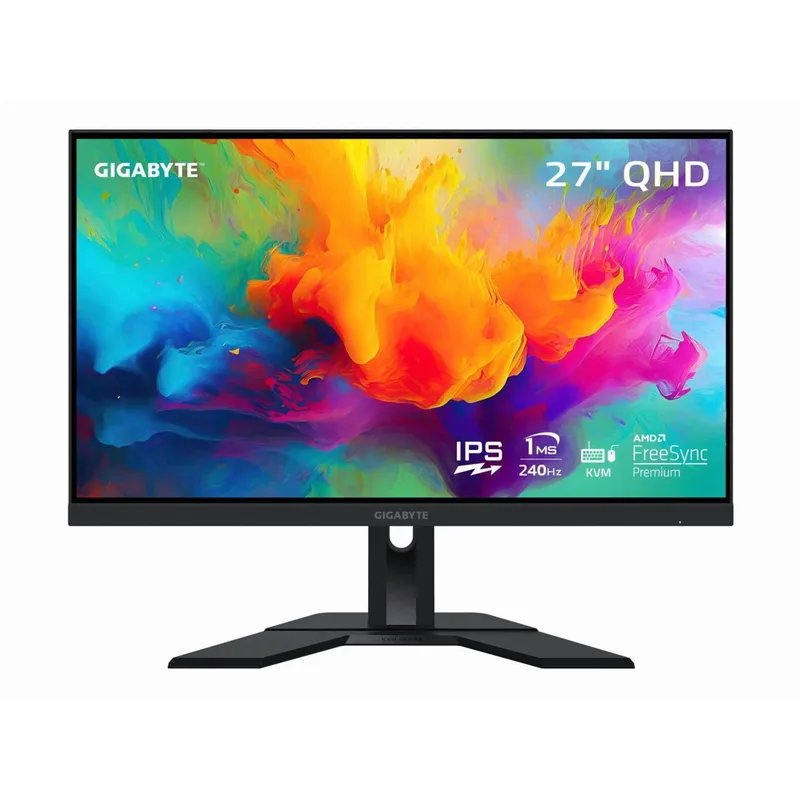
Gigabyte M27Q X
The Gigabyte M27Q X is the answer to a specific question: what’s the best 27” 1440p monitor for under $300 that doesn’t make compromises on refresh rate? The answer is this one, at $259.
The SS IPS (Super Speed IPS) panel runs native 240Hz at 2560×1440. That’s achievable on an RTX 4070, RTX 4060 Ti, or RX 7800 XT across most competitive titles without dropping settings below Medium. The 92% DCI-P3 coverage is a step up from standard IPS panels at this price tier.
The built-in KVM switch is the sleeper feature. One keyboard and one mouse connected to the M27Q X via USB can control two connected computers — switch between them with a hotkey. For developers or creators who run a gaming PC alongside a work machine, this eliminates a hardware KVM or a second input setup. It’s a genuinely useful feature that competitors at $299-$349 rarely include.
The honest limitation is that this is an IPS-backlit monitor. No static task lighting will produce the black levels of an OLED panel, and the HDR performance — while functional — is not in the same league as any OLED monitor on this list. If your gaming is primarily done in a dark room and you care about atmosphere in dark-scene games, consider saving up for the Alienware AW3423DWF instead. If your gaming is in a bright room, or you primarily play esports titles where blacks are less relevant, the M27Q X’s IPS characteristics are actually an advantage — it’s brighter at peak white output and more readable under ambient light.
| Spec | ASUS ROG Swift OLED PG27UCDM $1,099 9.5/10 | ASUS ROG Swift OLED PG27AQDP $549 9.2/10 | Alienware AW3423DWF $499 9/10 | LG UltraGear 45GX950A $1,350 9.3/10 | Gigabyte M27Q X $259 8.2/10 |
|---|---|---|---|---|---|
| panel | QD-OLED | WOLED | QD-OLED | OLED | SS IPS |
| resolution | 3840×2160 (4K) | 2560×1440 (QHD) | 3440×1440 (21:9) | 5120×2160 (5K2K) | 2560×1440 (QHD) |
| refresh_rate | 240Hz | 480Hz | 165Hz | 165Hz (Dual-Mode: 330Hz at 2K) | 240Hz |
| response_time | 0.03ms | 0.03ms | 0.1ms | 0.03ms | 1ms (MPRT) |
| hdr | DisplayHDR True Black 400 / Dolby Vision | DisplayHDR 400 True Black | DisplayHDR True Black 400 | DisplayHDR True Black 400 | HDR Ready |
| inputs | DP 2.1a UHBR20, HDMI 2.1, USB-C | DP 1.4, HDMI 2.0, USB-C | DP 1.4, HDMI 2.0.6 (x2) | DP 2.1, HDMI 2.1 (x2), USB-C 90W | DP 1.4, HDMI 2.0 (x2), USB-C, USB 3.0 KVM |
| Rating | 9.5/10 | 9.2/10 | 9/10 | 9.3/10 | 8.2/10 |
FAQ
Do I need a specific GPU for a 240Hz or 480Hz monitor?
For competitive 1440p titles (CS2, Valorant, Apex Legends), an RTX 4070 or RX 7900 GRE can sustain 240fps+ at medium-high settings. For 480Hz, you need an RTX 4090 or RX 7900 XTX to actually hit 400+ fps where the extra refresh rate provides noticeable benefit. For 4K/240Hz, the RTX 4090 is effectively the only current card that can deliver 200+ fps in demanding games.
Is OLED burn-in a real risk for gaming?
Static UI elements — health bars, minimaps, crosshairs — are the primary risk. Modern OLED Care features (pixel shift, proximity sensors, screen savers) significantly reduce it. In practice, most gaming-focused usage produces no visible burn-in within 3-4 years. Static desktop productivity use (browser toolbars, taskbars) over many hours daily carries higher risk than gaming itself.
What’s the difference between QD-OLED and WOLED?
QD-OLED (Samsung Display) adds a quantum dot conversion layer for wider color gamut and higher peak brightness. WOLED (LG Display) uses white subpixels for faster pixel switching — enabling 480Hz — but with slightly lower peak brightness than QD-OLED at the same tier. Both produce true blacks and infinite contrast. QD-OLED screens typically look more vivid in HDR; WOLED screens can reach higher refresh rates.
Is 165Hz on an OLED better than 240Hz on IPS?
For fast-paced competitive gaming, no — 240Hz IPS will feel smoother. For all other gaming, yes. OLED’s 0.03ms response time versus IPS’s 1-4ms means motion clarity is dramatically better on OLED, and the contrast ratio difference (1,000,000:1 vs. ~1,000:1) creates a different visual experience in dark environments, horror games, and cinematic titles.
Should I buy a 34-inch ultrawide or a 27-inch 4K monitor?
If you primarily game in 3D titles — open world, racing, action — the 34” ultrawide 21:9 format adds peripheral awareness that 27” 16:9 can’t replicate. If you split time between gaming and content creation, or if you play competitive titles, a 27” 4K or 1440p monitor is more versatile and has better software compatibility (some older games don’t properly support ultrawide FOV).
The Bottom Line
The Alienware AW3423DWF is the standout value purchase in 2026 — a QD-OLED panel at $499 that would have been $800+ a year ago, and it’s the recommendation for most buyers making their first OLED upgrade. For competitive gamers where every millisecond counts, the ASUS ROG Swift OLED PG27AQDP is the only 480Hz OLED available and worth the premium. If budget is the priority, the Gigabyte M27Q X at $259 delivers 240Hz 1440p IPS with a KVM switch — no other monitor under $300 matches that spec combination.