Disclosure: PCBuildRanked earns a commission on qualifying Amazon purchases at no extra cost to you.
The RTX 5090 launched in January 2026 with 32GB of GDDR7 and Blackwell’s 5th-gen Tensor Cores, immediately reshuffling the consumer ML GPU hierarchy. But with AIB street prices now $2,000+ above MSRP and the RTX 40 series going out of production — pushing 4090 prices up to $2,750 — picking the right GPU for a training rig in 2026 is messier than it looks. VRAM capacity, bandwidth, software ecosystem maturity, and actual street pricing all drive different recommendations — fine-tuning 7B models on a tight budget is a very different problem from running distributed 70B inference overnight.
| Spec | ASUS TUF GeForce RTX 5090 32GB GDDR7 9.6/10 | MSI GeForce RTX 4090 Gaming X Trio 24G Unavailable 9.1/10 | MSI GeForce RTX 5080 16G Gaming Trio OC 8.5/10 | ASRock AMD Radeon RX 7900 XTX Phantom Gaming 24GB 7.8/10 | ASUS TUF Gaming GeForce RTX 4080 Super OC 16GB 7.5/10 |
|---|---|---|---|---|---|
| architecture | Blackwell (GB202) | Ada Lovelace (AD102) | Blackwell (GB203) | RDNA 3 (Navi 31) | Ada Lovelace (AD103) |
| vram | 32GB GDDR7 | 24GB GDDR6X | 16GB GDDR7 | 24GB GDDR6 | 16GB GDDR6X |
| cuda_cores | 21,760 | 16,384 | 10,752 | — | 10,240 |
| memory_bandwidth | 1,792 GB/s | 1,008 GB/s | 960 GB/s | 960 GB/s | 736 GB/s |
| tdp | 575W | 450W | 360W | 355W | 320W |
| pcie | PCIe 5.0 x16 | PCIe 4.0 x16 | PCIe 5.0 x16 | PCIe 4.0 x16 | PCIe 4.0 x16 |
| Rating | 9.6/10 | 9.1/10 | 8.5/10 | 7.8/10 | 7.5/10 |
Prices change daily — tap Check Price for the current Amazon price.
Prices change daily — tap Check Price for the current Amazon price.
Quick Picks
- Best overall: ASUS TUF RTX 5090 32GB — 32GB GDDR7 and Blackwell Tensor Cores handle every consumer ML workload in 2026
- Best for serious ML: MSI RTX 4090 Gaming X Trio — 24GB GDDR6X, fully mature CUDA stack, now at ~$2,750 as supply tightens
- Best value (CUDA): MSI RTX 5080 16G Gaming Trio OC — GDDR7 bandwidth, 5th-gen Tensor Cores, $1,449
- Best value (24GB on Linux): ASRock RX 7900 XTX Phantom Gaming — 24GB VRAM for ~$999 with mature ROCm 6.x support
Buying Guide: What Matters for Machine Learning
VRAM Is the Hard Ceiling
The most important spec for ML is VRAM capacity. A model that doesn’t fit in VRAM requires either quantization (reducing accuracy) or multi-GPU setups (adding cost and complexity). General guidelines for 2026:
- 16GB — inference on 7B to 13B models at INT4/INT8; fine-tuning up to ~7B with QLoRA
- 24GB — inference on 13B to 30B models; fine-tuning up to ~20B with QLoRA; runs Stable Diffusion XL and Flux without swapping
- 32GB — inference on 70B models at FP8 quantization; fine-tuning up to ~34B with LoRA; multi-stream video generation
Memory Bandwidth vs. VRAM Capacity
VRAM capacity determines what fits; bandwidth determines how fast tokens generate. The RTX 5090’s 1,792 GB/s nearly doubles the RTX 4080 Super’s 736 GB/s, translating directly to tokens per second in llama.cpp and vLLM. For a local inference server, bandwidth matters as much as capacity.
CUDA vs. ROCm
NVIDIA’s CUDA ecosystem works out of the box with every major ML framework. AMD’s ROCm support has improved significantly with ROCm 6.x on Linux — PyTorch 2.x, llama.cpp, and Ollama all run well on the RX 7900 XTX on Ubuntu. Windows ROCm support remains patchy, and JAX/TensorFlow on AMD GPUs still requires non-trivial setup. On Linux with cost constraints, ROCm is viable. On Windows or when you need framework compatibility without configuration overhead, stick with NVIDIA.
PSU Requirements
| GPU | Minimum PSU | Recommended |
|---|---|---|
| RTX 4080 Super | 650W | 750W |
| RTX 5080 | 750W | 850W |
| RX 7900 XTX | 750W | 750W |
| RTX 4090 | 750W | 850W |
| RTX 5090 | 850W | 1,000W |
Detailed Reviews
1. ASUS TUF GeForce RTX 5090 32GB GDDR7
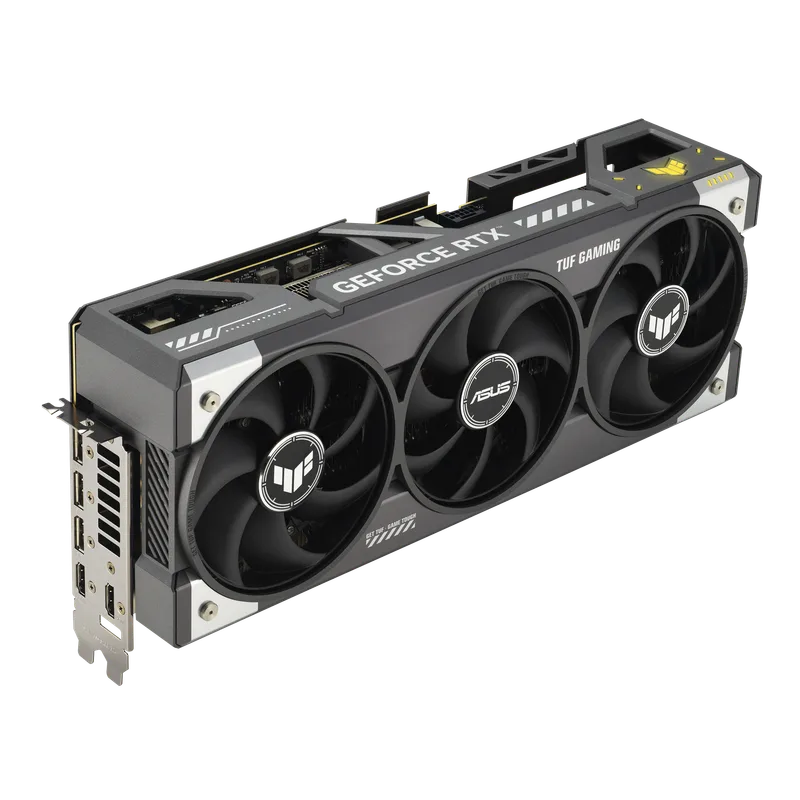
The RTX 5090 is built on NVIDIA’s GB202 die with 21,760 CUDA cores and 5th-generation Tensor Cores that add native FP8 compute at roughly twice the throughput of Ada’s 4th-gen cores. The 32GB GDDR7 frame buffer running at 1,792 GB/s is the critical number for ML: it fits a 70B-parameter model at FP8 quantization entirely in VRAM, eliminating the main bottleneck of consumer-grade local inference.
Community benchmarks using Llama 3.1 70B at Q4_K_M in llama.cpp report approximately 18–22 tokens per second on the RTX 5090, compared to 9–12 t/s on the RTX 4090 — a gap driven primarily by bandwidth, not compute. Published comparisons for Stable Diffusion 3 and Flux.1 workflows show the 5090 rendering 1024×1024 images 40–50% faster than the RTX 4090 in ComfyUI.
The ASUS TUF variant uses a 3.6-slot triple-fan cooler with vapor chamber and military-grade components. It’s among the cooler-running RTX 5090 AIBs under sustained training loads, and fits most full-tower cases. Third-party reviews report sustained compute loads staying under 78°C with the stock fan curve.
The friction point is pricing. ASUS TUF AIB models currently sit around $4,099 — roughly $2,100 above MSRP due to persistent Blackwell supply constraints. If a Founders Edition becomes available near its $1,999 MSRP, that price point makes the RTX 5090 the obvious pick for any ML workstation budget above $2,000.
2. MSI GeForce RTX 4090 Gaming X Trio 24G
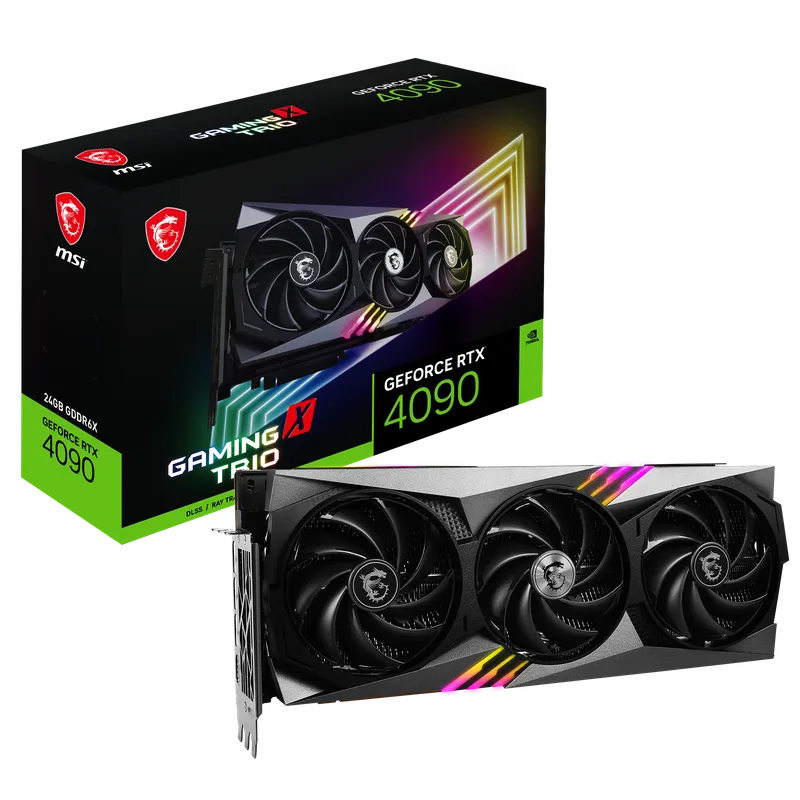
MSI GeForce RTX 4090 Gaming X Trio 24G
The RTX 4090 occupies a strange position in 2026: last-generation architecture now commanding ~$2,750 street prices as RTX 40 series production winds down and remaining stock depletes. For pure VRAM capacity, the 4090’s 24GB still clears the RTX 5080’s 16GB by a meaningful margin — and NVIDIA’s 4th-generation Tensor Cores deliver up to 1,321 AI TOPS across FP8, FP16, BF16, TF32, and INT8.
Published fine-tuning benchmarks report a Mistral 7B with QLoRA taking roughly 4 hours per epoch on standard datasets at BF16; a 13B Llama 3 fine-tune runs around 8 hours with QLoRA. The 4090 handles both without CPU RAM offloading.
The MSI Gaming X Trio uses a triple-fan Tri-Frozr 3 cooler on a 3.5-slot chassis. Third-party reviews place sustained FP16 training temperatures at 72–76°C with default fan curves. Budget for a quality 850W PSU for the 450W TDP.
For PyTorch users, the 4090 is plug-and-play: CUDA 12.x drivers cover every framework without additional configuration. The ecosystem maturity has real value when debugging training runs. The catch in 2026: with the RTX 5090 ASUS TUF now $1,349 more at $4,099, the 4090’s value proposition has strengthened considerably. Anyone bumping against 24GB VRAM limits should weigh whether $1,349 more for the 5090’s 32GB justifies the premium for their specific workloads.
3. MSI GeForce RTX 5080 16G Gaming Trio OC
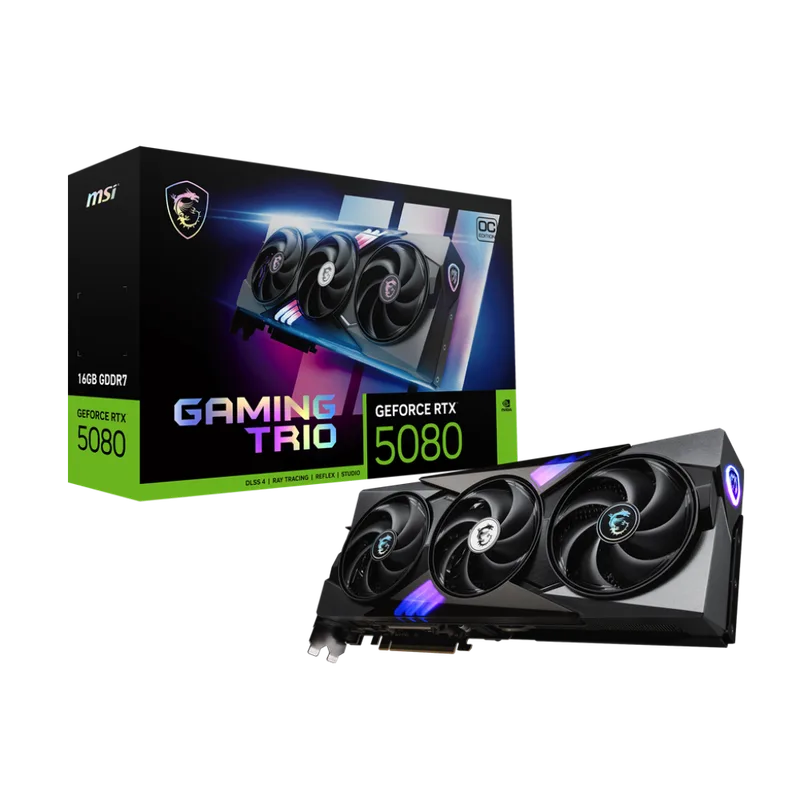
At $1,449, the RTX 5080 is the strongest CUDA value in this roundup for workloads that fit in 16GB. Its 16GB GDDR7 on a 256-bit bus delivers 960 GB/s bandwidth — matching the RTX 4090’s bandwidth with a $1,500 savings. Blackwell’s 5th-gen Tensor Cores give it 30–40% better FP8 throughput than the RTX 4080 Super, and it draws 360W vs. the 4090’s 450W.
Community benchmarks report approximately 95–110 tokens per second in llama.cpp on quantized Llama 3.1 8B at Q4_K_M — faster than the RTX 4090 on this memory-bound task because GDDR7 bandwidth compensates for lower core count. For Stable Diffusion XL at batch size 1, published comparisons show approximately 20% faster render times than the RTX 4090.
The 16GB ceiling is the trade-off. Load a 20B+ model at FP16 and VRAM fills immediately, forcing aggressive quantization or CPU offloading. For practitioners whose workloads stay under 16GB, paying $1,500 more for the RTX 4090’s 24GB makes little sense. For anyone pushing 20B+ models regularly, the 4090 is the better long-term investment.
The MSI Gaming Trio OC cooler handles 360W TDP well. Third-party reviews report sustained compute loads under 72°C with adequate case airflow, running comfortably on a 750W PSU.
4. ASRock AMD Radeon RX 7900 XTX Phantom Gaming 24GB
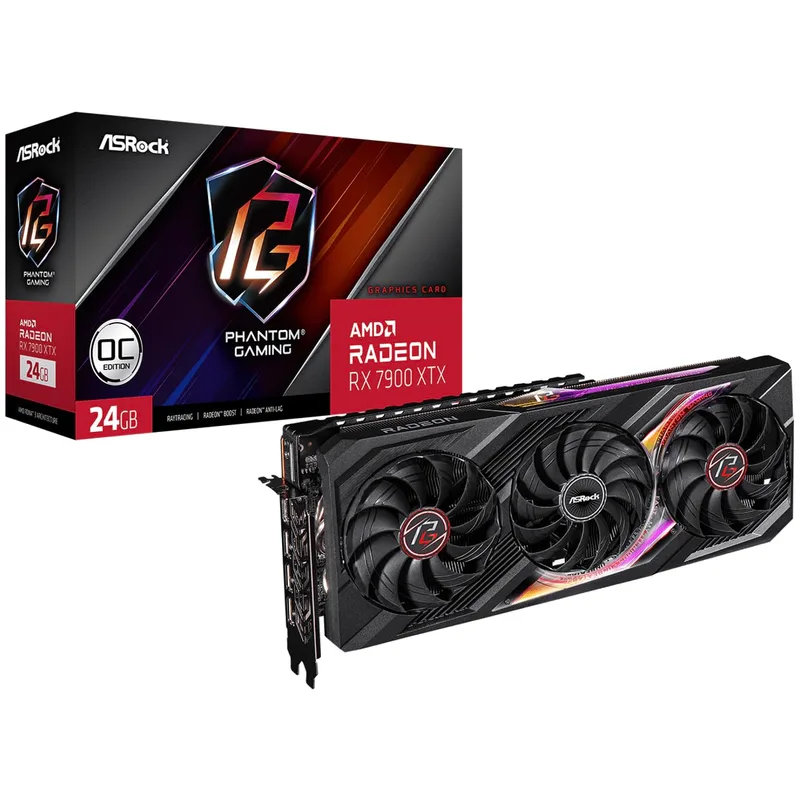
At ~$999, the RX 7900 XTX remains the most affordable 24GB VRAM card in 2026, and AMD’s ROCm 6.x stack on Linux makes it a capable option for model inference and experimentation. RDNA 3’s Navi 31 die brings 96 Compute Units and 24GB GDDR6 at 960 GB/s on a 384-bit bus — identical raw bandwidth to the RTX 4090.
On Ubuntu with ROCm 6.1 and PyTorch 2.3, community benchmarks place the RX 7900 XTX at approximately 65–75% of the RTX 4090’s token throughput on identical quantized models. That gap exists because AMD Compute Units have lower per-CU throughput than NVIDIA SM units on mixed-precision workloads. On memory-bandwidth-bound inference with quantized models, the gap narrows considerably.
AMD has provided formal ROCm support for the RX 7900 XTX since ROCm 5.7.1, which has matured substantially through ROCm 6.x. Ollama, llama.cpp (with --gpu rocm), and ComfyUI work without manual configuration on Ubuntu 22.04 and 24.04. PyTorch fine-tuning runs, but occasional driver edge cases exist that CUDA users don’t encounter.
The ASRock Phantom Gaming variant runs cooler than most RX 7900 XTX cards, with a 2.5-slot triple-fan cooler that third-party reviews place under 75°C at full compute load. At 355W TDP, a standard 750W PSU covers this card alongside a mid-range CPU.
Skip this card if: you’re on Windows, your pipeline depends on TensorFlow’s GPU backend, or you need JAX. Pick it if: you’re on Linux, cost-constrained, and need 24GB of VRAM for large-model inference.
5. ASUS TUF Gaming GeForce RTX 4080 Super OC 16GB
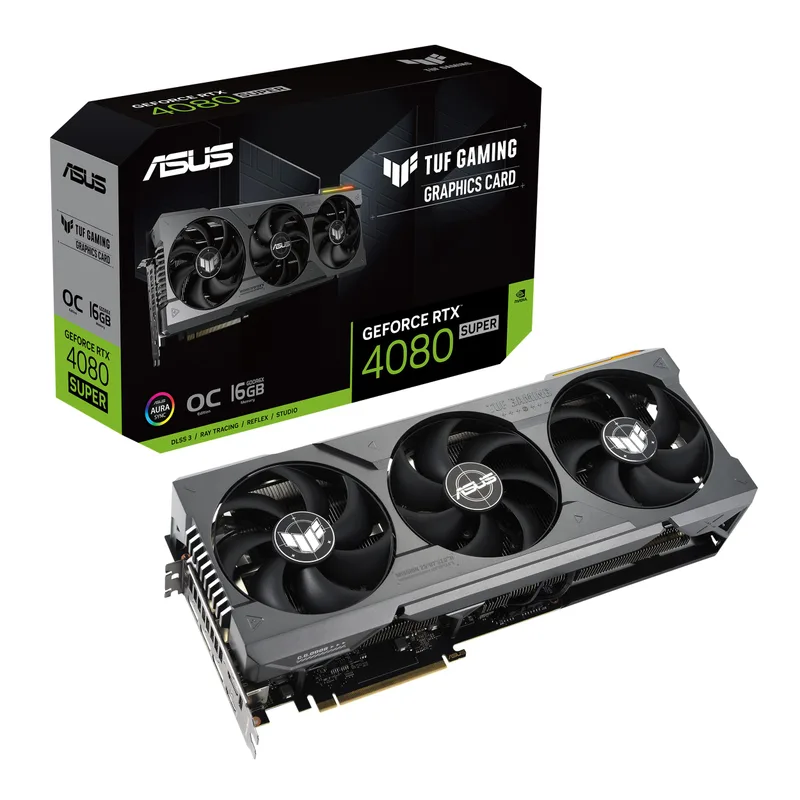
ASUS TUF Gaming GeForce RTX 4080 Super OC 16GB
The RTX 4080 Super made a strong case at its $999 MSRP, but at current street prices around $1,599 it’s a harder sell. The RTX 5080 costs $150 less, offers faster GDDR7, and carries Blackwell’s 5th-gen Tensor Cores. The 4080 Super’s primary remaining argument is the mature Ada Lovelace CUDA driver stack — stable, compatible, and proven across every major ML framework.
The AD103 die delivers 10,240 CUDA cores with 4th-gen Tensor Cores and 16GB of GDDR6X at 736 GB/s. That bandwidth is the lowest in this roundup. Community benchmarks place token generation on quantized 13B models at roughly 55–65 t/s in llama.cpp, about 25–30% slower than the RTX 5080.
The 320W TDP is a genuine differentiator: it runs on a 650W PSU, the only card in this roundup that does. PyTorch, TensorFlow, JAX, Hugging Face Transformers, and bitsandbytes all work without additional configuration.
At $1,599, the 4080 Super is worth choosing only if you find it meaningfully discounted versus the $1,449 RTX 5080. Otherwise the 5080 wins on every spec that matters for ML.
FAQ
Do I need an NVIDIA GPU for machine learning?
No, but it simplifies things considerably. NVIDIA’s CUDA ecosystem is default-supported by PyTorch, TensorFlow, JAX, and virtually every ML framework. AMD’s ROCm stack on Linux has matured enough for llama.cpp, Ollama, and PyTorch inference — but if your pipeline depends on TensorFlow, JAX, or any CUDA-specific extension library, NVIDIA is the path of least resistance.
How much VRAM do I need for fine-tuning in 2026?
Fine-tuning a 7B model with QLoRA and 4-bit quantization requires approximately 10–12GB of VRAM. A 13B model needs 14–16GB. A 20B model needs roughly 20–22GB. Full-precision FP16 fine-tuning roughly doubles those figures. For most practitioners, 24GB is the practical target; 16GB works with QLoRA at 7B–13B but adds quantization constraints.
Can I use two GPUs instead of one large one?
Multi-GPU training with PyTorch DDP or DeepSpeed works, but consumer RTX GPUs don’t support NVLink — they communicate over PCIe, creating a bandwidth bottleneck at batch synchronization. Two RTX 5080s won’t outperform one RTX 4090 on most training workloads due to PCIe communication overhead. A single high-VRAM GPU is almost always more efficient at the consumer level.
Is the RTX 5090 worth the premium over RTX 4090 for machine learning?
With the RTX 4090 now around $2,750 and the ASUS TUF RTX 5090 at $4,099, the price gap has grown to ~$1,350. At that spread, the RTX 4090’s 24GB GDDR6X is the more practical value for workloads that fit in 24GB — the 5090 is worth the premium only for users who regularly need 32GB VRAM for 70B+ inference or large fine-tuning runs.
Does the AMD RX 7900 XTX work with Windows for ML?
Partially. ROCm on Windows has improved but remains significantly less mature than Linux. Tools like Ollama have added experimental Windows ROCm support, but production ML workflows on Windows are better served by NVIDIA. On Ubuntu 22.04 or 24.04, the RX 7900 XTX is a legitimate option.
Why has the RTX 4080 Super become so expensive?
The RTX 40 series is out of production. As inventory depletes, prices on remaining stock have risen sharply. The RTX 4080 Super has gone from $999 MSRP to ~$1,599 street, which is why the RTX 5080 at $1,449 is now the better value for 16GB CUDA ML workloads.
The Bottom Line
For machine learning in 2026, VRAM and bandwidth drive the decision more than raw compute. The RTX 5090 at $4,099 for the ASUS TUF model is the best consumer ML GPU available — 32GB GDDR7 handles 70B inference and larger fine-tuning jobs without compromise. With the RTX 4090 now at $2,750, the $1,350 premium to the 5090 is substantial; the 4090 is the practical choice for workloads that fit in 24GB, while the 5090 is the clear pick for 32GB VRAM use cases. The RTX 5080 at $1,449 is the best value for CUDA users whose workloads fit in 16GB — it outperforms the RTX 4080 Super on every metric at a lower price. For Linux users who need 24GB of VRAM on a budget, the RX 7900 XTX at ~$999 with ROCm 6.x is the clear pick. For CPU pairings that complement ML GPU builds, see our best CPUs for machine learning and AI guide.