Video editing puts different demands on a GPU than gaming does. You need fast hardware video decode for smooth timeline playback, high VRAM for complex 4K and 8K timelines, CUDA or OpenCL acceleration for GPU-based effects, and a hardware encoder fast enough not to bottleneck your export queue. The GPU market for creators shifted meaningfully in early 2026: NVIDIA’s Blackwell RTX 50 series landed with strong content creation numbers, and AMD’s Radeon RX 9070 XT — released in February 2026 — turned out to be 25% faster than RTX 50-series cards in Long GOP H.264/HEVC codec decode according to Puget Systems’ benchmarks, making the AMD camp worth serious consideration for editors whose primary source footage is HEVC or H.264. Prices have moved significantly since January: the RTX 5090 has climbed well above $3,000 while the RTX 5080 has dropped to around $1,249, making it a much better deal heading into mid-2026.
| Spec | MSI Gaming GeForce RTX 5090 32G Gaming Trio OC Unavailable 9.1/10 | NVIDIA GeForce RTX 5080 Founders Edition 8.8/10 | Gigabyte GeForce RTX 5070 Ti Gaming OC 16G Unavailable 8.5/10 | Sapphire Pulse AMD Radeon RX 9070 XT Gaming 16GB 9/10 | ASUS ProArt GeForce RTX 4070 Ti Super OC Edition Unavailable 7.8/10 |
|---|---|---|---|---|---|
| architecture | Blackwell (GB202) | Blackwell (GB203) | Blackwell (GB203) | RDNA 4 (Navi 48) | Ada Lovelace (AD103) |
| vram | 32GB GDDR7 | 16GB GDDR7 | 16GB GDDR7 | 16GB GDDR6 | 16GB GDDR6X |
| memory_bus | 512-bit | 256-bit | 256-bit | 256-bit | 256-bit |
| cuda_cores | 21,760 | 10,752 | 8,960 | — | 8,448 |
| boost_clock | 2497 MHz | 2617 MHz | 2588 MHz | 2970 MHz | 2640 MHz |
| tdp | 575W | 360W | 300W | 304W | 285W |
| Rating | 9.1/10 | 8.8/10 | 8.5/10 | 9/10 | 7.8/10 |
Prices change daily — tap Check Price for the current Amazon price.
Prices change daily — tap Check Price for the current Amazon price.
Quick Picks
- Best for 8K workflows: MSI RTX 5090 Gaming Trio OC — 32GB GDDR7, leads all consumer cards in GPU effects, but expect ~$3,099 at current street prices
- Best high-end value: NVIDIA RTX 5080 Founders Edition — 15-35% faster than RTX 4080 in content creation, now around $1,249 as prices have come down from their early-2026 peak
- Best value for H.264/HEVC editors: Sapphire Pulse RX 9070 XT — 25% faster codec decode than RTX 50-series at $699-$769
Buying Guide for Video Editing GPUs
VRAM: The Real Bottleneck
For 4K editing, 16GB is the minimum you should consider in 2026. 8GB cards stutter during playback of high-bitrate 4K BRAW or ProRes timelines with multiple effects layers. 16GB handles standard 4K workflows without VRAM swapping. 32GB — currently only available on the RTX 5090 among consumer cards — becomes relevant if you work in 8K RAW, run complex multicam with full-resolution proxies, or use heavy 3D GPU rendering alongside editing.
Codec Acceleration: NVIDIA vs AMD
NVIDIA and AMD hardware encoders and decoders are not equally fast across every codec:
- H.264 and HEVC (Long GOP/Interframe): AMD wins here in 2026. The RX 9070 XT’s RDNA 4 hardware decode is 25% faster than NVIDIA RTX 50-series cards in Long GOP codec handling per Puget Systems’ content creation roundup. If you’re editing H.264/HEVC drone footage, iPhone video, or HEVC-compressed camera footage all day, this gap is meaningful.
- GPU-accelerated effects: NVIDIA wins. The RTX 5090 leads in OpenFX and noise reduction in DaVinci Resolve. RTX 5080 and 5070 Ti follow closely. The RX 9070 XT trails NVIDIA in GPU effects workloads despite its codec decode advantage.
- Export encoding: Both platforms have dual hardware encoders on their high-end cards. NVIDIA NVENC produces slightly better quality at equivalent bitrates for H.264/HEVC in most encoder comparisons.
Software Ecosystem
Adobe Premiere Pro has native CUDA acceleration for most GPU effects, giving NVIDIA a built-in advantage. DaVinci Resolve is more OpenCL-friendly and shows competitive AMD performance, but NVIDIA still leads in noise reduction and spatial noise tools that rely heavily on tensor cores. Final Cut Pro requires Apple Silicon. Avid Media Composer supports both.
If your primary NLE is Premiere Pro with a lot of effects, lean NVIDIA. If you spend most of your time in DaVinci Resolve doing color grading and your footage is H.264/HEVC, the RX 9070 XT is a legitimate choice.
PSU Requirements
Always account for your full system draw, not just the GPU:
| GPU | TDP | Recommended PSU |
|---|---|---|
| RTX 5090 | 575W | 1000W–1100W |
| RTX 5080 | 360W | 750W–850W |
| RTX 5070 Ti | 300W | 750W |
| RX 9070 XT | 304W | 700W–750W |
| RTX 4070 Ti Super | 285W | 650W–750W |
Note that the RX 9070 XT has documented transient power spikes up to 417W during peak workloads. Budget for headroom beyond the rated TDP.
Detailed Reviews
1. MSI Gaming GeForce RTX 5090 32G Gaming Trio OC
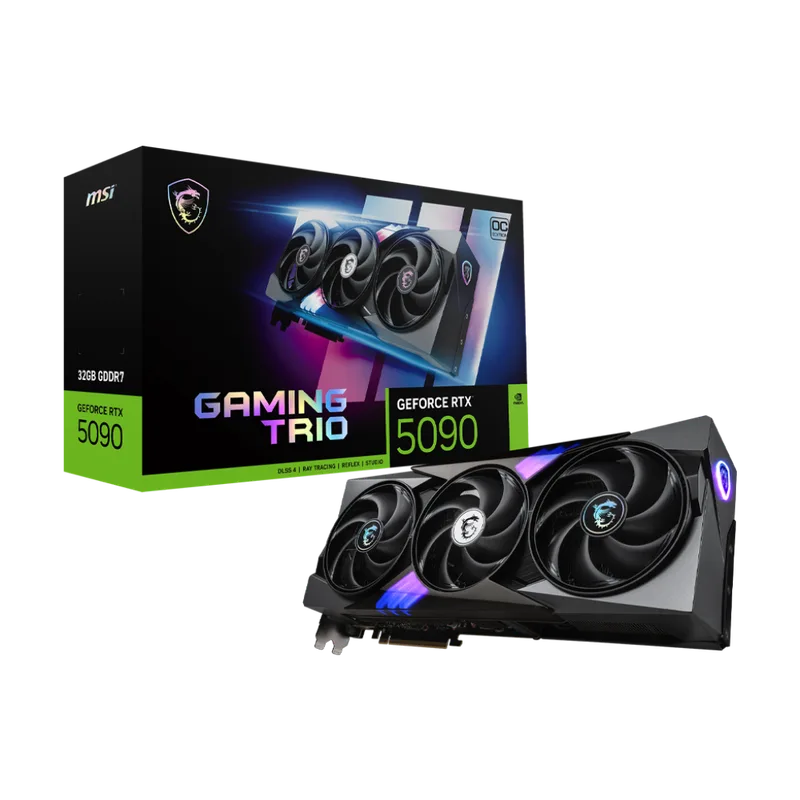
MSI Gaming GeForce RTX 5090 32G Gaming Trio OC
The RTX 5090 is the only consumer GPU shipping with 32GB of GDDR7 memory on a 512-bit bus, giving it 1,792 GB/s of memory bandwidth — a number that matters when you’re scrubbing through 8K BRAW on a complex timeline or running noise reduction on multiple simultaneous 4K streams. In Puget Systems’ GPU effects benchmarks for Premiere Pro, the RTX 5090 leads all consumer cards, outperforming the RTX 4090 in OpenFX-heavy workloads. DaVinci Resolve shows a similar pattern: the 5090 is fastest in noise reduction and spatial tools that draw on tensor cores.
The catch is pricing. The RTX 5090’s $1,999 MSRP was already a premium at launch. By April 2026, supply constraints have pushed AIB models like this MSI Gaming Trio OC to ~$3,099 — roughly 55% above MSRP. That price is hard to justify unless 8K workflows, RED or ARRI RAW editing, or sustained multi-stream 4K GPU effects rendering are regular parts of your workday. For most 4K editors, the RTX 5080 at $1,249 does 85% of the work at roughly 40% of the cost.
The MSI Gaming Trio OC runs at a 2497 MHz boost clock and uses a three-fan TRI FROZR 4 cooler that keeps the card under 79°C at sustained load. At 575W you’ll need a 12VHPWR connector (included adapter from 4x8-pin) and a system PSU rated for at least 1000W — ideally 1100W with a high-TDP CPU like an i9-14900K or Ryzen 9 9900X.
2. NVIDIA GeForce RTX 5080 Founders Edition
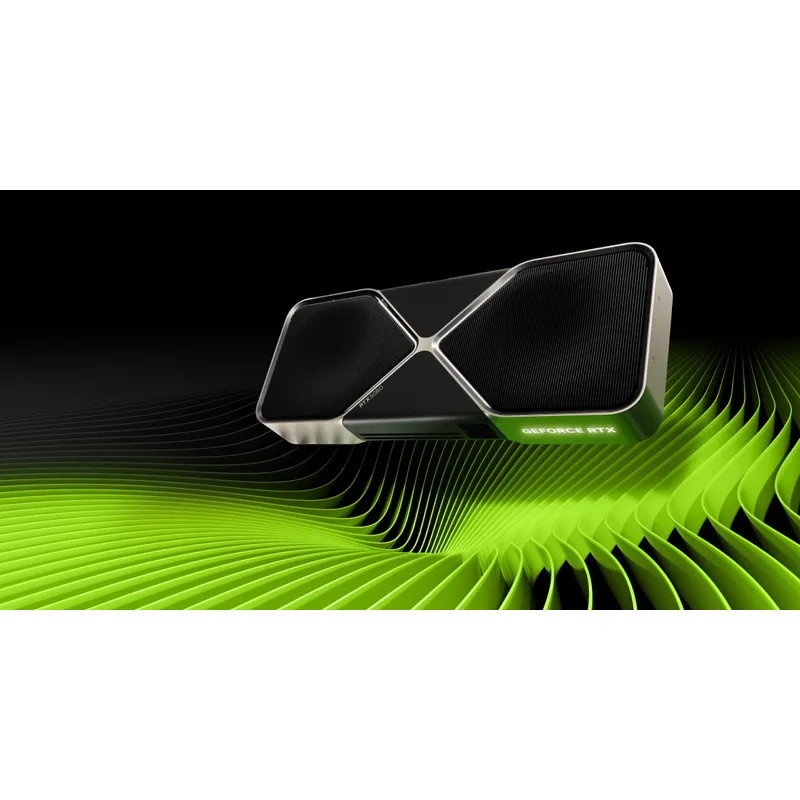
The RTX 5080 has become the standout value pick among high-end creator GPUs in April 2026. Prices have dropped from the $1,499 peak to around $1,249, and at that level it delivers 15-35% better performance than the RTX 4080 across content creation workloads per Puget Systems’ Blackwell review — a generational step that’s visible in GPU-accelerated color grading, effects rendering, and noise reduction. The dual NVENC encoders (eighth generation) handle H.264 and HEVC export efficiently, cutting render queue times when exporting multiple deliverables.
At 10,752 CUDA cores with 16GB of GDDR7 on a 256-bit bus, the RTX 5080 handles 4K DCI and 4K UHD workflows comfortably. It’s not the right card for 8K RAW editing — 16GB will run tight in multi-stream 8K workflows where 24GB or 32GB GPUs have clear headroom advantages. For 4K professionals using Premiere Pro, Resolve, or After Effects, it’s fast enough that you won’t feel the limitation.
The Founders Edition uses a dual-slot cooler optimized for compact workstations. At 360W it fits a 750W PSU build, though 850W gives you more headroom if your CPU runs at full TDP simultaneously. With the price now sitting around $1,249 — down $250 from its peak and sitting well below the RTX 5090’s current street price — this is the best value moment yet to buy an RTX 5080 for a creator workstation.
3. Gigabyte GeForce RTX 5070 Ti Gaming OC 16G
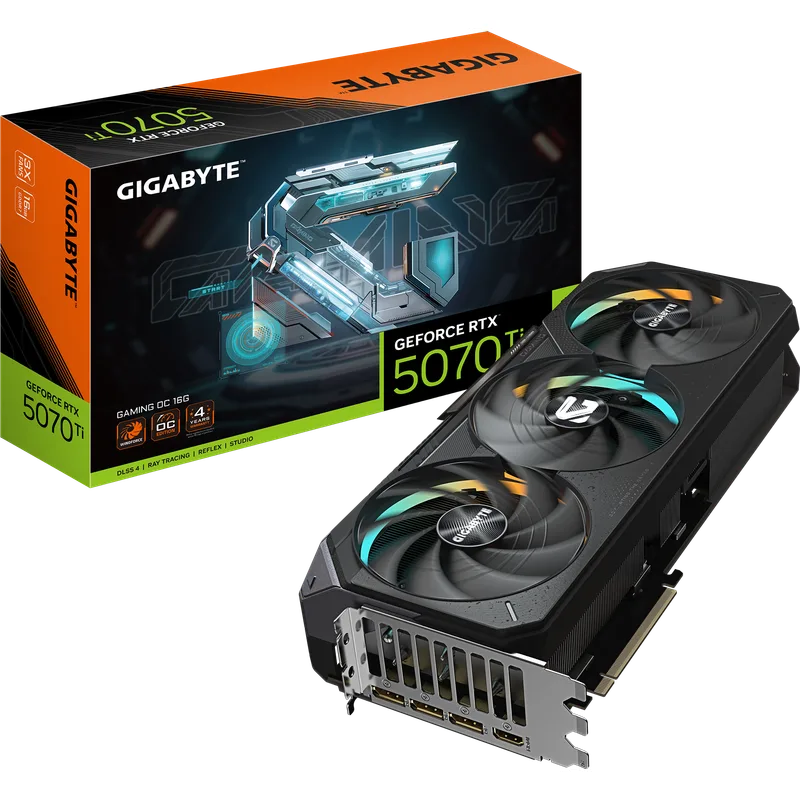
Gigabyte GeForce RTX 5070 Ti Gaming OC 16G
The RTX 5070 Ti sits in a sweet spot for editors who want Blackwell’s architectural improvements without paying RTX 5080 prices. Puget Systems’ content creation roundup places it in the top three consumer GPUs overall, ranking above every RTX 40-series card except the 4090 in GPU effects benchmarks. That means it handles GPU-accelerated lumetri color, blur, noise reduction, and OpenFX in Premiere Pro faster than an RTX 4080.
The Gigabyte Gaming OC runs at a 2588 MHz boost clock with 8,960 CUDA cores and 16GB of GDDR7 on a 256-bit bus. The 896 GB/s memory bandwidth is 33% higher than the RTX 4070 Ti Super’s GDDR6X configuration, which shows in bandwidth-heavy effects and 4K timeline scrubbing. At 300W it requires a 750W PSU — a reasonable ceiling for a creator workstation.
The main knock against this specific Gigabyte model is noise. The WINDFORCE fans run at around 42 dBA under sustained editing loads — audible in a quiet studio environment. If noise matters, the ASUS TUF or MSI Gaming X Trio variants of the same chip run quieter under equivalent load. The performance is identical across AIBs; pay the slight premium for the cooling solution that matches your workspace.
At $1,049, the RTX 5070 Ti is $200 below the RTX 5080 and actually costs less than the ASUS ProArt RTX 4070 Ti Super — making it the sensible pick for most creators who want Blackwell performance without flagship pricing.
4. Sapphire Pulse AMD Radeon RX 9070 XT Gaming 16GB
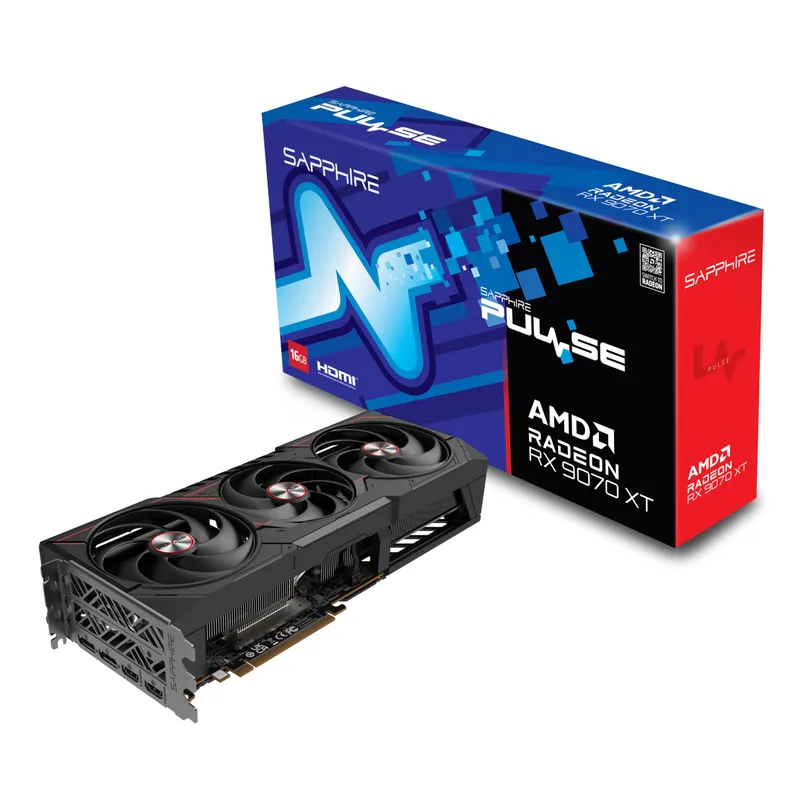
The RX 9070 XT launched in February 2026 and immediately stood out for video editors because of a specific benchmark result: it’s 25% faster than RTX 50-series cards in Long GOP H.264/HEVC codec decode according to Puget Systems’ analysis. That advantage is real and workflow-specific. If you shoot in H.264 (run-and-gun DSLR, mirrorless, iPhone) or HEVC (DJI drones, Sony cameras in HEVC mode, streaming captures), AMD’s RDNA 4 hardware decode architecture handles those codecs faster than Blackwell.
The Sapphire Pulse is a well-regarded AIB model with a dual-fan cooler that stays quiet during long editing sessions. At 304W with documented peak spikes to 417W, it needs a 700W minimum PSU — plan for 750W if you’re pairing it with a 125W TDP CPU. The 16GB GDDR6 on a 256-bit bus gives it 640 GB/s bandwidth, lower than the GDDR7 cards above but sufficient for 4K DCI workflows without VRAM swapping.
Where the RX 9070 XT falls short for editors is in GPU-accelerated effects. NVIDIA’s RTX 5070 Ti and 5080 outperform it in Premiere Pro OpenFX, GPU blur, noise reduction, and most After Effects GPU effects. If your typical day involves color grading in Resolve with minimal heavy GPU effects, the performance gap matters less. If you’re running stacked GPU effects layers in Premiere, the NVIDIA cards have a real advantage.
At $699-$769 depending on availability and retailer promotions, the RX 9070 XT offers the best price-to-performance ratio for HEVC/H.264-heavy workflows on this list.
5. ASUS ProArt GeForce RTX 4070 Ti Super OC Edition
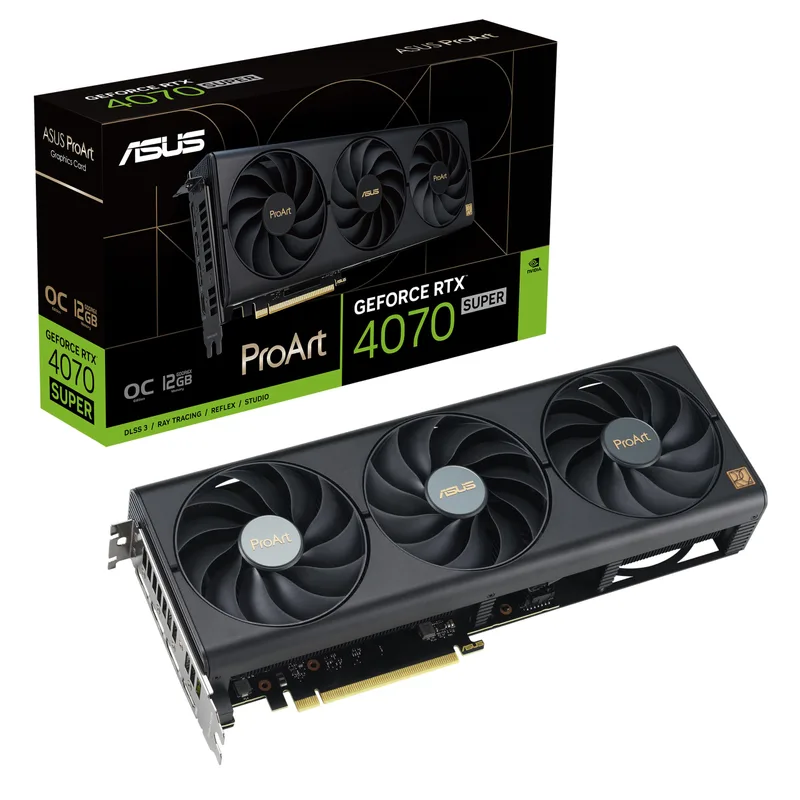
ASUS ProArt GeForce RTX 4070 Ti Super OC Edition
The ASUS ProArt line is specifically tuned for creator workflows: the ProArt RTX 4070 Ti Super runs near-silent below 54°C and stays under 30 dBA during typical video editing work — quieter than any RTX 50-series AIB at equivalent workloads. For editors working in small home studios or shared spaces where GPU fan noise disrupts recording or concentration, this acoustic performance is genuinely differentiated.
The problem in April 2026 is pricing. The ProArt RTX 4070 Ti Super has climbed to around $1,179 — higher than the RTX 5070 Ti at $1,049. Ada Lovelace trails Blackwell by 15-35% in GPU effects, so you’re paying more for a slower card. The sole justification for choosing it over the RTX 5070 Ti is the silent cooler. If acoustic performance isn’t a priority, the RTX 5070 Ti is the better buy at a lower price.
Where it still makes sense: editors running compact workstations in noise-sensitive environments (voice-over booths, music studios, shared offices). The 285W TDP runs on a 650W PSU, and the ASUS ProArt BIOS mode prioritizes thermal stability over max boost clocks — relevant for long unattended render queues. Dual 8th-gen NVENC encoders deliver the same export quality as RTX 50-series cards; the gap is in GPU effects throughput.
At $1,179, this is a purchase justified by silence. If that’s not your priority, look at the RTX 5070 Ti instead.
FAQ
How much VRAM do I actually need for 4K video editing?
16GB is the realistic minimum for professional 4K workflows in 2026. 8GB cards run out of VRAM headroom when you add multiple effects layers, color grades, and high-res textures to a 4K timeline. 8K RAW editing, multi-stream 4K with full-resolution previews, or running heavy GPU rendering tools alongside your NLE makes a case for 24-32GB — currently only the RTX 5090 reaches 32GB among consumer cards.
Does the RX 9070 XT work well in Adobe Premiere Pro?
Yes, but with caveats. Premiere Pro uses CUDA for many GPU-accelerated effects, giving NVIDIA cards an advantage in effects-heavy workflows. The RX 9070 XT is faster in hardware H.264/HEVC codec decode, so playback of heavily compressed source footage is smoother. For effects rendering and export, NVIDIA pulls ahead. If most of your Premiere timeline is color correction and cuts with minimal stacked effects, the RX 9070 XT performs well.
What PSU do I need for the RTX 5090?
NVIDIA recommends a 1000W PSU for the RTX 5090, with 1100W recommended if you’re pairing it with a high-TDP CPU like an Intel i9-14900K (253W PBP) or Ryzen 9 9950X (170W TDP). The 5090 uses a single 16-pin connector (12VHPWR); most current high-end PSUs include this natively or include an adapter.
Is the RTX 4070 Ti Super still worth buying in 2026?
At $1,179, the RTX 4070 Ti Super is a tough sell. The RTX 5070 Ti costs $130 less and outperforms it in every GPU effects benchmark. The ASUS ProArt variant justifies itself only on acoustic grounds — its near-silent cooler is meaningfully quieter than RTX 50-series AIBs. If silence matters, the ProArt is your pick. If it doesn’t, put $1,049 toward the RTX 5070 Ti instead.
Does GPU matter more than CPU for video editing?
It depends on your software and workflow. Premiere Pro is CPU-bound for timeline rendering in many scenarios but GPU-bound for GPU effects, export encoding, and hardware decode. DaVinci Resolve leans heavily on GPU for color grading and noise reduction. For export speed, the hardware encoder quality (NVENC vs AMF) matters more than raw GPU compute. For complex effects and real-time playback, more GPU VRAM and bandwidth directly reduces dropped frames.
Why is the RTX 5090 so expensive right now?
Supply constraints have pushed the RTX 5090 from its $1,999 MSRP to ~$3,099 at current street prices. High demand from AI workstation builders competing with gaming buyers for GB202 silicon is the primary driver. Prices are unlikely to normalize to MSRP in the near term. If the RTX 5090 is your target, buying used or waiting for supply to improve are the realistic paths to paying less.
The Bottom Line
For most 4K professional editors, the Sapphire Pulse RX 9070 XT at $699-$769 is the standout value pick in 2026 — 25% faster codec decode than RTX 50-series at under $770 is hard to ignore if your footage is H.264 or HEVC. For effects-heavy NVIDIA-native workflows, the RTX 5080 at $1,249 is now the best high-end option — prices have dropped meaningfully from their peak and it remains the strongest Blackwell card you can realistically buy. The RTX 5070 Ti at $1,049 splits the difference for editors who want Blackwell performance without RTX 5080 pricing. The RTX 5090 is the right call only if 8K RAW or sustained multi-stream 4K GPU effects rendering is core to your daily work — at current $3,499-$3,999 street prices, most editors will see better ROI from the 5080. For a focused roundup covering GPUs optimized specifically for 4K video workflows, see our best GPUs for 4K video editing guide.