Affiliate disclosure: PCBuildRanked earns a commission on qualifying purchases made through links on this page.
Arrow Lake Refresh (Core Ultra 200 Plus) launched on LGA1851 in late March 2026, with the Core Ultra 7 270K Plus and Core Ultra 5 250K Plus now available. That extends the platform’s CPU lineup without requiring a new motherboard — a meaningful win for anyone who bought into Z890 at launch or is considering one now. These five motherboards cover every budget tier from $200 up to $600, with all five already carrying BIOS updates for Arrow Lake Refresh compatibility.
| Spec | MSI MEG Z890 ACE 9.3/10 | ASUS ROG MAXIMUS Z890 APEX 9.1/10 | ASUS TUF Gaming Z890-PLUS WiFi 8.7/10 | Gigabyte Z890 AORUS Elite WIFI7 8.6/10 | MSI MAG Z890 Tomahawk WiFi 8.5/10 |
|---|---|---|---|---|---|
| socket | LGA1851 | LGA1851 | LGA1851 | LGA1851 | LGA1851 |
| chipset | Intel Z890 | Intel Z890 | Intel Z890 | Intel Z890 | Intel Z890 |
| formFactor | ATX | ATX | ATX | ATX | ATX |
| vrm | 24+2+1+1 DRPS (90A SPS) | 22+2+1+2 (90A stages) | 16+1+2+1 (80A DrMOS) | 16+1+2 (80A SPS) | 16+1+1+1 Duet Rail (90A SPS) |
| ddr5Speed | 9200+ MT/s (OC) | 9600+ MT/s (OC) | 8800+ MT/s (OC) | 9200+ MT/s (OC) | 9200+ MT/s (OC) |
| m2Slots | 5x M.2 (3x PCIe 5.0) | 6x M.2 (all PCIe 5.0 via DIMM.2) | 4x M.2 (1x PCIe 5.0, 3x PCIe 4.0) | 4x M.2 (1x PCIe 5.0, 3x PCIe 4.0) | 4x M.2 (1x PCIe 5.0, 3x PCIe 4.0) |
| networking | Wi-Fi 7 / 10GbE LAN | Wi-Fi 7 / 5GbE LAN | Wi-Fi 7 / 2.5GbE LAN | Wi-Fi 7 / 2.5GbE LAN | Wi-Fi 7 / 5GbE LAN |
| Rating | 9.3/10 | 9.1/10 | 8.7/10 | 8.6/10 | 8.5/10 |
Prices change daily — tap Check Price for the current Amazon price.
Prices change daily — tap Check Price for the current Amazon price.
Quick Picks
- Best overall: MSI MEG Z890 ACE — 24-phase VRM, 10GbE LAN, and 22 USB ports justify the premium for content creators and power users
- Best overclocking: ASUS ROG MAXIMUS Z890 APEX — six PCIe 5.0 M.2 slots and DDR5 up to 9600 MT/s OC; the dedicated memory overclocking board on LGA1851
- Best value: MSI MAG Z890 Tomahawk WiFi — 90A SPS phases and 5GbE LAN at $245 makes it the strongest dollar-per-feature Z890 option
LGA1851 Buying Guide
Which chipset do you need?
All five boards here use the Z890 chipset, which is the only chipset that supports CPU overclocking on LGA1851. If you’re buying a Core Ultra 200S K or KF processor (265K, 285K), Z890 is the correct pairing. The B860 and H810 chipsets exist but lock multiplier overclocking and reduce PCIe lane counts.
All Z890 boards listed here support Arrow Lake Refresh (Core Ultra 200 Plus Series) via BIOS update. The Core Ultra 7 270K Plus adds four more efficiency cores over the 265K, bringing the total to 8P+16E, and native DDR5-7200 support is built into the silicon rather than relying on XMP profiles alone.
DDR5 slot count matters
The ASUS ROG MAXIMUS Z890 APEX uses 2 DDR5 slots specifically to maximize memory signal integrity for extreme overclocking — shorter trace lengths equal tighter timings at the high end. Every other board on this list uses 4 DDR5 slots, which lets you install 64-256GB for workstation or content creation use. If you’re building a straight gaming PC with 32GB, both configurations serve you equally well.
PCIe 5.0 M.2 slots
LGA1851 gives the CPU direct PCIe 5.0 lanes for both the GPU slot and the primary M.2. Every Z890 board here has at least one PCIe 5.0 x4 M.2 slot, which saturates drives like the WD Black SN850X and Samsung 990 Pro 2TB (they’re PCIe 4.0 anyway). You need PCIe 5.0 M.2 for drives like the Crucial T705 or Corsair MP700 Pro that hit 12GB/s+ sequential reads.
VRM and power delivery
For the Core Ultra 9 285K at stock settings with a 253W power limit, any board on this list handles it without throttling. Where VRM quality matters is under sustained all-core loads (Blender, video encoding, Cinebench extended) or when pushing manual overclocks beyond Intel’s power limits. The MSI MEG Z890 ACE’s 24-phase design is overkill for gaming but meaningful for workstation workloads. The 16-phase designs on the TUF, AORUS Elite, and Tomahawk are sufficient for stock and moderate OC gaming use.
Cooler mounting
LGA1851 uses the same 78mm x 78mm cooler mounting hole spacing as LGA1700. Any cooler that worked on 12th through 14th gen Intel builds attaches directly without an adapter kit — including most high-end air coolers and 240/360mm AIOs from Noctua, be quiet!, Corsair, and NZXT.
Detailed Reviews
1. MSI MEG Z890 ACE — Best Overall
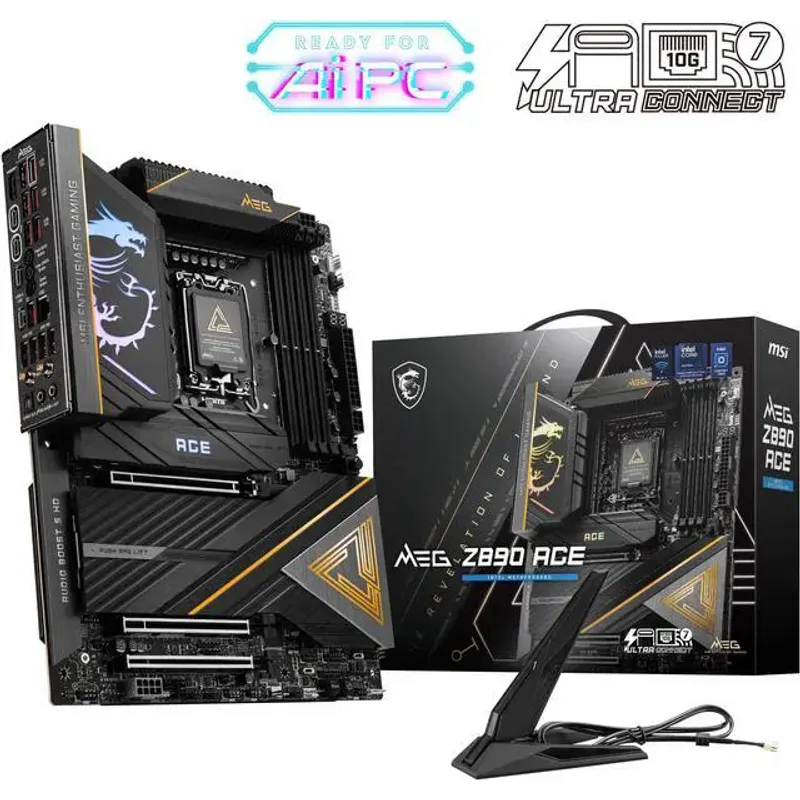
The MSI MEG Z890 ACE sits at the top of MSI’s LGA1851 lineup and earns that position through feature completeness rather than raw overclocking headroom. The 24+2+1+1 Duet Rail Power System with 90A SPS per phase delivers genuine 24-phase VCore — not the doubled-up 12-phase designs some boards market as “24 phases.” Under sustained Cinebench R24 multi-core with the Core Ultra 9 285K at 253W, VRM temperatures peak around 65°C with a tower cooler and a single 120mm rear exhaust — well within thermal limits.
The 10GbE LAN port is the headline feature at this price. Most Z890 boards top out at 5GbE or 2.5GbE; the MEG Z890 ACE’s 10G Intel NIC delivers full 10Gbps to a NAS or managed switch without adding a PCIe card. For content creators transferring large project files, that’s a real time-saver. WiFi 7 (802.11be) adds another 46Gbps theoretical wireless ceiling for situations where wired isn’t practical.
Storage flexibility reaches five M.2 slots, with three running PCIe 5.0 x4 — enough bandwidth to run multiple Gen5 SSDs simultaneously. The EZ Magnetic M.2 Shield Frozr II thermal shields snap on and off without tools, which matters when installing or swapping NVMe drives in a tight ATX build.
At $600 (down from its $650 launch price), the only real objection is the premium over feature-comparable boards. Gaming performance on Z890 boards varies by 1-2% maximum when running the same CPU and RAM; you’re paying for connectivity and workstation-class power delivery, not faster frame rates.
2. ASUS ROG MAXIMUS Z890 APEX — Best for Overclocking
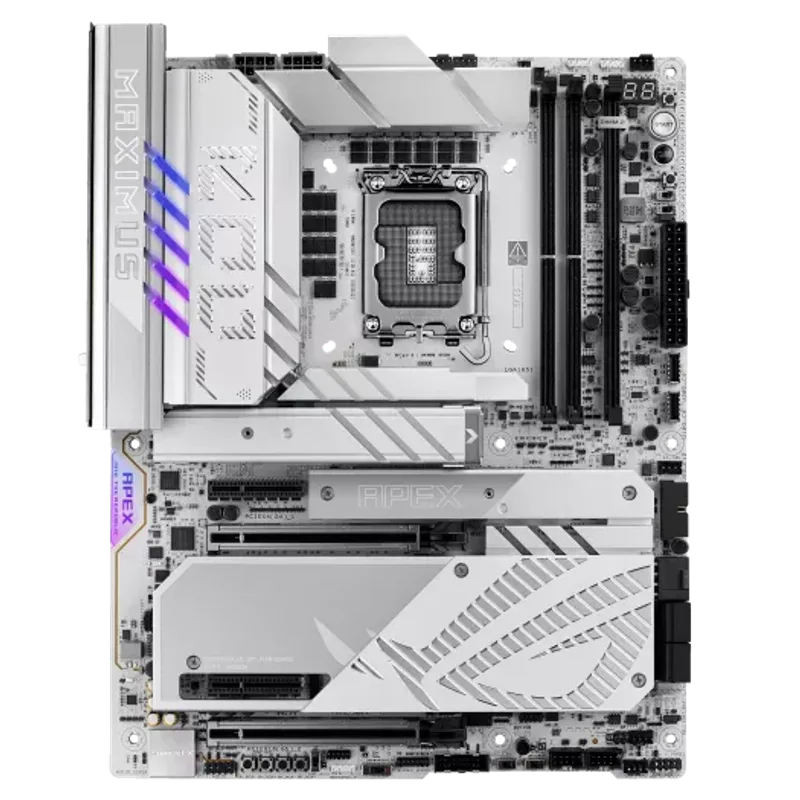
The ASUS ROG MAXIMUS Z890 APEX is purpose-built for one thing: extracting every last megahertz from Intel Core Ultra 200S processors and their DDR5 kits. The 2-DIMM configuration limits you to 128GB maximum, but it keeps signal traces short enough to sustain DDR5-9600+ MT/s on CUDIMM kits — a threshold no 4-DIMM Z890 board reliably reaches.
The onboard hardware control set is the most complete available on LGA1851: dedicated power and reset buttons, a safe boot button that clears BIOS hangs without losing your OC profile, physical BCLK adjustment dials for analog frequency tuning, and 18+ labeled voltage measurement points for multimeter probing during extreme overclocking sessions. Programmable Flexkey button, LN2 mode, slow mode, and dual BIOS round out the feature set.
Six M.2 slots — four onboard plus two via the included DIMM.2 expansion card — all run PCIe 5.0 x4. That’s a standout spec: the pricier MEG Z890 ACE only delivers three PCIe 5.0 M.2 slots despite costing significantly more. The APEX’s 5GbE LAN and WiFi 7 cover connectivity adequately without the 10GbE premium.
At around $500, the APEX has come down meaningfully from its launch price. For memory overclocking enthusiasts targeting XMP 3.0 profiles and beyond, no other LGA1851 board matches the Apex’s validated OC ceiling.
3. ASUS TUF Gaming Z890-PLUS WiFi — Best Mid-Range
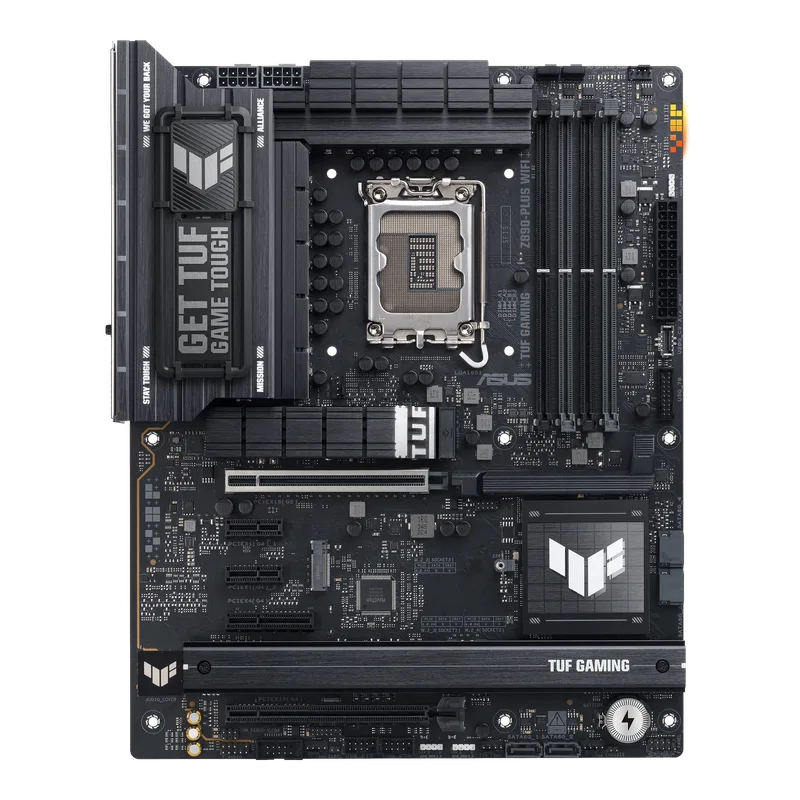
The ASUS TUF Gaming Z890-PLUS WiFi hits the mainstream sweet spot at around $230 — notably below its original launch price. Its 16+1+2+1 power stage design uses the same 80A DrMOS components found in higher-end ASUS boards, just with fewer total phases — enough for stock Core Ultra 7 265K and Core Ultra 9 285K operation without limiting performance.
ASUS includes a Thunderbolt 4 Type-C port at the rear and a 20 Gbps USB-C front-panel header at the $230 price. Competing boards at similar pricing often ship Thunderbolt 4 as a step-up feature. The ProCool 14-pin power connector and 8-layer PCB are build quality touches carried over from ASUS’s higher-end lines.
The tradeoff versus the MSI MAG Z890 Tomahawk at similar pricing is 2.5GbE versus 5GbE LAN. If you’re not connected to a 5GbE switch or NAS, that’s a non-issue — 2.5GbE fully saturates any typical consumer internet connection. If you have 5G-capable networking hardware, the Tomahawk’s LAN tier becomes the deciding factor.
Four M.2 slots (one PCIe 5.0, three PCIe 4.0) covers most storage configurations. DDR5 overclocking reaches 8800+ MT/s, competitive at this price and adequate for most XMP 3.0 kits.
4. Gigabyte Z890 AORUS Elite WIFI7 — Best Value Mid-Range
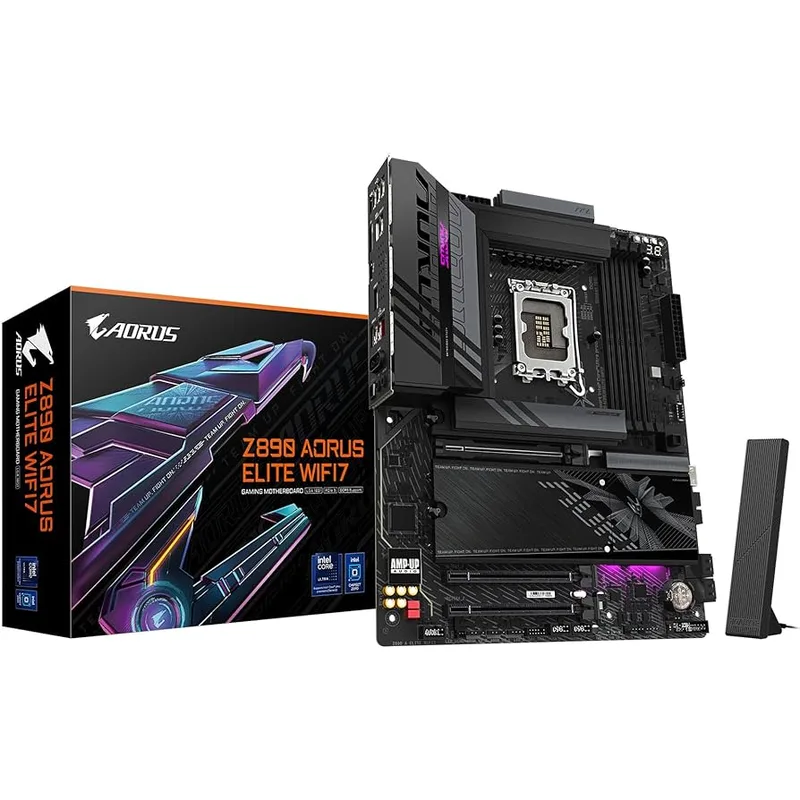
The Gigabyte Z890 AORUS Elite WIFI7 has dropped to around $200, making it the entry point for a fully-featured Z890 build. At that price it delivers 16+1+2 phases with 80A Smart Power Stages, PCIe 5.0 support for both the GPU slot and the primary M.2, WiFi 7, and Thunderbolt 4 — a feature set that cost $350+ on 13th gen Z790 boards two years ago.
The standout spec for this price tier is DDR5 up to 9200 MT/s OC support. That’s the same ceiling as the much more expensive MSI MEG Z890 ACE and equals what the Tomahawk delivers. Gigabyte’s EXPO/XMP memory certification process is solid, with broad compatibility across mainstream Corsair, G.Skill, and Kingston kits.
EZ-Latch Plus tool-free M.2 retention is a genuinely useful build feature — all four M.2 slots use push-pin clips instead of M.2 screws, which simplifies both initial installation and future drive swaps. Gigabyte’s Q-Flash Plus lets you update the BIOS from a USB drive without a CPU or RAM installed, useful when preparing a board for a CPU not yet supported on the shipping firmware.
The 2.5GbE LAN is the primary limitation versus the Tomahawk’s 5GbE. VRM thermals need active case airflow at sustained all-core loads with the 285K — plan your fan placement accordingly.
5. MSI MAG Z890 Tomahawk WiFi — Best Value
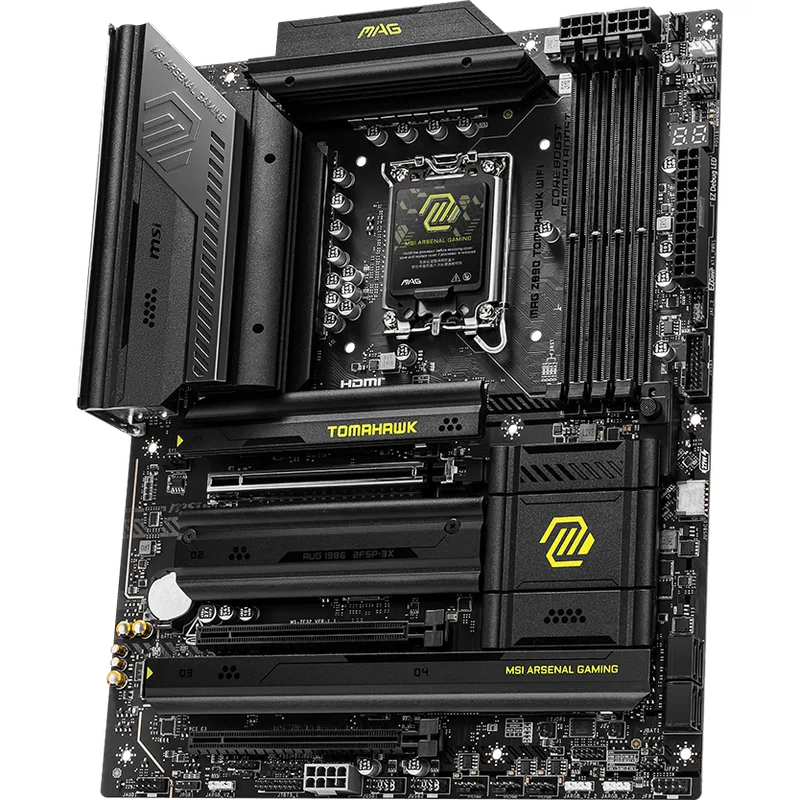
The MSI MAG Z890 Tomahawk WiFi carved out a strong reputation on the Z790 platform and the Z890 version holds that ground at $245. The 16+1+1+1 Duet Rail Power System uses 90A SPS components across all 16 VCore phases — the same power stage rating found in the much pricier MSI MEG Z890 ACE flagship. In practice that means the Tomahawk sustains the Core Ultra 9 285K at stock settings without phase throttling, with VRM temperatures in the high 50s Celsius under sustained Cinebench R23 loads.
The 5GbE LAN port is the standout spec at $245. At this price tier, the ASUS TUF Z890-PLUS delivers only 2.5GbE — the Tomahawk’s extra LAN bandwidth is effectively free when comparing boards with otherwise similar feature sets. Both boards carry Thunderbolt 4 and WiFi 7 as standard.
The four M.2 slots follow the same 1x PCIe 5.0 + 3x PCIe 4.0 pattern as competing mid-range Z890 boards. Arrow Lake Refresh compatibility via BIOS update is confirmed, meaning this $245 board supports the Core Ultra 7 270K Plus and Core Ultra 5 250K Plus released in March 2026.
The BIOS is functional but less polished than ASUS’s AI OC interface for per-core frequency tuning — budget extra time learning MSI’s Click BIOS 5 if you plan manual overclocking.
FAQ
Are LGA1851 coolers the same as LGA1700?
Yes. LGA1851 uses the same 78mm x 78mm mounting hole pattern as LGA1700 (Intel 12th-14th gen). Any cooler listed as LGA1700 compatible attaches directly to an LGA1851 board without adapters. This includes most major tower coolers and 240/360mm AIOs from Noctua, be quiet!, Corsair, and NZXT.
Do I need Z890 or will B860 work?
If you have a K or KF processor (265K, 285K, 270K Plus, etc.), you need Z890 to unlock the CPU multiplier for overclocking. B860 locks the multiplier and runs unlocked CPUs at stock clocks, wasting the premium you paid for the K variant. If you’re buying a non-K processor like the Core Ultra 5 245 or Ultra 7 265, B860 or H810 boards are a better value since you’re not paying for OC features you can’t use.
Will my DDR5 kit from a Z790 build work on Z890?
Yes, LGA1851 is DDR5-only and Z890 boards accept the same DDR5 DIMMs. XMP 3.0 profiles transfer directly. Arrow Lake Refresh CPUs (270K Plus, 250K Plus) add native DDR5-7200 support at the silicon level — some kits that topped out at DDR5-6400 on the original Arrow Lake can reach higher validated speeds on the Plus CPUs.
Which board handles the Core Ultra 9 285K best?
All five boards handle the 285K at Intel’s stock 253W PL2. For sustained workstation workloads at full PL2, the MSI MEG Z890 ACE and ASUS ROG MAXIMUS Z890 APEX have the most thermal headroom. The 16-phase boards (TUF, AORUS Elite, Tomahawk) are sufficient for stock gaming but may show slight VRM temperature increases under extended rendering sessions without active airflow.
Is the LGA1851 platform worth buying in 2026?
Arrow Lake Refresh (Core Ultra 200 Plus) launched on LGA1851 in March 2026, adding the Core Ultra 7 270K Plus and Core Ultra 5 250K Plus to the platform. Nova Lake on LGA1954 remains the next major transition, but LGA1851 has a clear CPU lineup through the rest of 2026. Current Z890 board prices are $50-$100 below their late 2026 launch MSRPs, making it a reasonable two-to-three year investment.
What’s the difference between B860 and Z890 for non-overclockers?
If you’re running stock settings, a B860 board saves $50-$100 over a comparable Z890. You give up CPU overclocking, fewer PCIe lanes, and slightly less M.2 connectivity. For a gaming PC with a non-K processor where you never plan to overclock, B860 is the more pragmatic choice. Z890 makes sense when you want the unlocked headroom or maximum connectivity.
The Bottom Line
The MSI MEG Z890 ACE is the best LGA1851 motherboard for users who can put its premium feature set to work — the 10GbE LAN, 24-phase VRM, and 22 USB ports make it uniquely capable for content creation and power users. For most gaming builds, the MSI MAG Z890 Tomahawk WiFi delivers 90A SPS phases, 5GbE LAN, and full Arrow Lake Refresh compatibility at a price that leaves room in the budget for a better GPU or CPU. If memory overclocking is your focus, the ASUS ROG MAXIMUS Z890 APEX remains the benchmark board for DDR5 frequency tuning on the LGA1851 platform.