Micro-ATX cases outsell both mini-ITX and full-ATX combined on Amazon, and the reason is simple — you get a standard GPU slot, full DDR5 memory support, and a 244×244mm footprint that fits in everything from compact mid-towers to large SFF cases. AMD’s B850 chipset and Intel’s Z890 both landed in mATX form in late 2026, giving the format a complete lineup worth building around. Prices have dropped meaningfully since launch: the ASRock Z890M Riptide is now under its original MSRP, and the ASUS Prime Z890M-Plus has seen a 17% price reduction — both making the Intel mATX segment more competitive than ever.
| Spec | MSI MAG B850M Mortar WiFi Unavailable 9.2/10 | ASUS TUF Gaming B850M-Plus WiFi 8.8/10 | ASRock Z890M Riptide WiFi Unavailable 8.9/10 | ASUS Prime Z890M-Plus WiFi 8.5/10 | GIGABYTE B850M DS3H 7.8/10 |
|---|---|---|---|---|---|
| socket | AM5 | AM5 | LGA1851 | LGA1851 | AM5 |
| chipset | AMD B850 | AMD B850 | Intel Z890 | Intel Z890 | AMD B850 |
| formFactor | Micro-ATX | Micro-ATX | Micro-ATX | Micro-ATX | Micro-ATX |
| memorySlots | 4x DDR5 (max 256GB) | 4x DDR5 (max 192GB) | 4x DDR5 (max 256GB) | 4x DDR5 (max 256GB) | 4x DDR5 (max 192GB) |
| memorySpeed | DDR5-8200+ (OC) | DDR5-8000+ (OC) | DDR5-9066+ (OC) | DDR5-7600+ (OC) | DDR5-8200+ (OC) |
| m2Slots | 3x M.2 (2x PCIe 5.0, 1x PCIe 4.0) | 3x M.2 (1x PCIe 5.0, 2x PCIe 4.0) | 4x M.2 (1x PCIe 5.0, 3x PCIe 4.0) | 3x M.2 (1x PCIe 5.0, 2x PCIe 4.0) | 2x M.2 (1x PCIe 5.0, 1x PCIe 4.0) |
| pcie | PCIe 5.0 x16 | PCIe 5.0 x16 | PCIe 5.0 x16 | PCIe 5.0 x16 | PCIe 5.0 x16 |
| networking | Wi-Fi 7 + 5G LAN | Wi-Fi 6E + 2.5G LAN | Wi-Fi 6E (Intel Killer AX1690i) + 2.5G LAN | Wi-Fi 7 + 2.5G LAN | 2.5G LAN (no WiFi) |
| Rating | 9.2/10 | 8.8/10 | 8.9/10 | 8.5/10 | 7.8/10 |
Prices change daily — tap Check Price for the current Amazon price.
Prices change daily — tap Check Price for the current Amazon price.
Quick Picks
- Best AMD mATX overall: MSI MAG B850M Mortar WiFi — Wi-Fi 7, 5G LAN, three M.2 slots, strongest VRM under $250 in this segment ($220)
- Best Intel mATX overall: ASRock Z890M Riptide WiFi — four M.2 slots, full Z890 feature set, now under $180
- Budget pick: GIGABYTE B850M DS3H — AM5 + PCIe 5.0 + 5-year warranty at $120
Buying Guide
AMD AM5 vs Intel LGA1851
The platform choice drives everything else. AM5 (B850/X870E) supports Ryzen 7000 through 9000 series and has a longer upgrade runway — AMD has committed to AM5 socket support through at least Zen 6. B850 boards hit the sweet spot: PCIe 5.0 for GPU and storage, DDR5-8200+ OC support, and $40–80 less than equivalent X870E options with no real-world gaming performance difference.
LGA1851 (B860/Z890) pairs with Intel Core Ultra Series 2 processors. Z890 boards enable full CPU overclocking and higher memory XMP ceilings, while B860 locks the multiplier. For most Ryzen 7 9700X and Core Ultra 7 265K builds, VRM quality matters more than chipset tier. Go Z890 only if you plan to push all-core workloads on a Core Ultra 9 285K.
VRM — Why It Matters More at mATX
Full-ATX boards spread power delivery hardware across a wider PCB. mATX forces the same current through fewer, denser components. A board with 6+2 phases will thermal-throttle a Ryzen 9 9950X under sustained all-core loads, reducing boost clocks by up to 200 MHz and raising package temperatures 5–10°C. For Ryzen 5/7 and Core Ultra 5/7, anything with 10+ phases is fine. Pairing a 16-core CPU with budget mATX VRM is a false economy — the MSI Mortar’s 12+2+1 or the ASRock Riptide’s 16+1+1 are the right choices at that tier.
Form Factor Compatibility
All five boards here are 244×244mm — the standard mATX dimensions. Confirm your case supports full mATX before ordering. Some “Micro-ATX” cases cut the motherboard tray to 226mm or 230mm (common in compact NZXT H1 variants and some Silverstone SG series). Mid-tower ATX cases always accept full mATX.
Memory: 2-slot vs 4-slot
All five boards have four DIMM slots. Start with 2×16GB DDR5-6000 and expand to 2×32GB later — total spend is lower than buying 4×32GB on day one, and you won’t waste a kit.
Detailed Reviews
1. MSI MAG B850M Mortar WiFi
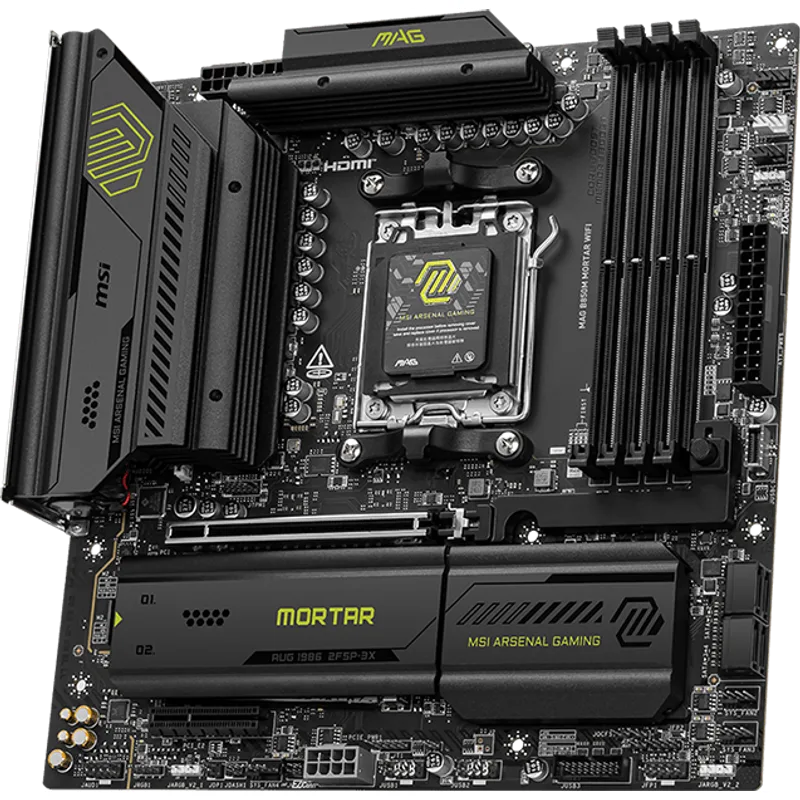
MSI MAG B850M Mortar WiFi
The MAG B850M Mortar WiFi brings the reputation MSI’s B550M Mortar earned on AMD’s AM4 platform forward to AM5. The 12+2+1 Duet Rail Power System uses 60A Smart Power Stages — not binned generic MOSFETs — which is why this board maintains full Ryzen 9 9950X boost clocks where similarly priced competitors don’t.
The 5G LAN is a legitimate differentiator. Competing AM5 mATX boards at this price use standard 2.5G ethernet. Pull large files from a NAS or home server and you’ll saturate 2.5G on a sequential transfer; 5G stays under 40% utilization with the same workload. If your router supports multi-gig uplink, this board is the only mATX option that takes advantage of it.
Three M.2 slots get MSI FROZR M.2 heatsinks on the front-facing slots, reducing throttling on PCIe 5.0 NVMe drives that run hot (e.g., the Samsung 9100 Pro). The rear chipset slot is PCIe 4.0 and typically used for secondary storage where thermals are less critical.
Wi-Fi 7 (802.11be) with Bluetooth 5.4 ships standard. Dual 8-pin CPU power connectors are a premium feature at this price — only one 8-pin is needed for any B850 build, but the second connector routes less current per cable and runs cooler under sustained load.
Who it’s for: Ryzen 7 9700X or Ryzen 9 9900X builds in an mATX case where networking and storage expansion won’t be compromised.
2. ASUS TUF Gaming B850M-Plus WiFi
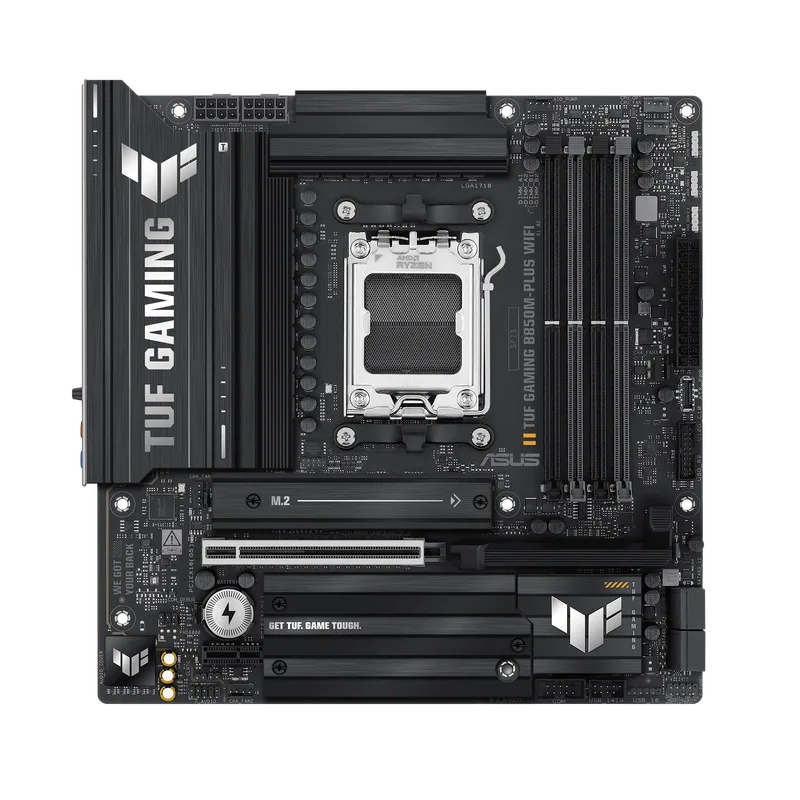
The TUF Gaming B850M-Plus WiFi at $199 undercuts the MSI Mortar and gives up the 5G LAN and Wi-Fi 7. In exchange, you get ASUS’s BIOS ecosystem — widely regarded as the most polished AMD UEFI on the market — and hardware features that simplify assembly.
BIOS Flashback on the rear I/O lets you update firmware by connecting a USB drive with the update file, no CPU or RAM required. This matters when you buy a Ryzen 9000 series CPU before the board ships with updated microcode. ASUS handles this scenario more reliably than any other manufacturer at this price point.
The Q-Release lever on the PCIe x16 slot is worth noting. Standard push-clip latches on mATX boards are hard to reach when a large GPU blocks the latch. Q-Release clears the GPU with a lever instead — you’ll notice this the first time you pull a heavy card in a tight case.
14+2+1 VRM stages with 80A DrMOS handle the Ryzen 9 9950X adequately. Independent review data shows the Mortar draws around 15W less from the wall for equivalent Cinebench R24 nT scores — consistent with its higher phase count and marginally better conversion efficiency. For Ryzen 5 and 7 CPUs, both boards perform identically under load.
Who it’s for: Ryzen 5 9600X to Ryzen 7 9700X builds where BIOS reliability and assembly convenience take priority over networking specs.
3. ASRock Z890M Riptide WiFi
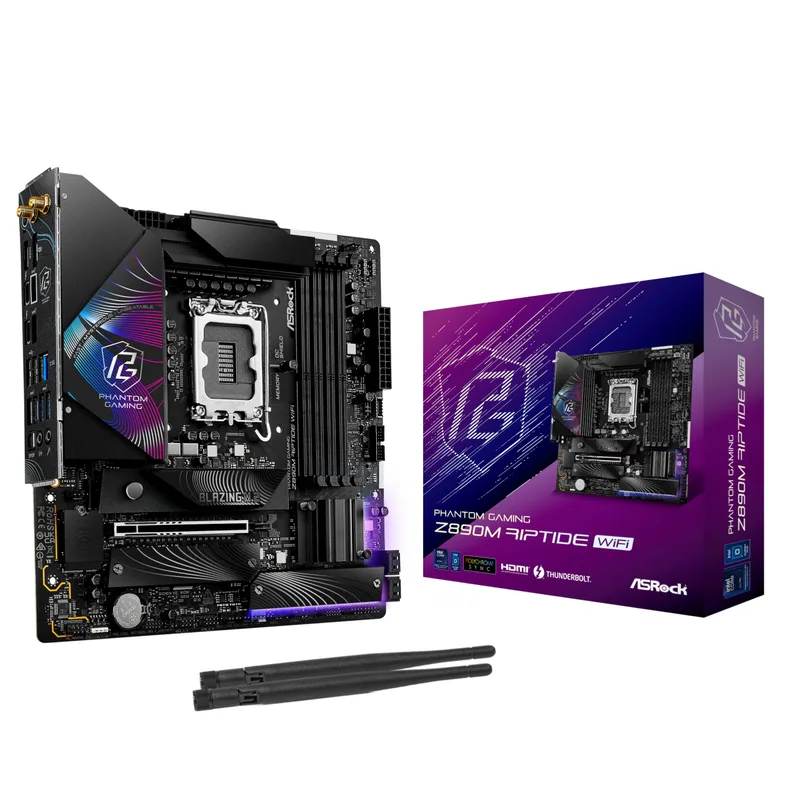
ASRock Z890M Riptide WiFi
The Z890M Riptide WiFi puts more M.2 slots on a Micro-ATX PCB than any other board in this roundup: four total, with the primary slot at PCIe 5.0 x4 (128 Gbps) and three others at PCIe 4.0. This is the Intel board to buy for a content creation workstation that needs multiple fast NVMe drives.
At under $180, it now undercuts the ASUS Prime Z890M-Plus while offering more M.2 expansion and a higher DDR5 ceiling (9066 MHz vs 7600 MHz official rated speed). The trade-off is Wi-Fi 6E versus Wi-Fi 7 on the ASUS. For most home networks, Wi-Fi 6E delivers the same real-world throughput as Wi-Fi 7 — the practical gap appears in dense spectrum environments where Wi-Fi 7’s 6 GHz band access makes a measurable difference.
The 16+1+1 VRM design uses 80A power stages across all vCore phases. ASRock’s published validation data shows no power limits hit at stock Core Ultra 9 285K clocks, with heatsink temps staying under 65°C during extended all-core AVX-512 stress.
Intel Killer E3100G handles 2.5G wired connectivity. The Killer software suite is optional and adds no measurable gaming latency improvement over the default Windows driver.
Who it’s for: Intel Core Ultra 5/7/9 Series 2 builds in mATX cases, particularly storage-intensive workloads that benefit from four M.2 slots.
4. ASUS Prime Z890M-Plus WiFi
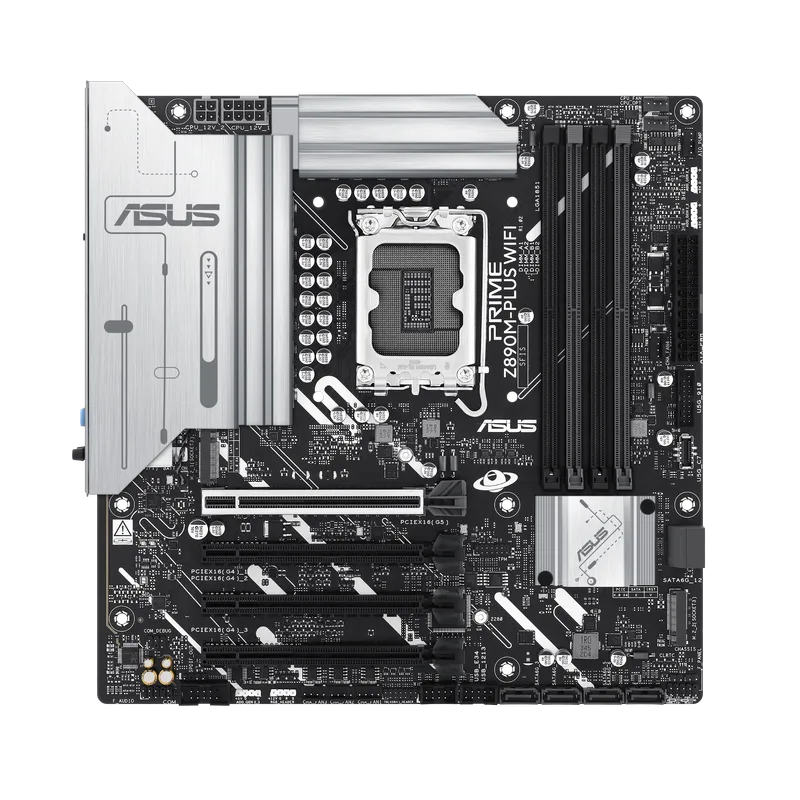
The Prime Z890M-Plus WiFi at $190 has seen a 17% price reduction since launch, making it the only sub-$200 Z890M board with Wi-Fi 7 (802.11be). That wireless feature normally shows up on boards costing considerably more.
The 10+1+2+1 80A DrMOS power design handles Core Ultra 7 265K all-core workloads without issue. Published review data places VRM temperatures at 68–72°C under sustained Blender and Cinebench R24 multi-thread loads — within ASUS’s thermal targets and clear of any throttle thresholds.
USB 20Gbps Type-C on the rear I/O is a full DisplayPort Alt Mode port: one cable delivers both video and data to a USB-C monitor. Combined with standard DisplayPort and HDMI outputs, this board supports three simultaneous displays off the Intel iGPU — useful for an iGPU workstation or HTPC without a discrete card.
Three M.2 slots cover most builds. If you need a fourth M.2 slot, the ASRock Riptide undercuts it slightly with better memory OC headroom — but if Wi-Fi 7 and clean multi-monitor iGPU output are priorities, the Prime earns its place in the lineup.
Who it’s for: Core Ultra 7/9 Series 2 builds where Wi-Fi 7 is required and multi-monitor iGPU support matters.
5. GIGABYTE B850M DS3H
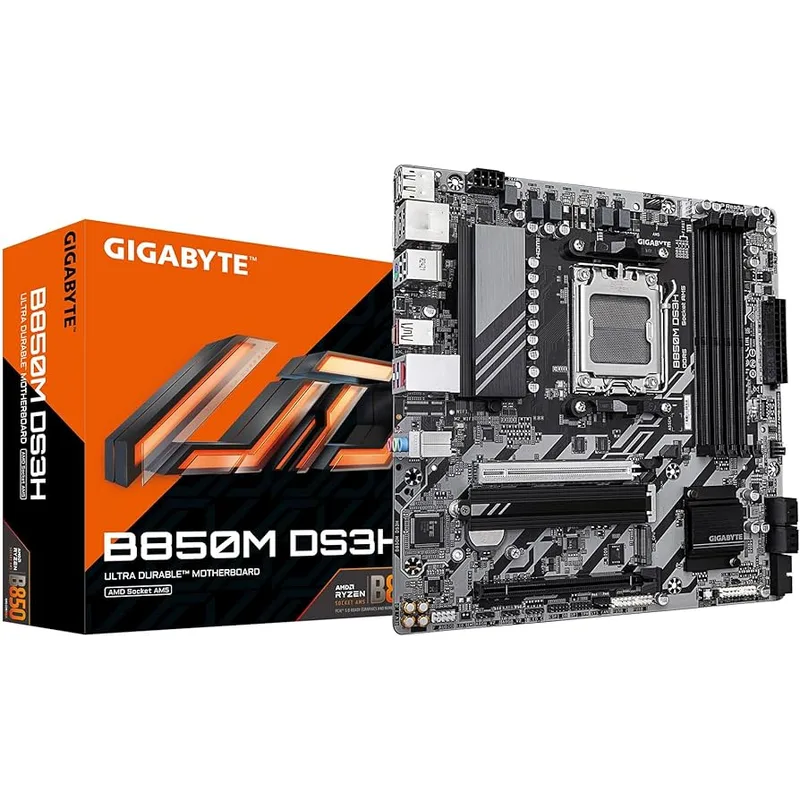
The B850M DS3H at $120 covers the AM5 essentials: PCIe 5.0 x16 GPU slot, DDR5-8200 OC support, two M.2 slots (one PCIe 5.0, one PCIe 4.0), 2.5G ethernet, and USB 3.2 Gen 2. No Wi-Fi, no premium VRM branding — functional hardware at the lowest price in the current AM5 mATX market.
The 8+2+2 power design runs warm under sustained Ryzen 9 loads but stays within spec for Ryzen 5 and 7 processors, which are the right pairing for this board. GIGABYTE rates it at 170W CPU TDP, covering every AMD processor except the 9950X and 9900X at full boost.
Dual DisplayPort outputs are a real differentiator at this price point. Most budget AM5 boards ship with HDMI plus one DisplayPort. GIGABYTE adds a second DisplayPort, supporting two monitors off the Ryzen iGPU — no discrete GPU required. For a budget productivity or media workstation, that matters.
GIGABYTE backs this board with a 5-year warranty, longer than the standard 3-year coverage on MSI and ASUS boards in this roundup.
Who it’s for: Ryzen 5 9600X or Ryzen 7 9700X builds on a strict budget, or dual-monitor desktops without discrete graphics.
FAQ
Do I need Z890 or X870E for the Ryzen 9 9950X in an mATX build?
No — VRM quality is what actually matters. The 9950X draws up to 230W all-core. B850 boards with 10+ phases and 50A+ power stages (MSI Mortar, ASUS TUF B850M) handle it without throttling. Avoid budget B850M boards with 6+2 phases for this CPU.
Will AM5 boards support future Ryzen processors?
AMD has confirmed AM5 socket support through at least Zen 6. B850 boards will receive BIOS updates as new CPUs launch. Both AM5 boards in this roundup already ship with Ryzen 9000-series microcode out of the box.
Can I use DDR4 RAM with these boards?
No. All five boards require DDR5. AM5 and LGA1851 are DDR5-only platforms. DDR4 kits from older builds are not compatible with any board in this roundup.
What’s the difference between B850 and X870E on AM5?
X870E mandates USB 4.0 (80 Gbps), dual PCIe 5.0 M.2 slots, and Wi-Fi 7 as required features — all optional on B850. In practice, most B850 boards in the $200–250 range include these features anyway. X870E boards start $50–80 higher than equivalent B850 options with minimal gaming performance difference.
Is mATX or mini-ITX better for a small build?
mATX wins for most small builds. Mini-ITX limits you to two memory slots, one M.2 slot on most boards, and constrained VRM space for high-TDP CPUs. mATX fits in any mid-tower or well-designed mini-tower (Fractal Define Mini, Corsair 4000D Airflow) and provides four DIMM slots, multiple M.2 slots, and a full-size PCIe x16 GPU slot.
Which board pairs best with the Core Ultra 9 285K?
The ASRock Z890M Riptide WiFi is the strongest mATX pairing at its current price. Its 16+1+1 VRM at 80A per phase handles the 285K’s 250W PL2 without throttling, and four M.2 slots accommodate workstation storage needs. Choose the ASUS Prime Z890M-Plus instead if Wi-Fi 7 is a priority over extra M.2 expansion — the price gap between them is minimal.
The Bottom Line
The MSI MAG B850M Mortar WiFi ($220) remains the best all-around mATX board: strong VRM, Wi-Fi 7, 5G LAN, and three heatsink-equipped M.2 slots in a compact AM5 package.
For Intel LGA1851, the ASRock Z890M Riptide WiFi ($180) delivers the most M.2 expansion at any Z890M price point after recent price drops.
Budget Ryzen 5/7 builders can skip both and grab the GIGABYTE B850M DS3H ($120) — 5-year warranty and every essential AM5 feature covered at the lowest price in the segment.