Mini-ITX motherboards hit a turning point in 2026: the AMD X870 and Intel Z890 chipsets finally brought PCIe 5.0 storage, WiFi 7, and USB4 to boards smaller than a hardback novel. The Minisforum BD395i MAX — unveiled at CES 2026 with an embedded Ryzen AI Max+ 395 Strix Halo APU — generated significant attention for the form factor, pushing mainstream coverage of mini-ITX to its highest level in years. The options below cover every major use case — compact gaming rigs, living room PCs, and dense workstations — at price points from $210 to $449.
| Spec | ASUS ROG Strix X870-I Gaming WiFi 9.3/10 | Gigabyte Z890I AORUS Ultra Unavailable 9/10 | ASUS ROG Strix B850-I Gaming WiFi 8.7/10 | ASRock Z890I Nova WiFi Unavailable 8.4/10 | ASRock B850I Lightning WiFi Unavailable 8/10 |
|---|---|---|---|---|---|
| socket | AM5 | LGA1851 | AM5 | LGA1851 | AM5 |
| chipset | AMD X870 | Intel Z890 | AMD B850 | Intel Z890 | AMD B850 |
| formFactor | Mini-ITX | Mini-ITX | Mini-ITX | Mini-ITX | Mini-ITX |
| memorySupport | DDR5 up to 8600 MHz (OC) | DDR5 up to 8800 MHz (OC) | DDR5 up to 8400 MHz (OC) | DDR5 up to 9466 MHz (OC) | DDR5 up to 8200 MHz (OC) |
| m2Slots | 2x M.2 (PCIe 5.0 + PCIe 4.0) | 2x M.2 (PCIe 5.0 + PCIe 4.0) | 2x M.2 (both PCIe 5.0) | 2x M.2 (PCIe 5.0) | 2x M.2 (PCIe 5.0 + PCIe 4.0) |
| networking | WiFi 7 + 2.5GbE | WiFi 7 + 2.5GbE | WiFi 7 + 2.5GbE | WiFi 7 + 5GbE | WiFi 6E + 2.5GbE |
| Rating | 9.3/10 | 9/10 | 8.7/10 | 8.4/10 | 8/10 |
Prices change daily — tap Check Price for the current Amazon price.
Prices change daily — tap Check Price for the current Amazon price.
Quick Picks
- Best overall: ASUS ROG Strix X870-I Gaming WiFi — dual USB4 and bundled external DAC set the standard for premium AM5 mini-ITX
- Best Intel: Gigabyte Z890I AORUS Ultra — Thunderbolt 4 and 8800 MHz DDR5 support at $300
- Best budget AMD: ASRock B850I Lightning WiFi — PCIe 5.0 M.2 and full AM5 CPU support for $210
Buying Guide
AMD AM5 vs Intel LGA1851
Both platforms deliver competitive performance for gaming and productivity in 2026. AMD AM5 (X870, B850) holds a meaningful advantage in memory overclocking flexibility and platform longevity — AM5 will remain AMD’s primary socket through at least 2027. Intel LGA1851 (Z890, B860) gives you access to the Core Ultra 200S lineup and carries the Z890 chipset’s native PCIe 5.0 connectivity throughout.
If you’re buying a mini-ITX build primarily for gaming, both platforms land within 3–5% of each other in most titles. The decision comes down to which CPU you’ve already committed to.
Chipset Tier Matters on Mini-ITX
On full-size ATX boards, the difference between X870 and B850 is subtle. On mini-ITX, where every lane and header counts, the chipset tiers diverge more sharply:
- X870 / Z890: Full CPU overclocking support, more USB lanes, higher memory frequency ceilings
- B850 / B860: PBO/auto-OC only on AMD; manual OC on Intel B860 is locked. Fewer USB ports on the rear I/O.
What You Lose Going Mini-ITX
Compared to ATX equivalents at the same chipset tier:
- M.2 slots: ITX boards typically offer 2 vs 4–5 on ATX
- Fan headers: 3–4 vs 6–8
- USB headers: 1 Type-C front panel header instead of 2–3
- VRM cooling: More constrained — verify your cooler isn’t blocking the VRM heatsink
Cooler Clearance
Most mini-ITX cases have strict CPU cooler height limits (55–165mm depending on the case). Confirm your case spec before purchasing. The boards below all use standard AM5 or LGA1851 mounting; AM5 uses the backplate-free RL-ILM retention system on some ASRock boards — check the retention type before buying a third-party cooler.
Detailed Reviews
1. ASUS ROG Strix X870-I Gaming WiFi
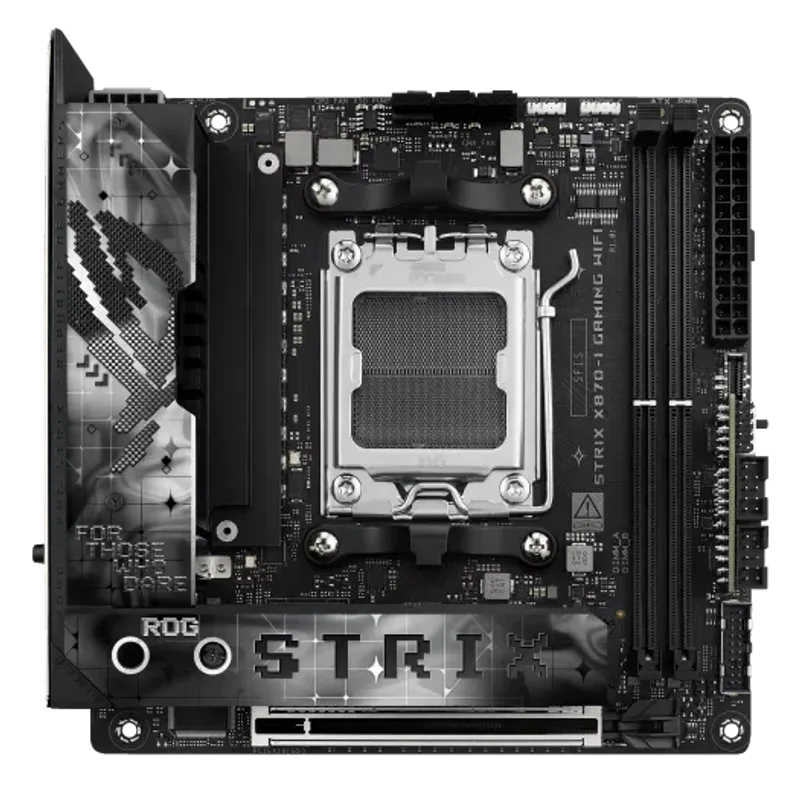
The ASUS ROG Strix X870-I Gaming WiFi is the most feature-complete mini-ITX board on the AM5 platform. The X870 chipset provides native USB4, so both rear Type-C ports run at a full 40 Gbps — a spec you don’t find at all on most B850 ITX boards without an 8000G APU workaround.
The 10+2+1 power delivery handles Ryzen 9 9900X sustained all-core loads cleanly. In reviews from Tweaktown and TechPowerUp, the board showed no CPU throttling during extended Cinebench R24 nT loops. DDR5 support reaches 8600 MHz OC on the XMP/EXPO path, meaning you can run 6400 CL30 kits or push compatible memory harder with AI Overclocking.
The bundled ROG Strix Hive II is a small desktop unit that handles 7.1 audio output via USB. It keeps audio processing off the board entirely, which removes both PCB noise pickup and internal cable routing headaches inside a cramped ITX case.
Two M.2 slots — both with PCIe 5.0 bandwidth on the primary slot — cover most storage needs. The rear I/O also includes 4x USB 3.2 Gen 1 Type-A ports, which is more than you typically find on ITX boards. The tradeoff: at $449, it costs $100 more than the next closest AMD ITX option. If you’re running a Ryzen 7 9700X and a single Gen 5 SSD, the Strix B850-I at $350 saves real money with minimal performance difference.
2. Gigabyte Z890I AORUS Ultra
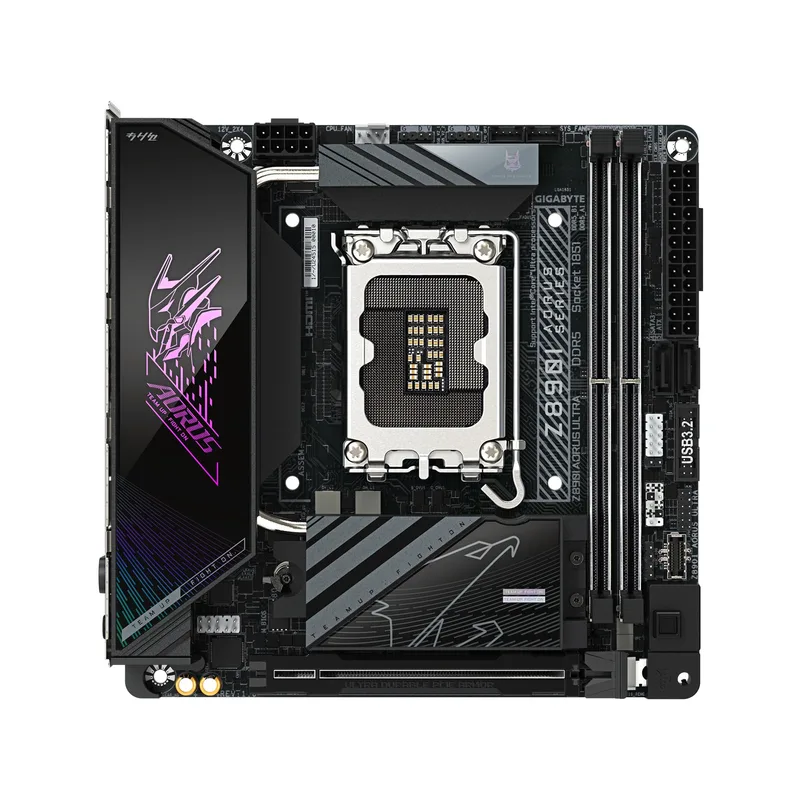
Gigabyte Z890I AORUS Ultra
The Gigabyte Z890I AORUS Ultra is the most practical Intel mini-ITX board at its price. At $300 it undercuts the ASUS Z890 mini-ITX options while offering Thunderbolt 4 on the rear panel — critical for external GPU enclosures, 40 Gbps storage devices, and 6K display output.
The 8+1+2 VRM with 105A SPS modules handles Core Ultra 5 and Core Ultra 7 processors without issue. Under 150W TDP loads the board runs cool and stable. At the 253W TDP ceiling of the Core Ultra 9 285K, the VRM is adequate for stock-speed sustained workloads but thermal headroom shrinks. If you’re pairing this with a 285K for heavy rendering work, ensure the case has at least one fan exhausting across the VRM heatsink.
DDR5 support extends to 8800 MHz OC — higher than most AM5 ITX boards can achieve in practice, reflecting Z890’s native memory controller tuning improvements. The EZ-Latch retention system on both M.2 slots genuinely speeds up SSD installation; in a tight ITX case where every millimeter of clearance matters, tool-free M.2 installation is a real quality-of-life win.
The 2.5GbE LAN is the board’s one soft point — at $300, the ASRock Z890I Nova WiFi provides 5GbE for $40 less.
3. ASUS ROG Strix B850-I Gaming WiFi
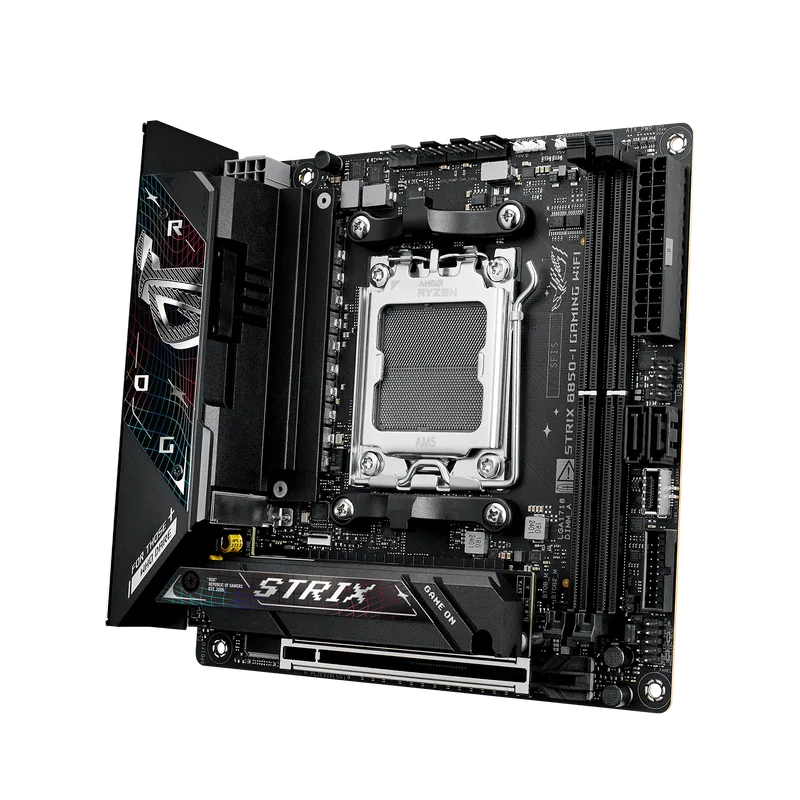
The ASUS ROG Strix B850-I Gaming WiFi occupies an unusual position: it charges a premium for a B850 board ($350) while delivering one genuinely unique hardware feature — both M.2 slots run PCIe 5.0. Every other B850 mini-ITX board on the market pairs a PCIe 5.0 primary slot with a PCIe 4.0 secondary. On this board, you can run two Gen 5 SSDs simultaneously and hit aggregate sequential read bandwidth exceeding 28,000 MB/s.
For most users building a gaming or content creation system, one Gen 5 NVMe is sufficient and the second slot handles a budget Gen 4 drive. The dual PCIe 5.0 configuration becomes relevant for video editors or data pipeline work where two fast scratch drives matter. The 10+2+1 power delivery also supports Precision Boost Overdrive on Ryzen 9000 processors, giving you the same overclocking tools as X870 boards without the X870 cost.
Compared to the X870-I at $449, this board saves $99 while sacrificing dual USB4 and the bundled external audio. WiFi 7 is present on both. If USB4 isn’t a priority and you want dual PCIe 5.0 M.2 on a tighter budget, this is the board.
4. ASRock Z890I Nova WiFi
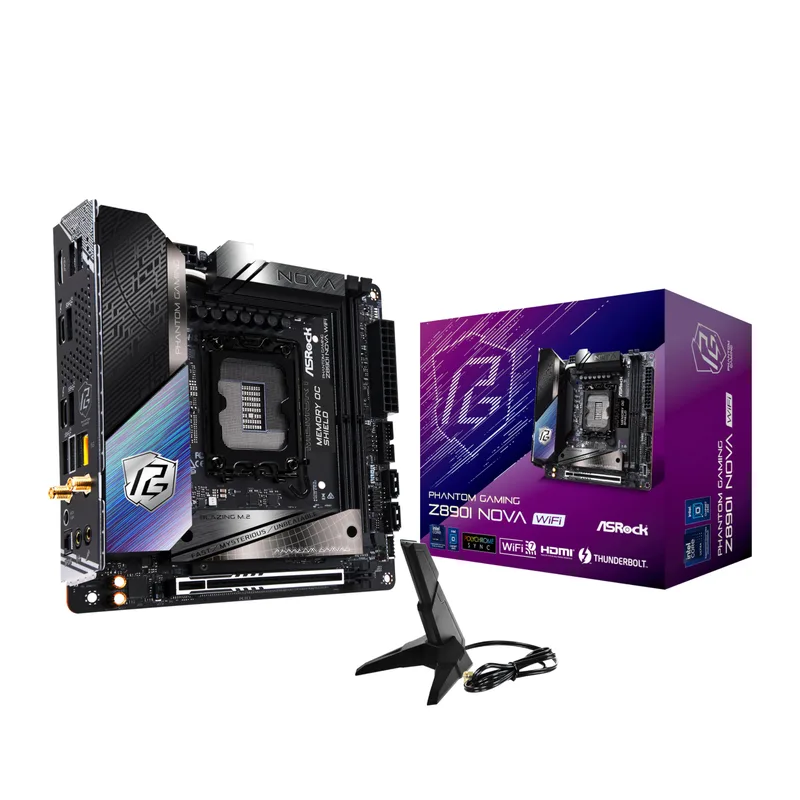
ASRock Z890I Nova WiFi
The ASRock Z890I Nova WiFi is the value pick for Intel mini-ITX builders, and its rear I/O punches above its $260 price tag. Two Thunderbolt 4 Type-C ports plus a TB4 front-panel header is a connectivity arrangement you typically find on $350+ boards. The 5GbE LAN — versus 2.5GbE on the Gigabyte Z890I AORUS Ultra — is also notable: at 5 Gbps wired throughput, it saturates modern NAS storage transfers without a secondary network card.
The 12+1+1 power phase design with 110A SPS VCore handles Core Ultra 200S processors well at stock. The concern flagged in SFF Network’s review is VRM temperatures under sustained all-core loads — peaking at 93°C after extended Cinebench loops. That’s within operating spec but leaves little thermal headroom. In a well-ventilated case like the Fractal Design Terra or Cooler Master NR200, airflow through the top of the case pulls heat away from the VRM naturally. In denser cases with no direct VRM airflow, consider sticking to Core Ultra 5 and 7 chips rather than the 9.
Memory overclocking reaches 9466 MHz on the spec sheet, and the board’s Z890 native tuning makes 8000+ MT/s achievable without advanced BIOS work.
5. ASRock B850I Lightning WiFi
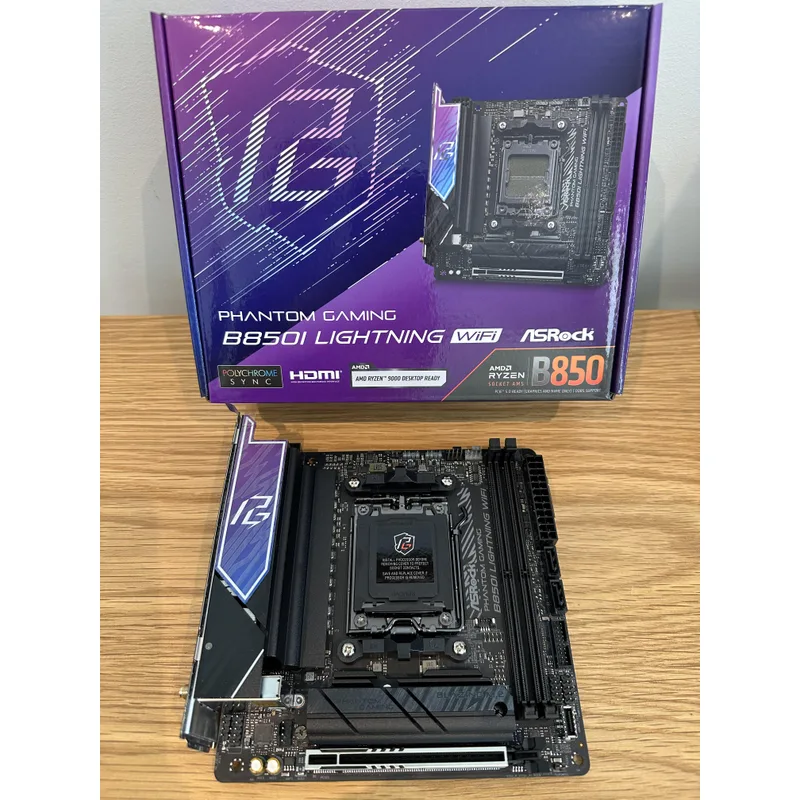
ASRock B850I Lightning WiFi
The ASRock B850I Lightning WiFi is the entry point for building a capable AM5 mini-ITX system without overspending on features you may not need. At $210, it’s the most affordable board here that still provides a PCIe 5.0 M.2 slot, PCIe 5.0 x16 for the GPU, and full Ryzen 9000 series support.
The board’s 8+2+1 power phase handles Ryzen 5 9600X and Ryzen 7 9700X workloads cleanly. Tom’s Hardware’s review found average-to-above-average benchmark scores across the suite, with multithreaded performance particularly strong. The primary caveat: USB4 is not available when pairing this board with a standard Ryzen 9000 CPU. USB4 routing on this board goes through the CPU’s USB4 controllers, which are only present in Ryzen 8000G APUs. A Ryzen 7 9700X gives you no USB4 at all. If USB4 is required, step up to the ASUS ROG Strix B850-I or the ASRock Z890I Nova WiFi.
BIOS Flashback — present via a dedicated rear USB port — allows flashing a new firmware version without installing a CPU. For AM5 platform maintenance across BIOS generations, this is a practical feature when newer Ryzen CPUs require BIOS updates before first boot.
FAQ
Can I use a Ryzen 7000 CPU on these AM5 mini-ITX boards?
Yes. All five AMD boards (X870-I, B850-I, B850I Lightning) support Ryzen 7000, 8000, and 9000 series processors on the AM5 socket. You may need a BIOS update before installing Ryzen 9000 CPUs on older BIOS versions — use the BIOS Flashback feature if available, or pair the board with a supported 7000-series chip first.
Do mini-ITX boards support 128GB RAM?
Yes, modern AM5 and LGA1851 mini-ITX boards support up to 128GB DDR5 across two DIMM slots (2x 64GB). Note that 64GB DDR5 DIMMs require 2Rx8 or 2Rx4 configurations, which may require minor XMP/EXPO adjustments compared to 32GB kits.
Is PCIe 5.0 worth it on a mini-ITX build?
For the GPU slot, PCIe 5.0 x16 versus PCIe 4.0 x16 makes no measurable difference in current GPU performance — existing GPUs don’t saturate PCIe 4.0 bandwidth. For M.2 storage, PCIe 5.0 SSDs hit 14,000+ MB/s sequential reads, which matters for large file transfers and video editing scratch drives but offers minimal improvement in gaming or general desktop use.
Do these boards fit in standard mini-ITX cases?
All five boards conform to the mini-ITX form factor (170mm × 170mm) and fit any standard ITX case. Check your case’s CPU cooler height limit and rear I/O clearance for large VRM heatsinks before purchasing. The ASRock Z890I Nova WiFi has a taller VRM heatsink that may conflict with some AIO pump heads in tight cases.
Which board is best for a NAS or home server build?
The ASRock Z890I Nova WiFi stands out here: 5GbE LAN, dual Thunderbolt 4 ports for external storage arrays, and 9466 MHz DDR5 headroom for ECC-adjacent workloads. Its VRM thermal ceiling under heavy compute loads means it’s better suited to storage-intensive tasks than CPU-bound sustained workloads.
The Bottom Line
For AMD systems, the ASUS ROG Strix X870-I Gaming WiFi is the most complete mini-ITX board available at $449 — dual USB4, WiFi 7, and bundled external audio make it a true premium product. Builders on a tighter budget get a capable platform with the ASRock B850I Lightning WiFi at $210, though the WiFi 6E and absent USB4 are real concessions. On the Intel side, the Gigabyte Z890I AORUS Ultra at $300 is the cleaner all-around pick; the ASRock Z890I Nova WiFi undercuts it with 5GbE and more Thunderbolt connectivity if you keep the board cool. For a complete walkthrough of assembling an SFF system — including airflow strategy, PSU sizing, and the correct component installation order — see our how to build a small form factor PC guide.