Affiliate disclosure: PCBuildRanked earns a commission on qualifying Amazon purchases at no extra cost to you.
The AMD B850 and Intel Z890 chipsets have matured in 2026, and the result is a generation of boards where PCIe 5.0, Wi-Fi 7, and DDR5 support above 8000 MT/s are no longer reserved for flagship prices. The MSI B850 Tomahawk MAX WiFi sits at a strong value price for AM5, the ASUS ROG Strix X870E-E has dropped over 25% from its launch pricing, and the Intel Z890 options have settled into competitive territory. On either AM5 or LGA1851, this is a solid window to build.
| Spec | MSI MAG B850 Tomahawk MAX WiFi 8.8/10 | ASUS ROG Strix X870E-E Gaming WiFi 9/10 | MSI MAG Z890 Tomahawk WiFi 8.7/10 | ASUS TUF Gaming Z890-PRO WiFi 8.5/10 | Gigabyte B850 Aorus Elite WIFI7 8.6/10 |
|---|---|---|---|---|---|
| socket | AM5 | AM5 | LGA1851 | LGA1851 | AM5 |
| chipset | AMD B850 | AMD X870E | Intel Z890 | Intel Z890 | AMD B850 |
| formFactor | ATX | ATX | ATX | ATX | ATX |
| vrm | 14+2 80A SPS | 18+2+2 DrMOS | — | 16+1+2+1 stages | 14+2+2 power phases |
| ddr5Speed | 8400+ MT/s (OC) | 8200+ MT/s (OC) | DDR5 support | 9066 MT/s (OC) | 8200+ MT/s (OC) |
| m2Slots | 3x M.2 (1x Gen5, 2x Gen4) | 5x M.2 (3x Gen5, 2x Gen4) | 4x M.2 | 4x M.2 | 3x M.2 (1x Gen5, 2x Gen4) |
| networking | Wi-Fi 7 / 5GbE LAN | Wi-Fi 7 / 5GbE LAN / Dual USB4 | Wi-Fi 7 / 5GbE LAN / Thunderbolt 4 | Wi-Fi 7 / 2.5GbE LAN / Thunderbolt 4 | Wi-Fi 7 / 2.5GbE LAN |
| Rating | 8.8/10 | 9/10 | 8.7/10 | 8.5/10 | 8.6/10 |
Prices change daily — tap Check Price for the current Amazon price.
Prices change daily — tap Check Price for the current Amazon price.
Quick Picks
- Best overall: MSI MAG B850 Tomahawk MAX WiFi — 80A SPS VRM, PCIe 5.0, Wi-Fi 7, and 5GbE at $209
- Best high-end AMD: ASUS ROG Strix X870E-E Gaming WiFi — five M.2 slots, dual USB4, 18+2+2 DrMOS for enthusiast Ryzen builds
- Best Intel value: MSI MAG Z890 Tomahawk WiFi — full Z890 overclocking, 5GbE, Thunderbolt 4 at $249
Buying Guide
AM5 vs LGA1851
AMD’s AM5 platform (Ryzen 9000 / 8000 / 7000 series) delivers better gaming price-to-performance in 2026. The B850 chipset covers every gaming need — PCIe 5.0, DDR5, and solid overclocking support — at meaningfully less than equivalent Z890 boards. Step up to X870 or X870E only if you need more than three M.2 slots, USB4, or plan to push a Ryzen 9 9950X hard on all cores.
Intel’s LGA1851 platform with Z890 supports Core Ultra 200S processors (Arrow Lake). Z890 is the only Intel chipset that unlocks full overclocking, so there’s little reason to drop below it for a gaming build on Intel. Intel’s platform advantage shows in content creation and mixed CPU workloads alongside gaming — not in pure game FPS.
B850 vs X870 vs X870E
B850 covers PCIe 5.0 x16 for GPUs and provides one PCIe 5.0 M.2 slot on most boards. For a Ryzen 7 or Ryzen 9 gaming build with a single GPU and two to three NVMe drives, B850 leaves nothing on the table.
X870 and X870E add more PCIe 5.0 bandwidth (more Gen5 M.2 slots), USB4 support, and stronger VRM configurations for heavy overclocking. X870E is the full-fat enthusiast chipset. For gaming-only builds, B850 is sufficient.
DDR5 Speed and Memory Compatibility
All boards in this roundup require DDR5. For AM5 gaming, DDR5-6000 to DDR5-6400 is the performance sweet spot — Ryzen 9000 shows meaningful gains up to about 6400 MT/s with diminishing returns beyond. On Intel Z890, DDR5-7200 and higher benefits Core Ultra 9 285K content creation more than pure gaming.
Enable EXPO (AMD) or XMP (Intel) in BIOS to run DDR5 at rated speed — both are disabled by default. Check each board’s QVL before buying RAM; the MSI boards in this roundup have strong compatibility with Corsair, G.Skill, and Kingston DDR5 kits.
VRM and Power Delivery
Gaming workloads are bursty, not sustained. A 10+2 60A VRM handles a Ryzen 7 9700X without issue. VRM quality matters for sustained all-core encoding, heavy Cinebench runs, or running a Ryzen 9 9950X at full load. The MSI B850 Tomahawk MAX WiFi with 80A SPS stages is the sweet spot — rated for the 9950X without needing an aftermarket VRM heatsink.
Detailed Reviews
1. MSI MAG B850 Tomahawk MAX WiFi
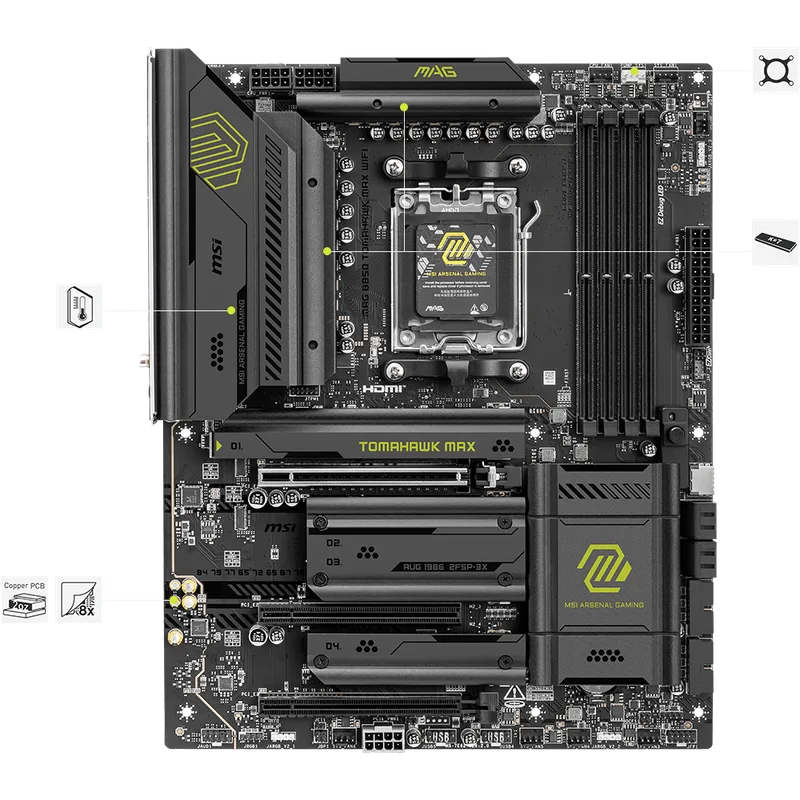
The MSI MAG B850 Tomahawk MAX WiFi at $209 is the board to beat for AM5 gaming builds. The 80A SPS (Smart Power Stage) VRM is rated for the Ryzen 9 9950X under sustained all-core loads — a specification that used to require stepping up to X870 pricing. One PCIe 5.0 M.2 slot with heatsink comes pre-installed; two additional M.2 slots are PCIe 4.0. The primary GPU slot runs PCIe 5.0 x16.
5GbE LAN via Realtek is included, which is notable at this price point. Most B850 boards under $220 ship with 2.5GbE and reserve 5GbE for premium SKUs. Wi-Fi 7 (802.11be) is standard. Rear I/O includes USB 20Gbps Type-C and multiple USB 10Gbps ports.
The two missing features compared to X870E boards are USB4 and more than one Gen5 M.2 slot. For a single-GPU gaming build with one fast NVMe and a secondary PCIe 4.0 drive, neither gap matters. If you need USB4 docking or three simultaneous PCIe 5.0 M.2 drives, X870E is the right tier.
MSI also released the Tomahawk Max WiFi II — a newer variant priced around sixty dollars higher — with a second USB4 port and revised BIOS. For gaming use, that difference is better spent elsewhere. The original covers every gaming workload the II handles.
Socket compatibility: AM5 (Ryzen 9000, 8000, 7000 series)
2. ASUS ROG Strix X870E-E Gaming WiFi
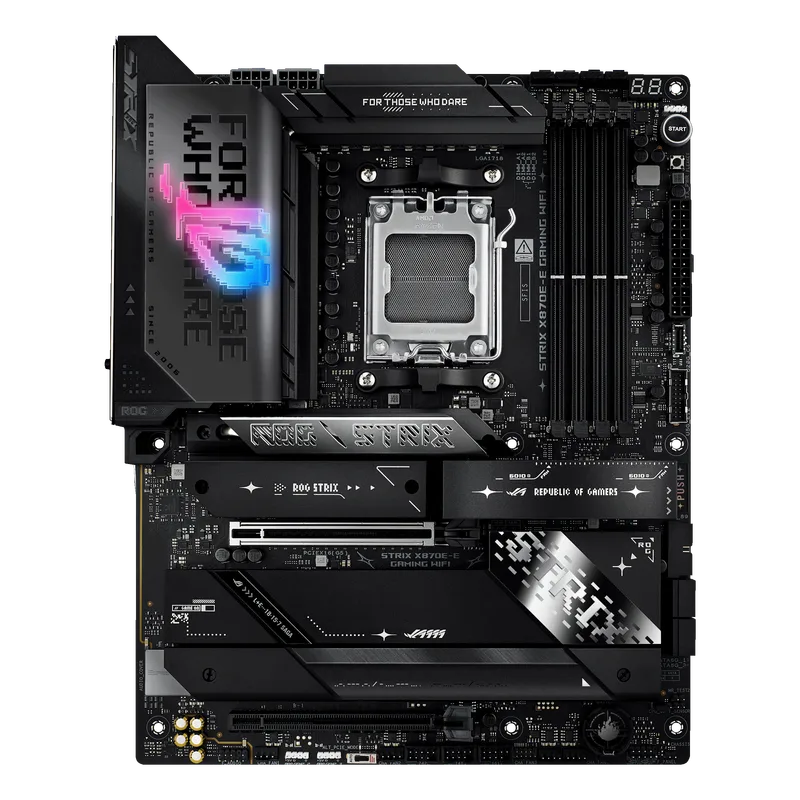
The ASUS ROG Strix X870E-E Gaming WiFi launched near flagship pricing and dropped over 25% through early 2026. At its current street price, the 18+2+2 DrMOS power delivery and five M.2 slots (three PCIe 5.0, two PCIe 4.0) justify the premium for builds centered on a Ryzen 9 9950X or a heavy NVMe storage configuration.
Core Flex switches dynamically between efficiency and full-performance modes based on load — useful for gaming rigs that also run media encoding or 3D rendering. Dynamic OC Switcher handles per-CCD overclocking on Ryzen 9000 CPUs automatically. Connectivity is the strongest in this roundup: dual USB4 ports at 40 Gbps, USB 20Gbps Type-C, multiple USB 10Gbps, and Wi-Fi 7. The Q-Release Slim GPU latch makes card swaps tool-free.
The calculus at its current price is simple: it only makes sense if you use what X870E provides. For a Ryzen 7 9700X gaming build with a single GPU, the premium over the B850 Tomahawk buys zero FPS.
Socket compatibility: AM5 (Ryzen 9000, 8000, 7000 series)
3. MSI MAG Z890 Tomahawk WiFi
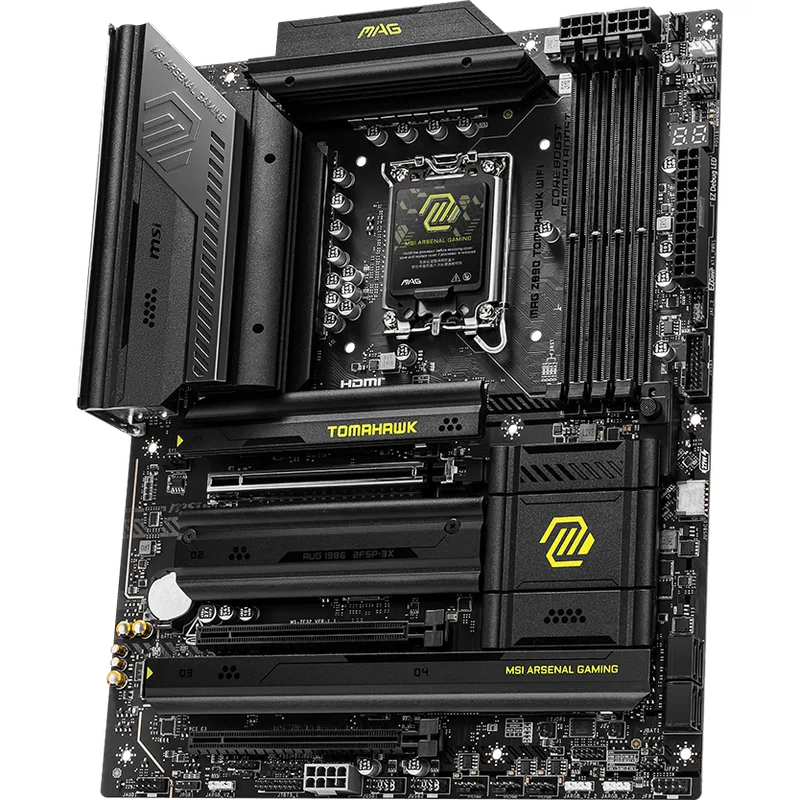
The MSI MAG Z890 Tomahawk WiFi at $249 is the best value entry point into Intel’s LGA1851 platform. The standout spec at this price is 5GbE LAN — most Z890 boards under $280 use 2.5GbE and charge more for 5GbE. Thunderbolt 4 Type-C on the rear I/O handles external NVMe enclosures and dock connectivity. Four M.2 slots cover a capable multi-drive storage configuration.
Full Z890 chipset means Core Ultra 200S K-series chips (Core Ultra 7 265K, Core Ultra 9 285K) can be overclocked. The VRM handles Core Ultra 7 265K gaming builds at stock and light overclocking cleanly. Enthusiasts pushing a 285K at sustained all-core workloads should consider stepping up to the MSI MPG Z890 Edge for more power delivery headroom. For gaming use — including paired with a Core Ultra 7 265K at stock — the Tomahawk delivers.
The Z890 Tomahawk undercuts the ASUS TUF Z890-PRO by thirty dollars while offering 5GbE and equivalent Thunderbolt 4. For Intel gaming builds, it’s the stronger value pick.
Socket compatibility: LGA1851 (Intel Core Ultra Series 2)
4. ASUS TUF Gaming Z890-PRO WiFi
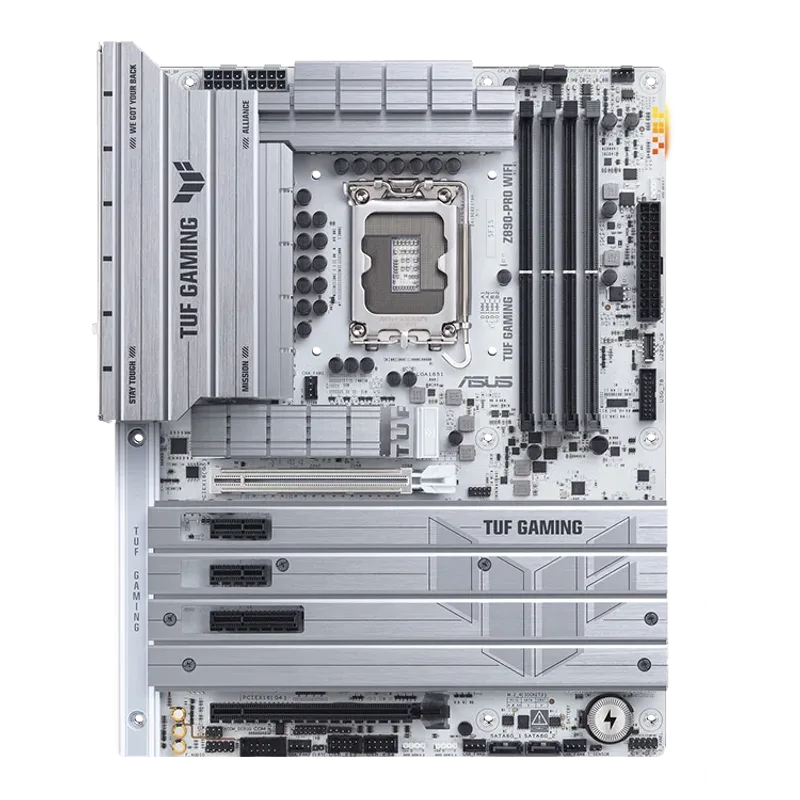
The ASUS TUF Gaming Z890-PRO WiFi earns its place for Intel builders who want to push DDR5 harder. The board supports DDR5 OC up to 9066 MT/s — the highest certified memory OC speed of any Z890 board in this roundup, meaningful for Core Ultra 9 285K content creation and mixed workloads alongside gaming.
The 16+1+2+1 power stage configuration handles Core Ultra 7 265K at stock and moderate overclocks. Four M.2 slots cover most build configurations. Thunderbolt 4 Type-C is on the rear I/O. ASUS’s BIOS interface is one of the cleaner ones to navigate for first-time Intel builders, and the TUF Gaming line has a strong track record for firmware update frequency on Intel platforms.
The direct trade-off versus the MSI Z890 Tomahawk: thirty dollars more and 2.5GbE instead of 5GbE, but a higher DDR5 ceiling and a more refined BIOS. For gaming-only builds, the Z890 Tomahawk is the sharper pick. For a machine that doubles as a workstation or content creation rig, the TUF’s 9066 MT/s memory ceiling is a genuine advantage. For boards specifically tailored to content creation workflows, see our best motherboards for content creation guide.
Socket compatibility: LGA1851 (Intel Core Ultra Series 2)
5. Gigabyte B850 Aorus Elite WIFI7
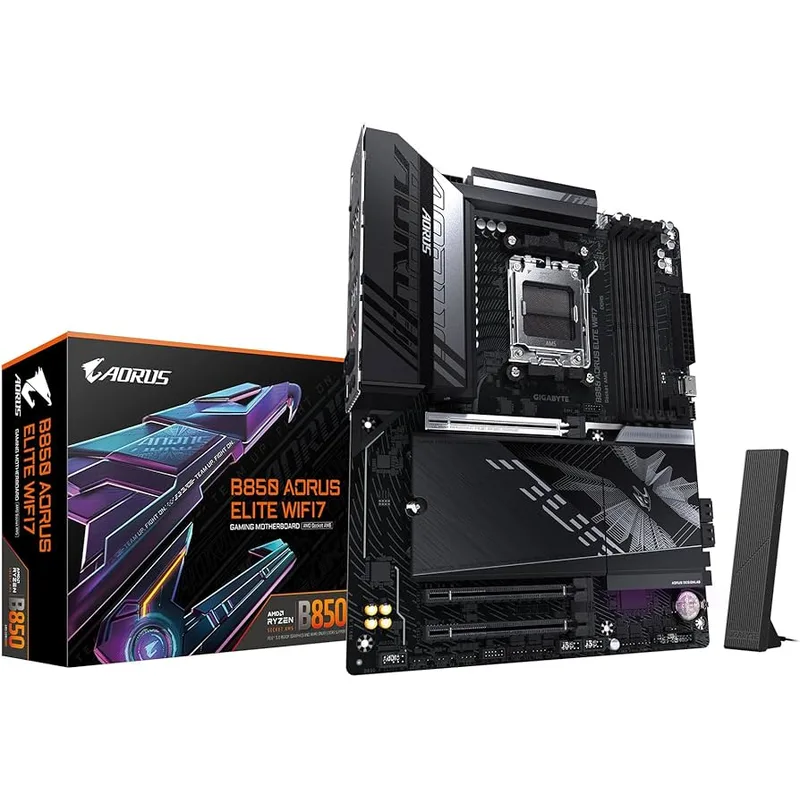
The Gigabyte B850 Aorus Elite WIFI7 at $209 is the lowest-priced board in this roundup that checks the meaningful boxes for AM5 gaming: PCIe 5.0 x16, one Gen5 M.2 slot, Wi-Fi 7, DDR5 up to 8200 MT/s (OC), and a 14+2+2 power delivery configuration that handles the Ryzen 7 9700X cleanly. Gigabyte’s 5-year warranty is the longest in this roundup by two years.
EZ-Latch Plus for M.2 and PCIe x16 slots means no screwdriver for storage and GPU installs. The board is also available in a white ICE variant at $229 for builds prioritizing a monochrome aesthetic.
Where it falls short of the MSI B850 Tomahawk at the same $209: 2.5GbE instead of 5GbE, and no USB 20Gbps on rear Type-C. For a gaming build where large local network transfers aren’t a priority, neither limitation shows. The 5-year warranty is a long-term advantage that the MSI board doesn’t match.
Socket compatibility: AM5 (Ryzen 9000, 8000, 7000 series)
FAQ
Do I need X870E or B850 for Ryzen 9000 gaming?
B850 handles every current Ryzen 9000 CPU, including the 9950X, without bottlenecking GPU performance. X870E adds more Gen5 M.2 slots and USB4 — meaningful for workstation-heavy users, irrelevant for game FPS. For gaming builds, B850 is the correct choice.
Can I use DDR4 RAM on these boards?
No. All AM5 (B850, X870, X870E) and LGA1851 (Z890) boards require DDR5. DDR4 is not compatible with either platform. Budget $80–$120 for a DDR5 kit when building from scratch.
Is Intel Z890 worth it over AMD B850 for gaming?
Not for pure gaming performance. AMD AM5 + B850 delivers better gaming price-to-performance in 2026. Z890 makes sense if you need Thunderbolt at a guaranteed firmware level, you’re already invested in the Intel ecosystem, or you’re pairing with a Core Ultra 200S CPU you already own.
Will these motherboards support future CPUs?
AMD has committed to AM5 socket support through at least 2027 — B850 and X870E boards should support next-gen Ryzen CPUs via BIOS updates. Intel has not confirmed LGA1851 support beyond Core Ultra Series 2, though no official end-of-life date has been announced.
What BIOS settings matter most for gaming?
For AMD builds: enable EXPO to run DDR5 at rated speed (off by default), and enable PBO for passive per-core boost optimization. For Intel Z890: enable XMP for DDR5. Disable unused M.2 slots in BIOS if they share bandwidth with SATA ports to avoid unexpected speed drops.
MSI B850 Tomahawk MAX WiFi vs Max WiFi II — which to buy?
The original (covered here) covers all gaming needs at its current street price. The Max WiFi II adds a second USB4 port and a revised BIOS layout at a higher price. Buy the II only if USB4 is a specific requirement. For gaming, the savings are better spent on a faster NVMe or higher-speed DDR5 kit.
The Bottom Line
For most gaming builds in 2026, the MSI MAG B850 Tomahawk MAX WiFi is the answer — PCIe 5.0, Wi-Fi 7, 5GbE, and an 80A SPS VRM rated for the full Ryzen 9000 lineup. For a high-end AMD system with a Ryzen 9 9950X and multiple NVMe drives, the ASUS ROG Strix X870E-E Gaming WiFi earns the premium with five M.2 slots and dual USB4 at its current street price. Intel builders get the sharpest Z890 value from the MSI MAG Z890 Tomahawk WiFi — 5GbE, Thunderbolt 4, and full overclocking support at thirty dollars less than the ASUS TUF alternative.