ASRock’s Z890 Taichi OCF set official DDR5 world records in early 2026, and the brand just launched the X870E Taichi OCF as the first AMD OC Formula board — so the enthusiast motherboard market has moved significantly in the last few months. Both Intel Z890 and AMD X870E platforms are mature, with Arrow Lake and Ryzen 9000 CPUs both responding well to quality overclocking. Here’s what to buy if overclocking is the priority.
| Spec | ASRock Z890 Taichi OCF Unavailable 9.3/10 | ASUS ROG Maximus Z890 Hero 9/10 | ASRock X870E Taichi OCF 9.1/10 | ASUS ROG Crosshair X870E Hero 8.8/10 | MSI MEG Z890 Ace 8.7/10 |
|---|---|---|---|---|---|
| socket | LGA 1851 (Intel Arrow Lake) | LGA 1851 (Intel Arrow Lake) | AM5 (AMD Ryzen 7000/8000/9000) | AM5 (AMD Ryzen 7000/8000/9000) | LGA 1851 (Intel Arrow Lake) |
| chipset | Z890 | Z890 | X870E | X870E | Z890 |
| vrm | 22+1+2+1+1 phases, 110A SPS | 22+2+1+2 phases, 90A | 22+2+1 phases, 110A SPS | 18+2+2 phases, 110A SPS | 24+2+1+1 phases, Duet Rail 110A SPS |
| ddr5 | 2-DIMM, DDR5-10133 OC | 4-DIMM, DDR5-9200 OC (NitroPath) | 4-DIMM, DDR5-8200 OC (EXPO) | 4-DIMM, DDR5-8400 OC | 4-DIMM, DDR5-9200 OC |
| m2_slots | 4x M.2 PCIe 5.0 x4 | 6x M.2 (3x PCIe 5.0, 3x PCIe 4.0) | 6x M.2 (2x PCIe 5.0, 4x PCIe 4.0) | 5x M.2 (2x PCIe 5.0, 3x PCIe 4.0) | 5x M.2 (1x PCIe 5.0, 4x PCIe 4.0) |
| form_factor | ATX | ATX | ATX | ATX | ATX |
| Rating | 9.3/10 | 9/10 | 9.1/10 | 8.8/10 | 8.7/10 |
Prices change daily — tap Check Price for the current Amazon price.
Prices change daily — tap Check Price for the current Amazon price.
Quick Picks
- Best Intel OC: ASRock Z890 Taichi OCF — 2-DIMM DDR5-10133 OC, 110A stages, Nick Shih profiles baked in, ~$499
- Best Intel all-rounder: ASUS ROG Maximus Z890 Hero — NitroPath DDR5, 6x M.2, best BIOS depth, ~$449
- Best AMD OC: ASRock X870E Taichi OCF — 22-phase VRM, first AMD OCF board, 6x M.2, ~$499
Compatibility Notes
Intel Z890 boards require Arrow Lake (LGA 1851)
All three Intel boards on this list use the LGA 1851 socket, which is exclusive to Intel Core Ultra 200-series (Arrow Lake) processors. If you’re on an older Raptor Lake chip (13th/14th gen), you need an LGA 1700 board — these Z890 boards will not work. Core Ultra 200K/KF chips (i9-285K, i7-265K, i5-245K) are the unlock-enabled CPUs you want for overclocking.
AMD X870E boards require AM5
The X870E Taichi OCF and Crosshair X870E Hero both use the AM5 socket, supporting Ryzen 9000, 8000, and 7000 series CPUs. Unlike Intel’s annual socket changes, AM5 has been consistent since late 2022 and AMD has confirmed support through at least 2027. Ryzen 9 9950X, Ryzen 7 9800X3D, and Ryzen 5 9600X are the current generation targets; the 9800X3D is technically un-overclockable on core clocks (X3D architecture), so prioritize memory overclocking on that chip.
2-DIMM vs. 4-DIMM configurations
The ASRock Z890 Taichi OCF uses 2 DIMM slots (one per channel) specifically to maximize memory overclocking headroom. Fewer DIMM slots mean fewer electrical loads on each memory trace, which allows higher stable frequencies and tighter timings. The tradeoff is a 128GB capacity ceiling versus 256GB on 4-DIMM boards. For gaming and overclocking, 2x16GB or 2x32GB DDR5 kits are the standard configurations, so the 128GB cap is irrelevant for most users.
DDR5 kits to pair with these boards
For Intel Z890 boards, XMP 3.0 kits rated DDR5-7200 or above give the most overclocking headroom. Corsair Dominator Titanium, G.Skill Trident Z5, and Kingston Fury Beast DDR5 all have strong compatibility records on Z890. For AM5 boards, EXPO-certified kits from G.Skill and Corsair in DDR5-6000 CL30 configurations are the sweet spot for Ryzen 9000 — AMD’s Infinity Fabric runs optimally at 2000 MHz (DDR5-4000 effective), which means DDR5-6000 at a 3:1 FCLK ratio hits the performance ceiling without stress-testing stability.
Detailed Reviews
1. ASRock Z890 Taichi OCF
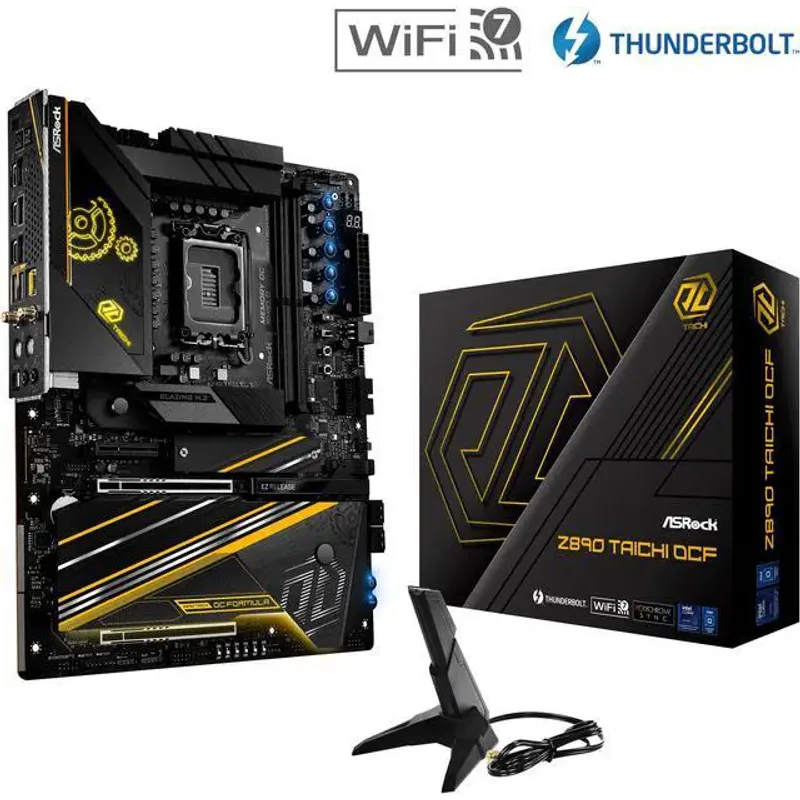
ASRock Z890 Taichi OCF
The Z890 Taichi OCF is built around a single design priority: maximum memory overclocking on Intel’s Z890 platform. The 2-DIMM layout (one slot per channel) is the critical differentiator. When a single DIMM occupies each channel, the memory controller sees one electrical load per trace instead of two, which translates directly to higher stable frequencies. ASRock and independent overclockers have pushed DDR5 kits past 10,000 MT/s on this board — something Z890 boards with four DIMM slots struggle to replicate even on the same memory kits.
ASRock partnered with renowned overclocker Nick Shih during development, and his OC profiles are loaded directly into the BIOS as starting points. These aren’t generic XMP presets — they’re validated tuning recipes covering voltage curves, memory timing tweaks, and BCLK adjustments that Shih’s team tested specifically on this hardware. For someone new to extreme memory overclocking, that institutional knowledge in BIOS form is genuinely valuable.
The VRM uses 22+1+2+1+1 phases with 110A Smart Power Stages — enough amperage headroom to run a Core Ultra i9-285K at all-core boost with additional voltage applied without thermal throttling the power delivery. A 24-pin power connector plus dual 8-pin EPS connectors handles any sustained CPU load.
At ~$499, the Z890 Taichi OCF competes directly with other high-end Z890 OC boards in the $499–$600 range while offering the 2-DIMM layout and Nick Shih BIOS profiles that most competing boards at this price do not match.
2. ASUS ROG Maximus Z890 Hero
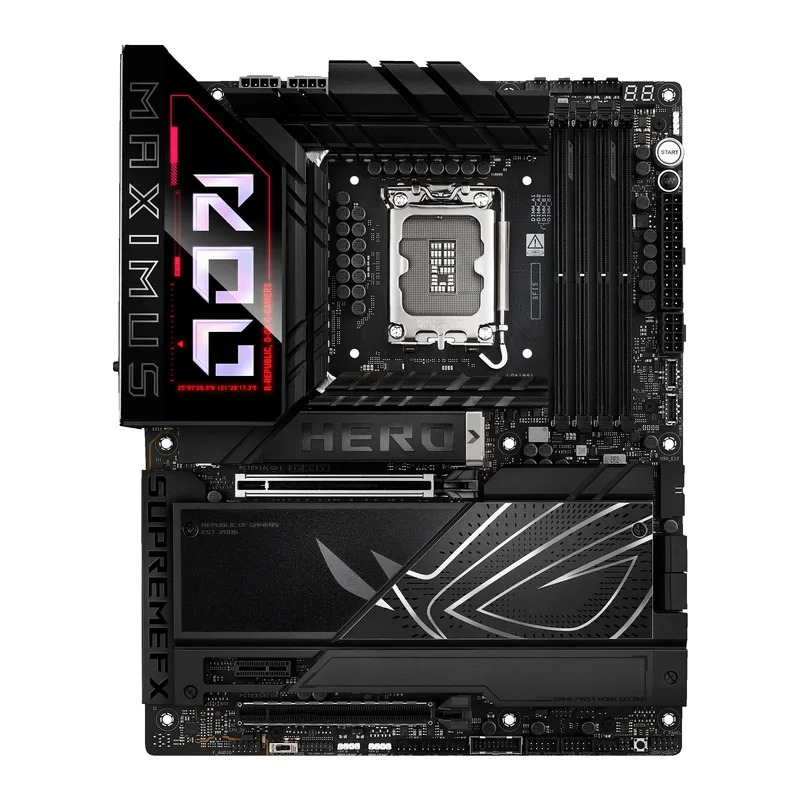
The ROG Maximus Z890 Hero is ASUS’s answer to the question of what a daily-driver Z890 overclocking board looks like when you don’t want to compromise on storage or memory capacity. It keeps all four DIMM slots while pushing those configurations further than previous-generation ASUS boards via NitroPath.
NitroPath routes termination pins to the ends of each DIMM slot rather than centering them mid-trace, which reduces signal reflection. In ASUS’s internal testing and in independent evaluations, NitroPath allows 4-DIMM configurations to reach frequencies previously only achievable with 2-DIMM boards. Enthusiast-grade kits have been pushed past 9,000 MT/s on a 4-slot populated board — a meaningful improvement over the Z790 platform.
The Extreme Tweaker page in the BIOS is where the Hero earns its reputation. Voltage, frequency, and memory timing controls are comprehensive without being buried — reviewers at TechPowerUp praised the organization compared to competing OC BIOS interfaces. There’s also NPU Boost, an ASUS-exclusive feature that overclocks the Intel NPU block by up to 24% for AI acceleration — less relevant for gaming, but worth noting for productivity workloads.
Six M.2 slots (three PCIe 5.0, three PCIe 4.0) means no compromises on storage regardless of how many drives you install. The ProCool II power connectors, three interconnected VRM heatsinks, and 22-phase design keep power delivery temperatures stable even under sustained Prime95 runs on a 285K.
At ~$449, it sits between the on-sale Z890 Taichi OCF ($299) and the MSI MEG Z890 Ace ($499). If 4-DIMM capacity and M.2 density matter, it’s the right pick. If you’re purely chasing memory frequency records, the Z890 Taichi OCF’s 2-DIMM architecture has more headroom.
3. ASRock X870E Taichi OCF
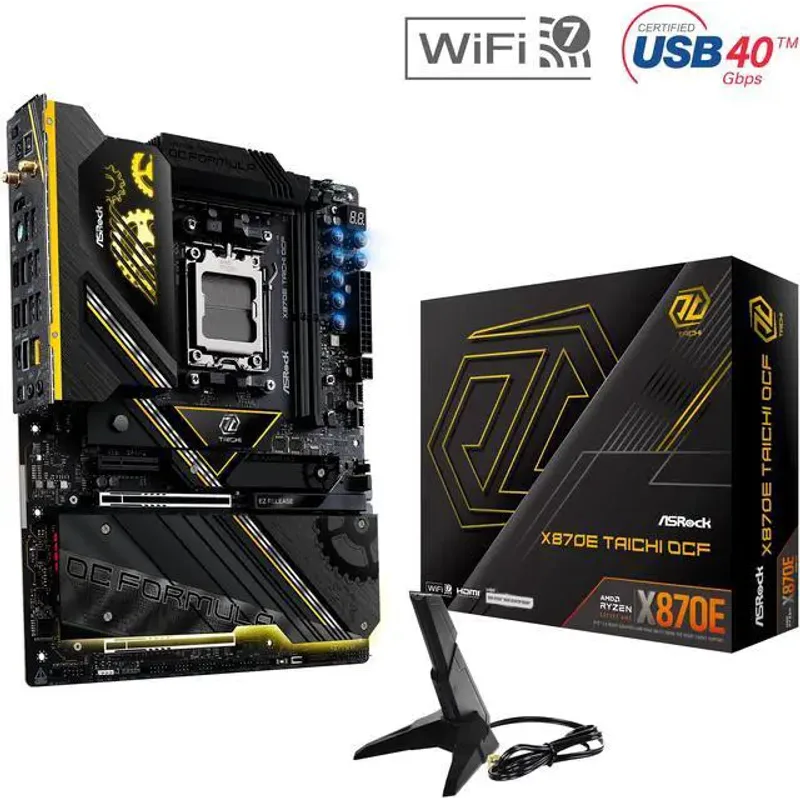
The X870E Taichi OCF is the first motherboard ASRock has labeled as OC Formula for an AMD platform — a distinction previously limited to Intel builds. The 22+2+1 phase VRM with 110A Smart Power Stages represents the strongest power delivery on any AM5 board outside of flagship E-ATX designs, and it shows in sustained overclocking tests where voltage-intensive Ryzen 9950X runs stay stable longer than on competing X870E boards.
AMD’s AM5 platform DDR5 ceiling sits lower than Intel Z890’s for raw frequency — most daily-driver configs top out around 8,000–8,200 MT/s — but the Taichi OCF extracts the most from that ceiling. The board supports DDR5-8200 OC and includes Tweaktown-confirmed memory OC functionality that makes it an “OC monster” in their words, handling high-frequency kits with better stability than standard X870E boards.
Six M.2 slots (two PCIe 5.0 x4, four PCIe 4.0 x4) give the same storage density as the ASUS ROG Crosshair X870E Hero while adding a two-channel USB4 (40 Gbps) rear I/O and dual PCIe 5.0 x16 slots — so you can run two next-gen GPUs simultaneously if needed. OC hardware buttons on the board itself (Slow Mode, Safe Boot, Clear CMOS) let you recover from a failed OC attempt without opening the BIOS, which becomes important during marathon overclocking sessions.
At $499, it costs $80 less than the Crosshair X870E Hero while delivering more VRM phases and comparable feature density. For Ryzen 9000 overclockers, it’s the board to beat.
4. ASUS ROG Crosshair X870E Hero
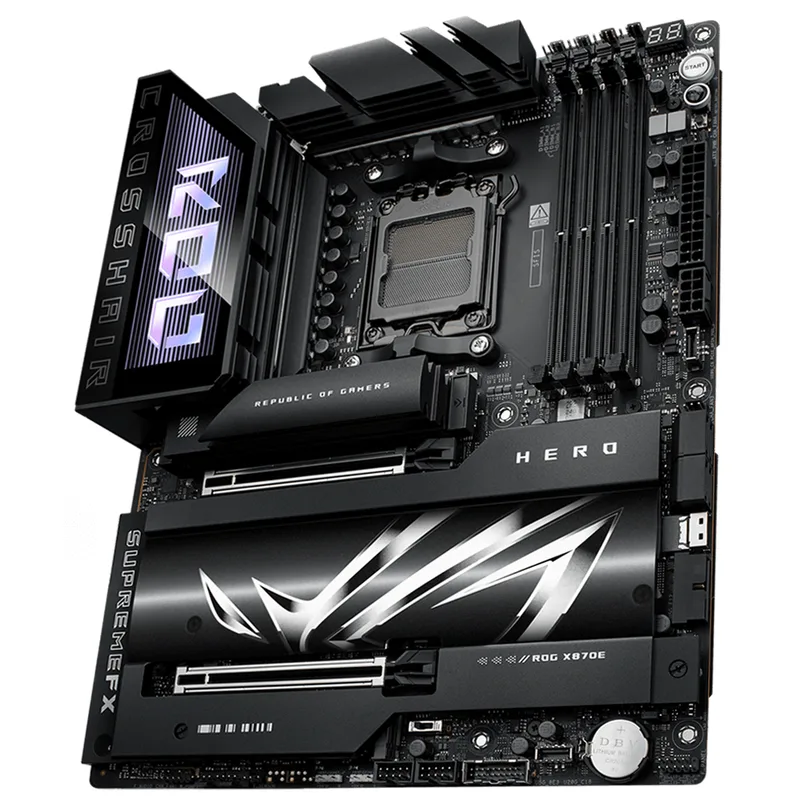
The Crosshair X870E Hero targets builders who want AI-assisted overclocking workflows and tight ASUS ecosystem integration alongside a capable X870E board. It won’t outrun the X870E Taichi OCF in sustained overclocking, but the AI Overclocking and Core Flex features make it the easiest board to get meaningful gains from without manual BIOS tuning.
AI Overclocking reads CPU silicon quality at boot and applies tailored frequency and voltage profiles rather than generic presets. ASUS’s AI Networking feature continuously monitors your local bandwidth conditions and adjusts QoS settings dynamically. These aren’t gimmicks — reviewers at Tom’s Hardware measured real-world improvements of 3–5% in sustained workloads over stock configurations without touching the BIOS manually.
Core Flex is the standout feature for gaming. It dynamically boosts single-threaded workloads by redistributing power from lightly loaded cores to the most active ones, effectively squeezing an extra 50–100 MHz from P-cores during gaming scenarios without raising overall voltage. On a Ryzen 9 9900X or 9950X, the combination of Core Flex and AI OC puts it close to manually tuned results with zero user input.
The 18+2+2 phase VRM with 110A stages is capable for gaming and moderate overclocking but outclassed by the X870E Taichi OCF’s 22-phase configuration under extreme sustained loads. For the majority of Ryzen 9000 users who aren’t pushing extreme 24/7 overclocks, 18 phases is more than sufficient.
At $579.99 on Newegg, it’s the priciest AM5 board on this list. The AI feature set and 5x M.2 connectivity justify the cost if you’re in the ASUS ecosystem (ROG BIOS familiarity, AI Suite software, Aura Sync), but pure overclockers will get more from the ASRock X870E Taichi OCF for $80 less.
5. MSI MEG Z890 Ace
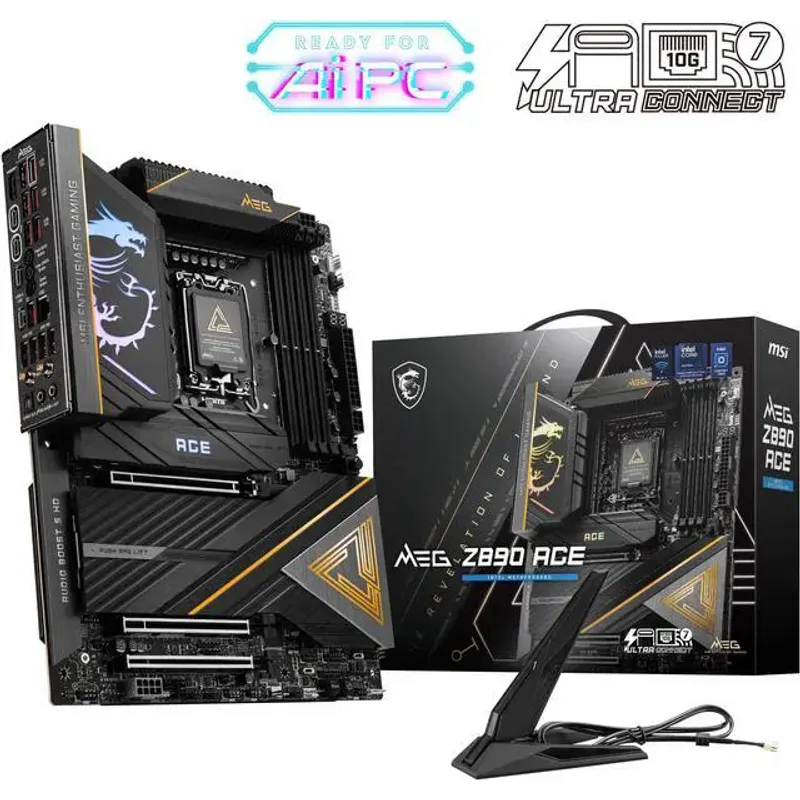
The MSI MEG Z890 Ace packs the highest phase count on this list — 24+2+1+1 via MSI’s Duet Rail Power System, with 110A Smart Power Stages throughout. In theory, 24 phases provides finer voltage regulation granularity and lower per-phase temperatures than 22-phase designs, though in practice the difference is marginal at typical enthusiast loads below 300W CPU TDP.
Where the Ace differentiates itself is connectivity. The rear I/O includes a 10 Gbps LAN port (rare on Z890 boards at this price), Thunderbolt 4, and five USB Type-A ports alongside two USB-C connections. If your network infrastructure includes a 10GbE switch or NAS, that built-in 10G port saves the cost and PCIe slot of an add-in card.
PC Gamer reviewed the Ace at its original “$500 price tag” and came away positive, noting that the combination of 24-phase power delivery, 10G LAN, and Thunderbolt 4 represents genuine value at that price. The BIOS OC interface is capable but less organized than ASUS’s Extreme Tweaker — reviewers noted that fine-grained memory timing adjustments require more navigation depth than on comparable ASUS boards.
The single M.2 PCIe 5.0 slot (versus three on the ROG Maximus Z890 Hero) is a meaningful gap if you’re building a PCIe 5.0 NVMe-centric storage array. For most builds with one or two SSDs, it’s irrelevant.
At ~$499–$639 (depending on retailer), the Ace makes sense if 10G LAN or maximum phase count are priorities. For pure overclocking value, both ASRock Z890 boards edge it out.
FAQ
Do I need an X870E or Z890 board just to overclock?
For Intel: yes, only Z-series chipsets (Z890, Z790) allow CPU and memory overclocking on Arrow Lake and Raptor Lake respectively. H-series boards lock CPU multipliers entirely. For AMD: all AM5 chipsets technically allow EXPO memory profiles, but X670E and X870E boards have the power delivery and BIOS features needed to push CPUs and DDR5 beyond EXPO-rated speeds.
Will a Ryzen 7 9800X3D benefit from an overclocking-focused motherboard?
Core clock overclocking is disabled on X3D processors — AMD locks the multiplier to protect the 3D V-Cache stacking. However, memory overclocking (DDR5 frequency and FCLK tuning) still provides measurable gains on the 9800X3D, with properly tuned DDR5-6000 CL30 configurations improving 1% lows by 5–8% in CPU-bound games compared to stock DDR5-5600 profiles. A board with strong memory OC capability like the X870E Taichi OCF or Crosshair X870E Hero maximizes those gains.
How important is VRM quality for gaming overclocks?
For gaming-level overclocks on current CPUs — 5.1–5.3 GHz all-core on a Core Ultra i9-285K, or 5.3–5.5 GHz on a Ryzen 9 9950X — any board on this list has adequate power delivery. VRM quality becomes critically important during extended stress tests (Prime95 mixed, Cinebench R24 loops) and when pushing 350W+ CPU TDP. If you’re testing memory world records or running 24-hour stability runs, the 110A stage boards (Z890 Taichi OCF, MEG Z890 Ace, X870E Taichi OCF) provide more thermal headroom.
Can I use DDR4 with these boards?
No. All Z890 and X870E boards use DDR5 exclusively — there are no DDR4 slots on any board in this generation. Both Intel Arrow Lake and AMD Ryzen 9000 on AM5 require DDR5. If you’re migrating from a DDR4 platform, budget for new memory alongside the motherboard.
What PSU wattage do I need for an overclocked build?
For a Z890 build with a Core Ultra i9-285K overclocked and a high-end GPU like an RTX 5080, target at least 1000W. The 285K draws up to 253W at stock under Prime95; with voltage offsets added, 280–300W is realistic. A 4090 or 5090 adds another 300–450W. A quality 1000–1200W Platinum or Titanium unit (Corsair HX1000i, ASUS ROG Thor 1200W) gives adequate headroom without throttling under simultaneous CPU+GPU peaks.
The Bottom Line
The ASRock Z890 Taichi OCF is the clear pick for serious Intel DDR5 overclocking — its 2-DIMM configuration pushes frequencies that 4-DIMM boards can’t match, and at ~$499 it remains competitive among OC-focused Z890 options. For Intel builders who need 4-DIMM flexibility and maximum M.2 storage, the ASUS ROG Maximus Z890 Hero at ~$449 offers the deepest BIOS tools and NitroPath technology in a six-M.2 package. On the AMD side, the ASRock X870E Taichi OCF brings OC Formula-grade power delivery to AM5 for the first time at $499, making it the top choice for Ryzen 9000 overclockers.