Affiliate disclosure: PCBuildRanked earns a commission on qualifying Amazon purchases at no cost to you.
AMD’s Ryzen 9000 series — and the 9000 X3D chips including the Ryzen 9 9950X3D — run on the AM5 platform, meaning all B850 and X870/X870E boards launched since 2026 are compatible. The chipset you pick determines whether you get USB4, guaranteed dual PCIe 5.0 M.2, and how much overclocking headroom the board allows. This guide covers the five strongest picks across the B850 and X870E chipsets for 2026 builds, with current pricing as of April 2026.
| Spec | MSI MAG B850 Tomahawk MAX WiFi 9/10 | ASUS ROG Crosshair X870E Hero 9.1/10 | ASRock X870E Taichi Unavailable 9.2/10 | MSI MPG X870E Carbon WiFi 8.9/10 | GIGABYTE B850 AORUS Elite WIFI7 8.6/10 |
|---|---|---|---|---|---|
| socket | AM5 | AM5 | AM5 | AM5 | AM5 |
| chipset | AMD B850 | AMD X870E | AMD X870E | AMD X870E | AMD B850 |
| formFactor | ATX | ATX | E-ATX | ATX | ATX |
| vrm | 80A SPS stages | 18+2+2 Power Stages | 24+2+2 Phases (90A) | 110A SPS stages | 14+2+2 Phases |
| ddr5Speed | 8400+ MT/s (OC) | 8000+ MT/s (OC) | 8200+ MT/s (OC) | 8400+ MT/s (OC) | 8200+ MT/s (OC) |
| m2Slots | 4x M.2 (1x PCIe 5.0) | 5x M.2 (PCIe 5.0) | 4x M.2 (PCIe 5.0) | 5x M.2 (PCIe 5.0) | 3x M.2 (1x PCIe 5.0) |
| networking | Wi-Fi 7 / 5GbE LAN | Wi-Fi 7 / 5GbE LAN | Wi-Fi 7 / 5GbE LAN | Wi-Fi 7 / 5GbE LAN | Wi-Fi 7 / 2.5GbE LAN |
| Rating | 9/10 | 9.1/10 | 9.2/10 | 8.9/10 | 8.6/10 |
Prices change daily — tap Check Price for the current Amazon price.
Prices change daily — tap Check Price for the current Amazon price.
Quick Picks
- Best Overall: MSI MAG B850 Tomahawk MAX WiFi — 5GbE LAN, four M.2 slots, and DDR5 up to 8400+ MT/s at $210
- Best X870E Value: MSI MPG X870E Carbon WiFi — 110A VRM, five M.2, and dual PCIe 5.0 x16 now at $399
- Best Premium: ASUS ROG Crosshair X870E Hero — five M.2, AI overclocking, and 18+2+2 power stages at $580
AM5 Chipset Guide: B850 vs X870E
Before picking a board, understand what each chipset tier actually delivers.
B850 is the mainstream sweet spot for Ryzen 9000 in 2026. It guarantees one PCIe 5.0 M.2 slot, a PCIe 5.0 x16 GPU slot, DDR5 memory, and Wi-Fi 7 certification. What B850 skips compared to X870E: mandatory USB4 (40 Gbps) ports and mandatory dual PCIe 5.0 M.2. For a gaming PC running a Ryzen 7 9700X or 9800X3D, B850 covers everything you need and saves $180–$230.
X870E adds mandatory USB4 (up to 40 Gbps), at least two PCIe 5.0 M.2 slots, and typically higher-grade VRMs suited to the Ryzen 9 9950X or 9950X3D at unrestricted power limits. Pay the premium if you use USB4 for external SSDs or eGPUs, need dual PCIe 5.0 M.2 slots for content creation, or run a Ryzen 9 chip at sustained full-load.
AM5 socket compatibility: Every Ryzen 9000, 8000, and 7000 series CPU uses the AM5 socket (LGA1718). All boards in this list support all three CPU generations via BIOS update. Confirm your board has the latest BIOS before installing a Ryzen 9000 chip, especially on boards purchased before the Ryzen 9000 launch in mid-2024.
DDR5 memory: AM5 is DDR5-only. Budget for DDR5-6000 CL30 as a baseline — it aligns AMD’s FCLK at 2000 MHz for the 1:1 ratio that maximizes Ryzen bandwidth without paying for diminishing returns above DDR5-7200.
Detailed Reviews
1. MSI MAG B850 Tomahawk MAX WiFi
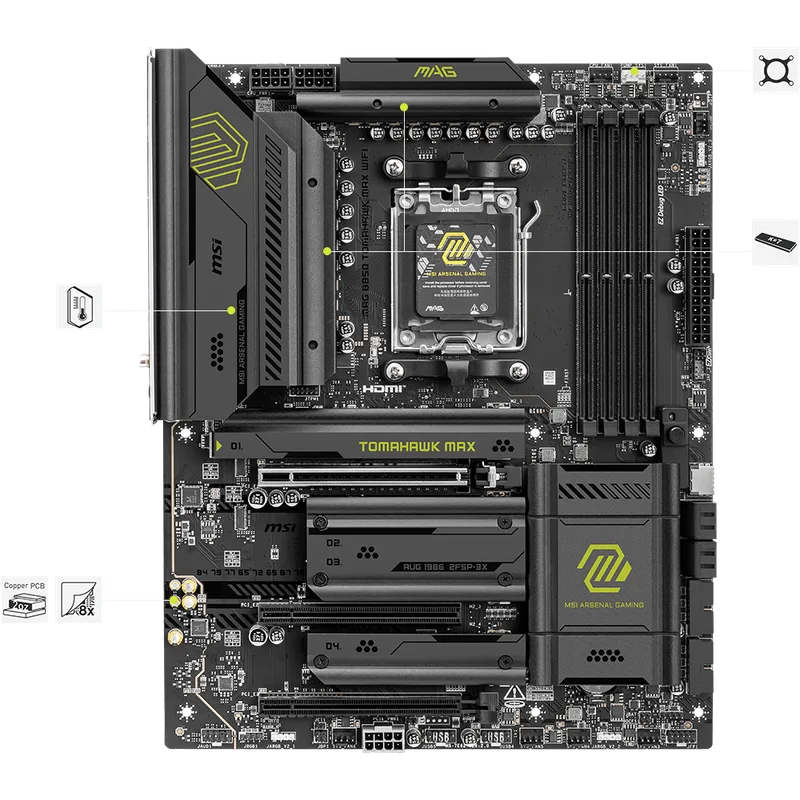
The MSI MAG B850 Tomahawk MAX WiFi earns the top B850 pick by stacking features that competing boards charge $30–$50 more to include. The “MAX” designation over the standard B850 Tomahawk means 5GbE LAN instead of 2.5GbE, DDR5 headroom up to 8400+ MT/s instead of 8200+ MT/s, and a fourth M.2 slot. At $210, those additions shift it from “solid budget pick” to the best all-around Ryzen 9000 platform for mainstream builds.
The VRM uses 80A SPS stages — adequate for a Ryzen 7 9700X or even a Ryzen 9 9900X at stock settings. If you’re pairing with a Ryzen 9 9950X for extended rendering at unrestricted power limits, step up to an X870E board with stronger power delivery.
Four M.2 slots is unusual at $210. Competing B850 boards from Gigabyte and ASUS at this price tier cap at three. If you’re building a multi-drive workstation or want room to grow your NVMe storage, that extra slot matters. The PCIe 5.0 slot supports current Gen5 drives at full bandwidth.
5GbE networking is the headline differentiator. Most B850 boards under $230 include 2.5GbE — fine for most home networks, but a bottleneck with a 5GbE switch or NAS. The Tomahawk MAX handles that without a premium.
Looking ahead: MSI released the B850 Tomahawk MAX WiFi II in early 2026 at ~$270, adding a 64MB BIOS ROM and OC Engine for independent BCLK control. If you’re planning BCLK-based overclocking, it’s worth the extra $60. For gaming or standard workstation builds, the original at $210 covers everything you need.
2. ASUS ROG Crosshair X870E Hero
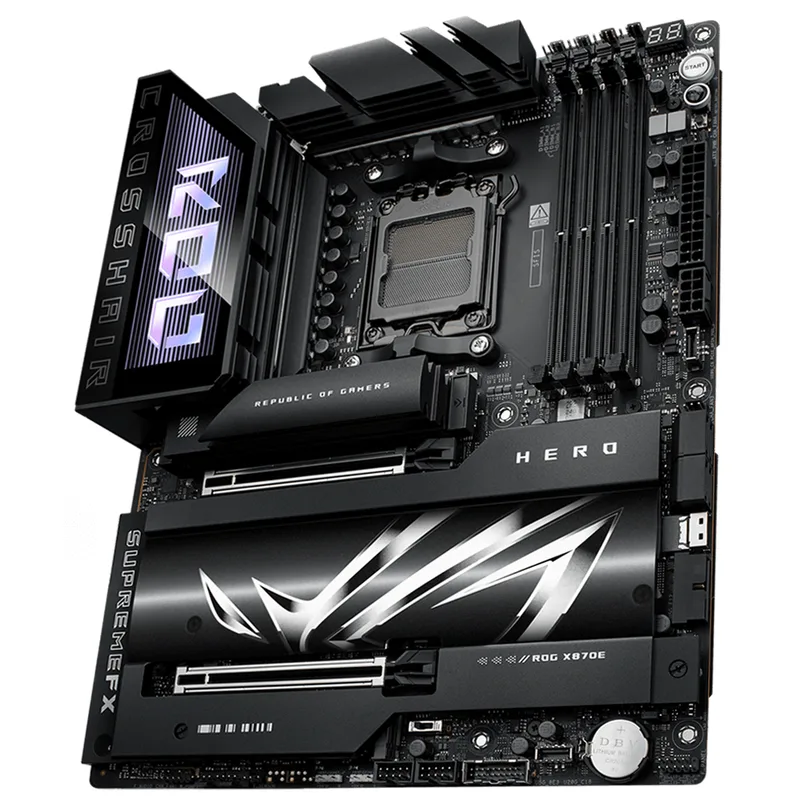
The ASUS ROG Crosshair X870E Hero sits at $580 — meaningful money, but a step below the $700+ ROG Crosshair Dark Hero while covering every high-end use case. Running a Ryzen 9 9950X3D at sustained all-core loads, filling five M.2 slots with NVMe Gen5 drives, connecting peripherals via USB4, and using ASUS’s AI Overclocking tools are all handled without compromise.
The 18+2+2 power stage design keeps the 9950X3D within its 170W TDP without throttling across extended Blender renders and Cinebench R24 multi-core sessions. ASUS ProCool II connectors and an 8-layer PCB add thermal headroom above what lighter designs manage at this price.
Five M.2 slots is the maximum for any ATX X870E board under $700, and all run PCIe 5.0-compatible slots. For content creators running video editing scratch drives alongside OS and game storage, or AI workloads requiring multiple model drives, that flexibility is real.
ASUS AI Overclocking reads Ryzen 9000 chip telemetry and auto-tunes EXPO DDR5 profiles, curve optimizer, and PBO2 offsets. It doesn’t replace manual tuning for competitive overclockers, but it gets a stock system to near-optimal performance without BIOS diving.
The ROG Crosshair X870E Dark Hero launched in early 2026 at ~$699, adding 20+2+2 power stages and dual LAN (10GbE + 5GbE). Unless you need that dual-LAN configuration or slightly stronger VRM headroom, the Hero at $580 covers what most Ryzen 9000 builds actually require.
3. ASRock X870E Taichi
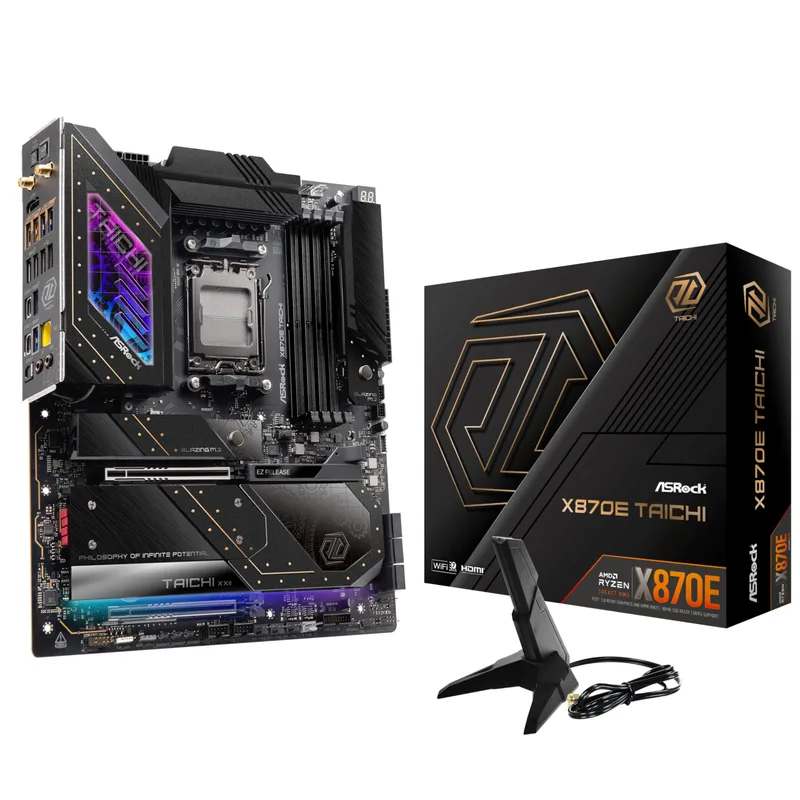
ASRock X870E Taichi
The ASRock X870E Taichi delivers the strongest VRM phase count in the X870E category at $440. Twenty-four power phases at 90A per stage totals more sustained delivery capacity than competing designs that compensate with higher per-stage amperage but fewer phases — phase count matters for Ryzen 9 9950X workloads above 150W sustained.
ASRock’s Taichi line has historically delivered near-flagship VRM quality at a step below ROG and MEG pricing. The X870E Taichi continues that: dual USB4 40 Gbps Type-C ports, 5GbE LAN, four PCIe 5.0 M.2 slots, and Wi-Fi 7 — a feature list that competes with $580+ boards at $140 less.
The E-ATX form factor is the critical caveat. The X870E Taichi measures 12” × 10.7”, so standard mid-towers won’t accommodate it. Verify case compatibility before buying. Popular compatible cases include the Fractal Design Define 7 XL, Lian Li O11D XL, and NZXT H9 Elite. If your case supports E-ATX, the extra PCB real estate gives ASRock room for its comprehensive VRM and I/O layout.
Independent reviews of the X870E Taichi consistently highlight VRM temperatures under 60°C during full Cinebench R24 multi-core load — a 10–15°C margin below competing boards with lighter power delivery designs.
4. MSI MPG X870E Carbon WiFi
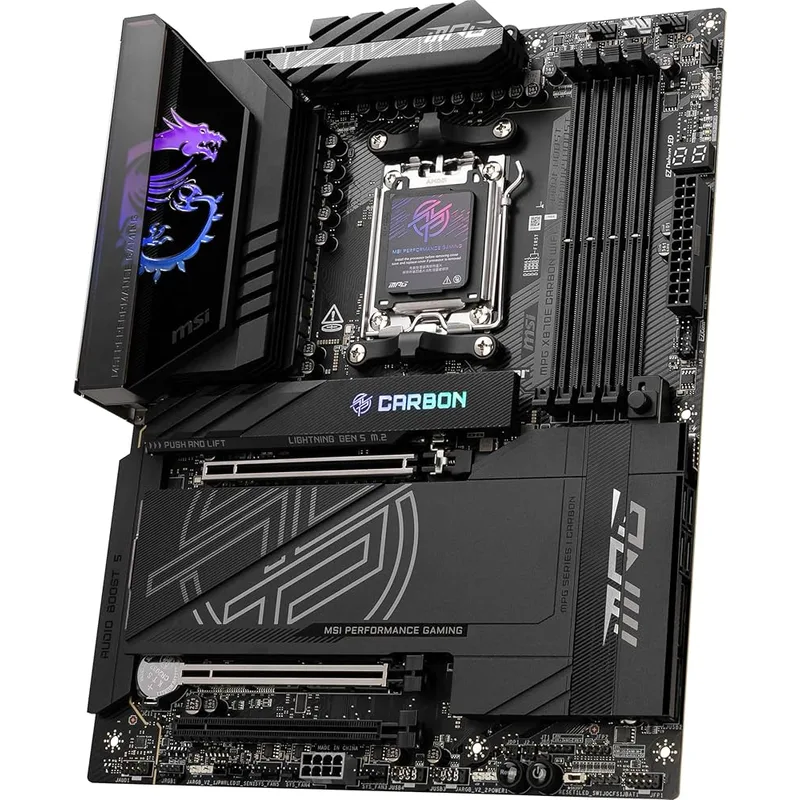
The MSI MPG X870E Carbon WiFi dropped to ~$399 in 2026 as MSI shifted to the updated Carbon MAX WiFi at $499. At that price, the original Carbon WiFi becomes one of the strongest X870E value propositions available: 110A SPS per-stage VRM, five PCIe 5.0 M.2 slots, dual PCIe 5.0 x16 slots, and USB 40Gbps — all in a standard ATX footprint.
The 110A SPS per-stage design gives each stage more current headroom before thermal rollback. For gaming builds the practical difference from lower-amperage designs is minimal, but for workstation users pushing sustained all-core Ryzen 9 9950X loads with PBO2 engaged, that headroom proves useful.
Dual PCIe 5.0 x16 slots is the feature no other board in this list includes. If a current or future GPU benefits from PCIe 5.0 x16 bandwidth, the Carbon WiFi delivers it across both slots without compromise. Five M.2 slots with PCIe 5.0 support rounds out the storage configuration.
Vs. the ASRock X870E Taichi at $440: the Carbon WiFi now costs $40 less and fits any standard ATX mid-tower. The Taichi wins on VRM phase count (24 vs the Carbon’s SPS design) and includes dual USB4 while the Carbon WiFi offers USB 40Gbps. For ATX case builders who want maximum PCIe bandwidth without the E-ATX size restriction, the Carbon WiFi at $399 is the better value in 2026.
If you want the latest-generation MSI X870E with the OC Engine for independent BCLK overclocking and a 64MB BIOS ROM, the Carbon MAX WiFi at $499 is the current model. For builders who don’t need those specific features, the original Carbon WiFi’s price drop makes it an exceptional deal.
5. GIGABYTE B850 AORUS Elite WIFI7
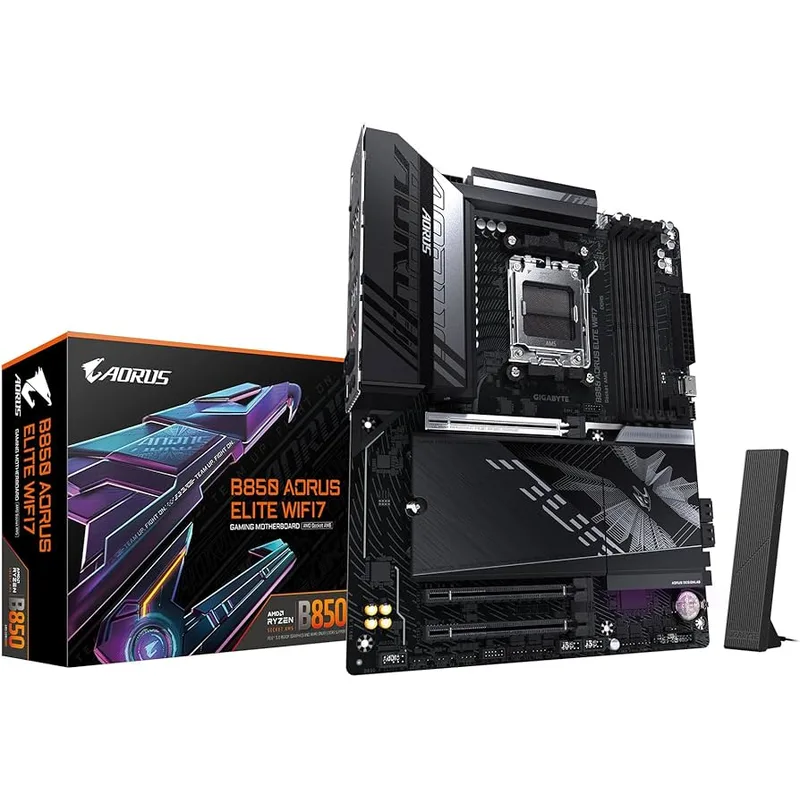
The GIGABYTE B850 AORUS Elite WIFI7 targets builders who want solid build quality from a major brand at the floor of the B850 market. At $210, it competes directly with the MSI B850 Tomahawk MAX and loses on a few headline specs — but wins on warranty coverage and build ergonomics.
GIGABYTE’s 5-year standard warranty is the longest in this class. MSI and ASUS cover B850 boards for 3 years. If you’re building a system you plan to keep running for 4–5 years, the extra two years of motherboard coverage carries real value.
The EZ-Latch system is the other practical differentiator. Both the M.2 slots and the PCIe x16 GPU slot use tool-free release mechanisms — no screwdriver needed to swap drives or GPUs. For builders who regularly change storage configurations, that saves time and eliminates stripped M.2 screw risk on repeated drive changes.
The 14+2+2 phase VRM handles Ryzen 7 9700X and 9800X3D builds comfortably at stock, with DDR5 EXPO support up to 8200+ MT/s. Where the B850 AORUS falls behind the Tomahawk MAX: only three M.2 slots (vs four), 2.5GbE instead of 5GbE, and a slightly lower DDR5 OC ceiling. For a Ryzen 5 9600X or Ryzen 7 9700X gaming build with one or two NVMe drives on a standard home network, those differences are invisible in day-to-day use. For NAS-connected workflows or heavy multi-drive setups, the Tomahawk MAX is the better spend at the same price.
FAQ
Do all AM5 motherboards support Ryzen 9000?
Not automatically. Boards sold before July 2026 may need a BIOS update to support Ryzen 9000 CPUs. Every board listed here shipped with Ryzen 9000 support out of the box. If you’re buying a used or older AM5 board, check the manufacturer’s CPU support list and flash the latest BIOS before installing your chip.
Is X870E worth the premium over B850 for gaming?
For pure gaming with a Ryzen 7 9700X or 9800X3D, no — the performance difference between B850 and X870E is under 1% in GPU-bound titles. X870E pays off if you use USB4 for external SSDs or eGPUs, need dual PCIe 5.0 M.2 slots for content creation workflows, or run a Ryzen 9 9950X at unrestricted power limits.
What DDR5 speed should I target for Ryzen 9000?
DDR5-6000 CL30 is the standard recommendation. It aligns AMD’s memory controller frequency (FCLK) at 2000 MHz for a 1:1 ratio with the memory clock, maximizing bandwidth without instability risk. DDR5-6400 CL32 is achievable on most boards listed here — above that, you need premium EXPO-certified kits and a solid BIOS memory training implementation, which all X870E boards here provide.
Will my current AM5 cooler work on Ryzen 9000?
Yes. The AM5 socket and mounting pattern haven’t changed — any AM5-compatible cooler (or AM4 cooler with an AM5 bracket) works on Ryzen 9000. Note the Ryzen 9 9950X has a 170W TDP; budget for a 280mm or 360mm AIO, or a high-end air cooler like the Noctua NH-D15, to avoid throttling at full load.
Can I use a B550 or X570 board with Ryzen 9000?
No. Ryzen 9000 uses the AM5 socket (LGA1718), while B550 and X570 use AM4 (PGA). They are physically incompatible — you need a new AM5 board.
What’s the difference between the MSI B850 Tomahawk MAX WiFi and the MAX WiFi II?
The original at $210 covers all mainstream Ryzen 9000 use cases. The Tomahawk MAX WiFi II at ~$270 adds a 64MB BIOS ROM and the OC Engine chip for independent BCLK overclocking. Unless you’re planning BCLK-based overclocking or want expanded BIOS memory for extended future CPU compatibility, the original is the smarter buy for most builders.
The Bottom Line
For most Ryzen 9000 gaming and mid-range workstation builds in 2026, the MSI MAG B850 Tomahawk MAX WiFi at $210 delivers everything you need — four M.2 slots, 5GbE LAN, and DDR5 up to 8400+ MT/s at a price that leaves budget for a better GPU or CPU. For X870E, the MSI MPG X870E Carbon WiFi at $399 is now the standout value: 110A VRM, five M.2 slots, and dual PCIe 5.0 x16 for less than any competing X870E with a comparable spec sheet. Builders who need dual USB4 and maximum VRM phase count for a Ryzen 9 9950X should look at the ASRock X870E Taichi at $440 — the strongest sustained power delivery in the X870E category, assuming your case supports E-ATX.