The NZXT H9 Flow got a meaningful update in late 2026 — back-connect motherboard support and upgraded 140mm fans — and that update reshuffled the recommendations for water cooling builds in early 2026. Cases that coasted on “great for water cooling” marketing without the internal volume, panel access, or pump mounting points to back it up are getting passed over. This roundup covers five cases that have been evaluated for actual liquid cooling hardware compatibility and deliver on the specific requirements that separate a water cooling chassis from a regular case with a radiator slot.
| Spec | Lian Li O11 Dynamic EVO Unavailable 9.5/10 | NZXT H9 Flow (2025) 9.1/10 | Corsair 5000D CORE Airflow Unavailable 8.8/10 | Hyte Y70 Touch Infinite 9/10 | Phanteks Eclipse G360A Unavailable 8.3/10 |
|---|---|---|---|---|---|
| formFactor | Mid-Tower E-ATX | Mid-Tower ATX | Mid-Tower ATX | Mid-Tower ATX (Dual-Chamber) | Mid-Tower ATX |
| radiatorSupport | 360mm side, 360mm roof, 360mm bottom (all three simultaneously) | 420mm top, 360mm side (total two radiator zones) | 360mm front, 360mm top, 360mm side — three independent zones | 360mm side up to 125mm thick, 360mm top up to 68mm thick | 360mm front (120mm depth), 360mm top (120mm depth) |
| fanMounts | 10x 120mm or 8x 140mm max | Includes 3x 140mm + 1x 120mm fans | 10x 120mm or 4x 140mm max (no fans included) | 10x 120mm total capacity | 3x 120mm ARGB included; 6x 120mm or 4x 140mm total |
| gpuLength | 446mm max | 435mm max | 400mm max | Up to 4-slot vertical GPU | 400mm max |
| mbCompatibility | E-ATX, ATX, mATX, Mini-ITX | ATX, mATX, Mini-ITX (back-connect ready) | E-ATX, ATX, mATX, Mini-ITX | — | E-ATX (up to 280mm wide), ATX, mATX, Mini-ITX |
| frontIO | USB-C 3.2 Gen 2, 2x USB-A 3.0, audio | — | — | USB-C 3.2 Gen 2 x2, USB-A 3.0 x2 | USB-C 3.2 Gen 2, USB-A 3.0, audio |
| Rating | 9.5/10 | 9.1/10 | 8.8/10 | 9/10 | 8.3/10 |
Prices change daily — tap Check Price for the current Amazon price.
Prices change daily — tap Check Price for the current Amazon price.
Quick Picks
- Best overall: Lian Li O11 Dynamic EVO — Triple 360mm radiator support, hidden pump mount, and dual tempered glass panels at $149
- Best for AIOs: NZXT H9 Flow (2025) — Dual-chamber layout, 420mm top slot, and 2025 back-connect update at $149
- Best budget: Phanteks Eclipse G360A — Dual 360mm rad support with three included ARGB fans at $99
Water Cooling Case Buying Guide
Radiator Clearance Is Not Enough
Every mid-tower case sold today claims radiator support. The question is whether those radiator mounts are independently usable or whether installing one blocks the others. On the Lian Li O11 Dynamic EVO, all three zones — side, roof, and bottom — can each hold a 360mm radiator simultaneously. On cheaper cases, mounting a 360mm rad in the front physically blocks the bottom fan mounts, limiting you to a single radiator regardless of what the spec sheet claims.
Before buying, identify which configuration you’re running: a 240mm or 360mm AIO (single radiator), a dual-radiator AIO+GPU loop (two radiators), or a full custom loop with three or more radiators. Your case choice changes significantly at each tier.
Pump and Reservoir Space
AIO builds skip this problem — the pump and reservoir are integrated into the cooler head. Custom loop builders need a separate place for the pump and reservoir. The best water cooling cases either include a dedicated pump mount on the bottom plate, a PSB (pump/reservoir bracket) mounting point on the rear wall, or enough interior volume to hang a reservoir vertically in front of the motherboard without blocking fan mounts.
The O11 Dynamic EVO hides a D5/DDC pump mount behind the removable bottom drive cage. The Corsair 5000D CORE has 66L of interior volume that accommodates most reservoir configurations without dedicated brackets. Cases under $100 like the G360A leave pump placement entirely up to you, which works but requires more planning.
Radiator Thickness and Push-Pull
A 360mm radiator in a case slot sounds straightforward until you try to run fans on both sides (push-pull). Standard radiators are 27–30mm thick. Adding 25mm fans on each side brings the total stack to 77–80mm. Most cases specify 120mm radiator depth, meaning you technically have 40mm of spare room — but only if the front panel mesh, the motherboard, and any cable routing on the back of the tray don’t eat into that space.
The Hyte Y70 Touch Infinite stands out here: its side rad zone accepts up to 125mm depth, which accommodates a 45mm thick high-fin-density rad with full push-pull without removing side panel hardware.
Tempered Glass Placement
Water cooling builds are built to be seen. Cases with a single left-side glass panel let you see the motherboard side but miss the bottom radiator, reservoir, and often the pump. Dual-glass cases like the O11 Dynamic EVO (side + front glass) and the Hyte Y70 Touch Infinite (L-shaped front-to-side glass) expose the full loop without requiring you to rotate the case to see your own tubing run.
Detailed Reviews
1. Lian Li O11 Dynamic EVO
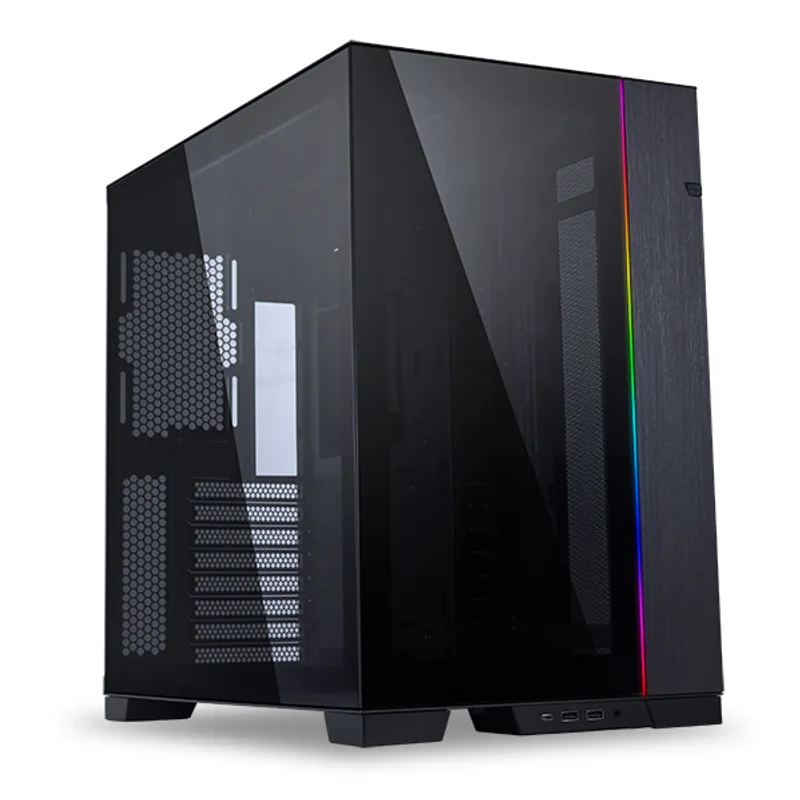
Lian Li O11 Dynamic EVO
The Lian Li O11 Dynamic EVO remains the benchmark for custom water loop cases in 2026 because it solves the two problems that kill most builds: where to put three radiators simultaneously, and where to hide the pump. The side, roof, and bottom each support a 360mm or 280mm radiator independently — you can fill all three without any mount interfering with the others. Most competitors that claim triple radiator support turn out to have one or two zones that conflict with fan positions or drive cages when you actually try to use them together.
The internal layout uses a dual-compartment design separating the PSU and cable routing from the main chamber, so the cable mess from an 850W modular PSU doesn’t compete with reservoir positioning. Behind the removable bottom drive cage, there’s a dedicated D5 or DDC pump mount — a feature that took the custom loop community years to popularize and that now ships standard on this case.
At $149 with no fans included, the true cost of building into this case with a triple-rad loop and proper fans is closer to $250–300 for the case and fans alone before cooling hardware. That’s the honest trade-off: you’re paying for volume and flexibility, not convenience.
GPU clearance hits 446mm, handling every current three-slot card on the market in horizontal orientation. The E-ATX support (up to 277mm wide motherboards) means it works for HEDT and enthusiast platform builds where other cases force you to step up to a full tower.
2. NZXT H9 Flow (2025)
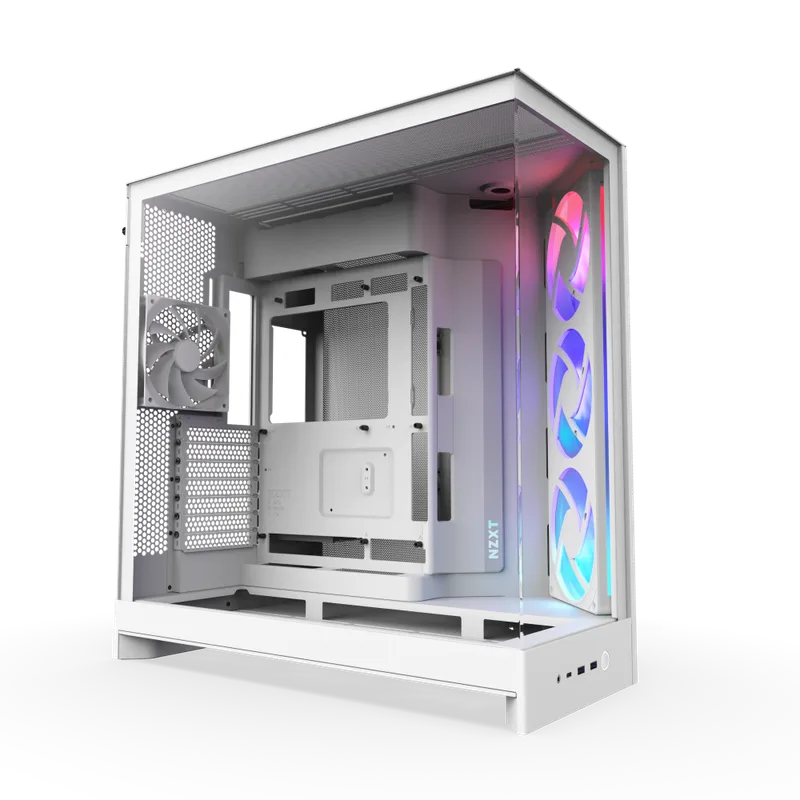
The NZXT H9 Flow (2025) is the right case if you’re running an AIO or a dual-radiator setup and want the loop to look clean without spending $300 on a showcase chassis. The 2025 revision — released in late 2026 — added native back-connect motherboard support (ASUS BTF, MSI Project Zero, Gigabyte Project Stealth), which changes what the interior looks like dramatically. With no visible power or data cables on the front side of the motherboard, the 420mm top radiator and side glass become the only things filling the view.
The dual-chamber design pushes all cables, the PSU, and rear-panel connections into a secondary chamber behind the tray. The main chamber holds the motherboard, GPU, and radiators in a layout that’s visually cleaner than any single-chamber case at the price. For an AIO build with a 360mm top-mounted rad and a glass side panel, there’s no wasted space and nothing competing visually.
Fan-wise, three 140mm fans come pre-installed plus one 120mm at the rear — a stronger out-of-box configuration than competitors shipping three 120mm fans. 140mm fan blades move more air at lower RPM, which matters for liquid cooling builds where you want low noise at idle and high airflow under sustained load.
The 420mm top slot is the headline spec. It fits a standard 360mm radiator with room for a thick 45mm fin stack or 38mm fans in push-pull. The side radiator zone caps at 360mm, which limits a dual-rad custom loop to 360+360mm rather than 420+420mm. For most AIO and simple custom builds, this doesn’t matter. For maximum custom loop density, you’d step up to the O11 Dynamic EVO instead.
3. Corsair 5000D CORE Airflow
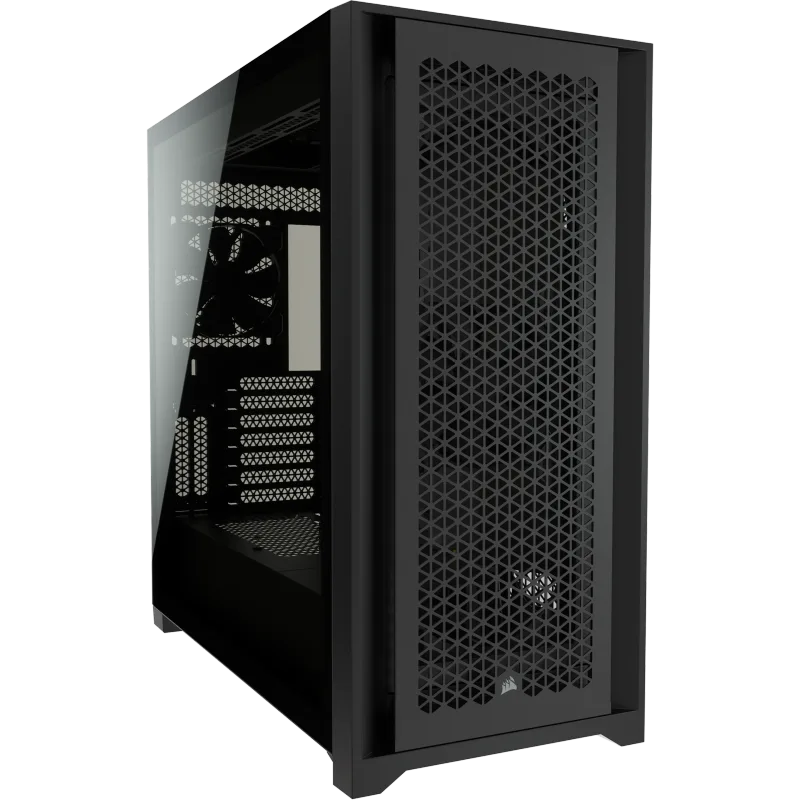
Corsair 5000D CORE Airflow
The Corsair 5000D CORE Airflow is the custom loop builder’s blank canvas. Corsair ships it with zero fans intentionally — this is a case for builders who know exactly what fans they’re buying and don’t want to pay for a bundled kit they’d remove anyway. The 66L interior volume is large enough to run three independent 360mm radiator zones (front, top, side) while still fitting a full E-ATX motherboard, a vertical GPU bracket, and a reservoir without any component blocking another.
The RapidRoute cable management system routes the entire main cable bundle — 24-pin ATX, CPU power, PCIe cables — through a single channel behind a hinged door with 25mm of depth. This is a meaningful feature for water cooling builds: cable routing behind the tray typically competes with the pump and reservoir positions on the rear panel. The RapidRoute channel keeps cables consolidated so pump brackets and reservoir fittings have unobstructed mounting real estate.
Front I/O includes USB-C 3.2 Gen 2, which survives well on a mid-range board. At $139 without fans, a basic build with three 120mm fans for the front radiator adds $30–50, putting the total at $170–190 — still cheaper than the O11 Dynamic EVO plus fans. For a builder who wants three rad zones without spending $250+, the 5000D CORE lands in the right position.
GPU clearance is 400mm, the limiting factor in this case. Current flagship cards from both AMD and NVIDIA run to 340–360mm in triple-fan configurations, so 400mm has comfortable margin for now. The RTX 5090 FE is 336mm; the longest AIB RTX 5090 cards from ASUS and MSI run to 360mm. Both fit horizontally.
4. Hyte Y70 Touch Infinite
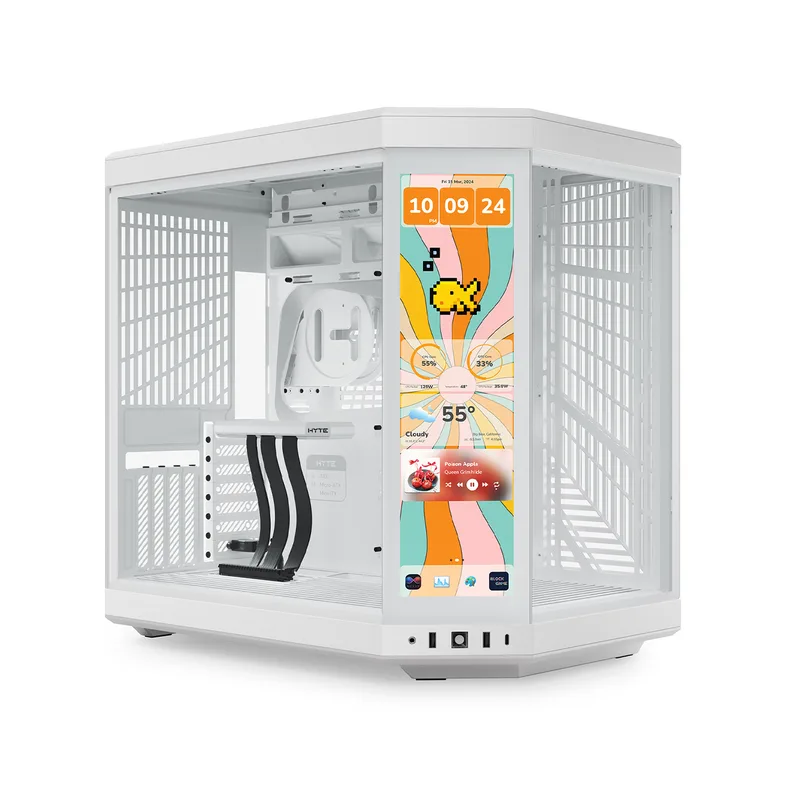
The Hyte Y70 Touch Infinite costs $379 and makes no apologies for it. This is a display-first water cooling case designed for builders who treat the finished PC as an art installation. The integrated 2.5K (2560×1440) touchscreen panel occupies the lower front, connected to the HYTE Nexus Hub to display real-time coolant temperature, pump RPM, CPU and GPU temperatures, and fan curves without launching any overlay software.
The panoramic L-shaped tempered glass is one continuous piece that wraps from the front panel around the left side. There’s no seam at the corner, no frame interrupting the view — just a single sweep of glass exposing the full interior from front to side. Combined with a vertical GPU mount and a side-mounted 360mm radiator in RGB-lit fittings, the Y70 Touch Infinite is the reason people spend more on their loop than on the rest of the PC.
Water cooling clearances are designed with this aesthetic in mind. The side rad zone accepts up to 125mm depth — generous enough for a thick 45mm high-fin-density radiator with 38mm thick fans in full push-pull on both sides. The top rad zone maxes at 68mm depth, sized for a standard 30mm rad plus a single fan layer. Running a 360mm push-pull on the side and a 360mm single-fan on top gives you the visual focal point (side rad visible through the front glass) plus adequate exhaust capacity at the top.
The dual-chamber design separates PSU and cables into a rear compartment, keeping the main chamber uncluttered. The trade-off for the panoramic glass is reduced front airflow — there are no front intake vents, so the loop relies entirely on the side and bottom fan positions for fresh air intake. For a closed loop, this works. For a high-TDP open-air build, you’d want more intake options.
5. Phanteks Eclipse G360A
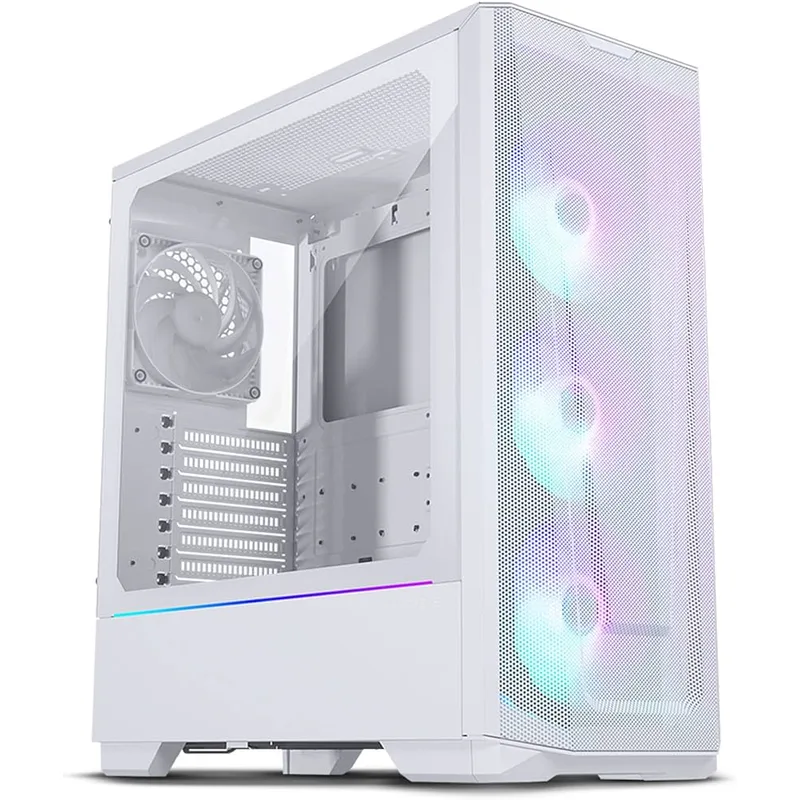
Phanteks Eclipse G360A
The Phanteks Eclipse G360A is the entry point for water cooling case purchasing at $99, and it earns that position by including three ARGB 120mm fans pre-installed and supporting dual 360mm radiators — front and top — simultaneously. Most budget cases either cap radiator support at one zone or sacrifice fan compatibility when you install a rad in both positions. The G360A fits a 360mm front radiator (up to 120mm depth including fans) and a 360mm top radiator (up to 120mm depth) with both zones accessible at the same time.
The ultra-fine mesh front panel uses 0.5mm holes rather than the 1mm mesh standard at this price. Finer mesh improves dust filtration — relevant for water cooling builds where dust in the loop or on radiator fins degrades performance over time — without reducing airflow enough to matter for radiator performance. Phanteks tested this mesh at equivalent airflow resistance to a perforated steel panel at normal fan speeds.
Front I/O includes USB-C 3.2 Gen 2, which is unusual at $99. The competing Corsair 4000D at a similar price includes USB-C 3.2 Gen 1 only. For a build with a Gen 2 device like an external SSD or controller, the distinction matters.
The weak point is rear exhaust. A single 120mm slot at the rear can’t keep up with the heat output of a dual-radiator build under sustained load. The solution is running the top rad fans in exhaust mode and the front fans in intake mode, which works, but it means hot air from the CPU rad (typically mounted at top exhaust in an AIO config) recirculates through the front intake if you don’t set fan curves aggressively. At $99, this is an acceptable constraint — it’s a problem you manage with software, not hardware.
Comparison Table
FAQ
Can I run a full custom loop in a mid-tower case? Yes, but the case selection matters significantly. A three-radiator loop (CPU, GPU, VRM) requires three independent radiator zones that don’t conflict when all are installed simultaneously. Only the Lian Li O11 Dynamic EVO and the Corsair 5000D CORE Airflow on this list support that configuration. The NZXT H9 Flow and Hyte Y70 Touch handle dual-radiator loops cleanly. The Phanteks G360A works for a single-component 360mm AIO or a modest dual-rad setup.
Does a water cooling case need special mounting points for a pump and reservoir? Not for AIO builds — the pump and reservoir are integrated into the cooler head and mount directly to the motherboard’s CPU mounting area. For custom loops, you need a D5 or DDC pump mount, typically on the bottom plate or rear wall. The O11 Dynamic EVO includes a hidden pump mount behind the drive cage. The 5000D CORE has enough interior volume to mount a pump/reservoir bracket on the rear panel without blocking anything. Always confirm pump mounting compatibility before finalizing your component list.
What radiator thickness should I buy for push-pull? Standard radiator thickness is 27–30mm. Add 25mm per fan layer: single fan = 52–55mm total, push-pull = 77–80mm total. Most case radiator slots claim 120mm depth — that gives you room for push-pull with margin. For thicker high-performance rads (45mm), push-pull hits 95mm total, which requires confirming the case’s specific slot depth, not just the advertised maximum. The Hyte Y70 Touch Infinite’s 125mm side slot handles this configuration; the Phanteks G360A’s 120mm front slot does not with a 45mm rad.
Is tempered glass bad for water cooling thermals? Side and front tempered glass panels don’t affect internal thermals meaningfully — they don’t block or redirect airflow on the intake or exhaust path in any case on this list. Front-mounted glass (non-mesh) panels do restrict intake airflow significantly, but none of these cases use a solid glass front panel. All use mesh or open-panel designs for intake, with glass only on the side or the L-shaped wrap (Hyte Y70) where it has no airflow role.
Do I need E-ATX compatibility for a water cooling build? No. Most water cooling components are sized around ATX motherboard layouts. E-ATX support matters if you’re using a threadripper, workstation, or high-end desktop (HEDT) platform board that physically exceeds ATX dimensions. For AMD Ryzen 9000 and Intel Core Ultra 200S builds on standard AM5 and LGA1851 boards, ATX is the largest format you need, and every case on this list supports ATX.
The Bottom Line
The Lian Li O11 Dynamic EVO is the pick for custom loop builders — triple 360mm rad support, a hidden pump mount, and dual glass panels give you the layout flexibility and presentation quality that custom water cooling justifies. For AIO builds, the NZXT H9 Flow (2025) handles the practical side cleanly: 420mm top slot, dual-chamber cable management, and back-connect motherboard support at the same $149 price. If $99 is the ceiling, the Phanteks Eclipse G360A delivers genuine dual 360mm support with three fans included — a starting point that scales reasonably as the budget grows.