Logitech shipped the G Pro X2 Superstrike in February 2026 with electromagnetic haptic click technology — the first time rapid trigger has appeared in a wireless gaming mouse at the flagship tier. At the same time, the Razer DeathAdder V4 Pro dropped to $120 in March 2026, its lowest price to date, making the ergonomic top pick more accessible than ever. If you’re shopping for a wireless gaming mouse right now, the field is genuinely competitive at every price point from $50 to $180.
| Spec | Logitech G Pro X2 Superstrike 9.5/10 | Logitech G Pro X Superlight 2 DEX 9.2/10 | Razer DeathAdder V4 Pro 9/10 | ASUS ROG Harpe II Ace 8.8/10 | Razer Basilisk V3 X HyperSpeed 8/10 |
|---|---|---|---|---|---|
| weight | 61g | 60g | 56g | 48g | 83g |
| sensor | Hero 2 — 44,000 DPI | Hero 2 — 44,000 DPI | Focus Pro 45K (Gen-2) — 45,000 DPI | AimPoint Pro — 42,000 DPI | Razer 5G Advanced — 18,000 DPI |
| polling_rate | up to 8,000 Hz | up to 8,000 Hz | up to 8,000 Hz | up to 8,000 Hz | 1,000 Hz (HyperSpeed) / 125 Hz (Bluetooth) |
| battery_life | ~90 hours (1000 Hz) | ~95 hours (1000 Hz) | up to 150 hours (1000 Hz) | up to 101 hours (2.4 GHz, RGB off) | 285 hours (HyperSpeed) / 535 hours (Bluetooth) |
| connectivity | Lightspeed 2.4 GHz + USB-C wired | Lightspeed 2.4 GHz + USB-C wired | HyperSpeed Gen-2 2.4 GHz + USB-C wired | Tri-mode: 2.4 GHz / Bluetooth / USB-C wired | HyperSpeed 2.4 GHz + Bluetooth |
| switches | Haptic Inductive Trigger (HITS) | Optical (Gen-2) | Optical (Gen-4, 100M click rating) | ROG Micro Switch (Gen-2) | Mechanical (Gen-2, 60M click rating) |
| Rating | 9.5/10 | 9.2/10 | 9/10 | 8.8/10 | 8/10 |
Prices change daily — tap Check Price for the current Amazon price.
Prices change daily — tap Check Price for the current Amazon price.
Quick Picks
- Best overall: Logitech G Pro X2 Superstrike — $179, haptic rapid-trigger clicks, 8 kHz polling, 61g
- Best value flagship: Razer DeathAdder V4 Pro — $120, 150-hour battery, Focus Pro 45K sensor
- Best budget: Razer Basilisk V3 X HyperSpeed — $50, 285-hour AA battery, 9 programmable buttons
Buying Guide
Sensor and polling rate: where diminishing returns begin
Every mouse above $80 in this roundup runs a 42K–45K DPI optical sensor. In practice, the difference between those sensors at 800–1600 DPI (where most players sit) is zero — what separates them is polling rate. At 1,000 Hz, the mouse reports its position 1,000 times per second. At 8,000 Hz, it reports 8,000 times. The latency reduction from 8 kHz is real and measurable (~0.125 ms vs ~1 ms per report), but whether you can feel it depends on your monitor’s refresh rate and your reaction time. If you’re on a 1440p 165 Hz panel, 1 kHz is fine. If you’re at 4K 240 Hz or competing at 360 Hz, 8 kHz matters.
Weight and shape: the two decisions that actually matter
The five mice here range from 48g (ROG Harpe II Ace) to 83g (Basilisk V3 X HyperSpeed). Below 65g, the weight difference stops being meaningful for most players — the real variable becomes grip style:
- Palm grip — Your whole hand rests on the mouse. The DeathAdder V4 Pro’s ergonomic hump was designed for this.
- Claw grip — Fingers arch over the buttons. The ROG Harpe II Ace and G Pro X Superlight 2 DEX suit this well.
- Fingertip grip — Only fingertips contact the mouse. Anything under 55g helps; the Harpe II Ace at 48g is ideal.
Wireless technology: 2.4 GHz vs Bluetooth
Every serious gaming option here uses a dedicated 2.4 GHz dongle for sub-1 ms wireless latency. Bluetooth on the Basilisk V3 X HyperSpeed is for desk/laptop use — polling drops to 125 Hz in Bluetooth mode. Do not use Bluetooth for competitive play.
Battery: the hidden spec
The Basilisk V3 X HyperSpeed uses an AA battery and lasts 285 hours. The DeathAdder V4 Pro lasts 150 hours via built-in rechargeable. The Logitech options offer 90–95 hours. Unless you’re bad at plugging things in overnight, battery life is not a practical differentiator above 80 hours — but the Basilisk’s AA system means you’re never stuck with a dead mouse mid-session.
Detailed Reviews
1. Logitech G Pro X2 Superstrike — Best Overall
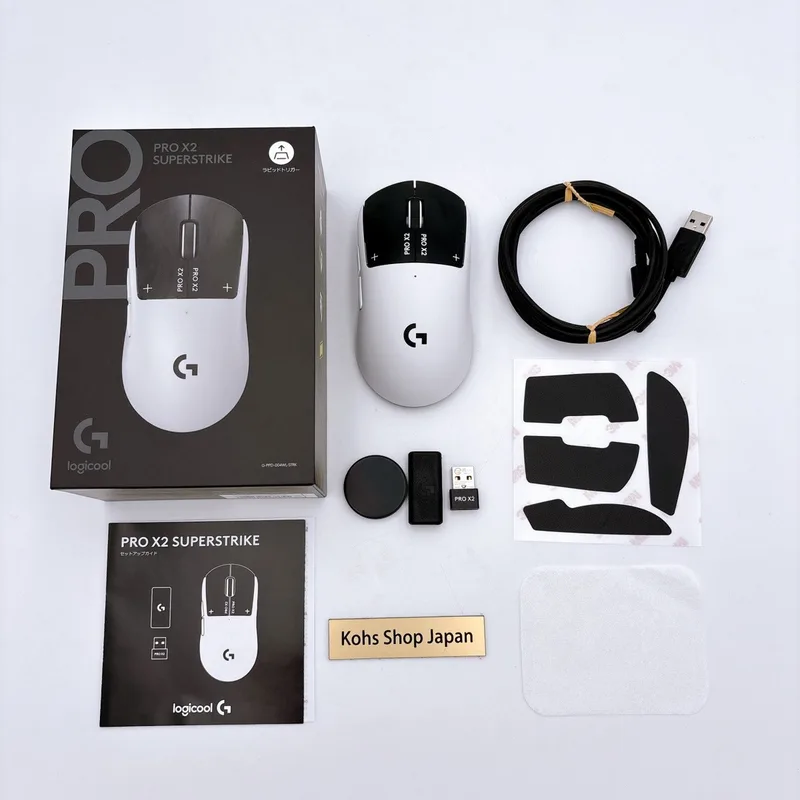
The G Pro X2 Superstrike is Logitech’s most technically ambitious gaming mouse. The Haptic Inductive Trigger System (HITS) replaces physical click mechanisms with electromagnetic induction, allowing the firmware to set precise actuation points anywhere along the travel range. There are 10 actuation levels and five rapid-reset depth options — the same configurability keyboard players get with hall-effect switches, now in a mouse.
Logitech claims a 30 ms reduction in click-to-register latency compared to mechanical switches. That figure is measurable on high-speed cameras, though the practical advantage in-game depends on how click-latency compares to your overall system latency chain (display, network, etc.). For players already using rapid-trigger keyboards, the feature will feel immediately familiar.
The underlying hardware is identical to the Superlight 2 DEX: Hero 2 sensor at up to 44,000 DPI, Lightspeed 2.4 GHz wireless, 8 kHz polling, and 61g. Battery life drops slightly to ~90 hours (vs 95 on the DEX) due to the haptic system’s power draw. The shape is right-hand only with a classic pointed-front Logitech G Pro profile.
At $179, it costs the same as the Superlight 2 DEX did at launch. The DEX has since settled around $160, so you’re paying roughly $20 for rapid trigger. That premium makes sense for players already running a rapid-trigger keyboard who want the same responsiveness in their clicks.
2. Logitech G Pro X Superlight 2 DEX — Editor’s Pick
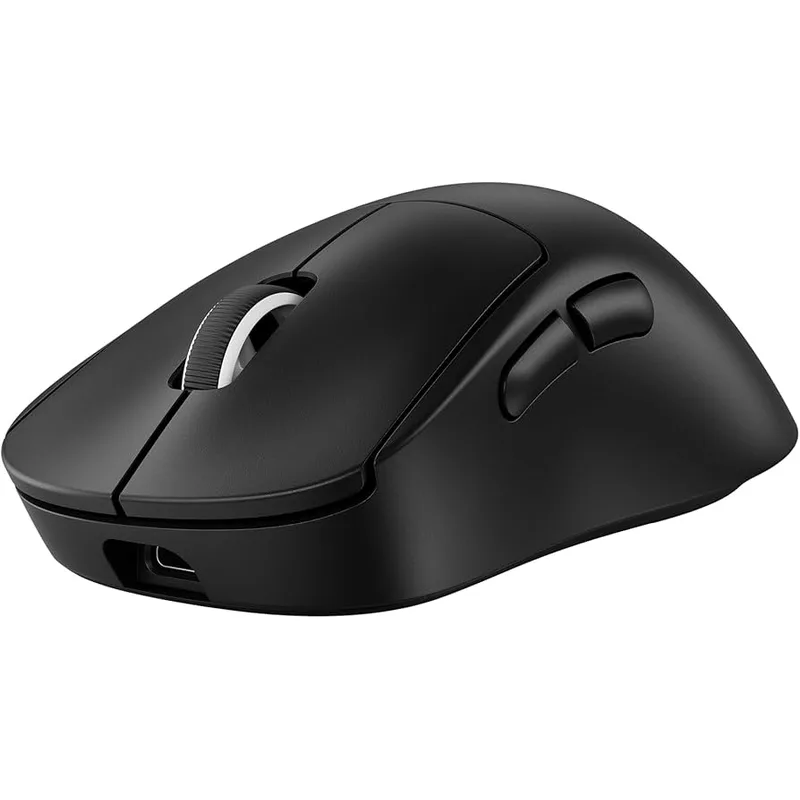
The G Pro X Superlight 2 DEX is the safer recommendation for most players. It carries the same Hero 2 sensor, the same 8 kHz polling, and the same battle-tested shape as the X2 Superstrike — without the haptic system and at a lower street price.
The “DEX” designation indicates optical switches rather than mechanical, a firmer actuation feel, and the inclusion of a charging dock in some bundles. Optical switches register at the speed of light (literally) rather than waiting for a physical contact to close, which eliminates debounce delay and gives a consistent actuation point over the lifetime of the switch.
At ~60g with a 95-hour battery at 1,000 Hz, the Superlight 2 DEX is competitive with every mouse in this roundup on specs. It’s been the daily driver of choice for players at CS2 majors and VALORANT Champions throughout 2025.
If you don’t need rapid trigger and aren’t interested in paying the $20 premium, the DEX is the better purchase today.
3. Razer DeathAdder V4 Pro — Best Ergonomic
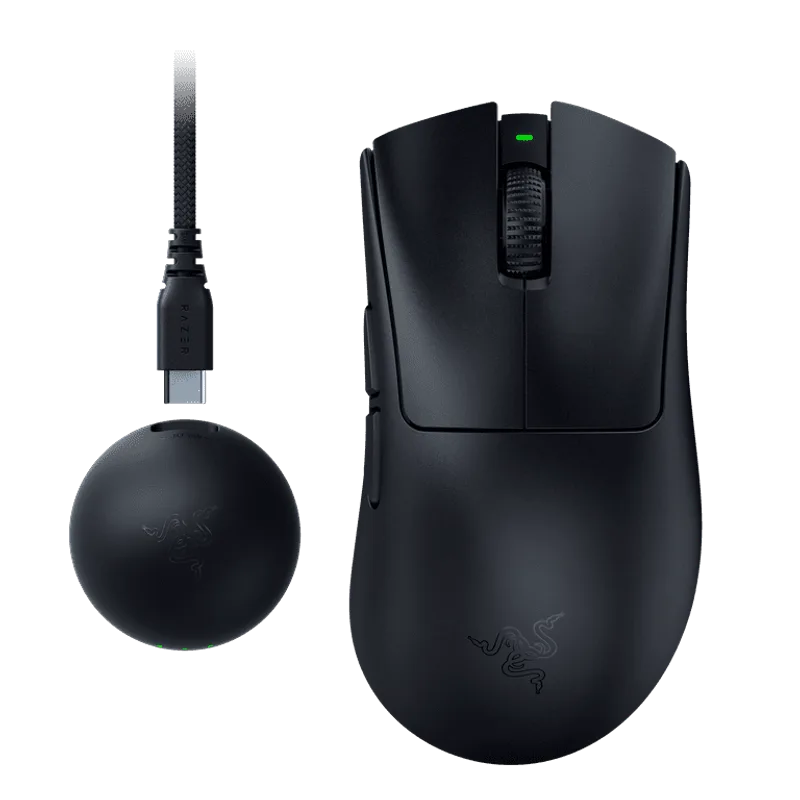
Razer’s DeathAdder V4 Pro dropped to $120 in March 2026 — $50 off its original launch price. At $120, it’s the most spec-dense mouse per dollar in this roundup.
The Focus Pro 45K Gen-2 sensor supports up to 45,000 DPI and 8,000 Hz polling. HyperSpeed Gen-2 wireless delivers 2.4 GHz latency that Razer’s internal data puts within margin of error of Logitech Lightspeed. Gen-4 optical switches are rated to 100 million clicks — twice the rating on mechanical switches common in this price range.
The battery is the standout: 150 hours at 1,000 Hz. That’s 60 more hours than the Logitech options. Real-world this means charging every six weeks instead of every three, assuming four-hour daily play sessions.
The limitation is shape. The DeathAdder’s ergonomic right-hand hump is purpose-built for palm grip. If you use claw or fingertip, or if you’re left-handed, the shape will work against you. The 56g weight is competitive but not best-in-class — the Harpe II Ace beats it by 8g.
4. ASUS ROG Harpe II Ace — Best Ambidextrous
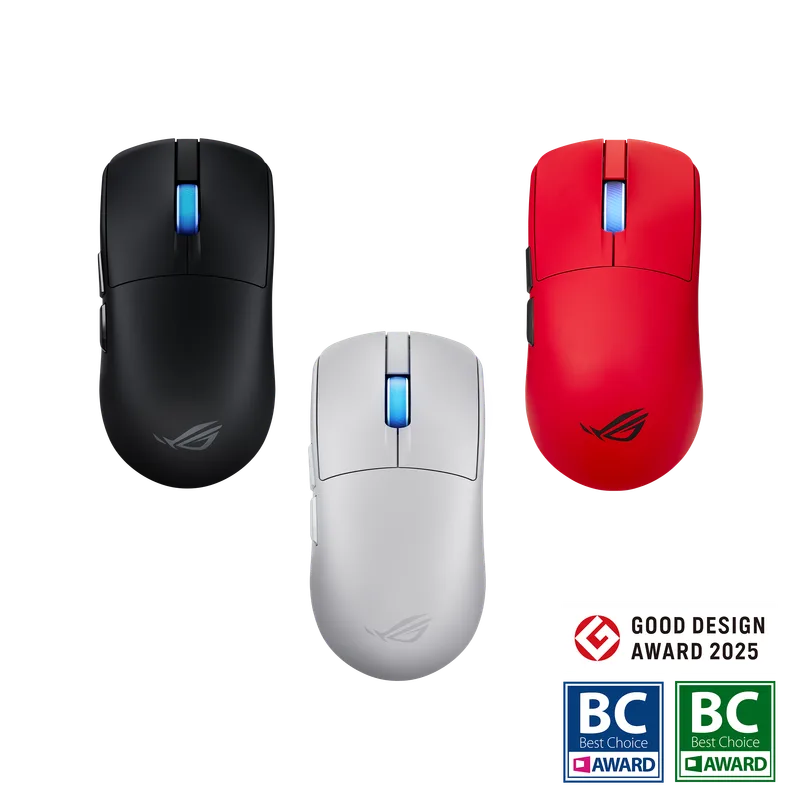
The ROG Harpe II Ace was developed in collaboration with VALORANT pro Cyan “Demon1” Bean for the 2025 competitive season. At 48g with a symmetrical ambidextrous shell, it’s the right pick for claw-grip or fingertip players who don’t want to commit to a right-hand-only shape.
The AimPoint Pro sensor at 42,000 DPI and 8 kHz polling puts it marginally behind the 44K–45K options in sensors and on par in polling rate. In practice, the 2K DPI ceiling difference is irrelevant — no competitive player runs above 3,200 DPI. What matters more is the sensor’s tracking consistency at fast swipes, where the AimPoint Pro performs without lift-off distance issues at standard mousepads.
Tri-mode connectivity is a genuine convenience: 2.4 GHz for gaming, Bluetooth for laptop/couch use, and USB-C wired for tournament play where wireless dongles may be prohibited. The 101-hour battery (RGB off) covers three weeks of heavy use.
The web-based configuration tool is the one friction point. Unlike Synapse or G Hub, you configure the Harpe II Ace through a browser rather than a standalone app. It works, but it requires an internet connection and won’t function offline.
5. Razer Basilisk V3 X HyperSpeed — Best Budget
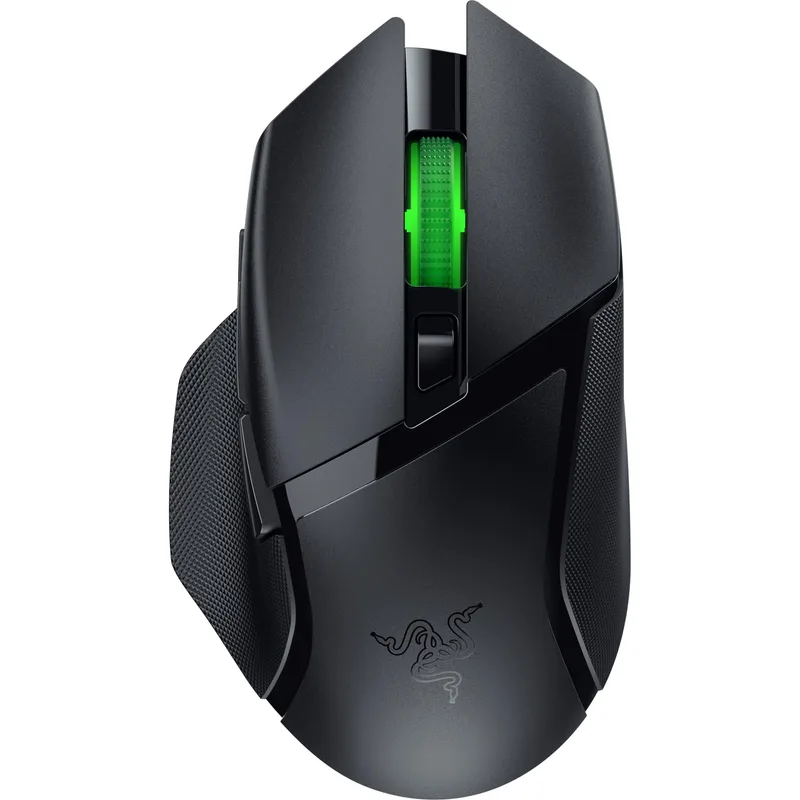
At $50, the Basilisk V3 X HyperSpeed doesn’t compete on sensor specs or weight — it competes on value for players who don’t need esports-grade polling rates and want long battery life over everything else.
The 5G Advanced 18K DPI sensor is accurate and tracking-consistent below 12,000 DPI. At 1,000 Hz HyperSpeed wireless, latency is in the 1 ms range — perfectly adequate for casual competitive play and undetectable on non-professional level setups. The AA battery delivering 285 hours means you’ll replace the battery roughly four times a year at five hours daily use.
Nine programmable buttons (including tilt scroll) with Chroma RGB at $50 is objectively good value. The equivalent wired mouse with these features costs more. The weight at 83g is heavier than the rest of this roundup, but it’s not uncomfortable — heavier mice are sometimes preferred by players with a looser, lower-DPI wrist-aim style.
The ceiling is what it is: no 4K or 8K polling, 18K DPI sensor cap, and 83g aren’t going to satisfy players who’ve used an ultralight flagship. But if you’re upgrading from a budget wired mouse or need a reliable wireless secondary, the Basilisk V3 X HyperSpeed delivers.
FAQ
Does wireless add latency compared to wired? At 2.4 GHz with a dedicated gaming dongle (Logitech Lightspeed, Razer HyperSpeed), the wireless latency is 1 ms or below at 1,000 Hz polling. At 8,000 Hz polling, the report interval is 0.125 ms — faster than most wired mice running at 1,000 Hz. Wireless versus wired is not a relevant performance distinction for any mouse in this roundup.
What’s the difference between 1 kHz, 4 kHz, and 8 kHz polling? Polling rate is how often the mouse reports its position to the PC. At 1,000 Hz, that’s every 1 ms. At 8,000 Hz, every 0.125 ms. The practical gain of 8 kHz over 1 kHz is measurable in trace comparisons but requires a 240+ Hz display and very consistent mechanical conditions to perceive. For 60–165 Hz gaming, 1,000 Hz is sufficient.
Is rapid trigger worth it on a mouse? Rapid trigger on keyboards reduces re-actuation time by allowing the switch to trigger again before fully returning to rest position. The G Pro X2 Superstrike applies a similar concept to mouse clicks: the HITS system can re-engage before the click fully releases. For double-click timing in shooters or fast button mashing in action games, the measured advantage is real. Whether it affects your performance at your level of play is harder to say.
How long do wireless gaming mice batteries last in real use? The rated hours assume specific polling rates and RGB-off conditions. A rough real-world guide: Logitech’s 95-hour rating at 1 kHz translates to ~3 weeks at 4 hours/day. The DeathAdder V4 Pro’s 150 hours gets you ~5 weeks. The Basilisk V3 X HyperSpeed’s 285 hours on a single AA battery is approximately 9 weeks at the same use rate.
Do I need a mousepad for these mice? Modern optical sensors work on most surfaces, but a cloth mousepad improves tracking consistency and reduces lift-off distance sensitivity. Hard pads offer lower friction and suit faster swipe styles. The glass skates on premium mice (like the Harpe II Ace) perform differently across pad surfaces — it’s worth trying a medium-speed cloth pad if you’re new to ultralight mice.
The Bottom Line
The Logitech G Pro X2 Superstrike is the most technically sophisticated wireless gaming mouse available in early 2026 — if rapid trigger and adjustable actuation are features you’ll actually use, nothing matches it at $179. For everyone else, the Razer DeathAdder V4 Pro at $120 is the easiest recommendation: 150-hour battery, 45K sensor, 8 kHz polling, and a price that dropped by $50 since launch. Players who need an ambidextrous shape should go directly to the ROG Harpe II Ace.