Disclosure: PCBuildRanked earns from qualifying Amazon purchases.
The RTX PRO 6000 Blackwell Workstation Edition changed the calculus for professional GPU buyers: 96GB of GDDR7 ECC at PCIe 5.0 means multi-stream 8K workflows that used to require a server now fit on a single desktop card. For most content creators, though, the decision sits further down the stack — between the proven RTX 6000 Ada, the value-oriented AMD Radeon PRO W7900, and NVIDIA’s mid-range Ada cards.
| Spec | NVIDIA RTX PRO 6000 Blackwell Workstation Edition Unavailable 9.8/10 | NVIDIA RTX 6000 Ada Generation Unavailable 9.2/10 | AMD Radeon PRO W7900 8.7/10 | NVIDIA RTX 4500 Ada Generation 8.3/10 | NVIDIA RTX 4000 Ada Generation 7.9/10 |
|---|---|---|---|---|---|
| architecture | Blackwell | Ada Lovelace | RDNA 3 | Ada Lovelace | Ada Lovelace |
| vram | 96GB GDDR7 ECC | 48GB GDDR6 ECC | 48GB GDDR6 ECC | 24GB GDDR6 ECC | 20GB GDDR6 ECC |
| cuda_cores | 24,064 | 18,176 | — | 7,680 | 6,144 |
| memory_bandwidth | 1,790 GB/s | 960 GB/s | — | 432 GB/s | 288 GB/s |
| tdp | 600W | 300W | 295W | 210W | 100W |
| pcie | PCIe 5.0 x16 | PCIe 4.0 x16 | PCIe 4.0 x16 | PCIe 4.0 x16 | PCIe 4.0 x16 |
| Rating | 9.8/10 | 9.2/10 | 8.7/10 | 8.3/10 | 7.9/10 |
Prices change daily — tap Check Price for the current Amazon price.
Prices change daily — tap Check Price for the current Amazon price.
Quick Picks
- Best overall: NVIDIA RTX PRO 6000 Blackwell — 96GB GDDR7, unmatched for 8K and AI-accelerated production pipelines
- Best value at pro-tier VRAM: AMD Radeon PRO W7900 — 48GB GDDR6 at roughly half the price of the RTX 6000 Ada
- Best mid-range: NVIDIA RTX 4500 Ada — 24GB ECC for $2,250, covers 90% of 4K/6K workflows
Buying Guide for Workstation GPUs
VRAM is the critical spec
Consumer gaming GPUs top out at 24GB (RTX 4090). Every card on this list starts at 20GB ECC and climbs to 96GB. For content creators, the math is simple: 4K timeline editing needs 12–16GB; 6K VFX compositing needs 20–24GB; 8K raw or complex Unreal Engine environments need 32GB+. ECC memory also catches single-bit errors silently — important on production machines running 12-hour renders.
CUDA vs OpenCL/ROCm
The NVIDIA workstation lineup ships with ISV-certified drivers and CUDA acceleration for nearly every major production app: Blender Cycles, DaVinci Resolve Studio, After Effects, Nuke, Cinema 4D, Houdini, Unreal Engine, and the Topaz AI suite. AMD’s W7900 supports ROCm and HIP for Blender, plus OpenCL for DaVinci Resolve, but several CUDA-only tools (older Topaz models, some Stable Diffusion frontends) don’t have AMD paths. If your studio pipeline runs CUDA-specific tools, NVIDIA is the safer choice.
PSU requirements
| GPU | TDP | Minimum Recommended PSU |
|---|---|---|
| RTX PRO 6000 Blackwell | 600W | 1000W (workstation-grade) |
| RTX 6000 Ada | 300W | 750W |
| Radeon PRO W7900 | 295W | 750W |
| RTX 4500 Ada | 210W | 650W |
| RTX 4000 Ada | 100W | 450W |
Always use a workstation-certified PSU (Seasonic, be quiet!, Corsair HX series) for 24/7 render workloads.
ISV certification
All five cards on this list carry ISV certifications for major DCC apps. NVIDIA’s certified driver stack (Studio Drivers for consumers, Workstation drivers for these) guarantees stability for Autodesk Maya and 3ds Max, Adobe Premiere and After Effects, Foundry Nuke, SideFX Houdini, and SolidWorks. AMD certifies the W7900 for the same list — verification just takes longer to reach niche apps.
Detailed Reviews
1. NVIDIA RTX PRO 6000 Blackwell Workstation Edition
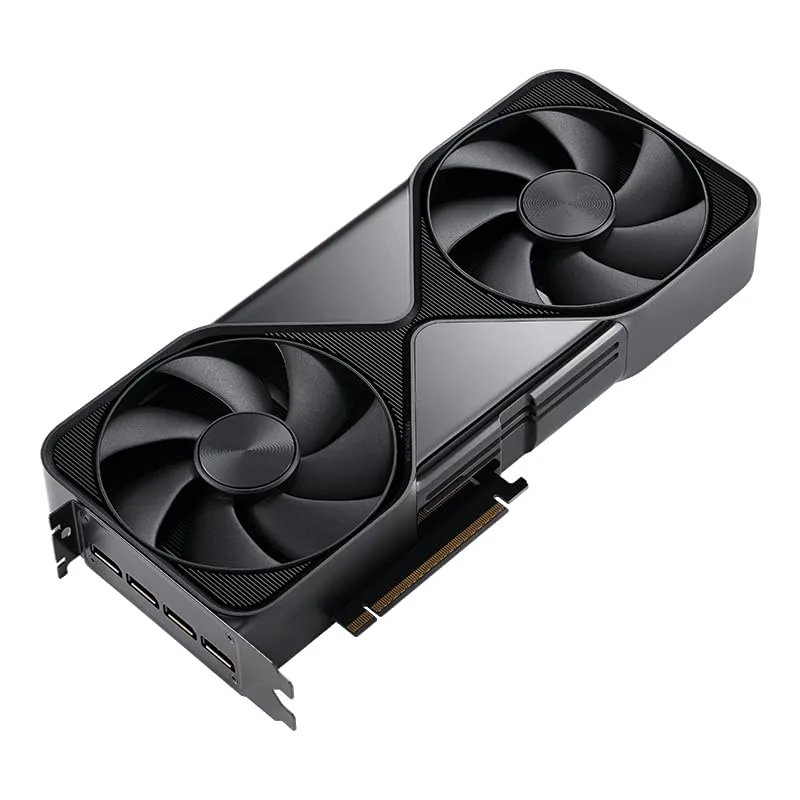
NVIDIA RTX PRO 6000 Blackwell Workstation Edition
The RTX PRO 6000 Blackwell is the first desktop workstation GPU built on NVIDIA’s Blackwell architecture. Its 96GB of GDDR7 ECC runs at 1,790 GB/s of memory bandwidth — nearly double the RTX 6000 Ada’s 960 GB/s — which translates directly to faster texture streaming in large Unreal Engine scenes and faster frame times when doing GPU-accelerated color grading on 8K RAW footage in DaVinci Resolve.
The 5th-gen Tensor Cores add FP4 precision support, which matters for AI inference-heavy workflows: running background removal, upscaling (DLSS 4 Super Resolution), or AI noise reduction inside editing apps. NVIDIA rates AI throughput at up to 3x better than Ada Lovelace — and the FP4 path specifically benefits workflows that integrate diffusion-model-based tools into production pipelines.
The 600W TDP is the significant operational constraint. You need a workstation chassis with proper front-to-back airflow, a 1000W+ PSU, and sufficient cable management. HP Z6 G5, Lenovo ThinkStation P8, and Dell Precision 7960 all support RTX PRO Blackwell configurations. In a custom ATX build, you’ll need a high-airflow case like the Fractal Design Define 7 XL and a Seasonic Prime TX-1000.
At ~$8,900, the RTX PRO 6000 Blackwell is a studio investment, not a freelancer upgrade. If you run a multi-seat production facility, the Universal MIG partitioning — which lets a single card appear as multiple isolated GPU instances — can serve multiple artists simultaneously, changing the cost-per-seat math considerably.
2. NVIDIA RTX 6000 Ada Generation
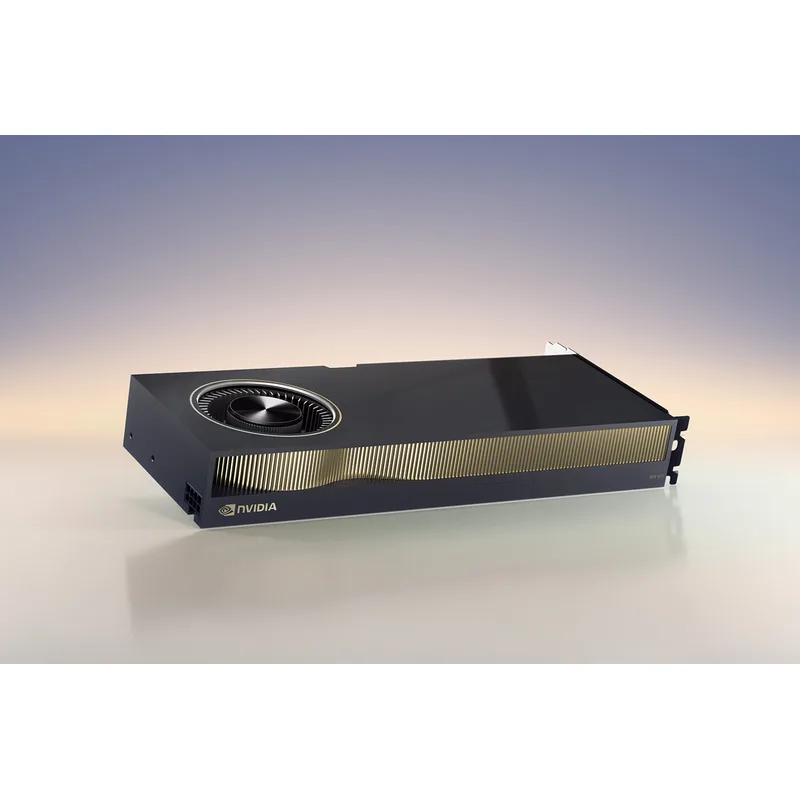
NVIDIA RTX 6000 Ada Generation
The RTX 6000 Ada Generation remains the standard reference point for high-end professional GPU workloads in 2026. Its 18,176 CUDA cores and 48GB GDDR6 ECC at 960 GB/s handle anything short of 8K multi-stream editing: 4K and 6K timelines in DaVinci Resolve run in real time, Cinema 4D and Redshift GPU rendering at 4K scales well, and Blender Cycles benchmarks land around 3,800 samples/min in the Classroom scene (versus ~7,200 for the RTX PRO 6000 Blackwell).
The 300W TDP is a workstation-reasonable figure. A Seasonic Prime 650W handles it without issue, and the dual-slot form factor fits every standard workstation tower. Four DisplayPort 1.4 outputs support 4x 4K at 60Hz or 2x 8K at 60Hz, covering even demanding multi-monitor color grading setups.
At $6,800, the RTX 6000 Ada sits $2,100 below the Blackwell card. If you don’t need 8K multi-stream or FP4 AI inference, that $2,100 in savings can go toward faster NVMe storage or more RAM. The 48GB VRAM ceiling handles every 4K and most 6K professional workflow without proxy workarounds.
The main reason to choose the RTX 6000 Ada over the Blackwell in 2026 is driver maturity and ISV certification. Every plugin, every plugin version, every codec is certified for this card. New architectures always carry a risk of edge-case driver issues during the first 6–12 months of availability.
3. AMD Radeon PRO W7900
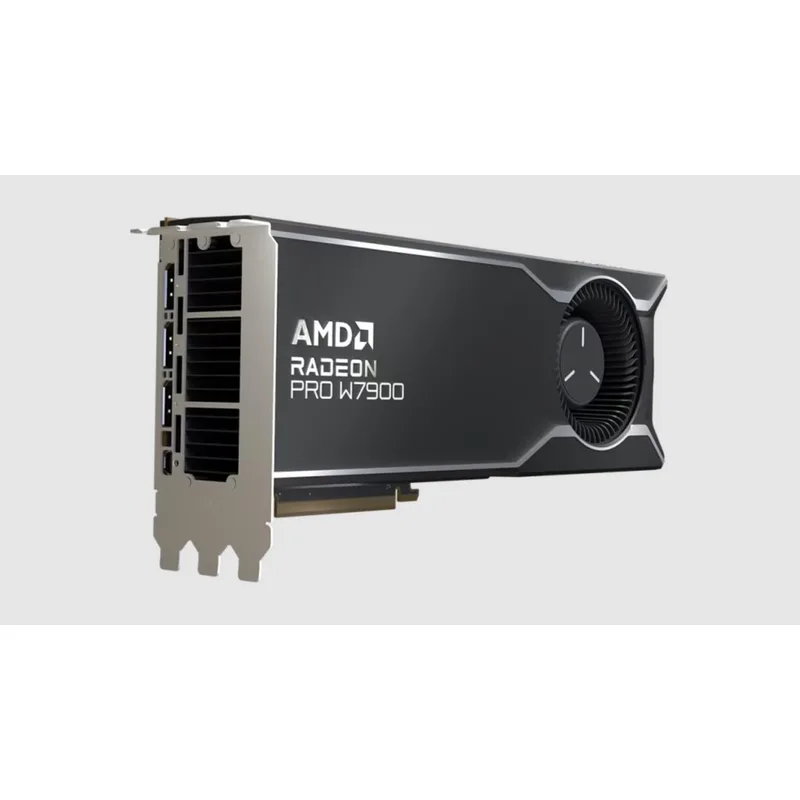
The AMD Radeon PRO W7900 is the most compelling argument for AMD in the professional GPU space: 48GB of GDDR6 ECC at ~$3,499, roughly half the price of the RTX 6000 Ada for the same VRAM capacity. The RDNA 3 architecture delivers 61 TFLOPS of FP32 compute, certified drivers for all major DCC apps, and DisplayPort 2.1 outputs that no NVIDIA Ada workstation card matches.
In DaVinci Resolve Studio (which is fully OpenCL-accelerated on AMD), the W7900 performs within 10–15% of the RTX 6000 Ada in GPU-accelerated grades and renders. In Blender Cycles using HIP/ROCm, it scores around 2,800 samples/min in the Classroom scene — meaningfully behind the RTX 6000 Ada (3,800) but for $3,300 less. For studios that live in DaVinci Resolve and color grading tools, that performance gap is hard to justify paying.
The DisplayPort 2.1 outputs are a genuine differentiator. You can drive four 8K displays at 60Hz directly from this card, or four 4K monitors at 144Hz. NVIDIA’s Ada workstation lineup (including the $6,800 RTX 6000 Ada) still uses DisplayPort 1.4.
The caveats are real: CUDA-specific tools simply don’t run on this card. If Topaz Video AI, Stable Diffusion with xformers, or CUDA-accelerated Premiere Pro effects are in your workflow, you’ll hit walls. AMD’s ROCm ecosystem has improved significantly but still lags NVIDIA’s CUDA for edge-case acceleration.
4. NVIDIA RTX 4500 Ada Generation
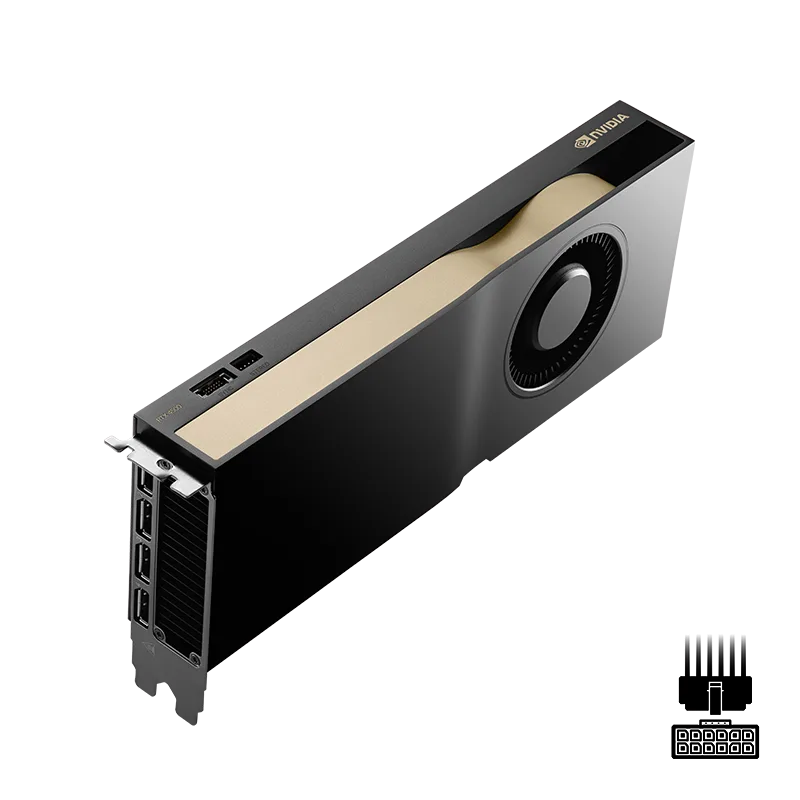
The RTX 4500 Ada Generation is the sweet spot for independent content creators and small studio workstations in 2026. At $2,250, it costs about a third of the RTX 6000 Ada while delivering 55–60% of its single-precision throughput and 24GB of ECC VRAM — the same capacity as the consumer RTX 4090, but with ECC error correction and ISV-certified drivers.
In practical terms: 4K Premiere Pro timelines run in real time with GPU-accelerated effects; DaVinci Resolve handles 4K grades without proxy workflows; Blender Cycles renders the BMW benchmark at around 2,100 samples/min. Cinema 4D with Redshift at 4K resolves GPU render times in the range of the Turing-gen A5000 at a fraction of the cost.
The 210W TDP fits comfortably on a standard 650W ATX PSU. The dual-slot cooler (PNY’s version uses an ultra-quiet active fan) keeps this card near-silent at standard workstation loads. Four DisplayPort 1.4a outputs cover quad-4K monitor setups.
Where the RTX 4500 Ada falls short: 24GB starts to feel tight with large high-resolution texture sets in Unreal Engine 5, or when running multiple AI models simultaneously (e.g., background removal + upscaling + noise reduction in a batch pipeline). Upgrading to the RTX 4500 Ada from a consumer RTX 3070 or 3080 delivers a clear step up in both VRAM and driver stability.
5. NVIDIA RTX 4000 Ada Generation
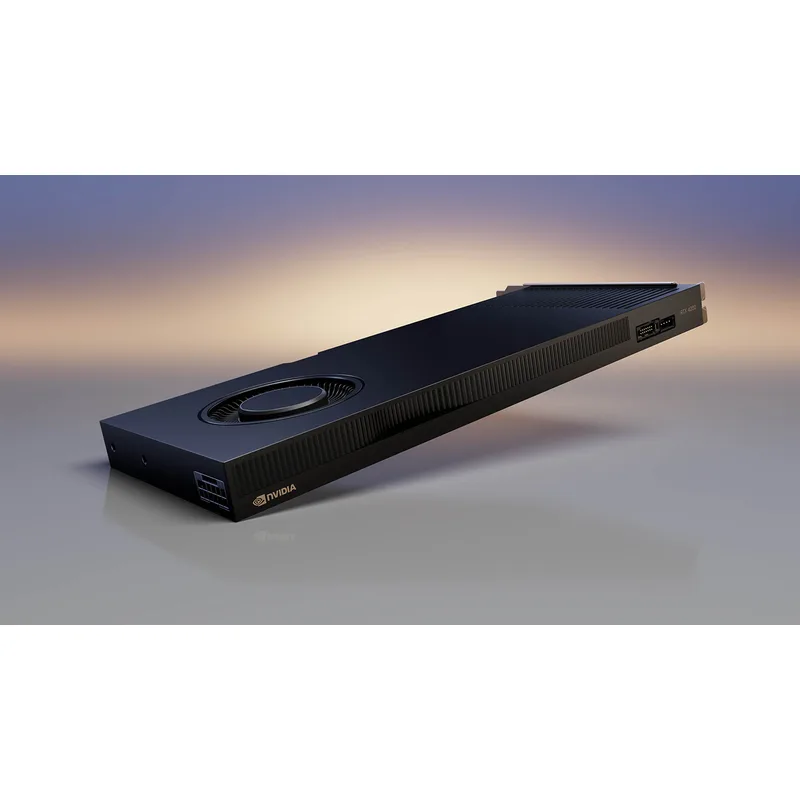
The RTX 4000 Ada Generation is the entry point to Ada Lovelace workstation GPUs, and it hits a specific use case hard: quiet, low-power workstations for 4K editing and light 3D work. At 100W TDP, it runs without a dedicated PCIe power connector on most workstation boards, making it an easy drop-in upgrade for compact professional towers.
The 20GB GDDR6 ECC is the headline. It beats every gaming GPU below the RTX 4090 in capacity, with ECC protection on top. For DaVinci Resolve 4K grading, Blender renders of moderate complexity, and standard 4K Premiere Pro workflows, this card covers the workload. Blender BMW benchmark: ~1,650 samples/min. That’s slower than the RTX 4500 Ada (2,100 s/min), but the RTX 4000 Ada is also $1,000 less.
The single-slot form factor is a practical feature in workstation towers where a second slot might be used by an M.2 riser or PCIe capture card. In quiet workstation enclosures like the HP Z2 Tower or Dell Precision 3680, the 100W card generates minimal heat and near-zero noise.
The main limitation: 288 GB/s memory bandwidth creates a ceiling on large texture streaming and fast memory-bound operations. For heavy 3D scene work at 6K+ resolution, step up to the RTX 4500 Ada. For a freelance video editor running a 4K-centric workflow at a GPU budget under $1,300, this card earns its place.
FAQ
Do I need ECC memory for content creation?
ECC (Error-Correcting Code) memory catches and corrects single-bit memory errors silently. For long GPU renders running 8–12 hours, a single-bit flip in a non-ECC card can corrupt an output frame without warning. Professional workstation GPUs include ECC by default; consumer gaming GPUs don’t. For any production work where file integrity matters, ECC is worth the premium.
Can I use a consumer RTX 4090 instead of a workstation GPU?
Yes, with trade-offs. The RTX 4090 has 24GB GDDR6X, fast CUDA cores, and handles most content creation workflows well. It lacks ECC memory, ISV-certified drivers, and the 48GB+ VRAM ceiling of professional cards. For independent creators, the RTX 4090 at current street prices often makes more sense than the $2,250 RTX 4500 Ada. The workstation GPUs on this list make sense when you need 48GB+ VRAM, ECC reliability, or certified driver support for studio software like Autodesk Maya or SideFX Houdini.
Is the AMD Radeon PRO W7900 worth it over NVIDIA workstation GPUs?
If your pipeline runs primarily in DaVinci Resolve, Premiere Pro, Houdini, or Blender (with HIP), the W7900’s 48GB at $3,499 is extremely compelling — roughly half the price of the RTX 6000 Ada for the same VRAM. If you use CUDA-specific tools (Topaz AI, certain Stable Diffusion frontends, CUDA-accelerated render plugins), stick with NVIDIA.
What’s the difference between RTX 4000 Ada and RTX 4500 Ada?
The RTX 4500 Ada has 7,680 CUDA cores vs 6,144 on the RTX 4000 Ada — roughly 25% more compute. It also has 24GB vs 20GB VRAM, 432 GB/s vs 288 GB/s memory bandwidth, and a dual-slot cooler vs single-slot. The RTX 4000 Ada’s 100W TDP is the reason to choose it: quieter operation, no power connector, and compatibility with compact workstation form factors.
How does the RTX PRO 6000 Blackwell compare to the RTX 6000 Ada?
The Blackwell generation adds 96GB GDDR7 (vs 48GB GDDR6), PCIe 5.0 (vs 4.0), 5th-gen Tensor Cores with FP4 support, and roughly 2x the AI inference throughput. Blender Cycles performance is approximately 90% faster on the Blackwell. The trade-off is 600W TDP (vs 300W) and $8,900 vs $6,800. For pure 4K/6K video editing, the RTX 6000 Ada remains the better value in 2026.
Which workstation GPU is best for Blender rendering?
For GPU render performance per dollar, the AMD Radeon PRO W7900 using HIP/ROCm (~2,800 samples/min in Classroom) delivers the strongest value at $3,499. If you need CUDA for Cycles, the RTX 4500 Ada (~2,100 samples/min) at $2,250 is the most cost-efficient NVIDIA option. The RTX 6000 Ada (~3,800 samples/min) is for studios that need both render throughput and 48GB for scene complexity.
The Bottom Line
For most professional content creators in 2026, the NVIDIA RTX 4500 Ada hits the performance-to-cost sweet spot: 24GB ECC VRAM, full Ada Lovelace hardware, and certified drivers for $2,250. Step up to the AMD Radeon PRO W7900 if you need 48GB VRAM without spending $6,800 and your pipeline doesn’t depend on CUDA. The NVIDIA RTX PRO 6000 Blackwell is the card for 8K production studios and AI-accelerated pipelines — but at $8,900 with 600W power demands, it’s a facility investment, not a workstation upgrade.