Disclosure: PCBuildRanked earns from qualifying Amazon purchases.
The DDR4 vs DDR5 upgrade question got a lot harder in 2026. A 32GB DDR5-6000 kit that sold for around $80 in mid-2025 now regularly runs $300-450 — a 300-400% increase driven by AI server memory demand absorbing DRAM fab capacity, compounded by tariff pressure. DDR4 hasn’t escaped either: 32GB kits that were $60-70 a year ago now sit at $150-190. That price shock changes the math for anyone sitting on a solid DDR4 rig and wondering whether to chase DDR5 performance gains.
The short answer: for pure gaming on an existing DDR4 system, the upgrade cost rarely justifies the FPS delta. But for anyone building new or planning a CPU upgrade in the next 12 months, DDR5 is the only sensible platform. Here’s how to think through it.
| Spec | Kingston FURY Beast DDR5-6000 CL30 32GB 9.1/10 | Corsair Vengeance DDR5-6000 CL30 32GB Unavailable 8.9/10 | Crucial Pro DDR5-6000 CL36 32GB 8.4/10 | Corsair Vengeance LPX DDR4-3600 CL18 32GB 8.3/10 | Kingston FURY Beast DDR4-3600 CL18 32GB 8/10 |
|---|---|---|---|---|---|
| type | DDR5 | DDR5 | DDR5 | DDR4 | DDR4 |
| speed | DDR5-6000 (PC5-48000) | DDR5-6000 (PC5-48000) | DDR5-6000 (PC5-48000) | DDR4-3600 (PC4-28800) | DDR4-3600 (PC4-28800) |
| capacity | 32GB (2x16GB) | 32GB (2x16GB) | 32GB (2x16GB) | 32GB (2x16GB) | 32GB (2x16GB) |
| timings | CL30 | CL30-36-36-76 | CL36 | CL18-22-22-42 | CL18 |
| voltage | 1.35V | 1.40V | 1.35V | 1.35V | 1.35V |
| profile | AMD EXPO | AMD EXPO + Intel XMP 3.0 | Intel XMP 3.0 + AMD EXPO | Intel XMP 2.0 | Intel XMP + AMD Ryzen |
| Rating | 9.1/10 | 8.9/10 | 8.4/10 | 8.3/10 | 8/10 |
Prices change daily — tap Check Price for the current Amazon price.
Prices change daily — tap Check Price for the current Amazon price.
Quick Picks
- Best DDR5 for AMD AM5 builds: Kingston FURY Beast DDR5-6000 CL30 32GB — EXPO-optimized, no RGB overhead, hits the Ryzen Infinity Fabric limit out of the box
- Best DDR5 for Intel LGA1851: Corsair Vengeance DDR5-6000 CL30 32GB — dual EXPO/XMP 3.0 profiles, tighter secondaries than most CL30 kits
- Best value DDR4 (staying on current platform): Corsair Vengeance LPX DDR4-3600 CL18 32GB — $150-$190 cheaper than entry DDR5, sub-2% gaming gap at 1440p
The Upgrade Math: DDR4 to DDR5 Full Platform Cost
This is the question the headline is actually asking. Upgrading from DDR4 to DDR5 isn’t just swapping RAM sticks — every current DDR5 platform requires a new motherboard and a current-gen CPU. Here’s what the real cost looks like as of April 2026:
| Upgrade Scenario | Approx. Cost |
|---|---|
| DDR5-6000 32GB kit alone (entry, CL36) | $269-$329 |
| DDR5-6000 32GB kit (CL30, best-in-class) | $329-$419 |
| B650 AM5 motherboard (mid-range) | $179-$249 |
| Z890 LGA1851 motherboard (mid-range) | $219-$299 |
| AMD Ryzen 7 9800X3D (gaming king) | $449-$499 |
| Intel Core Ultra 9 285K (flagship) | $549-$599 |
| Full AM5 DDR5 platform (mobo + CPU + RAM) | ~$900-$1,200 |
If you’re on a Ryzen 5 5600X + B550 + DDR4-3600 and gaming at 1440p, the performance gap between your current setup and a full DDR5 platform is real — but it’s not all from the RAM. Most of that delta comes from the CPU and IPC generational improvements, not the memory type.
The practical test: run a CPU-limited game like Cyberpunk 2077 at 1080p with your current DDR4 system at max CPU frequency vs. a DDR5-6000 system. Independent testing across 22 titles shows DDR5-6000 averages 4-5% faster than DDR4-3600 at 1080p, narrowing to 2-3% at 1440p. At 4K, the difference is statistically irrelevant because the GPU is the bottleneck.
For most gamers playing at 1440p or 4K on a GPU like the RTX 5070 or RX 9070 XT, RAM type contributes less than 3% to final framerate. Spending $300+ on DDR5 RAM alone — without a platform upgrade — delivers no benefit because DDR4 platforms don’t support DDR5.
When DDR5 Makes Sense
Building new in 2026: There’s no good argument for a fresh DDR4 platform build right now. AM4 CPU options are stagnant and AM5 (DDR5-only) is the forward-looking platform for AMD. Intel’s LGA1851 (Meteor Lake / Arrow Lake) is also DDR5-only for current-gen parts. If you’re buying a new CPU, DDR5 is mandatory.
Upgrading the whole platform: If you’re replacing an aging Ryzen 3000-series or Intel 10th/11th gen system, go DDR5. The CPU upgrade alone will deliver 40-60% gaming improvement over those older platforms; the switch from DDR4 to DDR5 adds another 3-5% on top. In the total upgrade budget, the $300 DDR5 kit is a minor line item.
Content creation or professional workloads: DDR5’s higher bandwidth (roughly 50% more peak bandwidth vs DDR4-3600) shows real gains in video encoding, 3D rendering, and large dataset operations. If half your use case is creative work, the DDR5 bandwidth premium is justified even at 2026 prices.
When to Stay on DDR4
Your current DDR4 system handles everything you play: If a Ryzen 5600X or Intel Core i7-12700K + DDR4-3600 is hitting 100+ fps in your library at 1440p, adding DDR5 doesn’t improve that without replacing the entire platform. Reinvest $300 into a GPU upgrade instead.
Budget-constrained new build on Intel LGA1700: Tom’s Hardware noted in early 2026 that LGA1700 (12th/13th gen Intel) with DDR4 is worth considering specifically because DDR4 platforms are heavily discounted while DDR5 prices spike. A Core i5-13600K + B660/B760 + DDR4-3600 for ~$250-350 total can beat a more expensive DDR5 alternative on price-to-performance, especially if you have DDR4 to carry over.
RAM price relief is coming (eventually): Multiple analysts project that DRAM oversupply should return by late 2026 or early 2027 as AI memory demand stabilizes and new fabs come online. If you’re not in a hurry, waiting 6-12 months could cut DDR5 kit prices by 40-50% from current levels.
Detailed Reviews
Kingston FURY Beast DDR5-6000 CL30 32GB
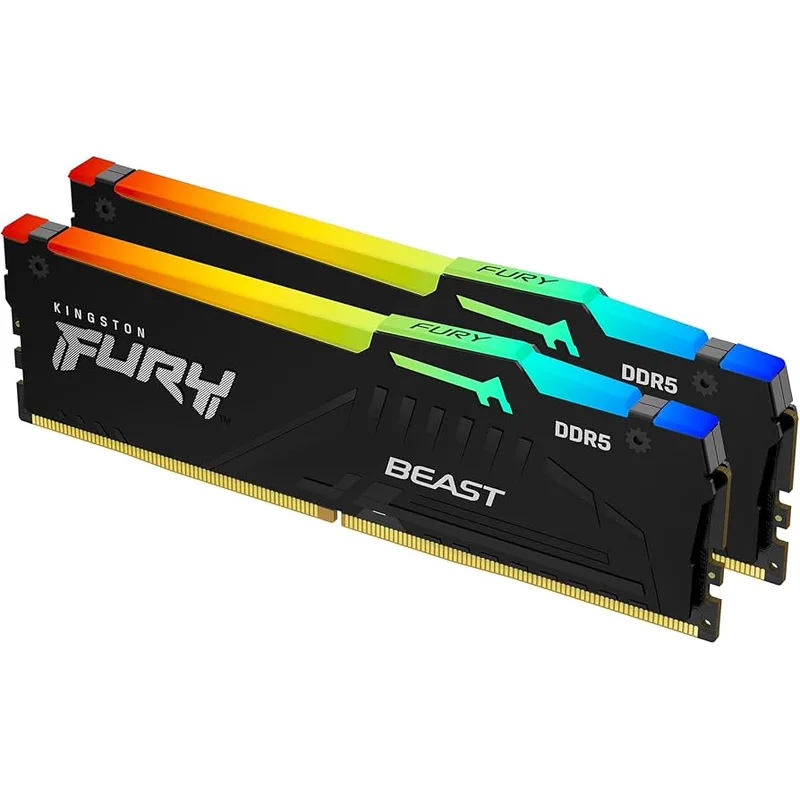
The Kingston FURY Beast DDR5-6000 (AMD EXPO variant) is the straightforward choice for Ryzen 7000/9000 AM5 builds. Enable EXPO in BIOS, reboot, and you’re running DDR5-6000 with CL30 primary timings — the sweet spot for AMD’s Infinity Fabric clock, which synchronizes at 2000MHz (half of 6000 MT/s) for optimal latency.
The non-RGB design isn’t a compromise — it’s a feature for certain builds. The aluminum heatspreader runs cooler than lit variants, and the 42mm stick height avoids clearance issues with most all-in-one coolers and large air towers. If you’re running an NH-D15 or similar large cooler on an AM5 build, the lack of RGB fins means zero chance of physical conflict.
At $329-$419 for 32GB, this is expensive relative to its mid-2025 price point. But within the current DDR5 market, it sits at the premium end with justified specs — DDR5-6000 CL30 with EXPO is exactly what you want on AM5, and there’s no reason to pay more for CL28 variants unless you’re chasing synthetic memory benchmarks.
Corsair Vengeance DDR5-6000 CL30 32GB
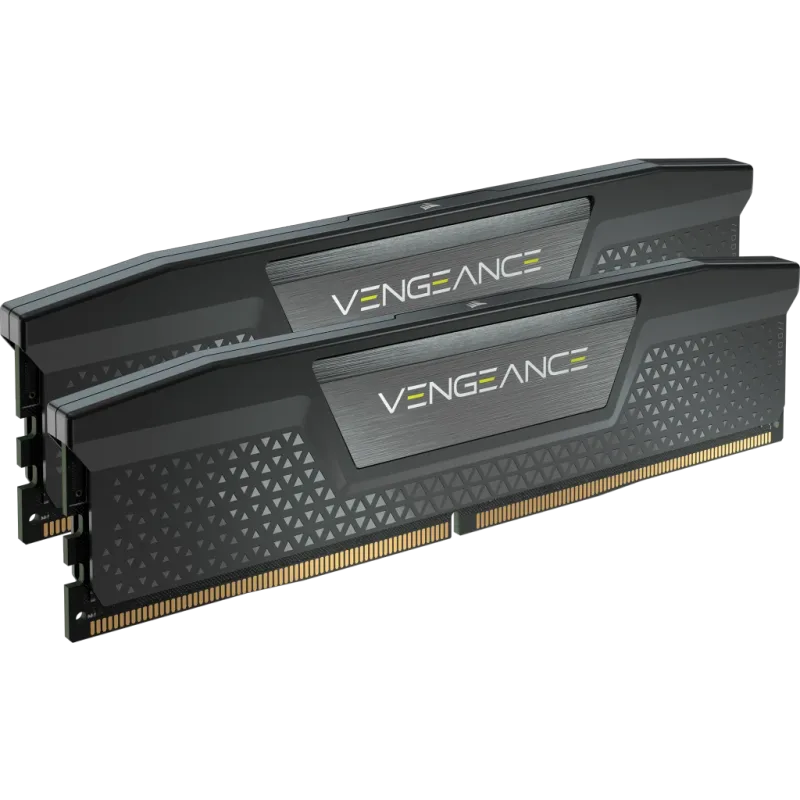
Corsair Vengeance DDR5-6000 CL30 32GB
The Corsair Vengeance DDR5-6000 (non-RGB) is the better pick for Intel LGA1851 builds, specifically because the AMD EXPO + Intel XMP 3.0 dual-profile support means it auto-configures correctly on both platforms. The CL30-36-36-76 timing set is tighter than the Kingston on secondaries (CL30-38-38 is more typical for this speed), which shows up as marginally better read latency in AIDA64 — roughly 65-67ns vs. 68-70ns.
In gaming terms, that secondary timing difference is invisible. At 1440p, Cyberpunk 2077, Baldur’s Gate 3, and F1 24 benchmarks all land within margin of error between CL30-36 and CL30-38 at the same base speed. The secondary timing advantage matters more in synthetic workloads and memory-intensive professional applications.
The 1.40V default voltage is slightly elevated versus most 1.35V DDR5-6000 kits. Desktop boards have no issues sustaining this indefinitely, but verify your specific board’s DRAM voltage spec if you’re running a premium OC-focused board with tight VRM tolerances.
Current street prices run $20-40 below the Kingston FURY Beast for equivalent configuration — meaningful given where DDR5 prices sit right now.
Crucial Pro DDR5-6000 CL36 32GB
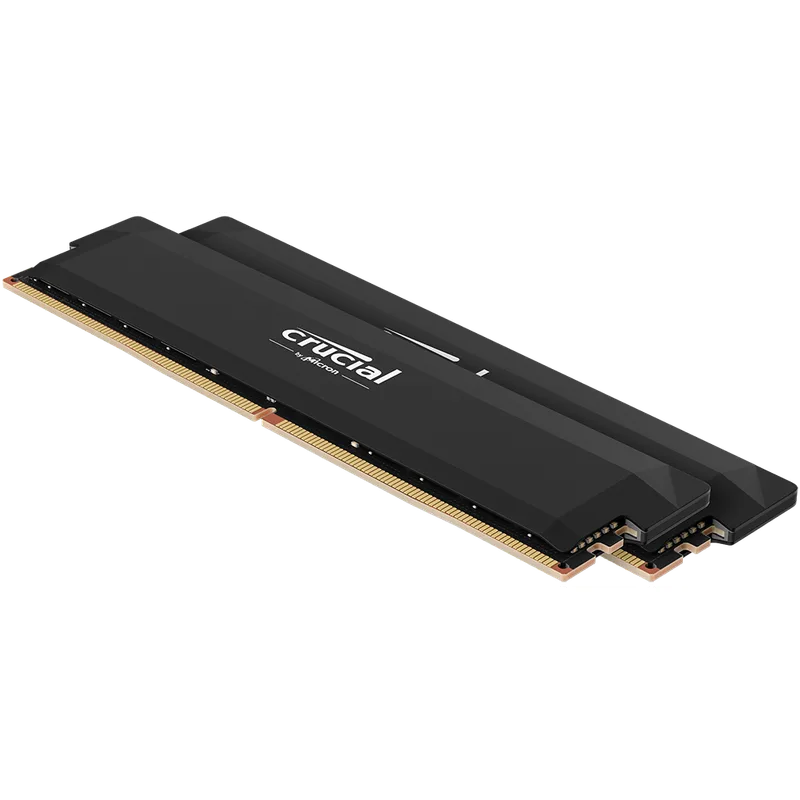
The Crucial Pro DDR5-6000 CL36 is the budget entry into DDR5-6000 territory, sitting $60-90 cheaper than the CL30 options. The performance cost: CL36 primary latency is meaningfully worse than CL30 in memory-bound workloads, delivering roughly 8-10% less effective bandwidth in synthetic benchmarks. In actual gaming at 1440p, the gap shrinks to 2-4% vs CL30 — noticeable in CPU-limited scenarios, invisible in GPU-limited ones.
The Micron D-die ICs have a strong reputation for hitting rated XMP/EXPO speeds reliably. Where some SK Hynix and Samsung DDR5 kits occasionally need BIOS voltage nudges to stabilize at 6000 MT/s, Crucial Pro kits typically post cleanly at rated specs across a wide range of boards and BIOS versions.
If your primary use case is gaming at 1440p on an RTX 5070 or RX 9070 XT — both of which are GPU-limited in most titles at that resolution — the CL36 Crucial Pro will be indistinguishable from a CL30 kit. Save the $60-90 for something that makes a visible difference.
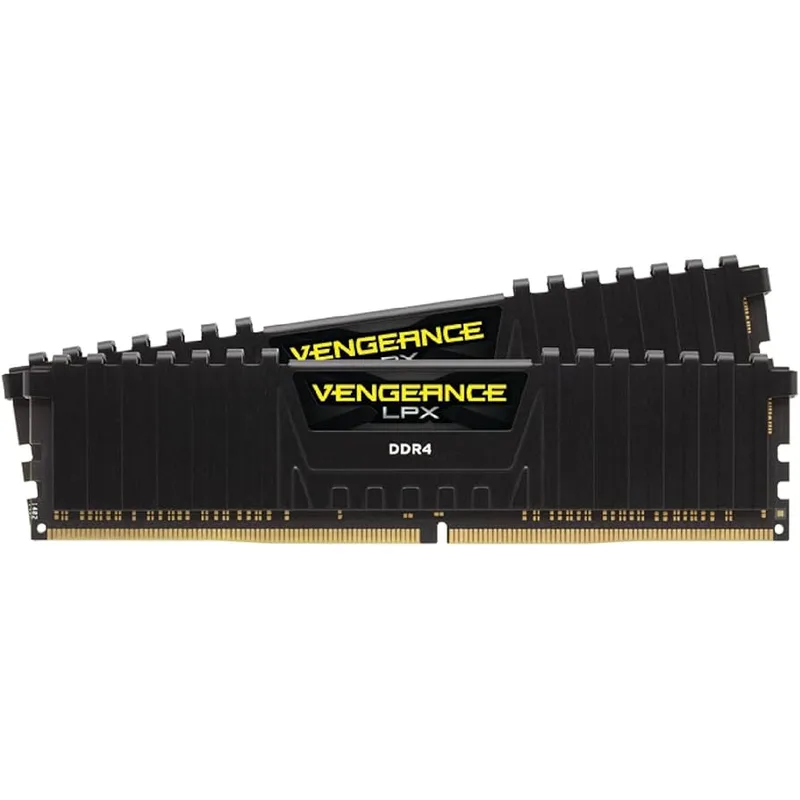
Corsair Vengeance LPX DDR4-3600 CL18 32GB
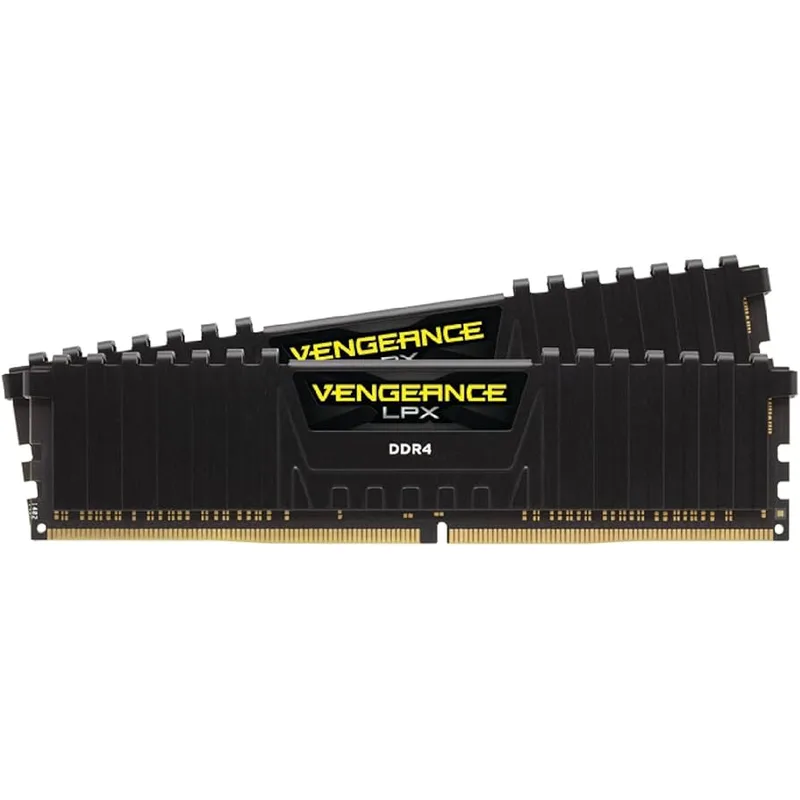
The Corsair Vengeance LPX DDR4-3600 CL18 represents what you’re comparing against when evaluating a DDR5 upgrade: a mature, well-validated DDR4 kit at a street price $120-$190 lower than the cheapest DDR5-6000 option.
At DDR4-3600 CL18, the primary latency is higher (25ns vs 10ns for DDR5-6000 CL30) but DDR4’s tighter secondary timings close some of the real-world gap. The actual bandwidth comparison: DDR4-3600 provides roughly 57.6 GB/s theoretical peak vs DDR5-6000 at 96 GB/s. Games rarely saturate either, which is why the gaming FPS delta stays small.
The LPX’s 31mm low-profile heatspreader is the standout physical spec — it fits under every cooler on the market, including compact downblowers on mini-ITX AM4 boards. If you’re still on a B550 or X570 AM4 platform and need to maximize RAM clearance for a large air cooler, nothing beats LPX physically.
The honest con: buying DDR4 in 2026 for a new build or to replace failed sticks means investing in a dead-end platform. It’s defensible as a short-term cost optimization, but any future CPU upgrade will require new RAM.
Kingston FURY Beast DDR4-3600 CL18 32GB
The Kingston FURY Beast DDR4-3600 CL18 is the budget-first DDR4 option, undercutting the Corsair LPX by $15-25 at current prices. Both run at DDR4-3600 CL18, and in head-to-head testing across gaming titles, the performance delta is within error bars — functionally identical for the use case.
Kingston’s Intel XMP and AMD Ryzen-certified profiles auto-OC to 3600MHz on most LGA1700 and AM4 boards. The caveat is the 44mm heatspreader height — taller than the Corsair LPX — which can physically interfere with the lower cooling fins on tower coolers like the Noctua NH-D15 or DeepCool AK620 on boards with RAM slots positioned close to the CPU socket.
If you’re replacing failed DDR4 sticks or equipping a secondary build on AM4/LGA1700 and want the lowest-cost 32GB DDR4-3600 option, this is it. For any forward-looking build, see the DDR5 options above.
FAQ
Does upgrading from DDR4-3600 to DDR5-6000 increase FPS?
At 1440p and 4K: typically 2-4% in CPU-limited titles, statistically irrelevant in GPU-limited scenarios. At 1080p, the advantage reaches 8-12% in heavily CPU-bound games like older titles running at very high framerates. For most gamers playing at 1440p or above on a modern GPU, the FPS gain from RAM type alone is invisible during play.
Can I run DDR5 in a DDR4 motherboard?
No. DDR5 and DDR4 use different slot notch positions and are not physically compatible. DDR4 boards only support DDR4; DDR5 boards only support DDR5. A platform change (new CPU + new motherboard) is required to use DDR5.
Is DDR4 still a good buy for new builds in 2026?
Narrowly, for Intel LGA1700 builds (12th/13th gen) where DDR4 platform costs are significantly discounted. DDR4 prices have also risen substantially in 2026, so the savings gap is smaller than it was in 2025. For any AMD build or Intel 14th gen and newer, DDR5 is mandatory.
When will DDR5 prices drop?
Analysts tracking DRAM supply project that the current shortage — driven by AI server demand absorbing fab capacity — will begin easing in late 2026, with meaningful price drops expected in early-to-mid 2027. Current DDR5-6000 32GB kit prices of $299-$419 are at a historically unusual high; the same kits were under $100 in mid-2025.
What’s the optimal DDR5 speed for Ryzen 9000-series CPUs?
DDR5-6000 with CL30 timings. The Ryzen 9000 Infinity Fabric clock synchronizes cleanly at 3000MHz (half of 6000 MT/s), delivering the best latency profile. Speeds above DDR5-6400 provide minimal additional gaming benefit and often require manual subtiming adjustments to maintain stability.
The Bottom Line
If you already own a DDR4 system that runs your games well, don’t upgrade to DDR5 as a standalone purchase — there’s no DDR4-to-DDR5 upgrade path without replacing the entire platform. The gaming FPS delta (2-4% at 1440p) doesn’t justify $300+ for RAM plus $400-600 for a new motherboard and CPU.
For new builds in 2026, DDR5 is the correct choice: Kingston FURY Beast DDR5-6000 CL30 for AMD AM5 or Corsair Vengeance DDR5-6000 CL30 for Intel LGA1851. If RAM prices are the blocker, the Crucial Pro DDR5-6000 CL36 saves $60-90 with minimal gaming impact. For anyone staying on DDR4 for one more platform cycle, the Corsair Vengeance LPX DDR4-3600 CL18 is the sensible choice while DDR5 prices remain elevated.