Fractal Design launched the North in late 2022 and it immediately became the case the rest of the industry tried to copy. Wood front panel, fine-patterned mesh vents, and a footprint narrow enough to fit on a desk — it won the Red Dot Design Award and the European Hardware Awards’ Best ATX Case in 2026, and three years later it still outsells most of what launched after it. In April 2026, Fractal shipped the Momentum Edition at $180, with quieter fans and a blacked-out aesthetic. That refresh makes right now an ideal time to review the full North lineup and answer the question most builders are actually asking: is the original still worth buying, or do you pay up for the upgrade?
| Spec | Fractal Design North (Mesh, Charcoal Black) 9/10 | Fractal Design North Momentum Edition 9.2/10 | NZXT H7 Flow 2024 Unavailable 8.5/10 |
|---|---|---|---|
| form_factor | ATX / mATX / Mini-ITX | ATX / mATX / Mini-ITX | ATX / mATX / Mini-ITX / E-ATX |
| dimensions | 447 × 215 × 469 mm | 447 × 215 × 469 mm | 544 × 244 × 468 mm |
| gpu_clearance | 355 mm | 355 mm | 410 mm |
| front_radiator | Up to 360 mm | — | Up to 420 mm |
| included_fans | 2× Aspect 140mm PWM | 3× Momentum 120mm PWM (LCP blades, FDB bearings) | 3× 120mm |
| front_io | USB-C 3.2 Gen 2×2, 2× USB 3.0, audio | USB-C 20 Gbps, 2× USB-A 20 Gbps, audio | — |
| Rating | 9/10 | 9.2/10 | 8.5/10 |
Prices change daily — tap Check Price for the current Amazon price.
Prices change daily — tap Check Price for the current Amazon price.
What You’re Getting at $154.99
The North Mesh in Charcoal Black ships with two Aspect 140mm PWM fans pre-installed on the front intake. That’s a reasonable starting point, but the real story is the case’s fan ceiling: the mesh side version supports up to 8× 120mm or 6× 140mm fans spread across the front, top, and rear positions. Most $109 mid-towers are lucky to fit five fans total. The North fits enough to cool a 250W CPU and a triple-fan GPU simultaneously without thermal constraint.
The frame is steel, 215mm wide — narrower than an NZXT H7 or a Lian Li Lancool 216 — which keeps the footprint compact without sacrificing the interior. GPU clearance sits at 355mm, which accommodates virtually every current AIB card except the longest triple-slot RTX 5090 designs (some of which run 358-360mm; check your specific card’s length). A 360mm front radiator fits cleanly. The top supports a 240mm radiator simultaneously if you run a dual-loop setup.
Front I/O includes a USB-C 3.2 Gen 2×2 port running at 20 Gbps — a spec you don’t normally see at this price. The two USB-A ports run at USB 3.0 (5 Gbps), which is the only place the original hardware shows its 2022 origins.
Design: The Wood Panel Isn’t a Gimmick
The walnut wood front panel is sustainably sourced, finished with actual grain texture, and paired with steel mesh ventilation behind it. In a market where “premium” usually means RGB strips and tempered glass, the North looks expensive in a different way — closer to a Scandinavian furniture piece than a gaming peripheral. Owner reviews consistently note it as the primary reason partners and family members stop commenting negatively on their PC setup.
Structurally, the wood front is attached with three snap-fit clips and pulls off without tools for cleaning or case fan access. The mesh behind it collects dust slower than a solid front panel because the airflow velocity through it is lower, but you should still wipe it down every few months.
The side panel on the Mesh version is a fine steel mesh panel with a powder-coated finish. It’s not glass — you cannot see inside the case from the side. If side visibility is a priority, the TG (Tempered Glass) variant of the original North is sold under a different model number and costs $10-15 more.
Interior Layout
The interior uses a standard ATX layout with the PSU mounted at the bottom rear, a full-length PSU shroud, and a removable drive cage behind the shroud. The drive cage holds two 3.5” HDDs or 2.5” SSDs, and two additional 2.5” mounts sit on the back of the motherboard tray.
CPU cooler clearance is listed at 170mm without the rear fan bracket and 145mm with it. The Noctua NH-D15 (165mm) clears the North without the bracket — verified by owner reports across multiple forum threads. The NH-D15S (145mm with offset design) fits with the bracket in place. Anything taller than 165mm risks contact with the mesh side panel.
Cable routing channels behind the motherboard tray provide 22mm of clearance. That’s sufficient for sleeved cables and most modular PSU setups. The included cable tie points are plastic loops — functional, not elegant. A few velcro straps make a significant difference in the finished look if you care about what you see through the glass side panel.
Airflow: What the Data Shows
Third-party case reviews at Tom’s Hardware, GamersNexus, and Hardware Unboxed consistently rate the North Mesh above mid-tier competitors on thermal performance. The open mesh front and dual 140mm intake fans keep CPU delta-T (temperature above ambient) in the low-to-mid range for an unfurnished mid-tower. The mesh side panel contributes meaningfully to airflow in dual-fan configurations by drawing cool air across the motherboard and GPU from a secondary intake path.
Noise from the included Aspect 140mm fans measured around 46 dBA in Fractal’s own testing — audible in a quiet room at full speed but acceptable at the 50-70% PWM range most motherboards default to.
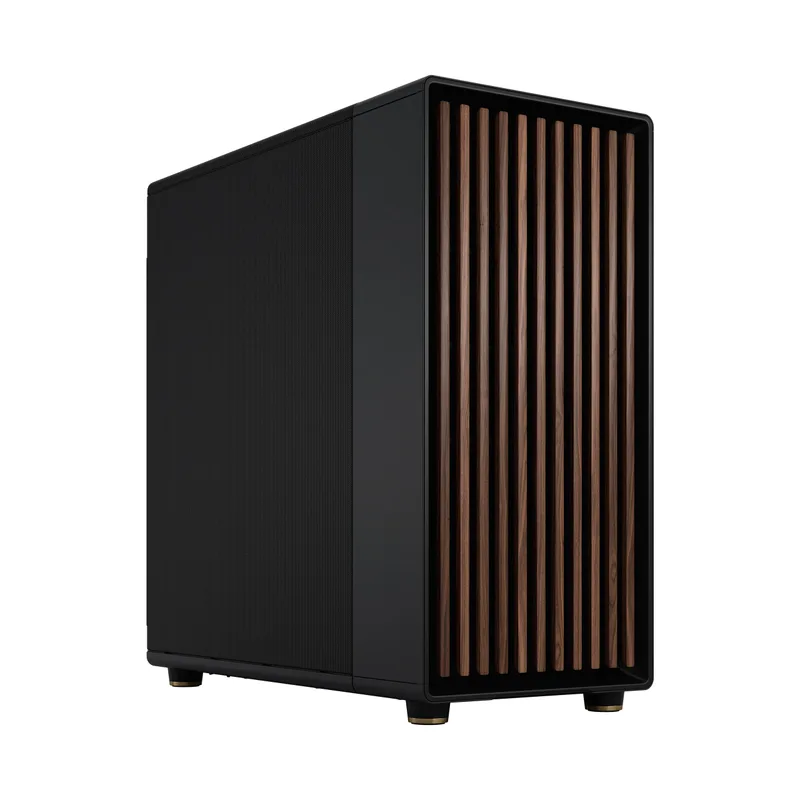
The Momentum Edition: April 2026 Refresh
Fractal released the North Momentum Edition in early 2026 at $179.99. The changes from the original are specific rather than sweeping:
What changed:
- Three Momentum 120mm fans with LCP (Liquid Crystal Polymer) blades and fluid dynamic bearings replace the two Aspect 140mm fans. Fractal’s own acoustic measurements put the Momentum Edition at 42.4 dBA vs. the original’s 46.1 dBA under equivalent load — a 3.7 dBA reduction that’s perceptible at the desk.
- The wood front panel uses blackened oak rather than the original’s natural walnut. The finish is darker and more matte, pairing better with all-black builds and blending into a desk setup with less visual contrast.
- Front I/O USB-A ports upgrade from 5 Gbps to 20 Gbps — the same speed as the USB-C port. Relevant if you regularly transfer large files from an external SSD.
- The Momentum Edition ships TG-only — no mesh side panel option at launch.
What didn’t change:
- Footprint: identical 447 × 215 × 469mm dimensions.
- GPU clearance: still 355mm.
- Radiator support: 360mm front, 240mm top.
- Storage layout: same 2× 3.5” + 2× 2.5” configuration.
The Momentum Edition makes the most sense if you’re starting a new build and want the quieter fan solution out of the box, or if the blackened aesthetic fits your build theme better than natural walnut. For builders who already own the original North, the $25 upgrade gap is relatively modest — if you value the quieter Momentum fans and blackened oak aesthetic, the premium is easier to justify than it was at the original North’s lower launch price. Three aftermarket 120mm fans alone cost $25-35 and close most of the acoustic gap without the aesthetic upgrade.
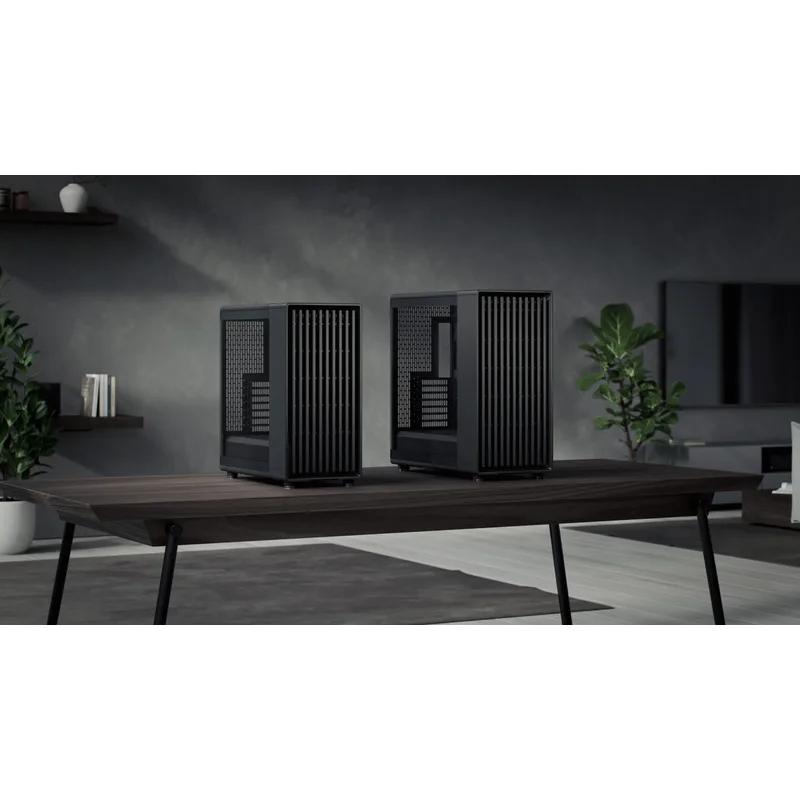
vs. NZXT H7 Flow 2026
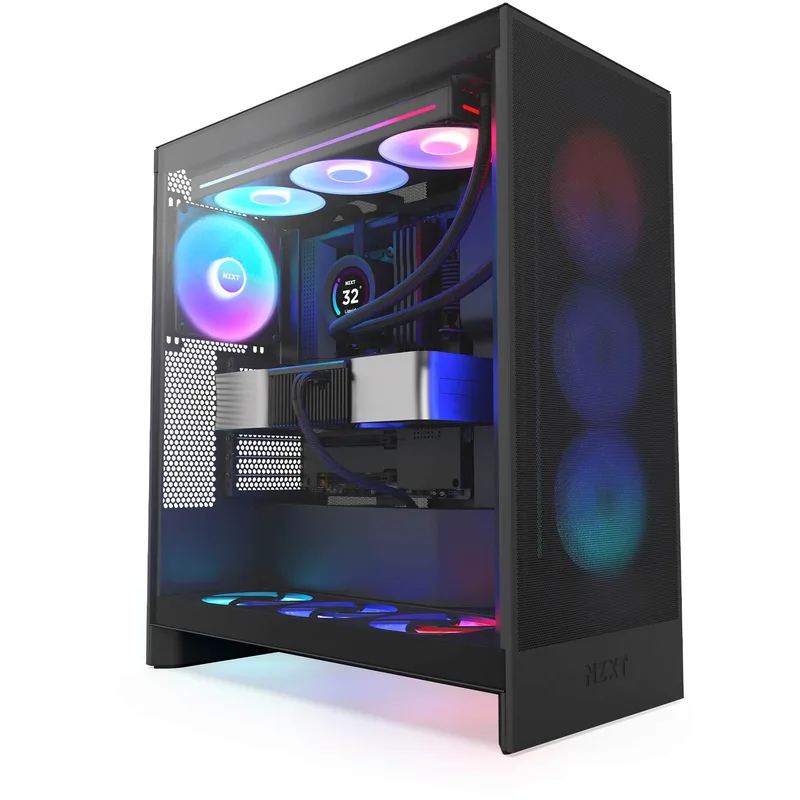
The NZXT H7 Flow 2026 is the closest purpose-built airflow competitor near the same price tier. At $100, it now costs $55 less than the North and ships with three 120mm fans instead of two 140mm.
The thermal ceiling on the H7 Flow is higher: it supports 10 total fans, a 420mm front radiator, and 410mm GPU clearance — enough to seat the longest RTX 5090 triple-fan AIB designs without restriction. The North’s 355mm clearance is sufficient for 90% of current GPUs, but if you’re building around a high-end full-length card, the H7 Flow is the safer choice.
The H7 Flow is also wider (244mm vs. 215mm) and taller (544mm with feet vs. 469mm). That extra volume translates to more internal working room and E-ATX motherboard support, but it takes up noticeably more desk or shelf space. The North’s narrowness is a feature for anyone with tight horizontal clearance.
On design: the H7 Flow looks like a gaming case. The North doesn’t. That’s not a knock on NZXT — the H7 Flow’s perforated mesh panel and angular lines are executed cleanly — but if the priority is a build that doesn’t announce itself as a gaming rig, the North wins without competition in this price range.
NZXT H7 Flow 2024
Compatibility Notes
- AM5 builds: The North comfortably fits AM5 coolers. The Noctua NH-D15G2 (171mm) is the only common air cooler that conflicts — use the AM5-optimized offset kit or choose the NH-D15 standard instead.
- PSU length: The North accommodates PSUs up to 250mm with the drive cage installed, or up to 300mm with the cage removed.
- ITX builds: Fits Mini-ITX motherboards. The wide internal space is underutilized, but the front I/O quality and radiator support make it a reasonable choice for ITX builders who want AIO cooling with 360mm capability.
- Side fan bracket (Mesh version): The included side bracket mounts one 120mm or 140mm fan on the mesh side panel, angling airflow toward the GPU. Owner reports indicate a 3-5°C GPU temperature drop when used with a high-TDP card.
FAQ
Does the Fractal Design North support a 360mm AIO? Yes. The front panel accommodates a 360mm radiator (120mm fan spacing). The top supports a separate 240mm radiator simultaneously. GPU clearance with a 360mm front radiator installed drops to approximately 300mm, per Fractal’s specifications.
Is the North Mesh or TG better for thermals? The Mesh side panel version runs 2-4°C cooler on CPU and GPU under sustained load, based on comparative user measurements shared on Reddit’s r/buildapc and r/pcmasterrace. The TG version retains the aesthetic of a visible interior but restricts side airflow. If thermals are the priority, choose Mesh.
Can the Fractal Design North fit an RTX 5090? The North’s 355mm GPU clearance fits most RTX 5090 AIB models. Several triple-fan 5090 cards from ASUS (TUF, ROG Strix) measure 357-360mm and may not clear the North cleanly. Verify your specific card’s length before ordering. The NZXT H7 Flow 2026 with 410mm clearance is the safer choice for the longest 5090 variants.
Is the North Momentum Edition worth the extra $25 over the original? At current pricing ($154.99 original vs $179.99 Momentum), the gap has narrowed considerably from the launch differential. For new builds: yes, the $25 premium is easy to justify if you want quieter out-of-box operation and the blackened oak aesthetic. For upgraders who already own the original North: no. Three quality 120mm fans achieve comparable noise reduction for $25-35. The USB-A port speed upgrade is the only feature the original can’t replicate without a case swap.
What’s the difference between the North, North XL, and North Momentum Edition? The North is an ATX mid-tower (447mm length). The North XL is a full tower with more fan and storage capacity. The Momentum Edition is a revised version of the standard North with quieter fans, blackened oak, and upgraded USB-A ports — same footprint as the original North.
The Bottom Line
The Fractal Design North Mesh at $154.99 is the case to buy when design quality matters as much as thermals. No mid-tower at this price delivers the same combination of walnut wood aesthetic, 360mm AIO support, and 20 Gbps USB-C front I/O. The walnut wood front is the most recognizable design statement in PC cases since the Corsair 4000D, and unlike pure-aesthetic cases it doesn’t sacrifice airflow to achieve it.
The Momentum Edition at $179.99 is $25 more than the original North — a modest gap that makes it easier to justify than when the original launched at $109. If the quieter Momentum fans, blackened oak aesthetic, and upgraded 20 Gbps USB-A ports match your build, the Momentum Edition is reasonable value. Buy the original and add fans if you want to save the $25 and tune acoustics yourself.
The NZXT H7 Flow 2026 at $100 is the right call if you need 410mm GPU clearance, E-ATX support, or the highest fan/radiator ceiling for extreme cooling — and it’s $55 cheaper than the North at current pricing. If budget is the primary constraint, the H7 Flow delivers strong airflow performance at a significantly lower cost. If design is the priority, the North earns its premium.