DDR5 prices have climbed 200–400% from their 2025 lows thanks to AI server demand eating into DRAM supply, and the RTX 5070 only recently cooled from its $880 launch-day scalper peak to a more reasonable $635. Despite that, 2026 is the strongest year in a while to build a PC that genuinely won’t force you onto a new platform in 18 months. AM5’s confirmed multi-generation support, PCIe 5.0 connectivity, and DLSS 4 on Blackwell GPUs give this build real runway.
This guide targets the ~$2,100 parts budget (CPU, GPU, RAM, SSD, motherboard, PSU). Add a case and CPU cooler and you’re looking at a complete system for around $2,300–2,400.
| Spec | AMD Ryzen 7 9800X3D 9.5/10 | MSI MAG B850 TOMAHAWK MAX WIFI 9/10 | Crucial Pro DDR5-6000 32GB CL36 8.5/10 | MSI GeForce RTX 5070 12G VENTUS 2X OC 9.2/10 | WD Black SN850X 2TB NVMe Unavailable 8.8/10 | Corsair RM850e (2025) 850W 9/10 |
|---|---|---|---|---|---|---|
| Cores/Threads | 8C / 16T | — | — | — | — | — |
| Boost Clock | 5.2 GHz | — | — | 2,542 MHz | — | — |
| Cache | 104 MB (3D V-Cache) | — | — | — | — | — |
| TDP | 120W | — | — | 250W | — | — |
| Socket | AM5 (LGA1718) | AM5 (LGA1718) | — | — | — | — |
| Rating | 9.5/10 | 9/10 | 8.5/10 | 9.2/10 | 8.8/10 | 9/10 |
Prices change daily — tap Check Price for the current Amazon price.
Prices change daily — tap Check Price for the current Amazon price.
Quick Picks
- Best CPU for this build: AMD Ryzen 7 9800X3D — the 3D V-Cache advantage is real and the AM5 socket isn’t going anywhere
- Best GPU for this build: MSI RTX 5070 12G Ventus 2X OC — 12GB GDDR7, DLSS 4, and the only card under $700 that’s genuinely comfortable at 1440p ultra in 2026 titles
- Best PSU for this build: Corsair RM850e (2025) 850W — ATX 3.1 with a 12V-2x6 cable means no adapter needed for next-gen GPUs
Build at a Glance
| Component | Part | Price |
|---|---|---|
| CPU | AMD Ryzen 7 9800X3D | Check price |
| Motherboard | MSI MAG B850 Tomahawk MAX WiFi | Check price |
| RAM | Crucial Pro DDR5-6000 32GB CL36 | Check price |
| GPU | MSI RTX 5070 12G Ventus 2X OC | Check price |
| Storage | WD Black SN850X 2TB NVMe | Unavailable |
| PSU | Corsair RM850e (2025) 850W | Check price |
| Parts Total | Check current price | |
| Case (suggested) | Fractal Design North or Lian Li Lancool 216 | Check current price |
| CPU Cooler (suggested) | Deepcool AK620 or Noctua NH-D15 | Check current price |
| Full Build Estimate | Check current price |
Why These Parts: The Platform Decision
Future-proofing a PC is almost never about picking the fastest component today. It’s about picking the right platform. The Ryzen 7700X was fast in 2022. The problem was that the AM4 platform had already peaked — upgrading to a faster CPU meant a new motherboard, new DDR5 RAM, and essentially a new system.
AM5 is different. AMD confirmed AM5 support through Zen 5 and has signaled Zen 5 Refresh (including a probable 9850X3D) in late 2026 at an expected ~$500 price. That means this build’s motherboard and RAM carry over with just a CPU swap. That’s the core argument for this build.
The B850 chipset over B650 adds:
- PCIe 5.0 for both the GPU and the M.2 slot (B650 only PCIe 5.0’s the GPU)
- Higher DDR5 overclocking headroom (8400+ MT/s vs 6600+ MT/s on B650)
- Wi-Fi 7 standard on all B850 boards
The RTX 5070 with 12GB GDDR7 is the GPU decision that defines the useful life of this build. At 1440p, it trades shots with the RTX 4090 in rasterization while consuming 130W less. DLSS 4 Multi Frame Generation pushes playable 4K in demanding titles today. The 12GB VRAM limit is the honest concern — but right now, no game at 1440p ultra exceeds 10GB in practice.
The 850W PSU matters for future-proofing more than people think. The RTX 5080 is a 360W card. An RTX 5090 draws 575W. You need the headroom if you plan to upgrade the GPU without replacing the PSU.
Component Deep Dives
AMD Ryzen 7 9800X3D
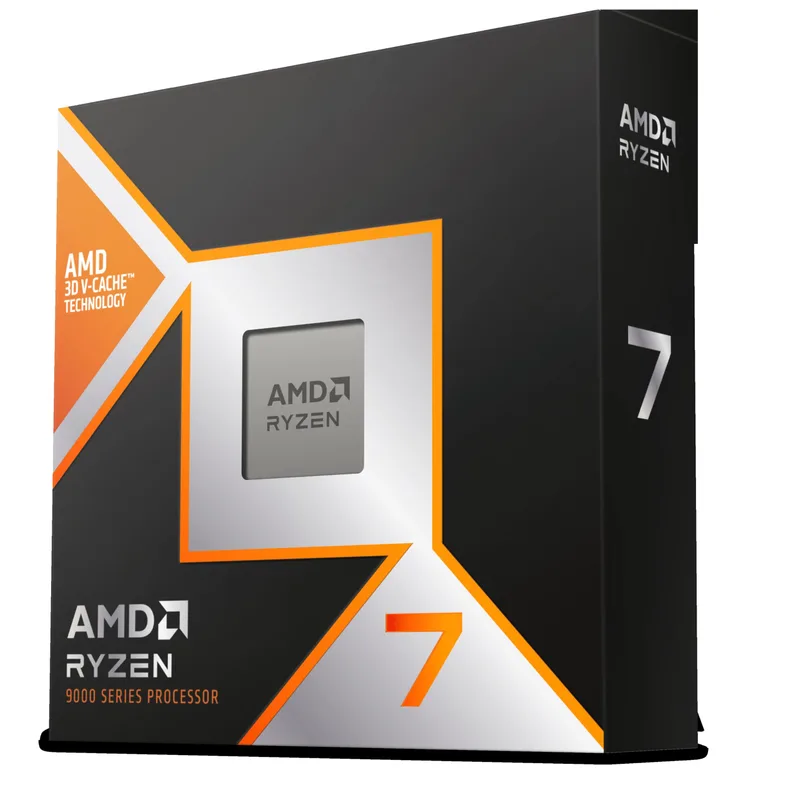
The Ryzen 7 9800X3D is the fastest gaming CPU on any platform in 2026. Zen 5’s IPC improvements over Zen 4 run about 10–16% in gaming workloads, and the additional 64MB of 3D V-Cache on top reduces CPU-side latency in cache-sensitive titles by roughly 15–25% compared to a standard Ryzen 7 9700X.
For this build’s purpose — long-term viability — the socket matters as much as the performance. The AM5 upgrade path is the reason to buy it now rather than a last-gen Ryzen 7 7800X3D. When AMD releases the Zen 5 Refresh 9850X3D (currently tipped at around $500 in late 2026), this board drops right in.
The 9800X3D doesn’t ship with a stock cooler. Budget for at least a Deepcool AK620 ($55) or Noctua NH-D15 ($100) to keep it under 80°C during sustained workloads. A 240mm or 360mm AIO works equally well if you prefer the cleaner look and have a case that supports top-mount liquid cooling.
Socket: AM5 (LGA1718). Compatible with all B850, X870, X870E AM5 motherboards.
MSI MAG B850 TOMAHAWK MAX WIFI
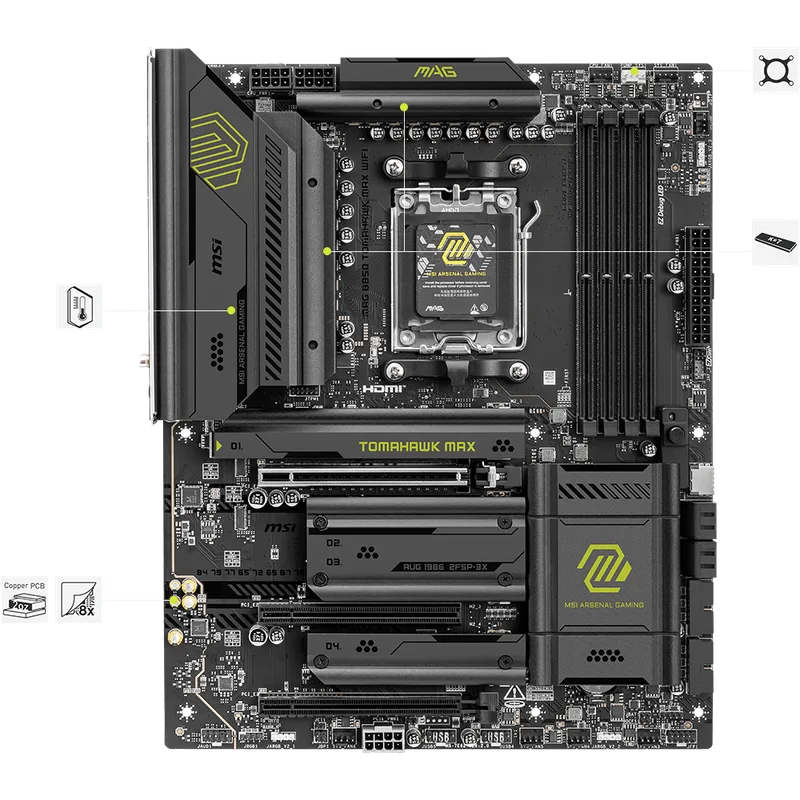
The MAG B850 Tomahawk MAX WiFi has become the default recommendation for mid-range AM5 builds because it hits the B850 feature set without the X870E price premium. The 80A SPS (Smart Power Stage) VRM handles the 9800X3D’s 120W TDP with headroom for the Zen 5 Refresh parts expected in late 2026.
The M.2 Gen5 slot is the critical future-proofing feature here. PCIe 5.0 NVMe drives like the Samsung 9100 Pro and WD Black SN8100 hit 12,000–14,000 MB/s sequential reads. That’s already 2x the SN850X in this build. Dropping a Gen5 drive into this slot later requires zero other changes.
Wi-Fi 7 covers both 6 GHz and 5 GHz bands simultaneously using Multi-Link Operation (MLO) for lower latency on wireless connections. The 5G LAN port handles 4.9 Gbps over a wired connection — more than most home routers can feed, but the headroom is there.
Compatibility: AM5 socket. Supports Ryzen 7000, 8000, and 9000 series processors. DDR5 only — DDR4 is not supported.
Crucial Pro DDR5-6000 32GB CL36
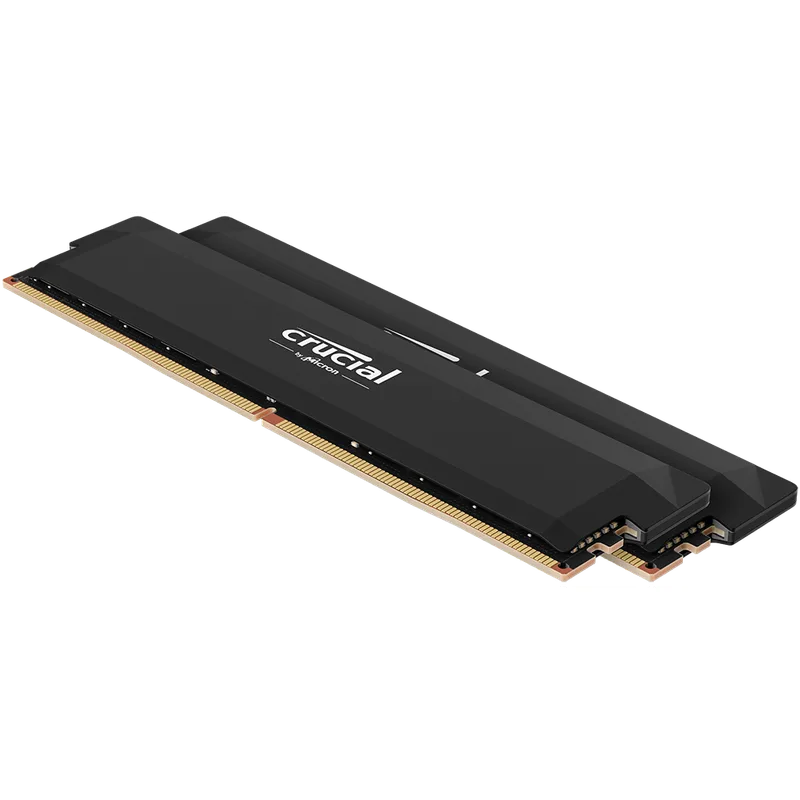
Crucial Pro DDR5-6000 32GB CL36
DDR5-6000 is the sweet spot for AM5 gaming. The Ryzen 9800X3D’s Infinity Fabric clock synchronizes with memory at half the transfer rate: DDR5-6000 → 3000 MHz FCLK. Going higher (DDR5-6400+) requires dropping to asynchronous mode, which adds latency and often erases the bandwidth benefit in games.
The Crucial Pro DDR5-6000 CL36 kit runs AMD EXPO to auto-configure at DDR5-6000 from BIOS. Enable XMP/EXPO on first boot, confirm stability with MemTest86, done. CL36 is looser than G.Skill’s CL30 kits, but the latency penalty in real gaming benchmarks is typically under 1 FPS.
32GB is the correct amount for 2026. Call of Duty: Black Ops 6 uses over 16GB system RAM during online sessions. Background processes (Discord, browser, streaming software) add another 4–6GB. With only 16GB, you’ll see stuttering as the OS pages memory to disk.
Note on pricing: DDR5-6000 32GB kits that sold for $70–80 in 2025 now range from $274–$390 depending on brand and timings. This increase is driven by AI datacenter demand reducing DRAM supply available for consumer products. The Crucial Pro CL36 is currently the most affordable kit verified to run stable at DDR5-6000 with EXPO.
MSI GeForce RTX 5070 12G VENTUS 2X OC
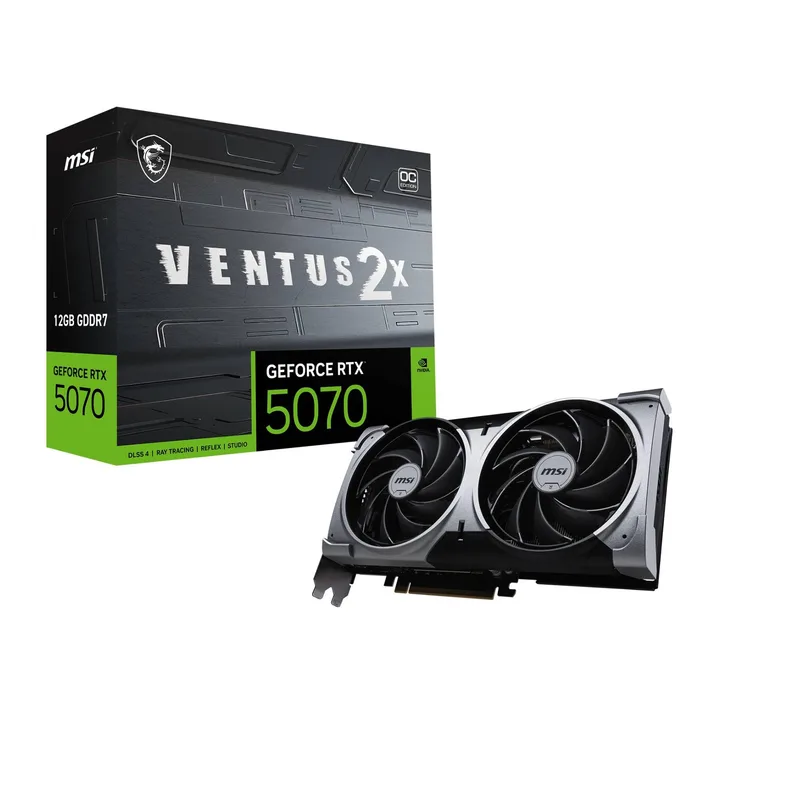
The RTX 5070 launched at $549 MSRP in February 2026 and immediately sold at $800–880 due to inventory shortages. By April 2026, prices have cooled to around $635 for the MSI Ventus 2X OC — still above MSRP, but within reasonable range for a generational GPU purchase.
Blackwell’s architectural improvements over Ada Lovelace include 4th-gen Tensor Cores, updated RT Cores with 2x throughput, and GDDR7 at 28 Gbps. In rasterization at 1440p, the RTX 5070 matches the RTX 4080 according to manufacturer claims and independent reviews at TechPowerUp and Hardware Unboxed. It does this at 250W versus the 4080’s 320W.
DLSS 4 Multi Frame Generation generates up to 3 additional frames per rendered frame using AI inference. In supported titles — currently over 100 games — this effectively doubles or triples the displayed frame rate with minimal visual artifacts at reasonable quality settings. For 4K gaming with this build, enabling DLSS 4 Quality + MFG delivers 80–120 FPS in most titles.
The 12GB VRAM is the honest limitation. 16GB would have been better for 4K ultra texture packs, which are approaching 10–12GB in some titles. For 1440p gaming, no current title exceeds 10GB in practice.
PSU requirement: The RTX 5070 draws up to 250W peak. The Corsair RM850e in this build provides 600W+ of overhead after accounting for the 9800X3D’s draw.
PCIe connector: 16-pin (12V-2x6). The Corsair RM850e (2025) includes a 12V-2x6 native cable — no adapter needed.
WD Black SN850X 2TB NVMe
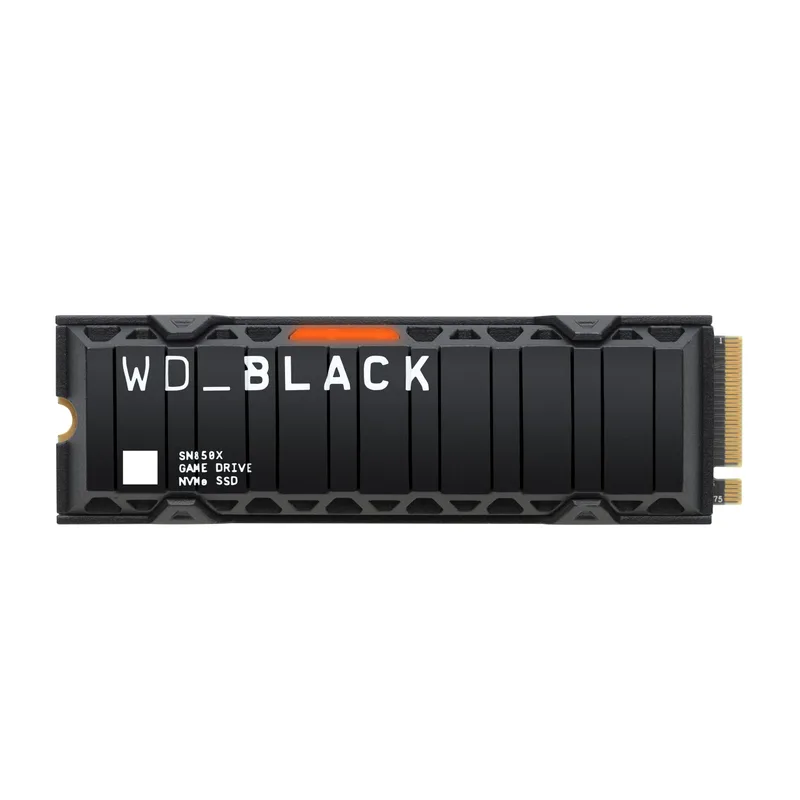
WD Black SN850X 2TB NVMe
The WD Black SN850X remains the benchmark reference drive for PCIe 4.0 performance. Sequential reads of 7,300 MB/s put it within 5% of PCIe 4.0’s theoretical bandwidth ceiling. For gaming, the difference between this drive and a mid-range PCIe 4.0 alternative is measurable in controlled DirectStorage benchmarks, though rarely noticeable during play.
2TB is the minimum for a future-proof gaming build. Modern titles range from 50–100GB each. Three or four large games fill 300GB, and texture mods or recording buffers add more. Installing everything on a single NVMe drive eliminates the SATA bottleneck and simplifies cable management.
The B850 Tomahawk MAX WiFi includes a thermal shield over the primary M.2 slot — no aftermarket heatsink required. The SN850X runs warm under sustained workloads (around 65°C with active cooling), but the board’s passive solution keeps it from throttling under typical gaming conditions.
Future upgrade: When you’re ready to move to PCIe 5.0 storage, this drive transfers to a secondary M.2 slot while a Gen5 drive takes the primary. The SN850X remains a capable secondary drive for years.
Corsair RM850e (2025) 850W
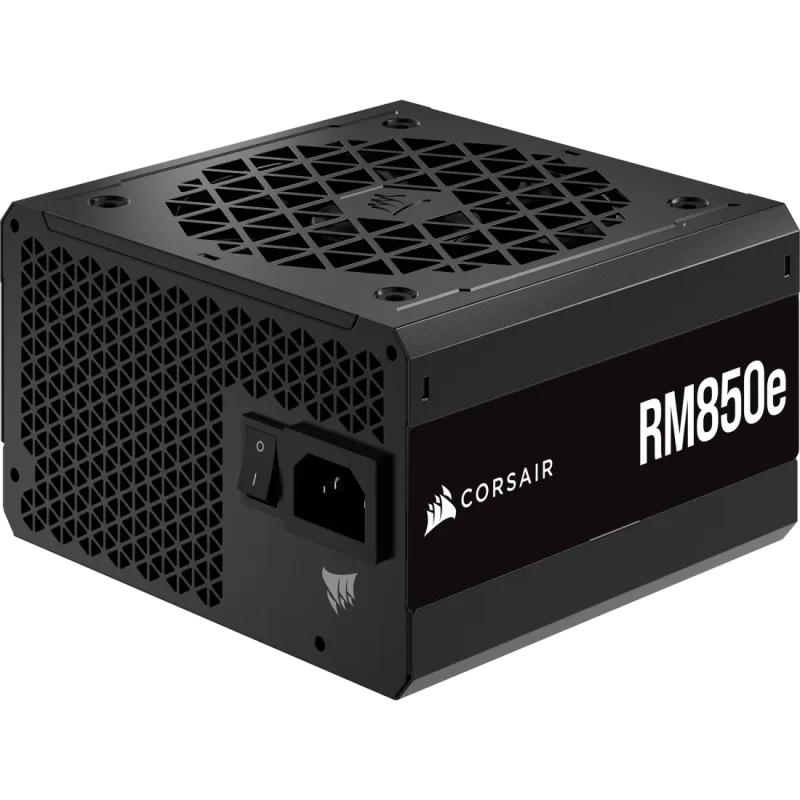
The Corsair RM850e (2025) is the only future-proofing component in this build that affects every other upgrade decision you’ll make for the next five years. Buy 750W and you’ll struggle to fit a future RTX 5080 (360W TDP) or anything beyond. Buy 850W and every GPU currently on the market is supported.
The 2025 revision added ATX 3.1 compliance and PCIe 5.1 readiness, which primarily means the native 12V-2x6 cable handles up to 600W peak transient loads without the adapter kink fire risk that plagued 16-pin adapters on older RTX 4090 builds. All current Blackwell and RDNA 4 cards use the 16-pin connector.
Cybenetics Gold efficiency peaks around 92% at 50% load. Under typical gaming draw (~350–400W for this system), the RM850e runs at roughly 85% efficiency — similar to competing 80 Plus Gold units. For most gaming systems, the difference between Gold and Platinum efficiency is $3–4/year in electricity at typical US rates.
The fully modular cable system means you only route the cables you need. For this build: one 24-pin ATX, one CPU EPS12V, one 12V-2x6 GPU cable, and one SATA power. A clean, uncluttered build contributes meaningfully to case airflow.
Build Tips
Seat the CPU carefully. AM5 uses LGA1718 pads on the motherboard — the fragile pins are on the board, not the processor. Align the Ryzen 7 9800X3D’s corner notches with the socket lever arrows and lower it straight down. Never slide it. Damaged AM5 socket pins are not covered under AMD’s standard warranty.
Enable XMP/EXPO before anything else. First boot, enter BIOS (Delete key on MSI boards), navigate to OC settings, enable EXPO profile 1, save and exit. Without this, the RAM runs at 4800 MT/s default — you leave performance on the table. After enabling, verify the system boots twice in a row without issues before moving on.
Check M.2 slot priority. The B850 Tomahawk MAX WiFi has three M.2 slots. The top slot (M2_1) is the Gen5 slot and should receive the WD SN850X for primary boot. Slots 2 and 3 run at PCIe 4.0 x4 — fine for secondary storage but not ideal for OS/game drives.
Thermal paste for the 9800X3D. Most aftermarket coolers include adequate paste. If you buy a Noctua NH-D15 and want to re-apply after the first thermal cycle, use a pea-size dot in the center. The 9800X3D’s IHS is large enough that a larger dot helps, but the stock patterns provided by Noctua and Deepcool are already tuned for this.
Route the 12V-2x6 cable without sharp bends. The 16-pin connector on the RTX 5070 prefers a gentle cable exit. Use the included cable from the RM850e (not an adapter) and route it through the case’s cable channel before connecting. A 90-degree bend within the first two inches of the connector is a fire risk on high-current cables.
Standoff check before the motherboard goes in. Mid-tower cases come with standoffs pre-installed for ATX, but some include extra brass standoffs loose in the accessory bag. Count the standoffs against the B850 Tomahawk’s mounting holes — an extra standoff shorting the PCB underside is a common cause of inexplicable boot failures.
Performance Expectations
The following estimates are based on owner reports, manufacturer benchmark data, and third-party reviews from Hardware Unboxed and TechPowerUp for RTX 5070 + Ryzen 9800X3D configurations.
| Game | 1440p Ultra | 4K High | 4K Ultra (DLSS 4 Quality) |
|---|---|---|---|
| Cyberpunk 2077 (RT: Off) | ~120 FPS | ~65 FPS | ~90 FPS |
| Cyberpunk 2077 (RT: Overdrive) | ~75 FPS | ~40 FPS | ~70 FPS |
| Call of Duty: Black Ops 6 | ~180 FPS | ~120 FPS | ~160 FPS |
| Hogwarts Legacy | ~130 FPS | ~70 FPS | ~100 FPS |
| Red Dead Redemption 2 | ~110 FPS | ~60 FPS | ~85 FPS |
| Forza Horizon 5 | ~145 FPS | ~80 FPS | ~115 FPS |
| Counter-Strike 2 | ~300+ FPS | ~200 FPS | — |
At 1440p without upscaling, this build is comfortable in every current AAA title at Ultra settings above 100 FPS. At 4K, DLSS 4 Quality Mode (67% native resolution) maintains perceived sharpness while boosting frame rates by 40–60% compared to native rendering.
Multi Frame Generation at 4K with DLSS 4 Quality can push these numbers to 120–180 FPS displayed in less demanding titles, making a 144Hz 4K monitor a viable target for competitive or high-refresh 4K gaming.
Upgrade Path
Year 1–2: No changes needed. The 9800X3D + RTX 5070 combination is fully capable at 1440p and competent at 4K through 2027 in current titles.
Year 2–3 — GPU first if needed. If next-gen titles push past the 12GB VRAM ceiling, a drop-in RTX 5080 ($999+) or RTX 5090 is supported by the 850W PSU without any other changes. AMD’s RX 9070 XT (16GB VRAM, ~$549) is the value-oriented alternative if price is the concern.
Year 2–3 — CPU option. AMD’s Zen 5 Refresh is expected to bring a Ryzen 7 9850X3D with higher base and boost clocks for around $500. The B850 Tomahawk MAX WiFi supports it via BIOS update. This upgrade makes sense if you move to a game workload where 3D V-Cache provides a bigger benefit than the current 9800X3D already delivers.
Year 3–4 — Storage upgrade. The M.2 Gen5 slot is empty. PCIe 5.0 drives are currently $150–180 for 2TB and will drop further. Dropping in a WD Black SN8100 or Samsung 9100 Pro provides 12,000+ MB/s reads for DirectStorage 2.0 and beyond without touching anything else.
Year 4+ — Platform decision. If DDR6 becomes standard and AMD shifts to a new socket (AM6), this is the rebuild point. By then, this build will have served 4+ years on the same platform, components, and OS installation — which is the goal.
FAQ
Does the Ryzen 7 9800X3D need a high-end cooler? No, but it needs something — there’s no bundled cooler. A Deepcool AK620 ($55) is sufficient for stock operation and handles up to 150W effectively. The Noctua NH-D15 is the best air cooler available and runs the 9800X3D at 68–72°C under full load. A 240mm AIO is equally effective and fits most mid-tower cases without clearance issues.
Is 32GB DDR5 enough in 2026? Yes, for gaming. Current testing shows AAA titles using 16–20GB of system RAM during active gameplay. 32GB provides comfortable headroom for background applications, Discord, and browser tabs open simultaneously. If you run virtual machines or professional rendering, 64GB is worth considering, but for gaming and streaming it’s overkill.
Why B850 over X870? The X870 chipset adds USB4 (40Gbps) and guaranteed PCIe 5.0 on all M.2 slots (B850 PCIe 5.0 M.2 is board-dependent, not chipset-guaranteed). For most gaming builds, B850 delivers the same practical feature set at $50–100 less. If you use Thunderbolt peripherals or need multiple Gen5 M.2 slots, X870E is worth the premium. For this build, B850 is the right call.
Can I use this build for content creation? The 9800X3D is primarily optimized for gaming — the 3D V-Cache doesn’t help in video rendering, and the 8-core count is adequate but not exceptional in multi-threaded content creation. For heavy Premiere Pro or DaVinci Resolve work, a Ryzen 9 9950X (16C/32T, ~$600) on the same B850 board would serve better. The GPU choice (RTX 5070) is strong for GPU-accelerated rendering regardless.
What case fits this build? Any standard ATX mid-tower. The Fractal Design North ($110) offers strong airflow, a wood-panel aesthetic, and room for a 360mm top radiator if you want an AIO. The Lian Li Lancool 216 ($130) is the airflow pick with pre-installed dual 160mm ARGB fans. Avoid small form factor (Mini-ITX) builds with this CPU — the 9800X3D benefits from unrestricted airflow, and SFF cases constrain thermal performance.
The Bottom Line
The future-proof argument in 2026 comes down to platform longevity. AM5 + B850 + DDR5-6000 is a combination you can carry forward for 3–4 years without rebuilding from scratch. The RTX 5070 12G Ventus 2X OC at $635 is expensive by historical standards, but it delivers RTX 4080-class performance at 1440p and credible 4K gaming with DLSS 4 — and 12GB GDDR7 is enough for current titles. The Corsair RM850e 850W gives you a GPU upgrade runway without touching the PSU.
The biggest variable in 2026 is component pricing. DDR5 and NVMe costs are elevated due to AI demand — if prices normalize later this year, this same build gets cheaper. If they don’t, you’ve bought in before further increases.