Affiliate disclosure: PCBuildRanked earns a commission on qualifying Amazon purchases. Prices are current as of May 2026.
The RTX 5070 Ti and Ryzen 7 9800X3D remain the strongest gaming combination below the $1,500 GPU tier. The 5070 Ti’s 16GB GDDR7 on a full 256-bit bus handles 4K max-texture workloads the RTX 5070’s 12GB cannot, while the 9800X3D’s 96MB L3 cache keeps it unchallenged as the gaming CPU peak on AM5. One caveat going into this build: AI-driven DDR5 DRAM demand and ongoing NAND shortages have pushed RAM and SSD prices significantly higher since early 2026. The six-component total now runs closer to $2,600 — about $2,800 with case and cooler. If the original $2,000 price point is firm, see the budget path at the end of each component section.
| Spec | MSI GeForce RTX 5070 Ti 16G Gaming Trio OC Plus 9.4/10 | AMD Ryzen 7 9800X3D 9.6/10 | MSI MAG B850 Tomahawk MAX WiFi 9.1/10 | G.SKILL Trident Z5 Neo RGB 32GB DDR5-6000 CL36 8.9/10 | Samsung 990 Pro 2TB NVMe 9.1/10 | Corsair RM850e (2025) 850W ATX 3.1 9/10 |
|---|---|---|---|---|---|---|
| GPU | NVIDIA Blackwell GB203 | — | — | — | — | — |
| VRAM | 16GB GDDR7 | — | — | — | — | — |
| Memory Bus | 256-bit (896 GB/s) | — | — | — | — | — |
| Interface | PCIe 5.0 x16 | — | — | — | PCIe 4.0 x4 | — |
| TDP | 320W (OC) | 120W | — | — | — | — |
| Boost Clock | ~2580 MHz (OC) | — | — | — | — | — |
| Rating | 9.4/10 | 9.6/10 | 9.1/10 | 8.9/10 | 9.1/10 | 9/10 |
Prices change daily — tap Check Price for the current Amazon price.
Prices change daily — tap Check Price for the current Amazon price.
Build at a Glance
| Component | Part | Price |
|---|---|---|
| CPU | AMD Ryzen 7 9800X3D | Check price |
| GPU | MSI RTX 5070 Ti 16G Gaming Trio OC Plus | Check price |
| Motherboard | MSI MAG B850 Tomahawk Max WiFi | Check price |
| RAM | G.SKILL Trident Z5 Neo RGB 32GB DDR5-6000 CL36 | Check price |
| Storage | Samsung 990 Pro 2TB NVMe | Check price |
| PSU | Corsair RM850e (2025) 850W ATX 3.1 | Check price |
| Case | Fractal Design Torrent (or comparable mesh mid-tower) | Check current price |
| CPU Cooler | Arctic Liquid Freezer III 280mm AIO | Check current price |
| Total | Check current price |
Prices reflect Amazon street pricing as of May 2026. The RTX 5070 Ti moved from its $749 MSRP launch price to approximately $1,049 as the Blackwell market normalized. DDR5-6000 32GB kits are up sharply from 2025 levels due to AI server DRAM demand; the Samsung 990 Pro 2TB has similarly risen on NAND constraints. Budget path: Substituting the RTX 5070 12GB ($635) and Samsung 990 Pro 1TB ($330) brings the total to approximately $2,270 — the same CPU and platform with a step down in GPU tier and storage capacity.
Why These Parts
The RTX 5070 Ti is the correct GPU at this tier. At $1,049, it delivers rasterization performance roughly 12% behind the RTX 5080 at ~$1,249 — about $200 less for 88% of the performance. The 16GB GDDR7 framebuffer on a full 256-bit bus provides 896 GB/s of memory bandwidth versus the RTX 5070’s 672 GB/s on a 192-bit interface. That gap matters in VRAM-intensive scenarios: 4K with max-texture packs in games like Hogwarts Legacy and Cyberpunk 2077, ray tracing at 4K, and streaming alongside gaming all push past 12GB in regular use. DLSS 4 Multi Frame Generation with the Transformer-based upscaler pushes effective 4K frame rates well above what native rendering suggests.
The Ryzen 7 9800X3D is the gaming CPU ceiling at $448. Its 96MB of L3 cache (64MB stacked 3D V-Cache plus 32MB standard) keeps game data closer to CPU cores, cutting DRAM round-trip latency and eliminating the frame-rate drops that affect less-cached processors in open-world and simulation-heavy titles. Microsoft Flight Simulator 2026, Cities: Skylines 2, and CPU-heavy strategy games all show double-digit FPS improvements over the non-X3D Ryzen 7 9700X. The 9700X at $265 saves $183 — a real option if budget flexibility is tight — but the 9800X3D’s advantage holds in any title that benefits from cache depth.
MSI MAG B850 Tomahawk Max WiFi over a B650 board. The $229 Tomahawk Max earns its premium over a B650 board (~$150) in a build that isn’t cutting corners elsewhere. B850 adds PCIe 5.0 for the GPU slot and two Gen5 M.2 slots, 5GbE LAN over B650’s 2.5GbE, and WiFi 7 over WiFi 6E. The board’s 14+2+1 VRM handles the 9800X3D without power limit adjustments, and the four M.2 slots support the current 990 Pro plus three future drives without expansion cards. For a platform expected to run 3-4 years, the ~$80 premium is defensible.
DDR5-6000 CL36 at $284 is the Zen 5 sweet spot despite the price increase. The Ryzen 7 9800X3D’s memory controller runs its Infinity Fabric synchronously at 3000MHz with DDR5-6000 — the lowest-latency configuration for Zen 5 architecture. The G.SKILL Trident Z5 Neo CL36 EXPO kit self-configures with a single BIOS toggle. Moving to DDR5-6400 costs more for roughly 1-2% additional gaming performance. CL30 kits at $480+ improve latency modestly but not enough to justify the premium at this price gap.
Samsung 990 Pro 2TB for primary storage. The NAND shortage has pushed the 2TB 990 Pro to $480 — a significant increase from 2025 pricing. Its 7,450 MB/s sequential read, Samsung MJX controller reliability, and 1,200 TBW endurance still make it the correct choice for a premium build where drive longevity over a 5+ year ownership cycle matters. Builders with storage cost pressure should consider the 1TB 990 Pro ($330) as a starting point and expand using the B850 Tomahawk Max’s remaining three M.2 slots.
Corsair RM850e (2025) for the PSU. The RTX 5070 Ti’s 12V-2x6 connector requires ATX 3.1 compliance to handle transient power peaks without OCP shutdowns. The 2025 RM850e ships with a native 12V-2x6 cable — no adapters. At 850W, it runs the RTX 5070 Ti (320W OC) plus 9800X3D (120W) plus platform overhead with roughly 40% headroom in typical gaming. The 7-year warranty outlasts the expected platform refresh cycle.
Component Deep Dives
GPU: MSI GeForce RTX 5070 Ti 16G Gaming Trio OC Plus
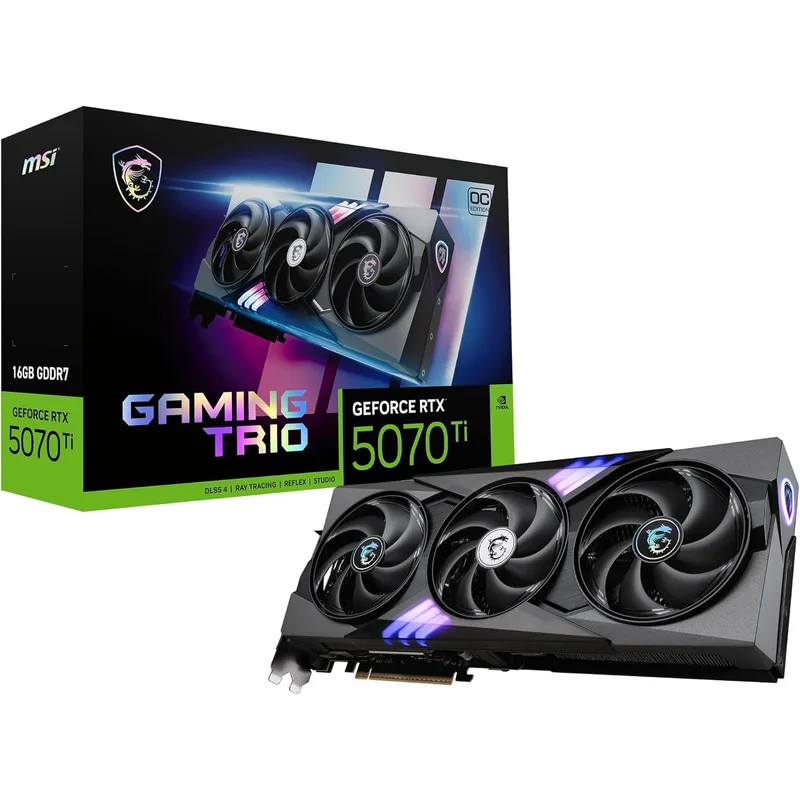
The RTX 5070 Ti uses the GB203 die — one step below the GB202 in the RTX 5080 and 5090, but close enough in rasterization at 1440p and 12% behind at 4K to make the price gap meaningful. The 16GB GDDR7 framebuffer on a 256-bit bus delivers 896 GB/s of memory bandwidth, against the RTX 5070’s 672 GB/s on a 192-bit interface. That distinction becomes real in memory-intensive scenarios: ray tracing at 4K, games with 10GB+ texture packs, and VRAM-heavy workloads like video encoding alongside a live game stream.
MSI’s Gaming Trio OC Plus boosts to approximately 2580 MHz versus the 2452 MHz Founders Edition reference clock — a meaningful factory overclock that MSI’s TRI FROZR 4 triple-fan cooling keeps stable. The three TORX 5.0 fans run the card 8-12°C cooler than reference designs under sustained 4K load. In extended stress runs, the Gaming Trio OC Plus holds within 2-3% of peak boost clock throughout — thermal throttling is not a factor.
DLSS 4 Multi Frame Generation is the RTX 5070 Ti’s practical performance multiplier. With DLSS Quality at 4K plus 2x Frame Generation, Cyberpunk 2077 moves from roughly 52 FPS native to 110-120 effective FPS. The Reflex 2 low-latency integration keeps system latency below 40ms even with frame generation active. For competitive titles at 1440p, DLSS Performance or Quality mode with Reflex 2 enabled produces high frame rates and low latency simultaneously.
PSU note: The RTX 5070 Ti requires a 16-pin 12V-2x6 connector. The Corsair RM850e (2025) in this build includes a native cable. If substituting a different PSU, verify it ships with a 12V-2x6 cable rather than relying on an 8-pin adapter.
CPU: AMD Ryzen 7 9800X3D
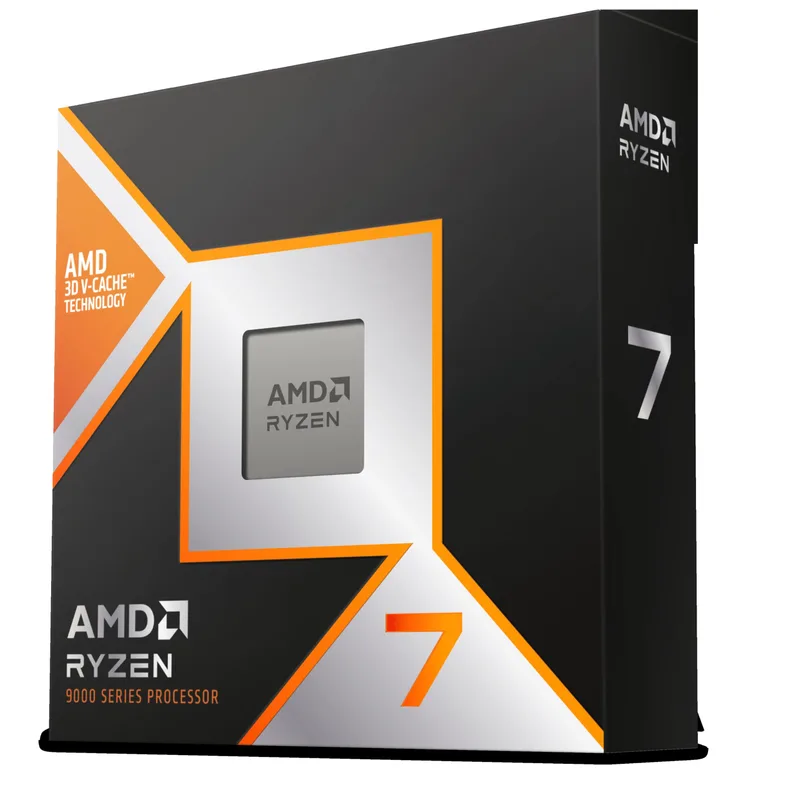
The 9800X3D remains the standard against which gaming CPUs are measured in mid-2026. Its 3D V-Cache stack doubles accessible L3 to 96MB — enough to hold entire game level data, NPC pathfinding tables, and AI behavior trees in cache rather than making DRAM round-trips. In Zen 5’s cache-sensitive architecture, this produces 15-25% higher average frame rates and significantly better 1% low performance versus the non-X3D Ryzen 7 9700X in CPU-intensive titles.
The base clock of 4.7 GHz and boost to 5.2 GHz are more conservative than non-X3D Zen 5 parts — the V-Cache die constrains maximum clock headroom — but 5.2 GHz on a Zen 5 core remains faster in IPC terms than Intel alternatives at equivalent clocks. The Intel Core Ultra 9 285K pushes above 5.5 GHz but runs at 253W versus the 9800X3D’s 120W and loses the gaming IPC comparison despite the clock advantage.
No bundled cooler means budgeting $80-120 for thermal management. The Arctic Liquid Freezer III 280mm AIO at $89 handles the 9800X3D at full 120W with temperatures staying below 75°C during extended gaming sessions. A quality 120mm tower cooler like the Thermalright Peerless Assassin 120 SE ($38) also works in less demanding environments, though the AIO margin shows up under sustained workloads.
Motherboard: MSI MAG B850 Tomahawk MAX WiFi
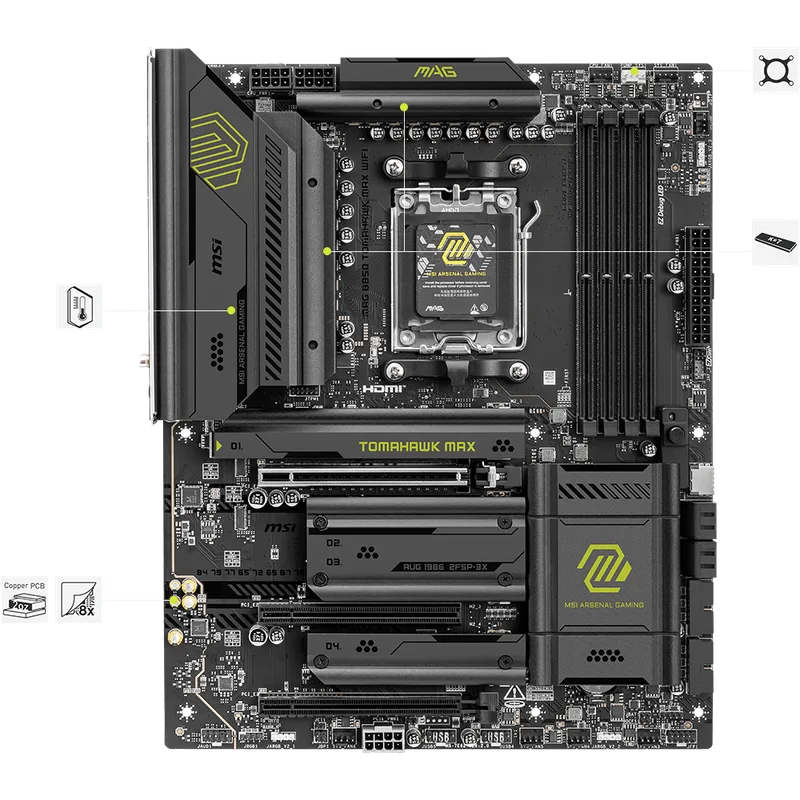
The B850 Tomahawk Max WiFi sits at the top of MSI’s mainstream AM5 stack without crossing into X870E territory. Its 14+2+1 phase VRM rated at 80A per stage handles the 9800X3D at 120W with thermal headroom to spare — no additional power limit tuning required, and the board supports the Ryzen 9 9950X at its 170W spec if an upgrade is warranted. The 6-layer PCB and 2oz copper in the power delivery area underpin the Tomahawk line’s stability reputation.
Four M.2 slots cover current and near-future storage scenarios: two Gen5 x4 slots (one CPU-connected, one chipset) and two Gen4 x4 slots. The Samsung 990 Pro 2TB goes in the CPU-connected Gen4 slot for maximum throughput without chipset routing overhead. The two Gen5 slots are available when PCIe 5.0 NVMe drives reach mainstream pricing later in 2026 or 2027.
WiFi 7 operates on the 6GHz band and supports Multi-Link Operation, simultaneously using 5GHz and 6GHz bands for combined bandwidth and lower latency. The 5GbE LAN port handles wired connections for competitive gaming with under 1ms additional network latency versus 2.5GbE. The rear I/O includes USB 3.2 Gen 2x2 Type-C (20 Gbps) for external NVMe enclosures and high-speed storage transfers.
RAM: G.SKILL Trident Z5 Neo RGB 32GB DDR5-6000 CL36
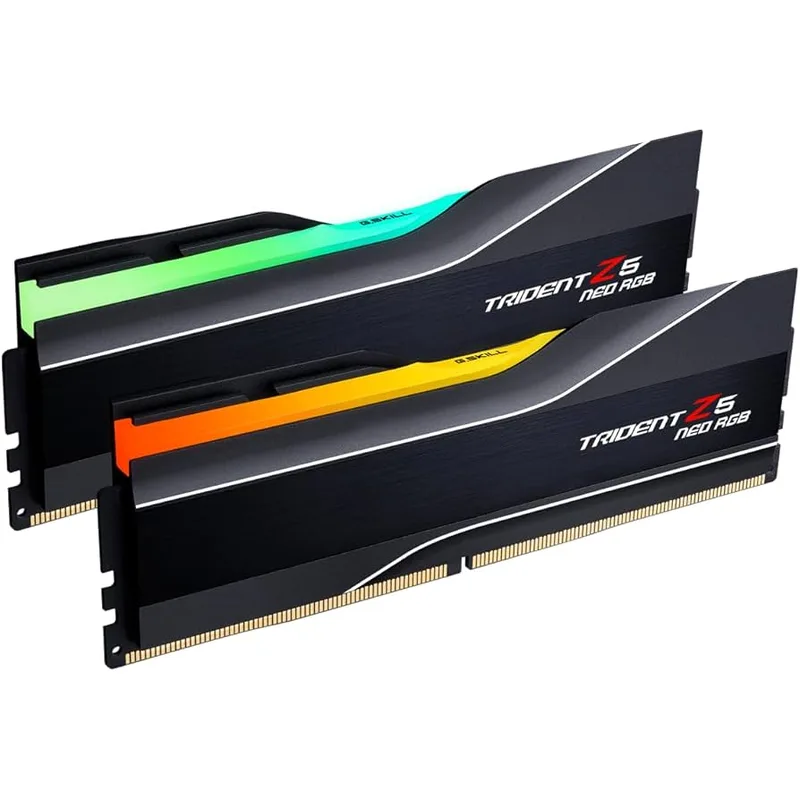
G.SKILL’s Trident Z5 Neo uses Samsung B-die chips that pair well with AMD’s EXPO certification process. The DDR5-6000 CL36 kit at $284 reflects current market pricing — AI-driven DRAM demand has pushed all DDR5-6000 32GB kits substantially higher from 2025 lows. The CL36 version is the rational pick at this tier: CL30 kits run $480+ for roughly 1-2% better gaming performance, while DDR5-5600 or DDR5-5200 kits leave the Infinity Fabric running asynchronously at the cost of latency.
Enable AMD EXPO in BIOS, and the kit self-configures to 6000MHz at 1.35V with correct primary timings in a single reboot. No XMP manual setup, no subtiming adjustments for stability. The Intel XMP 3.0 certification handles Intel platform compatibility if these sticks ever move to a Z890 build.
32GB is the appropriate capacity at this price point. Microsoft Flight Simulator 2026 with Photogrammetry scenery, Hogwarts Legacy with Ultra textures, and games with large asset-streaming engines regularly consume 20-26GB of combined system and GPU memory. 16GB kits handle today’s titles but will create bottlenecks in higher-fidelity releases within 12-18 months.
Storage: Samsung 990 Pro 2TB NVMe
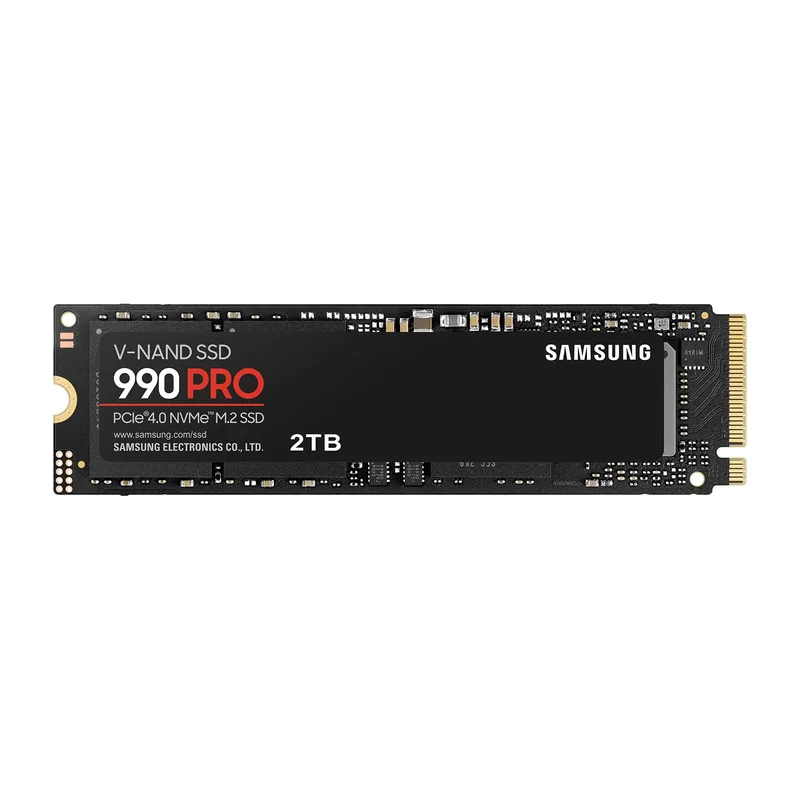
Samsung’s 990 Pro combines the in-house MJX controller with V-NAND — the pairing responsible for its reliability record in enthusiast builds. Third-party controller drives from Phison and Silicon Motion match or exceed the 990 Pro’s synthetic benchmarks, but Samsung’s firmware maturity produces fewer reported issues in edge cases like sustained writes after cache exhaustion.
At 7,450 MB/s sequential read, the 990 Pro maxes the PCIe 4.0 interface. The 2TB variant carries 1,200 TBW endurance and a 5-year warranty — among the best at its capacity tier. Windows boot time runs under 15 seconds on a clean install. Call of Duty loads in approximately 4 seconds, Cyberpunk 2077 in under 8 seconds.
The NAND shortage has pushed the 2TB 990 Pro to $480 as of May 2026. Budget note: The 1TB 990 Pro at $330 is the cost-optimized alternative — same 7,450 MB/s throughput and Samsung reliability, just half the capacity. The B850 Tomahawk Max’s remaining three M.2 slots support easy future expansion. The PCIe 4.0 ceiling versus PCIe 5.0 drives at 12,000-14,000 MB/s has no measurable impact on gaming frame rates in any current title.
PSU: Corsair RM850e (2025) 850W
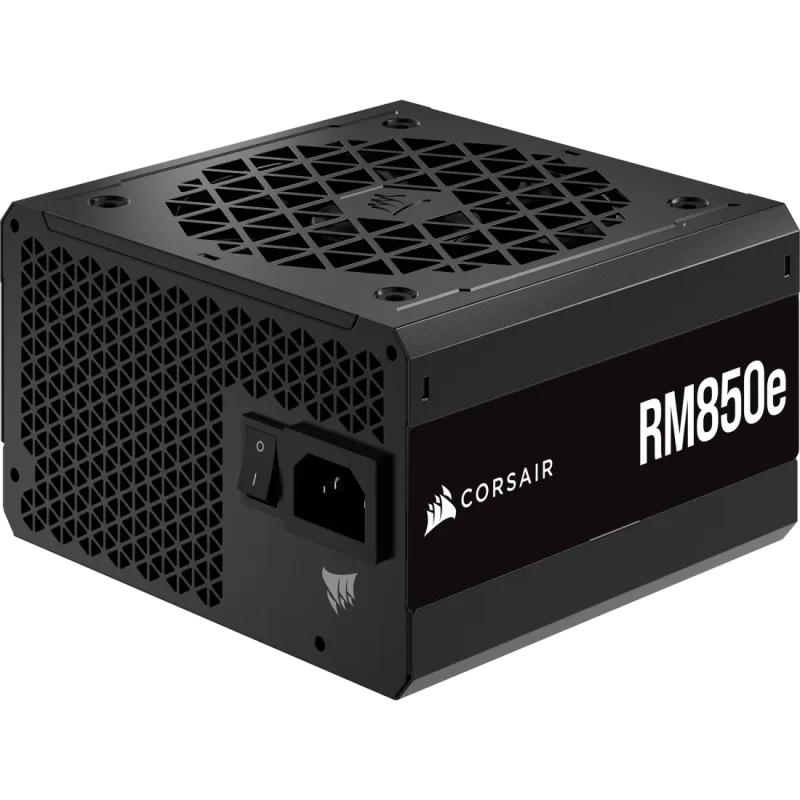
The 2025 revision of the RM850e implements ATX 3.1 with PCIe 5.1 compliance and ships with a native 12V-2x6 cable — the correct way to power the RTX 5070 Ti. ATX 3.1’s Extended Current Excursions specification allows the PSU to handle 200% of rated rail current for 100ms, covering the peak transient spikes the Blackwell architecture generates during GPU boost transitions. Earlier ATX 3.0-spec PSUs handled these spikes at the connector level but could trigger OCP shutdowns when multiple components peaked simultaneously.
850W handles the 9800X3D (120W) and RTX 5070 Ti (320W OC) plus board, RAM, and storage overhead — approximately 500-530W total gaming load — with roughly 40% headroom to the PSU’s rated capacity. The Zero RPM fan mode keeps the unit silent during gaming loads below 500W; the fan engages only under sustained full-system stress like rendering workloads. The 7-year warranty covers the full expected ownership cycle of this build and extends through any reasonable GPU or CPU upgrade.
Build Tips
Install the CPU cooler before mounting the motherboard in the case if you’re using an AIO. Attaching the AIO mounting bracket and applying thermal paste is easier with the board on a flat surface rather than mounted vertically in the case.
Enable AMD EXPO on first boot. The system POSTs at DDR5-4800 default speed on first power-on. Enter BIOS, navigate to memory settings, and enable EXPO — this takes the RAM from 4800MHz to 6000MHz in one step. Save and exit; the system reboots and confirms the new frequency.
Connect the Samsung 990 Pro 2TB to the M2_1 slot (CPU-connected, top slot adjacent to the PCIe x16 slot). This slot runs directly to the Ryzen CPU rather than through the B850 chipset, eliminating any shared bandwidth with other PCIe devices.
Use the 12V-2x6 cable from the PSU box rather than any adapter cable. The Corsair RM850e (2025) includes a native cable. The RTX 5070 Ti’s connector is rated for direct connection — adapters introduce additional resistance at a connector the GPU already drives hard during transient load peaks.
Apply thermal paste in a small pea-size dot at the CPU center. The AIO mounting pressure spreads it correctly across the IHS. The 9800X3D has a slightly taller IHS than standard Zen 5 parts due to the V-Cache stack — any standard AM5 cooler mount clears this without modification.
Route all unused cables behind the motherboard tray. In a mesh-front case like the Fractal Design Torrent, front-to-back airflow relies on unobstructed intake. The RM850e’s fully modular design means only the cables you need get connected — GPU power, CPU power, two SATA, and one 24-pin; store the rest.
Performance Expectations
These figures represent the RTX 5070 Ti + Ryzen 7 9800X3D combination at the noted resolutions and settings, based on published reviews and comparative analysis from hardware outlets. DLSS Quality refers to DLSS 4 Transformer-based upscaling from roughly 64% of target resolution. Frame Generation (1x) adds one generated frame per rendered frame.
1440p (2560×1440)
| Game | Settings | FPS (Native) | FPS (DLSS Quality) |
|---|---|---|---|
| Cyberpunk 2077 | Ultra + RT High | ~85 | ~135 |
| Call of Duty: Black Ops 6 | Max | 200+ | — |
| Hogwarts Legacy | Ultra | ~110 | ~145 |
| Microsoft Flight Sim 2026 | Ultra | ~65 | ~100 |
| Baldur’s Gate 3 | Ultra | ~145 | — |
| Marvel Rivals | Extreme | 210+ | — |
1440p is CPU-limited in lighter-load titles — the 9800X3D’s V-Cache advantage shows most clearly here, delivering 10-20% better 1% lows versus non-cached CPU alternatives.
4K (3840×2160)
| Game | Settings | FPS (Native) | FPS (DLSS Quality) | FPS (DLSS Qual + 1x FG) |
|---|---|---|---|---|
| Cyberpunk 2077 | Ultra + RT High | ~52 | ~80 | ~115 |
| Hogwarts Legacy | Ultra | ~75 | ~105 | — |
| Call of Duty: Black Ops 6 | Max | ~130 | — | — |
| Microsoft Flight Sim 2026 | Ultra | ~42 | ~65 | ~90 |
| Baldur’s Gate 3 | Ultra | ~90 | — | — |
4K native at Ultra in demanding titles benefits from DLSS Quality or Frame Generation to stay above 60 FPS consistently. With both enabled, the RTX 5070 Ti delivers a smooth 4K experience in every current title. For native 4K without upscaling across all demanding titles, the RTX 5080 (~$1,249) is the step up.
Upgrade Path
First upgrade (12-18 months): Add a second NVMe drive. As game install sizes grow — Call of Duty exceeded 150GB by early 2026 — the 2TB Samsung 990 Pro fills faster than expected. The B850 Tomahawk Max WiFi has three available M.2 slots after the primary 990 Pro is installed. A second 2TB drive for game library overflow extends the storage setup by 2-3 years without touching anything else.
Second upgrade (18-30 months): GPU. The RTX 5070 Ti handles 4K comfortably with DLSS in 2026 titles, but the next GPU generation (RTX 6000 series, expected 2027) will bring new capabilities and efficiency improvements. The AM5 platform, B850 PCIe 5.0 x16 slot, and 850W PSU all accommodate the next generation without changes. When the RTX 5070 Ti starts struggling with specific titles at your target settings, the upgrade is a single component swap.
Third upgrade (30-48 months): CPU. The 9800X3D’s 3D V-Cache advantage remains the gaming CPU ceiling as of mid-2026. AMD’s next X3D successors on AM5 will require only a BIOS update on the existing B850 board — the platform investment retains value.
RAM expansion is optional. 32GB covers every current gaming scenario. If you run heavy creative workloads — 4K video editing, machine learning inference, virtual machines alongside gaming — upgrading to 64GB by adding two more 16GB sticks is straightforward on the four-slot B850 Tomahawk Max.
FAQ
Is 850W enough for the RTX 5070 Ti and Ryzen 7 9800X3D?
Yes. Combined gaming load for this build runs 480-530W at the wall — roughly 450-500W from the PSU after 80+ Gold efficiency losses. The 850W RM850e operates at 55-65% load during gaming, which is its most efficient and coolest operating range. The only scenario approaching 850W is simultaneous full CPU rendering plus GPU compute — not a standard gaming workload.
Can this build run 4K gaming without DLSS?
In most titles, yes. The RTX 5070 Ti delivers 75-130 FPS native 4K in games like Hogwarts Legacy and Call of Duty at max settings. In the most demanding titles — Cyberpunk 2077 with full ray tracing, Microsoft Flight Simulator 2026 — native 4K sits at 42-55 FPS at Ultra, where DLSS Quality or Frame Generation becomes necessary for a consistently smooth experience. The RTX 5080 at ~$1,249 is the step up for native 4K across all titles without upscaling.
Why the 9800X3D over the Ryzen 9 9900X for this budget?
The 9900X has 12 cores versus the 9800X3D’s 8, but no 3D V-Cache. In gaming, the 9800X3D outperforms the 9900X by 15-25% in CPU-sensitive titles because of the cache advantage, while the two chips trade blows in GPU-bound scenarios. If your workload includes heavy rendering, video encoding, or compilation work, the 9900X’s additional cores become relevant — but for gaming as the primary use case, the 9800X3D is the correct choice.
Does PCIe 5.0 matter for the GPU?
Not for current gaming performance. The RTX 5070 Ti on a PCIe 5.0 x16 slot versus a PCIe 4.0 x16 slot produces less than 1% difference in frame rates across the titles measured in published reviews. PCIe 4.0 x16 provides 32 GB/s of bidirectional bandwidth; the RTX 5070 Ti rarely sustains more than 8-12 GB/s under gaming load. The B850 board’s PCIe 5.0 x16 slot matters for future GPU generations and Gen5 NVMe drives.
What case works with this build?
Any ATX mid-tower with a mesh front panel. The Fractal Design Torrent ($119) and Corsair 4000D Airflow ($104) are the most recommended options at this budget in 2026. Both accommodate a 280mm AIO front-mounted and provide excellent front-to-back airflow past the GPU. Avoid solid-front or tempered-glass front cases without large side ventilation — they raise GPU temperatures 5-10°C versus mesh alternatives under sustained load.
How does this build compare to a prebuilt at the same price?
Prebuilts at $2,500-$3,000 in 2026 typically use the same CPU and GPU tier with lower-quality motherboards, generic RAM, and budget storage. Building manually gets you the B850 Tomahawk Max’s Gen5 M.2 slots, a proper ATX 3.1 PSU with native 12V-2x6, and the ability to upgrade individual components. The tradeoff is assembly time and no integrated system warranty — parts carry their individual manufacturer warranties instead.
The Bottom Line
At May 2026 prices, this build runs closer to $2,800 than the $2,000 target it was designed around — AI-driven component demand has reshaped the DDR5 and NAND markets substantially since early 2026. The core component choices remain correct for this tier. The MSI RTX 5070 Ti Gaming Trio OC Plus is the build’s backbone: 16GB GDDR7 and full Blackwell DLSS 4 support make it the right choice over the RTX 5070 for anyone targeting 4K or planning 3+ year longevity. The Ryzen 7 9800X3D remains unchallenged as the gaming CPU peak for the AM5 platform. For builders closer to a strict $2,000 ceiling, substituting the RTX 5070 12GB ($635) and 990 Pro 1TB ($330) lands near $2,270 with the same CPU and platform advantages intact. Once the build is complete, finishing the setup with the right seating makes a real difference for long sessions — see our best gaming chairs for PC gamers guide for top picks at this budget tier.