With RTX 5070 supply improving steadily through early 2026, the $1,500 bracket now delivers genuine high-end gaming performance — 1440p max settings above 90 FPS in every current AAA title, with DLSS 4 Multi Frame Generation making 4K viable on a sub-$2,000 budget. This build pairs NVIDIA’s Blackwell mid-flagship with AMD’s Zen 5 platform for a machine that won’t need meaningful changes for 3-4 years.
Build at a Glance
| Component | Pick | Price |
|---|---|---|
| CPU | AMD Ryzen 7 9700X | $299 |
| GPU | ASUS TUF RTX 5070 12GB OC | $599 |
| Motherboard | MSI MAG B650 Tomahawk WiFi | $179 |
| RAM | G.SKILL Trident Z5 Neo RGB 32GB DDR5-6000 | $89 |
| Storage | Samsung 990 Pro 1TB NVMe | $89 |
| PSU | Any 80+ Gold 850W (Corsair RM850e, Seasonic Focus GX-850) | ~$109 |
| Case | Any ATX mesh-front mid-tower (Corsair 4000D Airflow, Fractal Pop Air) | ~$99 |
| Total | ~$1,463 |
Prices reflect current Amazon street pricing as of March 2026. GPU prices fluctuate — at $549 for baseline RTX 5070 models (MSI Ventus 2X OC), the build drops to ~$1,413. The PSU and case aren’t reviewed individually here: any reputable 850W 80+ Gold fully modular unit and any mesh-front ATX mid-tower handles the rest.
Why These Parts
The RTX 5070 is the right GPU at this budget. At $549-629, Blackwell’s entry point delivers rasterization performance in the RTX 4080 Super tier — a card that launched at $999 two years ago. DLSS 4’s Multi Frame Generation and NVIDIA Reflex integration push the effective frame rate ceiling further than raw rasterization suggests.
The Ryzen 7 9700X is the value play over the 9800X3D. The 9800X3D outperforms the 9700X in CPU-limited gaming scenarios by 10-20%, but at 1440p with the RTX 5070, the GPU is the bottleneck in the vast majority of titles. The 9700X’s 3-8% gaming deficit in GPU-bound scenarios costs you $130 less — money that’s better spent on the GPU or kept in reserve.
B650 Tomahawk at $179 instead of a B850 board. B850 boards add PCIe 5.0 bandwidth for the GPU slot and M.2 slots — neither of which produce measurable gaming performance differences with current hardware. PCIe 4.0 x16 delivers 32 GB/s of bandwidth, and the RTX 5070 rarely sustains more than 10-15 GB/s under gaming load. The Tomahawk’s three M.2 slots, 14+2+1 phase VRM, and WiFi 6E are more than sufficient for this platform through 2028.
DDR5-6000 at $89 is the Zen 5 sweet spot. At 6000MHz, AMD’s Infinity Fabric runs synchronously at 2000MHz, minimizing latency across the chiplet interconnect. The G.SKILL Z5 Neo EXPO profile sets this automatically — boot, enable EXPO in BIOS, done.
1TB Samsung 990 Pro for the primary drive. PCIe 4.0’s maximum throughput at 7,450 MB/s leaves no storage bottleneck for current workloads. The B650 Tomahawk has two additional M.2 slots for expansion when 1TB fills.
Component Deep Dives
GPU: ASUS TUF GeForce RTX 5070 12GB OC Edition
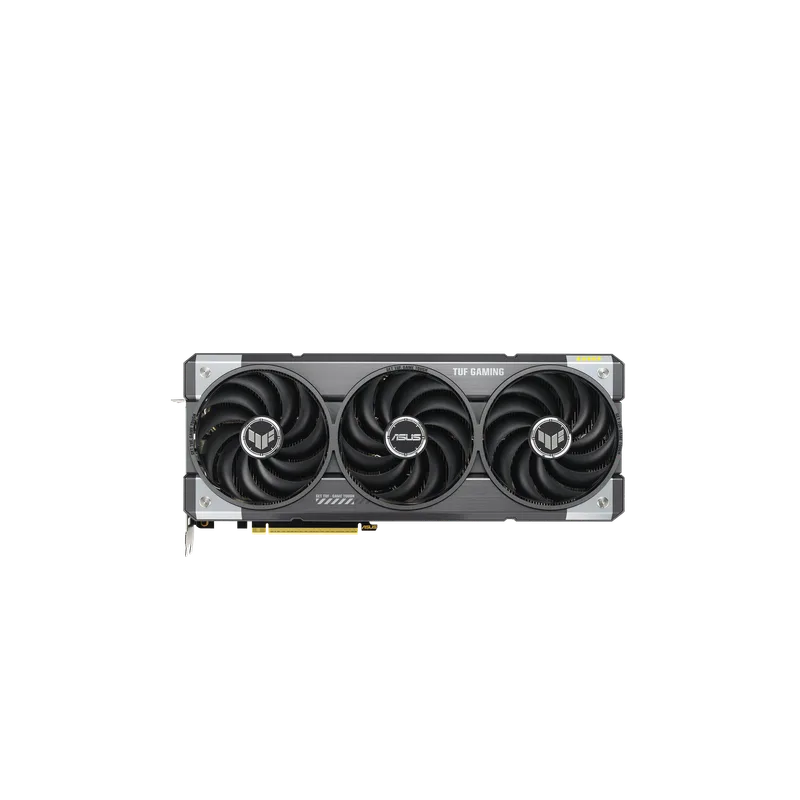
ASUS TUF GeForce RTX 5070 12GB OC Edition
The ASUS TUF RTX 5070 OC Edition boosts to approximately 2720 MHz vs the Founders Edition’s 2512 MHz reference clock. ASUS’s TUF cooling system runs three Axial-tech fans and military-grade capacitors; under sustained load the card operates 15-20°C cooler than reference designs, which keeps boost clocks sustained rather than intermittent.
The RTX 5070 sits in an interesting spot relative to its own lineup: it performs within 5-8% of the RTX 5070 Ti at rasterization while costing $150-200 less. For 1440p gaming, that gap is largely irrelevant — both cards exceed 90 FPS in the demanding titles that define the performance ceiling at this resolution.
DLSS 4 Multi Frame Generation works in all titles with DLSS support, which covers the majority of major 2025-2026 releases. With DLSS Quality + 2x Frame Generation at 4K, the RTX 5070 moves Cyberpunk 2077 and other demanding engines from the 40-50 FPS native 4K range into 80-100 effective FPS territory.
PSU requirement: The RTX 5070 uses a 16-pin 12V-2x6 connector. The Corsair RM850e and Seasonic Focus GX-850 include one natively. If you’re using a different PSU, verify 12V-2x6 support before purchasing.
CPU: AMD Ryzen 7 9700X
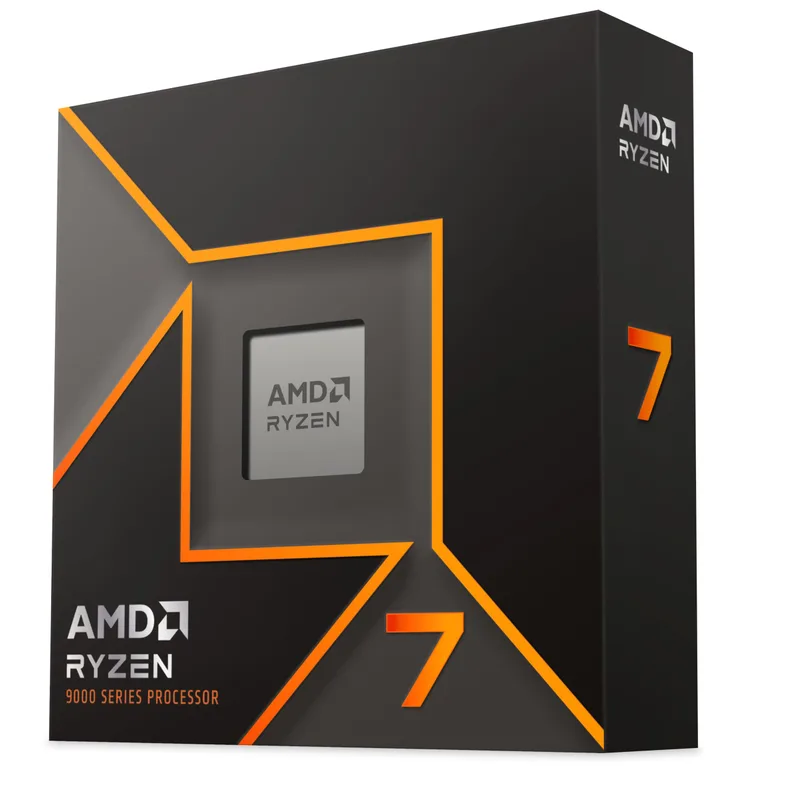
AMD Ryzen 7 9700X
The Ryzen 7 9700X gives you 8 Zen 5 cores at 5.5 GHz boost within a 65W TDP envelope. Zen 5’s ~15% IPC improvement over Zen 4 means the 9700X eliminates CPU bottlenecks in virtually every gaming scenario at 1440p with the RTX 5070.
What you’re not getting is 3D V-Cache. The Ryzen 7 9800X3D uses stacked cache to dramatically improve cache hit rates in CPU-heavy gaming workloads, producing 10-20% better frame rates in titles like Microsoft Flight Simulator 2024 and Cities: Skylines 2. At 1440p with the RTX 5070, those same titles are GPU-limited — the performance gap between the 9700X and 9800X3D collapses to 3-8%. The difference shows up meaningfully only at 1080p where CPUs become the frame rate limiter.
The 9700X includes AMD’s Wraith Stealth cooler, which handles the chip at 65W without thermal throttling. For quieter operation, a Thermalright Peerless Assassin 120 SE ($38) drops idle noise significantly and reduces load temperatures by 10-15°C.
Motherboard: MSI MAG B650 Tomahawk WiFi
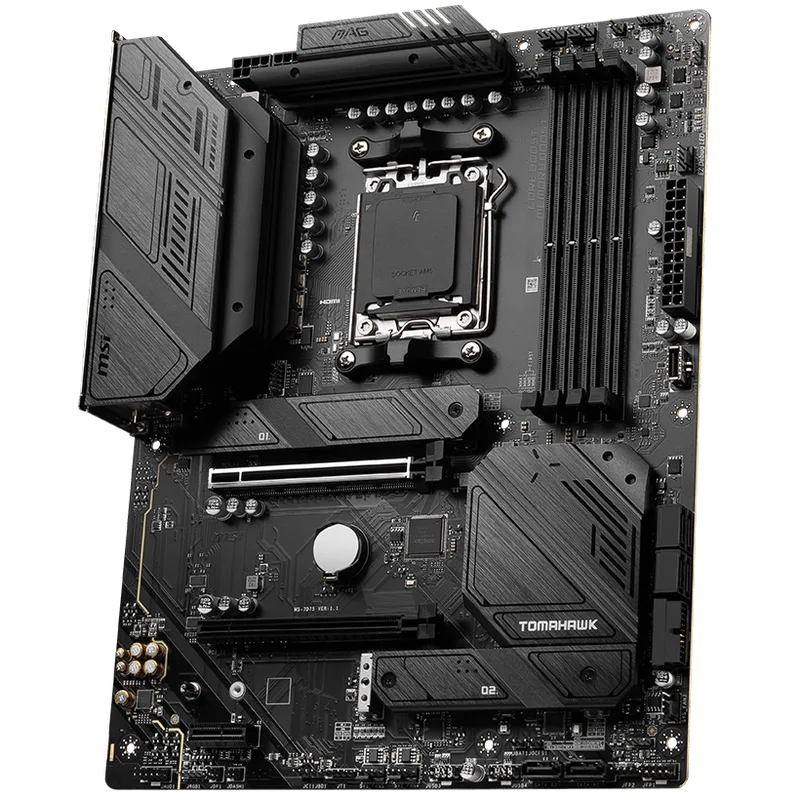
MSI MAG B650 Tomahawk WiFi
The B650 Tomahawk has been a benchmark AM5 board since the Ryzen 7000 launch and remains the most recommended B650 option in 2026. Its 14+2+1 phase power delivery runs the Ryzen 9 9950X at 170W sustained without throttling — the 9700X at 65W barely stresses it.
Three M.2 slots are available: two connect directly to the CPU via PCIe 4.0 x4, one through the B650 chipset. The CPU-connected slots are the correct ones for your primary and secondary NVMe drives — no chipset-routing latency means the Samsung 990 Pro hits its rated 7,450 MB/s without interference.
WiFi 6E operates on the 6GHz band at up to 3.6 Gbps theoretical — faster than most home fiber connections. The 2.5GbE LAN port handles direct wired connections with lower latency than any Wi-Fi standard for competitive play.
The case for a B850 upgrade: B850 boards add PCIe 5.0 for the GPU slot and primary M.2 slot. The GPU performance difference is immeasurable with current drivers. The M.2 difference matters only if you add a PCIe 5.0 SSD (14,000+ MB/s drives at $150+). If you prioritize future-proofing for those specific scenarios, the B850 Tomahawk MAX WiFi at ~$225 is a direct upgrade.
RAM: G.SKILL Trident Z5 Neo RGB 32GB DDR5-6000
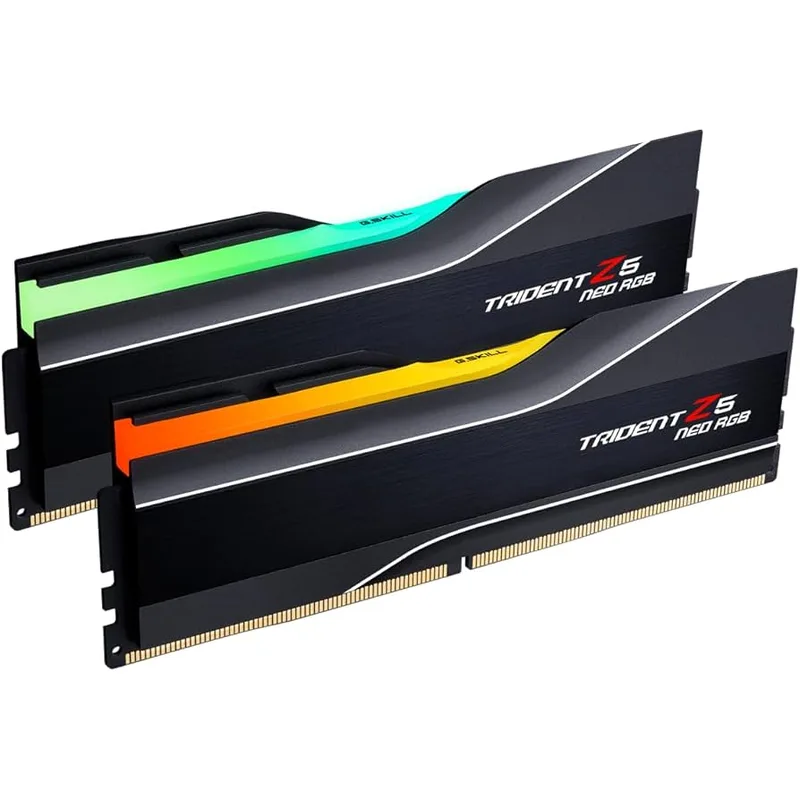
G.SKILL Trident Z5 Neo RGB 32GB DDR5-6000
G.SKILL designed the Trident Z5 Neo specifically for AMD platforms. The EXPO profile is calibrated for Ryzen 9000 memory controllers, targeting DDR5-6000 as the optimal frequency for Zen 5’s Infinity Fabric synchronous operation at 2000MHz.
Enable AMD EXPO in BIOS and the kit automatically trains to 6000MHz CL36 at 1.35V — no manual subtiming adjustments, no instability. The kit also carries Intel XMP 3.0 certification if you ever build an Intel system with these sticks.
32GB is the correct capacity for a $1,500 build in 2026. Several AAA titles with high-resolution texture packs can consume 20-26GB of combined system and GPU memory. Hogwarts Legacy at ultra textures, Cyberpunk 2077 with the HD texture pack, and Microsoft Flight Simulator 2024 with dense photogrammetry areas all benefit from the headroom. A 16GB kit works today but will feel constrained within 18-24 months.
Storage: Samsung 990 Pro 1TB NVMe
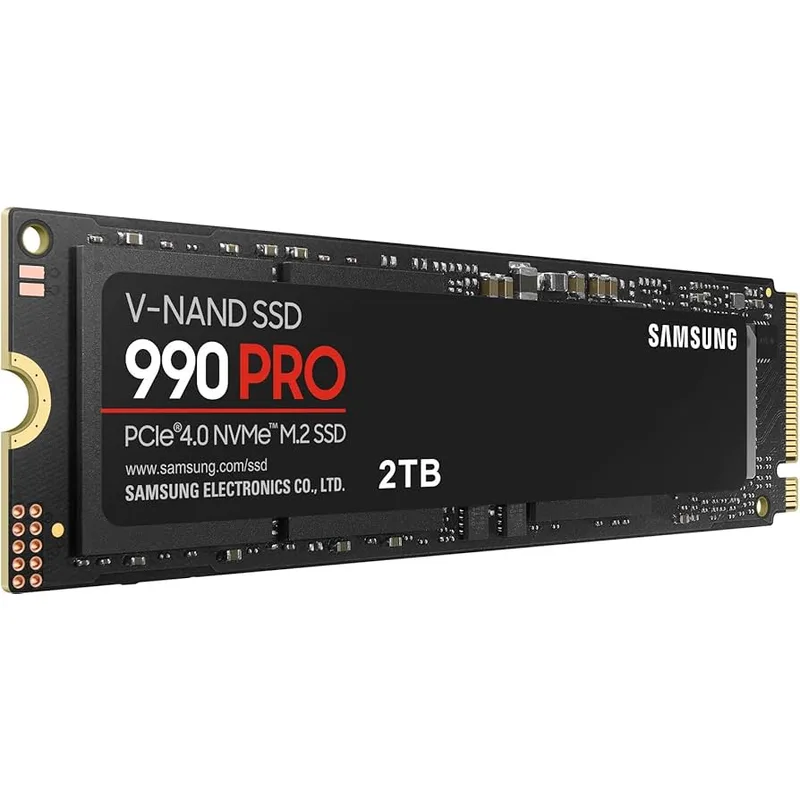
Samsung 990 Pro 1TB NVMe
The Samsung 990 Pro uses Samsung’s in-house MJX controller and V-NAND to reach 7,450/6,900 MB/s sequential reads and writes — the practical ceiling for PCIe 4.0 x4. Its 1,550K random read IOPS figure is what determines system responsiveness for OS tasks; at that level, the drive never becomes a perceptible bottleneck.
The 600 TBW endurance rating is among the highest for a 1TB PCIe 4.0 drive. Samsung has maintained consistent firmware quality on the 990 Pro across multiple update cycles, unlike several competing drives that required firmware recalls for data integrity issues.
Install Windows 11 and your primary game library on this drive. When 1TB fills — and with modern AAA titles at 80-150GB per install, it will — the B650 Tomahawk’s second CPU-connected M.2 slot accepts another drive at full PCIe 4.0 x4 speeds.
| Spec | ASUS TUF GeForce RTX 5070 12GB OC Edition $599 9.2/10 | AMD Ryzen 7 9700X $299 8.8/10 | MSI MAG B650 Tomahawk WiFi $179 8.7/10 | G.SKILL Trident Z5 Neo RGB 32GB DDR5-6000 $89 9/10 | Samsung 990 Pro 1TB NVMe $89 8.9/10 |
|---|---|---|---|---|---|
| GPU | NVIDIA Blackwell GB205 | — | — | — | — |
| VRAM | 12GB GDDR7 | — | — | — | — |
| Interface | PCIe 5.0 x16 | — | — | — | PCIe 4.0 x4 |
| Outputs | HDMI 2.1b, 3x DisplayPort 2.1b | — | — | — | — |
| TDP | 250W | 65W | — | — | — |
| Boost Clock | ~2720 MHz (OC) | — | — | — | — |
| Rating | 9.2/10 | 8.8/10 | 8.7/10 | 9/10 | 8.9/10 |
Build Tips
Install the M.2 SSD before mounting the motherboard. The 990 Pro slides into the M.2_1 slot (directly below the CPU socket on the Tomahawk). Screw it down with the provided M.2 standoff, then seat the board in the case. Reaching the top M.2 slot with the board installed is possible but awkward.
Enable EXPO on first boot. The G.SKILL kit defaults to DDR5-4800 (JEDEC standard) until EXPO is enabled. Enter BIOS immediately after first boot (Delete key during POST on MSI boards), navigate to the OC or DRAM section, select the EXPO I profile, save and exit. The system reboots at DDR5-6000 automatically.
Use the primary PCIe x16 slot for the GPU. On the B650 Tomahawk, the top PCIe x16 slot runs at PCIe 4.0 x16 directly from the CPU. The second x16 slot runs through the chipset at PCIe 4.0 x4 — always use the top slot for the discrete GPU.
Plug into DisplayPort, not HDMI. The RTX 5070’s DisplayPort 2.1b outputs support 4K 240Hz uncompressed. HDMI 2.1b supports 4K 144Hz. If your monitor has both connectors, use DisplayPort for maximum refresh rate ceiling.
Route the 12V-2x6 cable cleanly. The RTX 5070’s 16-pin connector runs hot under load if the cable has a tight bend near the card. Run it with gradual curves from the PSU, leaving no sharp 90-degree bends within 3cm of the GPU connector.
Performance Expectations
The RTX 5070 paired with the Ryzen 7 9700X targets 1440p max settings as its primary resolution. At 1080p, this build is overkill for anything short of 360Hz competitive gaming. At 4K, DLSS Quality brings most titles into comfortable territory.
| Game | 1440p Max | 4K Max | 4K DLSS Quality |
|---|---|---|---|
| Cyberpunk 2077 (Rasterization) | ~100 FPS | ~45 FPS | ~80 FPS |
| Alan Wake 2 Ultra | ~85 FPS | ~38 FPS | ~65 FPS |
| Hogwarts Legacy Max | ~110 FPS | ~55 FPS | ~90 FPS |
| Elden Ring Max | ~120 FPS | ~60 FPS | ~105 FPS |
| Call of Duty: Black Ops 6 Max | ~180 FPS | ~90 FPS | — |
| Counter-Strike 2 Max | ~280 FPS | — | — |
Performance estimates based on RTX 5070 tier benchmarks. Actual results vary by driver version, game patch, and in-game settings.
With DLSS 4 Frame Generation (2x multiplier) enabled in supported titles, effective frame rates approximately double — Cyberpunk 2077 approaches 190 FPS at 1440p. NVIDIA Reflex should be enabled alongside Frame Generation to keep input latency from rising.
Upgrade Path
First upgrade: Ryzen 7 9800X3D (12-18 months). AMD’s 3D V-Cache prices have historically dropped 20-30% within a year of launch. When the 9800X3D reaches the $300-320 range, it drops into the B650 Tomahawk with no other changes — gaming performance improves 10-20% in CPU-limited titles, and GPU-bound titles stay identical.
Second upgrade: Second M.2 SSD. When 1TB fills, the B650 Tomahawk’s second CPU-connected M.2 slot accepts any PCIe 4.0 drive. A 2TB Samsung 990 Evo or WD Black SN850X adds storage without reinstalling anything.
Third upgrade: Next-generation GPU (2027-2028). The RTX 5070 handles 1440p max settings comfortably for the foreseeable future. If you move to a 4K display or want native 4K without DLSS, a next-generation GPU slots into the same PCIe x16 connection without any other platform changes.
Skip for now: CPU cooler upgrade. The included Wraith Stealth handles the 9700X at 65W without thermal throttling. Upgrade to a Thermalright Peerless Assassin 120 SE or similar only if acoustics matter in your environment — performance doesn’t change.
FAQ
Does a B650 board bottleneck the RTX 5070?
No. PCIe 4.0 x16 delivers up to 32 GB/s of bandwidth; the RTX 5070 rarely sustains more than 10-15 GB/s under gaming load. B850 boards add PCIe 5.0 capability, but benchmarks between B650 and B850 paired with the same GPU show no measurable difference in frame rates or frame times.
Is 12GB VRAM enough for 1440p gaming?
For all current titles at 1440p with standard textures, yes. 12GB starts showing limitations only with 4K texture mod packs (Cyberpunk 2077 HD Reworked, Hogwarts Legacy at max) and in native 4K scenarios. For standard 1440p gaming without texture mods, 12GB is sufficient through 2026 and likely 2027.
Should I buy the Ryzen 7 9800X3D instead?
At 1440p with the RTX 5070, the GPU is the bottleneck in most titles — the 9700X and 9800X3D deliver nearly identical results in GPU-bound games. The 9800X3D justifies its premium if you game primarily at 1080p high refresh rate (240Hz+) or run CPU-intensive simulations. At 1440p, the performance gap collapses to 3-8% in typical gaming workloads.
What PSU should I buy?
An 80+ Gold fully modular 850W unit: the Corsair RM850e ($109) or Seasonic Focus GX-850 ($129) are both solid. The RTX 5070’s 250W TDP plus the 9700X’s 65W totals ~315W under full load — 850W leaves 535W of headroom for future upgrades and sustained efficiency. A 750W unit also works but reduces upgrade headroom.
Can this build handle 4K without DLSS?
At medium-high settings, yes — expect 50-65 FPS in most titles at 4K native. At maximum settings in demanding engines (Cyberpunk 2077, Alan Wake 2), frame rates drop to 38-50 FPS. Enable DLSS Quality for ~1.7x resolution scaling and frame rates move to 65-90 FPS. DLSS Quality at 4K is effectively rendering at 1440p and upscaling — the quality difference is minimal at normal viewing distances.
The Bottom Line
At ~$1,463 as configured, this build delivers 1440p gaming at max settings across every current AAA title and handles 4K with DLSS 4 Quality enabled. The ASUS TUF RTX 5070 12GB OC is the centerpiece — Blackwell rasterization performance at a sub-$600 price point makes this the clearest inflection point in gaming PC value in several years. Pair it with the AMD Ryzen 7 9700X on the B650 Tomahawk, and you have a machine with a clear upgrade path and no bottlenecks for 3-4 years of gaming ahead.