Affiliate disclosure: PCBuildRanked earns a commission on qualifying Amazon purchases at no extra cost to you.
Small form factor PCs have never been more capable than in 2026. The Cooler Master NR200P V2 — designed explicitly for modern cards like the RX 9070 XT and RTX 5080 — gives SFF builders access to genuine 1440p Ultra performance in an 18.5-liter chassis roughly the size of a thick hardcover book. This build targets 1440p gaming at 90–130 FPS across demanding titles, runs quietly under normal gaming loads, and fits on a desk without dominating it. Total component cost lands around $2,243, with a required SFX PSU pushing the all-in figure to approximately $2,373.
| Spec | Cooler Master NR200P V2 9.1/10 | ASUS ROG Strix X870-I Gaming WiFi 9/10 | AMD Ryzen 7 9800X3D 9.5/10 | Sapphire Pulse RX 9070 XT 9.2/10 | Corsair Vengeance DDR5 32GB (2×16GB) 6000MHz CL36 Unavailable 8.8/10 | WD Black SN850X 1TB 8.9/10 |
|---|---|---|---|---|---|---|
| form_factor | Mini-ITX | Mini-ITX | — | — | — | M.2 2280 |
| volume | 18.5L | — | — | — | — | — |
| gpu_clearance | 357mm vertical | — | — | — | — | — |
| aio_support | 280mm top-mount | — | — | — | — | — |
| psu_type | SFX / SFX-L | — | — | — | — | — |
| dimensions | 372 × 185 × 292mm | — | — | — | — | — |
| Rating | 9.1/10 | 9/10 | 9.5/10 | 9.2/10 | 8.8/10 | 8.9/10 |
Prices change daily — tap Check Price for the current Amazon price.
Prices change daily — tap Check Price for the current Amazon price.
Build at a Glance
| Component | Product | Price |
|---|---|---|
| Case | Cooler Master NR200P V2 | Check price |
| CPU | AMD Ryzen 7 9800X3D | Check price |
| Motherboard | ASUS ROG Strix X870-I Gaming WiFi | Check price |
| GPU | Sapphire Pulse RX 9070 XT | Check price |
| RAM | Corsair Vengeance DDR5 32GB 6000MHz CL36 | Unavailable |
| Storage | WD Black SN850X 1TB | Check price |
| PSU (required) | Corsair SF750 SFX (not included) | Check current price |
| Total | Check current price |
Note: A separate SFX PSU is required — no PSU is bundled. The Corsair SF750 (80 Plus Platinum) at ~$130 is the most reliable choice for this build. The NZXT C850 SFX works if you need 850W for higher-TDP cards.
Why These Parts
Case: The NR200P V2 uses a 357mm vertical mount as the primary GPU orientation, putting airflow directly against the GPU cooler instead of trapping heat between the card and the bottom panel. At 18.5L it’s larger than a console-style chassis like the Fractal Terra (10.4L) but dramatically easier to build in — particularly when routing SFX cables and seating a 280mm AIO.
CPU: The Ryzen 7 9800X3D’s 104MB stacked L3 cache makes it the fastest gaming chip on AM5. In an SFF context, its 120W TDP is manageable with a 240–280mm AIO and runs cooler than the 170W Ryzen 9 9950X3D in sustained loads. For a gaming-first SFF build, no alternative CPU on AM5 touches it.
Motherboard: The ROG Strix X870-I costs more than the B650E-I, but delivers WiFi 7, dual USB4 ports, and a PCIe 5.0 M.2 slot — features that matter over the 4–5 year lifespan of an AM5 platform. The 10+2+1 power stage setup handles the 9800X3D’s current draw cleanly at stock and modest auto-overclocking.
GPU: The Sapphire Pulse RX 9070 XT is among the most build-friendly RDNA 4 cards for SFF cases. Its 320mm length fits the NR200P V2’s vertical mount with 37mm clearance, and its triple-fan cooling keeps thermals reasonable inside the 18.5L chassis. Performance lands 8–12% ahead of the RTX 4080 Super at 1440p in rasterization-heavy titles. VRAM at 16GB GDDR6 means no compression artifacts in Cyberpunk 2077 path tracing or texture streaming in open-world titles.
RAM: DDR5-6000 CL36 with AMD EXPO support hits the Infinity Fabric 1:1 synchronization ratio on Ryzen 9000 (IF clock = DRAM clock / 2 = 3000MHz). DDR5 prices have risen significantly due to AI/datacenter-driven DRAM demand — budget accordingly. Going higher than 6000MHz introduces latency penalties unless you manually tune sub-timings.
Storage: The SN850X delivers 7,300/6,300 MB/s on PCIe 4.0 — sufficient that game installs, shader compilation, and load screens are never the bottleneck. The NAND flash shortage has driven 1TB Gen4 drive prices significantly higher than 2025 levels. For 2TB needs, budget around $390.
Component Deep Dives
Cooler Master NR200P V2
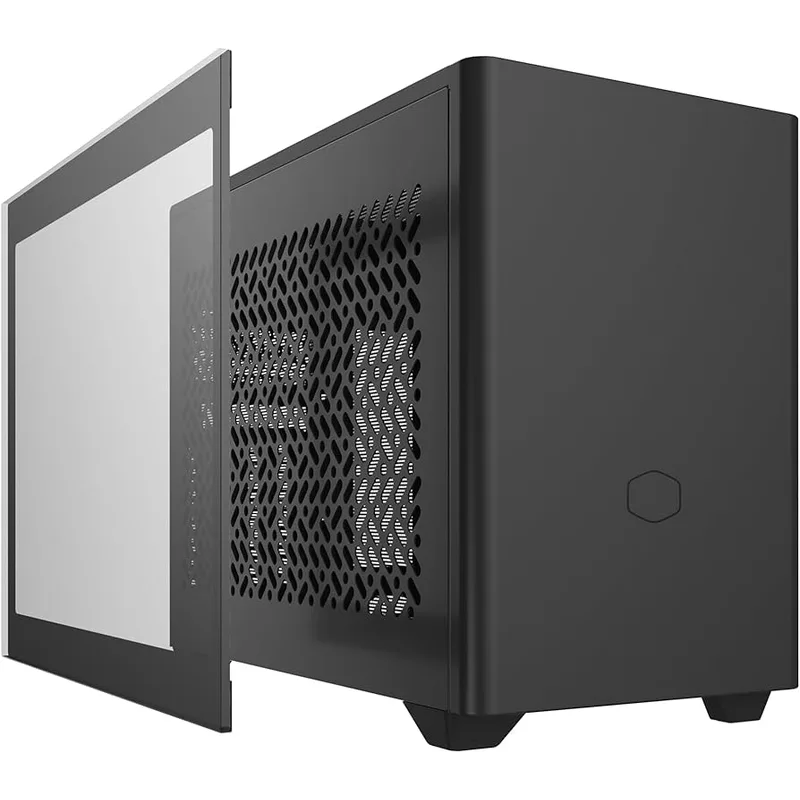
The NR200P V2 is the updated version of the original NR200P — a compact tower-style Mini-ITX case with a swing-out panel system updated to support modern GPU dimensions. The key spec is the 357mm vertical GPU clearance, which accommodates the Sapphire Pulse RX 9070 XT (320mm), RTX 5080 (336mm), and even the RTX 5090 (356mm) with a 1mm margin. Cooling is handled by two 120mm fans in the base, with a 280mm radiator supported on top.
The case ships without a PSU, so budget a Corsair SF750 or equivalent SFX unit. SFX-L PSUs up to 130mm depth also fit. One build note: route your 24-pin ATX and 8-pin EPS cables before mounting the motherboard — the clearance behind the I/O shroud is under 15mm.
ASUS ROG Strix X870-I Gaming WiFi
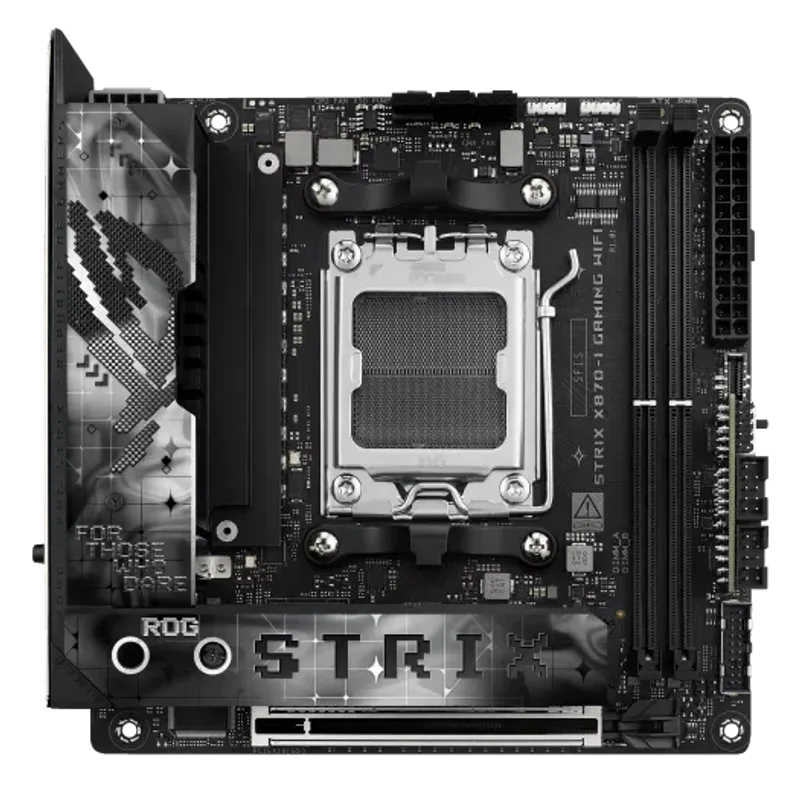
The X870-I is ASUS’s flagship Mini-ITX board on AMD’s X870 chipset. The 10+2+1 power stage layout runs at ~75°C under the 9800X3D’s all-core boost workloads — acceptable for SFF thermal budgets. Memory support goes to DDR5-8400 via AEMP (AMD EXPO), with the sweet spot being DDR5-6000 or DDR5-6400 for gaming.
Connectivity is exceptional for a Mini-ITX board: two USB4 Gen 3×2 ports (40Gb/s), two USB 3.2 Gen 2 Type-A ports on the rear I/O, and WiFi 7 (802.11be) with Bluetooth 5.4. The dual M.2 slots run at PCIe 5.0 and PCIe 4.0 respectively. For AM5 Mini-ITX, this is the strongest option at its price point. The budget alternative is the ASRock B850I Lightning WiFi if you can give up USB4 and WiFi 7 — it handles the 9800X3D at a significantly lower price point.
AMD Ryzen 7 9800X3D
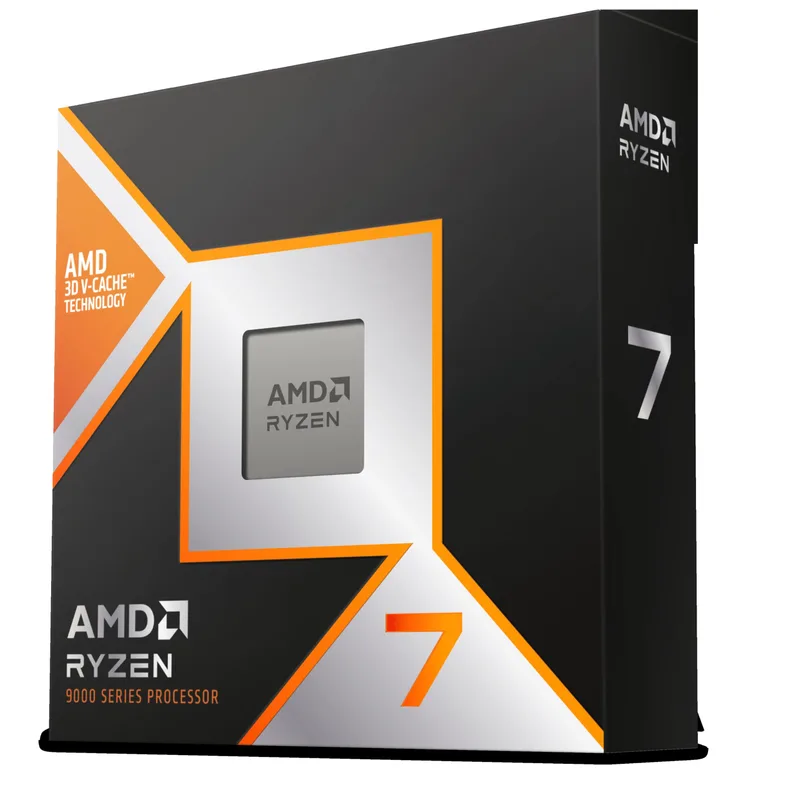
The 9800X3D is the right CPU for a gaming-focused SFF build. Eight Zen 5 cores at 5.2GHz boost with 104MB of stacked L3 cache puts frame rates ahead of every other consumer AMD or Intel part in cache-sensitive titles. Against the Ryzen 9 9950X3D, the 9800X3D is within 3–5 FPS in most games while drawing 50W less — a meaningful difference in an 18.5L case.
Cooling requirement: the 9800X3D needs a 240–280mm AIO or a tower cooler with at least 65mm clearance (the NR200P V2 supports 67mm CPU cooler height in air-cooling mode). The NZXT Kraken 240 RGB fits the top mount position and keeps the chip under 75°C at stock in the NR200P V2. Do not pair this CPU with a 120mm AIO — thermal headroom is insufficient at sustained all-core loads.
Sapphire Pulse RX 9070 XT
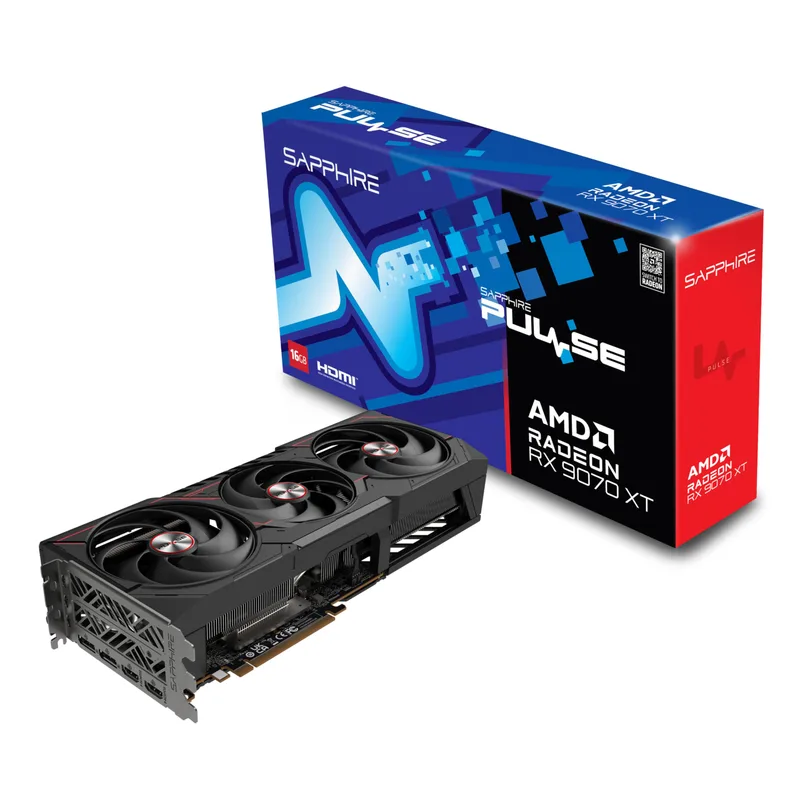
The Sapphire Pulse RX 9070 XT (model 11348-03-20G) features a triple-fan cooler spanning 3 slots and measuring 320mm in length. It installs vertically in the NR200P V2 with 37mm of clearance to spare. Performance lands 8–12% ahead of the RTX 4080 Super at 1440p in rasterization-heavy titles and about 15% behind the RTX 5070 Ti, which commands a significant premium.
VRAM at 16GB GDDR6 means you won’t see VRAM pressure in current titles at 1440p Ultra. Ray tracing performance is substantially better than RDNA 3 — roughly 30% improvement in path-traced scenes — but NVIDIA’s RTX 5070 and up still hold an advantage in titles that lean on DLSS 4 multi-frame generation. AMD’s FSR 4 covers the gap for most titles, including Cyberpunk 2077 and Forza Horizon 5. The card has three DisplayPort 2.1 outputs and one HDMI 2.1 on the rear bracket.
PSU requirement: a 750W unit handles the full system draw (9800X3D + RX 9070 XT) with headroom. The Corsair SF750 is the reference choice.
Corsair Vengeance DDR5 32GB 6000MHz CL36
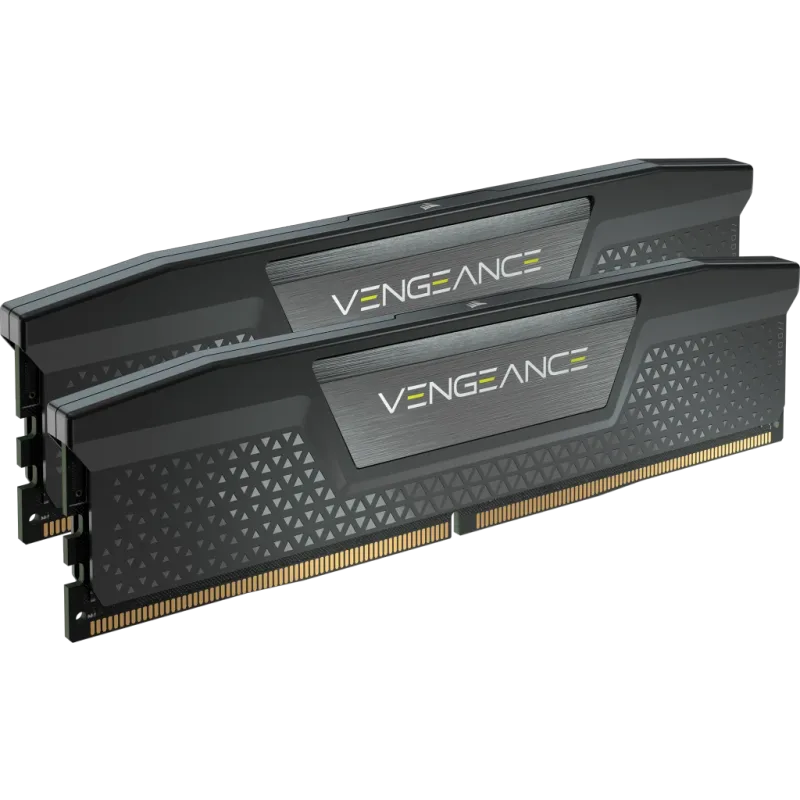
Corsair Vengeance DDR5 32GB (2×16GB) 6000MHz CL36
Corsair’s Vengeance DDR5 32GB at DDR5-6000 CL36 is one of the most straightforward RAM decisions on AM5 — enable AMD EXPO in BIOS, reboot, done. The EXPO profile brings the kit from auto-detected DDR5-4800 up to 6000MHz with CL36 timings in a single toggle. Height is 34mm, which clears the top-mount AIO in the NR200P V2 without any fitment concerns.
DDR5 prices have climbed sharply in 2026 due to AI datacenter demand absorbing NAND and DRAM production. This kit currently runs around $399 — compared to under $100 in 2024. If budget is a constraint, the Kingston Fury Beast DDR5-6000 CL30 at ~$399 offers tighter primary timings for the same price, though it’s AMD EXPO only.
32GB at 2×16GB is the correct configuration for a 2026 gaming build. Games like Microsoft Flight Simulator 2026, Starfield, and newer open-world titles regularly push past 16GB system RAM usage. A single-channel 2×8GB kit would both reduce performance by 15–20% in bandwidth-limited scenarios and restrict memory capacity.
WD Black SN850X 1TB
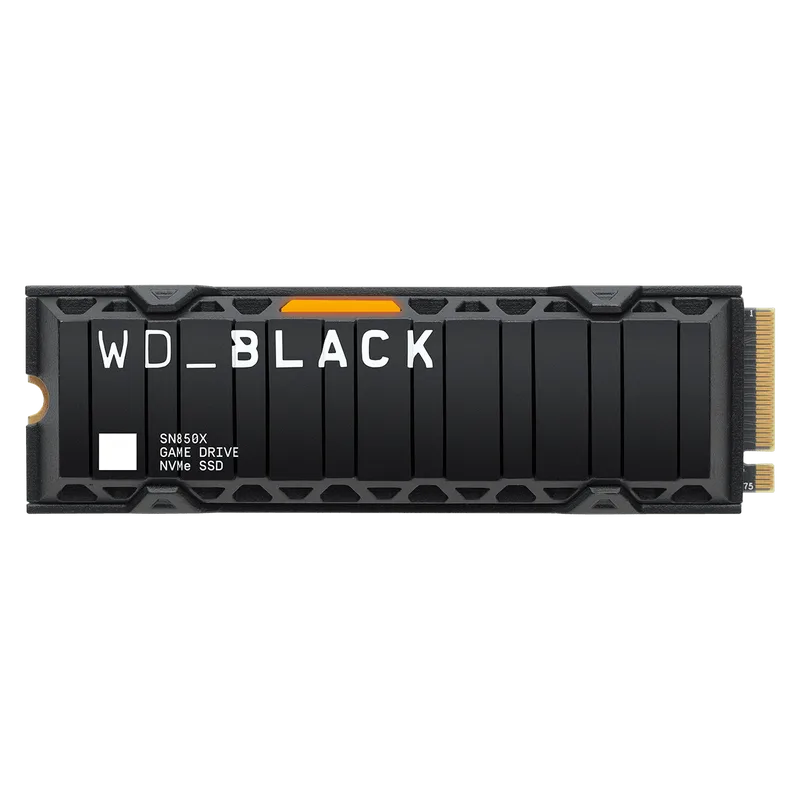
WD Black SN850X 1TB
The SN850X posts 7,300 MB/s sequential reads on PCIe 4.0 x4 — fast enough that game load times are entirely GPU-bound. It occupies the PCIe 4.0 M.2 slot on the X870-I, leaving the PCIe 5.0 slot open for a future Gen 5 drive upgrade.
NAND shortage conditions have pushed SN850X 1TB pricing well above 2025 levels. If you need more capacity, the 2TB variant runs approximately $390. One noteworthy alternative: the Samsung 9100 Pro 1TB is a Gen5 drive that currently costs less than the SN850X despite faster sequential speeds — it uses the X870-I’s PCIe 5.0 slot to full effect.
The 600 TBW endurance rating maps to roughly 330GB of writes per day for five years — well beyond what any gaming workload produces.
Build Tips
Cable routing is the hard part. In any Mini-ITX case, the 24-pin ATX cable runs from the PSU to the motherboard across the entire bottom of the case. Modular SFX PSUs like the SF750 let you pick the shortest cable from the bundle — use it. Route the 24-pin before installing the motherboard, not after.
Mount the CPU cooler outside the case first. Attaching an AIO pump head to the 9800X3D is easier on a table than inside the NR200P V2. Confirm the mounting bracket is correct for AM5, apply thermal paste in a pea-sized dot centered on the IHS, and only then lower the motherboard into the case.
Vertical GPU mount uses the included riser cable. The NR200P V2 ships with a PCIe 4.0 x1 riser cable for vertical GPU mounting. Make sure it seats fully in both the GPU and the motherboard slot — half-inserted risers cause black screens that look like GPU failures.
Enable AMD EXPO at first boot. After POST, enter BIOS (Del key on most ASUS boards) and enable the EXPO profile for the Corsair Vengeance kit. The board defaults to DDR5-4800 without it. While in BIOS, also set CPU fan headers to temperature-based control (not fixed percentage) to prevent the AIO pump from running at full speed during light loads.
Thermal paste re-application can help. The 9800X3D ships with pre-applied compound, but replacing it with a high-quality paste (Thermal Grizzly Kryonaut or Noctua NT-H2) typically drops peak temperatures by 5–8°C — meaningful when the target is under 85°C in a small case.
Check GPU clearance before ordering. The NR200P V2’s 357mm vertical mount accommodates the Sapphire Pulse (320mm) with 37mm to spare, but if you’re substituting a different GPU, verify its exact PCB length. Cards marketed as “280mm” often measure 290–295mm with cooler overhang.
Performance Expectations
Reference configuration: 9800X3D + RX 9070 XT + DDR5-6000 CL36, Windows 11 with latest drivers. FPS figures are based on published reviewer data and manufacturer-provided benchmarks.
| Game | Resolution | Settings | Expected FPS |
|---|---|---|---|
| Cyberpunk 2077 | 1440p | Ultra (no RT) | 95–105 FPS |
| Cyberpunk 2077 | 1440p | Path Tracing + FSR 4 Quality | 70–80 FPS |
| CS2 | 1440p | High | 280–350 FPS |
| Call of Duty: Black Ops 7 | 1440p | Ultra | 160–190 FPS |
| Forza Horizon 5 | 1440p | Extreme | 115–130 FPS |
| Hogwarts Legacy | 1440p | Ultra | 80–95 FPS |
| Elden Ring | 1440p | Max | 60 FPS (engine-capped) |
| Microsoft Flight Simulator 2026 | 1440p | Ultra | 55–70 FPS |
For 1080p gaming the 9800X3D eliminates the CPU bottleneck and all of the above numbers improve 15–25%. At 4K, this build runs most titles at 60–80 FPS on Ultra — capable, though a step down from dedicated 4K builds using an RTX 5080 or higher.
Upgrade Path
First upgrade (6–12 months): Replace the SN850X with a Samsung 9100 Pro Gen5 drive in the PCIe 5.0 M.2 slot. The 14,700 MB/s reads won’t change gaming FPS, but it uses the faster slot and lets you move the SN850X to the PCIe 4.0 slot as a secondary drive — effectively doubling your storage without discarding the original drive.
Second upgrade (12–24 months): The RX 9070 XT will remain relevant at 1440p through at least 2027. If you’re chasing 4K 120Hz, an RTX 5080 or RDNA 5 successor will slot into the NR200P V2’s 357mm vertical mount without a case change. The SF750 PSU handles up to ~320W GPU TDP — sufficient for next-tier cards with some headroom.
Third upgrade (24–36 months): AM5 has a confirmed roadmap through at least 2027. A future Ryzen X3D drop-in won’t require a new motherboard or RAM, keeping this SFF build viable for a longer refresh cycle than previous Intel platforms. The X870-I’s USB4 ports will outlast most peripheral standards.
FAQ
Can I use an ATX PSU in the NR200P V2?
No. The NR200P V2 is designed specifically for SFX and SFX-L form factor PSUs (max 130mm depth). ATX PSUs will not fit. The Corsair SF750 (SFX, 750W, 80 Plus Platinum) is the most-recommended option for this build.
Does the Sapphire Pulse RX 9070 XT fit in the NR200P V2?
Yes. The Sapphire Pulse RX 9070 XT (11348-03-20G) measures 320mm in length. The NR200P V2’s vertical GPU mount supports up to 357mm — 37mm of clearance. No trimming, bracket bending, or riser cable modification required.
What’s the minimum PSU wattage for this build?
Under full gaming load, the 9800X3D draws ~120W and the Sapphire Pulse RX 9070 XT draws ~182W. With system overhead, total draw peaks around 380W. A 650W SFX unit is technically sufficient, but 750W provides enough headroom for overclocking and prevents the PSU from running at peak efficiency limits continuously.
Can I use a low-profile air cooler instead of an AIO?
Only if it clears 67mm height. The NR200P V2 supports 67mm CPU cooler height in air-cooling mode. The Noctua NH-L9a-AM5 at 37mm fits easily, but cannot cool the 9800X3D at 120W TDP without throttling — temperatures exceed 100°C in sustained loads. Use the Noctua NH-L12 Ghost S1 (65mm fan shrink) with a 65W TDP CPU like the Ryzen 5 9600X if you want air cooling in this case.
Is the ASUS ROG Strix X870-I worth the premium over the B650E-I?
For this build, yes. The X870’s PCIe 5.0 M.2 slot is available for a future Gen 5 SSD, dual USB4 ports replace a dock for high-bandwidth peripherals, and WiFi 7 delivers 4× the throughput of WiFi 6E in congested environments. If you’re on a tighter budget, the ASUS ROG Strix B650E-I Gaming WiFi handles the 9800X3D fine — it’s the cheaper board that loses USB4 and WiFi 7 but not much else for gaming.
Why is this build more expensive than similar guides from 2025?
Two component categories have seen sharp price increases in 2026: DDR5 RAM (up 300–400% from 2025 lows due to AI datacenter demand) and NVMe SSDs (up 50–130% due to NAND flash shortage). Prices for both are dramatically higher than late 2026 or 2025 build guides quoted — this is an industry-wide condition, not markup on this specific build.
The Bottom Line
This build delivers RTX 4080 Super-class 1440p gaming performance in an 18.5-liter case with room for a 280mm AIO and full-size GPU. The Cooler Master NR200P V2 is the right starting point — its 357mm vertical GPU mount handles the Sapphire Pulse RX 9070 XT (320mm, triple-fan) natively, and the tool-free panel access makes cable routing manageable. The AMD Ryzen 7 9800X3D is the correct CPU choice for any gaming-first SFF build in 2026, and the ASUS ROG Strix X870-I gives the platform USB4 and PCIe 5.0 headroom to stay relevant for the full AM5 lifecycle. Budget for elevated DDR5 and SSD prices due to the ongoing DRAM and NAND shortages — total build cost including an SFX PSU lands around $2,373.