Affiliate disclosure: PCBuildRanked earns a commission on qualifying Amazon purchases at no extra cost to you.
The 9th-gen NVENC encoder in NVIDIA’s RTX 50 series changed streaming. AV1 hardware encoding at 4-6 Mbps delivers quality that previously required 10+ Mbps of x264 — and it runs on a dedicated chip inside the GPU that doesn’t touch your gaming cores. This build — Ryzen 7 9700X + RTX 5070 — handles 1440p gaming at 144+ FPS while streaming 1080p60 simultaneously. Core component cost sits around $2,034 as of May 2026. That’s up from ~$1,450 in early 2026: the DDR5 shortage pushed 32GB kits to $489, and RTX 5070 street prices remain above MSRP. The CPU dropped $60 and the storage swap saves $131 while upgrading from Gen4 to Gen5.
| Spec | AMD Ryzen 7 9700X 9.1/10 | ASUS TUF GeForce RTX 5070 OC 9.3/10 | ASUS TUF Gaming B850-PLUS WiFi 8.8/10 | G.Skill Trident Z5 Neo RGB 32GB DDR5-6000 Unavailable 9/10 | Kingston Fury Renegade Gen5 1TB 9.2/10 | Corsair RM850e 850W ATX 3.1 9.1/10 |
|---|---|---|---|---|---|---|
| cores | 8 cores / 16 threads | — | — | — | — | — |
| boost_clock | 5.5 GHz | 2587 MHz (OC mode) | — | — | — | — |
| base_clock | 3.8 GHz | — | — | — | — | — |
| tdp | 65W | 250W | — | — | — | — |
| cache | 38MB L2+L3 | — | — | — | — | — |
| socket | AM5 | — | AM5 | — | — | — |
| Rating | 9.1/10 | 9.3/10 | 8.8/10 | 9/10 | 9.2/10 | 9.1/10 |
Prices change daily — tap Check Price for the current Amazon price.
Prices change daily — tap Check Price for the current Amazon price.
Build at a Glance
| Component | Part | Price |
|---|---|---|
| CPU | AMD Ryzen 7 9700X | Check price |
| GPU | ASUS TUF RTX 5070 OC | Check price |
| Motherboard | ASUS TUF Gaming B850-PLUS WiFi | Check price |
| RAM | G.Skill Trident Z5 Neo RGB 32GB DDR5-6000 | Unavailable |
| Storage | Kingston Fury Renegade Gen5 1TB | Check price |
| PSU | Corsair RM850e 850W ATX 3.1 | Check price |
| Case | Lian Li Lancool 216 | Check current price |
| CPU Cooler | Thermalright Peerless Assassin 120 SE | Check current price |
| Total | Check current price |
Case and cooler picks are discussed in Build Tips — they’re not in the product data because the specific models matter less than the principles.
Why These Parts
The RTX 5070 is the streaming-specific pick. NVIDIA’s 9th-gen NVENC AV1 encoder produces stream output comparable to x264 “slow” at 4-6 Mbps — Twitch partner cap is 8 Mbps, so you’re using under 75% of your upload ceiling with room to spare. The encoder runs on a dedicated chip inside the GPU, completely separate from the gaming shaders. OBS Studio 29.1+ exposes AV1 NVENC natively: Settings → Output → Advanced → Encoder: “NVIDIA NVENC AV1” → Rate Control: CBR → Bitrate: 6000 Kbps. DLSS 4 Multi Frame Generation adds frame multipliers in 70+ titles, keeping game FPS high while the encoder works.
The RTX 5070 carries a 36% street premium over MSRP ($749 vs $549 MSRP) as of May 2026. It’s still the right pick because no mid-range AMD option delivers equivalent encode quality per bit. AMD’s AV1 encoder is present on RDNA 4 cards, but community comparisons put NVENC ahead on stream quality at equivalent bitrates. For a broader comparison of streaming-optimized GPUs across every budget tier, see our best GPUs for streaming in 2026.
The Ryzen 7 9700X at 65W TDP fits the streaming use case precisely. Encoding is off-loaded to NVENC, so the CPU handles gaming and multitasking. 8 cores at 5.5 GHz boost manages CPU-intensive titles like Microsoft Flight Simulator and Baldur’s Gate 3 while running OBS, a browser with Twitch chat, Discord, and a chat bot in parallel. The 65W envelope keeps the cooler quiet, and AM5 socket support extends to upcoming Zen 5 successors. The 9700X dropped to $269 from $329 earlier in 2026 — it’s now the cost relief item in a build where RAM and GPU dominate.
32GB DDR5-6000 is the minimum for streaming without swap. A game alone can use 8-12 GB system RAM, OBS takes 300-500 MB, browser sources add 1-2 GB, and Windows baseline is 2-4 GB. 16GB paging to disk causes micro-stutters visible as dropped OBS frames. The DDR5 shortage has pushed the G.Skill Z5 Neo CL30 kit to $489. If budget is the primary constraint, the Kingston Fury Beast CL30 EXPO kit at ~$399 is the alternative.
The Kingston Fury Renegade Gen5 1TB replaces the Samsung 990 Pro in this refresh. The NAND market inverted: the Gen4 990 Pro now costs $330 while the Gen5 Renegade delivers 14,800 MB/s and costs $199. Newer Gen5 controller supply escaped some of the worst NAND shortage pricing, making Gen5 both the faster and cheaper option right now.
850W PSU with ATX 3.1 is required, not optional. The RTX 5070’s 12V-2x6 connector handles 600W transient peaks. Older ATX 2.x units trip their over-current protection under those spikes and reboot mid-stream. The RM850e’s native 12V-2x6 cable handles this without adapters.
Component Deep Dives
AMD Ryzen 7 9700X — CPU
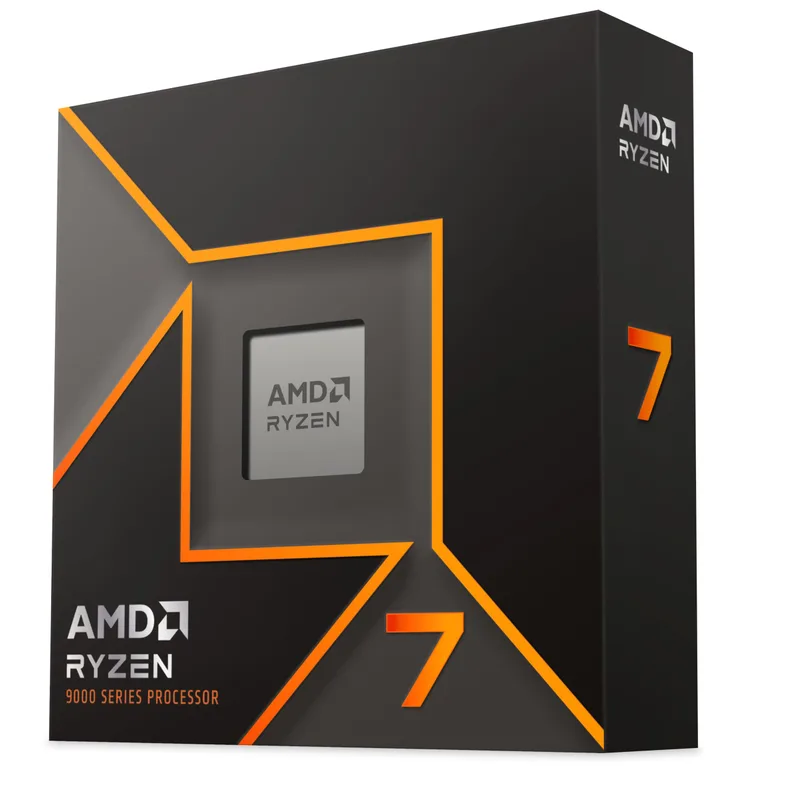
The 9700X ships at 65W TDP by default. AMD’s BIOS allows enabling Precision Boost Overdrive at 88W, which adds 5-8% multi-thread performance — useful if you render video in DaVinci Resolve between streams. At stock 65W, a Thermalright Peerless Assassin 120 SE (~$40) keeps the chip under 75°C in all-core workloads.
Single-thread clock speed matters more than core count for gaming + streaming. The 9700X’s 5.5 GHz boost outpaces the 6-core Ryzen 5 9600X in games where CPU clock speed gates FPS. The Ryzen 9 9900X (12 cores, ~$400) only pays off if you add Blender rendering or heavy video encoding alongside streaming. For pure gaming + OBS, those extra four cores sit mostly idle.
AM5 socket (LGA1718) is DDR5-only. Factor current DDR5 shortage pricing into your budget.
ASUS TUF GeForce RTX 5070 OC — GPU
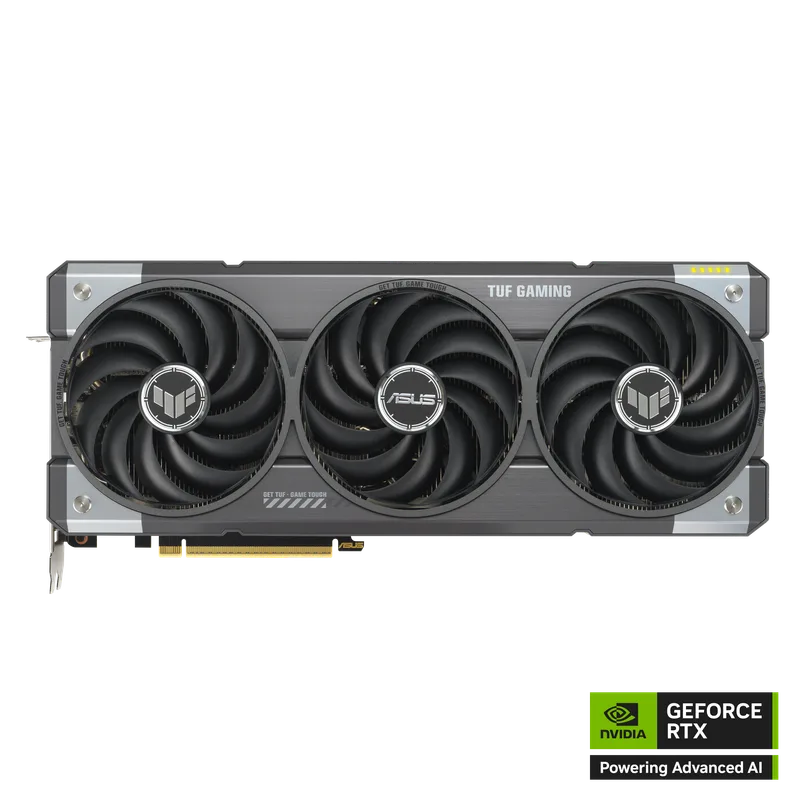
The RTX 5070 is the streaming-optimized mid-high card in the RTX 50 lineup. 12GB GDDR7 on a 192-bit bus at 448 GB/s bandwidth handles 1440p with high texture settings in 2026 titles. GDDR7’s bandwidth advantage reduces memory stalls when OBS, a game, and browser all compete for memory simultaneously.
OBS configuration for NVENC AV1:
- Open OBS → Settings → Output
- Set Output Mode to “Advanced”
- Streaming tab: Encoder = “NVIDIA NVENC AV1” → Rate Control = CBR
- Bitrate: 6000 Kbps (1080p60) or 10000 Kbps (1440p60 for YouTube)
- Keyframe Interval: 2 seconds | Preset: P6 (Quality) | Look-ahead: Enabled | Psycho Visual Tuning: Enabled
This produces stream quality comparable to x264 “slow” at 10+ Mbps with zero gaming core overhead.
The ASUS TUF OC boosts to 2587 MHz versus 2512 MHz reference, with a 3.125-slot vapor chamber cooler that holds the GPU under 75°C in open cases. A Gaming/Silent BIOS switch on the card lets you prioritize acoustics over factory OC during low-stakes sessions.
ASUS TUF Gaming B850-PLUS WiFi — Motherboard
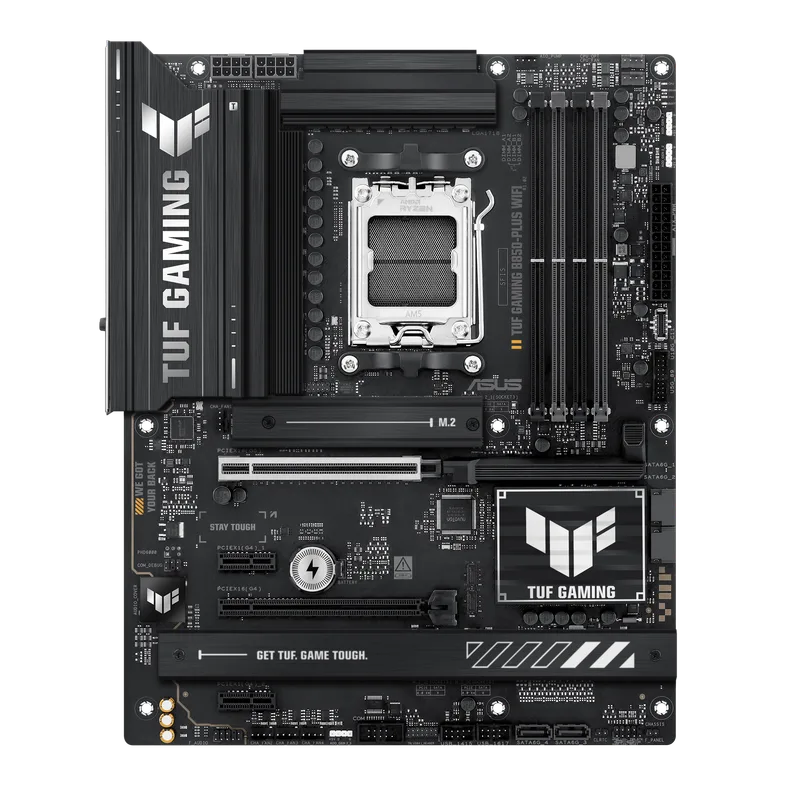
ASUS TUF Gaming B850-PLUS WiFi
The B850 chipset adds PCIe 5.0 support for both the GPU slot and primary M.2 over B650. For streaming, the relevant addition is Wi-Fi 7 with multi-link operation — it reduces upload latency jitter that triggers “encoder overloaded” warnings on standard Wi-Fi. Even for primarily Ethernet users, Wi-Fi 7 provides a reliable fallback.
BIOS Flashback (dedicated USB port on rear I/O) updates firmware without a CPU or RAM installed. If a future Zen 5 chip requires a BIOS update before it boots, a USB drive and PSU power is all you need. The three M.2 slots support a clean separation: OS/boot in Slot 1 (PCIe 5.0), game installs in Slot 2, recording storage in Slot 3 — eliminating I/O contention during live stream + local record.
G.Skill Trident Z5 Neo RGB 32GB DDR5-6000 — RAM
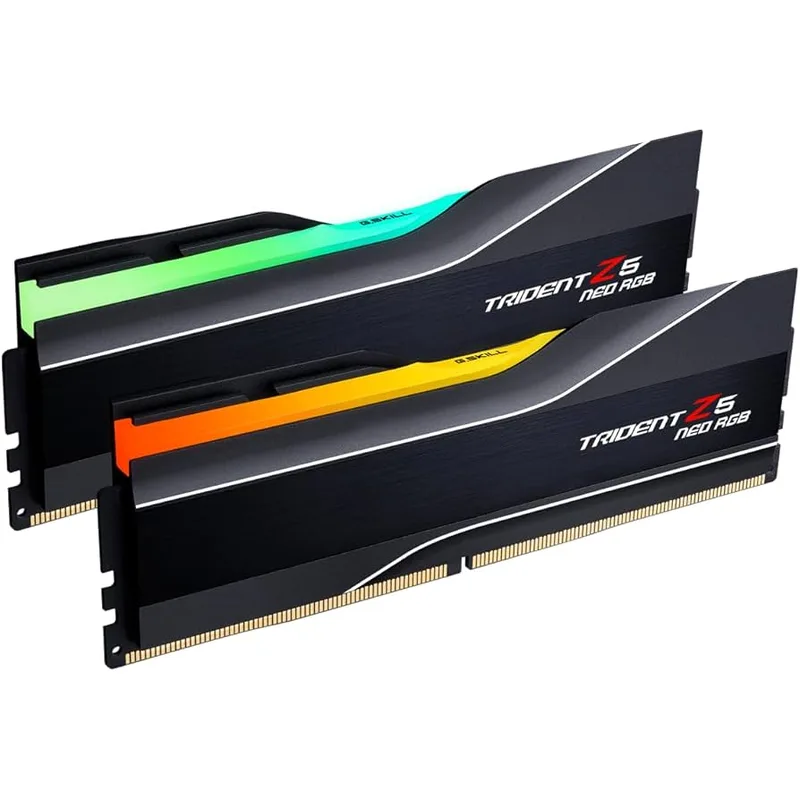
G.Skill Trident Z5 Neo RGB 32GB DDR5-6000
DDR5-6000 CL30 is the AMD EXPO ceiling for B850 that works reliably without manual sub-timing work. Enable EXPO in BIOS and the kit auto-configures 6000MHz, 1.35V, and CL30-38-38-96. G.Skill’s Trident Z5 Neo at this speed uses Hynix A-die — the most stable DDR5 silicon at EXPO clock rates based on community validation.
Install in the A2+B2 slots (the two slots farther from the CPU socket) for dual-channel. Single-channel halves memory bandwidth and costs 10-15% in streaming-adjacent workloads like desktop compositing and video playback.
DDR5 shortage context: DDR5-6000 32GB kits run $390-$530 in May 2026 due to AI and datacenter demand on DRAM supply. The $489 price reflects current market; equivalent kits cost $90-$130 in 2025. Analysts project improvement through late 2026 — if DDR5 normalizes, this build gets noticeably cheaper without any component changes.
Kingston Fury Renegade Gen5 1TB — Storage
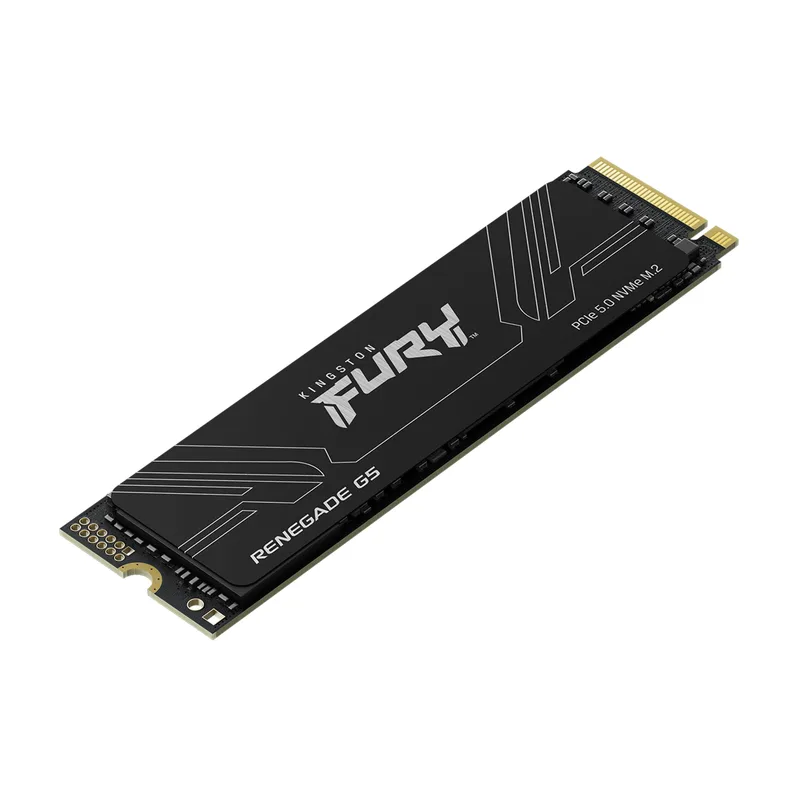
The Renegade Gen5 in the B850-PLUS WiFi’s primary PCIe 5.0 M.2 slot delivers 14,800 MB/s sequential read — almost 2x the Samsung 990 Pro Gen4’s 7,450 MB/s, at $131 less. The NAND shortage raised Gen4 drive prices sharply (990 Pro 1TB hit $330) while Gen5 controller supply for some SKUs like the Renegade remained comparatively better-priced.
The practical advantage for streaming: 13,000 MB/s sequential write handles simultaneous game asset reading and high-bitrate OBS recording (50 Mbps, ~22 GB/hour) without the SLC cache cliff that plagues budget QLC drives under sustained writes. The 1,000 TBW endurance rating covers years of daily recording sessions.
At 22 GB/hour at 50 Mbps recording, 1TB fills in under 46 hours of recorded content. Plan for an external 2TB USB 3.2 Gen 2 drive (~$70) as overflow, or install a second M.2 in Slot 2 for a dedicated recording volume.
Corsair RM850e 850W ATX 3.1 — PSU
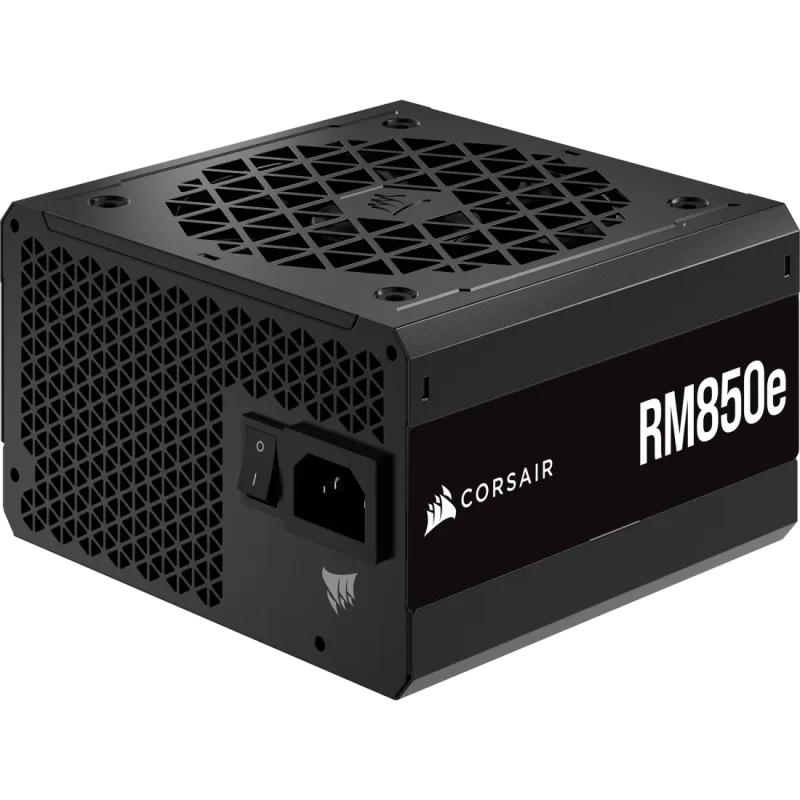
The RM850e is the correct PSU spec for an RTX 5070 build. Combined sustained TDP: Ryzen 7 9700X (65W) + RTX 5070 (250W) + board/RAM/storage overhead (~60W) = ~375W. 850W leaves 475W of headroom to absorb the GPU’s 600W transient peaks. Older ATX 2.x PSUs that can’t handle these peaks reboot the system mid-stream.
The semi-passive fan mode keeps the PSU silent below 400W load. Typical desktop streaming use (200-350W) means the fan never spins. In a quiet home office where microphone bleed is a concern, PSU fan noise actually matters. If you later upgrade to the RTX 5080 (320W TDP), the RM850e handles it, but moving to a 1000W unit first is the safer choice.
Build Tips
Case: The Lian Li Lancool 216 (~$90) ships with two pre-installed 160mm fans and a mesh front panel. The mesh intake keeps the RTX 5070 under 75°C without restricting cable routing. Solid-front cases cause GPU temperature spikes under sustained load — avoid them.
CPU Cooler: The Thermalright Peerless Assassin 120 SE ($40) keeps the 9700X under 65°C at stock 65W. If you enable PBO at 88W, step up to the Thermalright Grand Vision 360 AIO ($75) for sustained all-core headroom.
Capture card: For console content via a dual-PC setup, add the Elgato HD60 X (~$150). It captures 4K60 HDR via USB-C, and the B850-PLUS WiFi’s USB 20Gbps Type-C rear port handles the bandwidth without a dedicated PCIe card. For a full breakdown of internal PCIe and external USB capture card options — including 4K HDMI 2.1 cards for next-gen consoles — see our best capture cards for streaming guide.
OBS settings summary for RTX 5070:
- Encoder: NVIDIA NVENC AV1
- Rate Control: CBR
- Bitrate: 6000 Kbps (1080p60) / 10000 Kbps (1440p60)
- Keyframe Interval: 2 seconds
- Preset: P6 (Quality)
- Profile: Main
- Look-ahead: Enabled
- Psycho Visual Tuning: Enabled
Performance Expectations
Primary target: 1440p gaming + 1080p60 streaming. Figures based on RTX 5070 hardware review data from Tom’s Hardware and TechPowerUp.
| Game | Resolution | Settings | Gaming FPS | Stream Impact |
|---|---|---|---|---|
| Counter-Strike 2 | 1440p | High | 280-350 FPS | <2 FPS drop |
| Valorant | 1440p | High | 400+ FPS | <2 FPS drop |
| Cyberpunk 2077 | 1440p | Ultra + DLSS Quality | 110-130 FPS | <3 FPS drop |
| Alan Wake 2 | 1440p | High + DLSS Quality | 95-115 FPS | <3 FPS drop |
| Microsoft Flight Simulator 2026 | 1440p | High | 70-90 FPS | ~5 FPS drop (CPU-heavy) |
| Baldur’s Gate 3 | 1440p | Ultra | 90-110 FPS | <2 FPS drop |
| Apex Legends | 1440p | High | 200-250 FPS | <2 FPS drop |
All figures use NVENC AV1 hardware encoding. Software x264 at “fast” preset costs 8-15% more FPS in CPU-bound titles.
Upgrade Path
First upgrade — recording storage. A second 1TB M.2 in Slot 2 (~$199) gives OBS a dedicated write path with no I/O contention from game asset streaming. Do this within the first month if you save local recordings daily.
Second upgrade — RAM to 64GB. If DaVinci Resolve or Premiere Pro enters your workflow, 64GB DDR5-6000 eliminates RAM-based render bottlenecks. Watch DDR5 pricing through late 2026 as the shortage eases before pulling the trigger on a 2x32GB kit.
Third upgrade — GPU to RTX 5080. Dual NVENC encoders enable simultaneous Twitch + YouTube streaming as separate encode pipelines, plus 16GB GDDR7 and ~30% more rasterization. At $1,249 street, it’s a significant jump. The AM5 platform, B850 board, and DDR5 modules all carry over. Confirm your PSU is at 1000W before upgrading.
Platform upgrade (2027-2028). Zen 6 will likely need a new chipset. The GPU, PSU, case, cooler, and DDR5 RAM transfer to any new build. Budget ~$500-700 for a new CPU and motherboard combo.
FAQ
Do I need a second PC to stream?
No. Single-PC NVENC AV1 streaming costs 1-3 FPS in most titles. Dual-PC setups made sense in the x264 software-encoding era when streaming consumed 15-30% of CPU resources. The RTX 5070’s dedicated NVENC chip runs independently — it doesn’t draw from gaming shader cores or CPU threads. A single strong build handles both tasks cleanly.
How much upload speed do I need?
Twitch recommends 6,000 Kbps (6 Mbps) for 1080p60. YouTube requires up to 9,000 Kbps for 1440p60. Any standard 100 Mbps cable or fiber connection handles either. Wi-Fi 7 on the B850-PLUS WiFi provides stable upload via multi-link operation, though Ethernet always beats Wi-Fi for upload jitter.
Is 12GB VRAM enough for 1440p streaming?
Yes for 1440p gaming in 2026 titles. Games draw 8-11 GB VRAM at 1440p Ultra textures. The NVENC encoder uses VRAM for its own pipeline but operates on a separate memory context from game textures. 12GB becomes constrained only with 4K native texture mods or heavy ray-tracing at 4K — outside this build’s target resolution.
Can I record locally while streaming?
Yes. OBS streams via NVENC AV1 to Twitch and writes a local recording simultaneously, using the single NVENC encoder for both outputs. The Kingston Fury Renegade Gen5 handles the write bandwidth without slowdown at 50 Mbps recording bitrate, producing ~22 GB per hour.
Why use an AMD CPU with an NVIDIA GPU?
The Ryzen 7 9700X is the right choice at this tier regardless of GPU brand — AM5 platform longevity, 65W TDP, strong IPC, and $269 current pricing make it the value anchor. The CPU and GPU are completely independent subsystems. NVENC encode quality is unaffected by AMD vs Intel CPU pairing.
What is the cheapest way to cut cost on this build?
Three options without changing the GPU: (1) RAM — Kingston Fury Beast DDR5-6000 CL30 EXPO ($399) saves $90 over the G.Skill kit. (2) Motherboard — the ASUS TUF B650M-PLUS WiFi ($130) works if you don’t need PCIe 5.0 M.2. (3) Storage — a WD Blue SN570 1TB (~$95) works at lower speeds and saves $104 vs the Renegade Gen5. These three swaps bring the build to ~$1,800 without touching the CPU, GPU, or PSU.
The Bottom Line
The Ryzen 7 9700X + RTX 5070 remains the right streaming build in 2026, but the price floor moved. Core components cost ~$2,034 as of May 2026 — up from ~$1,450 in early 2026, primarily from the DDR5 shortage (RAM +$390) and GPU premium above MSRP (+$150). The RTX 5070’s NVENC AV1 encoder is the essential piece: no competing GPU at this tier delivers equivalent encode quality per bit. The Ryzen 7 9700X at $269 is the value anchor. The Kingston Fury Renegade Gen5 replaces the 990 Pro as the storage pick — Gen5 is now cheaper and faster due to NAND market dynamics. If DDR5 prices normalize through late 2026 as analysts project, this build returns to the ~$1,700 range without any component changes.