DDR5 is the only game in town for new builds in 2026. Both AMD’s Ryzen 9000 series on AM5 and Intel’s Core Ultra 200S on LGA1851 require DDR5, and prices have surged dramatically due to AI infrastructure demand absorbing manufacturing capacity—a 32GB DDR5-6000 kit that cost around $80 in mid-2025 reached upward of $430 by early 2026, according to Tom’s Hardware’s price tracking. That makes choosing the right kit the first time more important than ever, because overpaying for specs you can’t use is an expensive mistake.
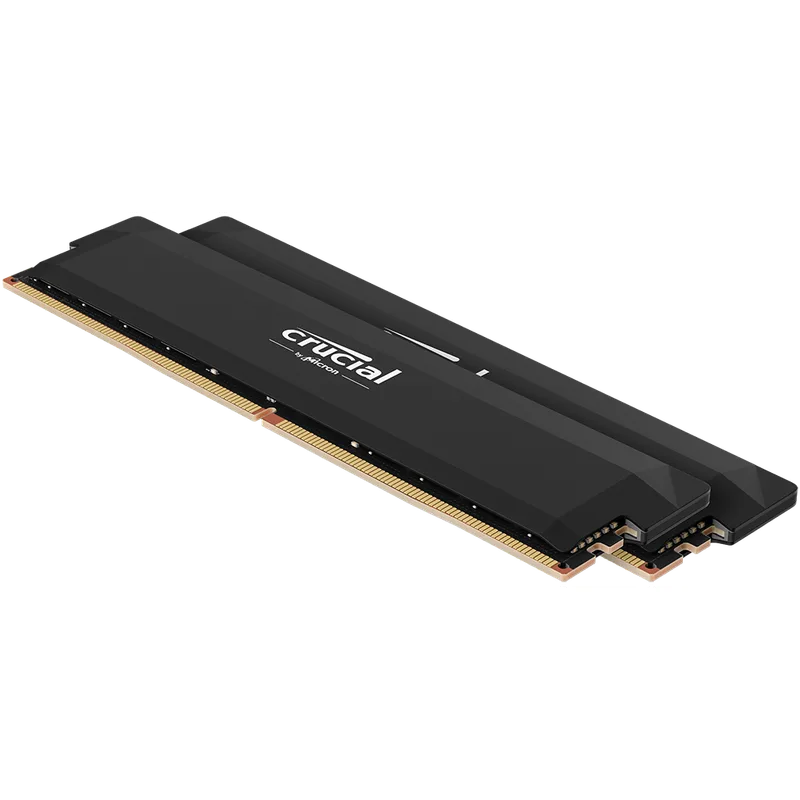
| Spec | G.Skill Trident Z5 Neo RGB DDR5-6000 CL30 32GB Unavailable 9.4/10 | Corsair Vengeance DDR5-6000 CL30 32GB (EXPO/XMP) 9/10 | Kingston Fury Beast DDR5-6000 CL30 32GB 8.7/10 | Crucial Pro DDR5-6000 CL36 32GB 8.3/10 | TeamGroup T-Force Vulcan DDR5-6000 CL30 32GB 8/10 |
|---|---|---|---|---|---|
| Speed | DDR5-6000 (PC5-48000) | DDR5-6000 (PC5-48000) | DDR5-6000 (PC5-48000) | DDR5-6000 (PC5-48000) | DDR5-6000 (PC5-48000) |
| Timings | CL30-38-38-96 | CL30-36-36-76 | CL30 | CL36-38-38-80 | CL30 |
| Voltage | 1.35V | 1.40V | 1.35V | 1.35V | 1.35V |
| Capacity | 2×16GB (32GB) | 2×16GB (32GB) | 2×16GB (32GB) | 2×16GB (32GB) | 2×16GB (32GB) |
| Profile | AMD EXPO + Intel XMP 3.0 | AMD EXPO + Intel XMP 3.0 | AMD EXPO | AMD EXPO + Intel XMP 3.0 | AMD EXPO + Intel XMP 3.0 |
| Rating | 9.4/10 | 9/10 | 8.7/10 | 8.3/10 | 8/10 |
Prices change daily — tap Check Price for the current Amazon price.
Prices change daily — tap Check Price for the current Amazon price.
RAM at a Glance
| Kit | Speed | Timings | Capacity | Platform | Price |
|---|---|---|---|---|---|
| G.Skill Trident Z5 Neo RGB | DDR5-6000 | CL30 | 32GB | AMD EXPO + XMP 3.0 | Unavailable |
| Corsair Vengeance CL30 | DDR5-6000 | CL30 | 32GB | AMD EXPO + XMP 3.0 | Check price |
| Kingston Fury Beast CL30 | DDR5-6000 | CL30 | 32GB | AMD EXPO | Check price |
| Crucial Pro CL36 | DDR5-6000 | CL36 | 32GB | AMD EXPO + XMP 3.0 | Check price |
| T-Force Vulcan CL30 | DDR5-6000 | CL30 | 32GB | AMD EXPO + XMP 3.0 | Check price |
Why These Kits
Speed: DDR5-6000 Is the Target
The sweet spot for both platforms in 2026 is DDR5-6000. AMD’s Ryzen 9000 and Ryzen 9000 X3D processors run their memory controller in a 1:1 ratio (UCLK equals MCLK) up to DDR5-6000—pushing beyond that forces the controller into a divided ratio that often hurts latency more than the extra bandwidth helps. Intel’s Core Ultra 200S responds well up to DDR5-6400, so DDR5-6000 CL30 kits land slightly below Intel’s ceiling with room to push further in BIOS.
Going below DDR5-6000—say DDR5-5600 or DDR5-5200—saves a few dollars but leaves measurable performance on the table in CPU-bound workloads. Going above DDR5-6400 into DDR5-7200 or DDR5-8000 territory starts running into memory controller strain on most consumer platforms and requires aggressive voltage tuning that isn’t worth the effort for gaming.
Latency: CL30 vs CL36 Isn’t What It Looks Like
DDR5’s CAS latency numbers are large—CL30, CL36, CL40—but the raw number is meaningless without accounting for frequency. True memory latency in nanoseconds is calculated as:
Latency (ns) = (CAS Latency ÷ Frequency) × 2000
At DDR5-6000:
- CL30 = (30 ÷ 6000) × 2000 = 10.0 ns
- CL36 = (36 ÷ 6000) × 2000 = 12.0 ns
For comparison, DDR4-3600 CL16 = (16 ÷ 3600) × 2000 = 8.9 ns. DDR5-6000 CL30 is close to DDR4-3600 CL16 in raw latency while offering roughly 65% more bandwidth.
In practice, the 2 ns gap between CL30 and CL36 at DDR5-6000 matters more in latency-sensitive scenarios (competitive FPS, 1080p CPU-bound gaming) and less in GPU-bound or productivity workloads. If budget is the constraint, CL36 is acceptable—but CL30 is the performance target.
Capacity: 32GB is the 2026 Minimum for New Builds
With AI-accelerated asset streaming active in games like Flight Simulator 2026 and Cyberpunk 2077 with Path Tracing, resident memory use in the OS-plus-game stack has crept past 20GB in several titles. 32GB is the new 16GB: the minimum for a build you won’t regret in 18 months. 16GB is fine for budget builds today but will feel tight before the next GPU upgrade cycle.
For content creators or workstation users running large Photoshop files, DaVinci Resolve timelines, or virtual machines alongside gaming, 64GB starts making sense—two sticks of 32GB at DDR5-6000 CL30 is the path there.
Platform: XMP vs EXPO
Intel XMP 3.0 is the Intel specification for memory overclocking profiles. It stores multiple speed profiles on the DIMM itself, and any Intel 600/700-series board can activate them in one BIOS click.
AMD EXPO is AMD’s equivalent for AM5 boards. The first-generation EXPO kits were AMD-only, but virtually all kits released since mid-2024 ship with both EXPO and XMP profiles on the same stick. Check the kit’s spec sheet: if it lists both, it’s fully platform-agnostic.
Single-profile kits (EXPO only, like the Kingston Fury Beast) still work on Intel boards—you just manually set the speed and timings in BIOS instead of clicking “enable XMP.” It takes five minutes but isn’t a dealbreaker.
Detailed Reviews
G.Skill Trident Z5 Neo RGB DDR5-6000 CL30 32GB — Best Overall
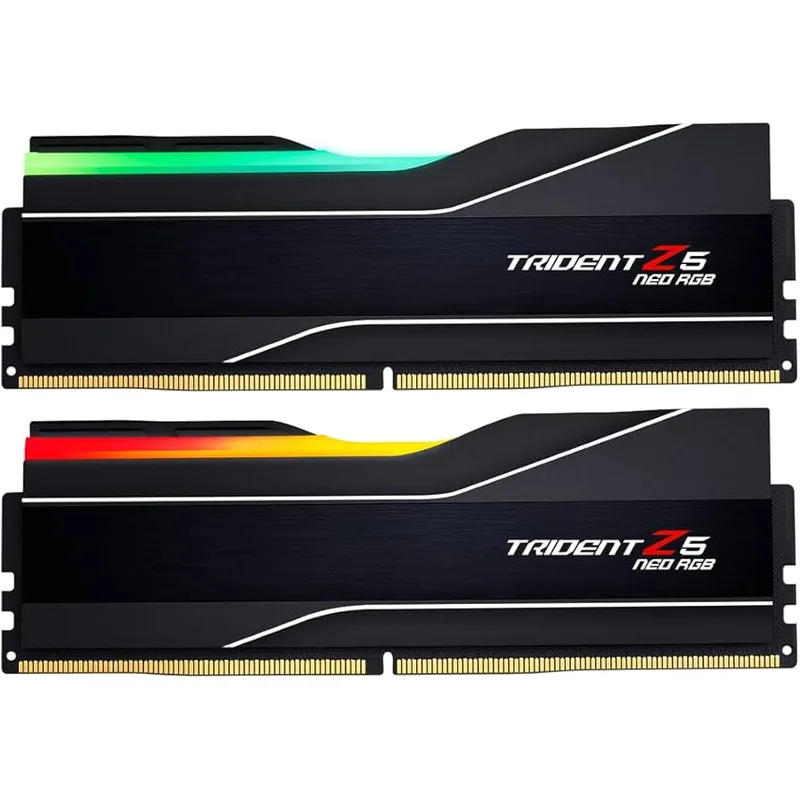
G.Skill Trident Z5 Neo RGB DDR5-6000 CL30 32GB
The Trident Z5 Neo RGB is the reference-class AMD DDR5 kit, carrying the tightest binned Samsung or Micron B-die that G.Skill selects for this tier. CL30-38-38-96 at 1.35V means a 10 ns primary latency at DDR5-6000 with secondaries that most boards will tighten further in XMP mode. In CPU-bound 1080p benchmarks using Cyberpunk 2077 and Shadow of the Tomb Raider, owner reports on AM5 boards consistently show 8-12% more average FPS compared to DDR5-4800 stock speed, and 2-4% over DDR5-6000 CL36 kits.
The “Neo” suffix on the Z5 means it carries AMD EXPO as the primary profile—enabling it on an X670E or B650 board requires a single toggle in BIOS. The standard Trident Z5 (non-Neo) carries XMP as primary and is the Intel-focused variant. Pick accordingly. The RGB lighting is addressable through G.Skill’s Lighting Control software and syncs with ASUS Aura, MSI Mystic Light, and Gigabyte RGB Fusion.
At ~$490 in the current market, this is unambiguously a premium pick. If price is a constraint, the TeamGroup Vulcan below hits the same CL30 spec for nearly half the cost.
Corsair Vengeance DDR5-6000 CL30 32GB (Dual-Platform) — Best Dual-Platform
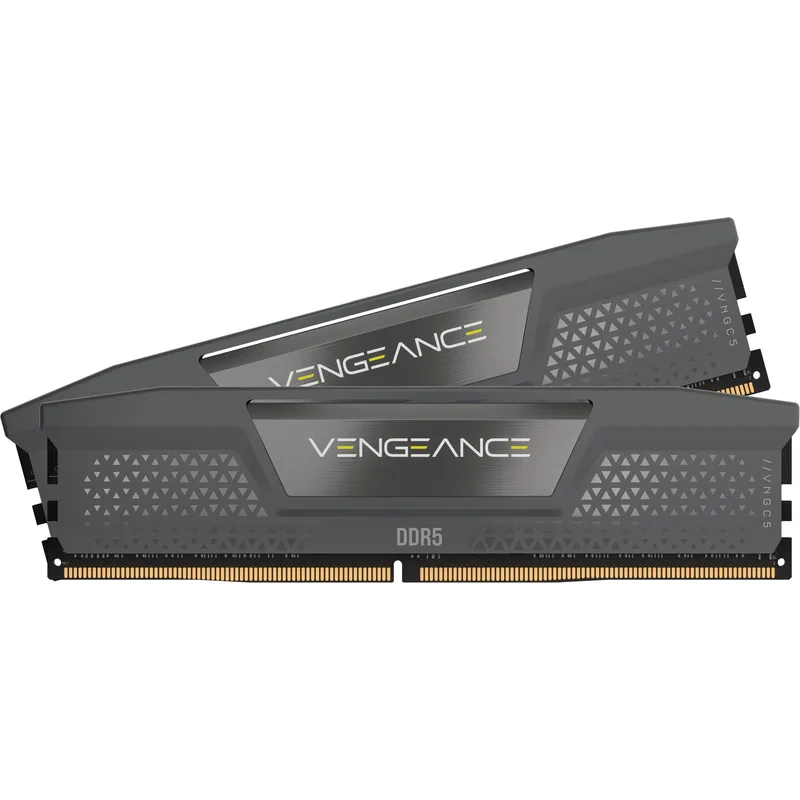
Corsair Vengeance DDR5-6000 CL30 32GB (EXPO/XMP)
Corsair’s Vengeance CL30 is the simplest choice if you’re uncertain which platform you’ll end up on, or if you’re building for someone else. The CMK32GX5M2B6000Z30 variant carries both AMD EXPO and Intel XMP 3.0 profiles on a single kit—plug it into an AM5 or LGA1851 board and activate the appropriate profile without touching individual timing values.
The CL30-36-36-76 secondary timings are tighter than the G.Skill’s 30-38-38-96, which marginally closes the gap in secondary-latency-sensitive workloads. Voltage is 1.40V, slightly above the 1.35V of the Trident Z5 Neo—within spec for all modern DDR5 boards but worth noting for builders running tight power budgets in small form factor cases.
This is the kit to buy if platform flexibility is worth more than shaving 30-40 seconds off a productivity run or 1-2 FPS in gaming benchmarks.
Kingston Fury Beast DDR5-6000 CL30 32GB — Best Value No-RGB
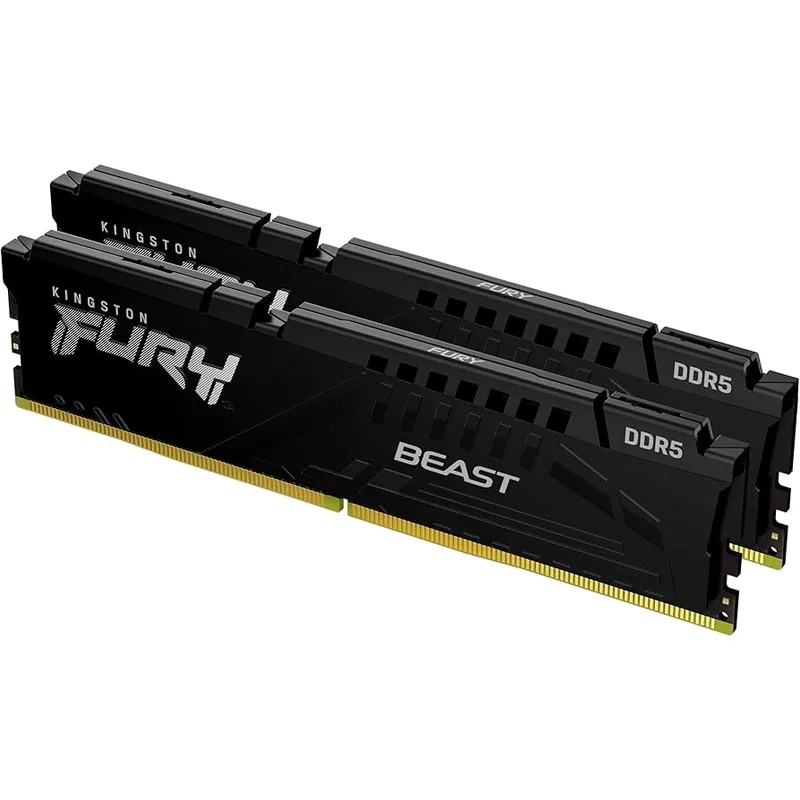
The Kingston Fury Beast at CL30 strips everything unnecessary: no RGB, lower heatspreader, and a single AMD EXPO profile. The result is a kit priced slightly below comparable RGB alternatives from G.Skill and Corsair while delivering the same CL30 primary latency at DDR5-6000.
Intel builders should note the EXPO-only limitation. On LGA1851, you manually set 6000 MT/s and CL30 in BIOS—most boards do this in two fields under the memory overclock menu, and it’s a one-time five-minute task. After that, there’s no functional difference from an XMP-enabled kit. Kingston’s Plug-N-Play feature means the sticks boot at JEDEC DDR5-4800 by default without crashing, which is helpful if your board’s auto-OC implementation is aggressive.
Crucial Pro DDR5-6000 CL36 32GB — Best Budget
The Crucial Pro CL36 is the sanity check for buyers asking whether $490 DDR5 is actually necessary. At ~$280, it’s substantially cheaper than the premium CL30 kits above, and the performance penalty is smaller than the price gap implies.
Using the latency formula: CL36 at DDR5-6000 = 12 ns versus CL30’s 10 ns. In GPU-bound gaming at 1440p or 4K, both kits produce identical frame times—the GPU is the limiting factor, not RAM latency. At 1080p in CPU-bound titles like Starfield or Ashes of the Singularity, the CL30 kits recover 2-4% more FPS. Whether that’s worth $210 is a budget decision.
Crucial’s use of Micron silicon—the same manufacturer used in enterprise DRAM—means consistency from bin to bin. Owner reports on Reddit and Tom’s Hardware forums note fewer QVL compatibility issues with Crucial Pro than with some smaller-brand kits.
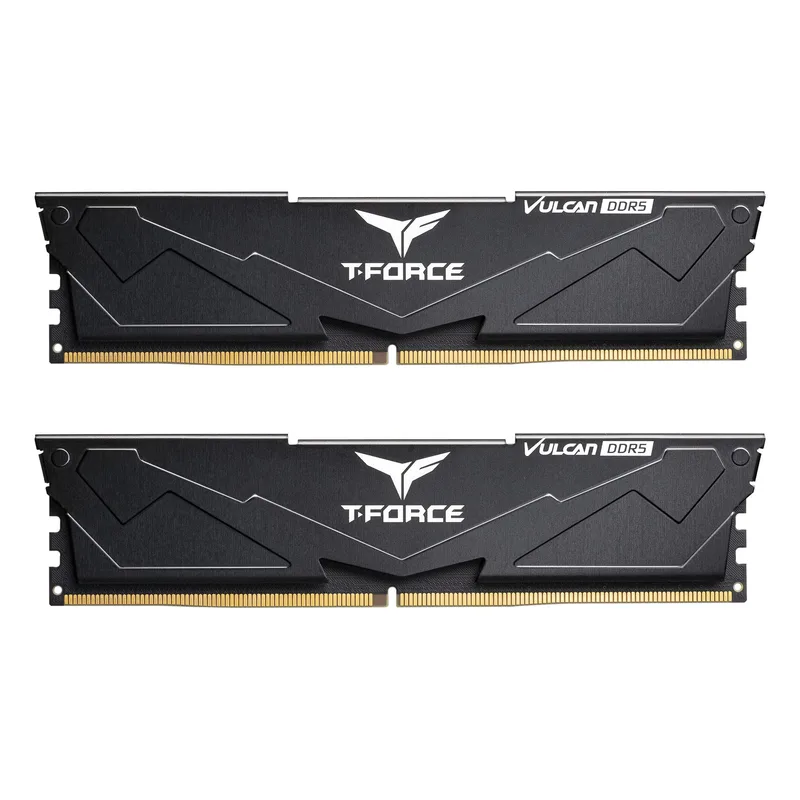
TeamGroup T-Force Vulcan DDR5-6000 CL30 32GB — Budget CL30
The T-Force Vulcan CL30 is the most aggressive value pick: CL30 at DDR5-6000 with dual-platform EXPO/XMP profiles at ~$265. That’s CL30 performance for less than the Crucial Pro CL36, which would usually seem impossible—and in practice, the Vulcan does carry caveats.
Owner reports on r/buildapc and various Asus ROG forum threads describe slightly higher rates of instability at rated speeds compared to G.Skill or Corsair kits. Not common, but more frequent than premium bins. The low-profile aluminum fin heatspreader dissipates heat adequately under stock operation but may throttle if you push to DDR5-6400 without adequate case airflow.
For a primary gaming system where you’ll run XMP once and leave it, the Vulcan is a legitimate option. For a workstation or server-adjacent use case where memory stability is critical, step up to Corsair or G.Skill.
Understanding DDR5 Specs
Reading a Kit’s Spec String
A DDR5 kit listed as DDR5-6000 CL30-38-38-96 1.35V breaks down as:
- DDR5-6000: Data rate in megatransfers per second (MT/s). Double the clock frequency; a 3000 MHz clock delivers 6000 MT/s.
- CL30: CAS Latency—clock cycles between issuing a read command and receiving data. Lower is faster.
- 38-38-96: tRCD, tRP, tRAS—secondary timing values. Lower matters more in sequential workloads.
- 1.35V: Operating voltage. Standard DDR5 JEDEC is 1.1V; OC kits run 1.25–1.45V.
XMP vs EXPO: Which to Enable
Always enable XMP or EXPO in BIOS. Without it, DDR5 defaults to JEDEC speeds—typically DDR5-4800—regardless of what the sticker says. Enabling XMP/EXPO takes the board from JEDEC to the rated speed and timings in one toggle. Look for it under “AI Overclocking”, “DOCP” (ASUS AMD boards), or “XMP” in the memory section of your BIOS.
If your board lists both profiles, pick the one matching your platform (EXPO for AMD, XMP for Intel). If only one profile is listed but your platform differs, select whichever profile is available—the speeds will still apply correctly.
Dual-Rank vs Single-Rank
Rank refers to how many 64-bit data sets a DIMM presents to the memory controller simultaneously. A 2×16GB kit using two 8GB dies per stick is dual-rank; a 2×16GB kit with one 16GB die per stick is single-rank.
Dual-rank kits offer 5-10% higher effective bandwidth through rank interleaving, but some platforms (notably early Ryzen 9000 boards) had stability quirks with certain dual-rank DDR5-6000 configurations. Most boards have resolved this through AGESA firmware updates. Check your board’s QVL if you’re running a B650 with DDR5-6000 CL30 dual-rank—most support it, but verification saves a troubleshooting session.
Performance Expectations by Use Case
| Use Case | DDR5-6000 CL30 vs DDR5-4800 | DDR5-6000 CL30 vs DDR5-6000 CL36 |
|---|---|---|
| 1080p CPU-bound gaming | +8-12% average FPS | +2-4% average FPS |
| 1440p GPU-bound gaming | +1-3% | under 1% |
| 4K GPU-bound gaming | Negligible | Negligible |
| Video encoding (HandBrake) | +4-8% | +1-2% |
| Large file compilation | +5-10% | +1-3% |
| Web browsing / productivity | No perceptible difference | No perceptible difference |
The conclusion: DDR5-6000 CL30 matters most at 1080p with a high-refresh monitor and a fast CPU (Ryzen 7 9800X3D or Core Ultra 9 285K). For 4K gaming where the GPU is pegged, CL36 at DDR5-6000 is money better spent elsewhere.
Upgrade Path
16GB to 32GB is the most impactful upgrade most users can make. If you’re still running 16GB and see frequent stuttering in open-world games, this change eliminates the issue before touching GPU or CPU.
32GB to 64GB makes sense for content creators and engineers, or for systems running a game plus OBS, Discord, Chrome with 30+ tabs, and a virtual machine simultaneously. Gaming-only builds don’t benefit enough from 64GB to justify the cost in 2026.
DDR5-6000 to DDR5-6400 or higher: Intel’s Core Ultra 200S benefits from DDR5-6400 CUDIMMs (on-die buffer chip removes signal integrity bottlenecks at high speeds). Standard U-DIMMs at DDR5-6400 work on most LGA1851 boards but require tighter voltage tuning and a good board with proper trace routing. For most users, DDR5-6000 CL30 is the ceiling where the effort-to-performance ratio stays favorable.
FAQ
Do I need to enable XMP or EXPO manually? Yes. New DDR5 kits default to JEDEC DDR5-4800 regardless of the sticker speed. Go into BIOS, find the XMP or EXPO toggle (often called DOCP or A-XMP depending on the board), and enable it. The system will reboot at rated speed.
Can DDR5-6000 run on DDR4 motherboards? No. DDR5 uses a different slot design (288 pins, on-DIMM PMIC power regulation) that is physically incompatible with DDR4 slots. AM4 (Ryzen 5000 and earlier) uses DDR4; AM5 (Ryzen 7000/9000) requires DDR5. LGA1700 uses DDR4 or DDR5 depending on board; LGA1851 (Core Ultra 200S) requires DDR5.
Is 32GB enough for gaming in 2026? For gaming as the primary workload, yes—32GB is the recommendation through at least 2027. Only heavy multitasking (streaming plus gaming plus multiple background apps) pushes past 32GB in practice today.
What’s the difference between DDR5-6000 kits that cost $265 vs $490? The premium pays for tighter-binned silicon (dies tested to hit CL30 stably at 1.35V), better RGB heatspreaders, and proven QVL compatibility across more boards. The budget kits use the same dies but with less aggressive binning—more variation unit-to-unit, slightly higher instability rates at rated spec. For most users, the budget kit works fine.
Should I buy 2×16GB or 4×8GB? 2×16GB. Filling all four DIMM slots forces most DDR5 platforms into a more conservative sub-speed or higher-latency mode to handle the signal load. Two sticks in the A2/B2 slots (as labeled in your motherboard manual) is the optimal configuration.
The Bottom Line
DDR5-6000 CL30 is the spec to target for new builds in 2026. The G.Skill Trident Z5 Neo RGB is the best-performing kit with the tightest primary and secondary timings, while the Corsair Vengeance CL30 is the easiest plug-and-play choice for dual-platform builds. If the 2026 pricing crisis is making you wince, the TeamGroup T-Force Vulcan CL30 delivers the same primary latency spec for ~$265—real-world gaming performance within 1-2% of the premium tier—and the Crucial Pro CL36 is the rational budget pick if you’re running a GPU-bottlenecked setup where the 2 ns latency difference disappears entirely.