Affiliate disclosure: PCBuildRanked earns a commission on qualifying purchases through Amazon affiliate links at no extra cost to you.
Most PC builders spend hours picking the right CPU or GPU, then slap in whatever fans came with the case. That’s a mistake. Mesh-front designs are now standard across mid-tower builds, and the gap between a sloppy fan setup and an intentional one is measurable — 5–15°C on CPU and GPU temperatures. This guide covers the airflow fundamentals, fan placement, pressure balance, and the specific products worth buying in 2026.
| Spec | Noctua NF-A14x25 G2 PWM chromax.Black Unavailable 9.5/10 | Arctic P14 PWM PST (5 Pack) Unavailable 8.8/10 | be quiet! Pure Wings 3 140mm PWM 8.3/10 | Arctic P12 PWM PST (5 Pack) 8.6/10 | Corsair iCUE Commander Core XT Unavailable 8/10 |
|---|---|---|---|---|---|
| size | 140mm | 140mm | 140mm | 120mm | — |
| max_rpm | 1500 RPM | 1700 RPM | 1000 RPM | 1800 RPM | — |
| max_airflow | 78.5 CFM | 68.1 CFM | 59.5 CFM | 56.3 CFM | — |
| noise | 24.4 dB(A) | 0.5 Sone | 15.5 dB(A) | 0.3 Sone | — |
| bearing | SSO2 | Fluid Dynamic | Rifle Bearing | Fluid Dynamic | — |
| connector | 4-pin PWM | 4-pin PWM PST | 4-pin PWM | 4-pin PWM PST | — |
| Rating | 9.5/10 | 8.8/10 | 8.3/10 | 8.6/10 | 8/10 |
Prices change daily — tap Check Price for the current Amazon price.
Prices change daily — tap Check Price for the current Amazon price.
Airflow Setup at a Glance
| Component | Product | Price | Role |
|---|---|---|---|
| Premium Intake Fan | Noctua NF-A14x25 G2 chromax.Black | Unavailable | Front/bottom intake |
| Budget Fan Pack (140mm) | Arctic P14 PWM PST 5-Pack | Unavailable | Full case refresh |
| Silent Option | be quiet! Pure Wings 3 140mm | Check price | Quiet builds |
| Budget Fan Pack (120mm) | Arctic P12 PWM PST 5-Pack | Check price | Smaller cases, radiators |
| Fan Controller | Corsair iCUE Commander Core XT | Unavailable | 6-fan independent control |
Why These Products
Noctua NF-A14x25 G2 replaces the 11-year-old NF-A14 as Noctua’s flagship 140mm fan. The G2 delivers 78.5 CFM — about 18% more airflow than the original at the same noise level — thanks to a redesigned impeller with 0.7mm blade tip clearance and Flow Acceleration Channels. If you’re building a high-end system and want the absolute best cooling per noise dollar, this is the pick.
Arctic P14 PWM PST 5-Pack exists because most builds need 3–5 fans, not one. Arctic’s PST (PWM Sharing Technology) daisy-chains all five fans off a single motherboard header, which saves you from buying a hub. At $35 for five, it’s the fastest way to fill a mesh-front case with capable fans.
be quiet! Pure Wings 3 140mm tops out at 15.5 dB(A) — quieter than most 120mm fans at idle, and inaudible at the RPMs most users actually run. If noise matters more than peak airflow, this is the right call at $15.
Arctic P12 PWM PST 5-Pack serves the same value role as the P14 pack but in 120mm. Three fans for a 360mm radiator run $18 worth of this pack. It’s the default recommendation for any AIO liquid cooler mount or smaller mATX/ITX case.
Corsair iCUE Commander Core XT earns its place in builds with more than 4 fans. Motherboards typically have 3–4 system fan headers, and running 6 fans off splitter cables loses per-fan speed control. The Commander Core XT gives you 6 independent PWM headers and two temperature sensors so you can tie exhaust speed to case ambient temperature rather than CPU load.
Product Deep Dives
Noctua NF-A14x25 G2 PWM chromax.Black
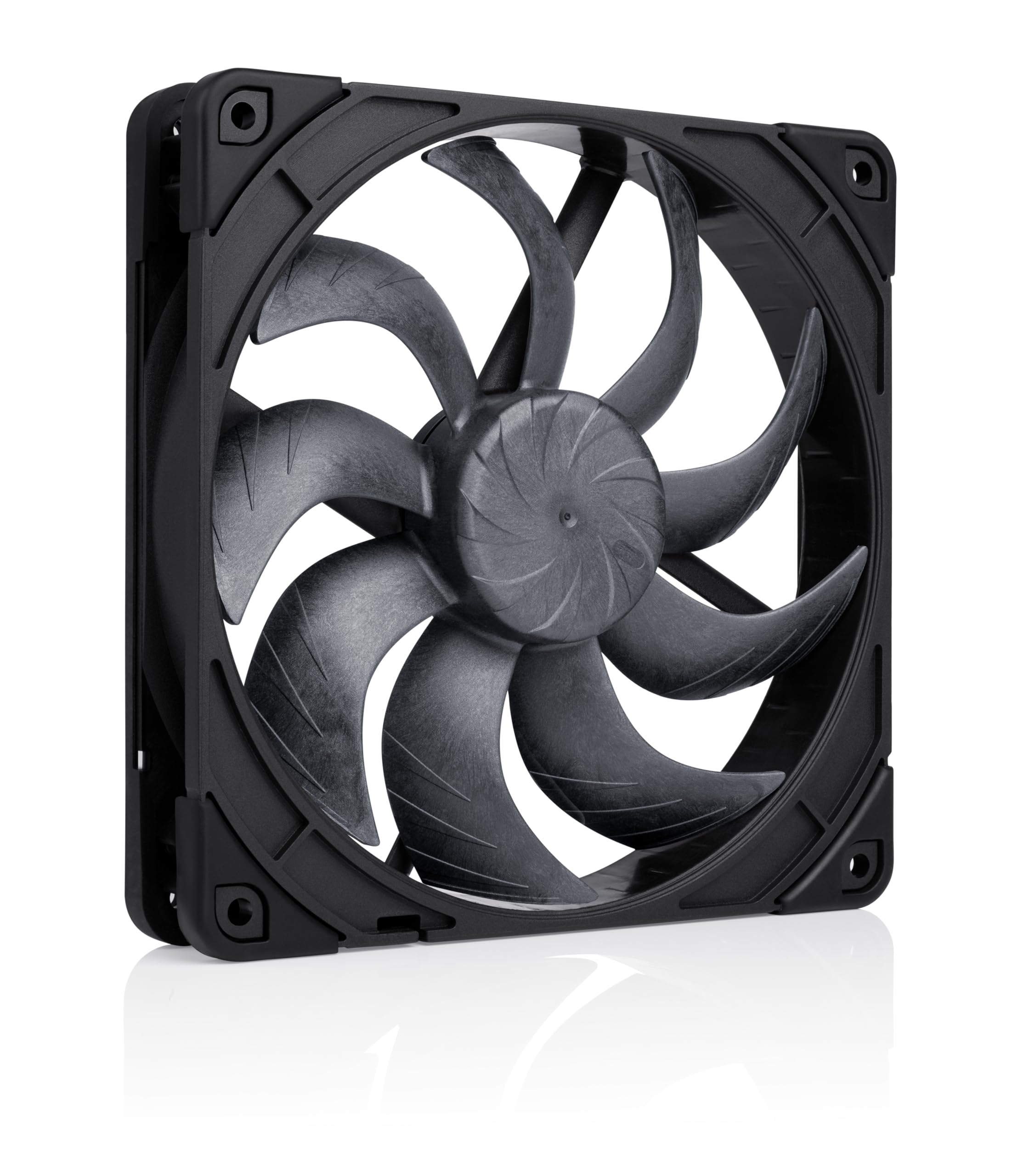
Noctua NF-A14x25 G2 PWM chromax.Black
The G2 is the first 140mm fan Noctua has released that matches the noise-normalized performance of the legendary NF-A12x25 in the 120mm class. The redesigned 25mm-thick frame fits most cases that accept standard 140mm fans, but check your case’s fan clearance — a handful of compact ATX cases have 27mm lip constraints.
For front intake use, mount it with the Noctua logo facing inward (arrow pointing into the case). The chromax.black version includes colored anti-vibration pads in four colorways if the brown pads clash with your build aesthetic.
Arctic P14 PWM PST (5 Pack)
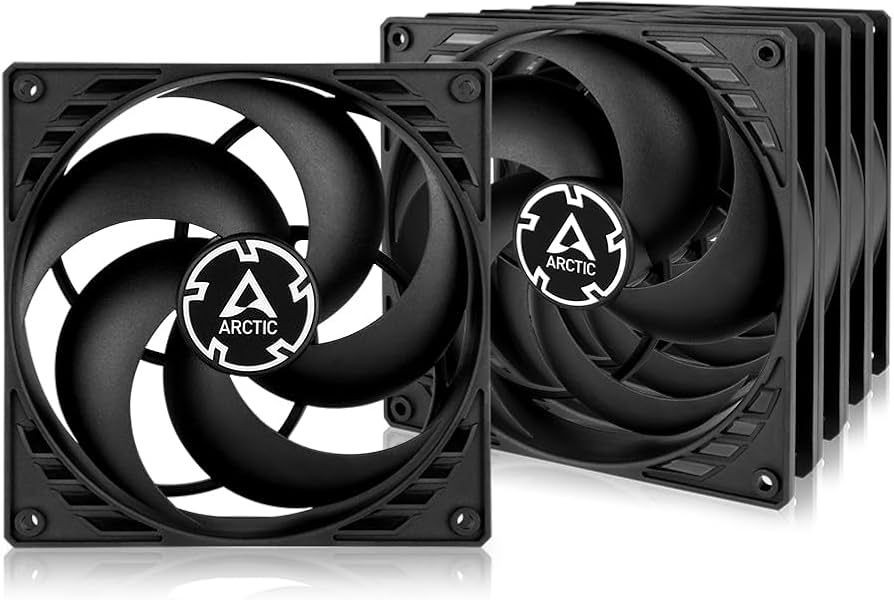
Arctic P14 PWM PST (5 Pack)
The PST connector is the practical feature that makes this pack worth it. Chain all five fans together: fan 1 plugs into your motherboard header, fans 2–5 plug into fan 1’s output port. The motherboard sees one fan, controls all five with a single PWM signal, and reports the RPM of fan 1 for speed confirmation. You lose independent per-fan control, but for a uniform intake wall this is irrelevant.
At 68.1 CFM and 1700 RPM max, the P14 generates enough pressure to pull air through mesh front panels without the turbulence noise that plagues cheaper fans. Run them at 80% PWM (around 1360 RPM) and the 0.5 Sone rating becomes nearly inaudible against ambient room noise.
be quiet! Pure Wings 3 140mm PWM
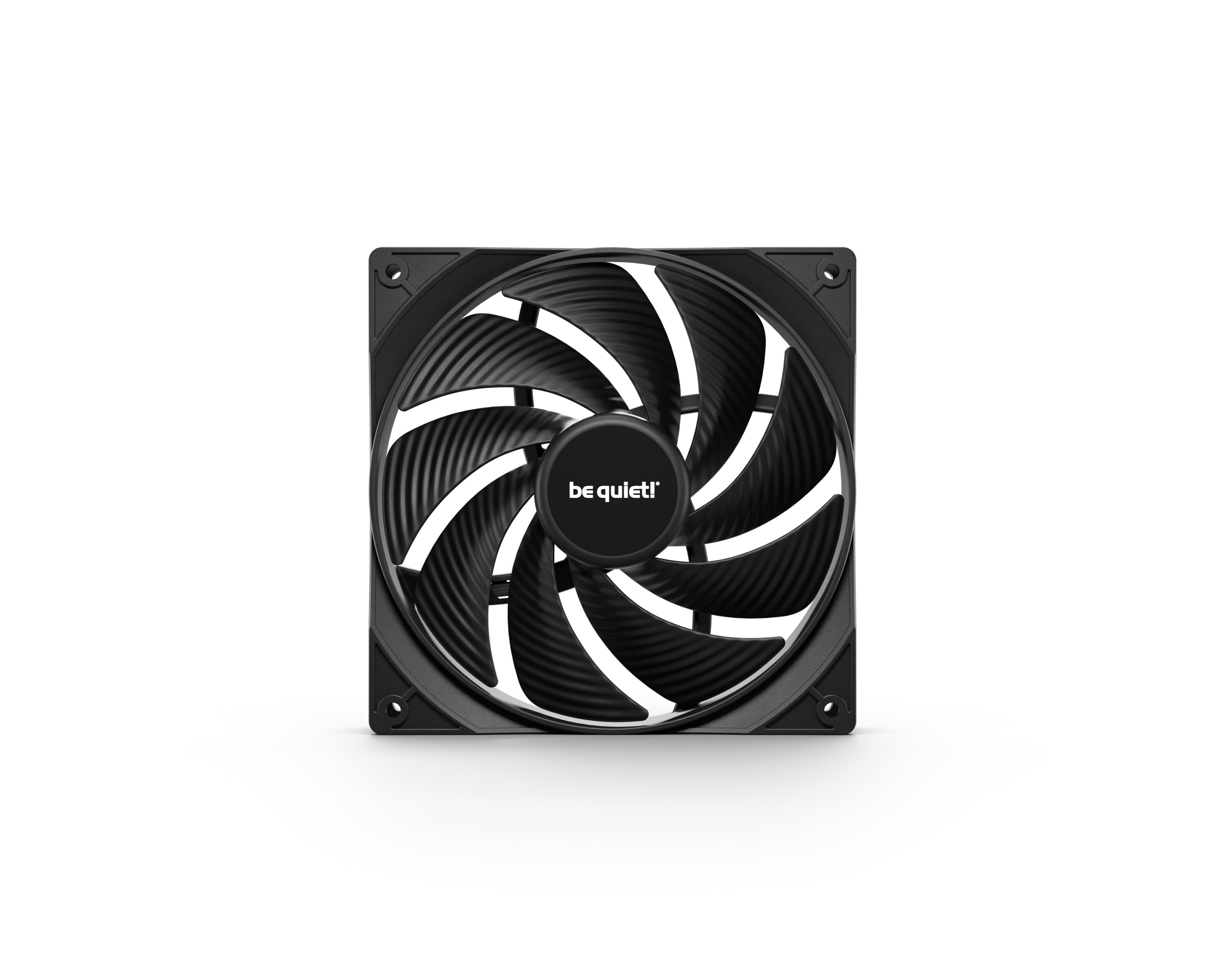
be quiet! Pure Wings 3 140mm PWM
The Pure Wings 3 runs at a maximum 1000 RPM with an optimized fan frame that clips vortex noise at the blade tips. That 15.5 dB(A) ceiling is measured at max speed — at the 700–800 RPM range most quiet builds use, it’s below 10 dB(A). That’s quieter than most SSD read noise.
The trade-off is the 59.5 CFM ceiling. A three-fan front intake with Pure Wings 3 moves 178.5 CFM total. Three Noctua G2s at the same position move 235.5 CFM. For a passively cooled or light-workload machine, the Pure Wings 3 is the right choice. For a workstation or gaming rig with a 300W+ GPU, the airflow ceiling shows.
Arctic P12 PWM PST (5 Pack)
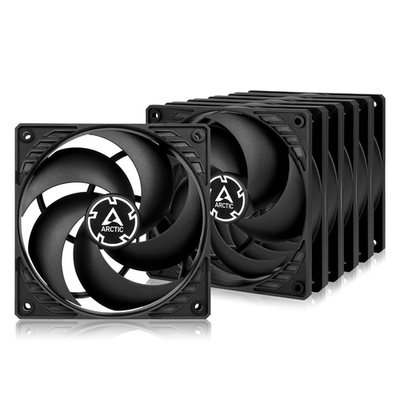
Arctic P12 PWM PST (5 Pack)
The P12 PST 5-Pack is the go-to for 120mm mounting positions. Three fans on a 360mm radiator, two fans as rear/top exhaust, plus one spare for $30 total. The same PST daisy-chain logic applies: wire all three radiator fans to the AIO pump/fan header and they spin together.
Static pressure-optimized blade geometry pushes air through radiator fins and mesh panels rather than dispersing it sideways like airflow-focused fans. If your intake fans are pulling through a mesh front panel or a radiator, use static pressure fans — the P12 is designed for exactly that.
Corsair iCUE Commander Core XT
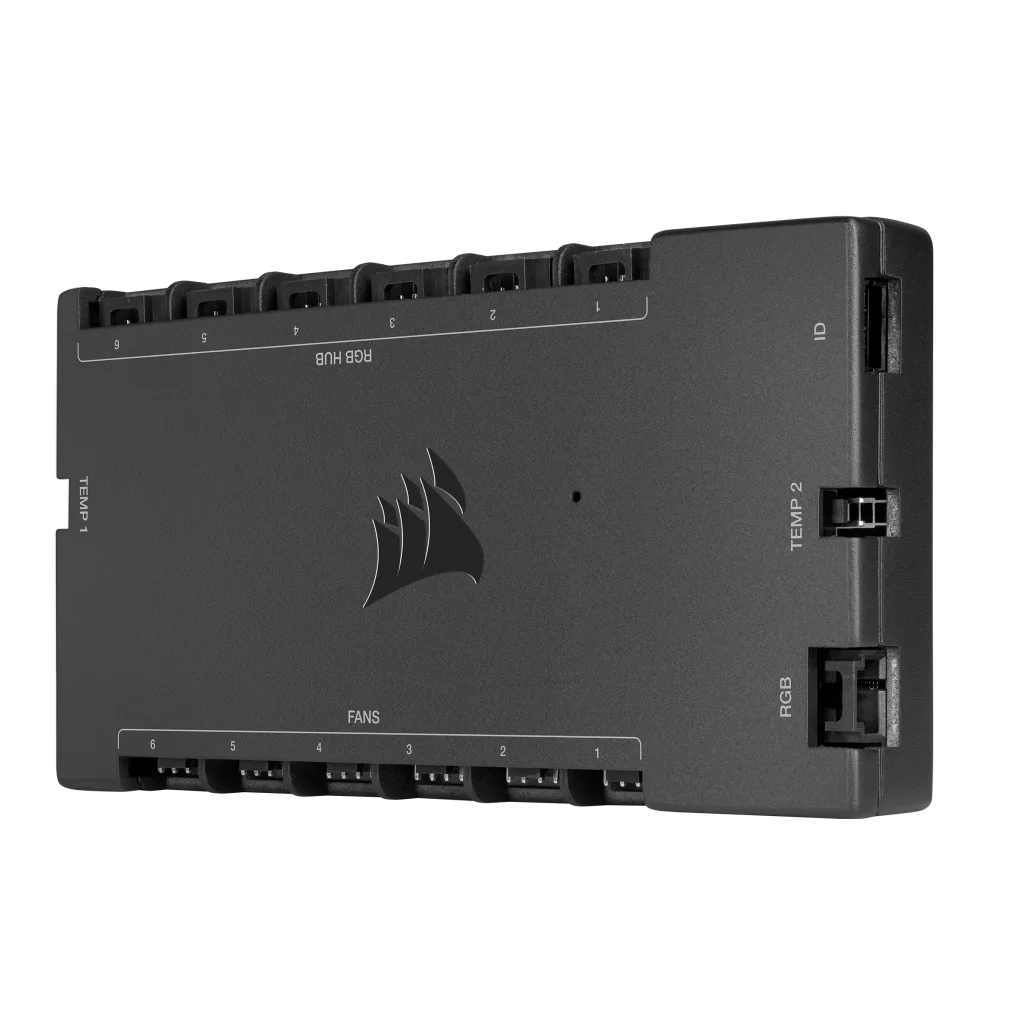
Corsair iCUE Commander Core XT
The Commander Core XT addresses the problem of motherboard fan headers filling up. Most Z890 and X870 boards have 4 system fan headers. With 3 front intakes, 1 rear exhaust, 1 top exhaust, and 1 AIO pump, you’re already over. Splitter cables work but collapse your independent control.
The two temperature sensors are the most underrated feature. Tape one to a GPU backplate and set your exhaust fans to ramp based on GPU temperature rather than CPU temperature — crucial if your GPU is the dominant heat source, which it is in most gaming builds.
The iCUE software requirement is a real cost: it runs as a background process and has had stability issues in past versions. For a clean system, use a simpler hardware-only hub. For a system already running iCUE for Corsair RAM or headsets, the Commander Core XT slots in without adding new software overhead.
Airflow Setup Tips
Front intake, rear and top exhaust. This is the universal starting point. Cool air enters at the front (typically 2–3 fans), hot air exits at the rear (1 fan) and top (1–2 fans). Air naturally rises as it heats, so top exhaust aligns with thermodynamics rather than fighting it.
Target positive pressure. Run your intake CFM slightly higher than your exhaust CFM. A roughly 10–15% positive pressure differential pushes air out through case gaps (including where cables exit), preventing dust ingestion at unfiltered openings. Three 140mm intakes at 68 CFM each (204 CFM total) paired with two 120mm exhausts at 56 CFM each (112 CFM total) creates substantial positive pressure.
Use static pressure fans at intake through mesh or radiators. Airflow-optimized fans are designed for open air. Static pressure fans are designed to move air through obstructions. Arctic P12 and P14 are static pressure fans. If your case has a mesh front panel, use them there.
Don’t aim for high RPM — aim for high airflow at low noise. More fans at moderate speed move more air and make less noise than fewer fans at maximum speed. A 140mm fan at 900 RPM is quieter than a 120mm fan at 1200 RPM and moves roughly the same CFM.
Route cables behind the motherboard tray. A single SATA cable draped across the GPU intake can reduce airflow to the video card by 10–15% by creating turbulence and blocking the intake path. Zip-tie everything to the back-panel routing channels before testing temperatures.
Seal unused expansion slots and gaps. Hot air will short-circuit from exhaust to intake through any large opening near both. Most cases include slot covers — use them. This matters especially in open-air ATX builds where the gap between the GPU and the case floor creates a recirculation path.
Expected Temperature Improvements
The temperature gains from optimizing airflow depend heavily on your starting configuration, but based on community benchmarks and case airflow studies:
| Scenario | Typical CPU Improvement | Typical GPU Improvement |
|---|---|---|
| Adding front mesh intake (was solid panel) | 5–10°C | 8–15°C |
| 3 front intakes vs 1 front intake | 4–8°C | 6–12°C |
| Positive pressure vs negative pressure | 2–5°C | 3–6°C |
| Cable management improvement | 1–3°C | 2–5°C |
| Switching from 120mm to 140mm intakes | 3–7°C | 4–9°C |
GPU improvements are typically larger than CPU because GPU cooling depends on case air temperature — a GPU cooler circulates case air, it doesn’t pull air from outside the system. Lowering case temperature directly lowers the temperature floor your GPU cooler has to work with.
Upgrade Path
If you have no intake fans: Start with the Arctic P14 PWM PST 5-Pack. Fill the front panel with two or three fans and use the remainder as top exhaust. Total cost under $40, temperature improvement measurable within the same day.
If you have stock case fans: Evaluate your case’s front panel first. If it’s a solid tempered glass panel or a restrictive steel mesh, replacing it (or the case) yields more improvement than swapping fans. If you already have a high-airflow front panel and decent fans, a fan controller is the next logical spend — independent speed curves for intake vs exhaust can improve results without buying new fans.
If you have budget fans and want maximum quiet: Swap to Noctua NF-A14x25 G2 fans at front intake positions. Running three G2 fans at 900 RPM (about 60% PWM) moves more air than most budget fans at 100%, at near-silent noise levels.
If you’re running a high-TDP GPU (RTX 5090, RX 9070 XT, etc.): Add a dedicated bottom exhaust fan if your case supports it. These cards dump 300–400W of heat through the PCB underside. A single 120mm fan pulling air from under the GPU and exhausting out the bottom of the case can reduce GPU temperatures by 6–10°C in sustained workloads.
FAQ
Do I need positive or negative air pressure? Positive pressure (more intake than exhaust) reduces dust buildup and keeps temperatures slightly lower for most users. Negative pressure can be slightly better for high-airflow builds that prioritize raw throughput over dust management, but the difference is marginal — 1–3°C in most real-world scenarios.
Should front intake fans use static pressure or airflow blades? Static pressure if you have a mesh front panel or a radiator in front. Airflow-optimized fans if your intake path is completely unobstructed (open frame, grille cutout). Most modern builds use mesh fronts, so default to static pressure fans for intake.
How many fans do I actually need? For a standard ATX build: 2–3 front intakes, 1 rear exhaust, optionally 1–2 top exhausts. That’s 3–6 fans. More fans don’t always help — a five-fan setup with poor routing can outperform a seven-fan setup with blockage and recirculation paths.
Does fan size matter — 120mm vs 140mm? 140mm fans move more air at lower RPM and noise levels. Two 140mm fans at 900 RPM outperform three 120mm fans at 1200 RPM while being noticeably quieter. If your case supports 140mm, use them at intake positions.
Do I need a fan controller if my motherboard has auto fan control? Modern motherboards (Z890, X870) have adequate PWM control for up to 4 headers. If you’re running 5 or 6 fans independently, a controller like the Commander Core XT adds value. For 3–4 fans on a well-equipped board, the motherboard BIOS fan curves are sufficient.
The Bottom Line
Proper airflow costs less than a CPU cooler upgrade but delivers equivalent or better thermal results in most builds.
The Arctic P14 PWM PST 5-Pack at $35 is the default pick: five fans with PST daisy-chaining for a full case refresh.
For silent builds, be quiet! Pure Wings 3 is the quietest 140mm option in its class — nothing else comes close at this price point.
For maximum performance, the Noctua NF-A14x25 G2 chromax.Black at $45 is the definitive answer — 78.5 CFM at near-silent RPMs.