Overclocking got meaningfully easier in 2025 and 2026. AMD’s Curve Shaper tool — released alongside Ryzen 9000 support in Ryzen Master — lets you reshape the voltage-frequency curve on a per-core, per-clock basis without touching the BIOS. On the Intel side, Arrow Lake’s firmware updates through early 2025 fixed the performance regressions from the October 2026 launch and unlocked cleaner ratio tuning. Whether you’re pushing a 9950X toward 6.0 GHz or squeezing extra headroom from a budget 9700X, this guide covers every step — what you need, what to avoid, and how to verify stability before you consider it done.
| Spec | AMD Ryzen 9 9950X 9.2/10 | Intel Core Ultra 9 285K 8.7/10 | AMD Ryzen 7 9700X 8.9/10 | Intel Core Ultra 7 265K 8.6/10 | Noctua NH-D15 G2 9.5/10 |
|---|---|---|---|---|---|
| Cores/Threads | 16C/32T | 24C (8P+16E) / 24T | 8C/16T | 20C (8P+12E) / 20T | — |
| Base/Boost | 4.3 / 5.7 GHz | 3.7 / 5.7 GHz | 3.8 / 5.5 GHz | 3.9 / 5.5 GHz | — |
| Cache | 64MB L3 + 16MB L2 | 36MB L3 + 40MB L2 | 32MB L3 + 8MB L2 | 30MB L3 + 36MB L2 | — |
| TDP | 170W | 125W | 65W | 125W | — |
| Socket | AM5 | LGA1851 | AM5 | LGA1851 | — |
| Rating | 9.2/10 | 8.7/10 | 8.9/10 | 8.6/10 | 9.5/10 |
Prices change daily — tap Check Price for the current Amazon price.
Prices change daily — tap Check Price for the current Amazon price.
CPUs at a Glance
| CPU | Cores | Base OC Tool | Max Practical OC | TDP | Price |
|---|---|---|---|---|---|
| Ryzen 9 9950X | 16C/32T | PBO + Curve Shaper | ~5.9 GHz all-core | 170W | Check price |
| Core Ultra 9 285K | 24C (8P+16E) | XTU / BIOS Ratio | ~5.8 GHz P-core | 125W | Check price |
| Ryzen 7 9700X | 8C/16T | PBO + Curve Optimizer | ~5.6 GHz all-core | 65W | Check price |
| Core Ultra 7 265K | 20C (8P+12E) | XTU / BIOS Ratio | ~5.6 GHz P-core | 125W | Check price |
What You Need Before You Overclock
Overclocking requires three things: an unlocked CPU, a compatible motherboard, and adequate cooling. Skipping any one of these ends in throttled clocks or a failed boot.
Unlocked CPUs only. On AMD, every Ryzen 9000 series CPU is overclockable. On Intel, you need a K or KF suffix chip — the 285K and 265K in this guide. Non-K Intel CPUs (285, 265, 245) are locked and will not overclock beyond XMP memory.
Motherboard requirements. AMD overclocking works on any AM5 board, but B650/B850 boards may limit PBO power limits in firmware. For full manual overclocking on AMD, a B650E, X670E, or X870E gives unrestricted power delivery. On Intel, only Z890 motherboards support CPU overclocking — B860 and H810 boards lock the ratio regardless of what K-series CPU you install.
Cooling requirements. Every overclocked CPU runs hotter than stock. The 9950X at full PBO load can hit 170W package power — you need a 240mm+ AIO or a dual-tower cooler like the Noctua NH-D15 G2 to keep thermals in check. The 9700X at 65W is far more forgiving — a solid single-tower cooler handles it without issue.
Component Deep Dives
AMD Ryzen 9 9950X — Best for Maximum AMD Overclocking
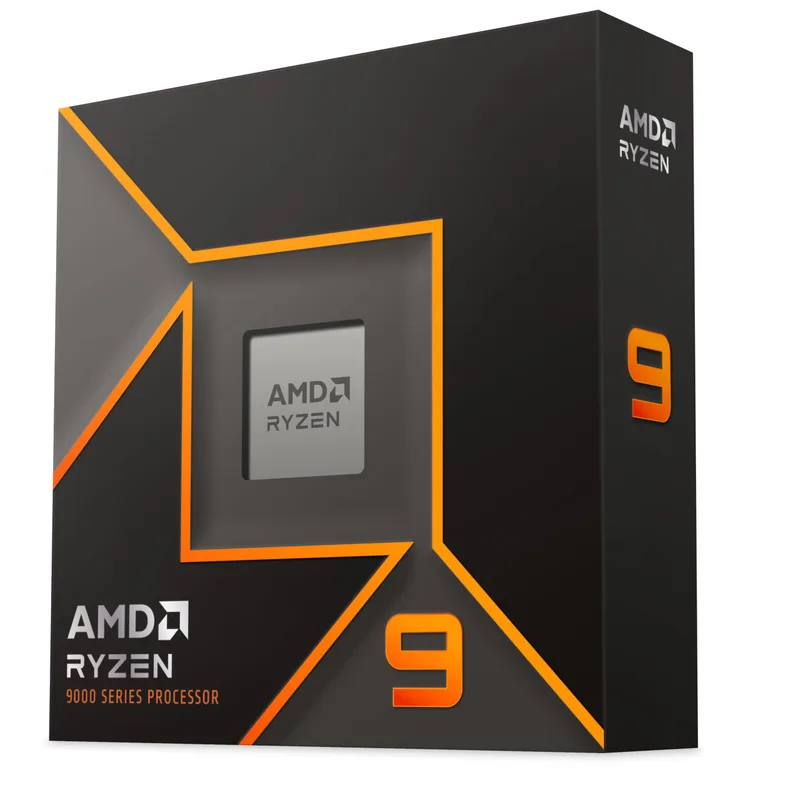
The 9950X is the highest-performance non-X3D desktop CPU AMD sells. Its 16 Zen 5 cores have been reported stable at 5.9 GHz all-core on high-end air cooling, and AMD’s own XOC team pushed a delid’d sample to 6.6 GHz on LN2. For practical day-to-day use, enabling PBO in Ryzen Master delivers a measured 5.43% multi-thread improvement with no manual tuning required — just one toggle in software.
The more powerful technique is Curve Shaper, Ryzen Master’s expanded voltage-frequency tool. Where Curve Optimizer applies a flat voltage offset per-core, Curve Shaper lets you define different offsets at different frequency points — for example, subtracting 20mV below 4.5 GHz and only 10mV above 5.2 GHz. This lets you undervolts the low-frequency idle states aggressively while keeping boost voltage intact, reducing heat without sacrificing peak boost.
At $519, the 9950X shares its price bracket with the Core Ultra 9 285K. For gaming-only workloads the two are comparable, but the 9950X’s 16 Zen 5 cores pull ahead meaningfully in multi-threaded production tasks — video encoding, 3D rendering, code compilation.
Intel Core Ultra 9 285K — Best for Maximum Intel Overclocking
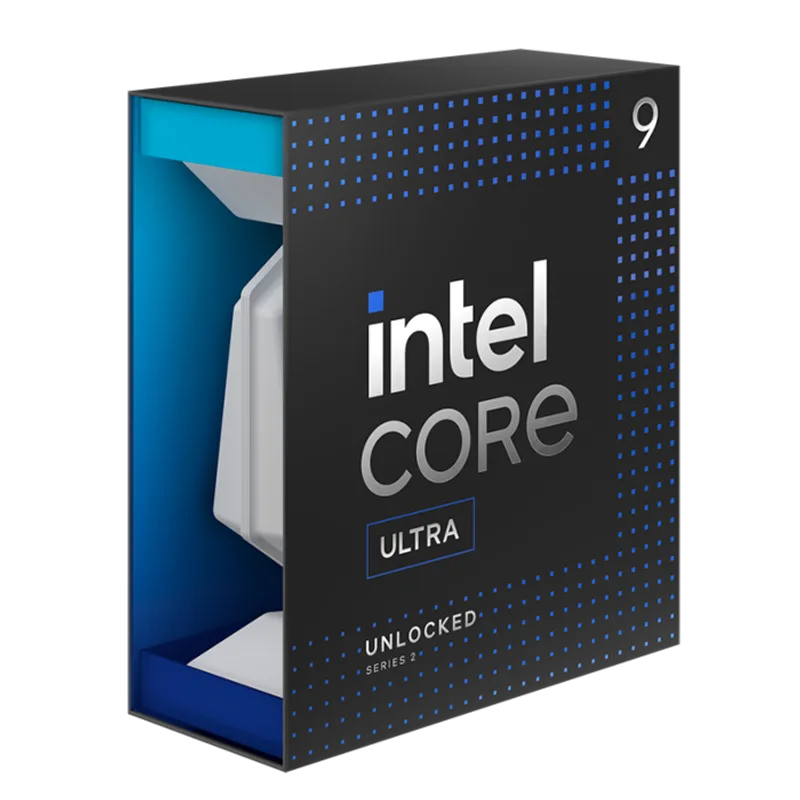
Arrow Lake launched in October 2026 to a rough reception — early reviews showed performance that underdelivered against Raptor Lake. Intel pushed microcode and firmware updates through early 2025 that corrected scheduler inefficiencies and restored the expected performance level. If you’re running a 285K today on current BIOS, the performance regression is gone.
Overclocking the 285K means working with two independent processor tiles: the P-core cluster and the E-core cluster. Each has its own ratio multiplier in the BIOS. The P-core max ratio extends to 80X standard, or 120X with Core Ratio Extension enabled in the BIOS — giving theoretical headroom to 8.0 GHz, though thermal and voltage limits put the practical ceiling around 5.7–5.8 GHz under 1.35V. The E-core max ratio tops out at 85X (or 120X with extension).
Intel’s XTU (Extreme Tuning Utility) provides a software-only path to overclocking without touching the BIOS. Use XTU’s automated overclock to establish a stable baseline, then move adjustments into BIOS for persistency. For hands-off users, XTU’s one-click OC is the fastest way to get meaningful gains.
AMD Ryzen 7 9700X — Best Value Overclocking CPU
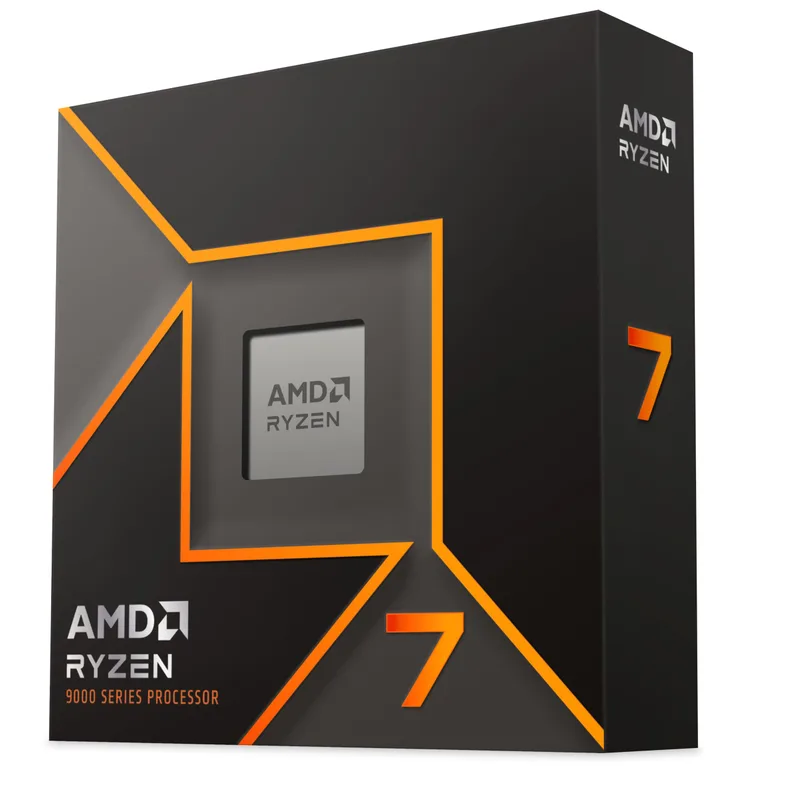
The 9700X dropped to $265 during the April 2026 Amazon Spring Sale — the lowest price on record for this chip. At 65W TDP, it’s the most accessible overclocking target in this guide. Enabling PBO and running Curve Optimizer takes the 9700X’s stock boost from 5.5 GHz to effective all-core boosts that routinely sit 100–200 MHz higher in sustained workloads.
Because of the 65W power envelope, the 9700X hits its thermal ceiling faster than the 9950X under all-core loads. The Curve Optimizer’s per-core negative voltage offset is particularly valuable here — reducing voltage on weaker cores by 15–25 counts lets the strong cores boost higher without the CPU hitting its power limit. Owner reports consistently show 5–8% gaming performance gains from PBO + Curve Optimizer compared to stock on the 9700X.
The 9700X’s 8 cores are sufficient for gaming through 2026 and beyond, but if your workloads include heavy video encoding or compilation, the 9950X or 9900X scale better under load.
Intel Core Ultra 7 265K — Best Budget Intel Overclocking CPU
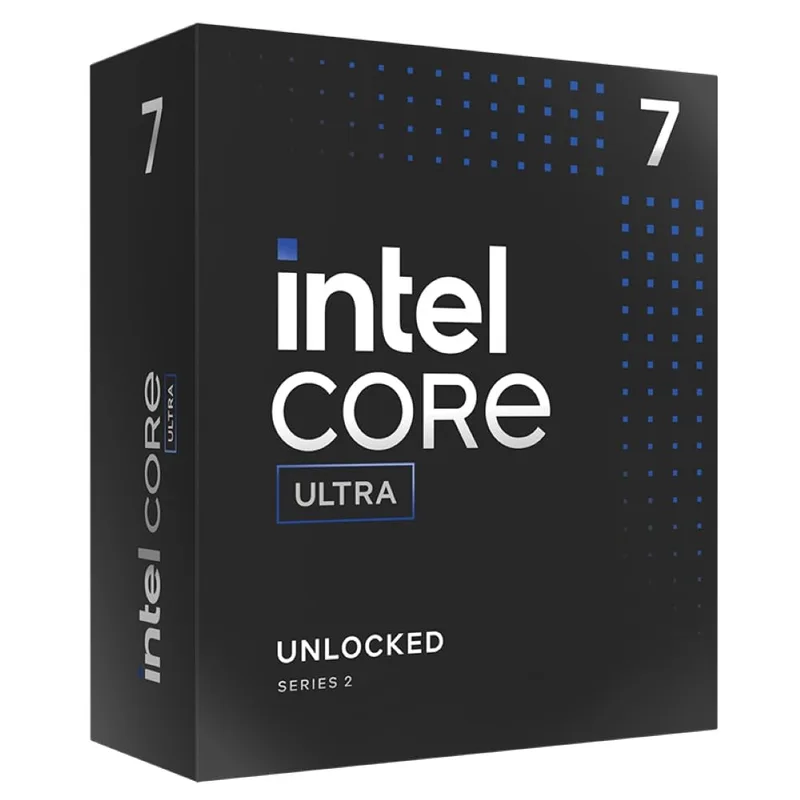
At $239, the 265K is the most affordable K-series Arrow Lake chip. It shares the same 125W base TDP and LGA1851 socket as the 285K, which means the same Z890 motherboard requirement and the same overclocking workflow. The difference is 4 fewer P-cores and 4 fewer E-cores — 20 total versus 24.
For overclocking, the 265K’s 8 P-cores respond to ratio tuning in the same way as the 285K’s. Intel XTU’s automated P-core overclock typically finds a stable 5.5–5.6 GHz P-core all-core frequency on a 265K — up from the 5.3 GHz base all-core boost. Memory overclocking through XMP/DOCP adds another layer; DDR5-6000 or DDR5-6400 is a common sweet spot for Z890 platform stability.
One honest caveat: Arrow Lake’s single-core gaming performance trails the Ryzen 9700X at both stock and overclocked frequencies, according to benchmarks from Tom’s Hardware and Hardware Unboxed. The 265K makes more sense if you also run multi-threaded workloads where its 20-core count earns its keep.
Noctua NH-D15 G2 — The Essential Overclocking Cooler
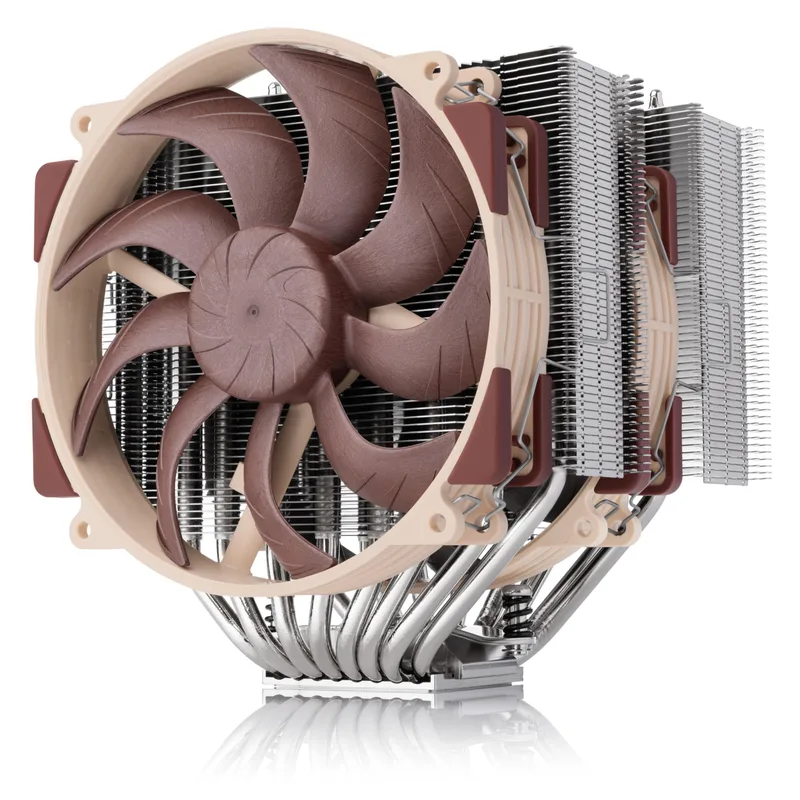
Overclocking any CPU on this list without adequate cooling defeats the purpose — the CPU will thermal throttle before reaching its potential. The NH-D15 G2 is the reference-class dual-tower air cooler in 2026. GamersNexus benchmarks show it outperforming most 240mm AIOs in sustained workloads, while remaining quieter at equivalent cooling performance.
The standard G2 variant supports both AM5 and LGA1851 out of the box. If you’re on Intel LGA1700 specifically, the HBC (High Base Convexity) variant is the better fit. For AMD AM5, the LBC (Low Base Convexity) variant is technically optimal, though the standard all-round version reviewed here performs within 1–2°C of the LBC on AM5.
At $175, the NH-D15 G2 costs more than most 240mm AIOs. It’s worth it: no pump to fail, no coolant to degrade, and measurably better performance in the sustained multi-threaded loads that overclocking actually exercises.
Step-by-Step: AMD Ryzen 9000 Overclocking
Method 1: PBO (Easiest, Recommended for Most Users)
Precision Boost Overdrive removes AMD’s default power and current limits, allowing the CPU’s internal boost algorithm to reach higher clocks when thermals allow. This is the starting point for every Ryzen 9000 overclock.
- Open Ryzen Master (free download from AMD.com)
- Click Creator Mode in the top left
- Enable Precision Boost Overdrive — set the PBO scalar to 10x to start
- Click Apply & Test — Ryzen Master runs a quick stability check
- Run Cinebench R24 to verify performance gains and watch package temperature
If temps stay under 90°C and the system is stable, you can increase the PBO scalar further or move to Curve Optimizer tuning.
Method 2: Curve Optimizer (Advanced, More Gains)
Curve Optimizer reduces voltage on individual cores, lowering heat output while maintaining or improving boost clocks. The result: the CPU runs cooler, which lets the boost algorithm push clocks higher.
- In Ryzen Master, navigate to Curve Optimizer
- Set all cores to All Core negative offset, starting at -10
- Run Prime95 Small FFT for 30 minutes — if stable, increase to -20
- If unstable (crash or WHEA error), reduce the offset by 5 counts and retest
- Most 9700X and 9950X samples find a stable all-core offset between -20 and -30
For better results, use per-core tuning: identify your two fastest cores using Ryzen Master’s core ranking display, set those to -5 or -10, and apply -25 to -30 on the weaker cores. This preserves boost on the cores that matter most for single-threaded workloads.
Method 3: Curve Shaper (Maximum Control)
Curve Shaper expands Curve Optimizer with per-frequency voltage offsets. Instead of a single voltage delta across all frequencies, you define a curve — aggressive undervolting at low clocks, conservative offsets at high boost states.
Access Curve Shaper in the Advanced tab of Ryzen Master. Start with the presets AMD provides (typically “Balanced” or “Performance”), then manually adjust the high-frequency points if thermals allow.
Memory Overclocking (AMD)
AMD’s Ryzen 9000 platform supports DDR5 speeds up to DDR5-8000 through EXPO/XMP profiles. For most users, DDR5-6000 or DDR5-6400 with 30-30-30-96 timings is the sweet spot — higher speeds introduce stability challenges without proportional gaming gains. Enable EXPO in the BIOS before enabling PBO; memory OC and CPU OC interact, and stability-testing both together prevents chasing ghosts.
Step-by-Step: Intel Arrow Lake Overclocking
Method 1: Intel XTU (Easiest)
- Download Intel Extreme Tuning Utility (XTU) from Intel’s site
- Navigate to Advanced Tuning → Per Core Ratio Limits
- Click Automated P-Core Overclocking — XTU tests incrementally and stores a safe result
- Run XTU Benchmark before and after to confirm the improvement
- Save the profile and set it to load at startup
XTU’s automated OC typically yields a 100–200 MHz P-core all-core improvement on the 265K and 285K.
Method 2: Manual BIOS Ratio Tuning
For persistent OC that survives BIOS updates and doesn’t depend on Windows software:
- Enter BIOS (Del or F2 at POST)
- Navigate to CPU Configuration → CPU Overclock (label varies by board manufacturer)
- Set P-Core Ratio — start with +2 multiplier above the stock all-core boost (e.g., 57x → 59x)
- Set CPU Core Voltage to 1.30V as a starting point (don’t exceed 1.35V for daily use)
- Boot into Windows and run Prime95 Blend for 1 hour
- Monitor temps with HWiNFO64 — keep Tcase (CPU Package) under 95°C
If Prime95 crashes, either increase voltage by 0.025V increments or reduce the ratio by 1 step. Stability testing over several hours is non-negotiable before considering an overclock finalized.
E-Core Tuning
Arrow Lake’s E-cores contribute meaningfully to multi-threaded performance. After stabilizing your P-core OC:
- Set E-Core Ratio separately — start 2x below your P-core ratio
- Test with Cinebench nT (multi-threaded) to confirm the E-cores are contributing
- E-core voltage follows the CPU Core voltage setting on most Z890 boards
Safety Rules
Temperature limits. For AMD Ryzen 9000, the thermal maximum (Tjmax) is 95°C — but sustained operation above 90°C accelerates electromigration on the voltage regulators. Keep package temp under 85°C for daily use. For Intel Arrow Lake, the Tjunction max is 100°C; aim for under 90°C under sustained load.
Voltage limits. AMD: keep Vcore under 1.35V for daily all-core overclocking. Intel Arrow Lake: keep CPU Core Voltage under 1.35V for P-cores on sustained loads. Higher voltages are possible for short benchmark runs but degrade CPU longevity.
Stress-test before trusting. A CPU that passes 10 minutes of Cinebench is not stable. A minimum credible stability test is Prime95 Small FFT (maximum heat stress) for 1 hour, followed by Prime95 Large FFT (memory stress) for 30 minutes. Game-specific stability issues sometimes appear only under specific memory access patterns.
One variable at a time. Change one setting — voltage OR ratio OR memory speed — and test before changing another. Changing three things at once makes diagnosing instability impossible.
FAQ
Do I need to overclock if I already have a Ryzen 9000 CPU? Not necessarily. AMD’s Precision Boost 2 algorithm on Zen 5 is well-optimized — PBO adds a measured 5% multi-thread performance boost by removing power limits, but the CPU already boosts aggressively within those limits. If you’re buying a 9700X for gaming, enabling PBO and EXPO is the only OC most users need.
Will overclocking void my warranty? On AMD, overclocking voids the standard warranty. AMD’s Performance Shield warranty add-on (where available) covers overclocked CPUs. On Intel, overclocking with a K-series CPU using XTU or BIOS adjustments voids the manufacturer warranty. Processor Performance Upgrade (PPU) protection was available for earlier generations — check Intel’s current policy for Arrow Lake.
Can I overclock an X3D chip? The Ryzen 7 9800X3D and 9950X3D technically support limited PBO, but the 3D V-Cache stacking constrains maximum safe temperatures more tightly than non-X3D parts. AMD recommends against aggressive manual overclocking on X3D chips. The gaming performance advantage of X3D comes from the cache architecture, not from higher clocks — you don’t need to overclock an X3D part to get the most out of it.
What’s the minimum cooler for overclocking? For a 65W CPU like the Ryzen 7 9700X: a Thermalright Assassin X 120 R SE (~$35) or similar 120mm single-tower is sufficient with light PBO. For a 170W chip like the 9950X or a 125W Arrow Lake K-series under load: a 240mm AIO or the Noctua NH-D15 G2 is the practical minimum for keeping temps below 85°C.
Does RAM speed matter for overclocking gains? Yes, meaningfully so on AMD. Ryzen 9000 shows measurable gaming performance improvements from DDR5-5600 to DDR5-6000, with diminishing returns beyond 6400. On Intel Arrow Lake, the memory controller is similarly responsive to speed — DDR5-6400 with tight timings is a worthwhile upgrade on a Z890 build.
The Bottom Line
For most users, the fastest path to safe overclocking gains in 2026 is: enable EXPO/XMP for memory, turn on PBO in Ryzen Master, and run Curve Optimizer at -20 all-core. That combination costs nothing, takes under 30 minutes, and delivers 5–10% real-world performance gains with no long-term risk. The Ryzen 7 9700X is the best entry point at $265 — low TDP, full Zen 5 OC support, and accessible cooling requirements. If you need maximum all-core throughput and have the budget for a 360mm AIO or dual-tower cooler, the Ryzen 9 9950X is the highest-ceiling AMD overclocker available without resorting to X3D compromise.