The November 2025 launch of the NH-D15 G2 chromax.black confirmed Noctua isn’t conceding the premium market to AIOs — a premium all-black variant aimed squarely at the aesthetics crowd that keeps buying 360mm AIOs for their looks. The standard NH-D15 G2 at $150 makes the core comparison even sharper: the Corsair iCUE H150i Elite CAPELLIX XT lands at approximately $159 on Amazon, a $9 premium for 360mm liquid cooling. At those prices, this stops being a “style vs. substance” argument and becomes a genuine value comparison between the best air cooler and a capable AIO at near-identical cost.
| Spec | Noctua NH-D15 G2 9/10 | Corsair iCUE H150i Elite CAPELLIX XT Unavailable 8.7/10 |
|---|---|---|
| Cooler Type | Dual-tower air cooler | 360mm AIO liquid cooler |
| Fans | 2× NF-A14x25r G2 (140mm) | 3× AF120 RGB Elite (120mm) |
| Fan Speed | Up to 1,500 RPM | 550–2,100 RPM |
| Noise (max) | 24.8 dBA | — |
| Height | 168mm | — |
| Heatpipes | 8 × 6mm copper | — |
| Socket Support | AM4/AM5, LGA1700/1851 | AM4/AM5, LGA1700/1851/1200/2066 |
| Warranty | 6 years | 5 years |
| Rating | 9/10 | 8.7/10 |
Prices change daily — tap Check Price for the current Amazon price.
Prices change daily — tap Check Price for the current Amazon price.
Quick Picks
- Quietest build, gaming-focused CPU (Ryzen 5 9600X / 9700X / 9800X3D): Noctua NH-D15 G2 — better acoustics, simpler installation, no pump to ever replace.
- Overclocking or sustained all-core workloads (Intel 285K, Ryzen 9 9950X): Corsair H150i Elite CAPELLIX XT — the 8–10°C thermal advantage at 250W keeps high-TDP CPUs from throttling.
Buying Guide: Air Cooler vs. 360mm AIO
When thermal headroom actually matters
For gaming, most CPUs run at 30–60% of their maximum TDP. A Ryzen 7 9800X3D at 120W TDP, or a Ryzen 5 9600X at 65W TDP, both stay comfortably cool under the NH-D15 G2 — neither will throttle, and the air cooler’s acoustic advantage is real.
The equation shifts with Intel’s Core Ultra 9 285K at its 250W PL2 power limit, or any aggressively overclocked Ryzen build. GamersNexus benchmarks show that at 250W with noise normalization, the NH-D15 G2 HBC runs roughly 57.8°C on P-core average, while top 360mm AIOs hit approximately 48°C — a 9–10°C gap. Whether that gap translates to throttling depends on your CPU’s boost behavior, but for workstation users who render all day, it’s the deciding factor.
Case compatibility
The NH-D15 G2 stands 168mm tall. Most full-size ATX cases support 160–175mm CPU cooler height, so verify your case spec sheet before buying. Many popular mATX cases cap at 155–165mm, which means the G2 won’t fit without a case swap.
The H150i Elite CAPELLIX XT needs a 360mm radiator mounting point — a top or front slot measuring at least 397 × 120mm. Most mid-towers and full towers built after 2022 support this. Compact mATX cases often do not.
RAM clearance
The NH-D15 G2 uses an asymmetric heatsink design that shifts the rear tower back to clear the first RAM slot. Standard DDR5 modules (under 40mm tall) fit without issue. Tall DDR5 heatsinks over 44mm — like the Corsair Dominator Titanium RGB — may conflict; check the exact dimensions against Noctua’s compatibility tool before buying.
The H150i’s pump head mounts directly on the CPU with 4-pin fan headers for fans, leaving all RAM slots fully accessible.
Variant selection for the NH-D15 G2
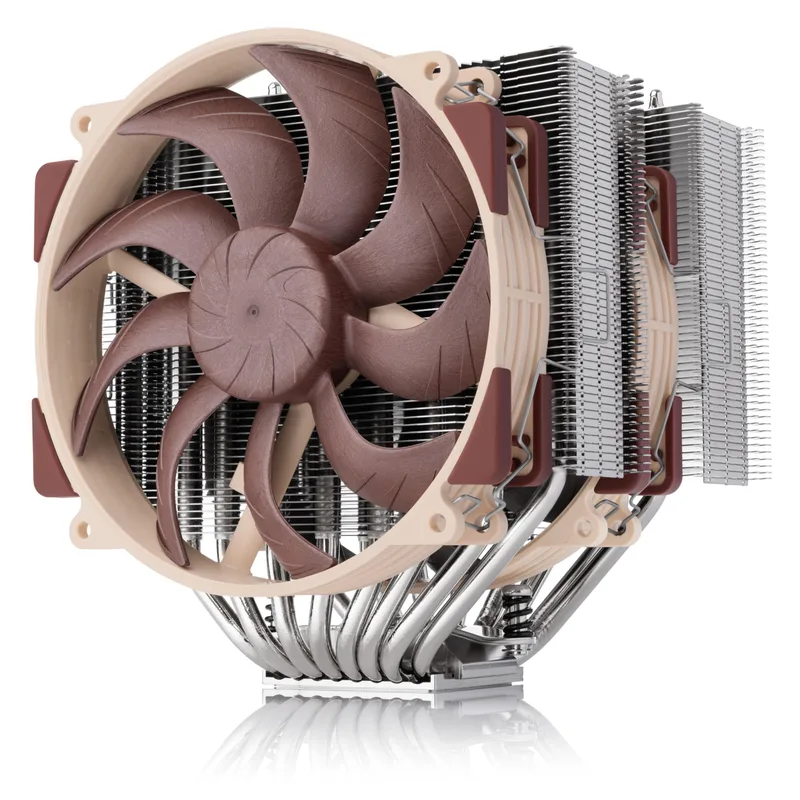
Noctua sells three versions of the G2:
- Standard: The general-purpose version. Manufacturer recommends it for AMD AM5 and Intel LGA1851.
- LBC — Low Base Convexity: Optimized for AMD AM5/AM4 socket geometry.
- HBC — High Base Convexity: Optimized for Intel LGA1700.
The performance difference between variants is single-digit degrees Celsius in most cases, but if you’re on AM5, the LBC makes the most of NOCTUA’s thermal paste contact on AMD’s specific IHS shape.
Noctua NH-D15 G2
The NH-D15 G2 is Noctua’s first major dual-tower redesign since the original NH-D15 launched in 2014. The G2 adds two additional heatpipes (now 8 versus 6), reduces fin spacing from 1.9mm to 1.6mm — integrating 26 extra fins for a 20% larger total fin surface — and ships with the new NF-A14x25r G2 fans, which use a round frame to reduce recirculation at the fan edge.
At the fan’s maximum 1,500 RPM, the G2 measures 24.8 dBA — quieter than any AIO with a running pump. At typical gaming loads where fan speed drops below 900 RPM, it becomes close to inaudible. The included low-noise adapter limits max RPM further for near-silent operation, though with a small thermal cost.
The build quality is the usual Noctua standard: all-copper heatpipes, aluminum fin stack, and the SecuFirm2+ mount that tightens evenly without torquing your motherboard. The included NT-H2 thermal paste is among the best performing compounds on the market according to reviews at Tom’s Hardware and GamersNexus.
Who should buy the NH-D15 G2: Any builder whose CPU runs under 180W sustained, anyone prioritizing silence over peak thermal headroom, and anyone building in a case where 360mm radiator support is unavailable. For the Ryzen 7 9800X3D, Ryzen 7 9700X, and Ryzen 5 9600X specifically, the NH-D15 G2 is more cooler than those CPUs will ever stress.
Who should look elsewhere: Intel Core Ultra 9 285K builders running sustained all-core workloads, or anyone overclocking past stock specifications who needs sustained thermal headroom that only a large AIO provides.
Corsair iCUE H150i Elite CAPELLIX XT
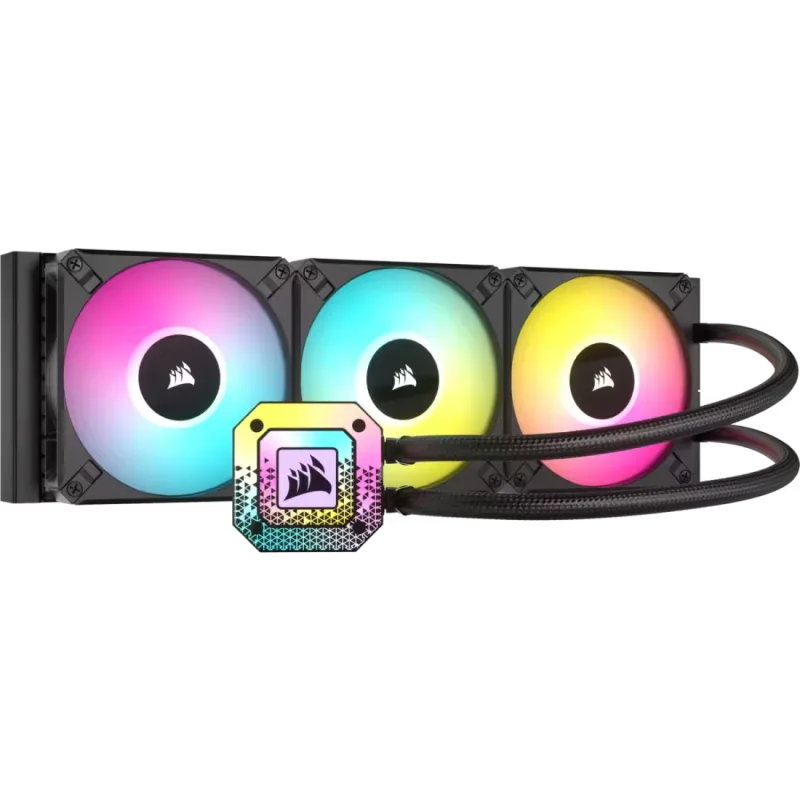
Corsair iCUE H150i Elite CAPELLIX XT
The H150i Elite CAPELLIX XT is Corsair’s mainstream flagship 360mm AIO, built around a 397 × 120 × 27mm aluminum radiator, three 120mm AF120 RGB Elite fans, and a pump head with 33 individual CAPELLIX LED zones. The Commander CORE hub included in the box handles fan and lighting control without needing additional headers on your motherboard.
Fan speed range of 550–2,100 RPM gives the iCUE software wide latitude to tune the noise-performance curve. Owner reviews consistently note that in a balanced iCUE profile, the system runs quiet enough that the pump hum becomes the primary acoustic source — typically described as a low-frequency hum rather than a whine or rattle.
Thermal performance aligns with what you’d expect from a quality 360mm AIO. Based on benchmark data from third-party review sites, 360mm AIOs in this class keep a Core Ultra 9 285K in the 60–68°C range at full PL2 load — compared to 70–78°C for the NH-D15 G2 at the same load. The delta narrows significantly on AMD CPUs under 150W.
The 5-year warranty is a year shorter than Noctua’s 6-year coverage. Corsair has improved pump durability across recent generations, but an AIO pump is still a mechanical component with a defined service life that a dual-tower air cooler simply doesn’t have.
iCUE is genuinely good software for multi-device Corsair setups, but it runs as a background service and adds noticeable RAM overhead for users who only want a cooler and a few fans without a full Corsair peripheral ecosystem. If you want the AIO thermals without the software dependency, the ARCTIC Liquid Freezer III 360 is worth considering as an alternative.
Who should buy the H150i Elite CAPELLIX XT: Intel builds with high sustained TDP, system builders who want addressable RGB integrated into iCUE alongside keyboards and RAM, and anyone where the NH-D15 G2’s 168mm height won’t clear their case’s CPU cooler limit.
FAQ
Does the NH-D15 G2 outperform a 360mm AIO at gaming loads? No — but the performance gap essentially disappears in gaming scenarios. At 30–60% CPU load typical of gaming, both coolers keep CPUs at nearly the same temperature. The NH-D15 G2’s advantage is acoustics, not thermals, at those workloads.
Is the LBC version of the NH-D15 G2 noticeably better on AMD AM5? Noctua designed the LBC variant specifically for the AM5 socket’s IHS geometry. In reviews comparing LBC versus standard on AM5, the temperature difference is typically 1–3°C — meaningful at the margin, but not a dealbreaker if you bought the standard version. The LBC is the right pick for AMD builds.
Will the NH-D15 G2 fit with my DDR5 RAM? Most DDR5 modules under 40mm tall will clear the asymmetric heatsink design without issue. The concern applies specifically to tall heatsink DDR5 kits — Corsair Dominator Titanium RGB (51mm), G.Skill Trident Z5 RGB (44mm on some variants) — in the DIMM slot closest to the CPU. Verify against Noctua’s online RAM compatibility tool before purchasing.
How loud is the H150i Elite CAPELLIX XT pump at idle? Owner reviews on Amazon and Best Buy consistently describe the pump as a low-frequency hum audible in a quiet room at idle. It’s not the loudest AIO on the market — Corsair improved pump acoustics with the XT revision — but it remains audible compared to the near-silence of the NH-D15 G2 at low fan speeds.
Which cooler is better for the Ryzen 7 9800X3D? The NH-D15 G2. The 9800X3D has a 120W TDP and a relatively cool gaming signature due to its 3D V-Cache heat management. Both coolers handle it comfortably, but the NH-D15 G2’s acoustic advantage and long-term reliability make it the cleaner choice for a gaming-only machine. If you’re also doing content creation work on the same build, the H150i’s thermal headroom is insurance worth $9.
The Bottom Line
For the majority of AM5 gaming builds — Ryzen 5 9600X through Ryzen 7 9800X3D — the Noctua NH-D15 G2 is the right answer. It runs quieter, lasts longer, and costs the same. The Corsair H150i Elite CAPELLIX XT earns its place in high-TDP Intel builds and any system where sustained overclocking or all-core render workloads push past 180W regularly — or wherever you simply need RGB and the NH-D15 G2’s 168mm height won’t fit your case.