The AMD Ryzen 5 5500 dropped to $79 in early 2026 — roughly half what it sold for at launch — making the AM4 platform the strongest value argument for a sub-$500 gaming PC build right now. Combine that CPU with a budget B550 board, DDR4 RAM under $35, and an RX 6600 that now sits at $150, and a legitimate 1080p gaming rig is achievable at roughly $525 before any sale pricing.
This guide breaks down every component choice, explains where money is saved without hurting performance, and gives you an honest upgrade path so today’s $500 build doesn’t feel obsolete in two years.
| Spec | AMD Ryzen 5 5500 8.4/10 | MSI B550M PRO-VDH WiFi 8.2/10 | Kingston Fury Beast 16GB DDR4-3200 (2x8GB) 8.3/10 | PowerColor Fighter RX 6600 8GB 8.5/10 | Crucial P3 1TB NVMe (PCIe 3.0) Unavailable 8/10 | MSI MAG A550BN 550W 8.1/10 |
|---|---|---|---|---|---|---|
| cores | 6C / 12T | — | — | — | — | — |
| clock | 3.6 GHz base / 4.2 GHz boost | — | — | — | — | — |
| socket | AM4 | AM4 | — | — | — | — |
| tdp | 65W | — | — | 132W | — | — |
| cache | 35 MB L3 | — | — | — | HMB (Host Memory Buffer) | — |
| cooler | Wraith Stealth included | — | — | — | — | — |
| Rating | 8.4/10 | 8.2/10 | 8.3/10 | 8.5/10 | 8/10 | 8.1/10 |
Prices change daily — tap Check Price for the current Amazon price.
Prices change daily — tap Check Price for the current Amazon price.
Build at a Glance
| Component | Pick | Price |
|---|---|---|
| CPU | AMD Ryzen 5 5500 | Check price |
| Motherboard | MSI B550M PRO-VDH WiFi (mATX) | Check price |
| RAM | Kingston Fury Beast 16GB DDR4-3200 | Check price |
| GPU | PowerColor Fighter RX 6600 8GB | Check price |
| Storage | Crucial P3 1TB NVMe | Unavailable |
| PSU | MSI MAG A550BN 550W | Check price |
| Case | Antec NX260 mid-tower (recommended) | Check current price |
| Total | Check current price |
The GPU occasionally dips to $130–$140 during promotional events; hitting exactly $500 is realistic with one sale. The Ryzen 5 5500 itself was spotted at $69 during a recent Amazon promo window, confirmed by price tracking data.
Why These Parts
The AM4 Platform Is the Budget Multiplier
The single biggest lever in a $500 build in 2026 is platform choice. AM5 (Ryzen 7000 series) requires DDR5 memory, which still commands a $60–$100 premium over comparable DDR4 capacities, and B650 motherboards start at $120 vs. the $95 B550 board here. That platform delta — roughly $80–$150 — is money that goes directly toward a better GPU.
The Ryzen 5 5500 on AM4 with DDR4 and a B550 board costs approximately $206 combined. The equivalent Ryzen 5 7600 on AM5 with DDR5 and a B650 board runs closer to $380. That $174 difference buys a meaningful GPU upgrade or a second SSD.
The GPU Determines Your Experience
At 1080p gaming, the RX 6600 remains one of the cleanest value cards available in 2026. RDNA 3 and RDNA 4 cards pushed it further down the used and new market, bringing street prices to $150. For 1080p at High–Ultra settings in most titles, nothing at this price competes on a cost-per-frame basis. The 132W TDP also means it runs cool and quiet without demanding a premium PSU.
Where the Other Savings Come From
RAM: DDR4 3200 MHz in dual-channel is the performance ceiling for Zen 3 gaming. Faster RAM shows minimal returns in gaming (under 3% difference between 3200 and 3600 in most titles). At $32, this kit does exactly what’s needed.
Storage: The Crucial P3 is a DRAM-less NVMe drive, which sounds like a compromise but is transparent in gaming. Game load times on a DRAM-less Gen 3 drive are within 1–2 seconds of a premium Gen 4 drive. The 1TB capacity fits 10–15 large modern titles.
PSU: The MSI MAG A550BN earns its place with a 5-year warranty at $53. Non-modular design is the trade-off, but the total power draw of this build — under 250W combined at full load — means the 550W ceiling is more than adequate.
Component Deep Dives
CPU: AMD Ryzen 5 5500
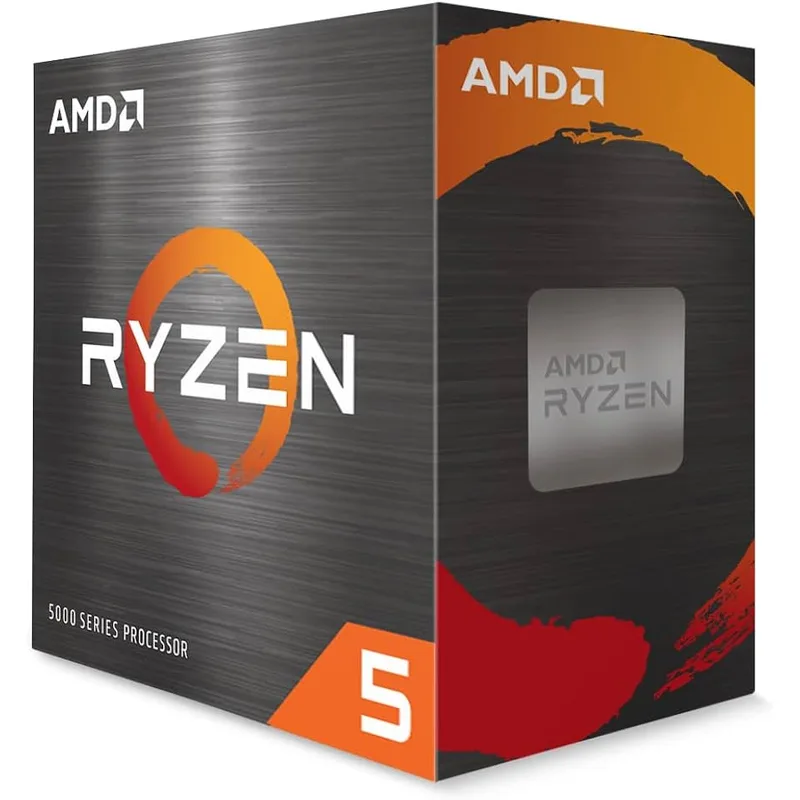
The Ryzen 5 5500 is a Zen 3 chip, meaning it shares the same core architecture as the Ryzen 5 5600X that launched at $299 in 2020. The differences are fewer PCIe lanes and a slightly lower boost clock — neither of which noticeably affects 1080p gaming frame rates. In GPU-limited scenarios (which describes most 1080p gaming with an RX 6600), the CPU is waiting for the GPU anyway.
The included Wraith Stealth cooler handles stock operation at 65W without thermal throttling. This eliminates a $25–$35 budget line item that Intel F-series CPUs require since they ship without any cooler. For this build, the 5500 stays at stock clocks — the B550 board supports AMD Precision Boost Overdrive, which handles boost behavior automatically without manual overclock settings.
Motherboard: MSI B550M PRO-VDH WiFi
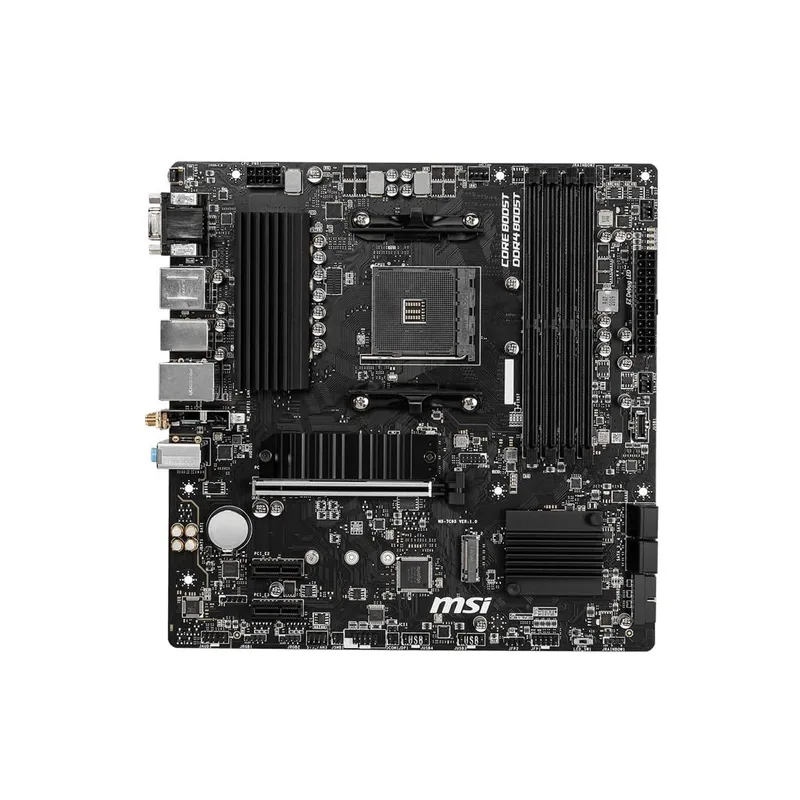
MSI B550M PRO-VDH WiFi
The B550M PRO-VDH WiFi is one of the few budget AM4 boards that includes Wi-Fi and Bluetooth at under $100. Comparable Intel B760 boards with Wi-Fi typically run $120–$140. That gap funds the cheaper CPU platform choice and puts the savings toward the GPU.
The board supports the full Ryzen 5000 CPU lineup, so upgrading to a Ryzen 5 5800X3D or Ryzen 7 5700X later is a $140–$180 CPU purchase without a board replacement. Two M.2 slots mean a second SSD can be added without displacing the included SATA ports. The VRM handling is rated for 65W–105W AMD CPUs — adequate through the Ryzen 7 5800X range.
RAM: Kingston Fury Beast 16GB DDR4-3200
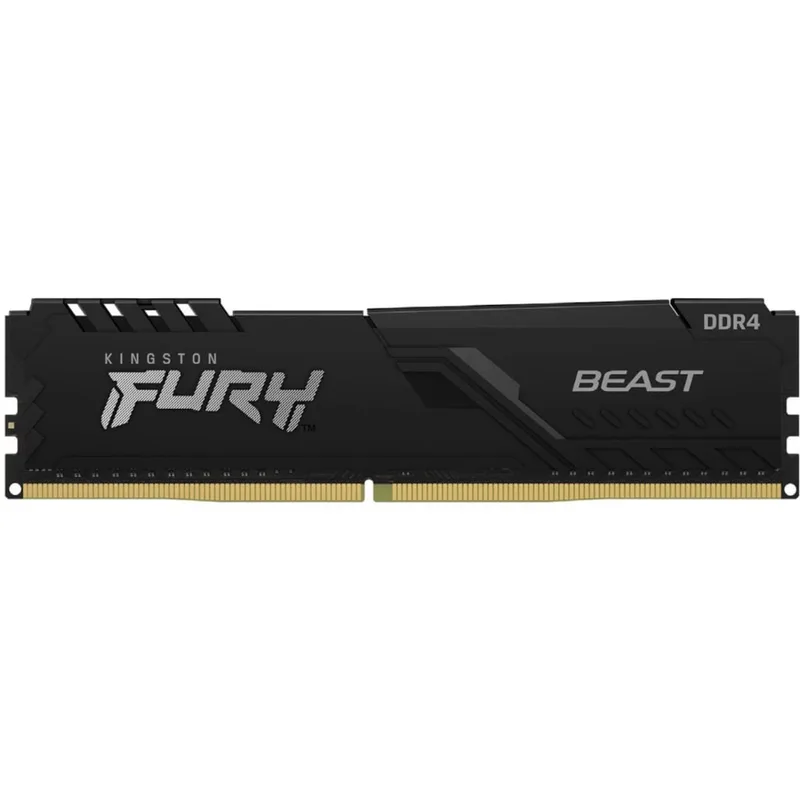
Kingston Fury Beast 16GB DDR4-3200 (2x8GB)
Dual-channel 2x8GB at DDR4-3200 is the correct configuration for Zen 3. Running a single 16GB stick in single-channel mode loses 8–12% of CPU performance in memory-bandwidth-sensitive scenarios. The Kingston Fury Beast enables XMP at 3200 MHz with one BIOS toggle — no manual timing entry required.
In 2026, 16GB of system RAM covers all current gaming titles without paging. 32GB is unnecessary at 1080p gaming unless you run simultaneous browser sessions, Discord, and streaming software in the background. If you do, 2x8GB leaves two DIMM slots open for future expansion.
GPU: PowerColor Fighter RX 6600 8GB
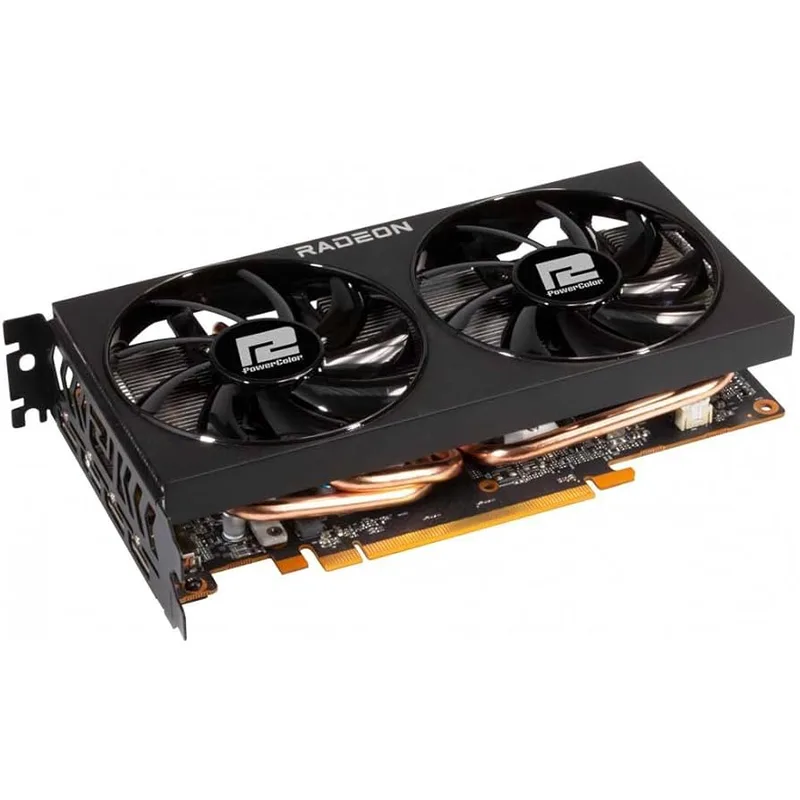
The RX 6600 is the value anchor of this build. RDNA 2 architecture from 2021 still performs competently at 1080p in 2026 because resolution requirements and texture sizes at 1080p have not increased dramatically in recent years. Based on published benchmark data from multiple outlets, Cyberpunk 2077 at 1080p High averages approximately 70 FPS on the RX 6600 — a playable result without upscaling. Less demanding titles like Fortnite and Call of Duty: Warzone maintain above 100 FPS on Medium–High settings.
The 8GB GDDR6 frame buffer is the floor for 1080p gaming in 2026. Cards with 6GB or less show VRAM pressure in newer titles with high-texture settings enabled. The 128-bit bus means 1440p performance is noticeably worse — this card belongs at 1080p.
The PowerColor Fighter variant uses a dual-fan cooler and does not add significant price premium over the reference spec. Power consumption of 132W means the build draws under 250W combined at full gaming load, keeping temperatures manageable in a mid-tower case.
Storage: Crucial P3 1TB NVMe
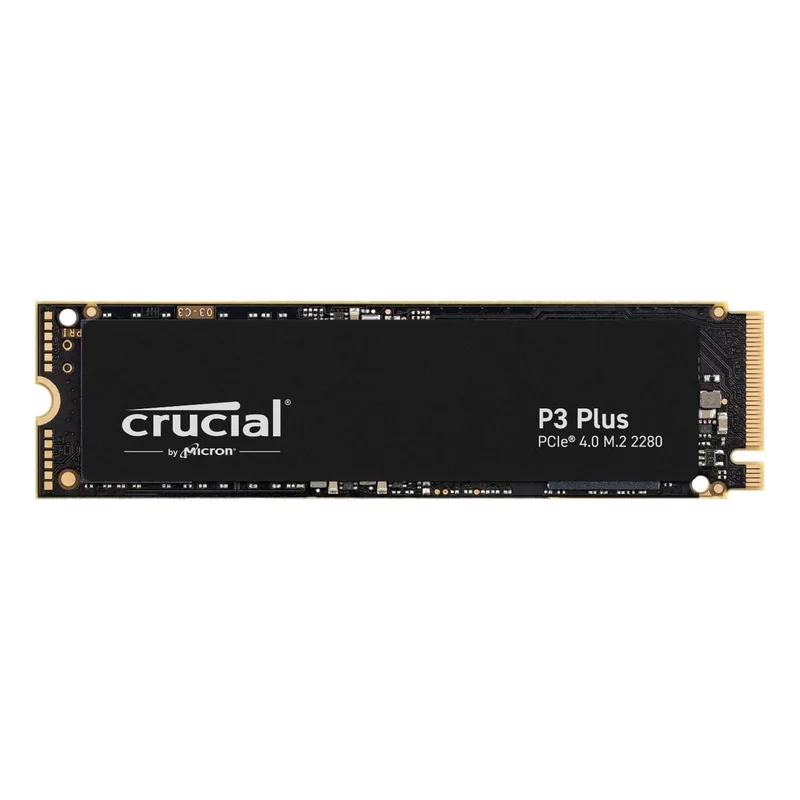
Crucial P3 1TB NVMe (PCIe 3.0)
The Crucial P3 is a budget-tier NVMe with no dedicated DRAM cache, relying instead on HMB (Host Memory Buffer) which borrows a small amount of system RAM. In gaming workloads — sequential reads during level loads, random reads for texture streaming — this shows no perceptible difference versus a DRAM-equipped drive. The gap appears only in sustained write-heavy tasks like copying large video files, where cache exhaustion causes speed drops.
At 3500 MB/s sequential read, the P3 is fast enough that any bottleneck in game load times is the game engine’s single-threaded asset loading, not the drive. The 1TB capacity fits a full game library for most users without constant management.
PSU: MSI MAG A550BN 550W
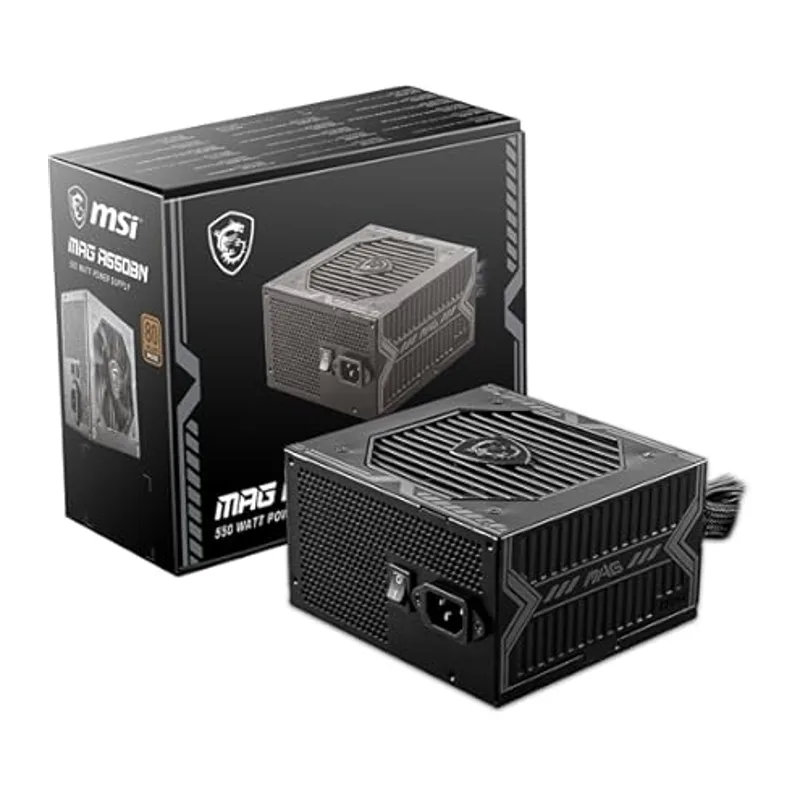
MSI MAG A550BN 550W
The MAG A550BN’s 5-year warranty separates it from the crowded field of $45–$55 Bronze PSUs. Most entry-level units at this price offer 3-year coverage; MSI’s backing extends beyond the typical GPU upgrade cycle. Tom’s Hardware’s review of this unit noted stable voltage regulation and a low-noise fan profile under moderate load.
550W is correctly sized for this build. The Ryzen 5 5500 draws up to 65W under full load; the RX 6600 draws up to 132W. Combined peak is approximately 220–230W — the 550W ceiling provides ample overhead for system fans, USB devices, and storage. Non-modular cable routing requires more cable management effort than semi-modular designs, but the case recommendation (Antec NX260) has a PSU shroud that hides excess cables.
Build Tips
Use the Wraith Stealth cooler first. Install the CPU and mount the included Wraith Stealth before investing in an aftermarket cooler. At stock clocks, it stays below 75°C in Cyberpunk 2077 in a reasonably ventilated case.
Enable XMP immediately after POST. The Kingston Fury Beast ships at JEDEC 2133 MHz by default. Enter the BIOS, navigate to OC settings, and enable XMP Profile 1 to unlock the rated 3200 MHz. The MSI B550M recognizes this kit automatically.
Install the NVMe before the GPU. Seated the Crucial P3 in M.2 slot 1 before installing the PowerColor RX 6600, since the GPU physically blocks access to the primary M.2 slot on most B550 mATX boards.
Route the 8-pin CPU power cable before mounting the motherboard. On mATX boards in mid-tower cases, the 8-pin EPS connector is tucked near the top of the board. Run the cable through the top cable management cutout before the board is seated to avoid fighting with it afterward.
The 8-pin PCIe connector on the A550BN is a 6+2 pin. Plug both pieces fully into the RX 6600’s 8-pin power socket. Some builders leave the 2-pin floating by mistake, which triggers a PCIe power warning on boot.
Performance Expectations
Based on published benchmark data and community reports for the RX 6600 at 1080p with High settings:
| Game | Settings | Expected FPS |
|---|---|---|
| Cyberpunk 2077 | 1080p High, RT off | ~70 FPS average |
| Fortnite | 1080p High | 100–120+ FPS |
| Call of Duty: Warzone | 1080p Medium | 80–100 FPS |
| Hogwarts Legacy | 1080p High | ~55–65 FPS |
| CS2 | 1080p High | 150–200+ FPS |
| Elden Ring | 1080p High | ~55–60 FPS |
| Spider-Man: Miles Morales | 1080p High | ~75–85 FPS |
Competitive esports titles (CS2, Valorant, Apex Legends) all run above 100 FPS with room to push 144 Hz monitor targets. Demanding open-world and narrative titles run at 55–70 FPS on High, which is playable with minimal quality trade-offs.
Upgrade Path
Year 1 — GPU. If next year’s GPU market brings a new budget-tier card at $150–$200 with meaningfully better performance (RX 8600 or GTX successor), this is the first swap. The B550 board supports PCIe 4.0 for the GPU slot.
Year 2 — CPU. The Ryzen 5 5800X3D remains the best gaming CPU on AM4 and drops in price annually. Swapping the 5500 for a 5800X3D removes the CPU as a bottleneck entirely and costs roughly $140–$160 today on AM4. No board change required.
Year 3+ — Platform. By year 3, AM5 CPUs and DDR5 kits will be significantly cheaper. A full platform swap at that point (CPU + board + DDR5 RAM) positions for the next generation without wasting money today on DDR5 when DDR4 at $32 achieves the same gaming result.
Skip: Upgrading RAM above 16GB DDR4-3200 delivers near-zero gaming improvement at 1080p. Upgrading to a Gen 4 NVMe from the Crucial P3 delivers no measurable difference in gaming. Neither is a worthwhile expense.
FAQ
Why not use Intel for this build?
Intel’s current budget options (i5-12400F, i5-13400F) perform similarly to the Ryzen 5 5500 in gaming but require a dedicated cooler (adds $25–$35) and a B760 board without Wi-Fi costs nearly as much as the B550 with Wi-Fi. The AM4 total platform cost — CPU + board + RAM — lands $60–$100 cheaper than the equivalent LGA1700 configuration.
Can this build run 1440p?
The RX 6600’s 128-bit memory bus makes 1440p uncomfortable in demanding titles. Expect a 25–35% FPS reduction moving from 1080p to 1440p. The Ryzen 5 5500 is not the bottleneck here — the GPU is. Upgrading the GPU to an RX 7600 XT or RTX 4060 Ti is the correct path to 1440p gaming.
Is 16GB of RAM enough in 2026?
For gaming, yes. Modern AAA titles peak at 12–14GB system RAM usage in the most demanding scenarios; the majority use under 10GB. 32GB is relevant for content creators, streamers running OBS simultaneously, or anyone with heavy browser habits during gaming sessions.
What case does this build need?
Any ATX or mATX mid-tower with a PSU shroud works. The Antec NX260 ($60) comes with three 120mm ARGB fans pre-installed, fits full ATX boards, and has a PSU shroud that hides the A550BN’s non-modular cable bundle. It supports GPU lengths up to 390mm — the PowerColor Fighter RX 6600 clears this at around 240mm.
The Bottom Line
The combination of a $79 Ryzen 5 5500, $95 B550 board with Wi-Fi, $150 RX 6600, and matching budget storage and PSU delivers a genuine 1080p gaming PC for around $525 — and under $500 when any single sale hits. The AM4 platform choice is what makes this work: saving $80–$150 on CPU, board, and RAM costs versus AM5 without a meaningful gaming performance trade-off.
The PowerColor Fighter RX 6600 is the component to watch for deals first. At $150, it already represents the best cost-per-frame at 1080p in 2026; catching it at $130–$140 during a promo puts the whole build comfortably under $500.