You can build a PC with almost no tools — that’s the marketing pitch. In practice, the one time you strip a standoff threading your case because your screwdriver slipped, or you drop an M.2 screw into the depths of a finished build, you’ll understand why the right tools matter. PCIe 5.0 cards arriving in Q1 2026 use the same M3 fasteners they always have, but cases are getting tighter and GPU power connectors more finicky. Having a flex extension and a magnetic mat on hand is the difference between a 90-minute build and a three-hour frustration session.
| Spec | iFixit Pro Tech Toolkit 9.2/10 | STREBITO 79-in-1 Precision Screwdriver Set 8.7/10 | Klein Tools MAG2 Magnetizer/Demagnetizer 9/10 | iFixit Anti-Static Wrist Strap 8.4/10 | iFixit Magnetic Project Mat 8.6/10 |
|---|---|---|---|---|---|
| Bits | 64 precision bits | 58 driver bits | — | — | — |
| Includes | Picks, tweezers, spudger, flex extension | Anti-static wrist strap | — | — | — |
| Anti-Static | Yes (wrist strap included) | — | — | — | — |
| Case | Magnetic lid with sorting tray | — | — | — | — |
| Bit Types | Phillips, Torx, Hex, Pentalobe, Flathead | Phillips, Torx, Hex, Pentalobe, Tri-wing, Slotted | — | — | — |
| Weight | 1.5 lbs | 1.1 lbs | — | — | — |
| Rating | 9.2/10 | 8.7/10 | 9/10 | 8.4/10 | 8.6/10 |
Prices change daily — tap Check Price for the current Amazon price.
Prices change daily — tap Check Price for the current Amazon price.
Tools at a Glance
| Tool | Price | Best For |
|---|---|---|
| iFixit Pro Tech Toolkit | Check price | Complete all-in-one kit |
| STREBITO 79-in-1 Precision Screwdriver Set | Check price | Budget builds, first-timers |
| Klein Tools MAG2 Magnetizer/Demagnetizer | Check price | Upgrading an existing screwdriver |
| iFixit Anti-Static Wrist Strap | Check price | ESD protection, standalone |
| iFixit Magnetic Project Mat | Check price | Screw organization |
Total (all five tools): $136. You don’t need all five — the STREBITO already includes a wrist strap, and the MAG2 is only necessary if you already own a non-magnetic screwdriver. A realistic first-time kit runs $46 (STREBITO + magnetic mat).
Why These Tools
Most PC build guides skip the tools section entirely. Here’s why each item earns its place:
Screwdriver choice matters more than you think. A #2 Phillips is the primary driver for 90% of a PC build — case screws, PSU bracket, GPU bracket, cooler mounting backplate. But M.2 screws are tiny, and M.2 slots on modern Z890 and X870E boards often have a security screw that requires Torx T5 or T6. If you only own a standard Phillips, you’ll be improvising. The STREBITO’s 58-bit set covers all of it in one case.
Magnetism prevents the worst-case scenario. Dropping a screw into a finished PC — past the GPU, past the PSU cables, onto the motherboard tray — costs 20 minutes at minimum, and there’s a non-zero chance it bridges two traces if you power on before finding it. A magnetized driver tip holds the screw until you’ve started threading. That’s the entire value proposition of the MAG2 for $5.
ESD is a real, invisible risk. You won’t feel the static that damages CMOS memory or GPU shaders. Discharge events under 100 volts are imperceptible to humans but can corrupt RAM cells or degrade GPU longevity. Anti-static mats and wrist straps exist because this is a documented failure mode, not a theoretical one. You’re most at risk in low-humidity environments (winter, dry climates) on carpet flooring.
Screw organization sounds trivial until it isn’t. A compact mid-tower ships with 30-50 screws across six different types. Case standoffs and fan screws look identical until you try to thread the wrong one. The magnetic mat gives you a labeled workspace so you remember which screws came from which panel.
Tool Deep Dives
iFixit Pro Tech Toolkit
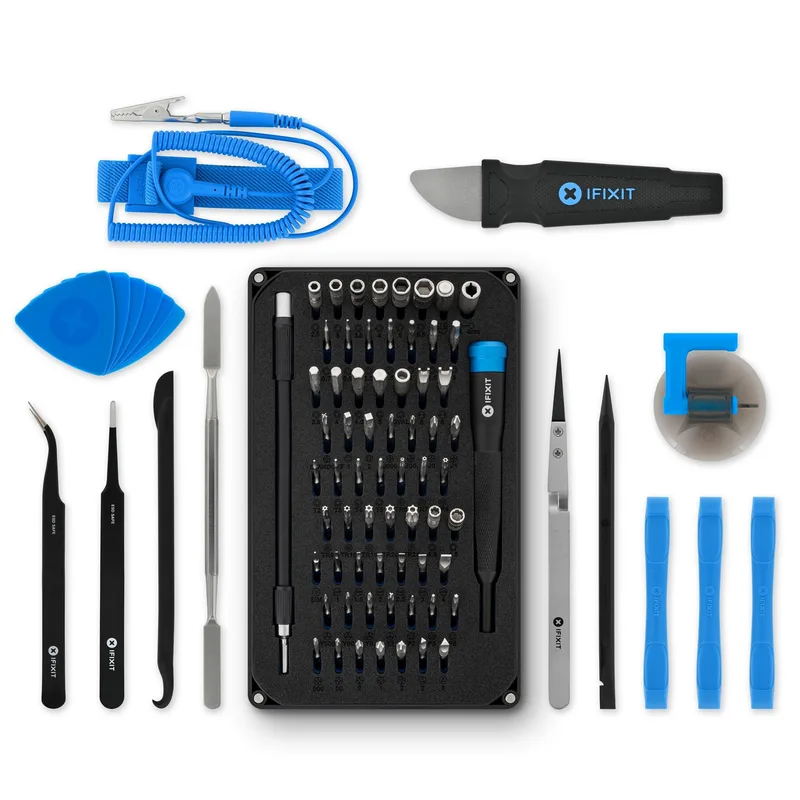
The Pro Tech Toolkit is the benchmark for PC building and electronics repair kits, and it holds that position for a reason: the 64-bit driver set covers every fastener type you’ll encounter across PC builds, laptop upgrades, console repairs, and phone disassembly. For a dedicated PC builder, the important bits are the Phillips #2 (primary), #1 (M.2 screws and some fan screws), and the Torx T10 and T15 that appear on CPU cooler brackets and some case panels.
The 150mm flex extension is the standout accessory. On cases with a PSU shroud and a recessed rear I/O panel, you sometimes need to drive a screw at an angle you physically can’t access with a straight driver. The flex extension solves that without you having to partially disassemble the cable routing you already spent 20 minutes on.
The magnetized lid that comes with the kit doubles as a basic project tray — screws stick to it and don’t roll. It’s not a substitute for a dedicated magnetic mat (limited surface area), but it handles the immediate screw staging problem during assembly.
Who it’s for: Anyone who does occasional laptop repairs, console mods, or phone screen replacements alongside PC building. At $70, the cost is justified because you’re buying one kit that covers all electronics work. If you only build PCs once or twice a year, the STREBITO is a better match.
STREBITO 79-in-1 Precision Screwdriver Set
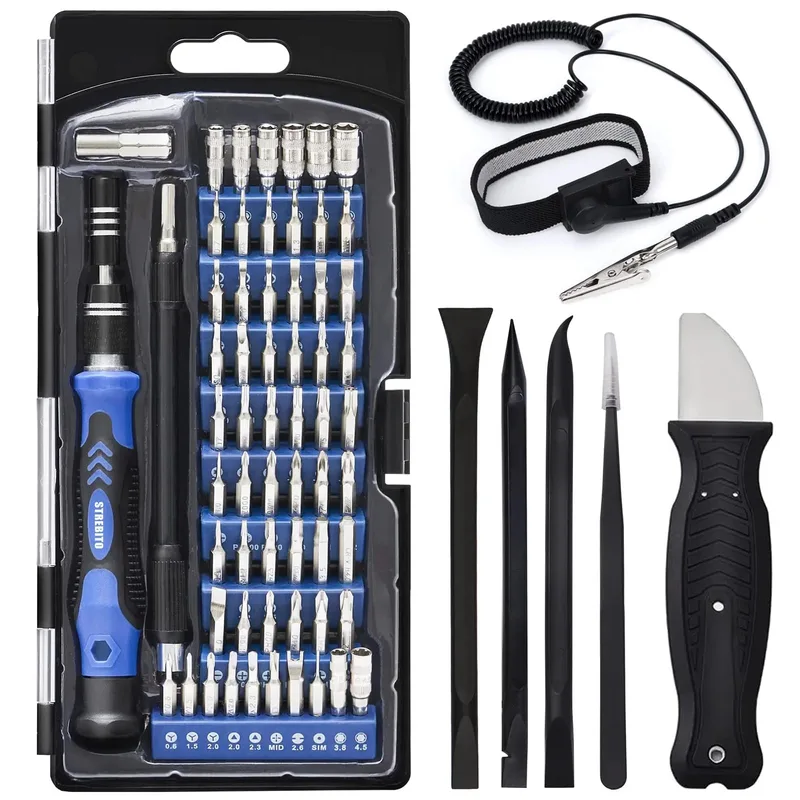
The STREBITO punches above its $30 price point in two ways: it bundles a functional anti-static wrist strap (not a throwaway), and the magnetic driver handle is genuinely good — not the cheap plastic handle that wobbles on bit engagement that you’ll find on similarly priced Xiaomi-branded kits.
The 58-bit selection includes Torx T2–T15, Hex 0.9–3.0mm, Phillips #000–#3, and Pentalobe 0.8–1.2mm. For a PC build, you’ll use maybe 10 of those bits. But the Pentalobe and uncommon Torx sizes mean the kit doubles for Steam Deck repairs, MacBook battery swaps, and Xbox controller triggers — real-world use cases that justify keeping it in the drawer.
The rotating cap at the back of the handle is designed for one-finger spinning during fine-pitch screw work. It gets stiff after about 40 minutes of continuous use, which isn’t a problem for PC building (you’re not driving 100 screws in sequence), but matters if you use this for phone repair work where sustained precision screwdriving is common.
Who it’s for: First-time builders who want a single kit under $35 that includes ESD protection and covers all PC fastener types.
Klein Tools MAG2 Magnetizer/Demagnetizer
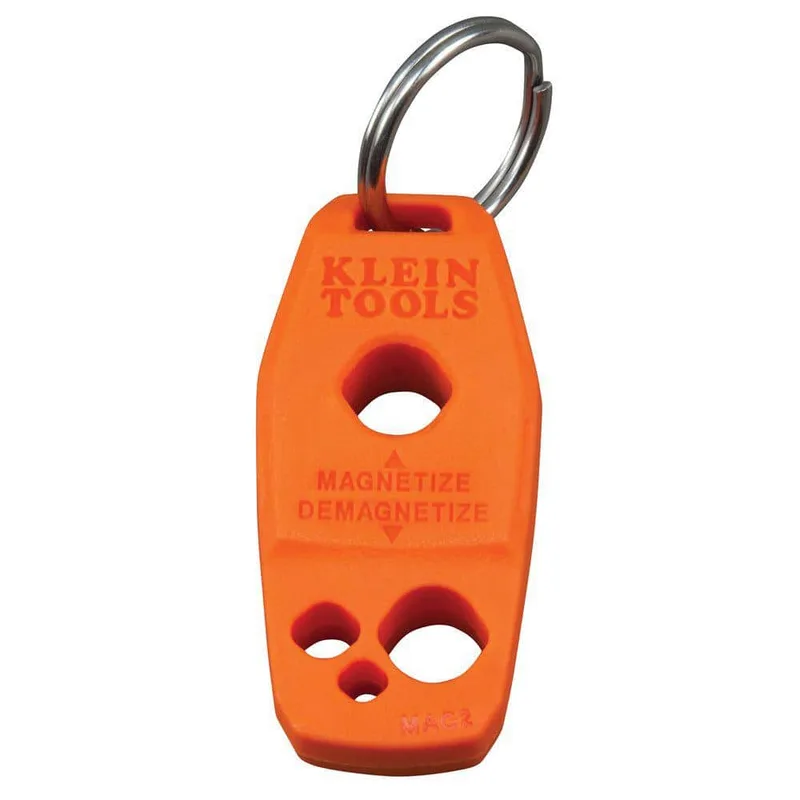
The MAG2 is the highest value-per-dollar tool in PC building. For $5, you permanently solve the problem of non-magnetic screwdrivers. Swipe your screwdriver tip through the red slot and it magnetizes; swipe through the black slot and it demagnetizes. The process takes half a second.
The demagnetize function is the underappreciated half. When you’re working near a spinning hard drive (still relevant for NAS builds and budget systems), a strongly magnetized screwdriver held near the platter for extended periods can cause read errors. The MAG2 lets you demagnetize immediately after driving the relevant screws so you’re not waving a permanent magnet over a drive for the rest of the build.
One important note: magnetization doesn’t persist forever. After several weeks without use, the magnetic field in your screwdriver tip weakens. Keep the MAG2 in your kit and re-magnetize at the start of each build session.
Who it’s for: Anyone who already owns a decent screwdriver and doesn’t want to replace it with a magnetic-tip version. The MAG2 costs $5 vs. $15–25 for a new magnetic-tip driver.
iFixit Anti-Static Wrist Strap
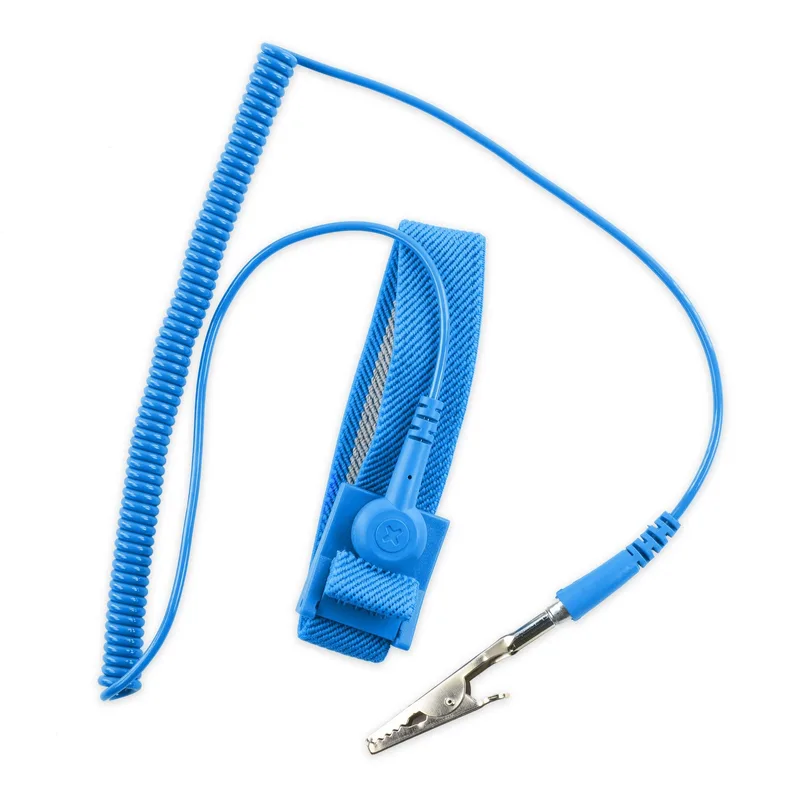
The iFixit strap uses the standard ESD grounding approach: conductive wrist band → coiled cable → alligator clip → bare metal chassis. The 1 MΩ built-in resistor is the critical safety feature — it slows down the discharge from your body to a rate that won’t damage components, while still draining the static charge entirely.
Cheaper no-brand straps often omit the resistor, which creates a direct short-circuit path to ground. That’s actually dangerous to you (not to the components) — instantaneous discharge through your body rather than a controlled bleed-off. The iFixit strap includes the resistor.
The coiled 4-foot cable means you can reach across a mid-tower build without the strap going taut. The alligator clip clamps onto the unpainted metal of your case chassis — the PCI slot bracket area or the rear panel is the best location, since it maintains a constant ground path throughout the build.
Who it’s for: Builders working in low-humidity environments, on carpet, or in winter months when static is most prevalent. If you already got the STREBITO kit, its included strap is functionally identical — save the $15.
iFixit Magnetic Project Mat
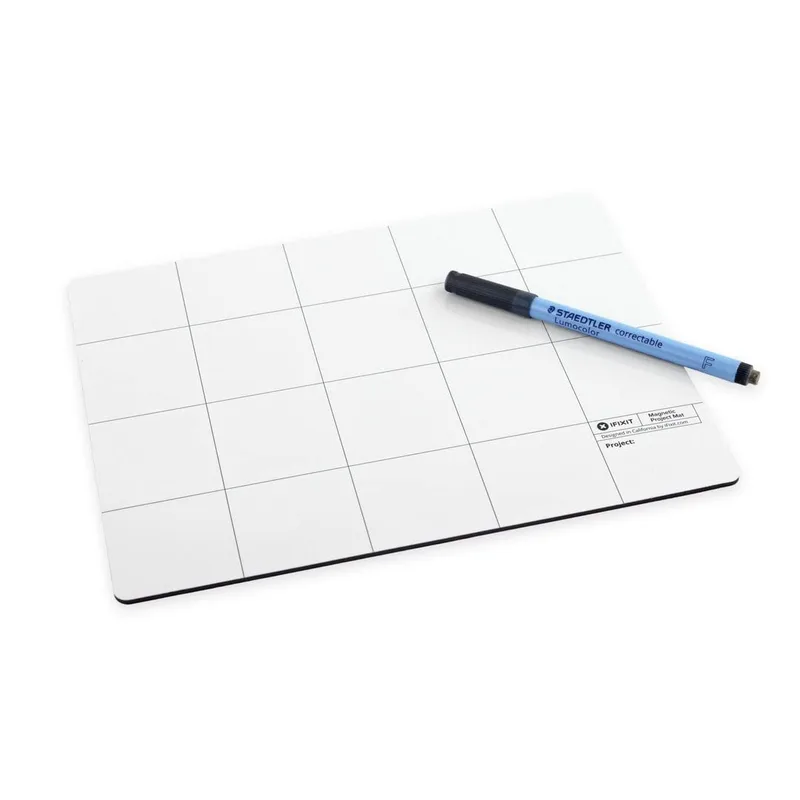
The magnetic project mat is the tool that builders skip until they’ve lost a screw the hard way. The iFixit mat’s 8x10-inch surface uses iron powder embedded in the PVC layer — screws and small metal parts stick flat to the surface, no rolling, no disappearing acts.
The dry-erase surface is more useful than it sounds. Before you remove any panel or bracket, sketch a quick diagram of the screw positions and label them. Case screws and motherboard standoffs often look identical — same threading, different length. Mix them up and you either strip threading or bottom out before the screw seats. The marker stays sharp after repeated wipe cycles; the included dry-erase marker works fine.
At 8x10 inches, the mat handles a full case teardown — all the side panel screws, the rear IO screws, the GPU bracket screws, and the M.2 retention screws can lay out in labeled zones simultaneously.
Who it’s for: Anyone doing their first build or working on a small desk where screws rolling onto the floor is a real risk. The $16 cost is recovered the first time you don’t spend 20 minutes searching for a dropped M3 screw.
Build Tips: When to Use Each Tool
Before you start: Magnetize your screwdriver tip with the MAG2. Clip the anti-static strap to the rear chassis panel. Place the magnetic mat to your left (or wherever your non-dominant hand naturally rests) so you can set screws down without thinking.
Motherboard installation: Use the magnetic mat to set out all standoffs before starting — count them against the motherboard mounting pattern. Use the flex extension (iFixit kit) or a short-shaft bit (STREBITO) for the standoffs that end up behind the CPU socket area once the board is seated.
GPU and PCIe slot: The slot retention clips on Z890 boards like the ASUS Prime Z890-P require a fingernail or a spudger to release — the iFixit Pro Tech kit includes a plastic spudger that doesn’t scratch the PCB. The GPU bracket screw (rear panel) goes on last; use a magnetized #2 Phillips so you’re not fishing it into position.
M.2 SSDs: These use M3x3 screws — the smallest in a typical PC build. The iFixit or STREBITO #1 Phillips bit handles them. Set the screw on the magnetized driver tip before reaching into the M.2 slot area; you have less than half an inch of clearance on most M-ATX boards.
Cable management: After the build is complete, demagnetize your screwdriver with the MAG2 before setting it near any storage devices.
Tools You Don’t Actually Need
Thermal paste applicator cards: Every tube of thermal paste ships with an applicator or instructions to use the pea method. The card technique is slower and offers no thermal benefit on flat IHS surfaces.
Suction cups for panel removal: Tempered glass side panels on cases like the Fractal Design North and Lian Li Lancool 207 use push-to-release clips, not suction pressure. You don’t need a suction cup — finger placement on the edge works.
PCIe riser cable tester: Only relevant if you’re doing vertical GPU mounts and diagnosing display-out issues. Not a first-build tool.
Torque screwdriver for cooler mounting: Cooler manufacturers (Noctua, be quiet!, Deepcool) ship standoffs and thumb screws calibrated for correct mounting pressure. Following the instructions gets you there without a torque driver.
Adding to Your Kit Over Time
Once you have a solid screwdriver and ESD protection, the useful next additions are:
Cable ties and velcro straps (~$8): Velcro beats zip ties for cable management you’ll revisit — GPU power cable, front panel headers, SATA chain. Zip tie everything and you’re cutting and restarting when you upgrade.
90-degree SATA cables (~$10): Standard straight SATA cables hit case floors on SFF builds. Right-angle versions route cleanly along the bottom panel without bending.
Isopropyl alcohol 99% + lint-free wipes (~$12): For thermal paste removal and contact cleaning. 70% alcohol (pharmacy grade) works but leaves water residue; 99% evaporates clean.
USB drive with diagnostic tools: Memtest86 for RAM, CrystalDiskInfo for SSD health, HWiNFO for temperature monitoring. Not a physical tool, but worth having staged before the first POST.
FAQ
Do I really need an anti-static wrist strap? On concrete or hardwood floors in moderate humidity, modern components handle ambient static well. On carpet, in winter, or in very dry climates, the risk is real. The STREBITO kit includes a strap — there’s no reason not to use it. The $30 kit already includes it.
Can I use any Phillips screwdriver for a PC build? A standard #2 Phillips drives the majority of screws. You’ll need a #1 for M.2 screws and some fan screws. A Torx T10 appears on some CPU cooler mounting hardware. If you own a single full-size #2 Phillips, plan on borrowing a #1 or buying a multi-bit kit before you start.
Will magnets damage my SSD? NVMe SSDs and SATA SSDs store data on flash cells — magnets have no effect on them. The only storage type sensitive to magnets is spinning hard drives (platters and read heads). If your build includes a mechanical HDD, demagnetize your screwdriver before working near it.
Is the iFixit Pro Tech Toolkit worth $70 just for PC building? If you only build PCs, probably not — the STREBITO covers all the same fasteners for $30. The iFixit kit earns its cost if you also do phone repairs, laptop SSD upgrades, or console teardowns where the specialized bits (Pentalobe, Tri-point) are needed regularly.
What’s the correct way to clip the anti-static strap? Clip the alligator end to bare metal on the case chassis — an unpainted steel surface. The rear PCI bracket area works well. Avoid attaching to painted surfaces or plastic; neither conducts. The strap only works if there’s a continuous conductive path from your wrist to the case.
The Bottom Line
The minimum viable PC building toolkit is a magnetic-tip #2 Phillips screwdriver, a #1 Phillips for M.2 screws, and an anti-static wrist strap. The STREBITO 79-in-1 kit covers all of that plus a Torx selection and a wrist strap for $30. Add the iFixit Magnetic Project Mat for $16 and you have a practical, complete kit for $46.
The iFixit Pro Tech Toolkit is the better choice if you do mixed electronics work — it covers phone teardowns, console repairs, and laptop upgrades in the same case as your PC tools. The Klein Tools MAG2 is the $5 purchase you’ll wonder how you built without.