Samsung’s NVMe lineup just got shuffled. The 990 Pro launched in 2022 as the go-to Gen 4 drive, then Crucial answered with the T705 as the fastest Gen 5 SSD money could buy — and Samsung quietly responded in early 2026 with the 9100 Pro, their first PCIe 5.0 consumer drive. If you’re building or upgrading in 2026, this is the comparison you need.
| Spec | Crucial T705 2TB PCIe Gen5 NVMe SSD 9.2/10 | Samsung 990 Pro 2TB PCIe Gen4 NVMe SSD 9/10 | Samsung 9100 Pro 2TB PCIe Gen5 NVMe SSD 8.8/10 | WD Black SN850X 2TB NVMe SSD Unavailable 8.7/10 | Crucial T700 2TB PCIe Gen5 NVMe SSD 8.3/10 |
|---|---|---|---|---|---|
| Interface | PCIe 5.0 x4, NVMe 2.0 | PCIe 4.0 x4, NVMe 2.0 | PCIe 5.0 x4, NVMe 2.0 | PCIe 4.0 x4, NVMe 2.0 | PCIe 5.0 x4, NVMe 2.0 |
| Sequential Read | 14,500 MB/s | 7,450 MB/s | 14,700 MB/s | 7,300 MB/s | 12,400 MB/s |
| Sequential Write | 12,700 MB/s | 6,900 MB/s | 13,400 MB/s | 6,600 MB/s | 11,800 MB/s |
| Random Read IOPS | 1,550K | 1,400K | 2,200K | 1,200K | 1,500K |
| Random Write IOPS | 1,800K | 1,550K | 2,600K | 1,100K | 1,500K |
| Endurance | 1,200 TBW | 1,200 TBW | 1,200 TBW | 1,200 TBW | 1,500 TBW |
| Warranty | 5 years | 5 years | 5 years | 5 years | 5 years |
| Rating | 9.2/10 | 9/10 | 8.8/10 | 8.7/10 | 8.3/10 |
Prices change daily — tap Check Price for the current Amazon price.
Prices change daily — tap Check Price for the current Amazon price.
Quick Picks
- Best overall: Crucial T705 2TB — Gen 5 speeds at $225. Now the better value pick over the 990 Pro due to NAND shortage pricing. Note: Crucial discontinued consumer products in February 2026 — available while inventory lasts.
- Best Gen 4 performance: Samsung 990 Pro 2TB — proven Gen 4 performance on PCIe 4.0 boards, but NAND shortage has pushed street prices to ~$480.
- Best gaming Gen 4 alternative: WD Black SN850X 2TB — gaming-specific firmware at ~$389, still the cheapest Gen 4 2TB option at current shortage pricing.
PCIe 5.0 vs Gen 4: What Actually Matters for Gamers
Before spec-shopping, understand what these numbers mean for how you actually use your PC.
Sequential read speed doesn’t move game load times after ~3,500 MB/s. According to benchmarks from Tom’s Hardware and Hardware Unboxed, there’s no meaningful difference in game load times between a 7,450 MB/s drive and a 14,500 MB/s drive. Both outpace what games can actually request. The bottleneck shifts to DirectStorage and game engine I/O, not raw sequential throughput.
Where PCIe 5.0 earns its price premium is in content creation and production workloads: video editing with large ProRes or RED RAW files, AI model loading, bulk asset transfers, and virtual machine storage. If you spend serious time in DaVinci Resolve, After Effects, or Blender’s asset pipeline, the T705’s bandwidth makes a tangible difference. If you’re gaming and light productivity, the 990 Pro delivers 95% of the experience for less money.
Slot compatibility is non-negotiable. PCIe 5.0 M.2 slots appear on:
- Intel LGA1700 boards (12th gen+), specifically Z790 and H770 boards — check your specific board’s spec sheet
- AMD AM5 platform (Ryzen 7000 and 9000 series) — B650E, X670E, X870E, and X870 chipsets
Installing a Gen 5 drive in a Gen 4 slot will cut its speeds by half. The drive still works — it simply operates at Gen 4 rates, making you pay a Gen 5 price for Gen 4 performance.
Thermal management is a real consideration with Gen 5. The T705 and T700 pull enough power under sustained load to require active cooling. Boards with M.2 thermal shields handle this passively. If your board has an exposed M.2 slot, budget $15-20 for an aftermarket heatsink. The 990 Pro and SN850X run cool enough that this isn’t a concern.
Detailed Reviews
1. Crucial T705 2TB — Editor’s Pick
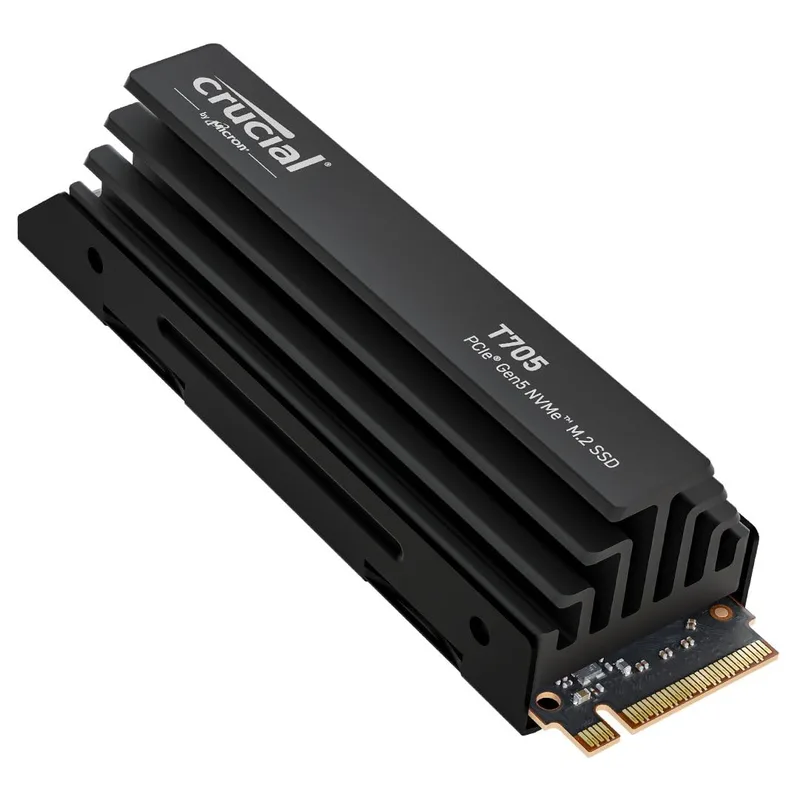
The T705 arrived with the fastest sequential reads of any retail SSD at launch — 14,500 MB/s — and it held that title for over a year before Samsung finally responded with the 9100 Pro. Based on owner reports and professional reviews, the T705 runs at rated speeds consistently during the first 30-50GB of writes before thermal throttling kicks in on boards without adequate M.2 cooling.
The Phison E26 controller paired with Micron 232-layer TLC NAND is a well-understood combination at this point. Sustained write performance settles around 6,500-7,000 MB/s after the SLC cache fills — not unusual for high-density TLC, and comparable to what competing Gen 5 drives do.
The price story is important: the T705 2TB launched at $440 and has settled to $225. The NAND shortage driving up Gen 4 drive prices has inverted the value equation — at $225 the T705 now costs significantly less than the Samsung 990 Pro 2TB (~$480). For most builds with Gen 5 slots, the T705 is the correct call in 2026. Note: Micron discontinued the Crucial consumer brand in February 2026, so T705 stock is retail inventory — buy while available.
Compatible systems need either an Intel Z790/H770 board with a PCIe 5.0 slot, or an AM5 board on the B650E or X670E chipset or newer. Confirm this in your board’s M.2 spec before ordering.
2. Samsung 990 Pro 2TB — Best Value
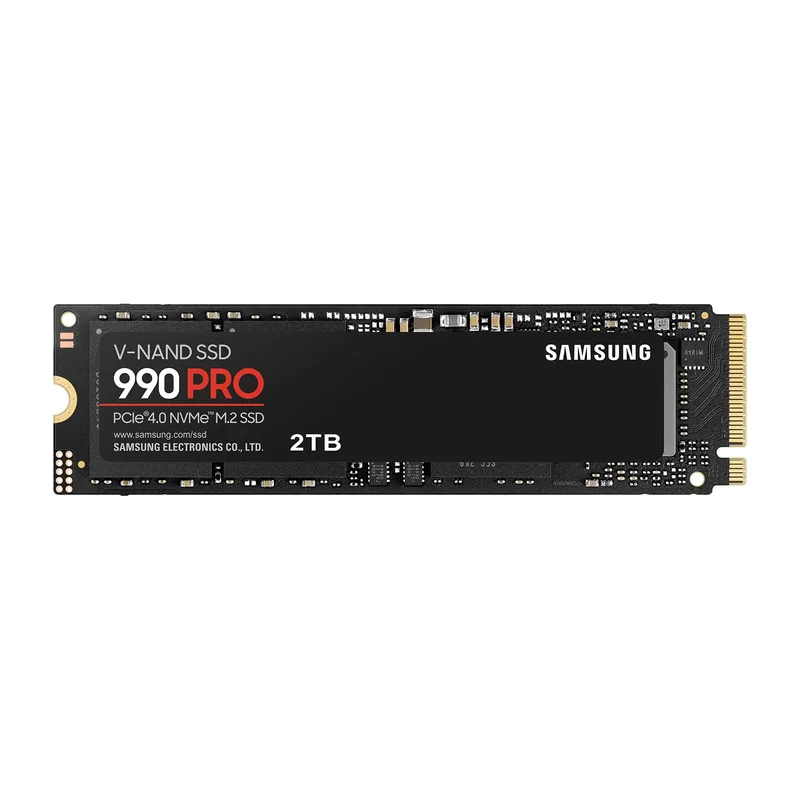
The 990 Pro’s reputation in gaming circles is earned. Samsung’s in-house NAND and Elpis controller combination is efficient at gaming I/O patterns — lots of small, random reads across a scattered file layout — which is exactly what open-world games demand.
According to owner reports across r/buildapc and hardware forum threads, the 990 Pro maintains consistent sequential and random performance without thermal intervention across typical gaming sessions. It’s a drive you install and forget, which counts for something.
The realistic comparison: in a benchmark like 3DMark Storage Test, the T705 scores roughly 40% higher than the 990 Pro. In actual game load times, the difference is 1-3 seconds depending on the title. Elden Ring, Cyberpunk 2077, and Hogwarts Legacy don’t scale meaningfully with sequential NVMe speed beyond Gen 3 levels.
If your motherboard has only PCIe 4.0 M.2 slots — common on mid-range Z690 boards, B550, and AM4 platforms — the 990 Pro is your ceiling anyway, and it’s a good ceiling.
3. Samsung 9100 Pro 2TB — Samsung’s Gen 5 Answer
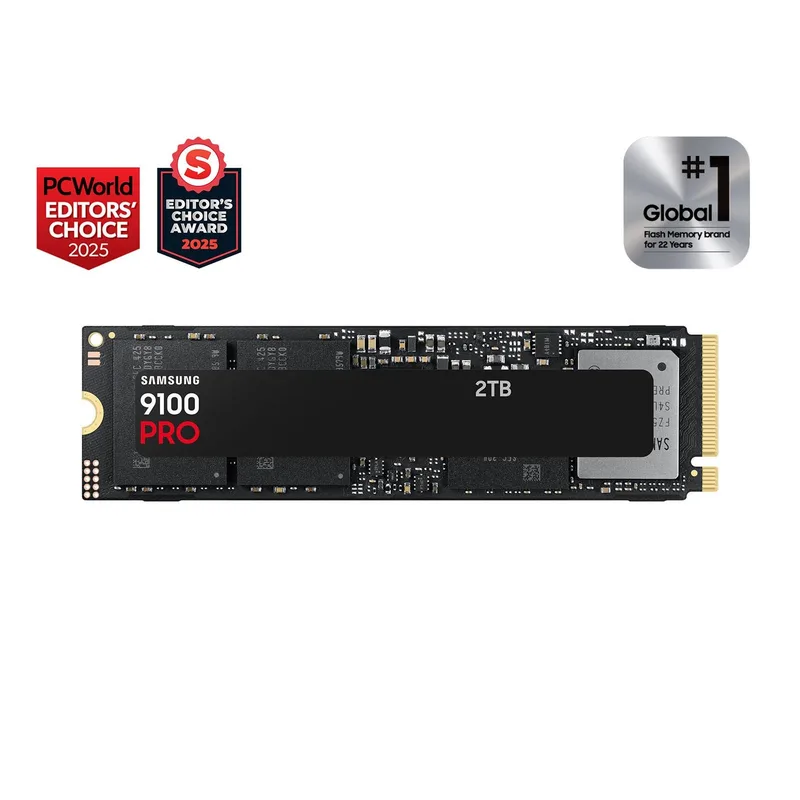
Samsung 9100 Pro 2TB PCIe Gen5 NVMe SSD
Samsung shipped the 9100 Pro in early 2026 to compete directly with the T705 in the PCIe 5.0 segment. On paper, it edges the T705 in write performance: 13,400 MB/s sequential writes vs the T705’s 12,700 MB/s. Random write IOPS reach 2,600K — leading the consumer SSD market.
The 9100 Pro uses Samsung’s 8th-gen V-NAND (V8) TLC, manufactured in-house rather than sourced from Micron like the T705. Samsung claims 49% better power efficiency compared to the 990 Pro. Early reviews from The SSD Review confirm the 9100 Pro holds its sequential performance longer under sustained writes before throttling, likely due to Samsung’s optimized thermal headroom management.
The price story has shifted. At $489 for 2TB, the 9100 Pro costs $264 more than the T705 for narrower advantages in sequential write speed and IOPS metrics that translate to niche workloads. With the NAND shortage, the 990 Pro Gen4 at $480 now costs nearly the same as the Gen5 9100 Pro — making the 9100 Pro the rational Samsung choice if you have a Gen5 slot. For gaming and general productivity, you’d struggle to notice the difference either way. The T705 at $225 remains the strongest value for most builds with a Gen5 M.2 slot.
4. WD Black SN850X 2TB — Best Gaming Gen 4
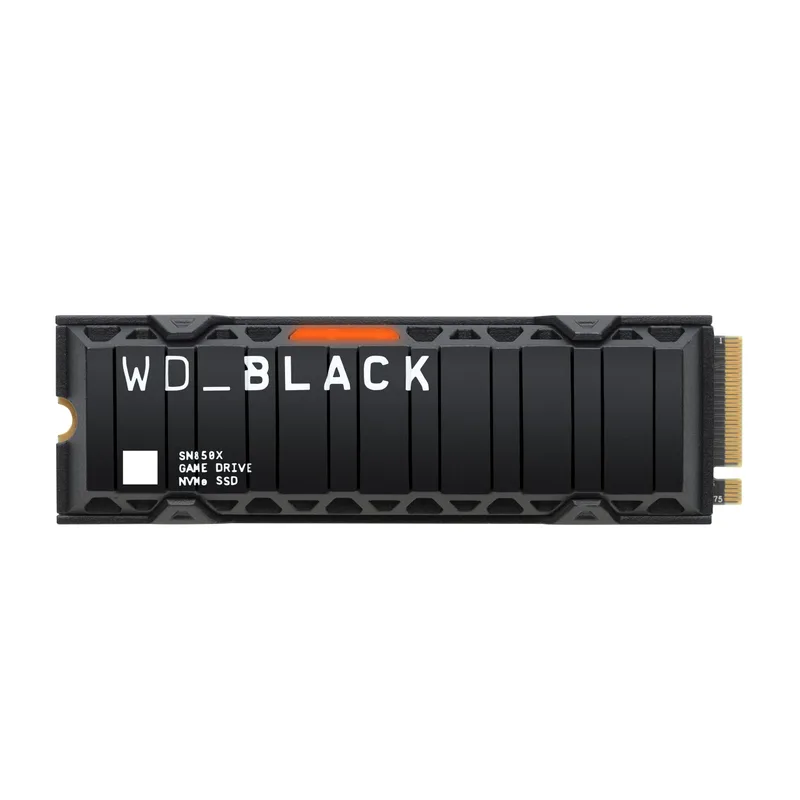
WD Black SN850X 2TB NVMe SSD
Western Digital designed the SN850X with gaming explicitly in mind. The drive ships with firmware tuned to reduce latency variance during the random read/write patterns games generate, rather than optimizing for the sequential benchmarks that look good in spec sheets.
Owner feedback on reddit’s hardware communities and professional reviews note that the SN850X produces slightly more consistent frame timing under simultaneous game loads compared to drives optimized for sequential throughput — a difference that shows up in 1% low frametimes rather than averages.
The spec sheet shows lower random IOPS than the 990 Pro (1,200K vs 1,400K read), but user reports suggest real-world gaming behavior is effectively identical. Sequential throughput at 7,300 MB/s trails the 990 Pro’s 7,450 MB/s by a margin that doesn’t register in any gaming scenario.
For PS5 players also running a PC, the SN850X is worth mentioning: it’s PS5-certified, so one product covers both platforms without extra firmware complications.
5. Crucial T700 2TB — Budget PCIe 5.0

Crucial T700 2TB PCIe Gen5 NVMe SSD
The T700 is the path into PCIe 5.0 speeds if the T705 is sold out or you’re shopping a sale. Sequential reads hit 12,400 MB/s and writes reach 11,800 MB/s — genuinely fast, slower than the T705’s 14,500/12,700 MB/s, but still double the 990 Pro’s throughput.
Where the T700 struggles is thermal management. According to Tom’s Hardware’s review data, the T700 throttles more aggressively without a heatsink than the T705 under identical sustained write workloads. Crucial does sell a heatsink variant, but adding $20-30 to the price closes the gap with the T705 considerably.
The endurance specification actually favors the T700: 1,500 TBW vs 1,200 TBW on the T705. For workloads that write heavily — video editing, database operations, scientific computing — that’s a meaningful advantage. For gaming-primary builds, the difference is academic.
At $295, the T700 is $70 cheaper than the T705 and remains a solid Gen5 entry point — particularly for buyers who prioritize the 1,500 TBW endurance. Note: Crucial discontinued consumer products in February 2026, so this is inventory-only stock.
FAQ
Do I need PCIe 5.0 for gaming in 2026?
No. Game load times don’t scale with sequential NVMe speed beyond roughly 3,500 MB/s. The 990 Pro and SN850X at 7,300-7,450 MB/s are already faster than games can saturate. PCIe 5.0 drives are worth the premium for video editing, AI workflows, and large file transfers — not for gaming.
Will a PCIe 5.0 SSD work in a Gen 4 slot?
Yes — PCIe is backward compatible. A T705 or 9100 Pro installed in a Gen 4 slot will operate at Gen 4 speeds (around 7,000-7,500 MB/s sequential), which is fine for gaming but defeats the purpose of buying a $190-300 Gen 5 drive. Check your motherboard manual before buying.
Does the Samsung 990 Pro still make sense now that the 9100 Pro exists?
Less so. At ~$480, the 990 Pro Gen4 costs nearly the same as the 9100 Pro Gen5 ($489). If you have a PCIe 5.0 M.2 slot, the 9100 Pro is the better purchase. If you’re on a Gen4-only platform, the SN850X 2TB at ~$389 is the best Gen4 value. The 990 Pro’s value proposition has been compressed by the NAND shortage — both the faster Gen5 alternative and the cheaper Gen4 gaming drive are now closer in price than historical norms.
Do Gen 5 SSDs need a heatsink?
Technically they’ll run without one, but performance suffers. Under sustained reads or writes, Gen 5 drives hit temperatures that trigger throttling without additional cooling. Most current motherboards include an M.2 heatsink or thermal pad that handles this passively. If your board doesn’t, pick up the heatsink variant (Crucial sells one for both the T705 and T700) or add a $15 aftermarket M.2 cooler.
What capacity should I buy?
2TB is the right answer for most gaming builds in 2026. Modern games frequently exceed 100GB, and a 1TB drive fills up faster than you’d expect once Windows, drivers, and a few titles are installed. The price-per-GB on 2TB drives is better than 1TB in most cases — the T705 2TB at $225 is the better value pick in 2026 given current NAND shortage pricing on Gen 4 drives — while stock lasts from remaining Crucial inventory.
The Bottom Line
For most builders with a PCIe 5.0 M.2 slot, the Crucial T705 2TB at $225 remains the strongest value — $255 cheaper than the Samsung 990 Pro 2TB (~$480) for meaningfully faster speeds. Buy while stock lasts: Micron exited the Crucial consumer brand in February 2026. If you want Samsung’s ecosystem and software, the Samsung 9100 Pro 2TB at $489 is now nearly the same price as the older Gen4 990 Pro, making it the rational Samsung Gen5 choice. For PCIe 4.0 platforms, the WD Black SN850X 2TB at ~$389 is the best Gen4 gaming pick.