PC hardware prices in April 2026 are genuinely difficult. Tariffs pushed GPU prices above MSRP at launch, DDR5 kits that cost $90 in 2026 now list for $500+, and the RTX 5070 — a mainstream card — launched at $549 and currently sits around $635 at street price. That context matters for the upgrade decision: buying the wrong component at the wrong time right now costs significantly more than it would have a year ago.
The good news is that most existing systems from 2020 onward still have meaningful upgrade potential. A GPU swap alone can transform a capable-but-outdated rig into a competitive 1440p machine for $549-$639. A CPU and storage upgrade can squeeze another three years out of a platform. This guide breaks down which upgrades deliver real returns in 2026 and which ones are better deferred until prices normalize — or until you’re ready to commit to a full platform change.
| Spec | MSI GeForce RTX 5070 12G Ventus 2X OC 8.8/10 | PowerColor Reaper AMD Radeon RX 9070 16GB 8.9/10 | AMD Ryzen 7 9700X 8.5/10 | Corsair Vengeance DDR5 RAM 32GB (2x16GB) DDR5-6000 CL30 Unavailable 8.2/10 | Samsung 990 Pro 2TB NVMe SSD 8.6/10 |
|---|---|---|---|---|---|
| VRAM | 12GB GDDR7 | 16GB GDDR6 | — | — | — |
| Memory Bus | 192-bit | 256-bit | — | — | — |
| Boost Clock | 2557 MHz | — | — | — | — |
| TDP | 250W | 220W | 65W | — | — |
| Interface | PCIe 5.0 | PCIe 5.0 | — | — | PCIe Gen4 x4, NVMe 2.0 |
| Recommended PSU | 750W | 700W | — | — | — |
| Rating | 8.8/10 | 8.9/10 | 8.5/10 | 8.2/10 | 8.6/10 |
Prices change daily — tap Check Price for the current Amazon price.
Prices change daily — tap Check Price for the current Amazon price.
Upgrade Picks at a Glance
| Component | Product | Price | Best For |
|---|---|---|---|
| GPU (NVIDIA) | MSI RTX 5070 12G Ventus 2X OC | Check price | 1440p gaming, DLSS users |
| GPU (AMD) | PowerColor Reaper RX 9070 16GB | Check price | 1440p value, VRAM headroom |
| CPU | AMD Ryzen 7 9700X | Check price | AM5 platform entry, mixed workloads |
| RAM | Corsair Vengeance DDR5-6000 32GB CL30 | Unavailable | Full AM5 or LGA1851 platform builds |
| Storage | Samsung 990 Pro 2TB | Check price | HDD replacement, storage expansion |
The Upgrade-or-Build Decision
The decision hinges on two factors: platform age and how many components actually need replacing. Here is a simplified framework:
Upgrade individual parts when:
- Your motherboard and CPU are from 2020 or later (AM4, LGA1200, LGA1700) and perform adequately outside gaming
- Only one or two components are holding back your experience — typically the GPU
- Your RAM is DDR4 and you are staying on an AM4 or LGA1700 platform (do not pay 2026 DDR5 prices just to replace functional DDR4)
Build a new system when:
- Your platform is pre-2018 (AM3+, FM2+, LGA1151 rev 1, LGA2011) — socket dead-ends with no upgrade path
- Three or more major components need replacement simultaneously; at that point the cost overlaps a fresh mid-range build
- You want DDR5, PCIe 5.0, and AM5’s multi-generation CPU compatibility from a clean slate
The 2026-specific consideration: Because RAM and GPU prices are elevated due to tariffs, the cost of a GPU-only upgrade is more palatable than a GPU-plus-RAM-plus-motherboard overhaul. If you are on AM4 with a Ryzen 5 5600X and an RTX 3070, replacing only the GPU is the highest-return single-component move available right now. Adding a $638 DDR5 kit to that scenario makes no sense — your DDR4 board and RAM are assets, not liabilities.
The five products below represent the best options within each upgrade category.
Component Deep Dives
GPU Upgrade Option 1: MSI GeForce RTX 5070 12G Ventus 2X OC

The RTX 5070 is the Blackwell generation’s mid-range flagship and the most popular upgrade target among 1440p gamers coming from RTX 3070/4060 Ti hardware. The Ventus 2X OC is MSI’s entry-level Blackwell cooler — dual-fan, compact, and priced closer to MSRP than the triple-fan Gaming Trio variants.
At 1440p, published benchmark data from Tom’s Hardware and Hardware Unboxed places the RTX 5070 within 3-5% of the RTX 4080 Super in rasterization workloads. For anyone on RTX 3070 hardware, that represents roughly 55-65% more average framerate in GPU-limited scenarios. DLSS 4’s Multi Frame Generation is the other lever: in titles that support it, owner reports consistently show frame rates climbing to RTX 5080 territory with DLSS 4 Quality mode active.
The 12GB GDDR7 limitation is real but not an immediate problem for 1440p. It becomes relevant at 4K with heavy ray tracing and maxed-out textures in titles like Alan Wake 2. If your primary target is 4K rather than 1440p, the RX 9070 below has 4GB more VRAM at a lower price.
PSU requirement: 750W minimum. An RTX 3070 system with a 650W PSU will need an upgrade.
GPU Upgrade Option 2: PowerColor Reaper AMD Radeon RX 9070 16GB

The RX 9070 is the stronger purely-financial argument in 2026. At $549, it costs $90 less than the Ventus 2X OC RTX 5070 ($639), delivers 16GB of GDDR6 on a 256-bit bus, and matches or exceeds RTX 4080 Super rasterization performance according to owner-reported comparisons and published hardware reviews. For 1440p gaming without heavy ray tracing, nothing in the $500-$650 bracket competes with this combination of price, VRAM, and raw throughput.
PowerColor’s Reaper cooler uses triple 90mm fans with dual ball bearings — the fans are semi-passive below 60°C and stay inaudible at moderate loads. The card pulls 220W under full load, 30W less than the RTX 5070, which matters if your PSU has limited headroom.
The tradeoff is ray tracing. In titles with demanding RT workloads, the RX 9070 falls 15-25% behind NVIDIA cards in the same price range. FSR 4 is a genuine improvement over FSR 3, but it still trails DLSS 4 in output quality at aggressive upscale ratios. If you primarily play non-RT games or prioritize rasterization performance, the RX 9070 is the better financial decision. If you play Control, Cyberpunk 2077, or Alan Wake 2 at maximum RT settings, the RTX 5070 is worth the premium.
PSU requirement: 700W minimum, 750W recommended for headroom.
CPU Upgrade: AMD Ryzen 7 9700X
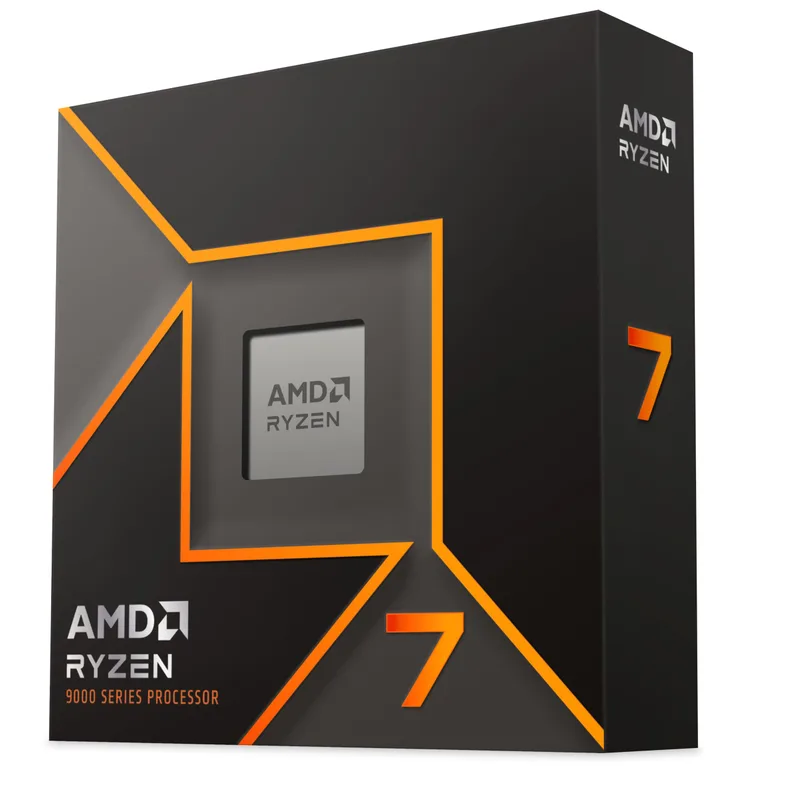
The Ryzen 7 9700X makes the most sense for two audiences: people upgrading from Ryzen 3000 or Intel 10th-gen hardware who want AM5 platform access, and people building a budget AM5 system who don’t need the Ryzen 7 9800X3D’s gaming-focused 3D V-Cache.
The Zen 5 IPC improvement over Ryzen 5000 is meaningful in productivity tasks — content creation, code compilation, and simulation-heavy strategy games see 15-20% more throughput. In pure gaming workloads at 1440p with a fast GPU, the advantage over a Ryzen 5 5600X narrows significantly because most games at that resolution are GPU-limited rather than CPU-limited.
What matters more for this article’s context is the AM5 platform value. Buying the 9700X at $265 gets you onto a socket that AMD has committed to supporting through at least 2028. It supports DDR5-6000, PCIe 5.0 for storage and GPU, and future Ryzen 9000-series refreshes. The 65W TDP means a $25 Thermalright Assassin X120 SE is sufficient — you don’t need to budget for an AIO.
Important: The 9700X requires an AM5 motherboard. AM4 boards are socket-incompatible. Factor in a B650 or B850 board ($100-$180) when calculating total upgrade cost.
RAM Upgrade: Corsair Vengeance DDR5-6000 32GB CL30

Corsair Vengeance DDR5 RAM 32GB (2x16GB) DDR5-6000 CL30
The Corsair Vengeance DDR5-6000 CL30 is the right specification for AM5 and LGA1851 platforms — DDR5-6000 is the Zen 5 Infinity Fabric sweet spot that avoids the Gear 2 latency penalty while running at a meaningfully faster data rate than base DDR5-4800.
The honest caveat in 2026: at $638 for 32GB, this RAM is priced by tariff-driven market conditions, not its intrinsic upgrade value. A year ago, this exact kit retailed for $85-95. Today’s pricing makes it extremely difficult to justify as a standalone upgrade. Only buy DDR5 RAM if you are simultaneously upgrading to an AM5 or LGA1851 motherboard. If you are staying on AM4 or LGA1700, your existing DDR4-3600 is within 3-5% of DDR5-6000 in gaming performance — the price difference is unjustifiable.
When you do need DDR5 for an Intel platform build, this kit is the right choice. The CL30 latency is tight for consumer DDR5, the Intel XMP 3.0 profile activates cleanly on all Z790 and Z890 boards, and Corsair’s build quality has been consistent across multiple generations. AMD builders should choose a kit with AMD EXPO support instead.
Storage Upgrade: Samsung 990 Pro 2TB
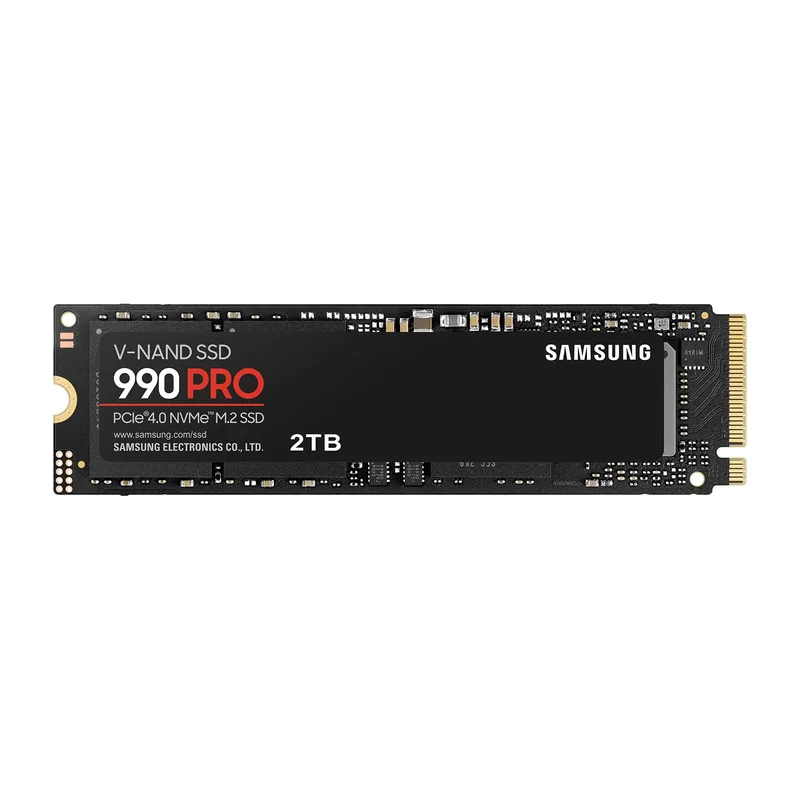
Storage has not escaped 2026’s hardware pricing pressure. The Samsung 990 Pro 2TB has climbed from its 2026 street price of around $160 to approximately $480 today — a consequence of a NAND flash shortage driven by AI data center demand competing with consumer SSD supply, compounded by tariff impacts in early 2026. At $480, the 990 Pro represents roughly $0.24 per gigabyte, which is more than triple what it cost in late 2024.
If your main drive is still a spinning hard disk or a 240GB/480GB SSD from 2018-2020, this is the upgrade with the most immediate quality-of-life impact. Windows boot times, game loading, and application launch speeds improve dramatically from HDD to NVMe — the 990 Pro’s 7,450 MB/s read speed is more than 10x faster than a mechanical drive’s sustained throughput.
The 2TB capacity is the key decision point. Modern games routinely exceed 100GB (Call of Duty, Microsoft Flight Simulator) and a single-game library fills a 1TB drive quickly. Starting at 2TB eliminates the constant game management that 1TB drives require. Samsung’s 1,200TBW endurance rating means this drive should outlast most systems it’s installed in.
One clarification: upgrading from a modern 1TB NVMe SSD to a 2TB NVMe SSD delivers storage space, not framerate. If your existing SSD has adequate free space and is PCIe Gen3 or faster, this upgrade can wait.
Upgrade Tips
Check your PSU before ordering a GPU. The RTX 5070 draws 250W peak; a 650W PSU powering a Ryzen 5 5600X, 16GB DDR4, and multiple drives may lack headroom. Use PC Part Picker’s wattage calculator with your actual component list. A 750W 80+ Bronze unit is the minimum for any Blackwell or RDNA 4 card.
AM4 owners: GPU first, platform second. An AM4 board with a Ryzen 5 5600X and 16GB DDR4 can run an RTX 5070 or RX 9070 without issue. The CPU will not bottleneck these GPUs at 1440p in most titles. Upgrade the GPU now at $549-$639, then reassess the platform in 12-18 months when DDR5 prices may normalize.
Storage upgrade timing matters more than usual in 2026. NAND flash prices are elevated due to AI data center demand and tariff impacts. The 990 Pro 2TB at $480 is functional but not a bargain. If your current drive is healthy with adequate free space, waiting 6–12 months for NAND prices to normalize is a reasonable call. If you are still on an HDD or a failing SSD, buy now — the real-world improvement is still substantial regardless of the elevated price.
Performance Expectations
| Upgrade Scenario | Resolution | Expected Frame Rate Change |
|---|---|---|
| RTX 3070 → RTX 5070 | 1440p | +55-65% average FPS (GPU-limited titles) |
| RTX 3070 → RX 9070 | 1440p | +50-60% average FPS (GPU-limited titles) |
| RTX 4060 Ti → RTX 5070 | 1440p | +30-40% average FPS |
| Ryzen 5 5600X → Ryzen 7 9700X | 1440p | +8-15% in CPU-limited titles |
| Ryzen 5 5600X → Ryzen 7 9700X | 1080p | +15-25% in CPU-limited titles |
| HDD → Samsung 990 Pro | Any | 10-15× faster load times; 0% framerate change |
| DDR4-3600 → DDR5-6000 | 1440p | +3-5% average FPS |
Frame rate estimates are based on published benchmark ranges from Tom’s Hardware, Hardware Unboxed, and GamersNexus. Actual results vary by title and existing system configuration.
When Building New Makes More Sense
If your system is built on a pre-2018 platform — Intel LGA1151 (Kaby Lake or older), AMD AM3+, FM2+, or any socket predating PCIe 3.0 support — individual upgrades are unlikely to make financial sense.
A Ryzen 5 3600 on AM4 from 2019 is still a viable platform with AM4 GPU and SSD compatibility. But a Core i5-7600K on LGA1151 cannot use DDR5, is limited to PCIe 3.0 bandwidth, and has no CPU upgrade path. Spending $549 on an RX 9070 for that platform will work — the GPU is backward compatible — but you are building against a foundation with no future.
For pre-2018 hardware, the better move is a complete AM5 build: B650 motherboard ($120-$150), Ryzen 7 9700X ($265), 32GB DDR5-6000 ($638), plus your choice of GPU. That is a $1,023+ platform investment before the GPU, but it gives you a system with a legitimate five-year runway on a supported socket.
The current tariff environment also creates one unusual case for building new: if you are replacing the GPU, CPU, motherboard, and RAM simultaneously, a prebuilt from a reputable system integrator — Micro Center’s own-brand builds, for example — can sometimes beat the sum of individual component prices. Worth checking before you click “add to cart” on each part separately.
FAQ
Is it worth upgrading a GPU if I’m still on an older CPU like a Ryzen 5 2600 or Core i7-8700K?
Generally yes, with limits. At 1440p with a fast GPU, a Ryzen 5 2600 or i7-8700K will cause a CPU bottleneck in some titles — particularly competitive games like Valorant or CS2 that are highly single-thread sensitive. At 1440p in graphically demanding games like Cyberpunk 2077 or Elden Ring, the GPU is the limiting factor and the CPU matters less. A GPU upgrade on 2nd-gen Ryzen or 8th-gen Intel hardware is a reasonable short-term move, with the understanding that the platform needs replacing within 12-24 months.
Should I wait for GPU prices to drop before upgrading?
Based on available pricing data and tariff trajectory in April 2026, there’s no clear signal of a near-term price normalization for RTX 50-series and RDNA 4 cards. The RX 9070 has already dropped to $549 from its launch period, which is close to its floor given current tariff conditions. If you need the upgrade now for your target resolution, buy now. If you are not actively GPU-limited, waiting another 6 months is reasonable.
Do I need PCIe 5.0 for an RTX 5070 or RX 9070?
No. Both cards use PCIe 5.0 x16 electrically, but operate at full performance on PCIe 4.0 x16 slots. The bandwidth difference between PCIe 4.0 and 5.0 is not a practical bottleneck for current games. If your board has a PCIe 4.0 x16 slot, the GPU will perform identically to a native PCIe 5.0 x16 setup.
Can I run DDR4 RAM with an AM5 processor?
No. AM5 is DDR5-only. There is no DDR4 support on any AM5 motherboard. If you upgrade to AM5, you must also purchase DDR5 RAM.
Is the Samsung 990 Pro better than the Crucial T705 or WD Black SN850X at this price?
At 2TB, the 990 Pro and WD Black SN850X are the most commonly recommended options based on long-term reliability data. The Crucial T705 is a Gen5 drive that costs more without delivering any practical benefit in game load times. For a storage upgrade, either the 990 Pro or SN850X at their current prices is the right call.
The Bottom Line
The single most impactful upgrade available in 2026 is a GPU replacement. If you are running an RTX 3070, RX 6700 XT, or anything older, an RX 9070 at $549 or RTX 5070 at $639 will transform your 1440p experience — 50-65% more average framerate in GPU-limited games is a generational shift. The Ryzen 7 9700X at $265 is the right CPU upgrade for anyone ready to commit to AM5. Hold off on standalone DDR5 until prices come down or you are doing a full platform build; at $638 for 32GB, it’s the hardest spend to justify in the current market. Storage at $480 for 2TB is elevated due to the NAND shortage — only upgrade if you are on an HDD or a failing/undersized SSD; the Samsung 990 Pro still delivers meaningful quality-of-life improvements if you genuinely need the space.