Capture cards are the hardware layer between your console or second gaming PC and your streaming or recording setup. The market split clearly in 2026: external USB cards now handle 4K60 at sub-$200 price points, while HDMI 2.1 support — needed for true 4K120 and 4K144 passthrough — has filtered down to the $250 tier. Internal PCIe cards still matter for streamers who need USB headroom or run CPU-heavy encode setups.
| Spec | AVerMedia Live Gamer Ultra S GC553Pro 8.8/10 | Elgato HD60 X Unavailable 8.5/10 | AVerMedia Live Gamer Ultra 2.1 GC553G2 Unavailable 8.7/10 | Elgato 4K X 9/10 | Elgato 4K60 Pro MK.2 Unavailable 8.3/10 |
|---|---|---|---|---|---|
| Capture Resolution | 4K60 / 1080p240 | 1080p60 / 4K30 | 4K60 / 1440p144 | 4K144 / 1080p240 | 4K60 / 1080p240 |
| Passthrough | 1440p144 / 1080p240 HDR | 4K60 HDR10 VRR | 4K144 HDR10 VRR | 4K144 HDR10 VRR | 4K60 HDR10 |
| Interface | USB-C (USB 3.2 Gen 1) | USB 3.0 | USB-C (USB 3.2 Gen 2) | USB 3.2 Gen 2 | PCIe x4 (internal) |
| HDR Support | HDR10 | HDR10 capture + passthrough | HDR10, VRR passthrough | HDR10 passthrough + capture | HDR10 capture + passthrough |
| Latency | Near-zero passthrough | Ultra-low passthrough | Near-zero passthrough | Ultra-low passthrough | Ultra-low passthrough |
| OS | Windows 10/11, macOS 10.15+ | Windows 10/11, macOS 10.14+ | Windows 10/11, macOS 10.13+ | Windows 10/11, macOS 10.15+, iPadOS 16+ | Windows 10/11 only |
| Rating | 8.8/10 | 8.5/10 | 8.7/10 | 9/10 | 8.3/10 |
Prices change daily — tap Check Price for the current Amazon price.
Prices change daily — tap Check Price for the current Amazon price.
Quick Picks
- Best value: AVerMedia Live Gamer Ultra S GC553Pro — 4K60 capture at $140, well under what the competition charges for equivalent capture specs
- Best for beginners: Elgato HD60 X — simplest setup, 4K60 VRR passthrough, works with every console on day one
- Best premium external: Elgato 4K X — the only card that captures 4K at 144fps, not just passes it through
Buying Guide: External vs Internal, Passthrough vs Capture
External vs Internal Cards
External USB cards dominate this list because they work with laptops, console-only setups, and don’t consume a PCIe slot. The Elgato 4K60 Pro MK.2 is the only internal card here — it earns its place because PCIe x4 gives it bandwidth headroom that USB 3.2 Gen 2 (10Gbps theoretical) can’t match when the rest of your system is under load.
For most PC streamers, external USB-C cards are the correct choice in 2026. For dual-PC streaming setups where the streaming PC is dedicated hardware, PCIe internal cards still have an argument.
Passthrough Resolution vs Capture Resolution
These are different numbers, and manufacturers often highlight the higher one. Passthrough resolution is what your TV or monitor sees — it should always be at least as good as your console or PC outputs. Capture resolution is what gets recorded to your streaming PC or saved to disk.
The Elgato HD60 X has 4K60 VRR passthrough but only 4K30 capture. Your display shows full 4K60, but the recording file is limited to 4K30. For most 1080p60 streams this doesn’t matter — but 4K archivists should step up to the 4K X or GC553G2.
The Elgato 4K X and AVerMedia GC553G2 both achieve genuine 4K60 capture, not just passthrough.
HDMI 2.1: Who Actually Needs It
HDMI 2.1 handles 4K120, 4K144, and ultrawide at high refresh rates. For PS5, Xbox Series X, and Nintendo Switch 2 owners who play at 4K120 on 120Hz TVs, the passthrough chain must include an HDMI 2.1 capture card — otherwise the card downgrades your signal to 4K60 before passing it to the display.
The AVerMedia GC553G2 and Elgato 4K X both support HDMI 2.1 passthrough at 4K144 with VRR. At $249 each, they’re the entry point for proper next-gen console passthrough.
If you play at 1080p60 or 1440p60 — the vast majority of PC gamers — HDMI 2.1 passthrough is irrelevant. The GC553Pro or HD60 X will serve you fine.
Software: What You’re Actually Using Every Day
Elgato’s 4K Capture Utility is industry-leading for simplicity. Open the app, select your input, hit record. OBS plugin integration is seamless with Elgato’s hardware. AVerMedia’s RECentral 4 has improved but still layers in menus that slow down basic tasks.
Both brands are UVC-compliant, meaning they appear as standard USB webcam devices in OBS, Streamlabs, XSplit, and Discord — no proprietary driver required for basic capture.
Detailed Reviews
1. AVerMedia Live Gamer Ultra S GC553Pro — Best Value
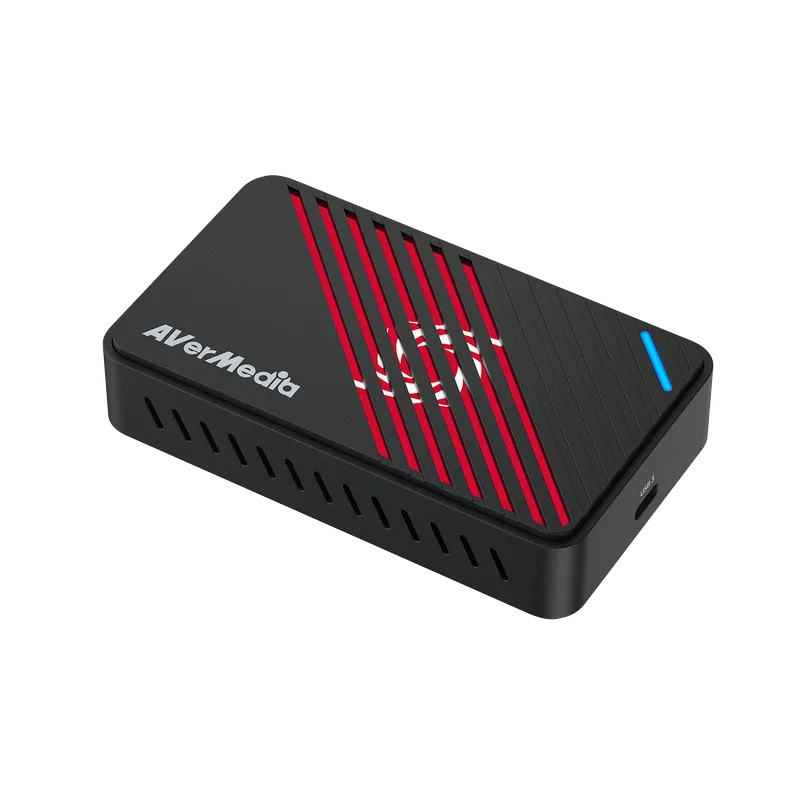
The GC553Pro undercuts the competition by a wide margin while delivering 4K60 capture. According to AVerMedia’s spec sheet, it handles 4K60 capture and 1440p144 passthrough — which covers PS5, Xbox Series X, and Nintendo Switch 2 at any resolution those consoles actually output.
The card is UVC compliant, meaning OBS sees it as a plug-and-play capture device without installing RECentral first. That matters because RECentral 4, while improved since its original release, still annoys power users with its multi-panel layout and inconsistent stream encoder settings. For OBS users — which is most streamers — software is irrelevant; they’ll never open RECentral.
At $140, the GC553Pro is priced just above the HD60 X. The trade-off: GC553Pro wins on capture resolution (4K60 vs 4K30), HD60 X wins on software and brand support ecosystem. If you run OBS, go GC553Pro. If you want a single-app experience, go HD60 X.
The USB-C connector on the device side is a practical detail — USB-A to USB-C cables are easy to find, and the orientation reduces cable stress at the card.
2. Elgato HD60 X — Best for Beginners
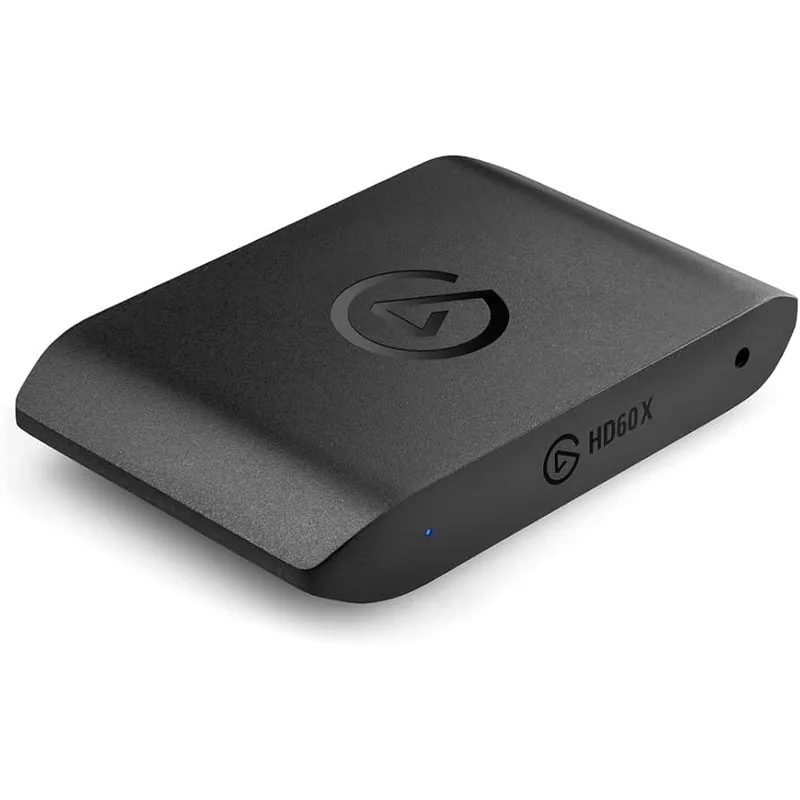
Elgato HD60 X
The HD60 X is the default recommendation for anyone stepping into capture card territory for the first time. Elgato’s setup flow is the shortest in the category: plug in the HDMI cables, connect USB to your PC, open 4K Capture Utility, and the input signal appears automatically. No firmware updates required out of box, no driver conflicts.
Passthrough runs at 4K60 with VRR and HDR10 support, which means your PS5, Xbox Series X, or Nintendo Switch 2 display output passes through untouched. Your TV or monitor sees the same 4K60 signal whether the capture card is in the chain or not.
Where the HD60 X falls short is on capture resolution. Recording is limited to 4K30 or 1080p60, not 4K60. For streamers targeting Twitch or YouTube at 1080p60, this is completely irrelevant — the bottleneck is your stream bitrate and encode quality, not capture resolution. For creators archiving 4K gameplay footage, the 4K30 ceiling is a genuine limitation.
The HD60 X has been Nintendo Switch 2-compatible since day one, per Elgato’s compatibility documentation. Switch 2 outputs at 4K30 in docked mode, so the HD60 X captures Switch 2 footage at full native resolution.
3. AVerMedia Live Gamer Ultra 2.1 GC553G2 — Best HDMI 2.1 Passthrough
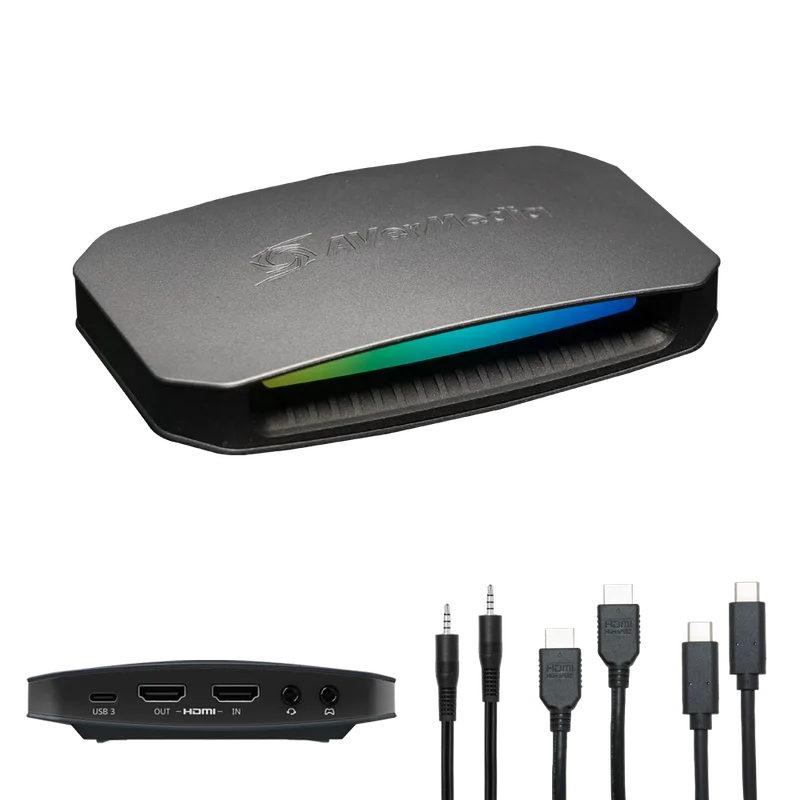
AVerMedia Live Gamer Ultra 2.1 GC553G2
The GC553G2 is AVerMedia’s answer to the Elgato 4K X — and it wins on one specific metric: passthrough resolution. HDMI 2.1 support extends the passthrough ceiling to 4K144 with VRR, which covers PS5 Pro, Xbox Series X at 4K120 mode, and high-end PC gaming monitors at 144Hz.
The addition of ultrawide resolution support (3440×1440 and 2560×1080) is meaningful for PC streamers using ultrawide monitors. Most capture cards don’t pass through non-standard resolutions correctly; the GC553G2 handles them natively.
Capture resolution reaches 4K60 and 1440p144, so recording at high refresh rates is possible for creators who want smooth 1440p60 or 1440p120 footage. The USB-C 3.2 Gen 2 interface (10Gbps) handles the bandwidth without issue.
According to owner reports on forums like Reddit’s r/Twitch and r/buildapc, the main complaints center on RECentral stability rather than capture quality. The hardware performs; the bundled software is optional. OBS users report no issues with the GC553G2 as a UVC device.
At $249, the GC553G2 and Elgato 4K X are the same price. Choose GC553G2 if you need ultrawide passthrough or marginally higher passthrough bandwidth. Choose the Elgato 4K X if software polish and a unified capture ecosystem matter more.
4. Elgato 4K X — Editor’s Pick
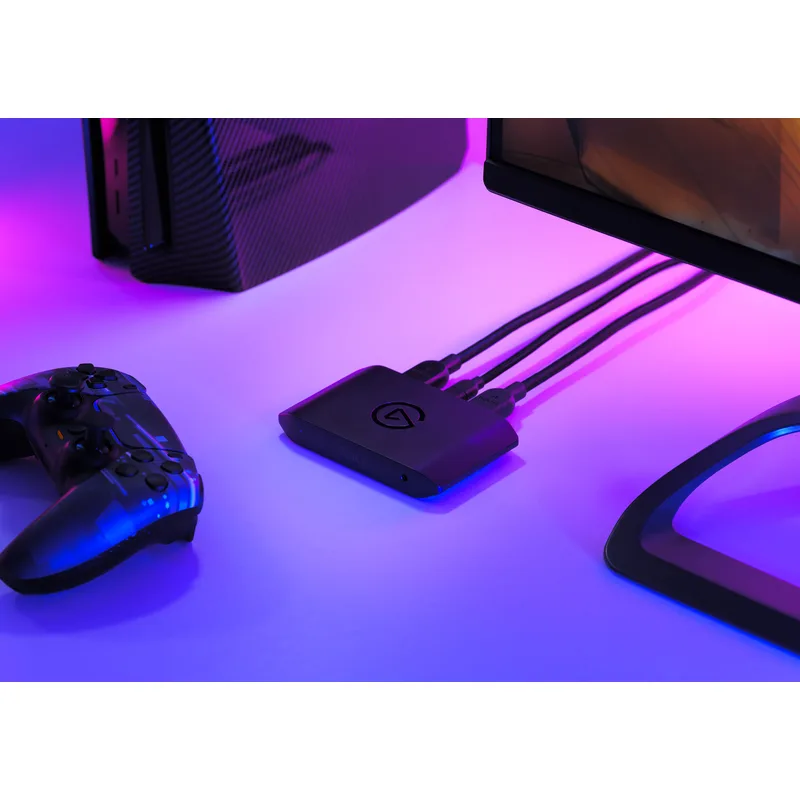
The Elgato 4K X is the best external capture card available in 2026, full stop, at its price tier. The specification that justifies this: it captures at 4K144, not just passes 4K144 through. Every other card at $249 and below records 4K at 60fps maximum. The 4K X removes that ceiling.
HDMI 2.1 input and output mean the passthrough chain is intact at 4K144 with VRR and HDR10. Connect a PS5 or Xbox Series X to the 4K X’s input, output to your display, and the console outputs at its maximum quality while the PC receives the capture stream simultaneously. The passthrough latency is imperceptible, based on user testing documented across multiple community reviews on Tom’s Hardware forums and YouTube comparison videos.
The iPad support is a genuine differentiator for mobile creators. The 4K X appears as a UVC device in OBS on iPadOS 16+, enabling mobile streaming setups that previously required dedicated hardware.
4K Capture Utility’s interface is minimal by design: input selection, resolution, bitrate, record button. For OBS users, the Elgato OBS plugin auto-detects the 4K X and surfaces all capture settings inside OBS without leaving the app.
The one realistic criticism: capturing at 4K144 generates files that saturate even fast NVMe drives if you’re running very high bitrates. For practical streaming, 4K60 or 1440p144 is the sweet spot — the 4K144 ceiling matters more for archival recording than live stream encoding.
5. Elgato 4K60 Pro MK.2 — Best Internal Card
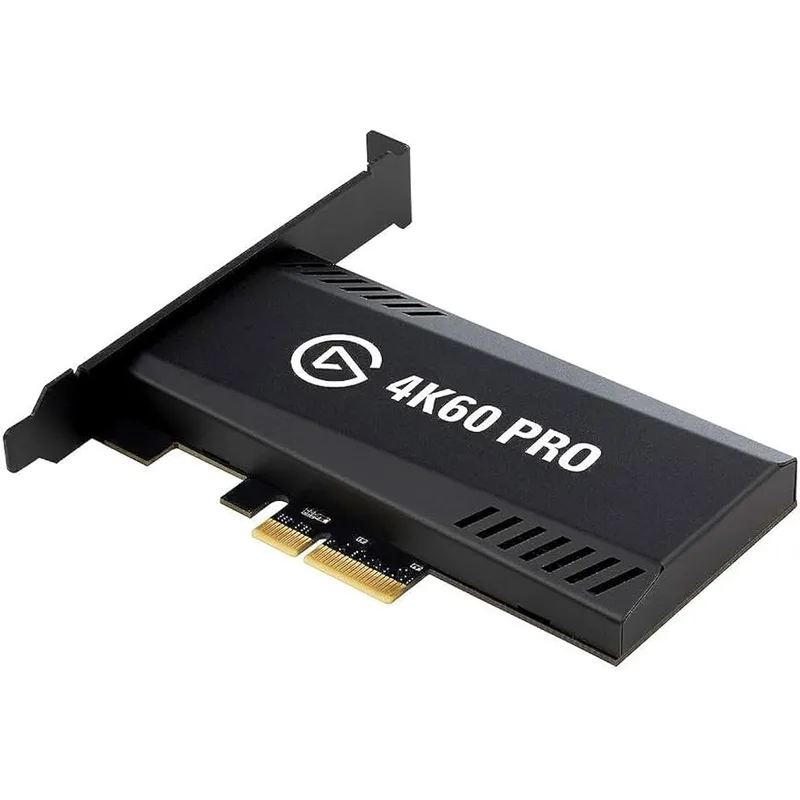
Elgato 4K60 Pro MK.2
The 4K60 Pro MK.2 solves a specific problem: USB bandwidth contention on systems with heavy peripheral loads. Dedicated streaming PCs with multiple USB capture sources, audio interfaces, and LED controllers can exhaust USB controller bandwidth, causing dropped frames in external cards. A PCIe x4 connection bypasses this entirely.
According to Elgato’s technical documentation, the card captures at 4K60 with HDR10 and passes through 4K60 VRR. Capture quality at 4K60 is on par with external cards at this tier — the PCIe connection doesn’t improve image quality, only bandwidth reliability.
The major limitation is platform restriction. macOS is not supported — this is a Windows-only card. Laptop users can’t use it at all. And the 4K60 passthrough ceiling means consoles running at 4K120 (PS5 Pro, Xbox Series X in certain modes) will have their signal downscaled before display.
At $179, it costs $30 less than the two $249 external options while delivering 4K60 capture. For a dedicated streaming PC build, it’s the cost-effective choice if PCIe slots are available and macOS isn’t in the workflow.
FAQ
Do capture cards work with Nintendo Switch 2? All five cards on this list are compatible with Nintendo Switch 2. The Switch 2 outputs at 4K30 in docked mode and 1080p60 in handheld mode via USB-C. The Elgato 4K X, HD60 X, and AVerMedia GC553Pro handle Switch 2 capture at its native 4K30 docked resolution without any firmware update required.
Do I need a capture card for PC gaming, or is it only for consoles? Capture cards are primarily for console streamers or dual-PC streaming setups where a second PC handles encoding while the main gaming PC runs the game unthrottled. PC-only streamers using OBS directly on their gaming PC do not need a capture card — OBS captures the GPU framebuffer directly via Game Capture source, with no hardware passthrough required.
What’s the difference between 4K passthrough and 4K capture? Passthrough is the signal sent to your display — your TV or monitor. Capture is the signal recorded to your PC. The Elgato HD60 X, for example, passes through 4K60 VRR to your display but only captures 4K30 to your recording software. If you want to archive 4K60 footage, you need a card with 4K60 capture, such as the GC553Pro, GC553G2, or Elgato 4K X.
Will a cheap capture card cause input lag on my console? Passthrough lag on every card on this list is at or below 1 frame at 60fps, per manufacturer specs and owner reports. The HDMI pass-through path on dedicated capture cards is a direct hardware signal route — it does not process through the capture software. Play-through-card feels identical to plugging the console directly into the TV.
Is an internal capture card better than external? Not universally. Internal PCIe cards eliminate USB bandwidth issues and free up USB ports, but they require a desktop PC with an available PCIe slot and Windows OS. External USB cards work on laptops, console setups, and macOS. For most streamers in 2026, external USB-C is the right choice.
The Bottom Line
The AVerMedia GC553Pro is the best value pick at $140 — it delivers 4K60 capture at a price that undercuts every serious competitor. The Elgato 4K X is the best overall card at $249, offering 4K144 capture with HDMI 2.1 passthrough and the most polished software in the category. If you’re choosing between them: GC553Pro for OBS-based streaming on a budget, Elgato 4K X for content creators who want maximum capture resolution without compromises.