Hall Effect switches with Rapid Trigger — once a $200+ enthusiast feature — are now standard at $129.99 with the Corsair K70 PRO TKL. Meanwhile, wireless mechanical keyboards have closed the latency gap on wired boards: tri-mode 2.4GHz designs like the Keychron V3 Max now poll at 1000 Hz wirelessly, indistinguishable from cable latency in practice. The $100–$150 tier is where the meaningful hardware lives in 2026, and every board here offers something that cost twice as much just two years ago.
| Spec | Corsair K70 PRO TKL 9.2/10 | Keychron V3 Max TKL 9/10 | Corsair K65 Plus Wireless 75% 8.8/10 | Logitech G515 LIGHTSPEED TKL 8.6/10 | Keychron K8 Pro Unavailable 8.3/10 |
|---|---|---|---|---|---|
| switches | Hall Effect MGX Hyperdrive (adjustable actuation) | Gateron G Pro Red (hot-swappable, 5-pin) | MLX Fusion Tactile (pre-lubed) | GL Brown Tactile (low-profile, 1.9mm actuation) | Gateron G Pro Red (hot-swappable, 5-pin) |
| layout | TKL (87 keys) | TKL (87 keys) | 75% (84 keys) | TKL (87 keys), low-profile | TKL (87 keys) |
| polling_rate | 8000 Hz | 1000 Hz (wired / 2.4GHz) | 2000 Hz (2.4GHz mode) | 1000 Hz | 1000 Hz |
| connectivity | Wired USB-C | 2.4GHz / Bluetooth 5.1 / USB-C | 2.4GHz / Bluetooth 5.0 / USB-C | LIGHTSPEED 2.4GHz / Bluetooth / USB-C | Bluetooth 5.1 / USB-C |
| lighting | Per-key RGB | — | — | — | Per-key RGB |
| features | Rapid Trigger, SOCD, 0.1–4.0mm adjustable actuation | QMK/VIA, gasket mount, sound foam, hot-swap | Hot-swap, dual-layer sound dampening, PBT keycaps | Double-shot PBT keycaps, LIGHTSYNC RGB, 22mm total height | QMK/VIA, hot-swap, dedicated media keys, Mac/Windows compatible |
| Rating | 9.2/10 | 9/10 | 8.8/10 | 8.6/10 | 8.3/10 |
Prices change daily — tap Check Price for the current Amazon price.
Prices change daily — tap Check Price for the current Amazon price.
Quick Picks
- Best for competitive gaming: Corsair K70 PRO TKL — Hall Effect switches, Rapid Trigger, and 8000 Hz polling at $129.99
- Best all-around value: Keychron V3 Max TKL — tri-mode wireless, QMK, gasket mount, hot-swap at $104.99
- Best budget wireless: Keychron K8 Pro — Bluetooth + hot-swap + QMK under $90
Buying Guide
Hall Effect vs. Traditional Mechanical Switches
Traditional mechanical switches use a metal spring and contact leaf that physically close a circuit at the actuation point. Hall Effect switches replace the contact with a magnetic sensor — no physical wear point, rated for 100+ million keystrokes vs. 50 million on MX-type switches. The bigger functional difference is adjustable actuation and Rapid Trigger.
Rapid Trigger resets the switch the moment the key starts traveling upward, rather than at a fixed reset point. On the Corsair K70 PRO TKL, this means re-actuation is possible within 0.1mm of movement — relevant in CS2 counter-strafing and Valorant peek mechanics, where the key needs to register a directional stop before the opposite direction. On a traditional 45g linear at 1000 Hz, the reset occurs at 3.6mm regardless of how quickly you release. The practical effect is measurable in competitive FPS movement at high skill levels.
At $129.99, the K70 PRO TKL brings Hall Effect with Rapid Trigger into the mainstream mechanical keyboard budget.
Wireless: 2.4GHz vs. Bluetooth
The latency difference between a quality 2.4GHz keyboard and a wired keyboard is now negligible at 1000 Hz polling — both report inputs every 1ms. Bluetooth 5.1 (used by the Keychron K8 Pro) runs at 125 Hz by default in most implementations, though some boards negotiate 1000 Hz. Check your specific OS and dongle before assuming BT polling rate.
For competitive gaming: 2.4GHz only (K65 Plus, V3 Max, G515). For typing, casual gaming, or multi-device switching: Bluetooth is fine and lets you pair to a phone or tablet without a dongle.
Form Factor: TKL vs. 75%
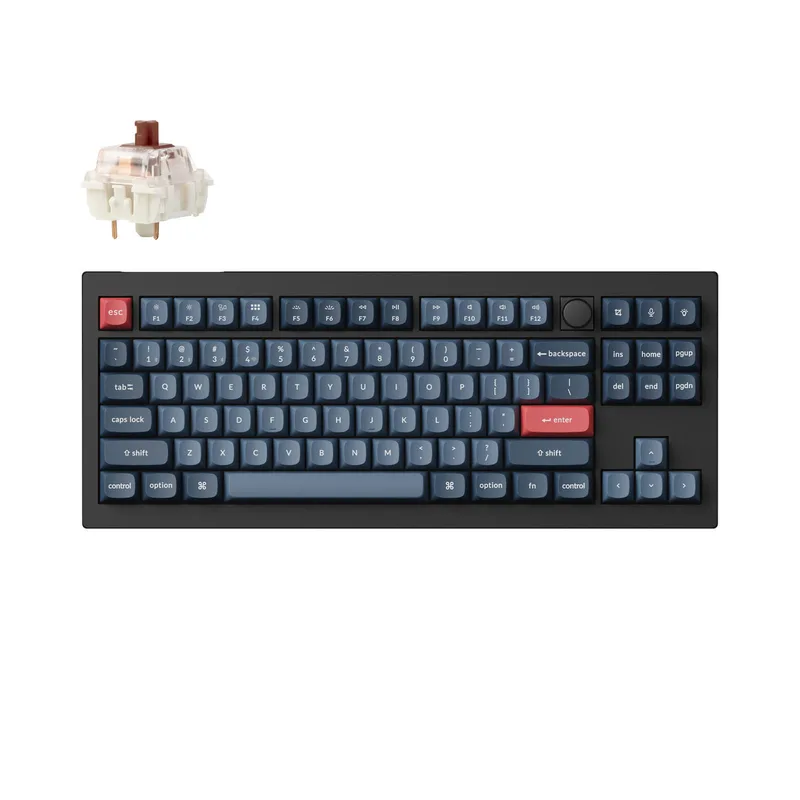
A standard TKL (tenkeyless) board removes the numpad, giving you 87 keys across 15 inches. A 75% board collapses the nav cluster into a column adjacent to the main keys, dropping width to roughly 13 inches while keeping all navigation and function keys. The Corsair K65 Plus is the only 75% board here — it frees roughly 20% more desk space than TKL while retaining the function row.
If you don’t use the numpad but move your mouse across a larger arc on a wide mousepad, 75% gives you meaningful extra room. For a purely compact TKL feel with no function row, see our best 65% keyboards guide.
Switch Types at This Budget
- Hall Effect adjustable (K70 PRO TKL MGX Hyperdrive): 0.1–4.0mm adjustable actuation, Rapid Trigger, no wear-out
- Linear (Gateron G Pro Red on V3 Max and K8 Pro): 45g actuation, 4mm travel, smooth press, no tactile bump — the FPS gaming standard
- Tactile (MLX Fusion on K65 Plus, GL Brown on G515): 45g with a bump mid-travel — suited for mixed gaming/typing use
- Low-profile tactile (GL Brown on G515): 1.9mm actuation instead of 2mm, 2.5mm total travel instead of 4mm — shorter strokes, less finger lift
For a deeper dive into low-profile options, the Logitech G515 LIGHTSPEED TKL is the only board here that qualifies. Most gaming keyboards at this price use standard-height switches.
Hot-Swap and QMK/VIA
Hot-swap sockets (all boards here except the K70 PRO TKL) let you pull and replace switches without soldering. The Keychron V3 Max and K8 Pro use 5-pin Milky Yellow-compatible sockets — drop in Gateron Yellows for 35g linears, Boba U4s for silent tactile, or Kailh Box switches for dust/moisture resistance.
QMK/VIA (V3 Max and K8 Pro) is open-source firmware that gives you full key remapping, layers, and macros via browser at usevia.app — no software download, no account needed. Corsair’s iCUE handles remapping for the K70 PRO TKL and K65 Plus but is resource-heavy and cloud-connected.
Detailed Reviews
Corsair K70 PRO TKL — Best for Competitive Gaming
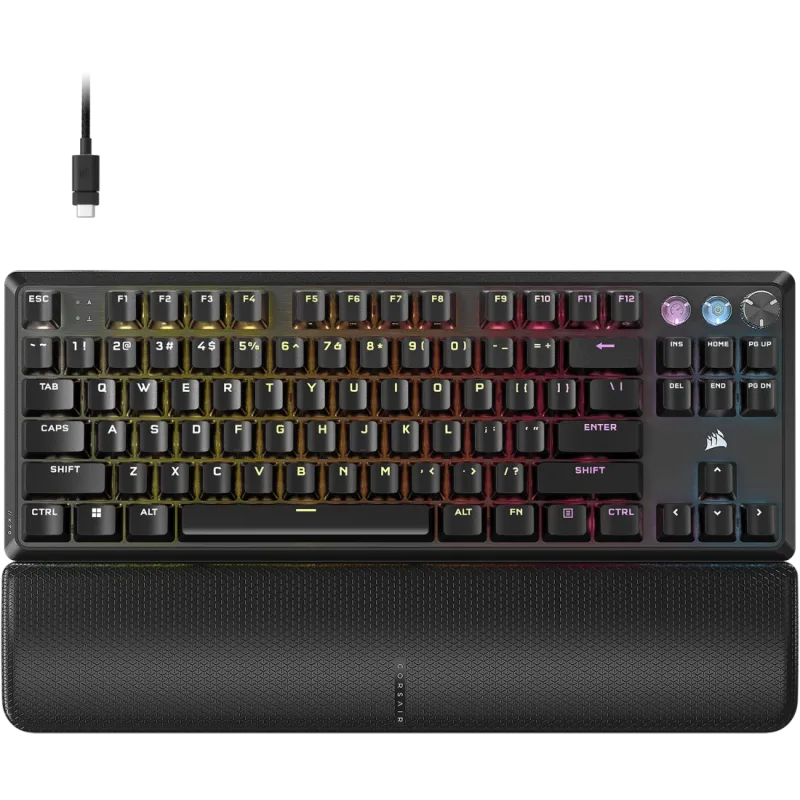
The Corsair K70 PRO TKL is the clearest upgrade path for any FPS player who’s hit the ceiling of spring-based mechanical switches. The MGX Hyperdrive Hall Effect sensors set actuation anywhere between 0.1mm and 4.0mm via iCUE software — 0.1mm is essentially hair-trigger, 4.0mm matches the deepest spring-based actuation for deliberate presses.
Rapid Trigger engages at 0.1mm resolution. In practice, releasing a key causes it to reset within 0.1mm of upward travel versus 2mm+ on standard mechanical switches. Counter-strafing in CS2 registers the directional stop faster, and rapid-fire key presses are more consistent at speed. Owner reports on Reddit’s r/buildapc and r/GlobalOffensive confirm noticeably cleaner strafing once players adjust to the sensitivity.
The 8000 Hz polling rate sends reports every 0.125ms instead of every 1ms at 1000 Hz. Whether this translates to perceptible in-game advantage depends on your GPU frametime consistency — at 250+ FPS with GPU frametimes under 4ms, the reduced input buffer size is measurable. Below 144 FPS, the difference between 1000 Hz and 8000 Hz polling is academic.
The K70 PRO TKL is wired-only. At $129.99, the Hall Effect hardware leaves no budget for wireless; wireless Hall Effect boards from comparable manufacturers run $159–$229. The ABS keycaps are the most forgivable concession — they’re double-shot, so legends don’t fade, but the surface wears shiny faster than PBT. For competitive players who care more about actuation than longevity of keycap texture, this is the right trade-off.
Keychron V3 Max TKL — Best Overall Value
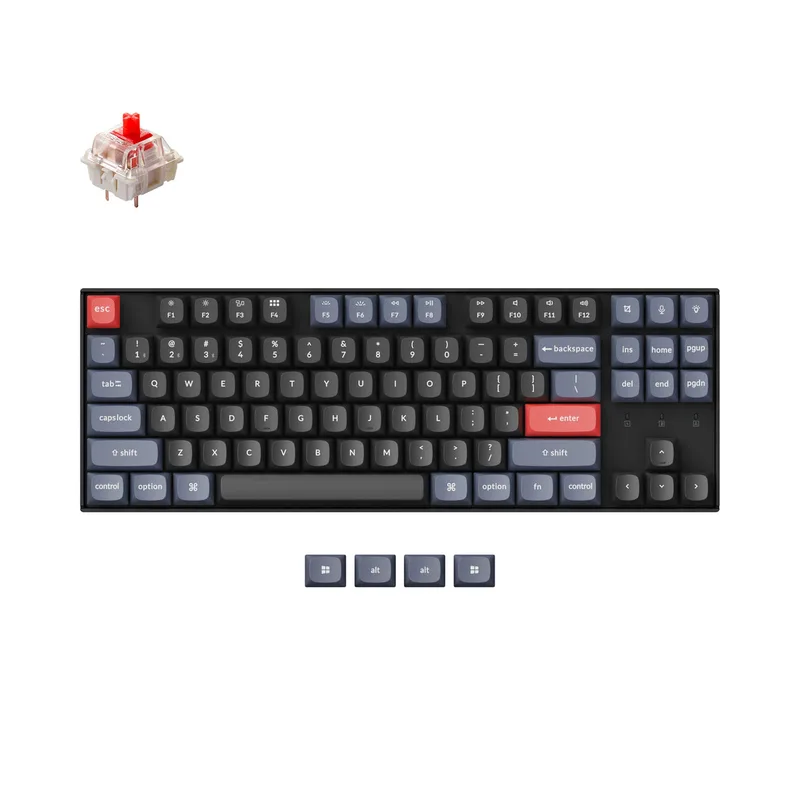
The Keychron V3 Max TKL does more at $104.99 than any other keyboard in this roundup. Tri-mode wireless (2.4GHz for gaming, Bluetooth for tablet switching, USB-C for zero-latency wired), hot-swappable 5-pin sockets, QMK/VIA firmware, and a double gasket mount — at the price, no other manufacturer matches all four simultaneously.
The gasket mount is worth understanding. A double gasket absorbs shock at both the PCB-to-plate interface and the plate-to-case interface. The typing sound profile is noticeably deeper and softer than rigid aluminum-plate boards — more “thock” than “clack.” Keychron ships Gateron G Pro Red switches lubed, not dry, so out-of-box linearity is smooth.
The 4000 mAh battery lasts roughly 200 hours at 1000 Hz polling over Bluetooth (backlight off). In 2.4GHz mode, polling stays at 1000 Hz with typical wireless battery life of 80–100 hours between charges based on Keychron’s published specs.
The V3 Max PCB does flex under aggressive typing — it’s a PCB-mount board, not a top-mount like the more rigid Q-series. For pure typists, the subtle bounce is satisfying. For gamers who bottom out hard on spacebar and modifier keys, it’s worth noting. Switching to heavier switches (65g springs) reduces perceived flex without a board change.
For a step up in rigidity and materials, see the Keychron Q1 Max — aluminum body, gasket mount, fully assembled, starts around $199.
Corsair K65 Plus Wireless 75% — Best 75% Layout
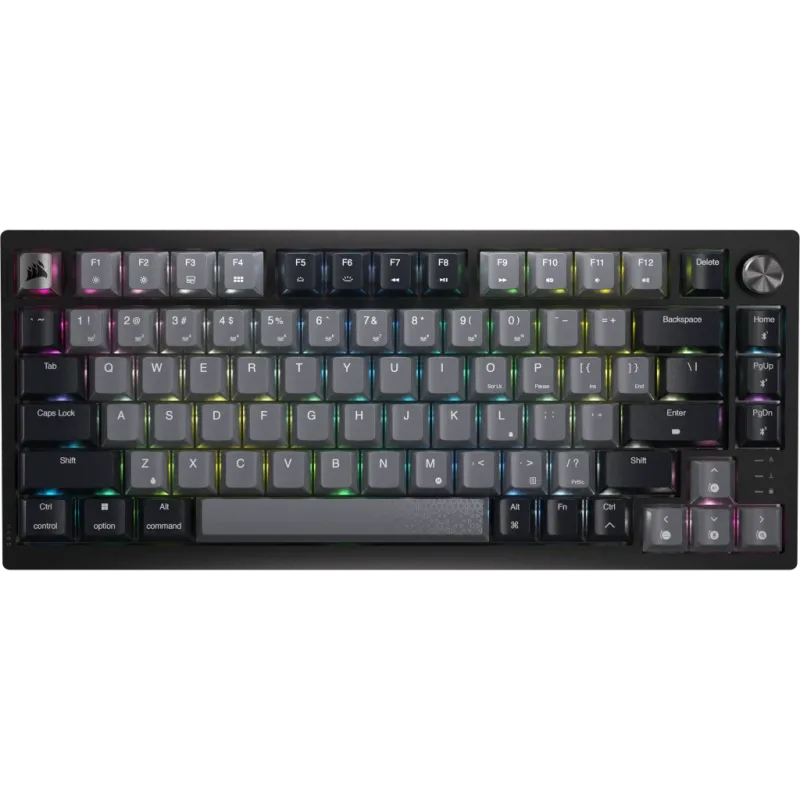
The Corsair K65 Plus Wireless 75% occupies the specific niche of gamers who want a smaller board than TKL without sacrificing arrow keys or the function row. At $129.99 for the MLX Fusion Tactile version, it’s Corsair’s most well-rounded wireless offering under $150.
The 75% layout keeps F1–F12, all navigation arrows, Insert/Delete, and Home/End/PgUp/PgDn in a single compressed column — roughly 2 inches narrower than TKL. On a standard 27-inch desk setup, this translates to meaningfully more mouse travel space than a TKL allows if you use a large mousepad.
Battery life is the standout specification. At 266 hours with RGB off, the K65 Plus can go roughly five to six weeks of daily 8-hour use between charges. Most wireless gaming boards in this price range offer 30–80 hours. Enabling per-key RGB drops it to around 30–40 hours, which remains competitive. The 2000 Hz polling in 2.4GHz mode doubles the input rate over standard wireless gaming boards, though the practical gain at standard framerates is marginal.
MLX Fusion Tactile switches are factory pre-lubed — tactile bump is 45g with the travel smoothed enough that they feel closer to lubed Kailh Box Brown than dry Cherry MX Brown out of the box. The dual-layer sound dampening (PCB foam plus case foam) absorbs hollow resonance without user modification.
iCUE dependency is real. Dynamic lighting effects, switch remapping, and per-profile polling rate adjustment all require iCUE running. If you’re committed to a software-minimal setup, the K65 Plus is a harder sell than QMK/VIA boards. For Corsair ecosystem users with iCUE already installed, this concern is academic.
For a fully wireless 75% without the software overhead, the Keychron V6 Max is an alternative worth checking, though it typically runs $130–$150 and requires a direct Keychron purchase.
Logitech G515 LIGHTSPEED TKL — Best Low-Profile
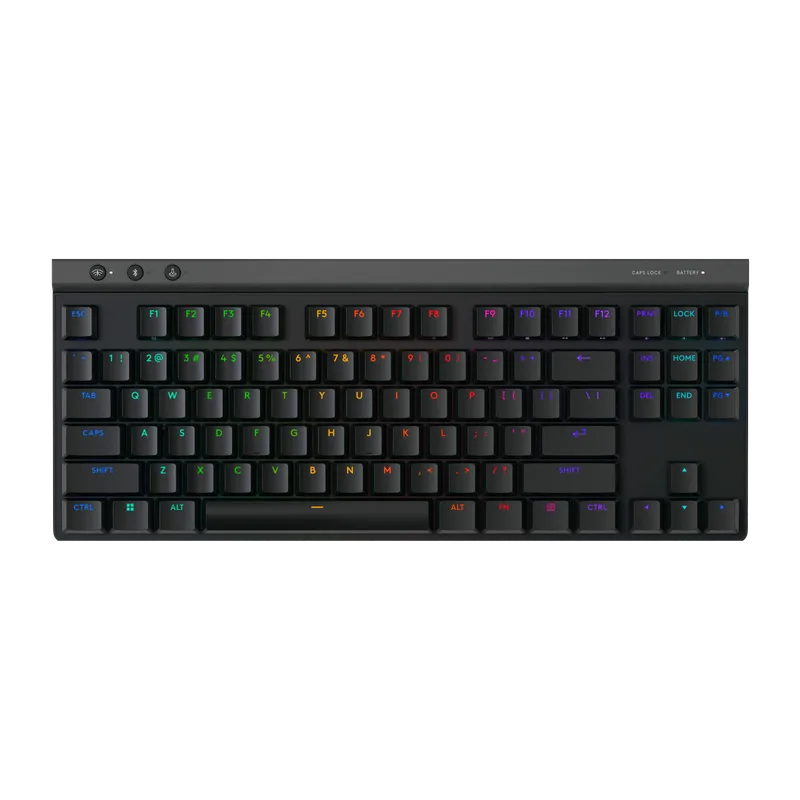
The Logitech G515 LIGHTSPEED TKL is the only low-profile board on this list and the right pick if wrist fatigue is a priority over switch customization. At 22mm total height, it sits nearly flat on a desk — compared to 37–43mm for standard TKL boards with rubber feet extended. Users transitioning from laptop keyboards report the lower height reduces the need for a wrist rest on first use.
GL Brown low-profile switches have a 1.9mm actuation point (vs. 2.0mm for Cherry MX Brown) and 2.5mm total travel (vs. 4.0mm for standard MX). Shorter travel means each keypress takes less finger movement — relevant for high-BPM typing or rapid key repetition in gaming. Owner reports consistently note GL Brown as one of the more satisfying low-profile tactile switches for extended typing compared to OEM low-profile competitors.
LIGHTSPEED 2.4GHz wireless is among the lowest-latency implementations in this price range — Logitech’s proprietary receiver reports at 1000 Hz by default, and the receiver is compatible with other LIGHTSPEED devices (GPro X mouse, G Pro headset) through the Logitech Unifying software, saving a USB port if you’re already in the ecosystem.
Battery life at 36 hours with full RGB matches or exceeds most wireless gaming keyboards in active gaming use. With RGB off, it extends to 800 hours. Double-shot PBT keycaps are standard at this price and resist legend fade.
The notable limitation is keycap replacement. Low-profile MX keycaps exist (Logitech sells replacement sets, and third parties make alternatives), but selection is far smaller than standard MX cap sets. If custom keycap compatibility matters, a standard-height board gives you far more options. For a comprehensive look at mechanical options across the full price range, see our best mechanical keyboards gaming guide.
Keychron K8 Pro — Best Budget Wireless
Keychron K8 Pro
The Keychron K8 Pro at $89.99 is the entry point for wireless TKL with hotswap and QMK support. It’s older than the V3 Max and lacks 2.4GHz connectivity, but it delivers the essentials that matter for most users: Bluetooth 5.1, hot-swappable 5-pin sockets, and full QMK/VIA remapping at under $90.
Gateron G Pro Red switches are factory pre-lubed linear switches at 45g actuation. They’re not as smooth as a properly lubed custom switch, but they’re meaningfully smoother than dry stock Cherry MX Reds or Kailh Reds at the same price. The 5-pin hotswap sockets accept standard MX-compatible switches — Gateron Yellows (35g), Kailh Speed Silvers, or any tactile/clicky variant you want to experiment with.
Bluetooth 5.1 handles three simultaneous pairings with OS-level switching via Fn+1/2/3. Switching between a desktop and a tablet takes two keystrokes. In wired USB-C mode, polling is 1000 Hz. In Bluetooth, it negotiates at up to 1000 Hz on modern operating systems, though 125 Hz is more common on older OS versions or non-updated Bluetooth drivers.
The plastic case is the most audible compromise. Without dampening foam, keystrokes produce a hollow resonance on the spacebar and shift keys. A standard foam mod (cutting a layer of craft foam to PCB dimensions) eliminates most of it and costs about $5. The K8 Pro’s PCB accepts aftermarket foam kits sold by third-party vendors.
At $89.99 with hotswap, QMK/VIA, and wireless in a full TKL layout, the K8 Pro remains one of the better-value keyboard purchases under $100. For a step up in wireless quality and switch feel, the Keychron V3 Max at $104.99 adds 2.4GHz and a gasket mount for $15 more.
FAQ
Do Hall Effect switches make a noticeable difference in gaming? For FPS players specifically, yes — Rapid Trigger enables re-actuation within 0.1mm of travel, which conventional spring-based keyboards can’t replicate. In CS2 counter-strafing and Valorant movement, players report cleaner directional inputs once calibrated. For MOBA, RPG, or RTS play, the difference is negligible — standard linears at 1000 Hz are more than sufficient.
Is wireless good enough for competitive gaming now? 2.4GHz wireless at 1000 Hz polling is equivalent to wired at 1000 Hz — input latency is 1ms in both cases. The Keychron V3 Max and Corsair K65 Plus both support 1000 Hz+ 2.4GHz. Bluetooth at 125 Hz (the common default) is not competitive — confirm BT polling mode before assuming your wireless board matches wired latency.
What’s the difference between the Keychron V3 Max and K8 Pro? The V3 Max adds 2.4GHz wireless (vs. Bluetooth-only on K8 Pro), a double gasket mount (vs. plate mount on K8 Pro), and newer Gateron switches. The V3 Max costs $15 more at $104.99. If the 2.4GHz wireless or the gasket mount typing feel matters to you, pay the extra $15. The K8 Pro is the pick if you’re Bluetooth-first or genuinely budget-constrained at under $90.
Can you use these keyboards on Mac without special software? Keychron boards (V3 Max, K8 Pro) ship with both Mac and Windows keycap sets in the box and have a physical toggle switch on the back for Mac/Windows layout mode. The Logitech G515 requires G Hub for Mac-specific key remapping but works plug-and-play. Corsair’s iCUE has a Mac client but is less feature-complete than the Windows version.
Are 75% keyboards good for gaming? 75% layouts keep every key you use in gaming — function row, arrow keys, and nav cluster — in a more compact footprint. For gaming use, the only functional trade-off vs. TKL is that some nav keys are in a compressed column instead of a separated cluster, which takes a few hours to adjust to. For most gaming use cases, the layout difference is irrelevant. For data entry or creative work requiring frequent numpad use, TKL or full-size is more practical.
The Bottom Line
For competitive FPS players, the Corsair K70 PRO TKL at $129.99 is the pick — Hall Effect switches with Rapid Trigger and 8000 Hz polling represent a genuine performance ceiling for keyboard hardware at this price. For everyone else, the Keychron V3 Max TKL at $104.99 is the most versatile mechanical keyboard under $150: tri-mode wireless, hot-swap, QMK/VIA, and a gasket mount in one package. The Logitech G515 LIGHTSPEED TKL at $119.99 is the right call for anyone prioritizing wrist ergonomics or transitioning from a laptop keyboard.