Affiliate disclosure: PCBuildRanked earns a commission on qualifying Amazon purchases at no extra cost to you.
Intel’s Core Ultra 200S (Arrow Lake) launched in late 2026 on the new LGA1851 socket, requiring Z890 motherboards. Prices have settled considerably since launch — the ROG Maximus Z890 Hero dropped from nearly $700 to $410, and every board here is meaningfully cheaper than it was six months ago. Early BIOS issues that plagued Arrow Lake at launch have been patched out through microcode updates. This is a mature platform worth building on.
| Spec | ASUS ROG Maximus Z890 Hero 9.2/10 | MSI MEG Z890 ACE 9/10 | ASUS ROG Strix Z890-E Gaming WiFi 8.8/10 | MSI MAG Z890 Tomahawk WiFi 8.6/10 | ASUS TUF Gaming Z890-Plus WiFi 8.4/10 |
|---|---|---|---|---|---|
| socket | LGA1851 | LGA1851 | LGA1851 | LGA1851 | LGA1851 |
| chipset | Intel Z890 | Intel Z890 | Intel Z890 | Intel Z890 | Intel Z890 |
| formFactor | ATX | ATX | ATX | ATX | ATX |
| vrm | 22+2+1+2 stages (110A SPS) | 24+2+1+1 DRPS (90A SPS) | 18+2+1+2 stages (110A SPS) | 16+1+2+1 stages | 16+1+2+1 stages (80A SPS) |
| ddr5Speed | DDR5-9200+ MT/s (OC) | DDR5-9200+ MT/s (OC) | DDR5-9200+ MT/s (OC) | DDR5-9200+ MT/s (OC) | DDR5-9200+ MT/s (OC) |
| m2Slots | 6x M.2 (3x PCIe 5.0) | 5x M.2 (3x PCIe 5.0) | 7x M.2 | 4x M.2 (1x PCIe 5.0, 3x PCIe 4.0) | 4x M.2 (2x PCIe 5.0, 2x PCIe 4.0) |
| networking | Wi-Fi 7 / 5GbE + 2.5GbE LAN | Wi-Fi 7 / 10GbE LAN | Wi-Fi 7 / 2.5GbE LAN | Wi-Fi 7 / 5GbE LAN | Wi-Fi 7 / 2.5GbE LAN |
| Rating | 9.2/10 | 9/10 | 8.8/10 | 8.6/10 | 8.4/10 |
Prices change daily — tap Check Price for the current Amazon price.
Prices change daily — tap Check Price for the current Amazon price.
Quick Picks
- Best overall: ASUS ROG Maximus Z890 Hero — the most complete ATX Z890 board outside of HEDT pricing, with six M.2 slots, dual LAN, and a 22-phase VRM that never flinches
- Best value: MSI MAG Z890 Tomahawk WiFi — rare 5GbE LAN and Thunderbolt 4 at $250, with tool-less M.2 installation
- Best mid-range: ASUS ROG Strix Z890-E Gaming WiFi — seven M.2 slots and an 18-phase VRM for $320
Z890 Buying Guide
Which Core Ultra 200S CPU are you running?
The Core Ultra 9 285K draws up to 253W under PL2 sustained load. If you’re running the 285K and plan extended multi-core workloads (video rendering, compilation), budget for at least a 20-phase VRM — the ROG Strix Z890-E ($320) and above are safe choices. The Core Ultra 7 265K and 245K draw significantly less under all-core load and run fine on any board in this roundup. See our best CPUs for gaming guide for full Arrow Lake tier comparisons.
PCIe 5.0 M.2: do you actually need it?
PCIe 5.0 NVMe drives hit 14,000 MB/s sequential read — but in typical desktop workloads (game loading, OS boots, app launches), a PCIe 4.0 drive like the WD Black SN850X is within 3% of Gen5 speeds. The practical gap shows up in large sequential transfers: video editing with raw footage, database backups, content creation pipelines. All five boards here include at least one PCIe 5.0 M.2 slot.
LAN: 2.5GbE vs. 5GbE vs. 10GbE
If your router or switch tops out at 2.5Gbps, onboard LAN tier doesn’t matter. If you have a 10G NAS or multi-gig switch, the MSI MEG Z890 ACE’s 10GbE LAN saves $80–100 on a separate NIC. The MSI MAG Z890 Tomahawk WiFi’s 5GbE is the practical sweet spot for users with 2.5G switches who want future headroom without the MEG’s price.
Thunderbolt 4 vs. 5
Every board here includes at least one Thunderbolt 4 port (40 Gbps). Thunderbolt 5 doubles that to 80 Gbps — useful for external GPU enclosures, professional audio interfaces, and high-resolution external displays at 240Hz+. Only a handful of Z890 flagship boards above this roundup include TB5.
BIOS maturity matters
Arrow Lake’s early BIOS releases shipped with DDR5 training issues and suboptimal XMP profiles. By 2026, all major manufacturers have released stable revisions that resolve memory compatibility problems. Both ASUS and MSI have been consistent with updates — check revision history before purchasing if you need a specific DDR5 kit confirmed.
Detailed Reviews
ASUS ROG Maximus Z890 Hero — Best Overall
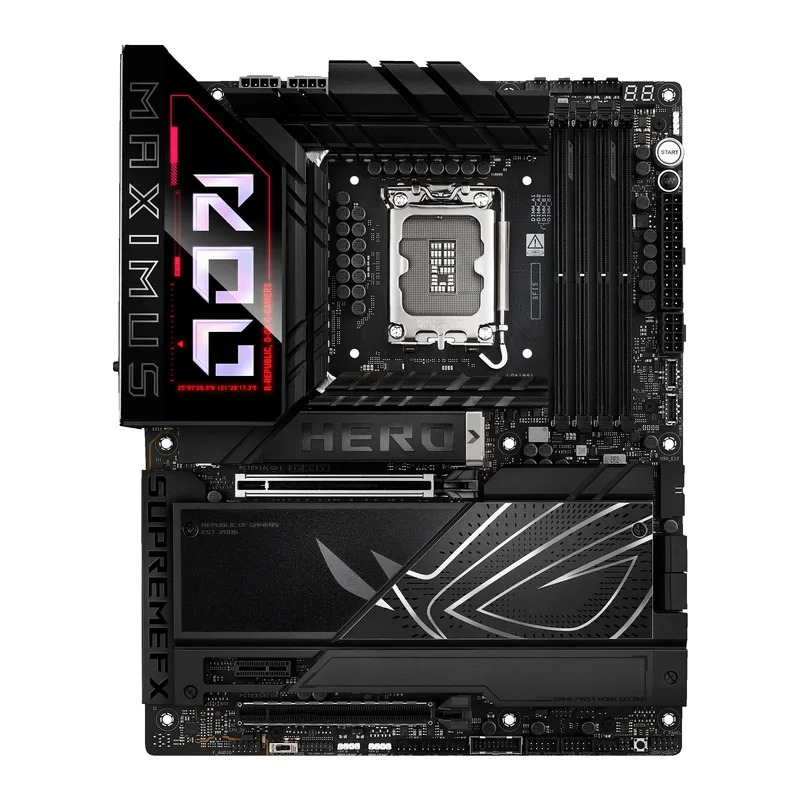
The ASUS ROG Maximus Z890 Hero is the high-water mark for ATX Z890 without stepping into E-ATX territory. Its 22-phase VRM — with 110A Smart Power Stages per phase — handles the Core Ultra 9 285K’s 253W PL2 with VRM temperatures below 75°C per published review data, no active VRM cooling required.
Six M.2 slots set it apart from most competitors. Three run PCIe 5.0 x4, three run PCIe 4.0 x4, and all six have individual heatsinks. For content creators or anyone running multiple NVMe drives in a RAID configuration, this is the only sub-$500 ATX board that accommodates a full high-speed storage array.
Connectivity is comprehensive: two Thunderbolt 4 USB-C ports, four USB 3.2 Gen 2 Type-A ports at 10 Gbps, and dual LAN (5GbE Realtek + 2.5GbE Intel) mean no dongle situations for any current peripheral. ASUS’s ROG AI Overclocking handles XMP profile selection and BCLK tuning automatically for builders who prefer not to dig into the BIOS.
At $410 — down significantly from its original launch MSRP — the Hero is now a genuine value proposition for enthusiast builds. It’s a $90 premium over the ROG Strix Z890-E Gaming WiFi, which delivers comparable gaming frame rates. The Hero makes sense for workstation setups, heavy overclocking, or builds where six M.2 slots and dual LAN will see genuine use.
MSI MEG Z890 ACE — Best for Workstation Builds
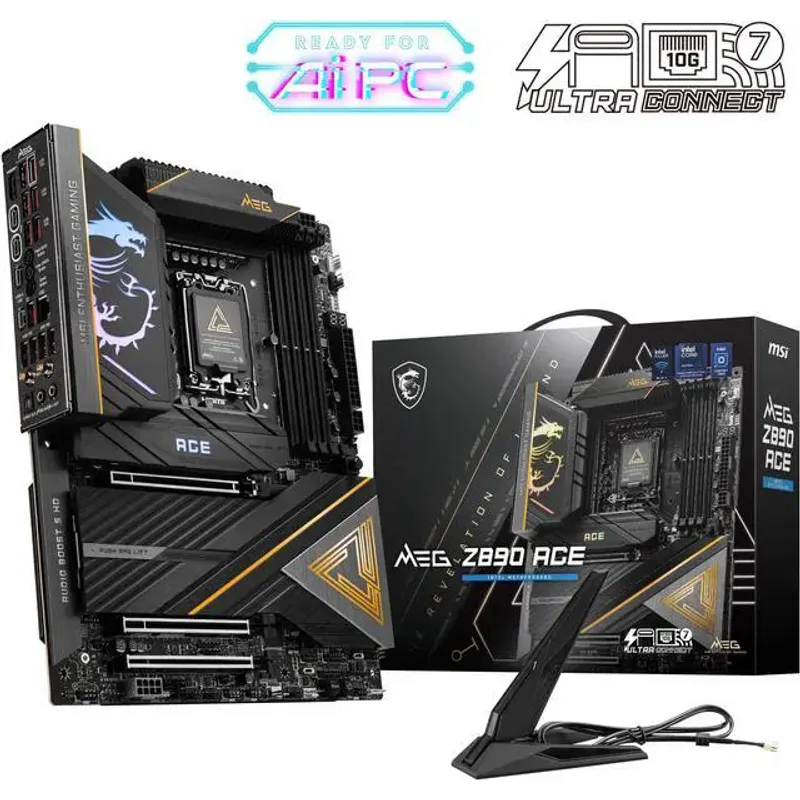
The MSI MEG Z890 ACE is the board to buy if 10GbE networking is part of your workflow. No other Z890 board in the $500–650 range includes a 10 Gigabit port — without it, you’d add a $80–100 10G NIC and consume a PCIe slot. For direct-attached storage, high-speed NAS file transfers, or professional networking, this is the cleaner solution.
The 24-phase DRPS (Digital Redundant Phase Switching) VRM design delivers the strongest power delivery of any ATX Z890 board in this roundup. Published board reviews show VRM temperatures under sustained Core Ultra 9 285K 253W PL2 workloads staying under 60°C — lower than the ROG Maximus Z890 Hero. The 90A stages provide significant thermal headroom for extreme overclocking or cases with restricted motherboard zone airflow.
Five M.2 slots (three PCIe 5.0) covers most real-world storage configurations, and every rear USB port runs at 10 Gbps or faster — a detail that separates MEG-class boards from the MAG and MPG tiers. Wi-Fi 7 and Thunderbolt 4 are standard.
At $600, the MEG Z890 ACE is harder to justify now that the ROG Maximus Hero has dropped to $410. The MEG earns its price with the strongest VRM in this roundup and the only 10GbE LAN option here. For everything else, the Hero offers more M.2 slots at $190 less.
ASUS ROG Strix Z890-E Gaming WiFi — Best Mid-Range
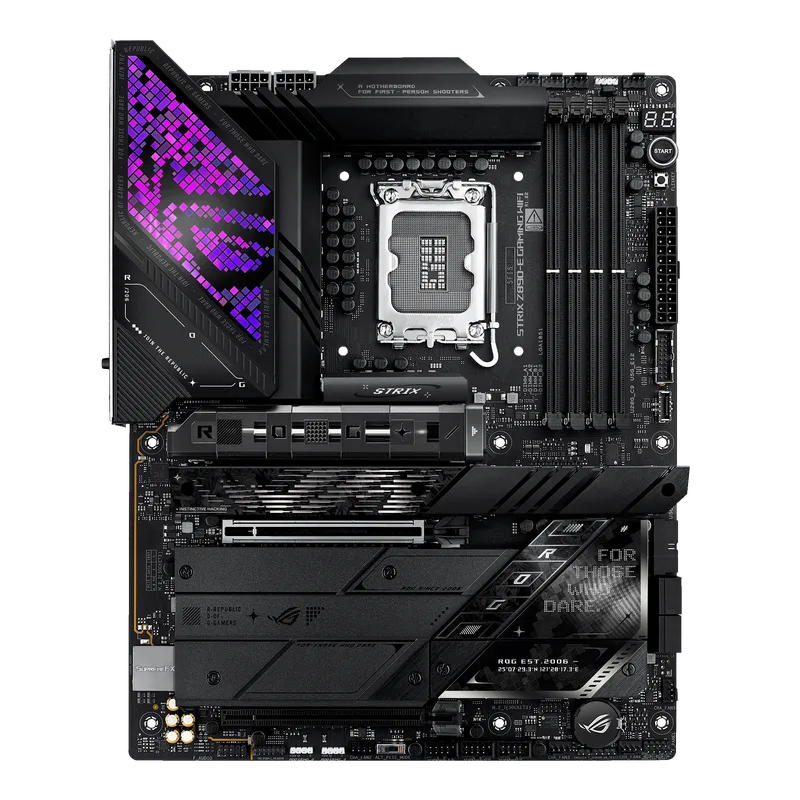
The ASUS ROG Strix Z890-E Gaming WiFi packs more M.2 slots than any other board in its price class. Seven total — with multiple PCIe 5.0 connections — combined with an 18-phase 110A VRM gives this board mid-range pricing with near-flagship capabilities.
Published reviews confirm the Strix Z890-E’s VRM handles the Core Ultra 9 285K at stock settings without throttling. The 18-phase design runs cooler than expected given the smaller heatsink footprint compared with the MEG Z890 ACE, reflecting ASUS’s thermal interface work on this generation.
ASUS’s AI Overclocking in the latest BIOS goes beyond one-click presets. It monitors per-core temperatures and adjusts VCore dynamically, which helps the 285K’s hybrid core architecture run efficiently without manual per-core offset tuning.
The 2.5GbE LAN is the one visible compromise at $320. MSI includes 5GbE on the Tomahawk at $70 less. For users who won’t notice the network speed difference, the Strix’s three extra M.2 slots easily justify the premium. For network-heavy workloads, the MEG Z890 ACE is the logical step up.
MSI MAG Z890 Tomahawk WiFi — Best Value
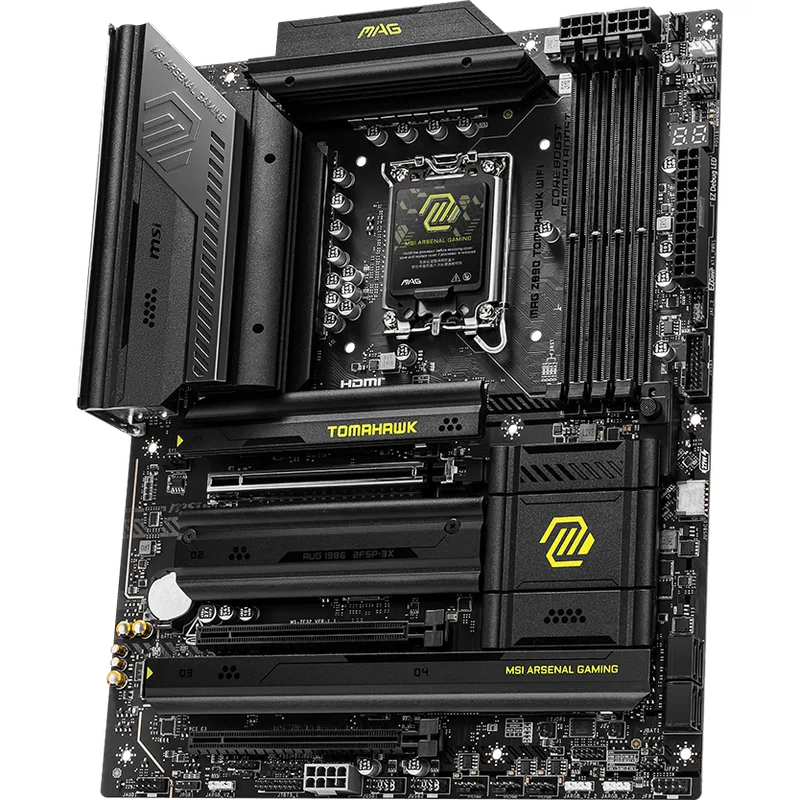
The MSI MAG Z890 Tomahawk WiFi makes the most sense for the widest range of buyers. At $250, it includes features that typically cost $100–150 more: Thunderbolt 4 on the rear IO, Wi-Fi 7, and — most distinctively — 5GbE LAN when competing boards at the same price stop at 2.5G.
Four M.2 slots (one PCIe 5.0, three PCIe 4.0) covers almost every real-world storage configuration. MSI’s FROZR thermal armor covers all M.2 slots with tool-less installation — push, click, done. No screwdriver, no dropped screws inside the chassis. This is the smoothest M.2 installation experience in the Z890 mainstream tier.
The 16-phase VRM handles Core Ultra 7 265K and below cleanly. For the Core Ultra 9 285K under extended all-core workloads, VRM temperatures climb higher than boards with heavier power delivery — not into throttling territory, but warmer than ideal in a case with restricted airflow. Pair the 285K with intentional case airflow if you go this route.
At the same $250 price as the TUF Z890-Plus, the Tomahawk wins on networking (5GbE vs. 2.5GbE) and build ergonomics. The TUF wins on storage bandwidth (two PCIe 5.0 M.2 vs. one). Pick based on which matters more for your build.
ASUS TUF Gaming Z890-Plus WiFi — Best for First Builds
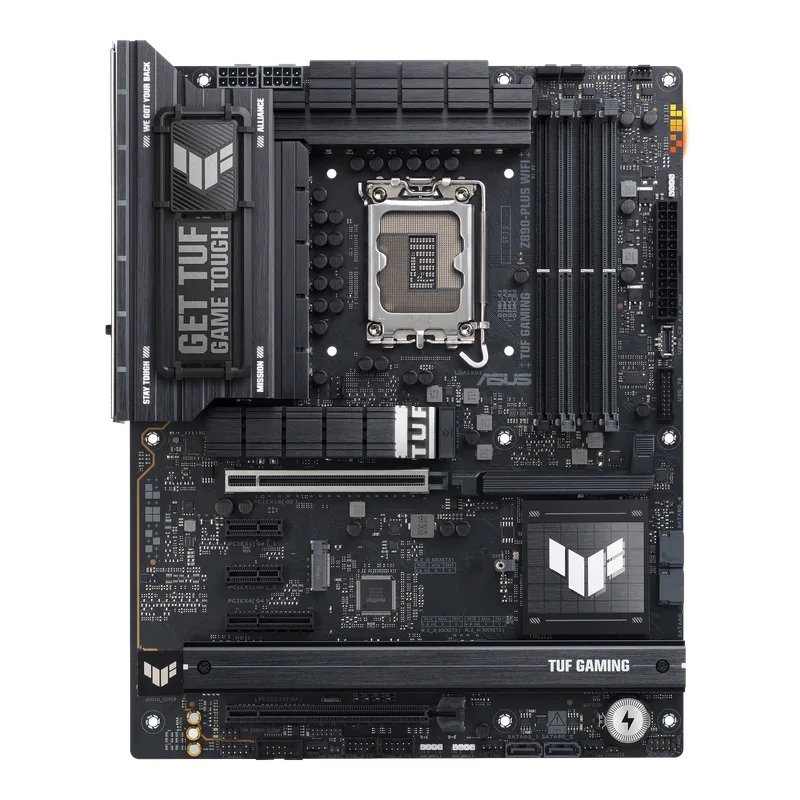
The ASUS TUF Gaming Z890-Plus WiFi is the easiest Z890 board to build with for the first time. ASUS’s TUF lineup prioritizes build-process ergonomics — Q-LED debug indicators light up in sequence so you immediately know if a memory stick is seated wrong or a GPU isn’t getting power, without a POST code display or secondary monitor.
Two PCIe 5.0 M.2 slots at $250 is uncommon at this price. The Tomahawk WiFi only includes one PCIe 5.0 slot at the same price. If you’re planning a PCIe 5.0 NVMe RAID array down the road, the TUF is the budget entry point that supports it.
BIOS EZ Mode auto-detect handles XMP/EXPO profiles reliably and offers single-click AI overclocking for modest frequency gains without BIOS diving. The 80A SPS power stages are adequate for Core Ultra 7 265K and Core Ultra 5 245K with room to spare. For the Core Ultra 9 285K, plan for case airflow or consider the Tomahawk WiFi’s slightly heavier VRM.
The 2.5GbE LAN is the meaningful drawback when the MSI MAG Z890 Tomahawk WiFi includes 5GbE at the same $250 price. If network throughput matters, the Tomahawk wins. If first-build diagnostics and two PCIe 5.0 M.2 slots matter more, the TUF is the pick.
FAQ
Will Z890 boards support future Intel CPUs beyond Arrow Lake?
Intel has committed to continued LGA1851 support through at least one follow-on desktop generation. ASUS and MSI have both confirmed ongoing BIOS development, but Intel has not officially locked in socket compatibility guarantees. Buy a Z890 board for current Core Ultra 200S value — not future-proofing promises.
Is Z890 worth it over Z790 for Arrow Lake?
Arrow Lake (Core Ultra 200S) only runs on LGA1851/Z890 — there is no Z790 option for this generation. If you’re considering Core Ultra 200S, Z890 is the only path. If you’re staying on Raptor Lake or earlier, Z790 still works and older boards are significantly cheaper.
How much DDR5 speed can Z890 boards actually hit?
Z890 officially supports DDR5-6400 in JEDEC spec. OC profiles go significantly higher — the ROG Maximus Z890 Hero and MEG Z890 ACE have been confirmed stable at DDR5-9200+ MT/s with Samsung B-die kits. Most mainstream DDR5-6000 or DDR5-6400 kits work reliably on all five boards here without special manual tuning. For kit recommendations, see our best DDR5 RAM roundup.
Do I need a flagship board to get the most out of a Core Ultra 9 285K?
Not for gaming. In gaming benchmarks, the MSI MAG Z890 Tomahawk WiFi delivers Core Ultra 9 285K frame rates within 1–2% of the ROG Maximus Z890 Hero. The flagship boards earn their premium in sustained multi-threaded workloads, heavy overclocking, and specialized connectivity (10GbE, dual LAN, HEDT-class storage configurations).
What’s the minimum spend for a solid Core Ultra build in 2026?
The MSI MAG Z890 Tomahawk WiFi at $250 paired with a Core Ultra 7 265K (~$319) is the sweet spot — full Arrow Lake platform capabilities (PCIe 5.0, DDR5, Thunderbolt 4, Wi-Fi 7) for around $570 in CPU plus motherboard before memory and storage.
Which board should I pair with the Core Ultra 5 245K?
Any board here handles the Core Ultra 5 245K without stress — it draws considerably less power than the 285K. The TUF Z890-Plus at $250 is the practical entry point: two PCIe 5.0 M.2 slots, reliable BIOS, and beginner-friendly EZ Mode make it a clean Z890 choice at a price the 245K’s tier warrants.
The Bottom Line
For most Intel Core Ultra 200S builds, the MSI MAG Z890 Tomahawk WiFi at $250 delivers the best combination of features and price — 5GbE LAN, Thunderbolt 4, Wi-Fi 7, and a smooth build experience at the platform’s sweet spot. Step up to the ASUS ROG Strix Z890-E Gaming WiFi at $320 if seven M.2 slots or a heavier VRM matters. The MSI MEG Z890 ACE at $600 is the pick if 10GbE networking is non-negotiable. At $410, the ASUS ROG Maximus Z890 Hero is now the best all-around flagship option — six M.2 slots, dual LAN, and a 22-phase VRM at a price that finally makes sense.