PCIe 5.0 NVMe SSDs crossed into mainstream territory in 2026, but the 2026 NAND shortage has pushed prices significantly above their 2025 lows. The WD Black SN8100 2TB now sits at ~$440 and the Samsung 9100 PRO 2TB at ~$489 — both well above launch pricing — while the Crucial T705 2TB has climbed to ~$225. WD’s SN8100 still claims the title of fastest consumer SSD ever tested by Tom’s Hardware. The early-adopter thermal mess has largely been solved: newer controller silicon from Phison (E28 generation), InnoGrit (IG5236), and Samsung’s in-house Presto chip all run considerably cooler than the first-gen E26 boards. If your motherboard has a PCIe 5.0 M.2 slot, there’s no longer a compelling reason to stay on Gen 4.
| Spec | WD Black SN8100 2TB 9.4/10 | Samsung 9100 PRO 2TB 9.2/10 | Crucial T705 2TB 8.9/10 | Sabrent Rocket 5 2TB 8.7/10 | Seagate FireCuda 540 2TB Unavailable 8.4/10 |
|---|---|---|---|---|---|
| interface | PCIe 5.0 x4 NVMe 2.0 | PCIe 5.0 x4 NVMe 2.0 | PCIe 5.0 x4 NVMe 2.0 | PCIe 5.0 x4 NVMe 2.0 | PCIe 5.0 x4 NVMe 2.0 |
| form_factor | M.2 2280 | M.2 2280 | M.2 2280 | M.2 2280 | M.2 2280 |
| seq_read | 14,900 MB/s | 14,700 MB/s | 14,500 MB/s | 14,000 MB/s | 10,000 MB/s |
| seq_write | 14,000 MB/s | 13,400 MB/s | 12,700 MB/s | 12,000 MB/s | 10,000 MB/s |
| capacity | 2TB | 2TB | 2TB | 2TB | 2TB |
| warranty | 5-year | 5-year | 5-year | 5-year | 5-year + Rescue Services |
| Rating | 9.4/10 | 9.2/10 | 8.9/10 | 8.7/10 | 8.4/10 |
Prices change daily — tap Check Price for the current Amazon price.
Prices change daily — tap Check Price for the current Amazon price.
Quick Picks
- Best overall: WD Black SN8100 2TB — 14,900 MB/s reads, single-sided PCB, ~$440
- Best for workstations/AI: Samsung 9100 PRO 2TB — lowest latency in class, Samsung V-NAND reliability, ~$489
- Best value: Crucial T705 2TB — 14,500 MB/s for ~$225, proven platform
Buying Guide
Do You Actually Need PCIe 5.0?
Straight answer: for gaming, no. Load time differences between top Gen 4 and Gen 5 drives are measured in 1-2 seconds across most titles. Frame rates are identical. If you’re running a $300+ GPU on a Z790/X670E board and want every bottleneck eliminated, Gen 5 is a reasonable upgrade. If you’re building a $1,000 PC, put that extra $80 toward the GPU.
Where Gen 5 earns its keep:
- AI/ML inference: Large model loading from disk (30GB+ checkpoints) benefits meaningfully from 14,000+ MB/s reads
- Professional video: DaVinci Resolve scrubbing 8K RAW timelines — the throughput is noticeable
- Heavy multitasking: Simultaneous large file transfers while gaming keeps queue depths where Gen 5 shines
Compatibility Requirements
PCIe 5.0 NVMe drives require a PCIe 5.0 M.2 slot. Not all M.2 slots on PCIe 5.0 boards are Gen 5 — check your manual. Confirmed compatible boards:
- Intel Z790/Z890: most have one Gen 5 M.2 slot
- AMD X670E: one Gen 5 M.2 slot on most models
- AMD X870E: improved Gen 5 M.2 support across the board
Thermal management is non-optional. Every Gen 5 drive will throttle without active cooling or a decent thermal pad. Use your motherboard’s built-in heatsink if available. If your board lacks one, budget $15–$25 for an aftermarket M.2 heatsink.
Which Capacity to Buy?
- 1TB: Only makes sense if you’re under budget pressure. Gen 5 1TB drives have lower sequential write speeds than 2TB models (less NAND parallelism) and less headroom for a growing game library.
- 2TB: The sweet spot. Every drive below is reviewed at 2TB.
- 4TB+: The WD SN8100 goes up to 8TB. Worth considering if you’re replacing NAS-style secondary storage with a single fast drive.
Detailed Reviews
WD Black SN8100 2TB
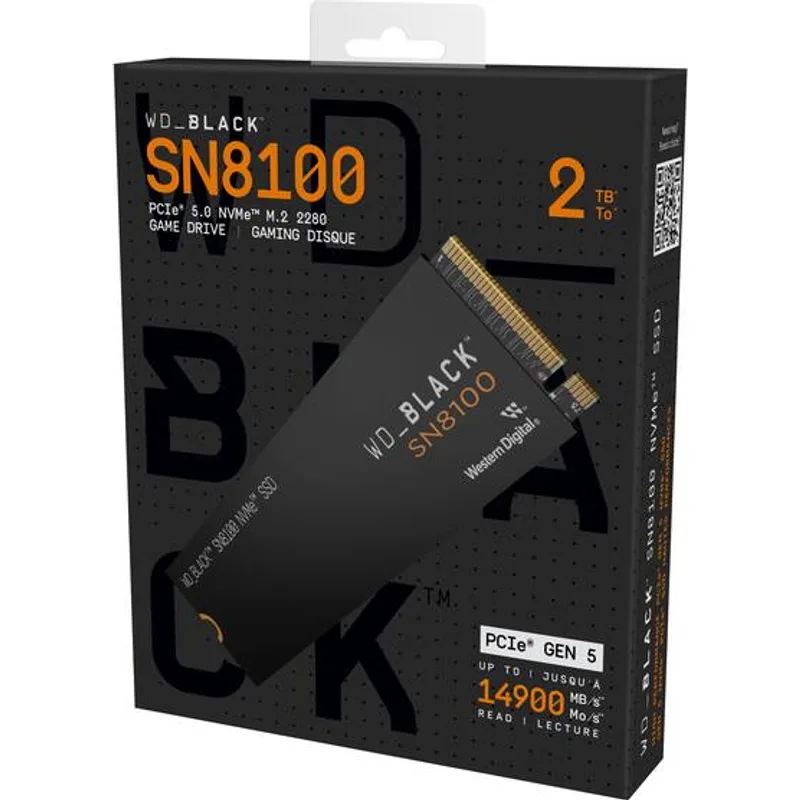
The WD Black SN8100 is the drive to beat in 2026 for consumer Gen 5 storage. Tom’s Hardware called it “the fastest overall consumer SSD ever made” — and in sustained sequential reads, that holds. At 14,900 MB/s, it edges the Samsung 9100 PRO by 200 MB/s in sequential reads, and its 14,000 MB/s sequential write speed is 600 MB/s ahead of Samsung’s offering.
The InnoGrit-based design runs on WD’s custom silicon, with a single-sided PCB that makes it compatible with laptops and compact ITX builds where double-sided NVMe drives physically don’t fit. Random performance is where it separates itself from older Gen 5 designs: 2,300,000 IOPS random read is 60% higher than flagship PCIe 4.0 drives.
Thermal management is the catch. Under sustained loads without a heatsink, the drive hits 75°C+ and throttles. Your motherboard’s included M.2 heatsink will fix this — don’t run it bare.
Samsung 9100 PRO 2TB
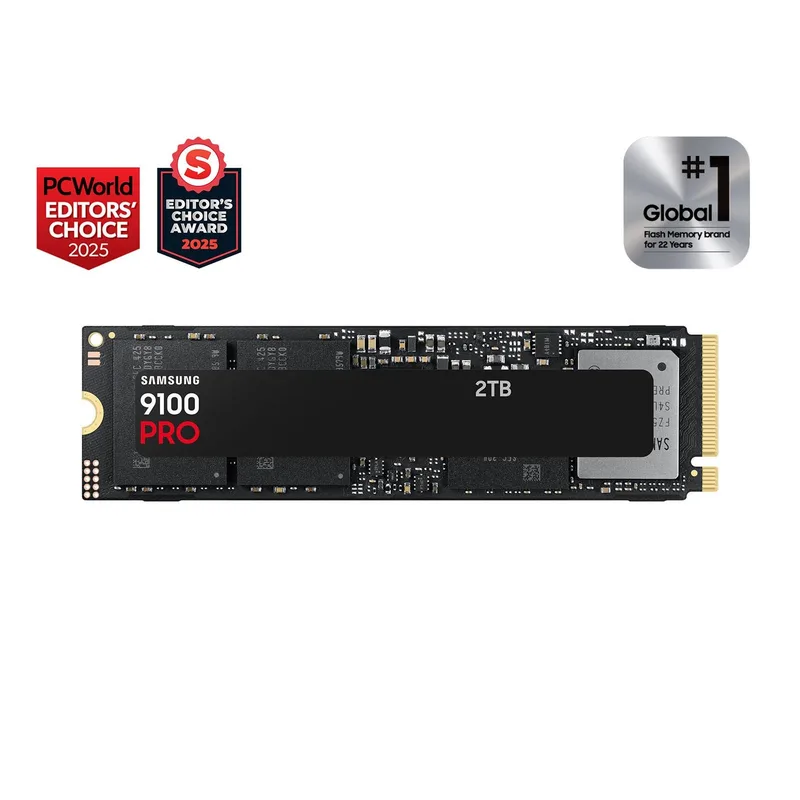
The Samsung 9100 PRO is what you pick when latency matters more than raw sequential throughput. Samsung’s in-house Presto controller paired with their 9th-gen V-NAND delivers sub-100μs sustained random read latency — measurably better than Phison or InnoGrit-based alternatives under queue-heavy workloads like AI model inference or database access.
Sequential speeds sit at 14,700/13,400 MB/s read/write — not the absolute fastest, but within 1-2% of the SN8100 in real-world transfers. Samsung’s vertical integration (controller + NAND designed together) shows up in consistent performance across the full LBA range. There’s no performance cliff at 95% capacity the way some third-party NAND drives exhibit.
The price premium over the Crucial T705 ($260+ more at current NAND-shortage pricing) is hard to justify for pure gaming use. For content creators running sustained 4K/8K capture and edit workflows, or anyone running local LLMs, the latency advantage is real. For a full breakdown of its performance, thermals, and real-world workload results, see our Samsung 9100 Pro review.
Crucial T705 2TB
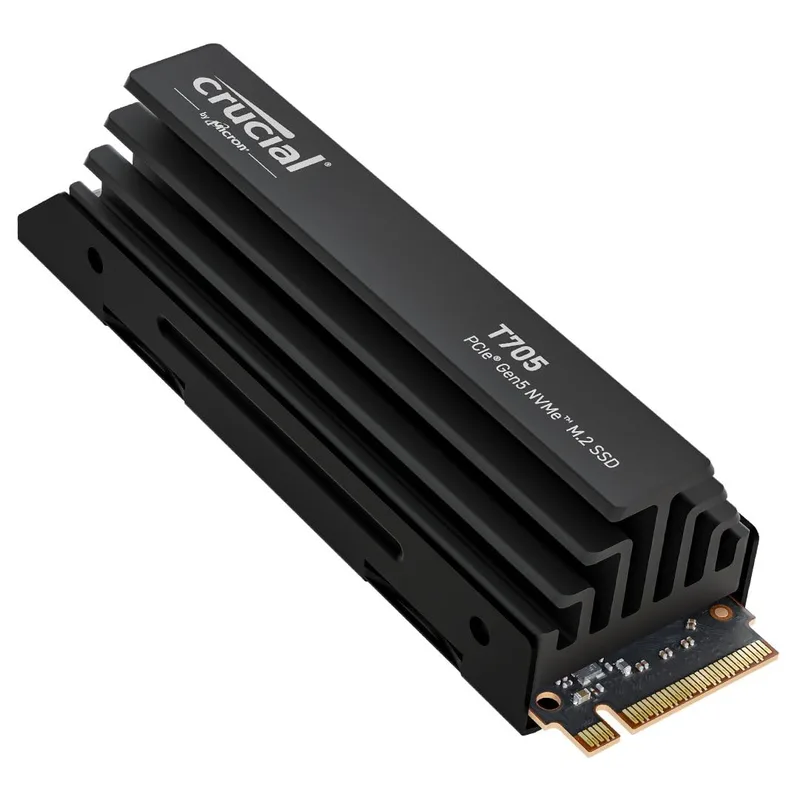
The Crucial T705 remains the value pick in the Gen 5 segment. When it launched, the 2TB model cost $400. It dropped to ~$160 at its lowest point before the 2026 NAND shortage pushed it back to ~$225 — still the most affordable route to 14,500 MB/s sequential reads.
It uses the Phison E26 controller paired with Micron’s 232-layer TLC NAND. That NAND is consistent: performance stays flat across the full capacity range without the variance you see in some QLC-based designs. Sequential write speed peaks at 12,700 MB/s, dropping to ~8,000 MB/s after the SLC write cache is exhausted on large contiguous writes — a normal limitation for TLC drives at this price.
The heatsink version (~$245) includes one of the better passive coolers in the Gen 5 segment. If your board’s heatsink is thin or missing, spend the extra $20 here rather than buying an aftermarket cooler separately.
Sabrent Rocket 5 2TB
Sabrent Rocket 5 2TB
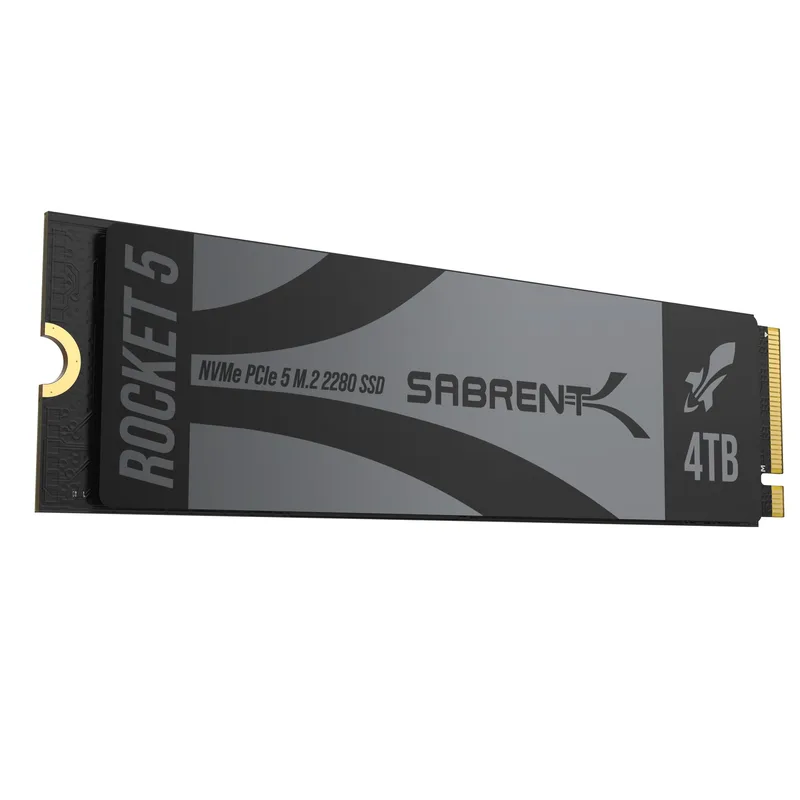
The Sabrent Rocket 5 takes a different architectural approach: InnoGrit’s IG5236 controller runs cooler than the Phison E26, making it one of the more thermally relaxed Gen 5 drives available. In practice this means fewer throttle events on boards with weaker heatsinks, which matters on B650 or mid-range Z790 boards that don’t ship with M.2 thermal solutions.
Peak sequential read sits at 14,000 MB/s — fast enough that you’ll never notice the 900 MB/s gap versus the WD SN8100 in day-to-day use. Endurance is rated at 1,200 TBW for the 2TB model, which is solid. Sabrent’s 5-year warranty is comparable to the rest of the market.
Where it falls short is random write IOPS under heavy mixed workloads. For pure gaming and general-purpose use, this doesn’t matter. If you’re running a NAS-style workload or write-heavy database cache on this drive, the SN8100 or 9100 PRO will outperform it.
Seagate FireCuda 540 2TB
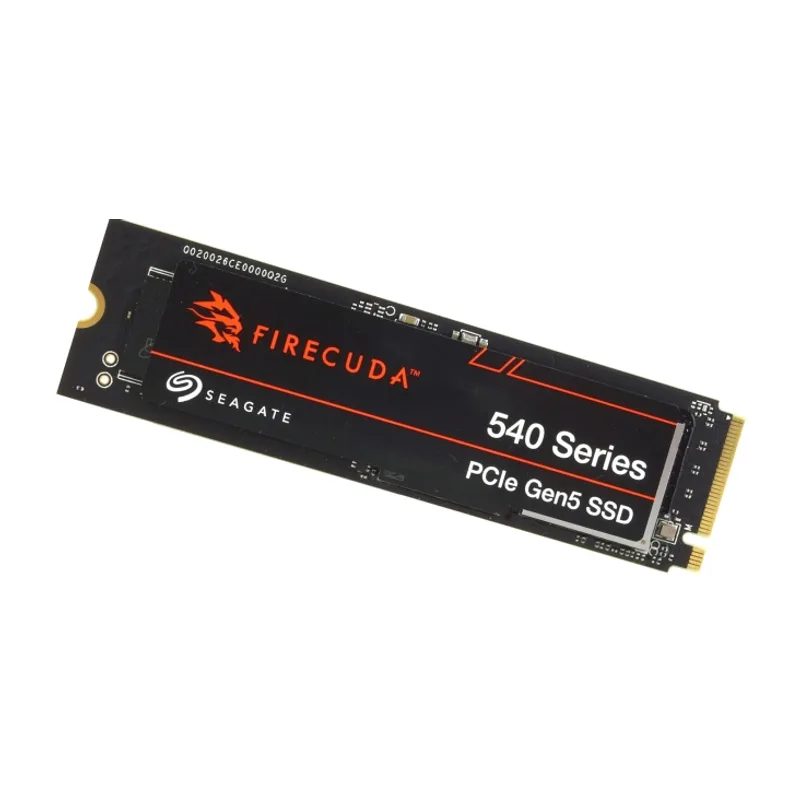
Seagate FireCuda 540 2TB
The Seagate FireCuda 540 is the odd one out in this roundup: it uses the Phison E26 controller at 10,000 MB/s peak sequential speed, compared to 14,000–14,900 MB/s for the newer drives above. That’s not a typo — it’s a full generation slower than the rest of the Gen 5 market in sequential throughput, closer to a fast PCIe 4.0 drive than modern Gen 5.
So why include it? Two reasons: endurance and recovery services. The FireCuda 540 2TB is rated for 2,000 TBW — 67% more than the Crucial T705 at the same capacity, and 800 TBW more than the WD SN8100. If you’re running it as a primary drive in a workstation with heavy write activity, that matters across a multi-year ownership window. Seagate also includes three years of Rescue Data Recovery Services, which covers physical drive failures including water and fire damage — an unusual inclusion at any price.
At ~$230, it’s the most affordable drive in this roundup — the NAND shortage elevated all Gen 5 prices, but the FireCuda 540 remains the lowest-cost entry into PCIe 5.0. Just understand that 10,000 MB/s is the performance ceiling, not a stepping stone to something faster.
Comparison
FAQ
Do PCIe 5.0 SSDs work in PCIe 4.0 slots?
Yes, but at PCIe 4.0 speeds. A 14,900 MB/s Gen 5 drive inserted into a Gen 4 slot will operate at around 7,000 MB/s — still fast, but no faster than a native PCIe 4.0 drive. There’s no compatibility issue, just no performance benefit.
Why is my Gen 5 SSD thermal throttling?
All PCIe 5.0 drives generate significantly more heat than Gen 4 equivalents. At 14,000+ MB/s sustained, controllers draw 6–9W versus 3–4W for Gen 4 drives. Without a heatsink or thermal pad, throttling begins at 70–80°C depending on the drive. Use your motherboard’s included heatsink, or add an aftermarket M.2 cooler for $15–25.
Is PCIe 5.0 worth it for gaming in 2026?
For gaming alone, no. DirectStorage in Windows 11 benefits from Gen 5 bandwidth for future titles, but current games show 1–2 second load time differences at best. If you’re building or upgrading specifically for gaming, spend the $80–100 price delta on GPU or RAM instead.
Which Gen 5 SSD has the best endurance?
The Seagate FireCuda 540 2TB leads at 2,000 TBW. For reference: the WD Black SN8100 2TB is rated at 1,200 TBW, and the Crucial T705 2TB at 1,200 TBW. Most users will never approach these limits in normal desktop use.
Can I use a PCIe 5.0 SSD with an AMD Ryzen 5000 CPU?
No. PCIe 5.0 M.2 support requires a platform that routes PCIe 5.0 lanes to M.2 slots — that’s AMD X670E/X870E with Ryzen 7000/9000 series, or Intel Z790/Z890 with 13th/14th/15th Gen. Older platforms don’t have the lane bandwidth regardless of the motherboard’s branding.
The Bottom Line
The WD Black SN8100 2TB is the fastest consumer Gen 5 drive available right now and the easiest recommendation for anyone building or upgrading a high-end rig in 2026. The Crucial T705 2TB is the value pick — 14,500 MB/s for ~$225 remains the best price-per-performance ratio in the Gen 5 category despite the 2026 NAND shortage. If you need maximum write endurance with data recovery protection, the Seagate FireCuda 540 at ~$230 is the only drive in this roundup that covers it, though its 10,000 MB/s ceiling limits its appeal for pure speed use cases.