The gap between budget and flagship gaming mice has mostly closed at the sensor level. In 2026, a $39 mouse ships with the same PixArt hardware powering $150 esports mice — the differences come down to weight, wireless technology, and switch longevity. These five picks cover the full range from a $23 wired workhorse to wireless options that track identically to their premium siblings. For picks at every price point, see our best gaming mice roundup.
| Spec | Razer Viper V3 HyperSpeed 9/10 | Logitech G305 LIGHTSPEED 8.5/10 | SteelSeries Rival 3 Gen 2 8.2/10 | Razer Cobra 8/10 | Logitech G203 LIGHTSYNC 7.8/10 |
|---|---|---|---|---|---|
| Sensor | Focus Pro 30K DPI optical | HERO 12K DPI optical | TrueMove Core 8,500 DPI optical | Optical 8,500 DPI | Gaming-grade optical 8,000 DPI |
| Weight | 82g | 99g | 77g | 58g | 85g |
| Connectivity | HyperSpeed Wireless (2.4GHz) | LIGHTSPEED Wireless (2.4GHz) | Wired (USB-A) | Wired (Speedflex Cable) | Wired (USB-A) |
| Battery Life | Up to 280 hours | Up to 250 hours | — | — | — |
| Switches | Gen-2 Mechanical | Mechanical | 60 million click rated | Gen-3 Optical | Mechanical |
| Buttons | 8 programmable | 6 programmable | 6 programmable | 6 programmable | 6 programmable |
| Rating | 9/10 | 8.5/10 | 8.2/10 | 8/10 | 7.8/10 |
Prices change daily — tap Check Price for the current Amazon price.
Prices change daily — tap Check Price for the current Amazon price.
Quick Picks
- Best wireless under $50: Razer Viper V3 HyperSpeed — HyperSpeed wireless with a Focus Pro 30K sensor for $39 is a genuine deal
- Longest battery life: Logitech G305 LIGHTSPEED — 250 hours on one AA battery, same LIGHTSPEED tech as the G Pro X Superlight 2
- Best value wired: Logitech G203 LIGHTSYNC — $23 with 1,000Hz polling and a real gaming sensor
Buying Guide: What Actually Matters Under $50
Sensor — the spec you should care most about
All five mice in this list use sensors derived from PixArt chips with no acceleration or smoothing when configured correctly. At this price tier, sensor quality is essentially a non-issue. The Focus Pro 30K in the Viper V3 HyperSpeed and the HERO 12K in the G305 are both overkill for 99% of players. A 3,200 DPI setting on a 1440p monitor is what most competitive players actually use.
Wireless vs. wired at the $40–$50 range
2.4GHz wireless at this price point (Viper V3 HyperSpeed, G305) is not a compromise. Both use dedicated wireless dongles and poll at 1,000Hz — identical to a wired connection in practice. Bluetooth pairing is slower and not recommended for gaming; stick to the included USB dongle.
If you want wired, the Rival 3 Gen 2’s paracord cable comes closest to a wireless feel. The G203’s cable is stiffer and heavier than ideal but still fine for casual and mid-level play. For a broader selection of wireless gaming mice at all price points, see our best wireless gaming mice guide.
Weight and shape
- Under 60g: Razer Cobra at 58g is the only option here below 60g — a meaningful advantage for high-sensitivity flick shots
- 60–85g: Viper V3 HyperSpeed (82g), G305 (99g), Rival 3 Gen 2 (77g), G203 (85g)
- Shape: Viper V3 HyperSpeed and Cobra are symmetrical (works for both hands); G305, Rival 3 Gen 2, and G203 are right-hand ergonomic
DPI — mostly a marketing number
All five sensors track accurately at gaming DPI ranges (400–3,200 DPI). The difference between a 12,000 DPI sensor and a 30,000 DPI sensor matters only if you run very high sensitivity settings — most players don’t. Focus on weight, cable quality, and shape instead.
Polling rate
All five mice poll at 1,000Hz standard, which delivers 1ms input delay — effectively imperceptible. Higher polling rate options (4,000Hz, 8,000Hz) exist on more expensive mice but don’t provide a meaningful advantage in standard gameplay.
Detailed Reviews
1. Razer Viper V3 HyperSpeed — Best Overall
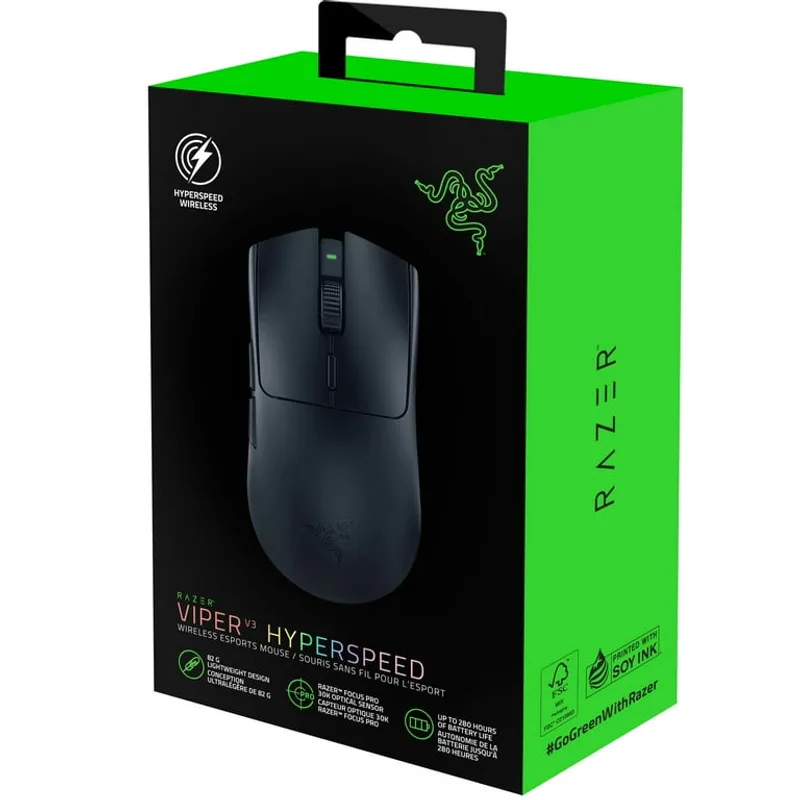
The Razer Viper V3 HyperSpeed is the strongest argument that you don’t need to spend $100+ on a wireless gaming mouse. At $39, it uses Razer’s HyperSpeed 2.4GHz wireless technology — the same protocol in the $160 Viper V3 Pro — with a Focus Pro 30K optical sensor that shows zero jitter or spin-out according to owner reports and sensor test data published by rtings.com.
The 82g weight is on the heavier side for a symmetrical mouse at this price. Compare it to the Razer Cobra at 58g or the Rival 3 Gen 2 at 77g. But for players who aren’t optimizing for ultralight, 82g is unnoticeable in extended sessions. The shape suits claw and fingertip grips; palm-grip players with large hands may prefer the longer G305 body.
Battery life extends up to 280 hours on a single AA — longer than most rechargeable wireless mice at any price. The tradeoff is you can’t USB-C charge mid-session. For tournaments or LAN events, pack an extra AA.
The main reason to choose a competitor: if you game in a position that strains wrist angle, the Cobra’s lighter weight reduces fatigue noticeably. If you want a paracord cable and no battery concerns, the Rival 3 Gen 2 is $4 cheaper.
2. Logitech G305 LIGHTSPEED — Best Wireless Battery Life
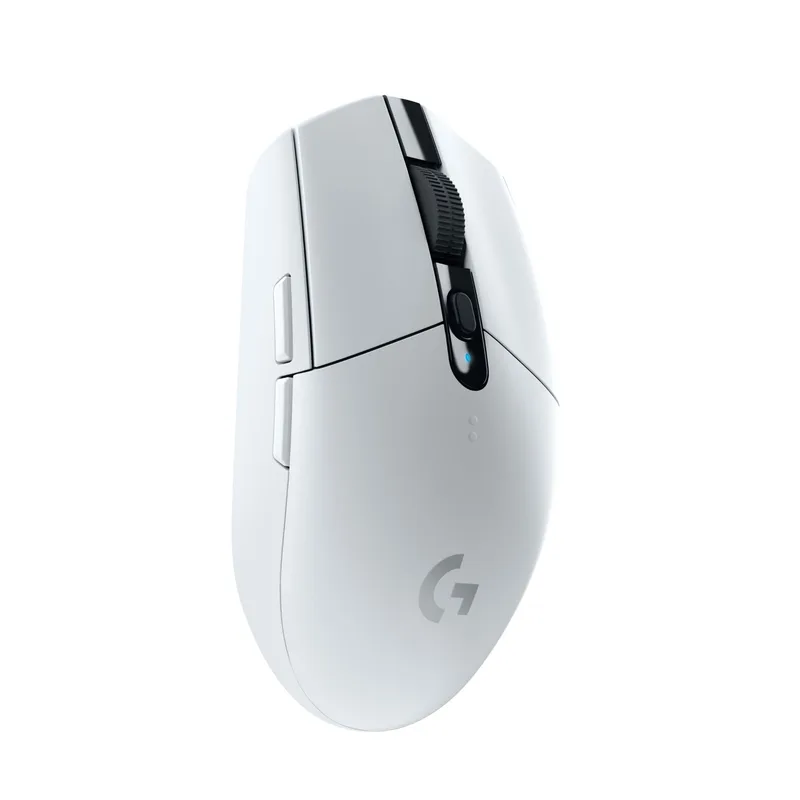
The Logitech G305 LIGHTSPEED has been the default budget wireless gaming mouse recommendation for years — and the 2026 version at $27 is still worth the price. The HERO sensor with zero-acceleration tracking and 250-hour battery life on one AA makes it the most practical wireless mouse in this roundup.
LIGHTSPEED wireless is Logitech’s flagship protocol, present in mice costing three to four times more. At 1ms polling over 2.4GHz, there’s no wireless latency penalty compared to a wired connection. The USB receiver stores in the mouse body, making it travel-friendly.
Where it loses ground to the Viper V3 HyperSpeed: 99g is noticeably heavier (a 17g difference), and the ergonomic shape doesn’t suit left-hand or fingertip-dominant play as well. The G305 is the better pick for players who prioritize battery longevity and prefer a traditional right-hand grip.
Note: Logitech still sells older G305 stock alongside updated color variants. The standard black version uses the HERO 12K sensor — confirm you’re not buying a HERO 25K variant at a higher price, as the 12K version is sufficient and costs less.
3. SteelSeries Rival 3 Gen 2 — Best Wired Pick
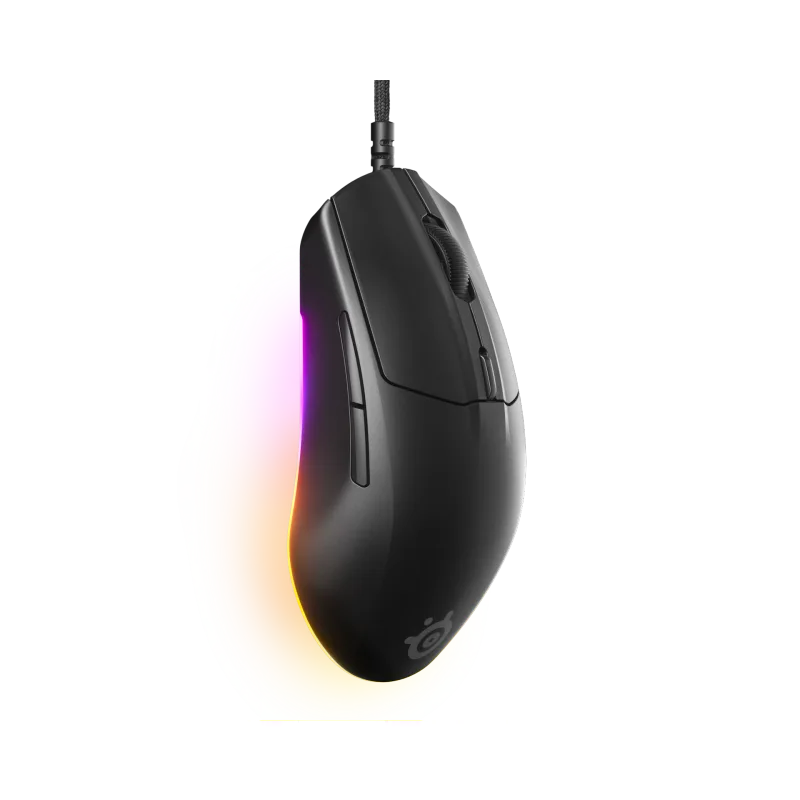
The SteelSeries Rival 3 Gen 2 replaced the original Rival 3 with a meaningfully better cable and upgraded PTFE feet. At 77g with a supermesh paracord cable, this is the wired mouse that comes closest to matching a wireless feel.
SteelSeries builds the TrueMove Core sensor on a PixArt base chip. The 8,500 DPI ceiling is lower than the Viper V3’s 30K, but 8,500 DPI covers any gaming scenario — at 400 DPI (a common competitive setting), you’d need a 21:1 ratio to hit the ceiling. The sensor shows no measurable acceleration or smoothing in published teardowns.
The 1.35ms response time and 60-million click switch rating are both higher-end specs than you’d typically find at $35. SteelSeries removed RGB lighting on the Gen 2 to improve manufacturing consistency and cut cost, which is a worthwhile tradeoff at this price.
Best fit for: players who want a wired mouse without a stiff cable dragging across the desk, but don’t want to pay $80+ for the Aerox 3.
4. Razer Cobra — Best Lightweight Wired
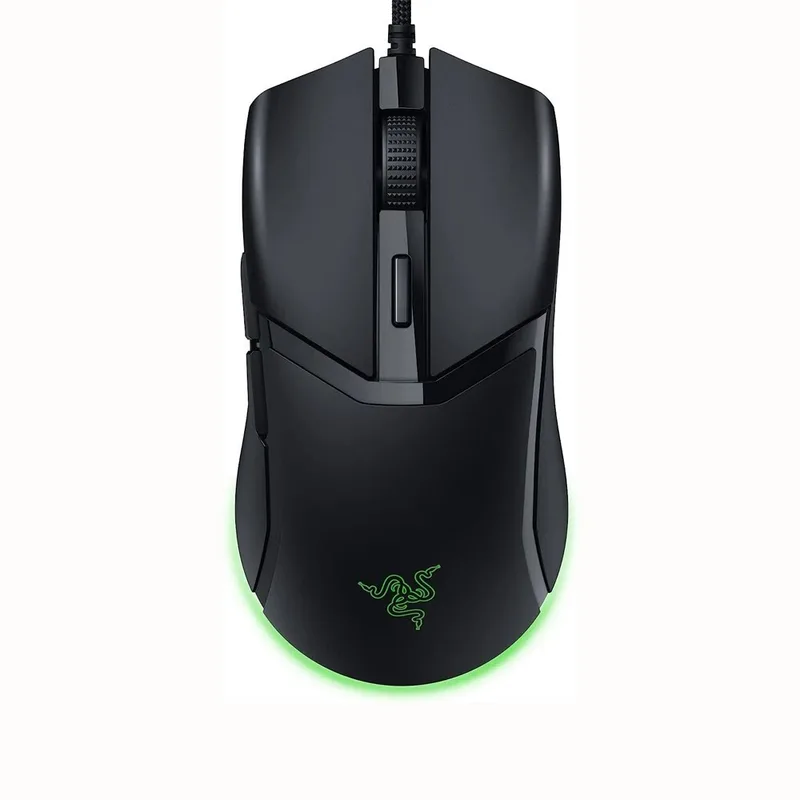
At 58g, the Razer Cobra is the lightest mouse in this roundup by a wide margin. The 24g weight difference compared to the G305 is substantial — in an hour of play, lighter mice produce measurably lower wrist fatigue in extended competitive sessions, based on ergonomics research cited in Rtings’ mouse testing methodology.
The Gen-3 optical switches in the Cobra don’t use a mechanical contact debounce — they trigger at the speed of light with zero delay and a 70-million click lifespan. That’s higher-spec hardware than most mice at twice the price.
The Speedflex cable is genuinely more flexible than the standard rubber cables on the G203 and Rival 3 Gen 2. If you’ve used a mid-range wired mouse and found the cable annoying, the Cobra’s cable will feel like an upgrade.
Tradeoff: at $45, it’s the most expensive wired option here. The 8,500 DPI sensor is basic compared to the Rival 3 Gen 2’s TrueMove Core at the same DPI ceiling, and the symmetrical shape cuts off large-hand palm grip users.
5. Logitech G203 LIGHTSYNC — Best Value
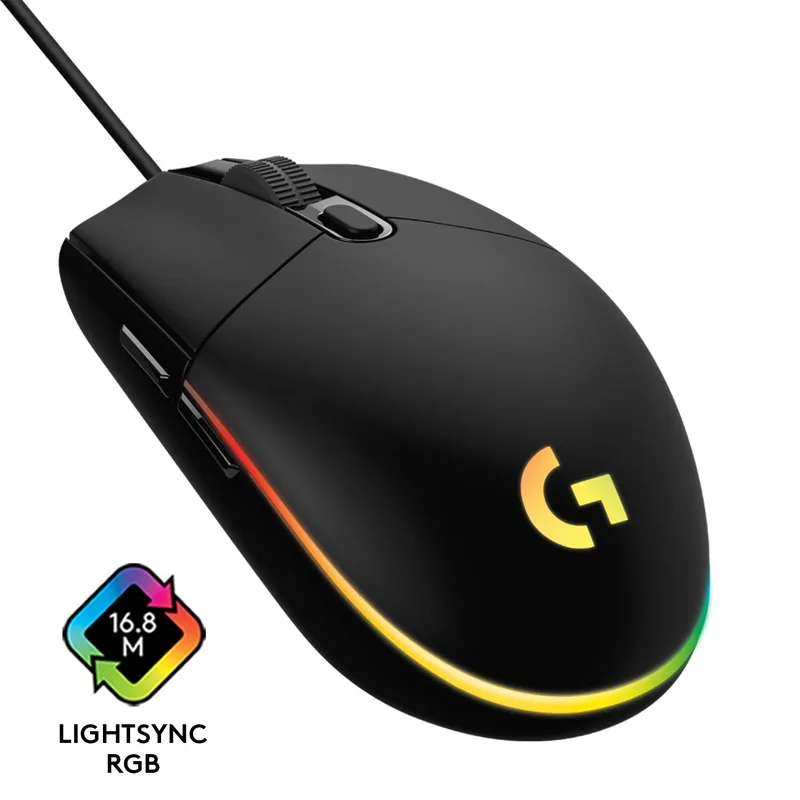
The Logitech G203 LIGHTSYNC has been the definitive “what should I buy as my first gaming mouse?” recommendation for years, and at $23, it earns that reputation. A real 1,000Hz polling rate, a gaming-grade optical sensor with no angle snapping, and six programmable buttons with full G HUB software support — at this price, no other brand comes close.
The sensor is not the HERO chip found in Logitech’s higher-end line. Owner feedback consistently notes accurate tracking but slightly higher jitter at extreme DPI settings (6,000+). At 800–3,200 DPI gaming ranges, it tracks correctly and consistently.
Where it shows its budget tier: the 85g weight and stiff cable both feel dated compared to the Rival 3 Gen 2’s paracord or the Cobra’s Speedflex. The ergonomic shape is safe and suits medium-to-large right hands but doesn’t offer the versatility of a symmetrical design.
For a player upgrading from a basic office mouse, the G203 delivers everything necessary for competitive play. For anyone spending $35 or more, the Rival 3 Gen 2 is the better buy.
FAQ
Do gaming mice under $50 have good enough sensors for competitive play?
Yes. The Focus Pro 30K in the Viper V3 HyperSpeed and the HERO 12K in the G305 are the same optical sensor technology in Razer and Logitech’s flagship esports mice. Sensor quality is not a meaningful differentiator below ~$100; weight, cable, and shape are where budget mice make compromises.
Is wireless gaming mouse input delay a real problem under $50?
Not with 2.4GHz options (Viper V3 HyperSpeed, G305). Both use 1,000Hz polling over dedicated 2.4GHz protocols, producing input delay indistinguishable from wired at the monitor level. Bluetooth wireless is slower and not suitable for competitive gaming — avoid any mouse that defaults to Bluetooth for gaming.
What grip style do these mice suit?
- Palm grip (large hand): G305 (most grip length), G203
- Claw grip: Razer Viper V3 HyperSpeed, Rival 3 Gen 2, Cobra
- Fingertip grip: Razer Cobra (58g helps here), Viper V3 HyperSpeed
- Left-handed: Razer Viper V3 HyperSpeed (symmetrical), Razer Cobra (symmetrical)
What’s the difference between the Razer Viper V3 HyperSpeed and the Viper V3 Pro?
The Viper V3 Pro ($160) adds USB-C rechargeable battery, a 54g weight, 8,000Hz polling support, and Gen-3 optical switches. The HyperSpeed uses Gen-2 mechanical switches and weighs 82g. For most players at 1,000Hz polling, the HyperSpeed is 90% of the Pro at 25% of the price difference.
Can these mice work on a laptop or low-spec PC?
All five are USB plug-and-play with on-board memory for DPI and button settings. Wireless mice (Viper V3 HyperSpeed, G305) need one free USB-A port for the dongle. G HUB (Logitech) and Razer Synapse are optional software for button remapping and lighting — the mice function fully without them.
The Bottom Line
For wireless, the Razer Viper V3 HyperSpeed at $39 is the clear pick — it delivers flagship-tier wireless and sensor technology at a sub-$40 price. If battery longevity matters more than weight, the Logitech G305 runs 250 hours on one AA. For wired, the SteelSeries Rival 3 Gen 2 at $35 leads with a paracord cable and accurate sensor, while the Razer Cobra wins if you prioritize the lightest possible body. The Logitech G203 at $23 remains the best first gaming mouse money can buy.