Corsair just moved the goalposts on its own budget 1000W line: in August 2026 it launched an updated RM850e and RM1000e carrying a ThermalProtect 12V-2x6 cable that actively monitors connector temperature and cuts GPU power if it crosses 65°C, paired with a jump from Cybenetics Gold to Cybenetics Platinum efficiency. That revision hasn’t landed as a clearly separate, reliably in-stock Amazon listing yet, so this review covers the standard 2025 RM1000e that’s actually available today — still a native ATX 3.1, 12V-2x6 unit at the lowest price point Corsair sells a 1000W PSU for — and checks it against the RM1000x, MSI MAG A1000GL, ASUS TUF Gaming 1000W Gold, and NZXT C1000 Gold Core.
| Spec | Corsair RM1000e (2025) 9/10 | Corsair RM1000x ATX 3.1 9.2/10 | MSI MAG A1000GL PCIE5 Unavailable 8.7/10 | ASUS TUF Gaming 1000W Gold 8.9/10 | NZXT C1000 Gold Core 8.8/10 |
|---|---|---|---|---|---|
| wattage | 1000W | 1000W | 1000W | 1000W | 1000W |
| efficiency | Cybenetics Gold (~90% at 50% load) | Cybenetics Gold (~90% at 50% load) | 80+ Gold | 80+ Gold | 80+ Gold, Cybenetics Platinum |
| standard | ATX 3.1 / PCIe 5.1 | ATX 3.1 / PCIe 5.1 | ATX 3.1 / PCIe 5.1 | ATX 3.1 / PCIe 5.1 | ATX 3.1 / PCIe 5.1 |
| connector | Native 12V-2x6 | Native 12V-2x6 | Native dual-color 12V-2x6 | Native 12V-2x6 | Native 12V-2x6 (600W) |
| fan | 120mm rifle bearing, Zero RPM mode | 140mm FDB fan, Zero RPM mode | 135mm fluid dynamic bearing | 135mm Axial-tech, dual ball bearing | 135mm FDB, Zero RPM mode |
| warranty | 7 years | 7 years | 10 years | 10 years | 7 years |
| Rating | 9/10 | 9.2/10 | 8.7/10 | 8.9/10 | 8.8/10 |
Prices change daily — tap Check Price for the current Amazon price.
Prices change daily — tap Check Price for the current Amazon price.
Quick Picks
- Best value 1000W PSU: Corsair RM1000e (2025) — native 12V-2x6, Cybenetics Gold efficiency, and Corsair’s proven RM platform at the entry price for a 1000W Corsair unit.
- Best if you want a longer warranty: MSI MAG A1000GL PCIE5 — a 10-year warranty at a lower price than the RM1000e, with the same native 12V-2x6 connector.
- Best efficiency on paper: NZXT C1000 Gold Core — Cybenetics Platinum certification undercuts the RM1000e’s Gold rating at a comparable price.
Who Needs 1000W in 2026?
GPU power draw keeps climbing, and 1000W has become the realistic ceiling for current flagship builds rather than a theoretical buffer:
- RTX 5080 build (360W TDP) + Ryzen 9 9900X-class CPU (120W TDP) + storage/fans = roughly 530W sustained. 850W covers this with margin; 1000W adds real overclocking headroom.
- RTX 5090 build (575W TDP) + a flagship CPU = roughly 750-800W sustained. This is the build 1000W units are actually sized for — overhead shrinks fast once you add storage and case fans.
- Dual-GPU or heavily overclocked builds: 1000W is close to the practical floor; pushing past it means stepping up to a 1200W unit instead.
If your build tops out at an RTX 5070 Ti or below, an 850W unit covers it with less money spent on headroom you won’t use.
Why ATX 3.1 Still Matters
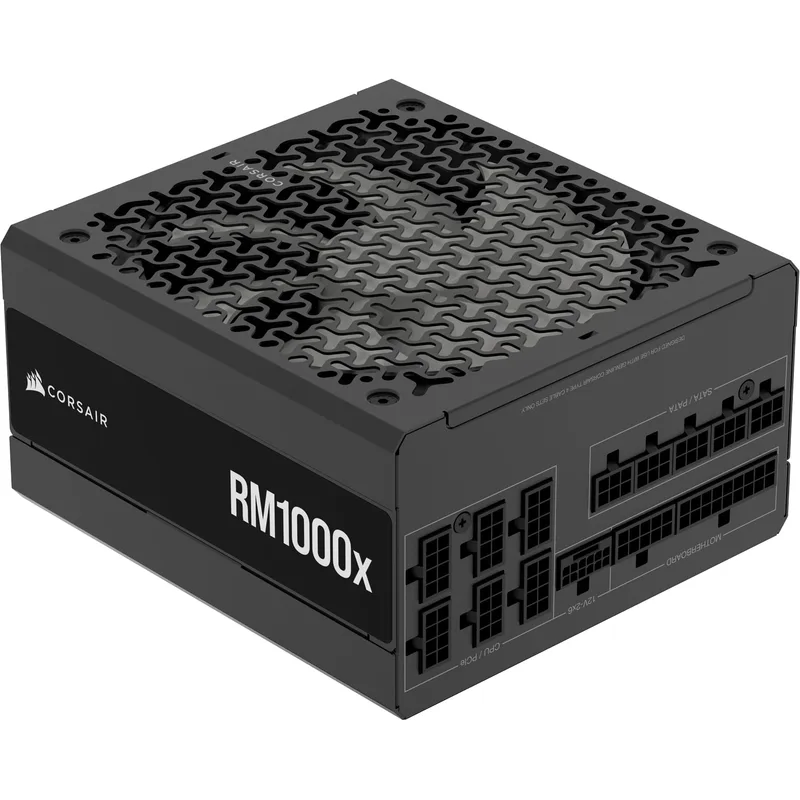
ATX 3.1 requires PSUs to survive transient power spikes at up to 200% of rated wattage for brief bursts, using the revised 12V-2x6 connector with shorter sense pins that reduce the cable-melting risk seen on early 12VHPWR adapters. Every PSU in this comparison is ATX 3.1 compliant with a native 12V-2x6 cable — no adapter required for any current RTX 50-series or RX 9000-series GPU. Corsair’s new ThermalProtect cable goes a step further by actively monitoring connector temperature and cutting power before a melting event can occur, a feature currently exclusive to the newest RM850e/RM1000e revision and not yet present on the standard RM1000e or any competitor here.
Corsair RM1000e: The Main Review
Design and Efficiency
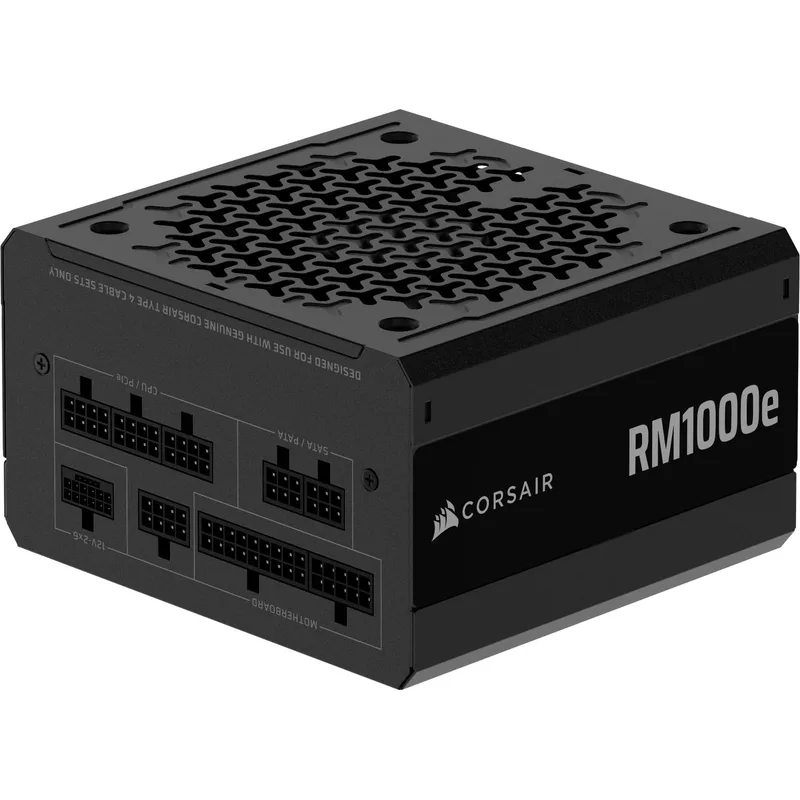
The RM1000e (2025) uses Corsair’s RM-series resonant LLC topology with DC-to-DC conversion and 105°C-rated capacitors, packed into a 160mm-deep chassis. Cybenetics certified it Gold for efficiency — up to roughly 90% at typical 50% load — with an A- noise rating. A 120mm rifle-bearing fan with Zero RPM mode holds the fan off entirely below moderate load, so desktop use and light gaming stay silent.
The 160mm depth is a genuine advantage for mid-tower builds: it’s shorter than several 1000W competitors that push past 170mm, and it avoids the PSU shroud clearance issues that longer units can create in tighter cases.
Where It Compromises
The RM1000e’s 7-year warranty is the clearest trade-off in this entire comparison — the MSI MAG A1000GL and ASUS TUF Gaming 1000W Gold both carry 10 years at similar or lower prices. For a build you’ll keep five to seven years, that’s a non-issue; for a PSU meant to outlast two GPU generations, it’s worth weighing the warranty gap against the Corsair RM platform’s established reliability record.
Corsair’s own August 2026 refresh also complicates the buying decision short-term: the ThermalProtect/Cybenetics Platinum revision is a real upgrade over the unit reviewed here, but as of this review it isn’t showing up as a clearly distinct, consistently in-stock Amazon listing separate from the standard Gold-rated 2025 unit. Check the listing title for “ThermalProtect” before buying if that specific protection feature is the reason you’re choosing Corsair.
Detailed Comparisons
1. Corsair RM1000x ATX 3.1 — Best Step-Up Pick
The RM1000x is the RM1000e’s direct sibling on the same RM platform, with one hardware change that matters: a 140mm FDB fan instead of 120mm, which can spin slower for the same airflow under sustained heavy load. Warranty length and Gold efficiency are otherwise identical between the two. If the RM1000e’s fan noise under full load is a concern, or you want the larger fan’s extra thermal margin, the RM1000x is the better buy.
2. MSI MAG A1000GL PCIE5 — Cheapest ATX 3.1
MSI MAG A1000GL PCIE5
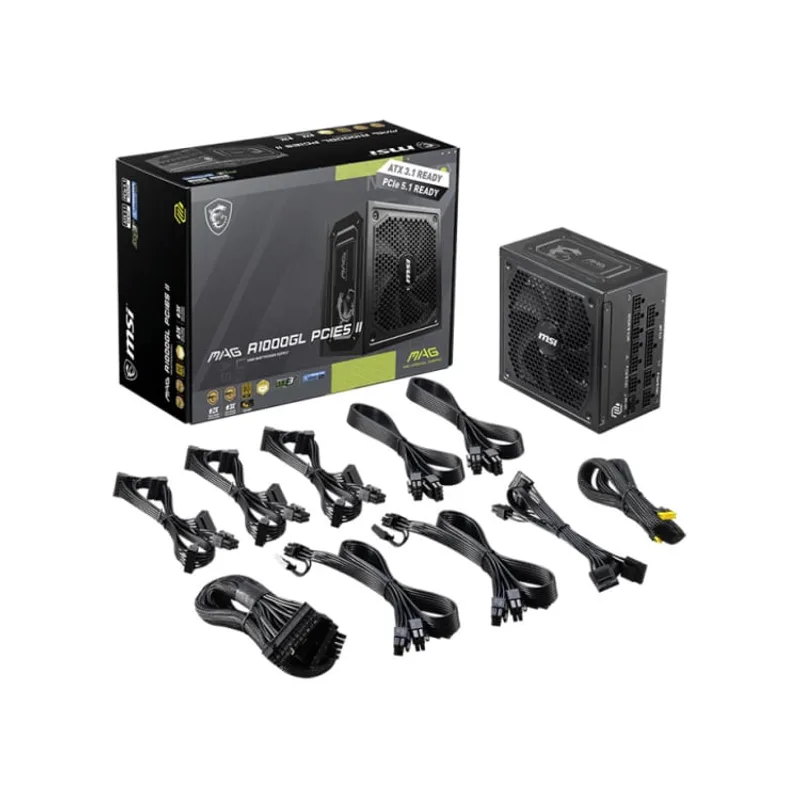
The MAG A1000GL undercuts the RM1000e on price while carrying a 10-year warranty — a genuinely strong spec-for-price combination, and the best warranty in this entire comparison alongside the ASUS TUF Gaming unit. The trade-off is 80+ Gold certification only, without Cybenetics dual-certification, so independent efficiency and noise verification is thinner than what Corsair publishes for the RM1000e. For a quiet, well-documented build, the RM1000e’s Cybenetics ratings carry more confidence; for pure price-to-warranty value, the MSI wins.
3. ASUS TUF Gaming 1000W Gold — Best for RGB Builds
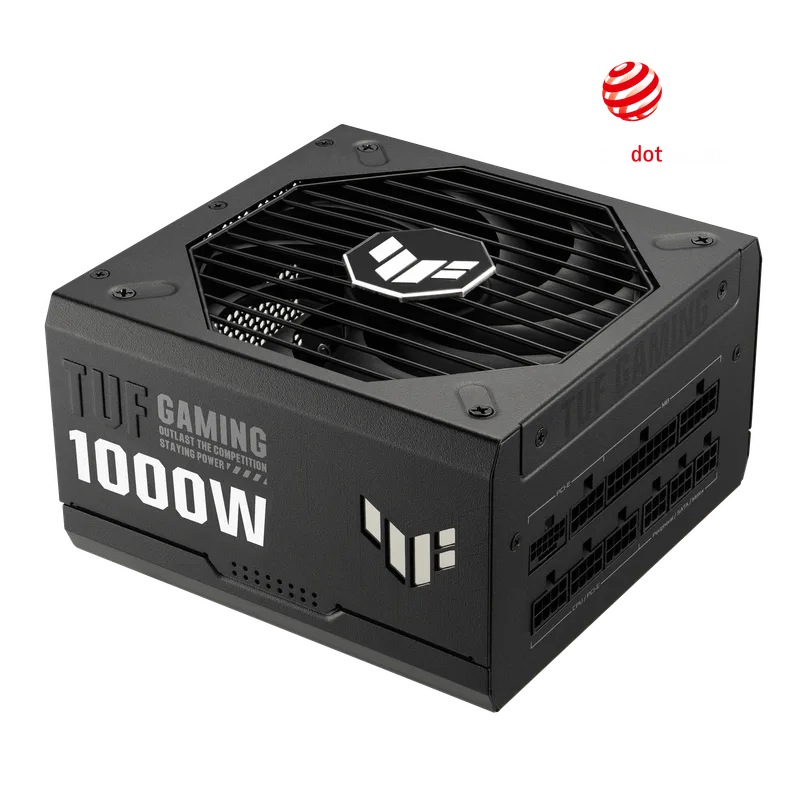
The TUF Gaming 1000W Gold matches the RM1000e’s Gold efficiency tier and adds a 10-year warranty plus a dual ball-bearing 135mm fan rated for roughly double the lifespan of a standard sleeve-bearing design. What it gives up is the RM1000e’s true zero-RPM idle mode — the TUF’s fan behavior under light desktop loads doesn’t match Corsair’s fan-off silence. For builders matching a TUF-branded motherboard and GPU, it’s a reasonable aesthetic and warranty upgrade; for silence-first builds, the RM1000e’s idle behavior wins.
4. NZXT C1000 Gold Core — Best Efficiency Alternative
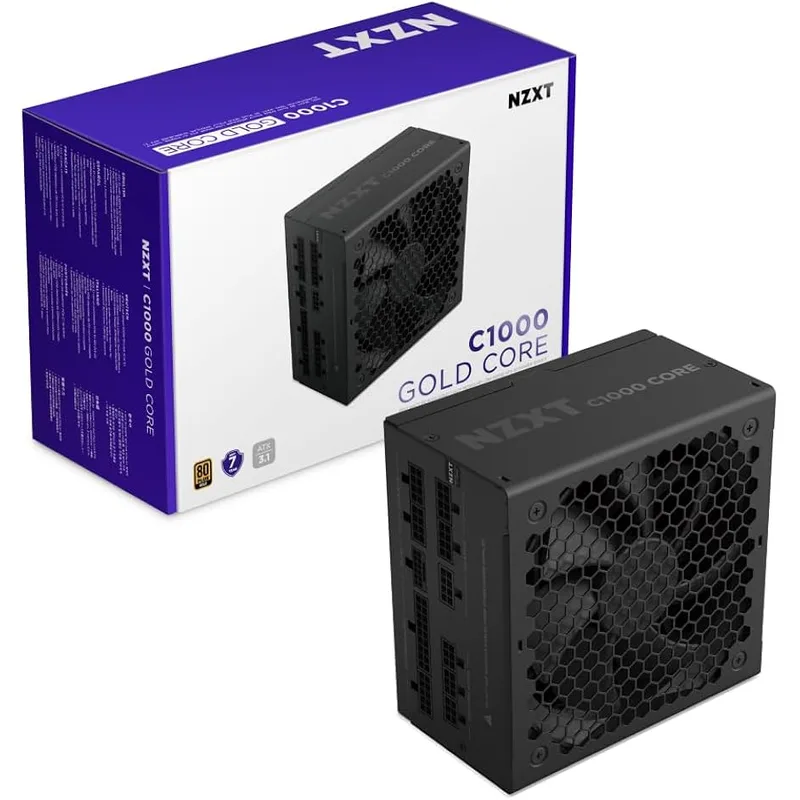
The C1000 Gold Core is the only non-Corsair unit here with Cybenetics Platinum certification, putting its on-paper efficiency a tier above the RM1000e’s Cybenetics Gold rating at a comparable price. Its 135mm fan is also larger than the RM1000e’s 120mm fan, giving it more airflow headroom under sustained load. The trade-off is the same 7-year warranty as the RM1000e — it doesn’t close that gap against the MSI or ASUS units — and a newer platform with a shorter independent reliability track record than Corsair’s RM series.
FAQ
Is the new ThermalProtect RM1000e available yet on Amazon?
Not as a clearly separate, reliably in-stock listing as of this review. Corsair launched the ThermalProtect/Cybenetics Platinum revision of the RM1000e in August 2026, but current Amazon listings under the RM1000e name are predominantly the standard Cybenetics Gold 2025 unit covered in this review. Check the product title for “ThermalProtect” specifically if that feature is the deciding factor.
Is 1000W enough for an RTX 5090?
Yes, but with less margin than the 850W tier gives an RTX 5080. The RTX 5090’s 575W TDP plus a flagship CPU totals roughly 750-800W sustained, leaving 200-250W of headroom on a 1000W unit — enough for normal operation but tighter than most builds in this comparison are used to.
Should I buy the RM1000e or the RM1000x?
Buy the RM1000e if price is the priority — it matches the RM1000x on efficiency, connector spec, and warranty, with only a smaller 120mm fan as the real difference. Buy the RM1000x if you want the larger 140mm fan’s extra thermal margin under sustained full load and don’t mind the added cost.
Does the RM1000e work with the RTX 5090?
The RM1000e’s native 12V-2x6 connector is electrically compatible with any current RTX 5090 card, and 1000W covers a 575W TDP GPU plus a modern CPU with reasonable headroom. For a build running sustained overclocks on both GPU and CPU, consider stepping up to a 1200W unit instead.
What’s the difference between 80+ Gold and Cybenetics Gold?
80+ Gold tests efficiency only, at three load points under a single ambient condition. Cybenetics testing is more thorough — it adds noise certification (the LAMBDA rating) and tests efficiency across a wider load range under stricter conditions. The RM1000e and NZXT C1000 Gold Core both carry Cybenetics ratings; the MSI and ASUS units in this comparison list 80+ Gold only.
The Bottom Line
The Corsair RM1000e (2025) is still the practical default 1000W recommendation for most RTX 5080-class builds: native ATX 3.1 12V-2x6 support, Cybenetics Gold efficiency, a genuinely silent zero-RPM idle mode, and the lowest price Corsair sells a 1000W unit for. Its one real shortfall — a 7-year warranty against 10-year competitors — is worth weighing if you plan to run it past a decade.
If warranty length matters more than the Corsair name, the MSI MAG A1000GL and ASUS TUF Gaming 1000W Gold both carry 10 years at similar pricing. If on-paper efficiency is the priority, the NZXT C1000 Gold Core steps up to Cybenetics Platinum. For most builds between an RTX 5080 and RTX 5090, though, the RM1000e remains the one to buy first — just confirm you’re buying the Gold-rated unit and not expecting the newer ThermalProtect revision until it’s clearly listed as such.