Nvidia sold the RTX 5060 Ti in two versions that share a name, a GB206 chip and a 128-bit bus, and differ only in memory: 8GB or 16GB of GDDR7. In 2026 that split matters more than it did at launch, because retail data from Germany’s Mindfactory reportedly showed the 16GB model outselling the 8GB one by roughly 1,600%, and reports say Nvidia has told board partners to focus production on the 16GB card. PC Perspective’s May 2026 comparison reached a similar verdict from the performance side: below 4K the two cards trade almost evenly on average frame rate, but the 16GB card holds clearly better 1% lows and minimums.
| Spec | ASUS Dual GeForce RTX 5060 Ti 16GB OC 8.6/10 | ASUS Dual GeForce RTX 5060 Ti 8GB OC 7/10 |
|---|---|---|
| Architecture | Blackwell (GB206) | Blackwell (GB206) |
| VRAM | 16GB GDDR7 | 8GB GDDR7 |
| Memory Bus | 128-bit | 128-bit |
| Bandwidth | 448 GB/s | 448 GB/s |
| TDP | 180W | 180W |
| Recommended PSU | 600W | 600W |
| Rating | 8.6/10 | 7/10 |
Prices change daily — tap Check Price for the current Amazon price.
Prices change daily — tap Check Price for the current Amazon price.
Quick Picks
- Best for most buyers: The ASUS Dual GeForce RTX 5060 Ti 16GB OC is the safer purchase for 1440p, ray tracing, and any game released from here on.
- Best if you only play at 1080p or esports titles: The ASUS Dual GeForce RTX 5060 Ti 8GB OC gives identical average frame rates in lighter games for less money.
What the Extra 8GB Actually Changes
Both cards use the same GB206 silicon, the same 128-bit memory bus, the same 448 GB/s of bandwidth, and the same 180W board power. Nothing about raw compute differs. When a game’s working set fits in 8GB, the two cards perform the same to within normal run-to-run variation.
The difference appears when a game wants more than 8GB of textures, geometry and ray-tracing data. The 8GB card then pushes assets over PCIe into system memory, and you see it as hitching, texture pop-in, or sharply lower 1% and minimum frame rates while the average still looks respectable. Reviewers have measured the gap at more than double the frame rate in VRAM-starved edge cases, and the scenarios that trigger it are 1440p with ray tracing, 4K at any setting, and recent texture-heavy AAA releases.
Buying Guide: Which Version Fits Your Use
1080p esports and older libraries. Titles like Counter-Strike 2, Valorant and Fortnite at competitive settings never approach 8GB. The 8GB card is the rational purchase here, though you should also compare it against the cheaper RTX 5060 and RX 9060 XT before settling on a 5060 Ti at all.
1440p high settings. Choose 16GB. This is the resolution the 5060 Ti is marketed for, and it is where 8GB starts to run short. Our VRAM guide covers how much memory current games ask for at each resolution.
Ray tracing and frame generation. Both features add VRAM overhead on top of the base game. DLSS 4 Multi-Frame Generation in particular needs extra buffer space, which narrows the headroom of an 8GB card further.
Content creation and local AI. Video editing timelines, Blender scenes and local models consume VRAM quickly. 16GB is the only sensible option.
Check the listing carefully. The two cards often carry near-identical product names. Confirm the memory capacity in the title and spec table before you buy, since an unusually attractive price usually means the 8GB version.
Detailed Reviews
ASUS Dual GeForce RTX 5060 Ti 16GB OC
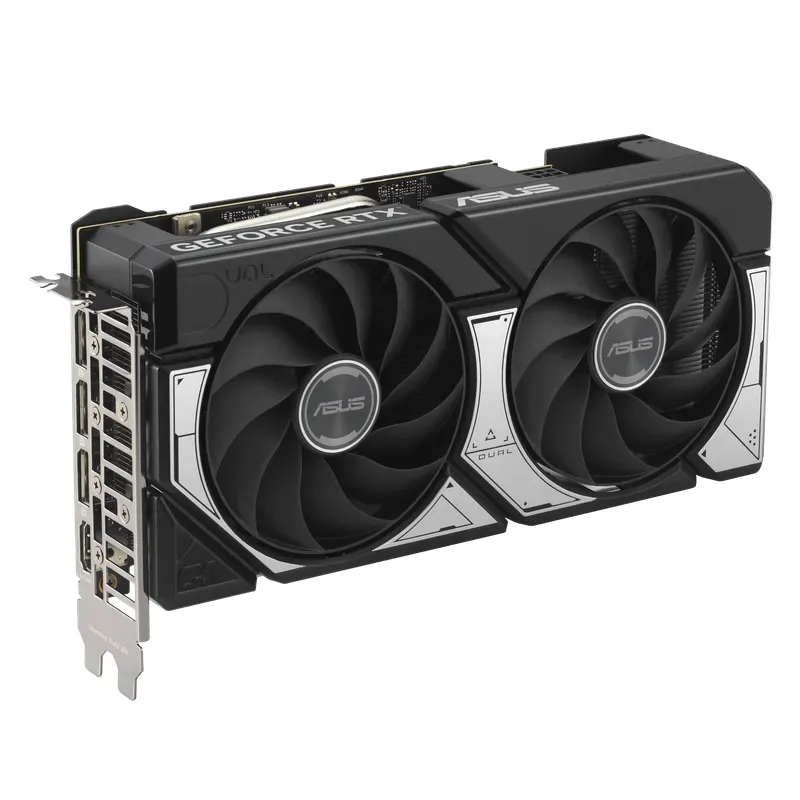
The ASUS Dual RTX 5060 Ti 16GB OC is the version to buy unless you have a specific reason not to. The compact dual-fan Dual design fits mid-tower and most mATX cases, and the 180W TDP means a 600W power supply is enough. If you are picking a supply, our PSU guide for gaming PCs lists units that meet that requirement.
Its weakness is the same as the 8GB card’s: a 128-bit bus limits bandwidth, and it will not match a step-up card. If you are deciding whether to go higher, read our RTX 5060 Ti vs RTX 5070 comparison. For a full single-card breakdown, see the RTX 5060 Ti review.
ASUS Dual GeForce RTX 5060 Ti 8GB OC
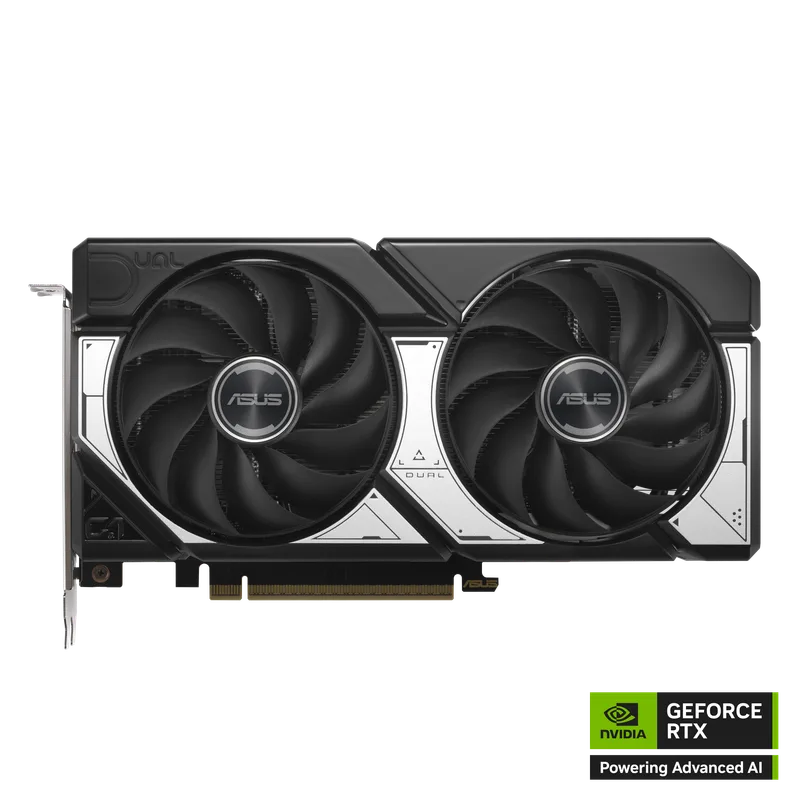
The ASUS Dual RTX 5060 Ti 8GB OC shares the 16GB card’s cooler and board layout, so the physical experience is identical. It is a reasonable pick for 1080p high-refresh monitors, where upscaling and lower render resolutions keep VRAM use under the cap.
The risk is longevity. Game VRAM requirements have only moved one direction, and an 8GB card bought today is the one most likely to force an early upgrade. If you plan to keep the card four or five years, the extra memory is cheap insurance.
FAQ
Is 8GB of VRAM enough in 2026? For 1080p and esports, yes. For 1440p at high settings, with ray tracing, or in recent AAA releases, it is increasingly the limiting factor and shows up as poor 1% lows rather than low averages.
Is the 16GB RTX 5060 Ti faster than the 8GB one? Not in average frame rate when a game fits within 8GB. The chip, bus width and bandwidth are identical. The 16GB card wins when the 8GB card runs out of memory.
Can DLSS make up for the missing VRAM? Partly. Upscaling renders at a lower internal resolution, which lowers VRAM use, so it can rescue 8GB at 1440p in many games. Frame generation adds memory overhead back, though.
Do both cards need the same power supply? Yes. Both are 180W cards with a 600W recommended PSU.
Which one should I buy for 4K? Neither is a native 4K card, but the 16GB version is the only one with enough memory to make DLSS-assisted 4K workable.
The Bottom Line
The ASUS Dual GeForce RTX 5060 Ti 16GB OC is the better buy for almost everyone, since the chip is identical and the memory is what decides whether 1440p and ray tracing run smoothly. The ASUS Dual GeForce RTX 5060 Ti 8GB OC only makes sense if you play at 1080p or esports titles and want to spend as little as possible. For heavier 1440p play, our best 1440p GPUs roundup shows where to look next.