Intel has continued cutting the Core Ultra 7 265K’s price through mid-2026, with the chip now available around $300 — down from its $404 MSRP — while AMD’s Ryzen 7 9800X3D holds near $433. That $133 price gap is wider than it was at launch, which makes the comparison more interesting: the 265K’s value case has strengthened even as gaming benchmarks continue to favor the 9800X3D by a wide margin. Here’s where each CPU actually wins.
| Spec | AMD Ryzen 7 9800X3D 9.5/10 | Intel Core Ultra 7 265K 8/10 |
|---|---|---|
| cores | 8 cores / 16 threads | 20 cores (8P + 12E) / 20 threads |
| boost_clock | 5.2 GHz | 5.5 GHz (P-core) |
| base_clock | 4.7 GHz | 3.9 GHz (P-core) |
| l3_cache | 96 MB (32 MB + 64 MB 3D V-Cache) | 30 MB |
| tdp | 120W | 125W (up to 250W MTP) |
| socket | AM5 | LGA 1851 |
| architecture | Zen 5 + 3D V-Cache | Arrow Lake |
| Rating | 9.5/10 | 8/10 |
Prices change daily — tap Check Price for the current Amazon price.
Prices change daily — tap Check Price for the current Amazon price.
Quick Verdict
For gaming: The Ryzen 7 9800X3D is the better choice by a significant margin. Its 96 MB 3D V-Cache architecture delivers roughly 30% higher average frame rates compared to the 265K in CPU-limited scenarios. Nothing Intel currently sells at this price touches it for gaming.
For productivity and multi-threaded work: The Core Ultra 7 265K at $300 is compelling. With 20 cores and ~45% faster Blender renders, it serves content creators, developers, and streamers far better than the 8-core AMD chip — and it does so at a $133 discount.
If budget is tight: The 265K wins the value argument for any build that isn’t purely gaming-focused.
Specs at a Glance
| Ryzen 7 9800X3D | Core Ultra 7 265K | |
|---|---|---|
| Architecture | Zen 5 + 3D V-Cache | Arrow Lake |
| Cores / Threads | 8C / 16T | 20C (8P+12E) / 20T |
| Boost Clock | 5.2 GHz | 5.5 GHz (P-core) |
| L3 Cache | 96 MB (with 3D V-Cache) | 30 MB |
| TDP | 120W | 125W (250W MTP) |
| Socket | AM5 | LGA 1851 |
| iGPU | No | Intel Xe |
| Price (July 2026) | ~$433 | ~$300 |
Gaming Performance
The 9800X3D’s 96 MB L3 cache — built by stacking a 64 MB cache die beneath the Zen 5 compute die — is the single most impactful feature in gaming CPUs available today. Games repeatedly access the same small working sets of data; having that data resident in fast on-die cache instead of system RAM eliminates stalls that cap frame rates even when the GPU has headroom.
Benchmarks from the 9800X3D review period at Tom’s Hardware show the gap in concrete terms:
- Cyberpunk 2077 at 1080p: The 9800X3D averages roughly 23% more frames than the Core Ultra 7 265K
- Baldur’s Gate 3: The 9800X3D pulls ahead by a wider margin — 3D V-Cache excels in open-world and RPG titles with large asset working sets
- Fortnite: Users report ~38% higher average frame rates on the 9800X3D vs the 265K, per comparison benchmark data
At 1440p and above, GPU bottlenecks compress the gap — but in any CPU-limited scenario at 1080p, or with a fast GPU like an RTX 5080 at 1440p, the 9800X3D’s cache advantage is real and consistent.
The Core Ultra 7 265K’s gaming deficit comes from Arrow Lake’s L3 cache size. At 30 MB shared across 20 cores, there’s less per-core cache than in previous Intel generations, and 3D V-Cache simply makes the comparison unfavorable in most titles. Intel’s microcode updates since launch have recovered some gaming performance, but the architecture limitation is structural.
Productivity and Multi-Threaded Performance
The Core Ultra 7 265K reverses the verdict in every heavily multi-threaded workload. Twenty cores — including 12 efficiency cores that handle background tasks without touching P-core time — give it a decisive advantage in rendering, encoding, and compilation:
- Cinebench 2026 Multi-Core: 265K scores ~8,188 points vs the 9800X3D’s ~5,617 — a 45% lead
- Blender CPU rendering: 265K completes scenes roughly 45% faster based on benchmark comparisons
- Geekbench 6 Multi-Core: 265K at ~21,377 vs 9800X3D’s ~18,350 — a 16% advantage
The 9800X3D isn’t slow in productivity tasks. Its 8 Zen 5 cores handle moderate workloads — video editing timelines, streaming to Twitch via NVENC, light 3D work — without bottlenecking. But if you’re doing daily Blender renders, long Handbrake batch jobs, or large code compilations, the 265K’s core count shortens those waits meaningfully.
Single-threaded performance is close. The 265K’s 5.5 GHz P-core boost edges out the 9800X3D’s 5.2 GHz in lightly-threaded applications, but the margin is small and rarely visible in real-world use.
Platform Costs: The Hidden Factor
CPU sticker price is only part of the budget equation. The platform costs differ, and they compound.
AM5 (Ryzen 7 9800X3D): AM5 boards start around $130 for capable B850 options like the MSI MAG B850 Tomahawk or ASUS TUF Gaming B850-PLUS. The socket has been confirmed to support future Zen 6 chips, so this motherboard investment extends your upgrade path by at least two generations.
LGA 1851 (Core Ultra 7 265K): Z890 boards start around $200 for quality options. The 265K is an unlocked chip, so you need a Z890 to access overclocking. B860 locks the multiplier. Intel’s next desktop platform (Nova Lake) uses a new socket, so LGA 1851 is a one-generation investment.
If you’re building from scratch, factor in an extra $60-$80 for the Intel platform vs AM5 at comparable board quality. That narrows the 265K’s $133 CPU price advantage to roughly $50-$70 total platform savings — still real, but less dramatic than the chip price difference suggests.
Cooler Requirements
Both chips run at similar TDP specs on paper, but they behave differently under load.
The 9800X3D’s 120W actual power draw at full load is genuine — the inverted cache design reduced thermal resistance by 46% compared to the 7800X3D, so a quality 240mm AIO or a Noctua NH-D15 G2 handles it without issue. Thermalright Peerless Assassin 120 SE owners report stable temperatures without throttling.
The Core Ultra 7 265K’s 125W TDP base spec is misleading. Under sustained multi-threaded loads, it draws over 200W under its Maximum Turbo Power envelope. Plan for a 360mm AIO or premium dual-tower air cooler to maintain performance. Budget $80-$130 for adequate cooling if you’re buying the 265K — the 9800X3D gives you more flexibility on cooler budget.
Which Should You Buy?
Buy the Ryzen 7 9800X3D if:
- Gaming performance is your primary metric — the 30% average FPS lead is decisive
- You’re pairing it with a high-end GPU (RTX 5070 Ti, RTX 5080, or faster) where the CPU matters more
- You want the best AM5 chip with a clear upgrade path to Zen 6
- You play CPU-sensitive titles like strategy games, open-world RPGs, or simulation games
Buy the Core Ultra 7 265K if:
- Multi-threaded workloads dominate your daily use — Blender, Handbrake, compilation, or large batch tasks
- Budget is a constraint and you need solid all-around performance at $300
- You already own an LGA 1851 board and want a cost-effective upgrade
- You’re building a streaming or content creation rig where encoding speed matters more than gaming frame rates
Product Reviews
1. AMD Ryzen 7 9800X3D — Best Gaming CPU
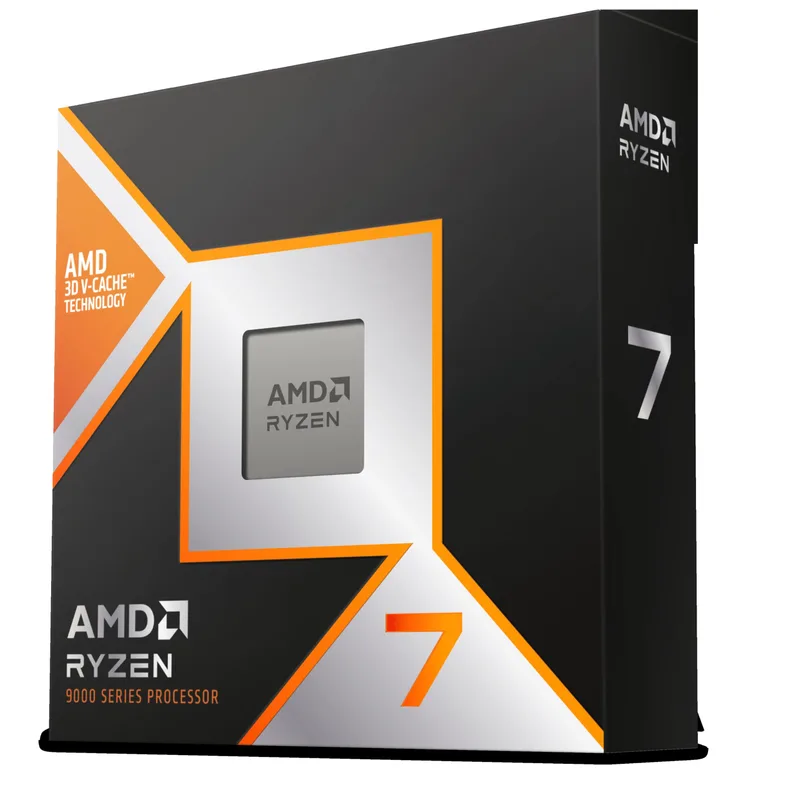
The Ryzen 7 9800X3D earned its “best gaming CPU” status at launch and has maintained it through mid-2026. The 3D V-Cache technology stacks a 64 MB cache die below the Zen 5 compute die — flipped from the 7800X3D’s layout to reduce thermal resistance — giving the chip 96 MB of total L3 cache. Games access this cache far faster than system RAM, and the result is consistent frame rate leads across almost every title.
At $433, it’s not cheap. But compared to the 9950X3D at $639 or the older 7800X3D (still ~$324 in 2026), the 9800X3D hits the sweet spot: maximum gaming performance per dollar at the high-end segment. For a build centered around an RTX 5070 Ti or RTX 5080, this CPU removes the processor from the bottleneck equation entirely.
The AM5 socket is the other long-term argument. AMD has committed to AM5 through Zen 6, meaning this motherboard investment supports at least one more generation of CPU upgrades. Your B850 or X870 board purchase works double-duty.
The tradeoffs are real: 8 cores is genuinely limiting in multi-threaded tasks, no integrated graphics means you can’t boot without a GPU, and $433 is a significant portion of a mid-range build budget. But for gaming, no competing chip at this price does more.
2. Intel Core Ultra 7 265K — Best Productivity Pick
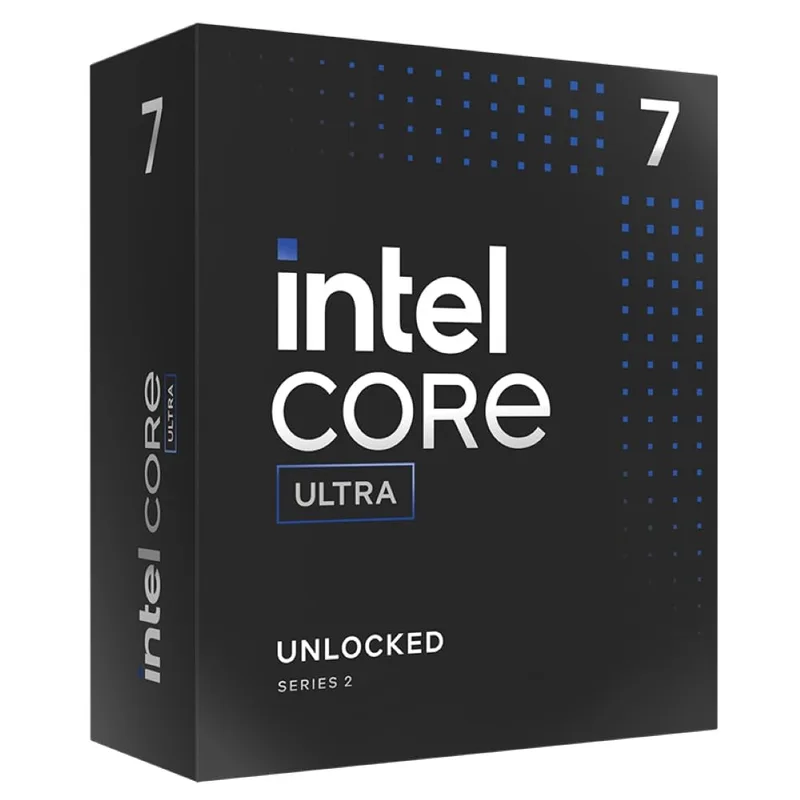
The Core Ultra 7 265K’s strongest argument in 2026 is its price. At $300 — down from a $404 MSRP that drew criticism at launch — it offers 20 cores of Arrow Lake performance for significantly less than competing AMD chips at similar productivity throughput levels.
For content creators, developers, and anyone running multi-threaded workloads daily, the 20-core configuration accelerates the tasks that define their workflow. Blender renders finish roughly 45% faster than on the 9800X3D. Large code compilations shrink in proportion to core count. Video encoding via HandBrake moves faster on 20 cores than on 8.
Gaming is where the 265K loses. Arrow Lake’s 30 MB L3 cache — shared across all 20 cores — simply cannot match the 9800X3D’s 96 MB in CPU-limited scenarios. The gap is consistent and architecture-level, not fixable with a BIOS update. If gaming is the primary use case, the 265K is the wrong choice regardless of price.
The platform consideration matters too. LGA 1851 is Intel’s current socket, but Nova Lake is expected to bring a new socket, making this a one-generation investment. AM5 offers more upgrade longevity for the same or lower motherboard cost.
The 265K earns its place in productivity-focused builds, streaming rigs, and mixed-use systems where raw core count drives daily output. For those users, $133 in savings vs the 9800X3D is meaningful — and the 45% faster rendering is a daily quality-of-life improvement.
Platform Decision Guide
PSU requirements: Both chips pair well with a 750W PSU in a high-end gaming build. The 265K’s 200W+ sustained draw under full multi-threaded load benefits from 850W when paired with a power-hungry GPU like an RTX 5080 or RX 9070 XT.
Motherboard pairing for 9800X3D: B850 boards ($130-$160) are the value choice; X870 boards ($200+) add PCIe 5.0 storage and premium VRMs. The MSI MAG B850 Tomahawk MAX or ASUS TUF B850-PLUS are solid fits.
Motherboard pairing for 265K: Z890 is required for overclocking. The MSI MAG Z890 Tomahawk or Gigabyte Z890I AORUS Ultra (mini-ITX) cover the mid-range. Expect to spend $200-$280 for a quality Z890.
RAM compatibility: Both chips run DDR5-6000 CL30 well. AMD AM5 benefits from AMD EXPO profiles; Intel LGA 1851 uses Intel XMP 3.0. Dual-profile kits like the G.Skill Trident Z5 Neo RGB work with either platform.
FAQ
Is the Ryzen 7 9800X3D still worth it in mid-2026 with the 9850X3D available? The 9850X3D ($499 MSRP) offers marginally higher boost clocks but owner reports and Tom’s Hardware testing confirm the 9800X3D matches it in gaming with modest PBO tuning. At $433 vs $499, the 9800X3D remains the smarter value unless you specifically need the 9850X3D’s slightly higher non-gaming throughput.
Does the Core Ultra 7 265K close the gap with microcode updates? Intel released multiple microcode updates for Arrow Lake after launch that recovered some gaming performance. The gap has narrowed from initial reviews, but the structural L3 cache difference versus 3D V-Cache means the 9800X3D’s gaming lead persists. The 265K no longer underperforms dramatically relative to its spec sheet, but it still trails significantly in gaming benchmarks.
Can I upgrade from the 265K to a future Intel chip without replacing the motherboard? LGA 1851 support is limited to Arrow Lake (Core Ultra 200K series). Intel’s next generation (Nova Lake) is expected to use a new socket. The 265K is likely a final-generation chip for any LGA 1851 board. By contrast, AMD has confirmed AM5 support through Zen 6.
What GPU pairs best with the Ryzen 7 9800X3D? The 9800X3D pairs well with any GPU from an RTX 5060 Ti upward. Its cache advantage is most visible at 1080p with fast GPUs — an RTX 5070 or faster will benefit noticeably from the reduced CPU bottleneck. At 4K with an RTX 5090, the CPU matters less and either chip is fine.
Does the Ryzen 7 9800X3D support overclocking? The 9800X3D supports Precision Boost Overdrive (PBO) but not traditional manual overclocking of the CPU cores — AMD restricts that to protect the 3D V-Cache. PBO allows modest performance gains by loosening boost limits and adjusting power targets. Infinity Fabric and RAM overclocking are supported normally.
The Bottom Line
The Ryzen 7 9800X3D at $433 is the best gaming CPU available in this segment. Its 96 MB 3D V-Cache delivers ~30% more frames than the Core Ultra 7 265K in CPU-sensitive gaming scenarios, and no competing chip comes close for pure gaming performance at this price. The Core Ultra 7 265K at $300 makes its case on productivity throughput and price — 45% faster Blender renders, 20 cores for content creation, and $133 in upfront savings that extend further when you account for lower cooling requirements. For gaming builds, the 9800X3D is the clear choice. For mixed-use systems where rendering and encoding drive daily workflow, the 265K’s core count and lower price point earn it a genuine recommendation.