The 280mm AIO has quietly become a hard category to shop. In our Amazon stock check, ARCTIC’s Liquid Freezer III Pro 280, Corsair’s iCUE LINK Titan 280 RX and NZXT’s Kraken Plus 280 were not purchasable on Amazon, and Noctua’s first AIO range was announced in 240mm, 360mm and 420mm sizes with no 280mm model. What remains is a smaller field, so the picks below are the 280mm coolers confirmed available now.
| Spec | NZXT Kraken Elite 280 RGB (2024) 9.1/10 | Lian Li Galahad II LCD 280 (Black, Wireless TL Fans) 9/10 | Corsair iCUE LINK H115i RGB 8.6/10 | be quiet! Pure Loop 3 280mm 8.4/10 | MSI MAG CoreLiquid 280R 7.6/10 |
|---|---|---|---|---|---|
| radiator | 280mm, 27mm aluminum | 280mm, 30mm thick, 20 FPI | 280mm, 322 x 140 x 27mm aluminum | 280mm aluminum | 280mm, 312 x 140 x 27mm aluminum |
| fans | 2x 140mm F140 RGB Core | 2x 140mm wireless TL, 2.4GHz control | 2x 140mm QX140 RGB, up to 2,000 RPM | 2x 140mm Pure Wings 3 PWM, up to 2,100 RPM | 2x 140mm aRGB PWM |
| pump | NZXT Turbine | Asetek 8th Gen, up to 3,600 RPM | — | 6-pole 3-phase PWM motor | — |
| display | LCD on the pump head | 2.88-inch IPS, 480x480, 500 nits | — | — | — |
| socket_support | AM5, AM4, LGA1851, LGA1700, LGA1200 | — | AM5, AM4, LGA1700 | AM5, AM4, LGA1851, LGA1700, LGA1200, LGA115x | AM4, AM5, LGA1700, LGA1200, LGA115x (no LGA1851 listed) |
| lighting | RGB, controlled in NZXT CAM | ARGB | — | — | aRGB |
| Rating | 9.1/10 | 9/10 | 8.6/10 | 8.4/10 | 7.6/10 |
Prices change daily — tap Check Price for the current Amazon price.
Prices change daily — tap Check Price for the current Amazon price.
Quick Picks
- Best overall: the NZXT Kraken Elite 280 RGB (2024) adds a pump-head LCD and LGA1851 support in a 27mm radiator.
- Best LCD value: the Lian Li Galahad II LCD 280 has a 2.88-inch IPS panel and a thicker 30mm radiator.
- Best for low noise: the be quiet! Pure Loop 3 280mm is rated 16.5 dB(A) at half fan speed and mounts on LGA1851 and AM5.
Buying Guide
Why 280mm. A 280mm radiator has two 140mm fans. That is a larger radiator than a 240mm, and 140mm fans can move similar air at lower RPM, which usually means less noise. Against a 360mm unit you give up surface area but gain easier fitment, since many mid-tower cases accept a 280mm front or top radiator but not a 360mm one. If your case takes a 360mm and you run a Core Ultra 9 or Ryzen 9, our 360mm AIO roundup is the better place to look, and our 240mm AIO guide covers smaller cases.
Check your socket first. This is the main trap in this category. Only the NZXT and be quiet! coolers here list LGA1851 support. Corsair’s H115i RGB listing names LGA1700 and AM5, and MSI’s 280R specification does not list LGA1851. If you are building on a Core Ultra 200S board, confirm that the manufacturer ships an LGA1851 bracket before you order. For AM5 and LGA1700 all five work.
Case clearance. Measure radiator length (about 312 to 322mm across these models) and the combined thickness of radiator plus fans. A 27mm radiator with 25mm fans is 52mm; a 30mm radiator adds 3mm. If you mount at the top, check RAM clearance under the radiator. Our AIO installation guide covers fan direction and tube orientation.
Display or no display. The NZXT and Lian Li coolers carry a pump-head screen and cost more for it. The screen does not change cooling performance. If your case has a solid side panel, put the money toward the radiator and fans instead. The be quiet! and MSI coolers skip the extras.
AIO versus air. A 280mm AIO is not automatically better than a large air cooler. If you want to compare, our air versus liquid cooling guide and NH-D15 versus Kraken 280 comparison explain the trade-offs. For the full field, see best CPU coolers for gaming.
Detailed Reviews
NZXT Kraken Elite 280 RGB (2024)
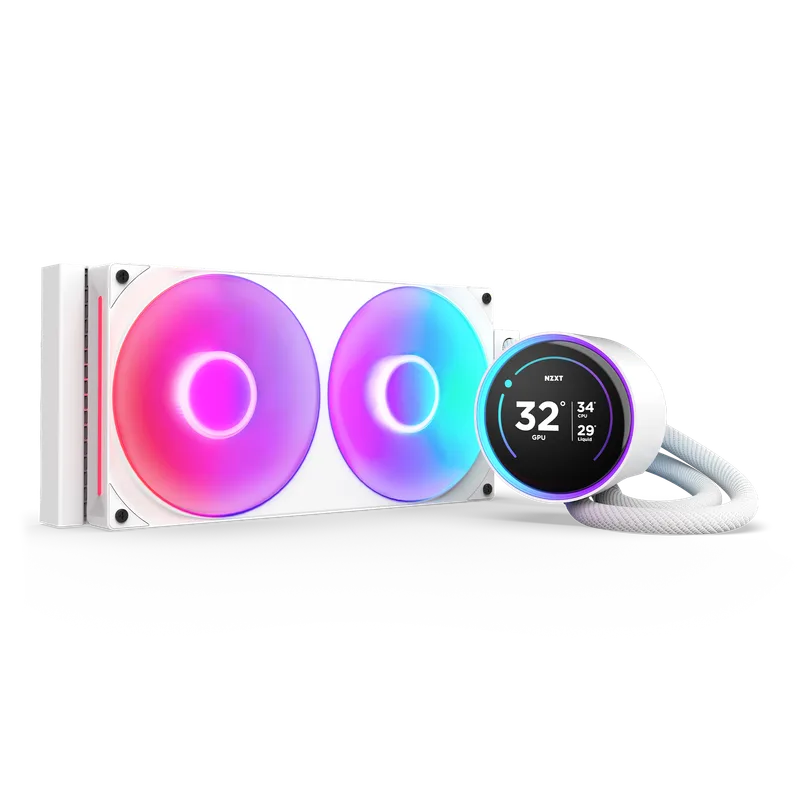
The NZXT Kraken Elite 280 RGB is the pick for a build where the cooler is visible. The NZXT Turbine pump replaced the Asetek unit used on earlier Kraken models, and the pump head carries an LCD that you configure in NZXT CAM. OC3D awarded its Enthusiast Grade to the Kraken Elite RGB V2 range in its review.
The listing names AM5, AM4, LGA1851, LGA1700 and LGA1200 support, which makes it one of two coolers here that is clearly ready for Core Ultra. The trade-off is the 27mm radiator, which is standard but thinner than the 38mm units from Arctic. Only the white version is purchasable right now.
Lian Li Galahad II LCD 280 (Black, Wireless TL Fans)
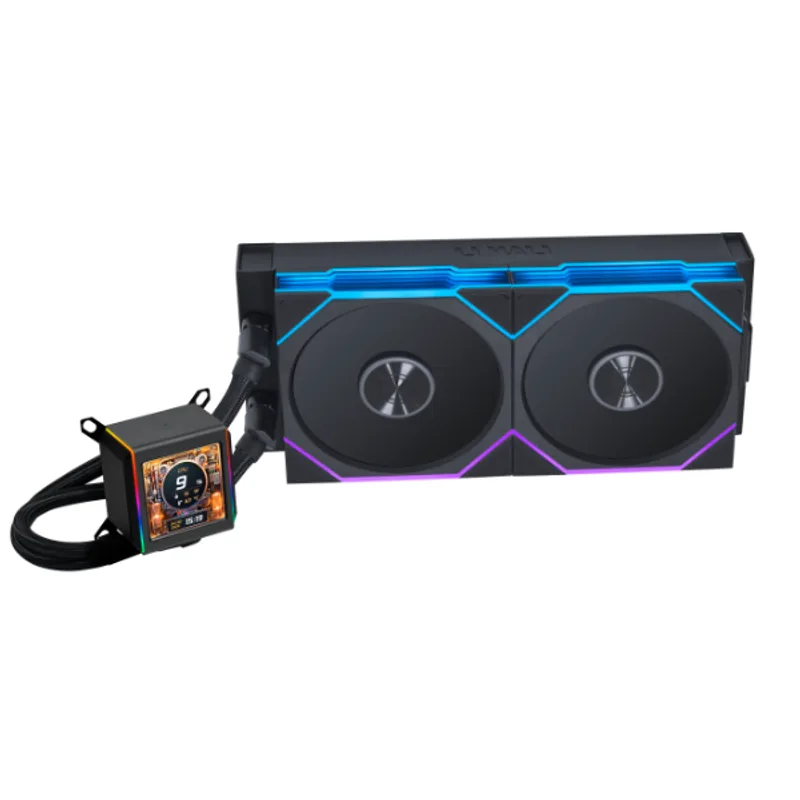
The Lian Li Galahad II LCD 280 uses Asetek’s 8th generation pump, rated up to 3,600 RPM, with a 2.88-inch IPS screen at 480x480 and 500 nits. The radiator is 30mm thick with 20 fins per inch, which is the thickest in this roundup. Tom’s Hardware titled its review of the 280 “Better, Quieter Than 360mm Options”, which is a strong claim for a 280mm unit.
The wireless TL fans are the main decision point. They reduce cable runs to a minimum, but they tie fan and lighting control to Lian Li’s L-Connect software. Based on the Amazon listing and Lian Li’s specs, confirm LGA1851 bracket availability before you order for an Intel build.
Lian Li Galahad II LCD 280 (Black, Wireless TL Fans)
Corsair iCUE LINK H115i RGB
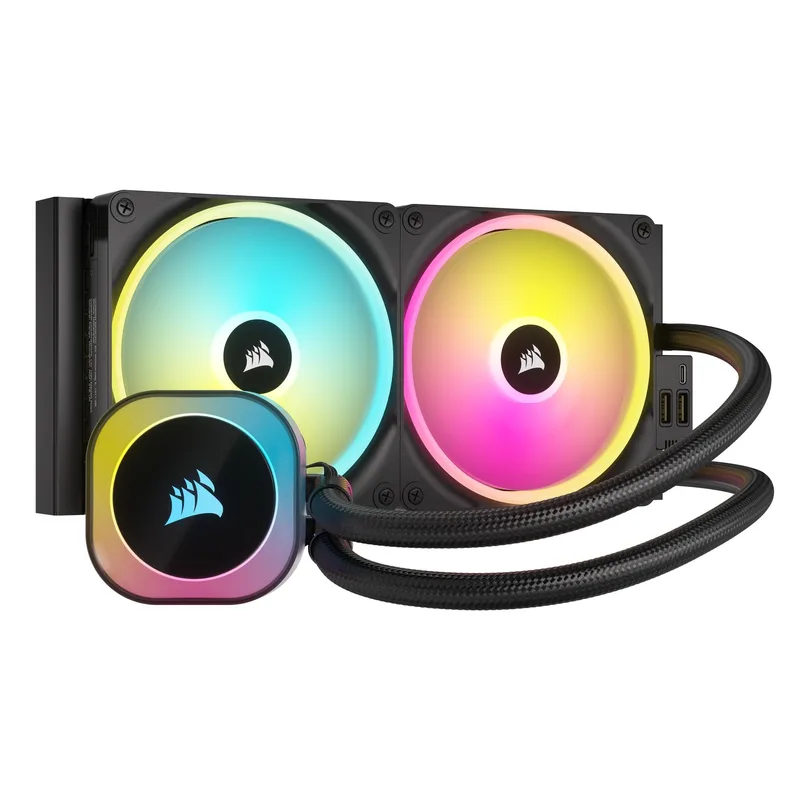
The Corsair iCUE LINK H115i RGB makes sense if you already own Corsair parts. The included iCUE LINK System Hub connects the two QX140 RGB fans and up to 24 LINK devices over a single cable chain. Corsair rates each QX140 at 12.1 to 82.5 CFM and 0.19 to 3.5 mmH2O static pressure, with a top speed of 2,000 RPM.
Its radiator is 322 x 140 x 27mm, and the six-year warranty is the longest of the Intel-capable options here. The listing names LGA1700 and AM5, so Core Ultra buyers should confirm a bracket first.
be quiet! Pure Loop 3 280mm
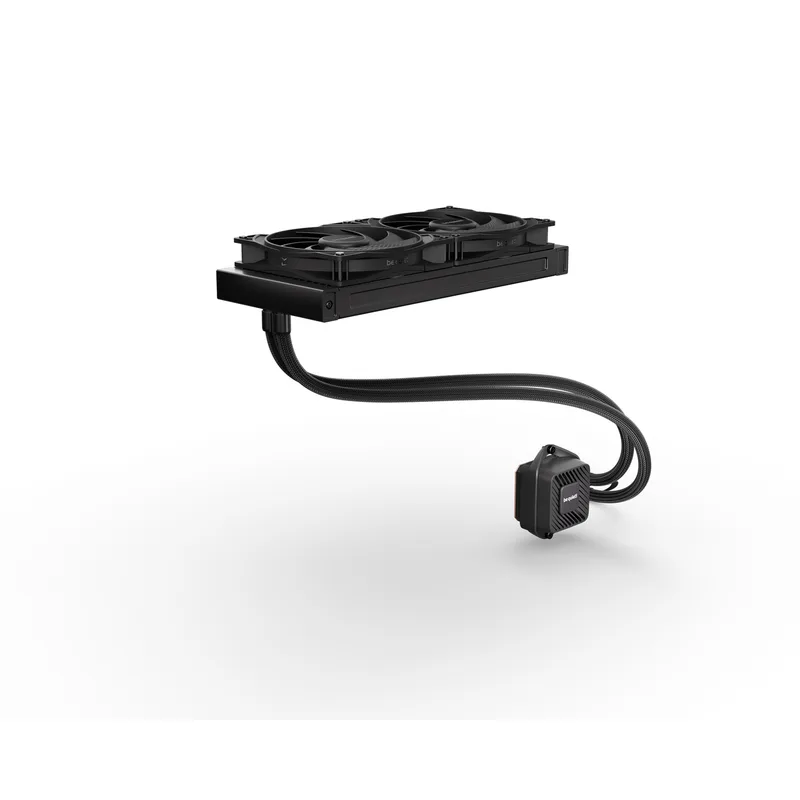
The be quiet! Pure Loop 3 280mm is built around low noise rather than looks. Its two Pure Wings 3 140mm fans are rated 16.5, 28.5 and 36.6 dB(A) at 50, 75 and 100% speed, and the pump uses a 6-pole three-phase motor. Socket support covers AM4, AM5, LGA1150 through LGA1200, LGA1700 and LGA1851.
Performance is solid rather than class-leading. In one review’s run with a 200W CPU load, a Ryzen 9 7950X settled around 80°C at a 20°C room temperature. That is fine for a Ryzen 7 9700X or Core Ultra 7 265K, but a heavily overclocked flagship is better served by a thicker radiator.
MSI MAG CoreLiquid 280R
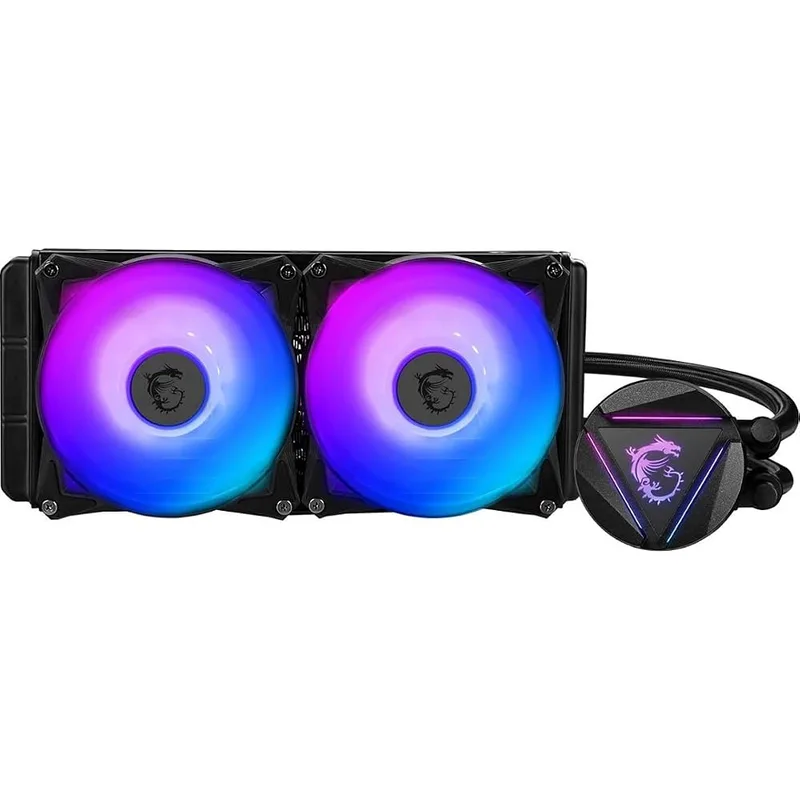
The MSI MAG CoreLiquid 280R is the oldest design here, and it shows in the socket list. MSI’s specification page covers LGA1150 through LGA1200 and, per the listing, LGA1700 and AM5, but not LGA1851. The radiator is 312 x 140 x 27mm with two 140mm aRGB PWM fans, and the block head rotates so the logo can be oriented correctly.
It suits an AM4 or AM5 build with a mid-range chip where you want a simple 280mm and no software. MSI also sells a 280R V2, so verify the model before you buy.
FAQ
Is a 280mm AIO better than a 240mm?
A 280mm radiator is larger and uses 140mm fans, which can run slower for the same airflow. The gain is modest, and a thick 240mm such as Arctic’s 38mm design can close the gap on a standard 27mm 280mm. See our 240mm AIO guide for the alternatives.
Will a 280mm AIO fit in my case?
Check that your case lists 280mm radiator support at the front or top, and measure for RAM and motherboard heatsink clearance if you mount at the top. A 280mm unit needs about 312 to 322mm of length plus the fan thickness.
Do these coolers work with Intel Core Ultra 200S (LGA1851)?
The NZXT Kraken Elite and be quiet! Pure Loop 3 list LGA1851. For Lian Li and Corsair, confirm the bracket with the manufacturer; the MSI 280R does not list it. Do not assume an LGA1700 bracket will cover LGA1851.
Is the LCD worth paying for?
It does not change cooling. It is a monitoring and styling feature, useful mainly in a case with a glass panel. Skip it if you want the lowest cost per degree.
The Bottom Line
Buy the NZXT Kraken Elite 280 RGB if you want a display and clear LGA1851 support, or the Lian Li Galahad II LCD 280 if you want a bigger screen and a thicker radiator and are happy with its proprietary fans. Choose the be quiet! Pure Loop 3 280mm for the quietest desk-side build. Check the socket list before you order, because the 280mm field is thin and the Intel support is uneven.