Big triple-fan graphics cards put a lot of weight on one PCIe slot, and recent coverage shows more bracket options arriving: Lian Li has launched a vertical GPU mount with an anti-sag arm, and BitFenix has released the Alchemy 3.0 ARGB support bracket. If your card tilts at the I/O end, a bracket is the cheapest fix, and the five below range from a basic knob jack to a zinc-alloy ASUS stand.
| Spec | ASUS ROG Herculx GPU Anti-Sag Holder 9/10 | Lian Li GB-002 Multi-Way GPU Anti-Sag Bracket 8.5/10 | CyberPrism ARGB GPU Support Bracket 8/10 | upHere Graphics Card Support Bracket (Knob Adjustable) 8.2/10 | Adjustable Aluminum GPU Anti-Sag Holder (Black) 7.6/10 |
|---|---|---|---|---|---|
| Material | Solid zinc alloy | Steel | Aluminum core | — | Aluminum |
| Height Range | 72-128mm | — | 75-125mm | — | — |
| Adjustment | Tool-free | — | Telescoping height | Knob-turn screw jack | — |
| Alignment | Built-in spirit level | — | — | — | — |
| Lighting | 3-pin addressable RGB, 0.5m cable | None | ARGB | None | None |
| Dimensions | 208 x 71 x 46mm | — | — | — | — |
| Rating | 9/10 | 8.5/10 | 8/10 | 8.2/10 | 7.6/10 |
Prices change daily — tap Check Price for the current Amazon price.
Prices change daily — tap Check Price for the current Amazon price.
Quick Picks
- Best overall: the ASUS ROG Herculx. Zinc alloy, a 72-128mm tool-free range and a built-in level.
- Best hidden option: the Lian Li GB-002. It mounts to the motherboard screw holes and supports up to two cards.
- Best budget: the upHere knob-adjustable brace. A simple screw jack that does the job for the least.
Buying Guide: Choosing an Anti-Sag Bracket
Floor stand or motherboard mount
Most brackets stand on the case floor or the PSU shroud and push up on the card’s underside. They work in nearly any ATX case but need clear space below the card. Motherboard-mounted brackets like the Lian Li GB-002 attach at the screw holes and do not care what is under the card.
Measure the gap first
The gap from the shroud (or floor) to the bottom of the card decides which stand fits. The ASUS covers 72-128mm and the CyberPrism 75-125mm. Measure before buying, and do it with the card seated, since a sagging card sits lower than a straight one.
Contact point and padding
Place the bracket under the sturdiest part of the cooler shroud, not under a fin stack or a backplate edge. A soft contact tip protects the cooler finish. Check the tip before you tighten anything.
Lighting
ARGB brackets such as the ASUS Herculx and CyberPrism use a 3-pin addressable header. Confirm you have a free one, or buy a non-lit option like the upHere or Lian Li.
Check the card after installing
Once the bracket is set, look at the card from the front of the case. The bracket end of the card should sit level with the slot end, and the bottom edge of the cooler should not touch the stand’s tip with any force. Recheck after a week of thermal cycling, since heat can shift a card’s seating slightly.
Weight rating and stability
Check the stand’s stated load limit against the card, and remember the cooler is not the only weight: a thick backplate and a long PCB add to it. A wide, flat foot resists tipping when the case is bumped. A narrow telescoping stand is more likely to shift if you move the PC, so recheck it after any relocation.
Cases with a vertical GPU mount
If the card is mounted vertically on a riser, a floor stand usually does not apply, because the card hangs in a different orientation and the support point moves to the case’s own bracket. Vertical-mount kits that include an anti-sag arm are a separate product category from the floor braces covered here.
Don’t over-lift
The goal is to level the card, not to push it past level. A bracket that lifts the card above the slot can load the PCIe connector from the other direction. Use the spirit level on the ASUS, or lay a straightedge along the card’s top edge.
Detailed Reviews
1. ASUS ROG Herculx GPU Anti-Sag Holder — Best Overall
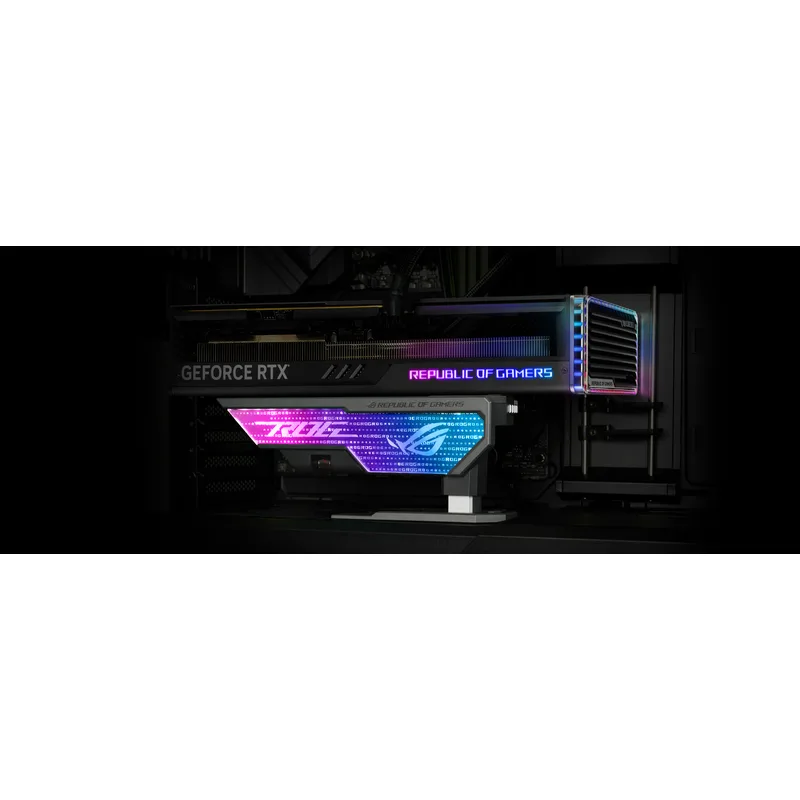
The Herculx is a vertical holder made of solid zinc alloy, with a 72-128mm tool-free height range and a built-in spirit level. It also carries a 0.5m ARGB cable that plugs into a standard 3-pin header. It is the most expensive bracket here, and the extra money goes into mass and fit rather than extra function. Pair it with a heavy flagship such as the RTX 5090 or RTX 5080.
2. Lian Li GB-002 Multi-Way GPU Anti-Sag Bracket — Best Hidden Mount
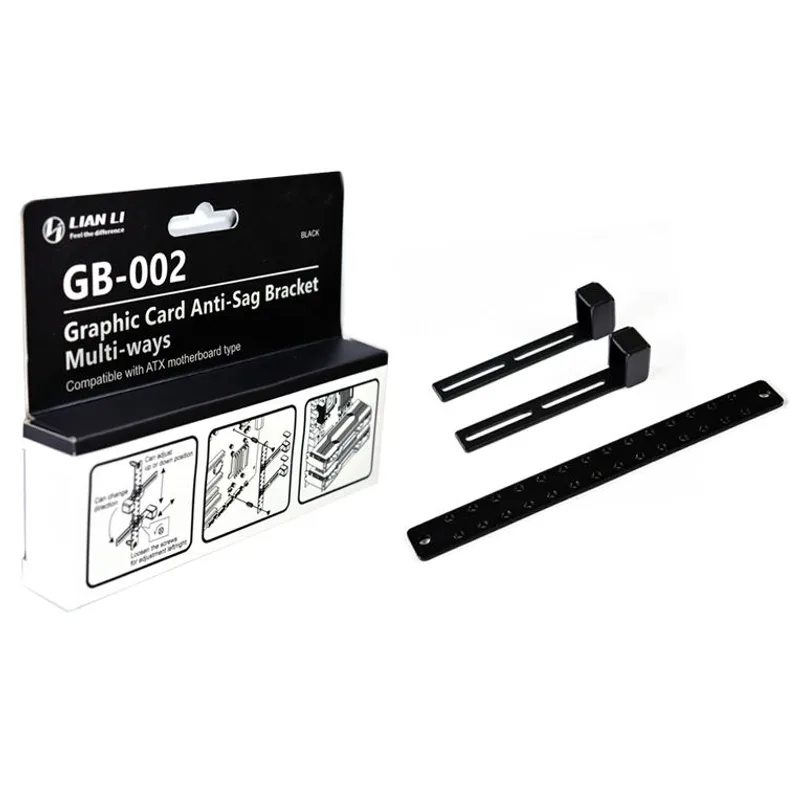
The GB-002 is a steel bracket for ATX and E-ATX boards that mounts through the motherboard’s screw holes. Lian Li lists support for up to two graphics cards. The upside is that it needs nothing underneath the card, which helps in cases with a PSU shroud cutout or tight floor clearance. The downside is that it is a fixed-position part, so fine adjustment is less convenient than a knob or ratchet stand.
3. CyberPrism ARGB GPU Support Bracket — Best ARGB Pick
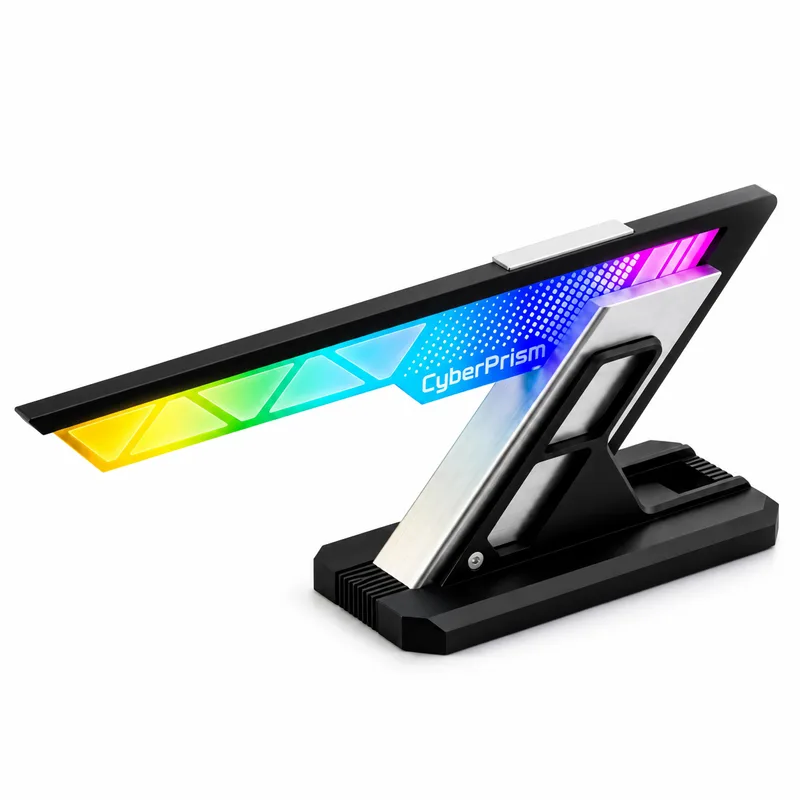
The CyberPrism pairs an aluminum core with ARGB lighting and a 75-125mm adjustment range. It suits a lit build where the ASUS price is hard to justify. Because it comes from a smaller brand, lean on owner reports for long-term durability.
4. upHere Graphics Card Support Bracket — Best Budget
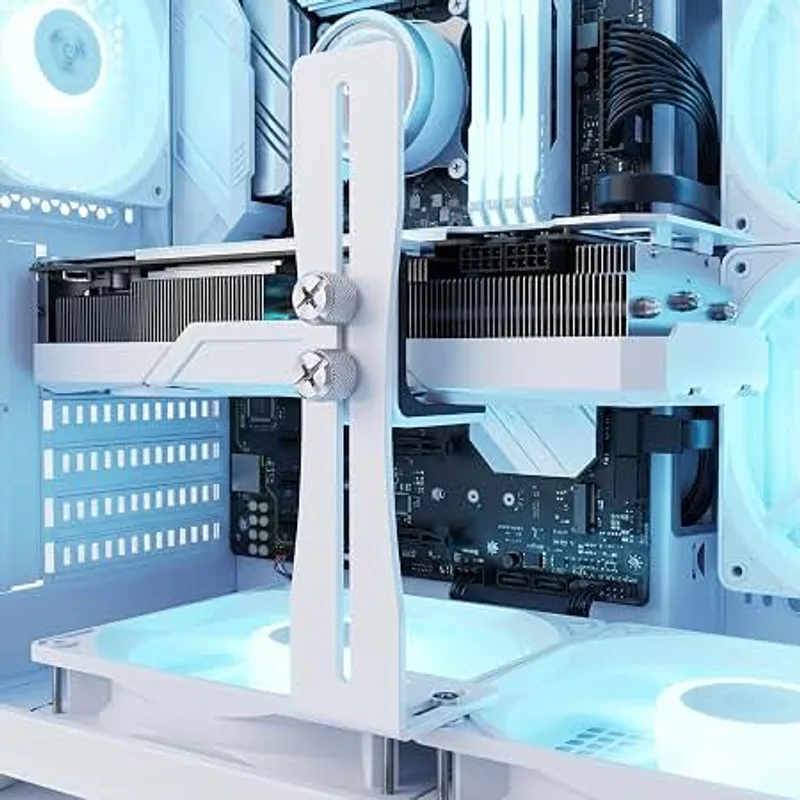
upHere Graphics Card Support Bracket (Knob Adjustable)
The upHere uses a knob-turn jack to raise the card. There is no lighting and no frills, but it takes load off the slot the same way the premium stands do. It is the pick for a build with a solid-looking cooler and no case window.
5. Adjustable Aluminum GPU Anti-Sag Holder (Black) — Cheapest Option
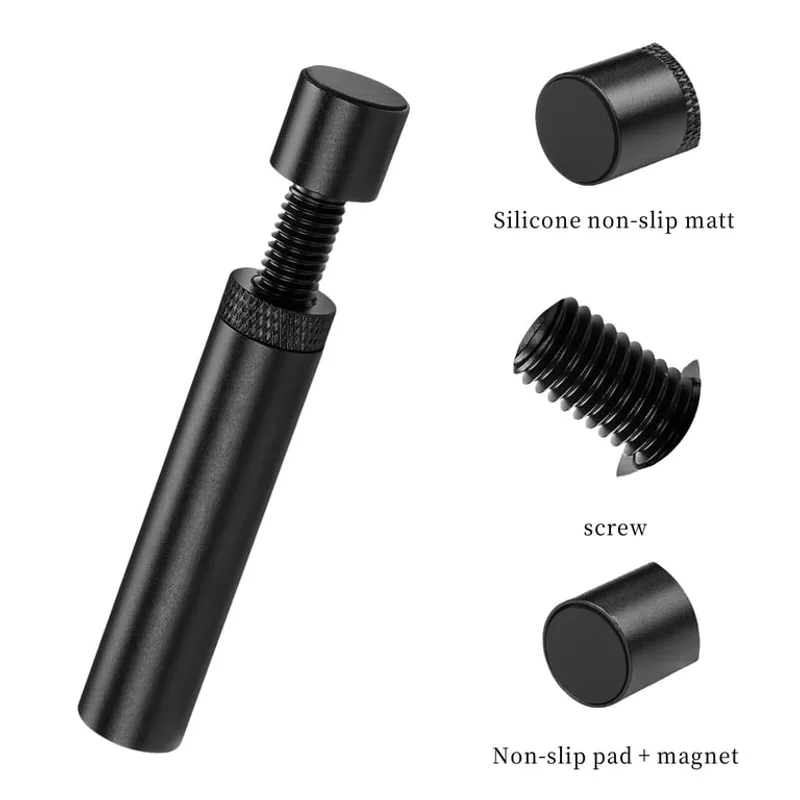
This generic aluminum holder is the lowest-cost route to a level card. Manufacturer detail is thin, so treat it as a stopgap or a spare for a second build rather than a long-term centerpiece.
FAQ
Does GPU sag actually damage a graphics card?
A sagging card puts constant torque on the PCIe slot and its retention clip. Sag is mostly a mechanical-stress risk to the slot and connector rather than an instant failure, which is why a bracket is a cheap precaution on heavy cards.
Do I need a bracket for a smaller card?
Short dual-fan cards such as those in our RX 9070 XT roundup often need none. Check the card once it is installed: if the far end visibly droops, add a bracket.
Will a bracket fit under a large card?
It depends on clearance below the cooler. Our large-GPU case guide covers cases with enough room, and our GPU install walkthrough shows where to place the stand.
What if my case has a PSU shroud with ventilation holes?
Place the foot on solid shroud metal, not across a vent slot. A foot resting on a perforated section can slip or tilt. A motherboard-mounted bracket like the Lian Li avoids the problem entirely.
Do brackets block airflow?
Thin braces sit below the cooler’s intake and rarely matter. A wide base under a fan can partly cover its intake, so choose a narrow stand in cases with a bottom-mounted card fan layout. Our case airflow reasoning applies here too.
Can I use a bracket when I move or ship the PC?
A bracket helps, but a heavy card in a shipped PC should still be removed first. Take the card out of the slot for any long transit.
The Bottom Line
The ASUS ROG Herculx is the best all-round pick thanks to its zinc-alloy build, level and tool-free height range. The Lian Li GB-002 is the better choice when floor clearance is tight, and the upHere knob-adjustable brace is the right answer when you only want a flat card. For a high-end card, see our high-end GPU roundup.