A dual-PC streaming setup splits gaming and encoding across two machines so neither task steals frames from the other — but that only works if you put the right GPU in each box. The gaming PC’s card should spend every watt on rasterization, since it’s no longer sharing headroom with OBS. The stream PC’s card matters for a completely different reason: encoder generation and VRAM for overlays, not raw shader count. NVIDIA’s current NVENC block is shared across the whole RTX 50-series lineup, which is why a $530 RTX 5060 encodes AV1 at the same quality as a $2,000 RTX 5090 — the difference between cards in this roundup is VRAM headroom, power draw, and whether the encoder can run independently of a second workload.
| Spec | ASUS Prime GeForce RTX 5060 Ti 16GB GDDR7 OC Edition 9/10 | ASRock Intel Arc B580 Challenger 12GB OC 8.5/10 | MSI Gaming RTX 5060 8G Gaming OC Unavailable 8.2/10 | ASRock Radeon RX 9060 XT Steel Legend 8GB GDDR6 OC 7.9/10 | ASUS TUF Gaming RTX 5070 12GB GDDR7 OC 8.6/10 |
|---|---|---|---|---|---|
| cudaCores | 4,608 | — | 3,840 | — | 6,144 |
| vram | 16GB GDDR7 | 12GB GDDR6 | 8GB GDDR7 | 8GB GDDR6 | 12GB GDDR7 |
| memoryBus | 128-bit, 448 GB/s | 192-bit | 128-bit, 448 GB/s | 128-bit | 192-bit, 672 GB/s |
| tdp | 180W | 190W | 150W | 150W | 250W |
| encoder | 9th-gen NVENC + AV1 | Dual media engines (AV1/HEVC/H.264) | 9th-gen NVENC + AV1 | Single AV1/HEVC/H.264 encoder, B-frame support | 9th-gen NVENC + AV1 |
| interface | PCIe 5.0 | PCIe 4.0 | PCIe 5.0 | PCIe 4.0 | PCIe 5.0 |
| Rating | 9/10 | 8.5/10 | 8.2/10 | 7.9/10 | 8.6/10 |
Prices change daily — tap Check Price for the current Amazon price.
Prices change daily — tap Check Price for the current Amazon price.
Quick Picks
- Best Overall: ASUS Prime RTX 5060 Ti 16GB — flagship-grade NVENC/AV1 encode with enough VRAM for a heavy OBS scene collection
- Best Budget: ASRock Intel Arc B580 Challenger — dual media engines and hardware AV1 for the lowest price here
- Best for the Gaming PC Side: ASUS TUF RTX 5070 — put the encode-sharing concerns aside entirely and buy for 1440p rasterization
Buying Guide: Picking GPUs for a Two-PC Streaming Rig
The stream PC doesn’t need gaming performance — it needs encoder generation
The single biggest misconception in dual-PC streaming builds is spending gaming-GPU money on the capture machine. It doesn’t render the game; it only ingests a capture-card feed, composites your webcam and overlays in OBS, and encodes the output. That workload lives almost entirely on the hardware encoder block, not the shader cores, which is why the 8GB RTX 5060 produces the exact same stream quality as a card four tiers above it — NVIDIA has used the same 9th-gen NVENC design across the whole Blackwell lineup. Spend on VRAM and encoder features instead of CUDA core count.
VRAM headroom matters more than raw GPU horsepower on the capture box
OBS itself is not VRAM-hungry, but a busy production is: multiple browser-source overlays, alert boxes, a webcam feed, and often a second capture-card input all sit in GPU memory at once. The 8GB cards here — the RTX 5060 and RX 9060 XT — handle a simple single-scene layout fine, but a production with several animated overlays and a chat-bot browser source running simultaneously benefits from the RTX 5060 Ti’s 16GB. If your show involves a lot of on-screen graphics, budget for the extra VRAM rather than the extra shader cores.
Dual encoders let you record locally while streaming live without a quality hit
Both the Arc B580 and NVIDIA’s higher-end Blackwell cards support running more than one encode job at once — useful if you stream to Twitch while also recording a separate high-bitrate local file for YouTube. The RTX 5060 and RTX 5060 Ti in this roundup carry a single NVENC block, so a second simultaneous encode competes for the same hardware; it still works, just with more shared load. If simultaneous dual-output recording is a firm requirement, the Arc B580’s dual media engines are the differentiator, not raw encode quality.
AV1 vs H.264 still depends on your platform
AV1 delivers meaningfully better image quality per bit than H.264, but only Twitch, YouTube, and a handful of platforms currently decode it on the viewer side — and even there, AV1 playback support on viewers’ devices is inconsistent. Every card in this roundup encodes AV1 in hardware, so you’re covered either way; just confirm your destination platform and expected viewer devices support AV1 playback before switching your OBS output away from H.264.
Detailed Reviews
1. ASUS Prime GeForce RTX 5060 Ti 16GB GDDR7 OC Edition
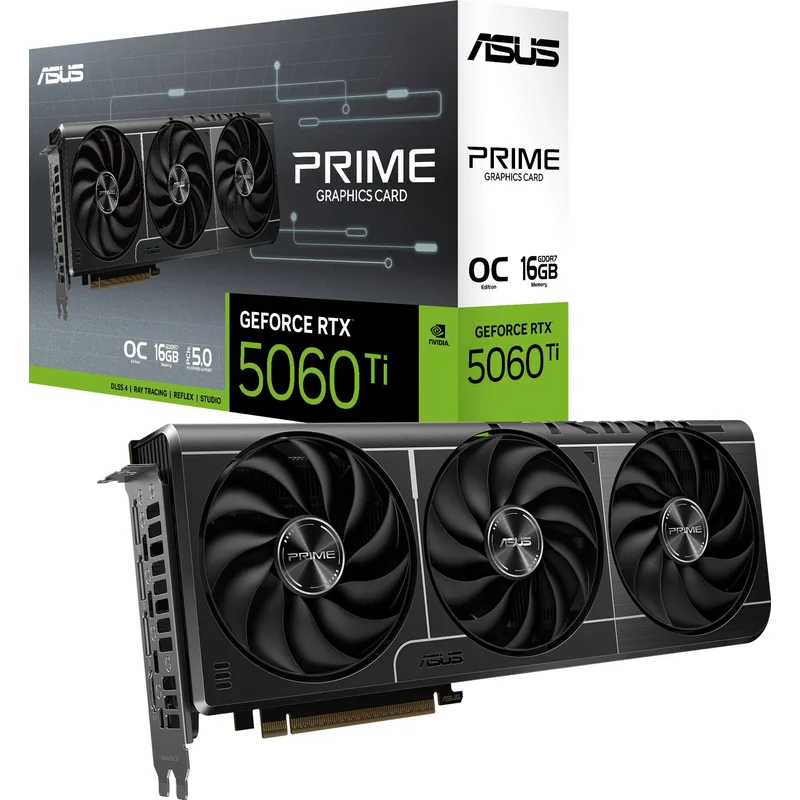
The RTX 5060 Ti 16GB is the card to buy if you want to stop thinking about the stream PC’s GPU entirely. It carries the same 9th-generation NVENC and AV1 encoder silicon found in NVIDIA’s flagship cards, so encode quality at any bitrate you’d actually stream at is identical — the 16GB of GDDR7 is what separates it from the cheaper 5060, and that headroom shows up the moment your production adds a few animated overlays, a browser-based chat box, and a webcam feed on top of the base capture-card input.
At 180W it’s also easy to cool and power in a small, quiet capture-PC case that doesn’t need to double as anything else. The tradeoff is the 128-bit memory bus, which makes this a poor gaming card — don’t buy it expecting to repurpose the stream PC for gaming later. Treat it as a capture-and-encode appliance, and the extra cost over the plain RTX 5060 buys real production flexibility.
2. ASRock Intel Arc B580 Challenger 12GB OC
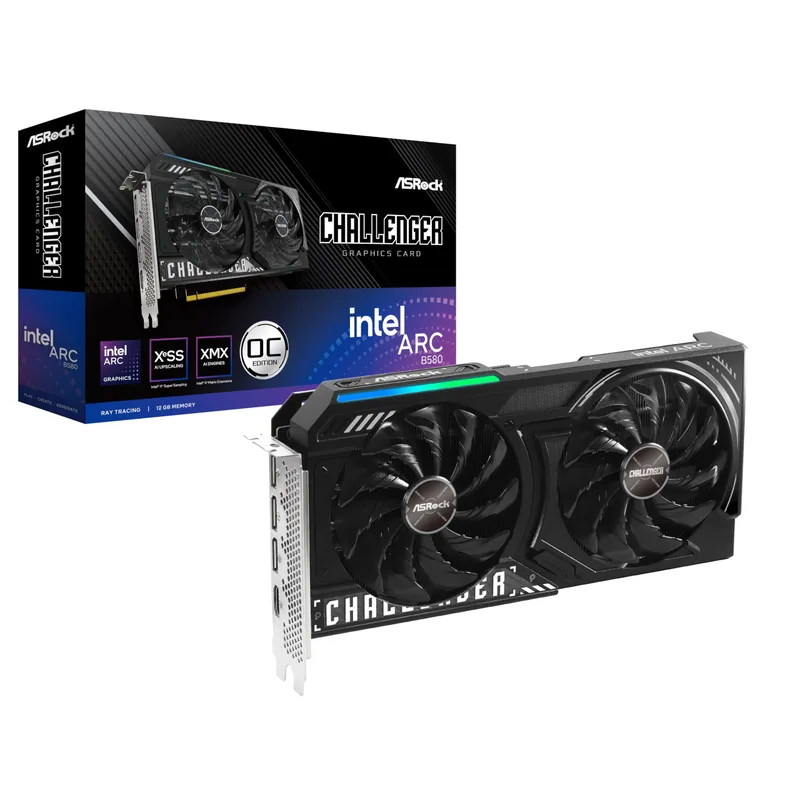
The Arc B580 earns its spot here on one feature the rest of this roundup doesn’t have: dual independent media engines. That means the card can run an AV1 hardware encode for your live stream and a separate encode or decode task — a local high-bitrate recording, for instance — without the two contending for the same block. For streamers who record locally at a different bitrate than they broadcast, that’s a genuine structural advantage over a single-encoder card, not just a marketing spec.
It’s also the cheapest card here with a modern AV1 encoder, and its 12GB of GDDR6 on a 192-bit bus is more generous than the RTX 5060’s 128-bit interface. The catch is encoder quality: independent comparisons still put Intel’s AV1 output slightly behind NVENC at matched bitrates, though the difference is small at the 1080p60 bitrates most streamers actually broadcast at.
3. MSI Gaming RTX 5060 8G Gaming OC
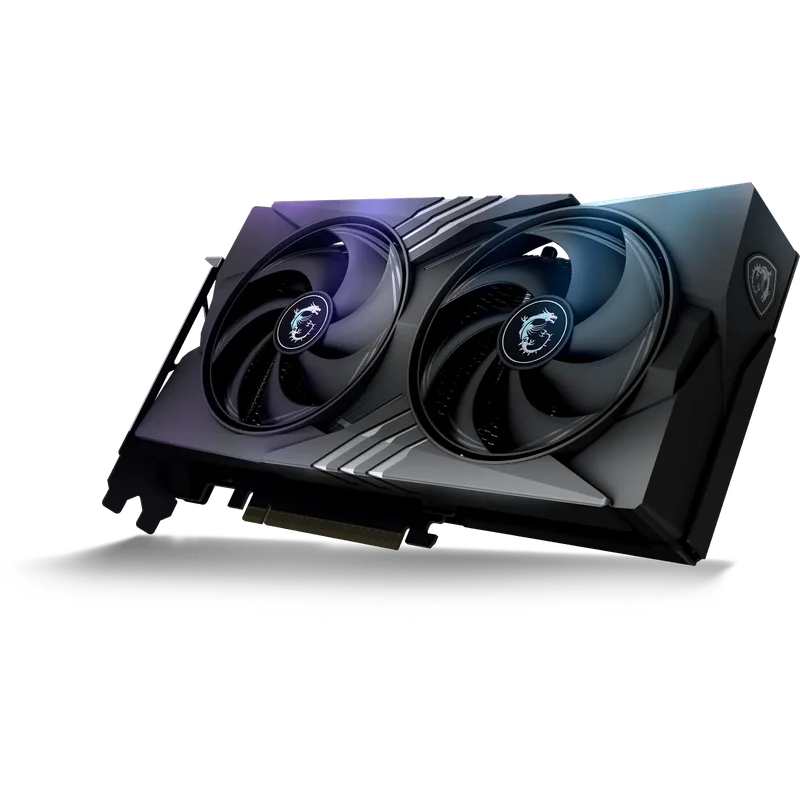
MSI Gaming RTX 5060 8G Gaming OC
If your production is simple — one or two overlays, a webcam, no local dual-recording requirement — the RTX 5060 gets you the exact same NVENC and AV1 encode quality as every other NVIDIA card in this roundup for the lowest price of the group. That’s the core value proposition of NVIDIA’s current encoder strategy: the silicon doesn’t change tier to tier, only the surrounding GPU does, and a stream PC barely touches that surrounding GPU.
At 150W it’s also the lowest-power NVIDIA option here, which matters if the stream PC runs for the full duration of every broadcast. The real limitation is 8GB of VRAM — fine for a lean setup, tight once you start layering multiple animated overlays and browser sources. If you’re not sure whether you’ll grow into a busier production, the extra cost of the RTX 5060 Ti’s 16GB is cheap insurance.
4. ASRock Radeon RX 9060 XT Steel Legend 8GB GDDR6 OC
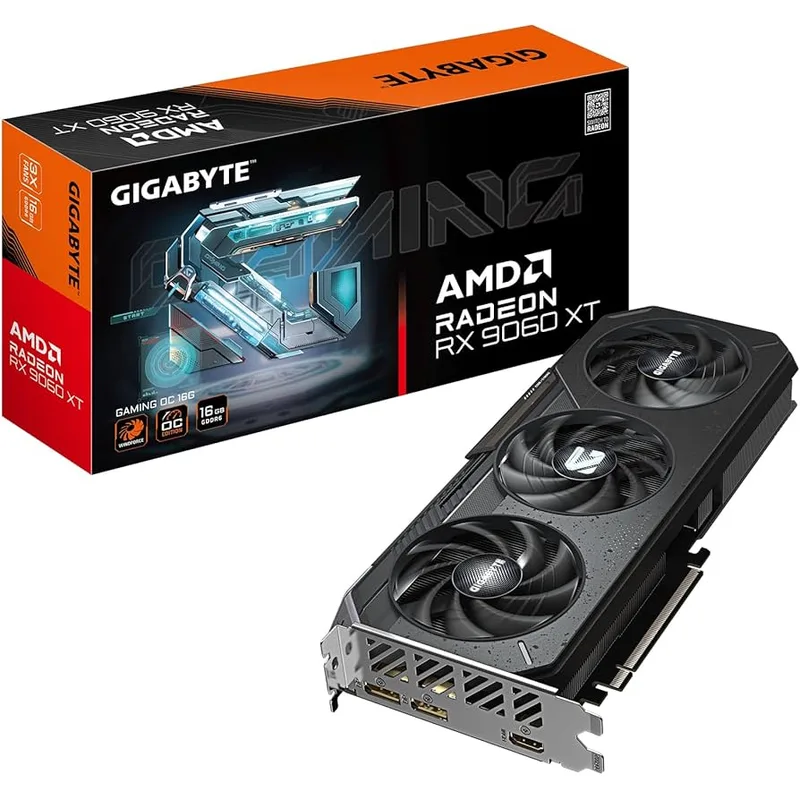
ASRock Radeon RX 9060 XT Steel Legend 8GB GDDR6 OC
AMD’s case for the stream-PC role is a redesigned media engine that adds B-frame support to both AV1 and HEVC encoding, plus a meaningful quality bump to low-bitrate H.264 output — the exact bitrate range most Twitch streamers broadcast at. If the rest of your setup already runs AMD hardware, the RX 9060 XT also keeps you inside Adrenalin’s single control panel for recording and streaming settings instead of juggling NVIDIA and AMD software across two machines.
Where it falls behind the Arc B580 is encoder count: this is a single hardware encoder, so a simultaneous local recording and live stream share the same block instead of running independently. It also caps out at the same 8GB VRAM ceiling as the base RTX 5060, though AMD does sell a 16GB variant of the 9060 XT if you need the extra headroom and don’t mind the higher price closing the gap with the RTX 5060 Ti.
5. ASUS TUF Gaming RTX 5070 12GB GDDR7 OC
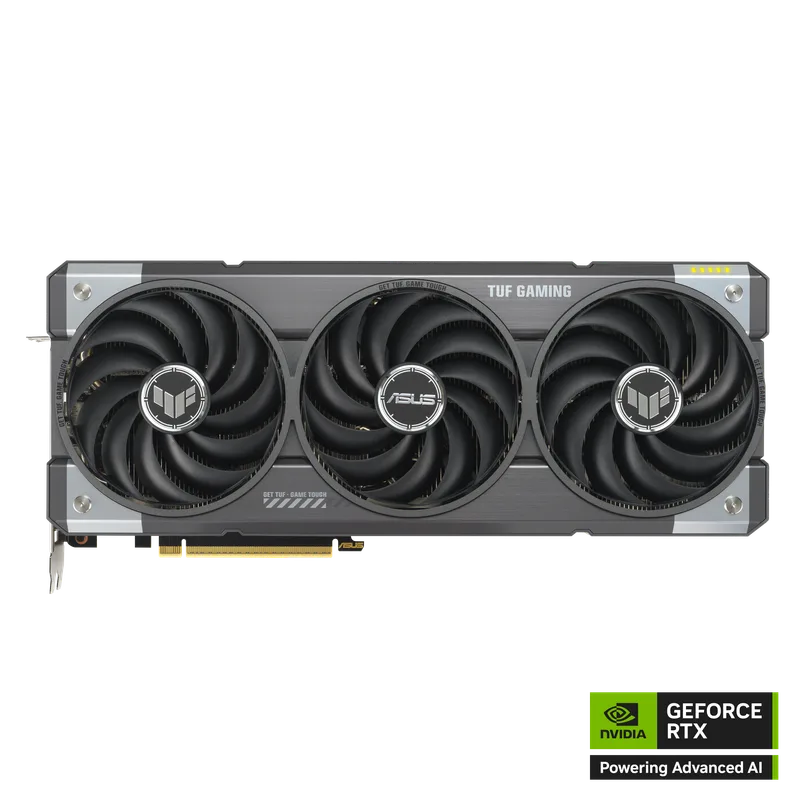
ASUS TUF Gaming RTX 5070 12GB GDDR7 OC
Every other card in this roundup is a pick for the dedicated stream PC. This one is for the other half of the setup — the gaming rig. Because a dual-PC configuration takes encoding off the gaming machine entirely, its GPU can spend its full power and memory budget on rasterization instead of reserving overhead for OBS, and the RTX 5070’s 6,144 CUDA cores and 672 GB/s of bandwidth are enough to hold 1440p at high settings in current releases without the encoder ever entering the picture.
There’s no reason to put this card in the stream-PC role instead — it carries the same single NVENC block as the far cheaper RTX 5060 Ti, so you’d be paying for shader cores the stream PC will never use. Keep it on gaming duty, and size that PC’s power supply around its 250W TDP plus your CPU, separately from whatever the stream PC needs.
FAQ
Do I need an expensive GPU for the dedicated stream PC?
No. NVIDIA uses the same NVENC and AV1 encoder silicon across the entire current RTX 50-series lineup, so a $530 RTX 5060 produces identical stream encode quality to a flagship card. Spend on VRAM if your production runs many overlays, and on power efficiency if the PC runs for hours at a time — not on raw shader count.
What’s the actual benefit of splitting gaming and streaming across two PCs?
The gaming PC’s GPU no longer shares any resources with the encoder, so it can dedicate 100% of its power to rendering frames, and the stream PC’s encode never competes with in-game frame rate. It also isolates crashes — a stream software issue doesn’t take down your game session, and vice versa.
Should I pick a card with dual hardware encoders?
Only if you need to run two independent encode or decode jobs at once, such as streaming live at one bitrate while separately recording a higher-bitrate local file. The Arc B580 in this roundup supports that; the single-encoder NVIDIA and AMD cards here can still do it, just by sharing one encoder block between both tasks.
Is AV1 worth switching to over H.264 for streaming?
AV1 delivers better image quality at a given bitrate, and every card in this roundup supports it in hardware. The limitation isn’t the GPU — it’s whether your streaming platform and your viewers’ playback devices support AV1 decode. Twitch and YouTube both support it, but check before assuming every viewer’s device will decode it smoothly.
Can I use one of these GPUs for both gaming and streaming on a single PC instead?
Yes, but that’s a different buying decision than this roundup covers — a single-PC setup needs a GPU with enough rasterization headroom to game and encode simultaneously, which points toward higher-tier cards like the RTX 5070 Ti or RTX 5080. The picks here assume encoding and gaming are already split across two machines.
The Bottom Line
For a dedicated capture-and-encode PC, the ASUS Prime RTX 5060 Ti 16GB is the strongest all-around pick — flagship-tier NVENC and AV1 encode quality with enough VRAM to handle a busy overlay-heavy production. Budget builders should look at the ASRock Intel Arc B580, whose dual media engines are genuinely useful if you record locally while streaming live. And for the gaming half of the setup, the ASUS TUF RTX 5070 puts every watt into 1440p rasterization since it no longer needs to share resources with a stream encoder.