The $600–$700 GPU bracket defines high-end 1440p gaming in 2026. Both NVIDIA’s Blackwell RTX 5070 and AMD’s RDNA 4 RX 9070 XT land squarely in this range, and the competition between them is more interesting than it has been in years. Add in the non-XT RX 9070 — which overperforms its price — and you have a genuinely complex decision depending on what you value most.
| Spec | ZOTAC Gaming GeForce RTX 5070 Solid OC 9/10 | Sapphire Pulse AMD Radeon RX 9070 XT Gaming 8.8/10 | PowerColor Hellhound AMD Radeon RX 9070 XT 16GB 8.6/10 | GIGABYTE Radeon RX 9070 Gaming OC 16G 8.5/10 | XFX Swift AMD Radeon RX 9070 OC Triple Fan 8.3/10 |
|---|---|---|---|---|---|
| Architecture | Blackwell GB205 | RDNA 4 Navi 48 | RDNA 4 Navi 48 | RDNA 4 Navi 44 (RX 9070) | RDNA 4 Navi 44 (RX 9070) |
| CUDA Cores | 6,144 | — | — | — | — |
| VRAM | 12GB GDDR7 | 16GB GDDR6 | 16GB GDDR6 | 16GB GDDR6 | 16GB GDDR6 |
| Memory Bus | 192-bit | 256-bit | 256-bit | 256-bit | 256-bit |
| Boost Clock | 2,542 MHz | 2,970 MHz | 3,060 MHz | 2,700 MHz | 2,700 MHz |
| TDP | 250W | 304W | 330W | 220W | 220W |
| Rating | 9/10 | 8.8/10 | 8.6/10 | 8.5/10 | 8.3/10 |
Prices change daily — tap Check Price for the current Amazon price.
Prices change daily — tap Check Price for the current Amazon price.
Quick Picks
- Best for NVIDIA ecosystem (DLSS 4, ray tracing): ZOTAC Gaming RTX 5070 Solid OC — $639, 12GB GDDR7, 250W TDP
- Best raw 1440p rasterization: Sapphire Pulse RX 9070 XT — $680, 16GB GDDR6, 7–21% faster than RTX 5070 in rasterization
- Best value overall: GIGABYTE RX 9070 Gaming OC — $669, 16GB GDDR6, outperforms RTX 5070 at lower power
Buying Guide: What Matters at $600–$700
VRAM: 12GB vs 16GB
Every AMD card in this roundup ships with 16GB GDDR6. NVIDIA’s RTX 5070 brings 12GB GDDR7. The GDDR7 bandwidth advantage (576 GB/s vs 640 GB/s on RX 9070 XT) partially offsets the VRAM difference in current titles. For 1440p gaming at ultra settings, 12GB handles everything available today. At 4K with high texture packs or heavily modded open-world games, 16GB becomes relevant — particularly in titles like Cyberpunk 2077, Hogwarts Legacy, and Starfield at maximum fidelity settings.
DLSS 4 vs FSR 4
NVIDIA’s DLSS 4 with Multi-Frame Generation is a genuine multiplier. In supported games, the RTX 5070 can produce 2x–4x effective framerates using AI-generated frames on top of base rasterization. AMD’s FSR 4 improved image quality meaningfully over FSR 3, but FSR 4 requires supported titles and runs on any RDNA 4 GPU. The key distinction: DLSS 4 MFG adds latency. For competitive shooters, you will want to weigh effective FPS against the input latency implications.
Ray Tracing Performance
The RTX 5070 holds a substantial lead in ray tracing workloads. In Alan Wake 2 with path tracing enabled, the RTX 5070 runs approximately 25–35% faster than the RX 9070 XT at 1440p. In Cyberpunk 2077 with full RT Ultra and DLSS/FSR Quality, the gap is similar. If your game list is heavy on NVIDIA-optimized RT titles — Alan Wake 2, Cyberpunk, Indiana Jones, Black Myth — the RTX 5070 is the right call. If you mostly play raster titles (Call of Duty, Baldur’s Gate 3, simulation games), the RX 9070 XT wins the performance-per-dollar argument outright.
PSU Requirements
- RTX 5070 (250W TDP): 650W PSU sufficient; 12V-2x6 connector required
- RX 9070 non-XT (220W TDP): 650W PSU sufficient; dual 8-pin connectors
- RX 9070 XT Sapphire Pulse (304W TDP): 750W PSU minimum; dual 8-pin connectors
- RX 9070 XT PowerColor Hellhound (330W TDP): 750W+ PSU required
Display Outputs
The Sapphire Pulse RX 9070 XT’s dual HDMI 2.1b + dual DP 2.1a configuration is genuinely useful if you run multiple monitors or want a TV + monitor setup simultaneously. Most RTX 5070 variants offer 3x DP 2.1b + 1x HDMI 2.1, which is standard.
Detailed Reviews
1. ZOTAC Gaming GeForce RTX 5070 Solid OC — Best NVIDIA Under $700
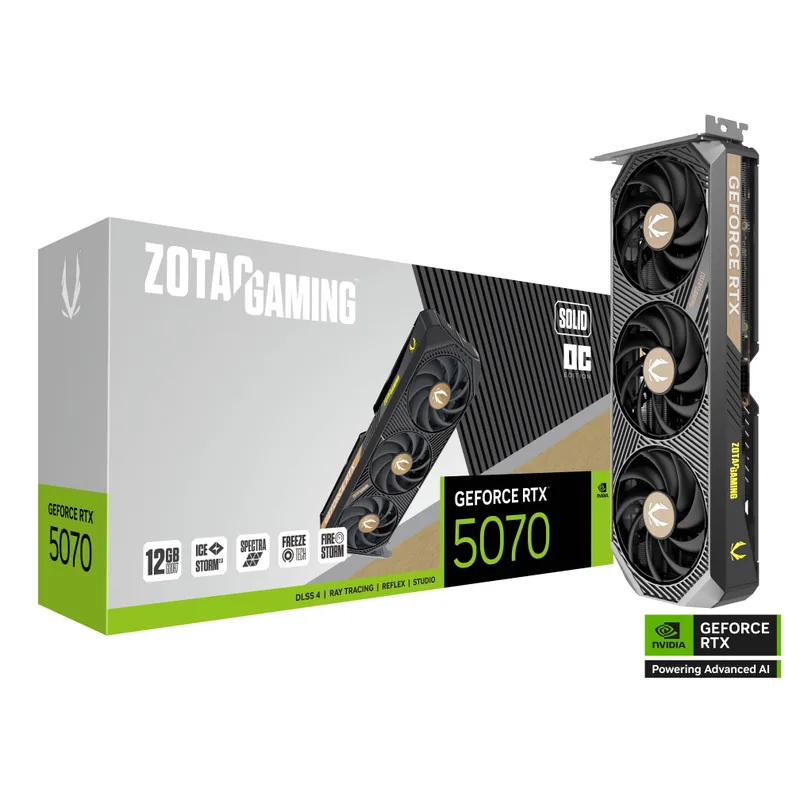
The ZOTAC Gaming RTX 5070 Solid OC is the most accessible RTX 5070 in the $639 range, built on NVIDIA’s GB205 Blackwell die with 6,144 CUDA cores and 12GB GDDR7 at 28 Gbps (576 GB/s bandwidth). The IceStorm 2.0 cooler with FREEZE fan stop (zero RPM below ~50°C) makes this genuinely inaudible during desktop use.
At 1440p in a 23-game average, the RTX 5070 trails the RX 9070 XT by 7–21% in pure rasterization — that’s the honest number from Hardware Unboxed’s testing. But DLSS 4 changes the equation. With Multi-Frame Generation active, the RTX 5070 pushes frame counts well past what the raw GPU horsepower would suggest. In Call of Duty: Black Ops 6 at 1440p with DLSS 4 Quality + MFG, the card averages over 200 effective FPS. In Cyberpunk 2077 at 4K with path tracing, DLSS 4 makes it playable at 60+ FPS.
The 250W TDP is among the lowest in this segment. Any 650W ATX 3.1 PSU with a 12V-2x6 connector handles it without stress. The ZT-B50700J-10P model number confirms this is the factory OC variant with the 2,542 MHz boost clock, a modest uplift over NVIDIA’s reference 2,512 MHz.
The 12GB VRAM is the one area where AMD wins on paper. For current 1440p gaming it’s not a limitation — Frame Capture Analysis from Digital Foundry and GamersNexus showed no VRAM pressure in any tested title at 1440p ultra as of Q1 2026. At 4K with 8K texture mods, you may hit the ceiling earlier than with a 16GB card.
If you’re committed to the NVIDIA ecosystem — GeForce Experience, DLSS, NVIDIA Broadcast, ShadowPlay, Reflex — the ZOTAC RTX 5070 Solid OC delivers all of it at $639.
2. Sapphire Pulse AMD Radeon RX 9070 XT Gaming — Best Rasterization
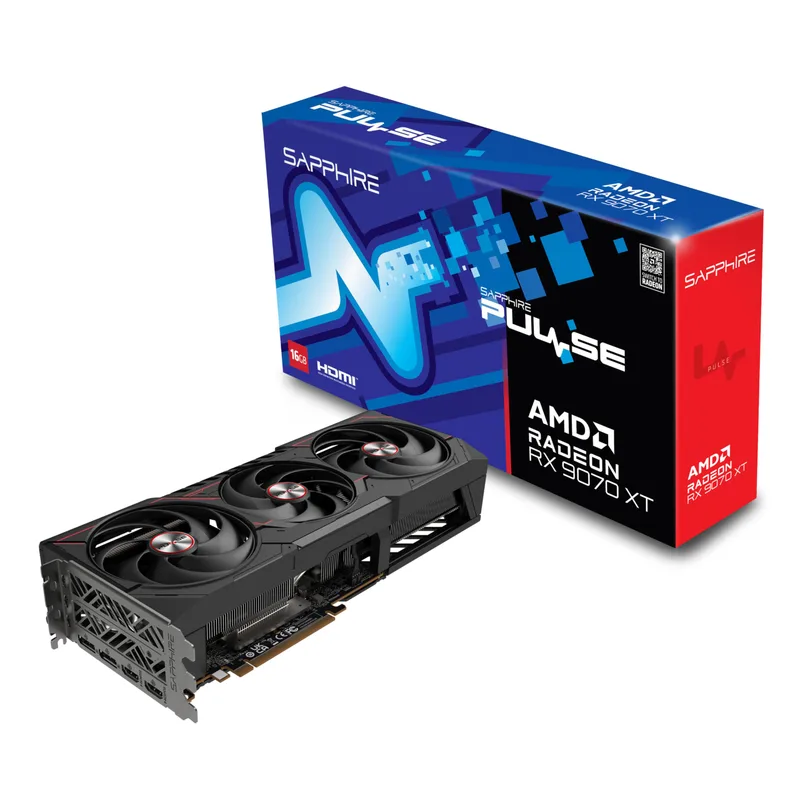
The Sapphire Pulse RX 9070 XT (model 11348-03-20G) carries the dual HDMI 2.1b / dual DP 2.1a variant badge and $680 street price, making it the most competitively priced RX 9070 XT from Sapphire. This is not the triple-fan listing — this is the dual-HDMI variant with dual DP 2.1a and a subtly different output configuration.
The RX 9070 XT is built on RDNA 4 Navi 48 with 4,096 stream processors, 64 compute units, and 16GB GDDR6 on a 256-bit bus at 20 Gbps (640 GB/s). The reference boost is 2,970 MHz, and the Sapphire Pulse runs very close to that in cooling-unconstrained scenarios.
TechPowerUp’s review called it “whisper-quiet at full load” — the Pulse cooler runs 3-slot and uses dual ball-bearing fans tuned for low noise rather than maximum cooling performance. Under sustained gaming loads, it stays below 75°C in a well-ventilated case.
The benchmarking data is clear: per Hardware Unboxed’s 23-game average at 1440p, the RX 9070 XT beats the RTX 5070 by approximately 21% in rasterization. That lead compresses somewhat at 4K but remains meaningful — the Navi 48 die’s 640 GB/s memory bandwidth and larger shader array simply move more pixels per clock. In titles like Cyberpunk 2077 rasterization-only mode, the margin exceeds 15% at 1440p.
The 304W TDP requires a 750W PSU minimum. If you’re building with an RTX 5090 or planning a future CPU upgrade, size up to 850W for headroom.
3. PowerColor Hellhound AMD Radeon RX 9070 XT — Editor’s Pick
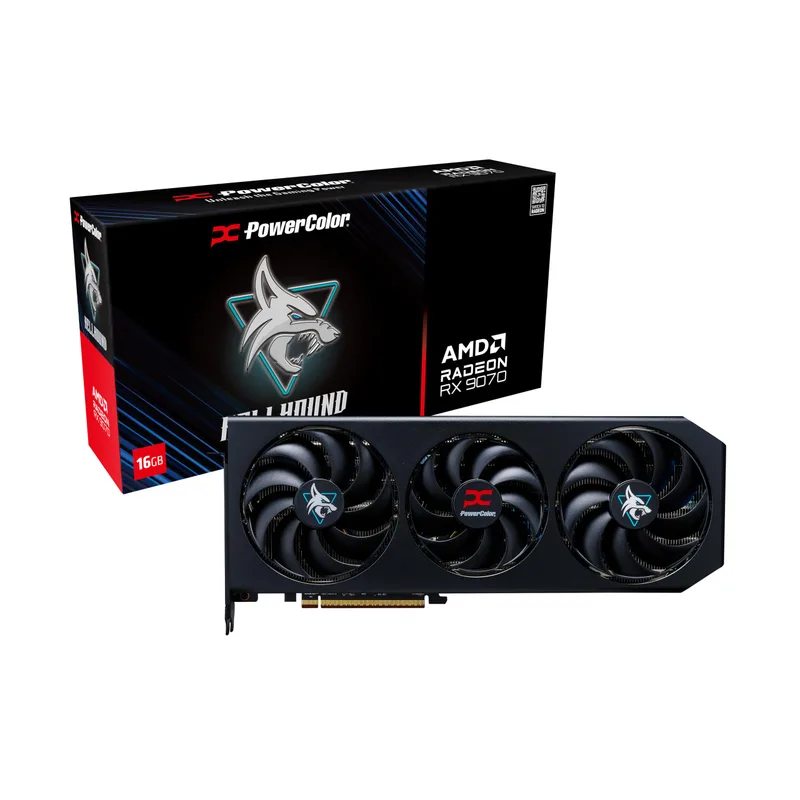
The PowerColor Hellhound RX 9070 XT hits $699 and arrives factory overclocked to 3,060 MHz — 90 MHz above the reference boost clock. The 10+1 phase power design with dedicated 3+2 memory phases supports this elevated clock without voltage instability, and TechPowerUp’s Reva review confirmed the Hellhound sustains peak clocks under extended gaming loads.
The dual BIOS switch is the feature that sets this card apart from the Sapphire Pulse at $680. Silent mode drops fan curves significantly, reducing noise output to below 35 dB during gaming — comparable to a well-tuned air cooler. OC mode pushes the fan curve harder and maintains the full 3,060 MHz boost. You can swap BIOSes without software, which means zero-dependency noise management.
Triple-fan design (327mm length) runs cooler than dual-fan alternatives at comparable GPU loads. Owner reports on Amazon and Newegg note the card rarely exceeds 72°C junction temperature in average airflow cases.
At $699 with the factory OC, this card runs 2–3% faster than the reference RX 9070 XT in compute-limited scenarios. That’s not a massive uplift, but it’s free performance over the Sapphire Pulse for $19 more. The 3× DP 2.1a + 1× HDMI 2.1b output configuration is standard for RX 9070 XT cards.
The 330W TDP is the price for the overclock. PowerColor’s PSU recommendation is 800W, though a quality 750W unit should handle it with margin. Users in tighter cases or with 650W PSUs should choose the RX 9070 non-XT instead.
4. GIGABYTE Radeon RX 9070 Gaming OC 16G — Best Value
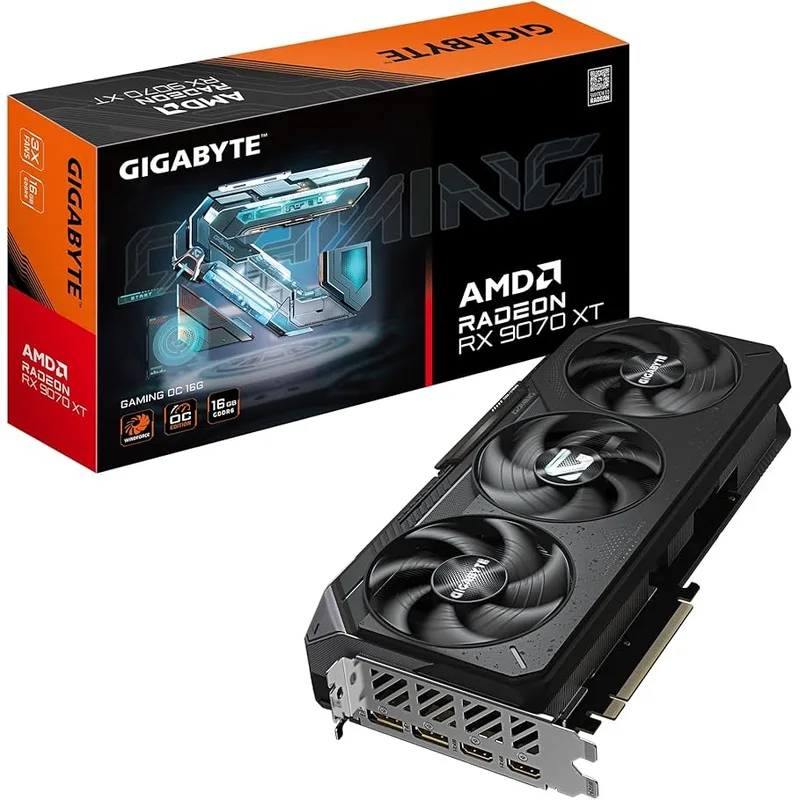
The GIGABYTE Radeon RX 9070 Gaming OC 16G runs $669 and makes a compelling case that the RX 9070 XT is unnecessary for most buyers. Built on RDNA 4 Navi 44 with 3,584 stream processors (vs Navi 48’s 4,096 in the XT), the RX 9070 factory overclocked to 2,700 MHz beats the RTX 5070 by ~13% at 1440p rasterization per GamersNexus benchmarks — while consuming only 220W.
That 220W TDP matters. A 650W PSU handles the RX 9070 Gaming OC comfortably. The WINDFORCE 3X triple-fan cooler is sized identically to GIGABYTE’s XT model, which means it’s substantially oversized for the 220W heat load — idle temps drop to near-ambient, and gaming temps sit around 65–68°C in typical conditions per Funky Kit’s review.
The 16GB GDDR6 on a 256-bit bus at 20 Gbps gives you the same memory configuration as the $679–$699 XT variants. For 1440p gaming, this is more VRAM than you will ever use today. For 4K, the 640 GB/s bandwidth and 16GB capacity give it an edge over the RTX 5070’s 12GB.
The trade-off is 9–13% slower than the RX 9070 XT across gaming workloads. If you’re targeting 144 Hz 1440p in current AAA titles, the RX 9070 Gaming OC sustains those frame rates in most games without needing upscaling. If you’re pushing 240 Hz or aiming for ultra settings without any quality scaling, the extra $30 to the XT cards is worth considering.
5. XFX Swift AMD Radeon RX 9070 OC Triple Fan — Best Budget Pick
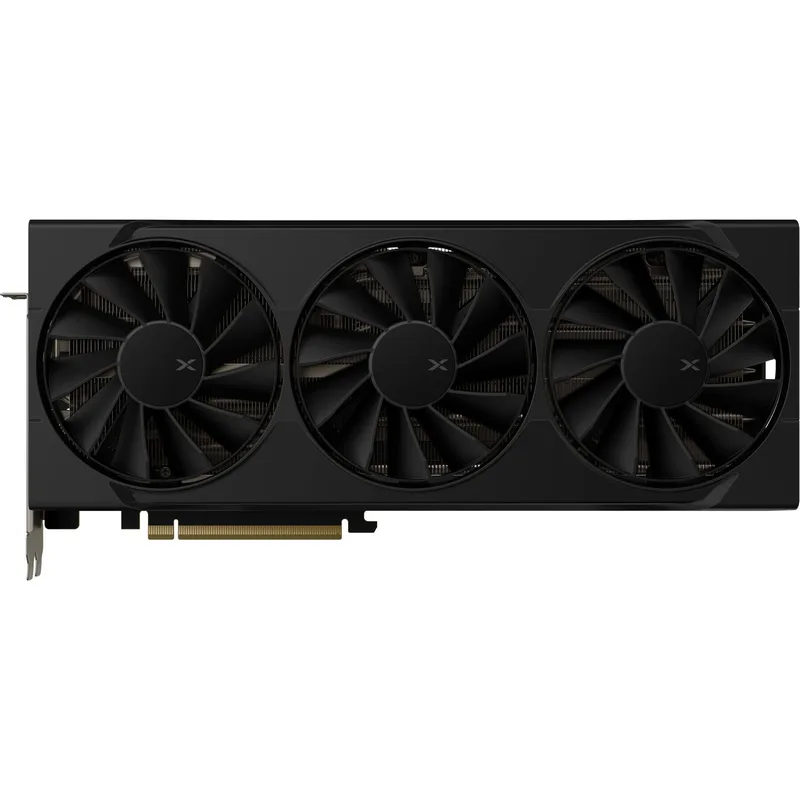
The XFX Swift RX 9070 OC (model RX-97SWFT3BA) is the cheapest card in this roundup at $619 and shares core specifications with the GIGABYTE RX 9070 Gaming OC: RDNA 4 Navi 44, 3,584 stream processors, 16GB GDDR6, 256-bit bus, 2,700 MHz boost clock, 220W TDP. The performance difference between this and the GIGABYTE at $669 will be within measurement noise.
XFX’s triple-fan cooling design uses nickel-plated copper cold plate and double ball-bearing fans with 6mm heatpipes. Thermal performance is competitive with GIGABYTE’s WINDFORCE 3X at similar clock speeds, though the GIGABYTE unit has a slight edge in sustained load temperatures based on available data.
The 3× DP 2.1 + 1× HDMI output configuration gives you adequate display options. AMD FreeSync Premium Pro support covers 1440p and 4K variable refresh rate monitors.
At $619, this card delivers more raw 1440p rasterization than the RTX 5070 at $639 for $20 less, with 16GB vs 12GB VRAM. The reason to spend more is cooler acoustic performance, better software ecosystems, or the RGB/BIOS switch features on other cards. If you want the maximum performance-per-dollar in this price segment and none of those extras matter to you, the XFX Swift is your card.
FAQ
Is the RTX 5070 worth it over the RX 9070 XT in 2026?
It depends entirely on your game library. In rasterization-heavy games — the majority of titles — the RX 9070 XT outperforms the RTX 5070 by 7–21% at 1440p. The RTX 5070 leads in ray tracing (typically 25–35% ahead), DLSS 4 image quality, and AI-accelerated workloads. If you play more than two ray-tracing-heavy titles regularly, the RTX 5070 makes sense. If your games are mostly rasterized AAA titles, the RX 9070 XT is the stronger choice at a lower or similar price.
How much VRAM do you actually need at 1440p in 2026?
12GB handles every current title at 1440p ultra settings without VRAM overflow. The RTX 5070’s 12GB is not a limitation today. At 4K ultra with texture packs or modded games, 16GB provides insurance. By 2027–2028, 12GB may become constrained in the most demanding scenarios — buy accordingly based on how long you plan to keep the card.
Do I need a new PSU for these GPUs?
RTX 5070 variants require a 12V-2x6 (16-pin) connector. Most ATX 3.1 PSUs (Corsair RM750e 2025, Seasonic Focus GX-750, etc.) include one. Older ATX 3.0 PSUs include adapters, but running 250W through an adapter introduces risk — invest in a native ATX 3.1 unit. For RX 9070 non-XT cards (220W), a quality 650W PSU is sufficient. For RX 9070 XT cards (304–330W), use 750W or larger.
What monitor resolution targets these GPUs?
All five cards are native 1440p performers at high/ultra settings in current AAA titles. For 1080p high-refresh gaming (360 Hz+), these GPUs are overpowered and a mid-range card makes more financial sense. For 4K, the RX 9070 XT with 16GB handles many titles at high settings without upscaling, while the RTX 5070 relies more heavily on DLSS 4 to hit 60+ FPS in demanding 4K scenarios.
Are these cards compatible with AM5 and Intel LGA1851 platforms?
Yes. Both PCIe 5.0 x16 slots on AM5 (X870E, B650, B850) and Intel Z890/B860 motherboards are fully compatible with all five cards at their native PCIe 5.0 bandwidth. Running in a PCIe 4.0 x16 slot produces a performance loss under 3% in gaming scenarios, so even older B550 or Z490 systems get 97%+ of the card’s potential.
The Bottom Line
For most 1440p gamers, the GIGABYTE RX 9070 Gaming OC at $669 delivers the best balance of performance, VRAM, power efficiency, and price — outrunning the RTX 5070 in rasterization at lower power draw. If you want the XT tier for that extra 13% performance ceiling, the Sapphire Pulse RX 9070 XT at $680 is the quietest and most no-nonsense option. The ZOTAC RTX 5070 Solid OC at $639 is the correct pick if DLSS 4, ray tracing, or NVIDIA-specific software are priorities in your workflow.