The NVIDIA GeForce RTX 5090 launched in January 2025 as the flagship of the Blackwell GPU generation, with a $1,999 MSRP and a spec sheet nobody outside of data centers had seen before: 21,760 CUDA cores, 32 GB of GDDR7 memory at 1,792 GB/s bandwidth, and a 575W TDP that demands a new class of power supply. By August 2026, it remains the undisputed fastest consumer GPU ever released — but you’re paying well above $1,999 to get one, with AIB cards like the MSI Gaming Trio OC and ASUS ROG Astral trading hands at $4,499 to $4,699 and above on Amazon.
The question in 2026 is not whether the RTX 5090 is fast. It is. The question is whether it’s the right card for your build — or whether the RTX 5080, currently at $1,569, delivers enough of that performance at a price that makes real-world sense.
| Spec | MSI GeForce RTX 5090 32G Gaming Trio OC Unavailable 9/10 | ASUS ROG Astral GeForce RTX 5090 OC Edition Unavailable 8.8/10 | MSI GeForce RTX 5080 16G Gaming Trio OC 8.5/10 |
|---|---|---|---|
| architecture | Blackwell GB202, PCIe 5.0 | Blackwell GB202, PCIe 5.0 | Blackwell GB203, PCIe 5.0 |
| cuda_cores | 21,760 CUDA cores | 21,760 CUDA cores | 10,752 CUDA cores |
| vram | 32 GB GDDR7 @ 28 Gbps | 32 GB GDDR7 @ 28 Gbps | 16 GB GDDR7 @ 30 Gbps |
| bandwidth | 1,792 GB/s | 1,792 GB/s | 960 GB/s |
| boost_clock | 2,497 MHz (OC mode) | ~2,610 MHz (OC mode) | 2,715 MHz (OC mode) |
| tdp | 575W (1000W+ PSU required) | 575W+ (1000W+ PSU required) | 360W (850W+ PSU recommended) |
| Rating | 9/10 | 8.8/10 | 8.5/10 |
Prices change daily — tap Check Price for the current Amazon price.
Prices change daily — tap Check Price for the current Amazon price.
Specifications
| Spec | RTX 5090 | RTX 5080 | RTX 4090 |
|---|---|---|---|
| Architecture | Blackwell GB202 | Blackwell GB203 | Ada Lovelace AD102 |
| CUDA Cores | 21,760 | 10,752 | 16,384 |
| VRAM | 32 GB GDDR7 | 16 GB GDDR7 | 24 GB GDDR6X |
| Memory Bandwidth | 1,792 GB/s | 960 GB/s | 1,008 GB/s |
| Memory Bus | 512-bit | 256-bit | 384-bit |
| Boost Clock (Ref) | 2.41 GHz | 2.617 GHz | 2.52 GHz |
| TDP | 575W | 360W | 450W |
| MSRP (Launch) | $1,999 | $999 | $1,599 |
| Typical Street (Aug 2026) | $4,499–$4,700+ | $1,569+ | ~$600–$900 used |
The raw spec gap between the RTX 5090 and RTX 5080 is substantial: the 5090 carries 2× the CUDA cores and 2× the VRAM. That doubling in cores doesn’t translate to 2× real-world gaming performance due to latency, memory controller, and driver-level factors, but it does produce a 40–45% gap at 4K — larger than any previous xx80/xx90 split in NVIDIA’s consumer GPU history.
The RTX 4090 comparison is notable: the 5090 outpaces it by 27% in native 4K rasterization on average, despite the 4090 having 16,384 CUDA cores to the 5090’s 21,760. The architectural efficiency gains in Blackwell — improved RT cores, faster Tensor cores, and the 28 Gbps GDDR7 memory speed — account for the per-core performance improvement.
4K Gaming Performance
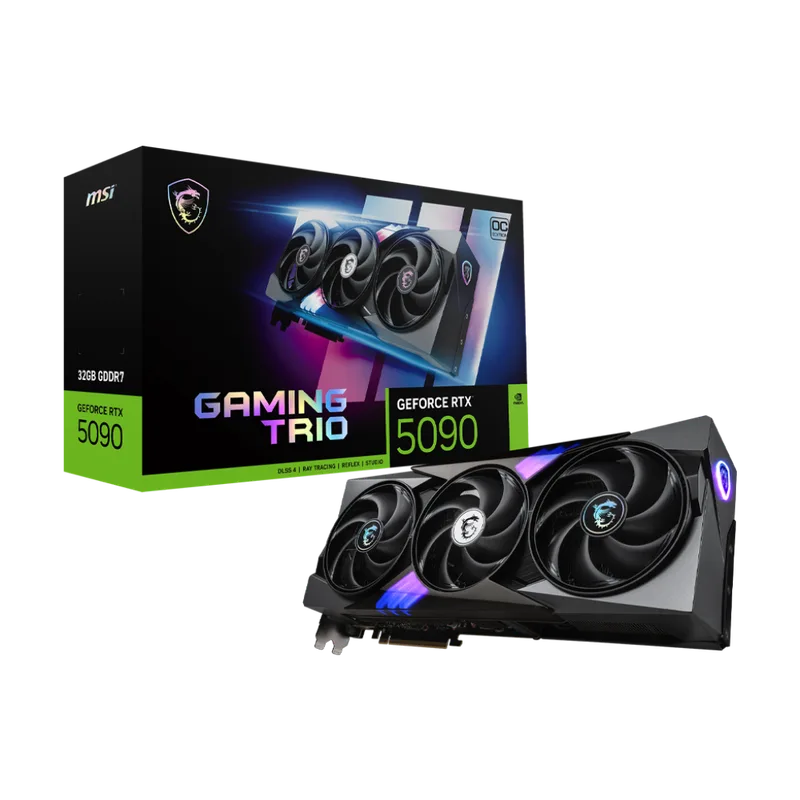
MSI GeForce RTX 5090 32G Gaming Trio OC
The RTX 5090 is purpose-built for 4K. At 1440p, the performance advantage over the RTX 5080 narrows to ~34%, and at 1080p you’re leaving enormous headroom on the table. If you’re running a 1440p display, buy the RTX 5080 instead and save $1,500.
Based on benchmark data from GamersNexus and third-party hardware reviewers, the RTX 5090 averages approximately 137 FPS at 4K Ultra across a wide selection of demanding titles, versus ~108 FPS for the RTX 4090 and ~97 FPS for the RTX 5080:
4K Native Rasterization (No Upscaling, Ultra/Max Settings)
| Game | RTX 5090 Avg FPS | RTX 5080 Avg FPS | RTX 4090 Avg FPS |
|---|---|---|---|
| Cyberpunk 2077 (Ultra) | ~105 | ~74 | ~82 |
| Alan Wake 2 (Max) | ~82 | ~58 | ~64 |
| Black Myth: Wukong (Cinematic) | ~90 | ~64 | ~71 |
| Marvel Rivals (Epic 4K) | ~145 | ~103 | ~109 |
| A Plague Tale: Requiem (Max 4K) | ~84 | ~60 | ~59 |
| Counter-Strike 2 (4K High) | ~400 | ~285 | ~315 |
The MSI GeForce RTX 5090 32G Gaming Trio OC is the most available and best-priced RTX 5090 AIB at $4,499. The TRI FROZR 4 triple-fan cooler with STORMFORCE fans handles the 575W thermal load better than most competing designs — GPU temperatures stay in the 78–82°C range under full gaming load, which is controlled for a card this powerful.
The 2,497 MHz OC boost clock gives a small edge over reference-clocked 5090s. In practice, the performance difference between AIB cards at similar clock speeds is less than 3% — what you’re actually paying for is the cooler, PCB build quality, and warranty.
At 4K, with DLSS 4 Quality mode enabled, those numbers climb dramatically. The RTX 5090 can sustain 150+ FPS in Cyberpunk 2077 Ultra with DLSS 4 Quality, and 200+ FPS with Performance mode. For 4K/120Hz or 4K/144Hz displays, the RTX 5090 is the first consumer GPU to make 120+ FPS achievable in the most demanding titles without relying on frame generation.
Ray Tracing and Path Tracing
This is where the RTX 5090’s architectural lead over the RTX 4090 is most pronounced, and where the gap over the RTX 5080 matters for specific workloads.
Blackwell’s 3rd-generation RT cores deliver 2.8× better ray tracing throughput per core compared to Ada Lovelace. Combined with the raw CUDA core advantage, the RTX 5090 outpaces the RTX 4090 by 27–35% in ray-traced workloads, and by 37–38% in path-traced titles like Cyberpunk 2077 and Black Myth: Wukong.
4K Path Tracing / Heavy Ray Tracing
| Game | RTX 5090 Native FPS | RTX 5080 Native FPS | RTX 4090 Native FPS |
|---|---|---|---|
| Cyberpunk 2077 (PT Ultra, 4K) | ~58 | ~36 | ~42 |
| Alan Wake 2 (RT Max, 4K) | ~48 | ~30 | ~36 |
| Black Myth: Wukong (RT Max, 4K) | ~52 | ~33 | ~38 |
With DLSS 4 Quality mode applied on top of path tracing, the RTX 5090 pushes Cyberpunk 2077 4K Path Tracing to approximately 120–130 FPS effective — something that required frame generation on the RTX 4090 just to hit 60 FPS. For builders who specifically want to run games in their most visually ambitious settings, the RTX 5090 is a different class of card.
The gap over the RTX 5080 in path tracing (~60%) is larger than in rasterization (~41%) because path tracing is significantly more memory-bandwidth sensitive. The 5090’s 1,792 GB/s vs the 5080’s 960 GB/s is where the second layer of advantage comes from.
DLSS 4 and Multi-Frame Generation
DLSS 4 on the RTX 5090 can generate up to three additional frames for every one frame the GPU renders natively — meaning four total frames displayed per real rendered frame. At 4K with Ray Tracing enabled, a native 30 FPS scenario becomes 90–120+ FPS effective with MFG enabled.
The Transformer-based DLSS 4 upscaling model (introduced with Blackwell) is a meaningful quality improvement over DLSS 3.5. At Quality mode, it produces sharper reconstruction with better temporal stability than FSR 4 in most titles. At Performance mode (2× upscaling), the quality is broadly comparable to what DLSS 3 delivered at Quality mode, making it a legitimate tool rather than just a frame rate number inflator.
That said, Multi-Frame Generation frames are not equal to real rendered frames for input latency purposes. NVIDIA Reflex integration is required to keep the latency experience competitive, and even with Reflex enabled, MFG-generated frames carry slightly higher input latency than native frames. For competitive multiplayer, disable MFG and use native or DLSS 4 Super Resolution only. For single-player and cinematic titles, MFG is transformative.
The Premium Build Choice: ASUS ROG Astral
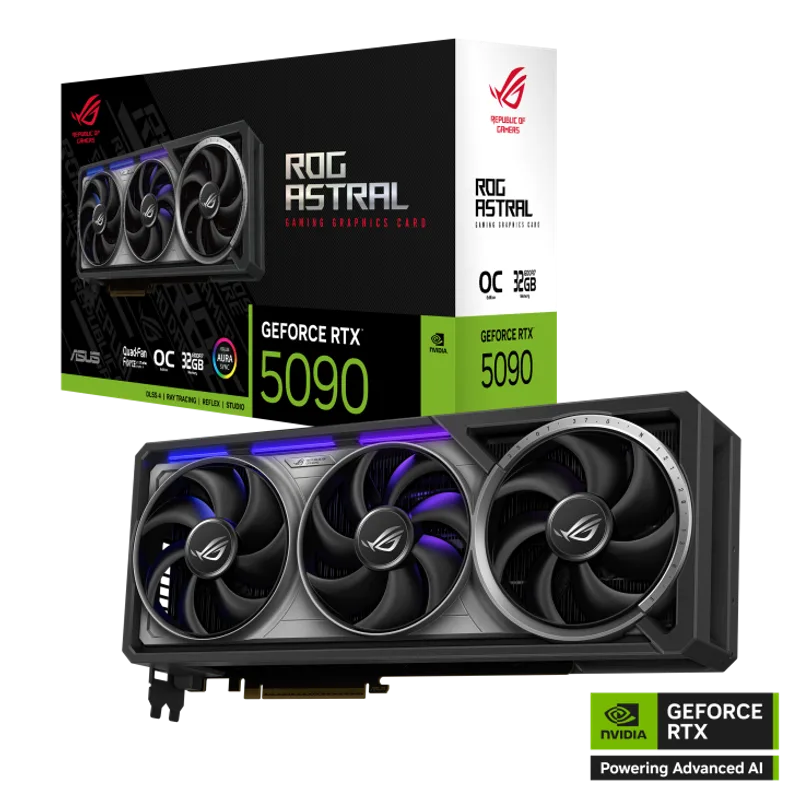
ASUS ROG Astral GeForce RTX 5090 OC Edition
The ASUS ROG Astral GeForce RTX 5090 OC Edition is ASUS’s flagship card and the highest-performing air-cooled RTX 5090 available at retail. The 3.8-slot quad-fan design with a patented vapor chamber and phase-change GPU thermal pad (rather than standard thermal pads) gives it the best sustained thermal performance of any RTX 5090 AIB — GPU temperatures run 5–7°C cooler than the MSI Gaming Trio OC under sustained path-tracing workloads.
The factory OC to approximately 2,610 MHz in OC mode is a 4–5% clock advantage over the MSI Gaming Trio OC’s 2,497 MHz. In real-world gaming at 4K, that translates to roughly 3–5 FPS more in most titles — not a meaningful performance delta by itself.
At $4,699, you’re paying $200 over the MSI Gaming Trio OC for better thermals, better build quality, ASUS’s 3-year warranty, and a showcase design with AURA Sync RGB and an included GPU holder. If you’re building an open-frame workstation or a glass-panel showcase where the GPU is visible, the ROG Astral earns its premium. If the GPU is enclosed in a standard ATX case, the MSI Gaming Trio OC delivers nearly identical performance for $200 less.
The 3.8-slot width is the main practical concern. Verify your case supports a card this thick — some mid-tower cases with HDD cages or bottom-mounted PSU shrouds won’t accommodate it without clearance issues.
The Smarter Buy for Most People: RTX 5080
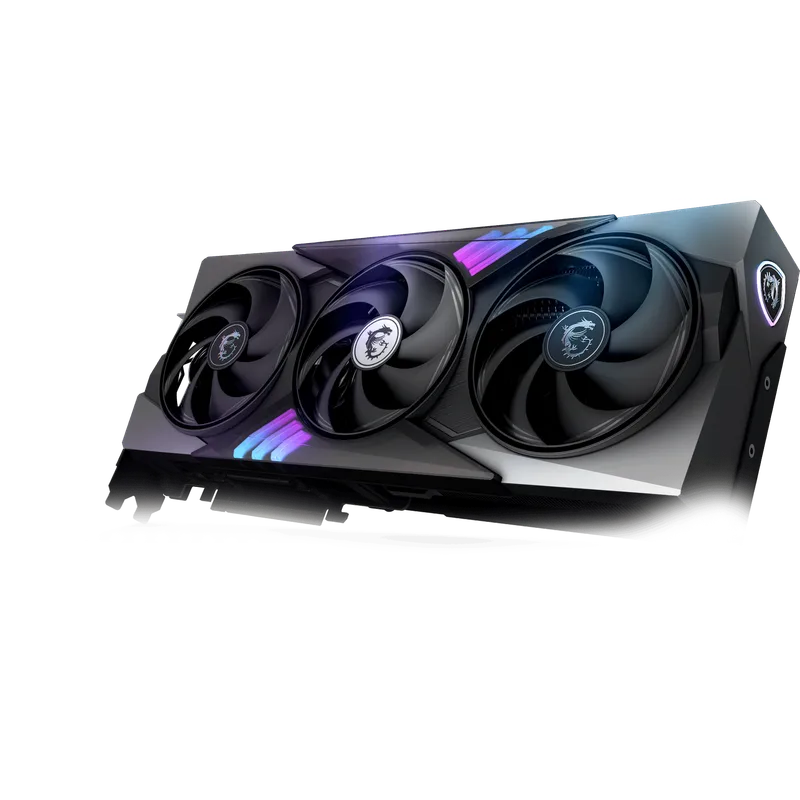
The MSI GeForce RTX 5080 16G Gaming Trio OC is the honest answer for most buyers who arrive at the RTX 5090 page and want 4K gaming at maximum quality settings.
At $1,569 versus the RTX 5090’s $4,499, the RTX 5080 Gaming Trio OC delivers approximately 70% of the RTX 5090’s 4K rasterization performance at 35% of the price. The 2,715 MHz OC boost clock makes it the fastest-clocked RTX 5080 AIB in testing, and at 360W TDP it pairs cleanly with an 850W PSU — no need to rebuild your PSU infrastructure for 575W of GPU alone.
Where the RTX 5080 genuinely falls behind:
- Path tracing and bandwidth-heavy workloads: The 960 GB/s memory bandwidth vs 1,792 GB/s creates a ~60% gap in path tracing — significantly larger than the 41% rasterization gap
- 8K gaming: The RTX 5090’s 32 GB GDDR7 makes 8K resolvable with DLSS 4; the RTX 5080’s 16 GB doesn’t
- AI and content creation with large asset sizes: Video editing with 8K footage, AI image generation with large batch sizes, and LLM inference all benefit from the 5090’s doubled VRAM
For the buyer targeting 4K/120Hz with DLSS 4 enabled in mainstream titles, the RTX 5080 gets you there. For 4K video editing and GPU-intensive creative workflows where you’ll fill 16 GB of VRAM, the RTX 5090 is the correct tool. See our best GPUs for ray tracing guide for a full breakdown of where each card lands in RT workloads. For a detailed head-to-head breakdown across resolutions and workloads, see our RTX 5090 vs RTX 5080 comparison.
PSU Requirements and Power Consumption
The RTX 5090’s 575W TDP is not theoretical — the MSI Gaming Trio OC draws approximately 575–590W at full gaming load. Add a high-end CPU like the Ryzen 7 9800X3D at 120W, and your system total exceeds 700W under simultaneous CPU+GPU load.
Recommended PSU pairings:
- RTX 5090 with mid-range CPU (Ryzen 7 9700X or similar): 1000W Gold minimum, 1200W Gold for headroom
- RTX 5090 with enthusiast CPU (Ryzen 9 9900X, Core Ultra 9 285K): 1200W Gold recommended
- RTX 5080 with any current-gen CPU: 850W Gold is sufficient; 1000W for enthusiast CPU builds
The RTX 5090 uses NVIDIA’s 16-pin 12VHPWR connector. All modern PSUs with ATX 3.1 certification include a native 12VHPWR cable — use the native cable, not an 8-pin adapter, to eliminate the documented melt risk from the earlier 4000-series connector era. For PSU recommendations, see our best 1000W power supplies guide.
Thermals and Noise
The MSI Gaming Trio OC in OC mode peaks at 78–82°C under sustained 4K gaming — controlled for a 575W card. The STORMFORCE triple fans produce approximately 38–42 dBA measured at 1 meter under full load; audible but not intrusive. In Silent mode (via MSI Center), fan speeds reduce with a ~3°C thermal trade-off.
The ASUS ROG Astral runs 5–7°C cooler at comparable load due to the vapor chamber and phase-change thermal pad — peaking around 73–76°C in sustained workloads. Noise levels are similar to the MSI Gaming Trio OC despite the denser heatsink, as the additional fans offset the more aggressive heat dissipation.
Both cards require case airflow to pull heat out of the chassis. In a case with two 120mm intake fans and one 120mm exhaust, the GPU stays in safe operating ranges. In a sealed or poorly ventilated enclosure, both cards will thermal throttle.
Who Should Buy the RTX 5090
Buy the RTX 5090 if:
- You’re targeting 4K/120Hz+ with native or DLSS 4 Quality rendering in demanding single-player titles — this is the only consumer GPU that makes that realistic today
- Your workflow fills or exceeds 16 GB of VRAM: 8K video production, large-batch AI image generation, or LLM inference at scale
- You’re upgrading from an RTX 4090 and primarily run path-traced or heavily RT-enabled titles — the 38% path tracing improvement justifies the jump
- You want DLSS 4 Multi-Frame Generation for maximum effective frame rates at 4K with RT enabled
Buy the RTX 5080 instead if:
- You want 4K gaming at 60–90 FPS native or 120+ FPS with DLSS 4 Quality enabled, and aren’t running path tracing workloads
- Content creation stays within 16 GB VRAM — the RTX 5080 handles 4K video editing and standard workloads without issue
- Your PSU budget stops at 1000W — the RTX 5080’s 360W TDP is dramatically more PSU-efficient
- The current street price delta of ~$2,930 between the MSI 5090 and MSI 5080 represents a meaningful portion of your total build budget
FAQ
Is the RTX 5090 actually worth $4,500 in 2026? For most gaming use cases, no — the RTX 5080 delivers 70% of the performance at about one-third the price. The RTX 5090’s value proposition is strongest for content creators who max out 16 GB VRAM, buyers targeting 4K path tracing at 60+ FPS native, and users who will actively use the 32 GB capacity for AI workloads. Pure gamers get diminishing returns at any resolution below 8K.
What does DLSS 4 Multi-Frame Generation actually do? MFG generates AI frames in addition to real rendered frames — on the RTX 5090, it can add three AI-generated frames per real frame, giving four total frames displayed per GPU render cycle. This dramatically raises the effective frame rate counter but does not improve the frame latency of the real rendered frames. NVIDIA Reflex integration keeps the input latency competitive. For single-player games with DLSS 4 support, it’s genuinely useful. For competitive multiplayer, disable MFG and use native rendering or DLSS 4 Super Resolution only.
What PSU do I need for the RTX 5090? A 1000W 80+ Gold unit is the realistic minimum for a system with the RTX 5090 and a modern CPU like the Ryzen 7 9800X3D. If you’re running a high-TDP CPU (Intel Core Ultra 9 285K, Ryzen 9 9900X) under heavy simultaneous load, a 1200W Gold unit provides necessary headroom. The PSU must have a native 16-pin 12VHPWR cable — use ATX 3.1-certified PSUs to avoid the 4000-series-era adapter melt risk.
RTX 5090 vs RTX 4090: is the upgrade worth it? From an RTX 4090, the RTX 5090 offers approximately 27% more native 4K rasterization performance, 32–35% more in ray-traced workloads, and 38% more in path tracing — plus double the VRAM (32 GB vs 24 GB). For buyers with demanding content creation workflows that pressure 24 GB, and for buyers who specifically want path tracing at high frame rates, the upgrade is justified. For pure gaming where the RTX 4090 already delivers 80+ FPS at 4K in most titles, the $4,499+ street cost is hard to justify when the used RTX 4090 market sits at $600–$900.
Which RTX 5090 AIB card should I buy? The MSI Gaming Trio OC is the best-value RTX 5090 at $4,499 — solid triple-fan cooling, factory OC at 2,497 MHz, and widely available. The ASUS ROG Astral earns its $4,699 price only if you’re building a showcase system where aesthetics matter or running extended computational workloads where a 5–7°C thermal advantage has meaningful consequences.
The Bottom Line
The NVIDIA GeForce RTX 5090 is without question the fastest consumer GPU available in 2026 — 27% faster than the RTX 4090 in native 4K rasterization, 38% faster in path tracing, and the only consumer card that makes 4K/120Hz native performance achievable in the most demanding titles without relying on DLSS frame generation. The 32 GB GDDR7 at 1,792 GB/s bandwidth is a meaningful step for content creators who have been pushing against the RTX 4090’s 24 GB ceiling.
The problem is real: at $4,499 for the MSI Gaming Trio OC and $4,699 for the ASUS ROG Astral, these cards are priced well above their $1,999 MSRP, and the RTX 5080 Gaming Trio OC at $1,569 delivers approximately 70% of that performance for about one-third the money. For most 4K gamers, the RTX 5080 is the rational choice. The RTX 5090 makes sense for creators filling VRAM, buyers who want 4K path tracing at playable native frame rates, and users who will genuinely fill 32 GB in AI or professional workloads. For everything else, buy the RTX 5080 and spend the $2,900 difference on something that moves the needle more — a faster display, a better CPU, or another part of your build that’s actually the bottleneck.