The RTX 5090 and RTX 5080 are NVIDIA’s two highest-tier Blackwell GPUs — one built for absolute maximum performance at any cost, the other engineered to be the fastest card most people can actually justify. With RTX 5090 street prices starting at $4,200+ and RTX 5080 cards sitting between $1,569 and $1,800, the minimum gap between the cheapest cards in each tier is now over $2,600. Whether that gap is worth it depends entirely on your workload, resolution, and whether 32GB GDDR7 changes anything for you.
| Spec | MSI RTX 5080 Gaming Trio OC 16GB 9.1/10 | ASUS TUF Gaming RTX 5080 OC 16GB 8.8/10 | MSI RTX 5090 Ventus 3X OC 32GB Unavailable 8.9/10 | MSI RTX 5090 Gaming Trio OC 32GB Unavailable 9.3/10 | ASUS ROG Astral RTX 5090 OC 32GB Unavailable 9/10 |
|---|---|---|---|---|---|
| architecture | Blackwell (GB203) | Blackwell (GB203) | Blackwell (GB202) | Blackwell (GB202) | Blackwell (GB202) |
| vram | 16GB GDDR7 | 16GB GDDR7 | 32GB GDDR7 | 32GB GDDR7 | 32GB GDDR7 |
| memory_bus | 256-bit | 256-bit | 512-bit | 512-bit | 512-bit |
| memory_bandwidth | 960 GB/s | 960 GB/s | 1,792 GB/s | 1,792 GB/s | 1,792 GB/s |
| boost_clock | 2,715 MHz | 2,625 MHz | 2,452 MHz | 2,497 MHz | 2,535 MHz |
| tdp | 360W | 360W | 575W | 575W | 600W |
| recommended_psu | 850W | 850W | 1,000W | 1,000W | 1,000W |
| Rating | 9.1/10 | 8.8/10 | 8.9/10 | 9.3/10 | 9/10 |
Prices change daily — tap Check Price for the current Amazon price.
Prices change daily — tap Check Price for the current Amazon price.
Quick Picks
- Best for most 4K gamers: MSI RTX 5080 Gaming Trio OC — handles every 4K title without the 575W power overhead of the 5090
- Best entry into RTX 5090: MSI RTX 5090 Ventus 3X OC — cheapest GB202 die at $4,249
- Best RTX 5090 overall: MSI RTX 5090 Gaming Trio OC — top boost clock, TRI FROZR 4 cooling, and 47% Blender advantage over 5080
RTX 5090 vs RTX 5080: Architecture and Specs
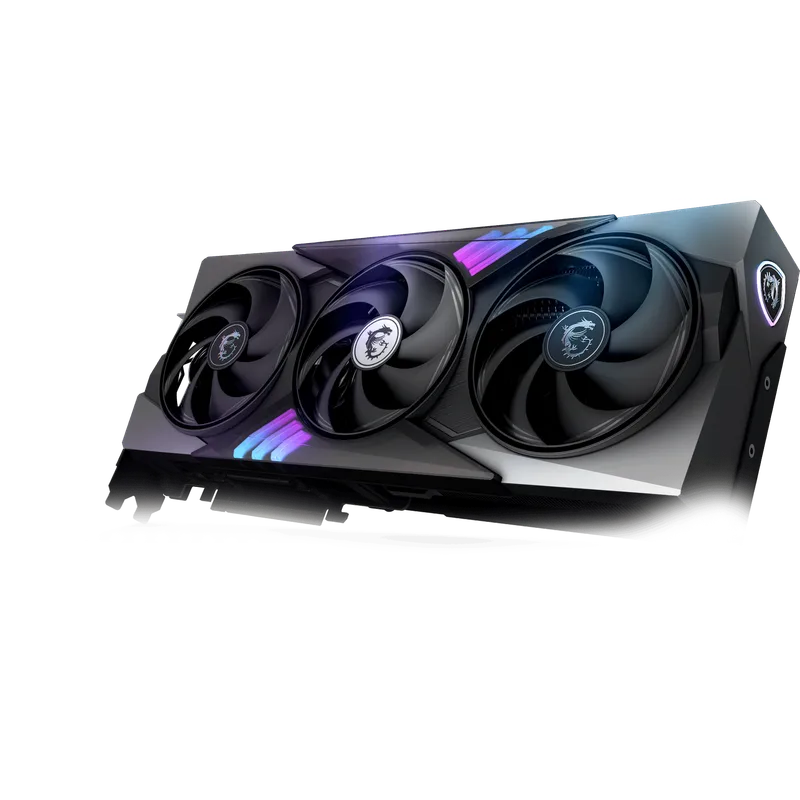
Both cards run NVIDIA’s Blackwell architecture, but they use different silicon dies. The RTX 5090 uses the full GB202 die with 21,760 CUDA cores; the RTX 5080 uses the smaller GB203 die with 10,752. That’s more than double the compute — and it shows in every benchmark that scales with shader throughput.
Spec comparison at a glance:
| Spec | RTX 5090 | RTX 5080 |
|---|---|---|
| Die | GB202 | GB203 |
| CUDA Cores | 21,760 | 10,752 |
| VRAM | 32GB GDDR7 | 16GB GDDR7 |
| Memory Bus | 512-bit | 256-bit |
| Bandwidth | 1,792 GB/s | 960 GB/s |
| Boost Clock | 2,407–2,535 MHz (AIB) | 2,617–2,715 MHz (AIB) |
| TDP | 575W | 360W |
| PCIe | Gen 5 x16 | Gen 5 x16 |
| MSRP | $1,999 | $999 |
| Current Street | $4,200–$4,800+ | $1,569–$1,800 |
The RTX 5080 actually clocks higher than the 5090 at the AIB level because GB203 is a smaller, more efficient die — it runs cooler and boosts further. But the 5090’s raw compute and memory bandwidth advantage overwhelms any clock-speed deficit.
Gaming Performance: How Big Is the Gap?
At 4K Ultra settings without upscaling, the RTX 5090 leads the RTX 5080 by 45-55% on average across tested titles, with individual games ranging from 30% to nearly 70% faster depending on how memory-bandwidth-limited the workload is.
Specific examples based on available review data:
- Final Fantasy XIV at 4K (GamersNexus): RTX 5090 ~170 FPS vs RTX 5080 ~112 FPS AVG — 52% lead
- Resident Evil 4 at 4K (GamersNexus): RTX 5080 at 128 FPS AVG, 5090 ~190+ FPS
- Black Myth: Wukong at 4K raster: RTX 5080 at 58 FPS AVG; RTX 5090 around 85-90 FPS based on scale
At 1440p, the gap narrows to 25-30%. The RTX 5090 averages around 206 FPS at 1440p vs 164 FPS for the RTX 5080. If your monitor tops out at 1440p/165Hz, the RTX 5080 already saturates your display without upscaling — the 5090’s headroom goes unused.
DLSS 4 and Frame Generation
Both cards support DLSS 4 Multi Frame Generation in 125+ supported titles. With DLSS 4 enabled at 4K Quality:
- RTX 5080 goes from ~100 FPS native to 220-280 FPS depending on the title
- RTX 5090 goes from ~155 FPS native to 340-400 FPS
If you’re targeting 4K/240Hz, only the RTX 5090 gets you there in demanding AAA titles at max settings even with DLSS 4 enabled. The RTX 5080 can push 4K/144Hz in most titles.
Content Creation and Professional Workloads
This is where the 32GB VRAM of the RTX 5090 matters most:
Blender Cycles rendering: RTX 5090 is 47% faster than RTX 5080 per GamersNexus benchmarks. A 10-minute render on the 5080 becomes under 7 minutes on the 5090. At professional production volumes, that compounds quickly.
Video editing (DaVinci Resolve, Premiere): 16GB handles most 4K editorial timelines. The VRAM ceiling hits when combining multiple 4K streams with heavy color grading, noise reduction, and effects simultaneously. 32GB removes that constraint.
Local AI inference: Running 70B parameter models at reasonable quality requires 40GB+ VRAM. The 5090’s 32GB handles up to roughly 34B parameters in 4-bit quantization — the 5080’s 16GB caps out around 13B parameters. If local LLM use matters to you, the 5090 is in a different class.
Stable Diffusion / image generation: The 5090 delivers roughly 35-45% more iterations per second than the 5080 at 1024×1024, and the 32GB VRAM opens up batch sizes that aren’t possible on 16GB.
Power Requirements
This is the non-negotiable practical reality:
The RTX 5080 at 360W fits comfortably in a system with an 850W PSU alongside a high-TDP CPU like the Ryzen 7 9800X3D (TDP 120W). You have real headroom.
The RTX 5090 at 575W demands a 1,000W PSU minimum, and the ROG Astral variant runs 600W peak. If you’re pairing with a high-end CPU, plan for a 1,200W or 1,000W 80+ Gold minimum with low ripple at high load. The Seasonic Focus GX-1000 ATX 3.1 or Corsair RM1000x are solid pairings.
Also note: some RTX 5090 AIB cards require 3-slot clearance and 340mm+ card length. Verify case compatibility before purchasing. The NZXT H9 Flow and similar full-towers handle all current 5090 AIBs without issue.
Detailed Reviews
1. MSI RTX 5080 Gaming Trio OC 16GB
The MSI Gaming Trio OC is the RTX 5080 to buy if you’re choosing this tier. Its 2,715 MHz boost clock is the highest on any RTX 5080 AIB card, the TRI FROZR 4 cooling with three STORMFORCE fans handles 360W without thermal throttling, and the dual BIOS lets you drop to Silent mode for quieter desktop use.
At $1,569, it’s $570 above the $999 MSRP — a reflection of tight supply rather than artificial pricing. Based on owner reports, sustained gaming temperatures land around 72-75°C at 25°C ambient, which is excellent for a 360W card.
The only real caveat: this variant ships with DisplayPort 2.1a rather than 2.1b. For 4K/144Hz that’s irrelevant — DP 2.1a supports 4K/240Hz at 10-bit color. It only matters if you’re targeting 8K/120Hz, which needs DP 2.1b’s full 80 Gbps.
Best for: 4K gaming at up to 144Hz on a standard 850W+ system without PSU upgrade concerns.
2. ASUS TUF Gaming RTX 5080 OC 16GB
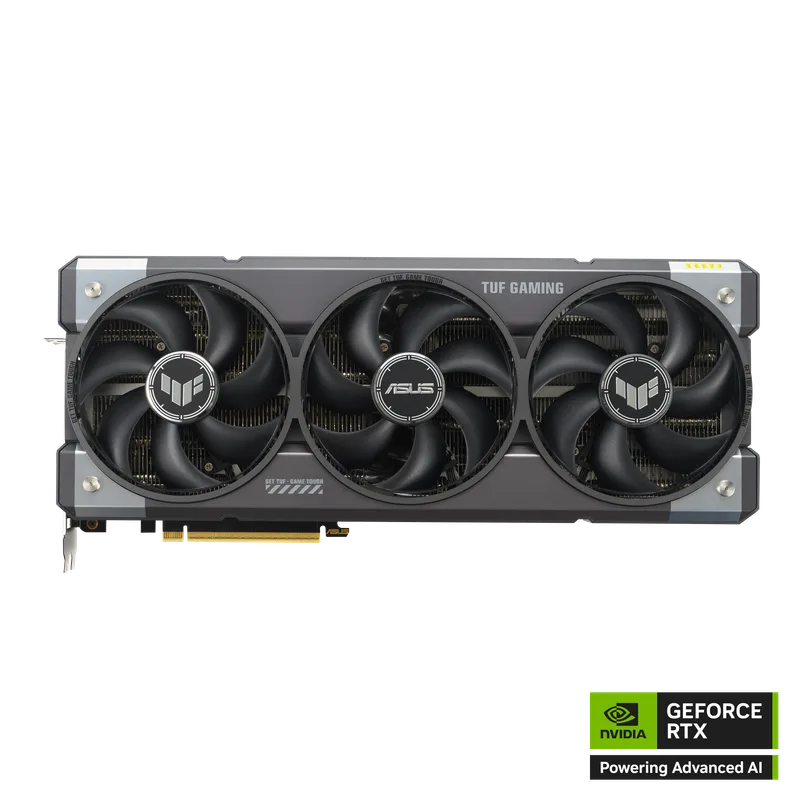
The TUF RTX 5080 OC is the choice for builders who prioritize long-term reliability over outright frame rates. ASUS’s military-grade component spec, protective PCB coating against moisture and debris, and three-year warranty make it the RTX 5080 for those keeping this card for 4-5+ years.
At $1,719, it’s $150 over the MSI Gaming Trio OC. Its 2,625 MHz boost clock trails the MSI by 90 MHz — in practice that’s under 0.5% performance in gaming. You’re paying the premium for the 3.6-slot vapor chamber design and component longevity.
Best for: Long-term builds where component reliability and warranty coverage matter more than extracting every last MHz.
3. MSI RTX 5090 Ventus 3X OC 32GB
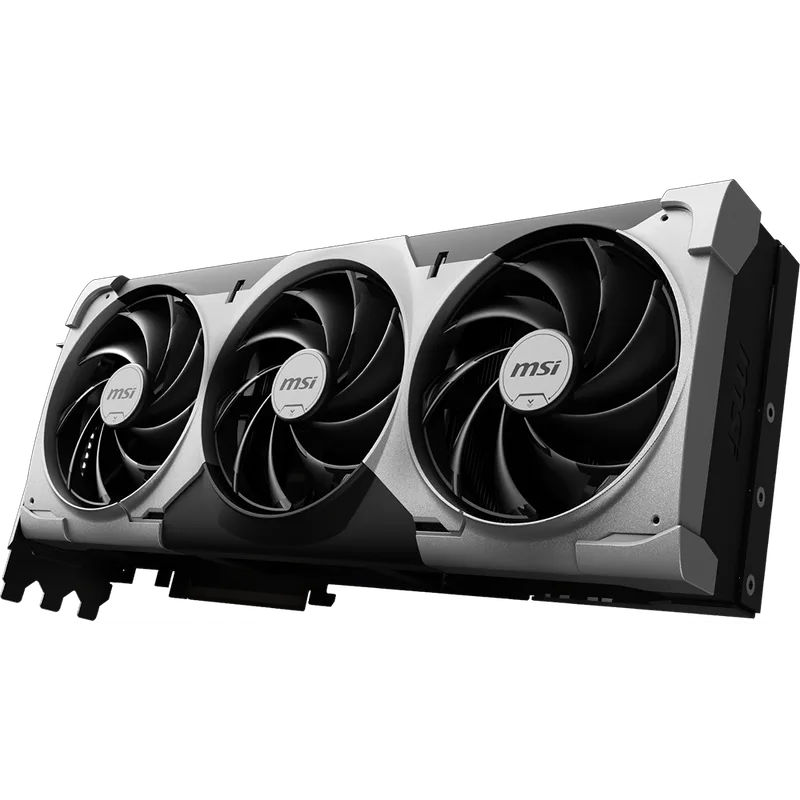
MSI RTX 5090 Ventus 3X OC 32GB
At $4,249, the Ventus 3X OC is the cheapest path to the full GB202 die and 32GB of GDDR7 at 1.8 TB/s — post-Prime Day RTX 5090 prices have risen sharply industry-wide, with the lowest-tier models now starting above $4,200.
What you trade for the savings: the Ventus cooler is noisier under sustained load. Three fans on a 575W card generate a reported 42-45 dB during Blender or extended gaming sessions. The 2,452 MHz boost clock is also the lowest of the three 5090 cards here — though it’s still substantially above the RTX 5080’s real-world throughput due to the raw compute and bandwidth advantage.
If the use case is primarily professional rendering or AI where acoustic performance matters less than compute throughput per dollar, the Ventus 3X OC is the right call at this tier’s lowest entry price.
Best for: Content creators and AI workload users who want the 5090’s 32GB VRAM and compute at the lowest possible entry price.
4. MSI RTX 5090 Gaming Trio OC 32GB
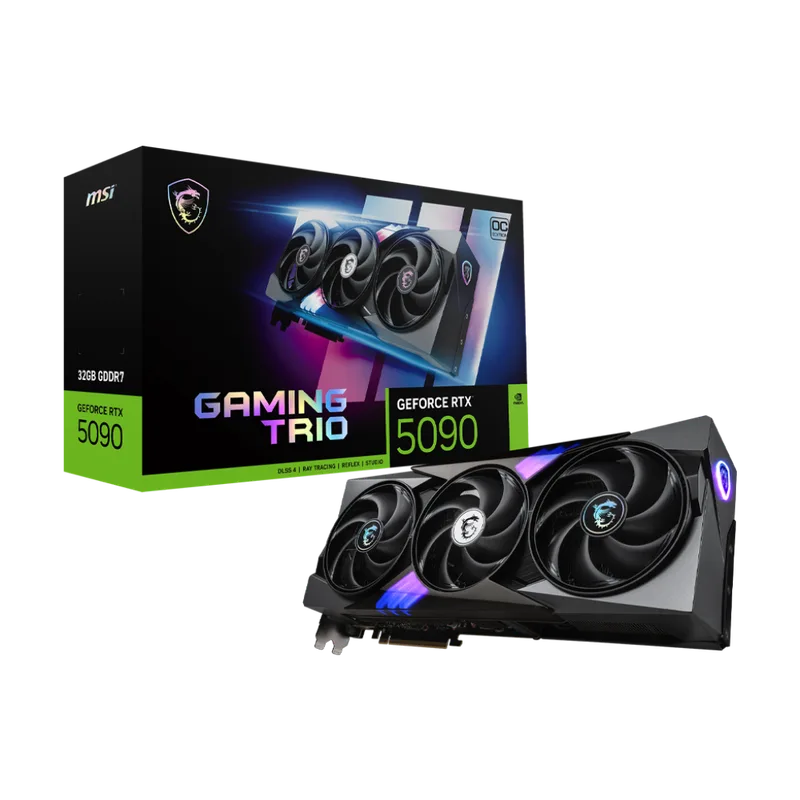
MSI RTX 5090 Gaming Trio OC 32GB
The MSI RTX 5090 Gaming Trio OC is the reference point for what a top-tier Blackwell GPU delivers. At 2,497 MHz boost, it leads AIB 5090 cards in performance before manual overclocking, and the TRI FROZR 4 thermal solution manages 575W with notably less acoustic output than the Ventus design.
According to GamersNexus benchmarks, the RTX 5090 delivers a 47% faster Blender Cycles render time compared to the RTX 5080. At 4K in Final Fantasy XIV, the RTX 5090 achieves around 170 FPS AVG vs 112 FPS for the 5080 — a 52% lead. In Stable Diffusion XL at 1024×1024, the 5090 produces 35-45% more iterations per second.
The $4,499 price is real money, but it’s $200 less than the ROG Astral for under 1.5% lower boost clock. The Gaming Trio OC is the value proposition within the RTX 5090 tier.
Best for: Buyers who have decided the 5090 is right for their workload and want the best performance-to-price ratio within that tier.
5. ASUS ROG Astral RTX 5090 OC 32GB
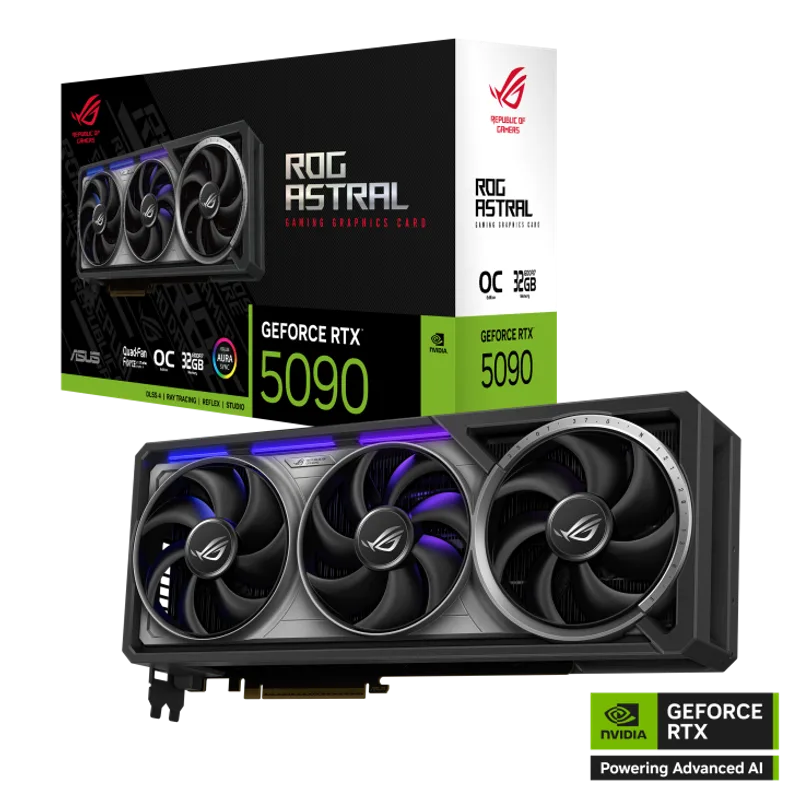
ASUS ROG Astral RTX 5090 OC 32GB
The ROG Astral is ASUS’s engineering showcase: quad-fan, 3.8-slot, phase-change GPU thermal pad, and the highest out-of-box boost clock in the RTX 5090 lineup at 2,535 MHz. It’s the coldest and quietest 5090 available under sustained load, and the 2x HDMI 2.1b + 3x DP 2.1a outputs let you run five screens simultaneously.
At $4,699, the honest assessment is that the $200 premium over the MSI Gaming Trio OC buys quieter thermals and marginally higher clocks, not a meaningfully different gaming or rendering experience. The Astral’s 2,535 MHz vs Gaming Trio’s 2,497 MHz is a 1.5% clock difference.
The ROG Astral makes sense for workstation builds where acoustics are critical — recording studios, professional editing environments where noise is a genuine constraint — or for builders where having the absolute best card is the point.
Best for: Professional workstation environments where acoustic performance is critical, or buyers who want NVIDIA’s peak Blackwell for multi-monitor creative workflows.
Who Should Buy the RTX 5090?
Buy the RTX 5090 if any of these apply:
- You’re targeting 4K/144Hz+ at max settings in demanding titles and want headroom beyond what DLSS 4 provides
- Your Blender, Unreal Engine, or 3D rendering workflows would benefit from 47% faster render times
- You’re running local AI models above 13B parameters — 32GB is the only option in this GPU tier
- You edit complex 4K timelines with multiple streams + heavy effects in DaVinci Resolve and VRAM limits your performance today
- You’re building around 4K/240Hz and the RTX 5080 doesn’t sustain 240+ FPS in your primary titles even with DLSS 4
Who Should Buy the RTX 5080?
Buy the RTX 5080 if any of these apply:
- Your primary target is 4K/60-120Hz gaming — the RTX 5080 exceeds that without DLSS in most titles
- Your current PSU is 850W and you’d rather not upgrade it
- Your workload doesn’t fill 16GB VRAM — most 4K gaming and typical video editing stays well under that limit
- You can’t justify $2,700+ more for the Ventus or $2,900+ more for the Gaming Trio OC
FAQ
Is the RTX 5090 worth it over the RTX 5080 for gaming only? For pure 4K gaming, the RTX 5080 already exceeds 60 FPS at max settings in virtually every title, and DLSS 4 Multi Frame Generation pushes most games to 200+ FPS at 4K. The RTX 5090 makes sense for 4K/240Hz targets or for content creators who also game. For gaming exclusively, the RTX 5080 is the better value by a significant margin.
What PSU do I need for the RTX 5090? A minimum of 1,000W 80+ Gold is required. If you’re pairing with a high-TDP CPU (Ryzen 7 9800X3D, Core Ultra 9 285K), a 1,200W unit provides more comfortable headroom. The Seasonic Focus GX-1000 ATX 3.1 handles a 5090 + 9800X3D system without issue.
Does the RTX 5080’s 16GB VRAM limit 4K gaming? Currently, no — most 4K games at max settings use 10-13GB. At max settings with 8K texture mods in games like Cyberpunk 2077, you can brush 15-16GB. The ceiling becomes relevant in professional workflows, not mainstream 4K gaming.
Can I run a 5090 in a mid-tower case? The MSI Gaming Trio OC and Ventus 3X OC fit in most mid-towers with 360mm card length support. The ROG Astral is 3.8 slots wide and will block the adjacent PCIe slot. Check your specific case specs; full-towers like the Fractal Torrent or Lian Li O11 XL accommodate all current 5090 AIBs.
Is the RTX 5080 better value than the RTX 5090 for Blender? Yes, at the moment. The RTX 5090 is 47% faster in Blender Cycles, but it costs 171-200% more depending on which 5090 you compare. If your time is not directly monetized, the RTX 5080 is better value. If you render professionally and time is income, the faster renders can pay back the premium.
The Bottom Line
The RTX 5080 is the right card for the vast majority of high-end PC builders. At $1,569 for the MSI Gaming Trio OC, it handles 4K gaming, video editing, and most creative work without 575W power demands or $4,000+ price tags. Buy the RTX 5090 — specifically the MSI Ventus 3X OC at $4,249 (cheapest GB202 entry point post-Prime Day) — if you’re a content creator who renders professionally, runs local AI models above 13B parameters, or is targeting a 4K/240Hz setup where the RTX 5080 can’t sustain the frame rates you need.