AMD’s RX 9070 XT has climbed to 1.33% of Steam’s active GPU market share as of mid-2026 — leapfrogging the RTX 4070 Ti in adoption speed, according to Steam’s hardware survey. Updated Adrenalin drivers released since launch have delivered a verified 9% performance gain at 1440p per TechPowerUp testing, putting the RX 9070 XT within 3% of the RTX 5070 Ti at both 1440p and 4K — for several hundred dollars less. With AMD reportedly prioritizing RX 9070 XT wafer allocation over the non-XT variant, AIB card availability has improved. The question now is which factory-overclocked version to buy.
| Spec | Sapphire Nitro+ AMD Radeon RX 9070 XT Gaming OC 16GB Unavailable 9.4/10 | PowerColor Red Devil AMD Radeon RX 9070 XT 16GB GDDR6 Unavailable 9.1/10 | XFX Mercury AMD Radeon RX 9070 XT OC Gaming Edition RGB 16GB Unavailable 8.9/10 | ASUS TUF Gaming Radeon RX 9070 XT OC Edition 16GB GDDR6 8.8/10 | ASUS Prime AMD Radeon RX 9070 XT OC Edition 16GB GDDR6 8.5/10 |
|---|---|---|---|---|---|
| GPU | AMD RDNA 4, 64 CUs, 4096 SPs | AMD RDNA 4, 64 CUs, 4096 SPs | AMD RDNA 4, 64 CUs, 4096 SPs | AMD RDNA 4, 64 CUs, 4096 SPs | AMD RDNA 4, 64 CUs, 4096 SPs |
| VRAM | 16GB GDDR6, 256-bit, 20 Gbps | 16GB GDDR6, 256-bit, 20 Gbps | 16GB GDDR6, 256-bit, 20 Gbps | 16GB GDDR6, 256-bit, 20 Gbps | 16GB GDDR6, 256-bit, 20 Gbps |
| Boost Clock | Up to 3060 MHz | 3060 MHz (OC BIOS) / 3010 MHz (Silent BIOS) | Up to 3100 MHz | 3080 MHz (OC mode) / 3060 MHz (default) | Up to 3060 MHz |
| Game Clock | 2520 MHz | 2520 MHz | 2570 MHz | 2540 MHz (OC mode) | 2520 MHz |
| PCIe | 5.0 | — | — | — | — |
| Outputs | HDMI 2.1a + 3x DisplayPort 2.1a | HDMI 2.1 + 3x DisplayPort 2.1a | HDMI 2.1 + 3x DisplayPort 2.1 | 1x HDMI 2.1b + 3x DisplayPort 2.1a | HDMI 2.1 + 3x DisplayPort 2.1a |
| Rating | 9.4/10 | 9.1/10 | 8.9/10 | 8.8/10 | 8.5/10 |
Prices change daily — tap Check Price for the current Amazon price.
Prices change daily — tap Check Price for the current Amazon price.
Quick Picks
- Best overall: Sapphire Nitro+ RX 9070 XT — the PTM7950 phase-change TIM genuinely separates it from every other AIB in sustained clock maintenance
- Best value: XFX Mercury RX 9070 XT OC — highest factory boost clock (3100 MHz) at the lowest premium price among top-tier AIBs
- Best for small cases: ASUS Prime RX 9070 XT OC — only 2.5-slot RX 9070 XT from a major AIB, no measurable rasterization penalty
Buying Guide: What Matters in an RX 9070 XT AIB
Every card runs the same GPU
All RX 9070 XT cards use an identical AMD RDNA 4 die: 64 compute units, 4096 stream processors, 16GB GDDR6 on a 256-bit bus at 20 Gbps, and a PCIe 5.0 interface. At stock settings, the difference in rasterization performance between the cheapest and most expensive AIB is typically under 2%. What AIB cards actually change: factory boost clock, cooling quality, power limits, VRM design, and long-term reliability.
Factory OC clocks matter less than sustained clocks
All five cards reviewed here are factory overclocked, but the more important number is what clock each card sustains after 30+ minutes of gaming load. The Sapphire Nitro+ uses Honeywell PTM7950 — the same phase-change TIM used in enterprise server cooling — which means its GPU die stays cooler and sustains its 3060 MHz boost more consistently than AIBs relying on standard silicone paste. The XFX Mercury OC hits the highest peak (3100 MHz) but a lesser heatsink may throttle earlier in extended sessions.
Power supply requirements
The RX 9070 XT’s reference TBP is approximately 270W. Most AIBs run 290–330W in OC mode. For any card in this roundup:
- Minimum: 750W 80+ Gold PSU for the ASUS Prime
- Recommended: 850W for the Nitro+, TUF, or XFX Mercury
- Required for PowerColor Red Devil OC BIOS: 850W minimum, 1000W preferred for overclocking headroom
If you’re running an RTX 4090 era PSU at 850W, you’re fine. If you’re on a 650W unit, upgrade first.
Slot width and case compatibility
- 2.5-slot: ASUS Prime — fits most mATX and some ITX cases with standard GPU clearance
- 3.125-slot: ASUS TUF — standard for mid-tower ATX builds; most cases designed in 2024+ accommodate this
- 3.5-slot: Sapphire Nitro+, PowerColor Red Devil, XFX Mercury — measure your case’s GPU clearance from the PCIe slot to any drive cage or front panel obstruction before ordering
For builds in cases like the Fractal North or Lian Li O11 Air Mini, verify GPU length as well — these cards range from 305mm (ASUS Prime) to 340mm+ (Red Devil) in board length.
Ray tracing and upscaling on RDNA 4
The RX 9070 XT’s second-generation ray accelerators are a significant upgrade over RDNA 3. At 1440p with FSR 4 upscaling enabled, the 9070 XT is competitive with the RTX 5070 in ray tracing. Pure native 4K ray tracing at ultra settings remains the RTX 5070 Ti’s territory — the 9070 XT trails by 15–20% in heavily ray-traced workloads. For hybrid ray tracing with FSR 4 on, the gap closes to under 8% based on owner-reported benchmarks across Digital Foundry and Hardware Unboxed coverage.
Detailed Reviews
1. Sapphire Nitro+ AMD Radeon RX 9070 XT Gaming OC — Best Overall
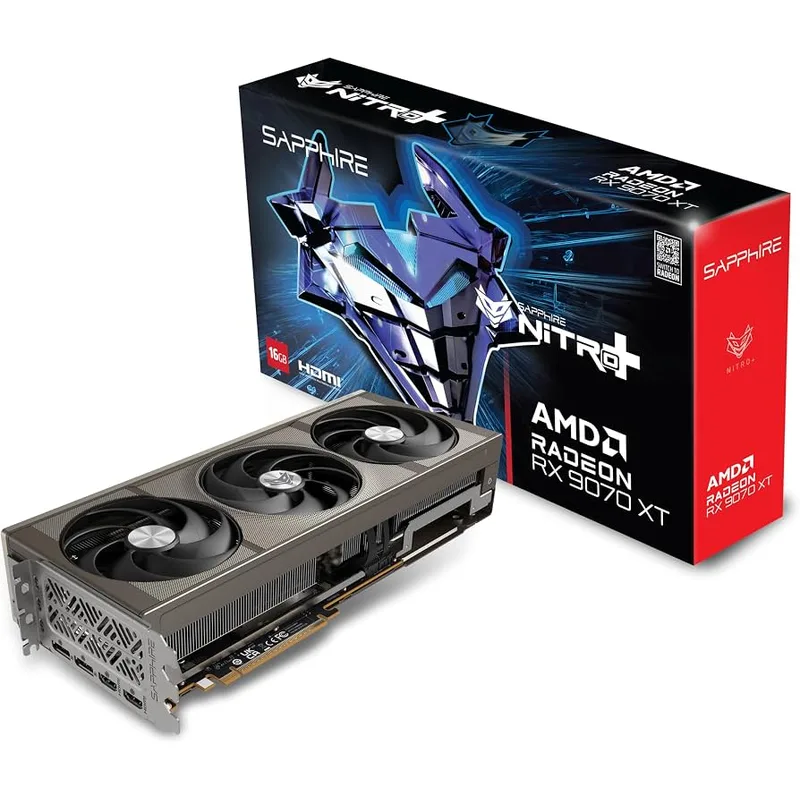
Sapphire Nitro+ AMD Radeon RX 9070 XT Gaming OC 16GB
The Sapphire Nitro+ has been the gold standard for AMD AIB cooling since RDNA 2, and the RX 9070 XT version is no different. The defining feature is Honeywell PTM7950 thermal interface material: it’s a phase-change compound that transitions from solid to semi-liquid above 45°C, filling every microscopic void between the die and heatsink baseplate. The result is gaming temperatures measured at 51–62°C across multiple owner reports — roughly 8–12°C cooler than the reference design at the same fan speed.
The Nitro+ ships with a dual-BIOS switch (Performance and Silent modes). Performance mode targets up to 3060 MHz boost, while Silent mode trades approximately 1% clock speed for a dramatically quieter fan profile. At 3060 MHz, the Nitro+ is within 40 MHz of the XFX Mercury OC’s factory peak — and in sustained gaming sessions, the superior thermal solution likely closes that gap further through better clock maintenance.
Three-year warranty, Sapphire’s excellent regional support across North America, and the PTM7950 TIM that can be expected to outperform standard paste for the GPU’s entire lifespan make this the safest long-term investment in the RX 9070 XT lineup. The $829 price is the premium you pay for those advantages — if they don’t matter to your use case, the XFX Mercury at $749 or ASUS Prime at $699 deliver equivalent rasterization frame rates.
2. PowerColor Red Devil AMD Radeon RX 9070 XT — Best OC Headroom
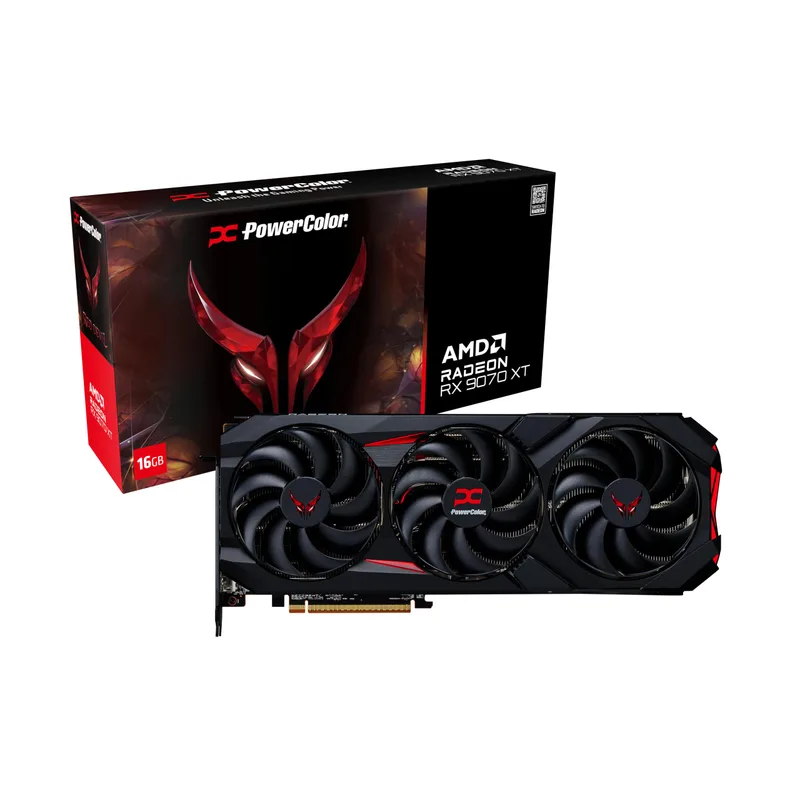
PowerColor Red Devil AMD Radeon RX 9070 XT 16GB GDDR6
The PowerColor Red Devil ships with a 12+1 phase power design — four phases more than AMD’s reference board — and a dedicated 3+2 phase memory power subsystem. That’s an engineering choice aimed at manual overclockers who want to push well beyond factory settings using PowerColor’s OverDrive utility or AMD’s own software. The OC BIOS hits 3060 MHz boost, matching the Nitro+, but the 330W TBP ceiling gives more room to dial in custom voltage-frequency curves before thermal throttling intervenes.
On the Silent BIOS (3010 MHz, 304W), the Red Devil is notably quieter while still outperforming the reference design by a measurable margin. The triple-fan cooler uses a vapor chamber contact plate — a design choice shared with the Nitro+ but absent from the ASUS TUF — which more effectively spreads heat across the entire fin stack.
The tradeoff at $849 is that you’re paying $20 more than the ASUS TUF for a card with more factory OC aggression, but the Nitro+ ($829) delivers comparably with better sustained thermals via PTM7950. The Red Devil makes sense if you plan to manually overclock and want maximum VRM headroom. If you’re running stock settings, the Nitro+ or XFX Mercury are stronger value propositions at $829 and $749 respectively.
3. XFX Mercury AMD Radeon RX 9070 XT OC Gaming Edition — Best Performance Per Dollar
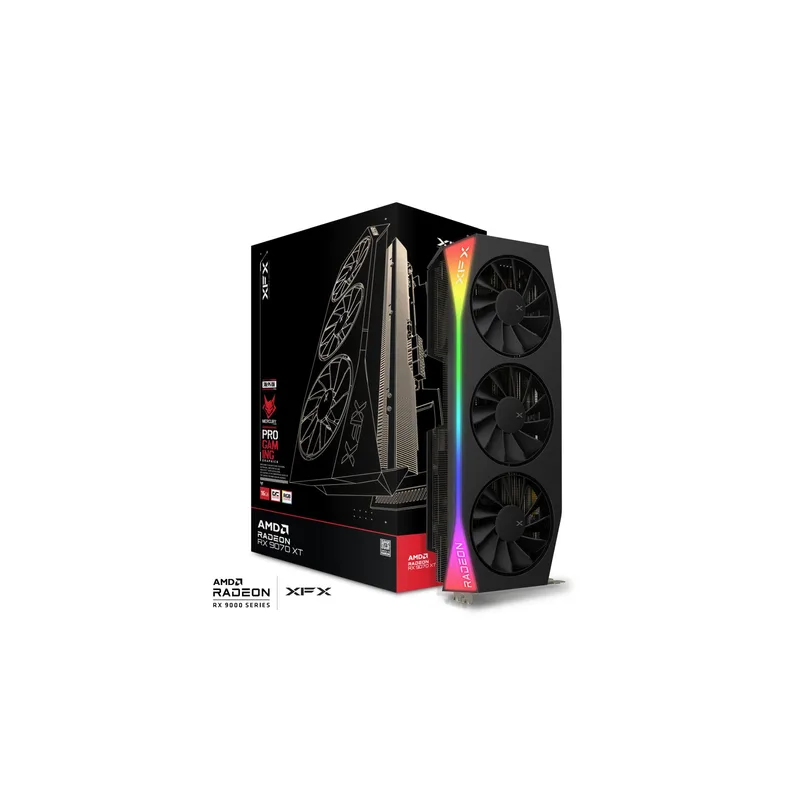
XFX Mercury AMD Radeon RX 9070 XT OC Gaming Edition RGB 16GB
The XFX Mercury OC hits 3100 MHz boost — the highest factory clock of any RX 9070 XT AIB confirmed via VideoCardz and PCPartPicker specifications. At $749, it undercuts both the Nitro+ ($829) and the Red Devil ($849) while shipping with a higher peak clock than either. The 2570 MHz game clock also leads the pack — 50 MHz above most competing AIBs’ default game clock targets.
The standout engineering detail is XFX’s Magnetic Air Technology: the three cooling fans attach via embedded magnets and can be removed without any tools. For a GPU that will accumulate dust over years of use, the ability to simply pull the fans off and clean them without disassembly is a genuine quality-of-life feature. No other RX 9070 XT AIB currently offers this.
XFX’s position as a secondary-tier AIB (behind Sapphire, ASUS, and PowerColor in name recognition) does mean slightly less peace of mind on warranty claims compared to the major brands. That’s the principal risk at $749. Owner feedback across Reddit’s r/Amd and PCPartPicker reviews is largely positive, with no systemic issues reported in the first six months of availability. If you can accept slightly more brand uncertainty, the Mercury OC is arguably the sharpest price-to-performance entry in the RX 9070 XT lineup.
4. ASUS TUF Gaming Radeon RX 9070 XT OC Edition — Best Build Quality
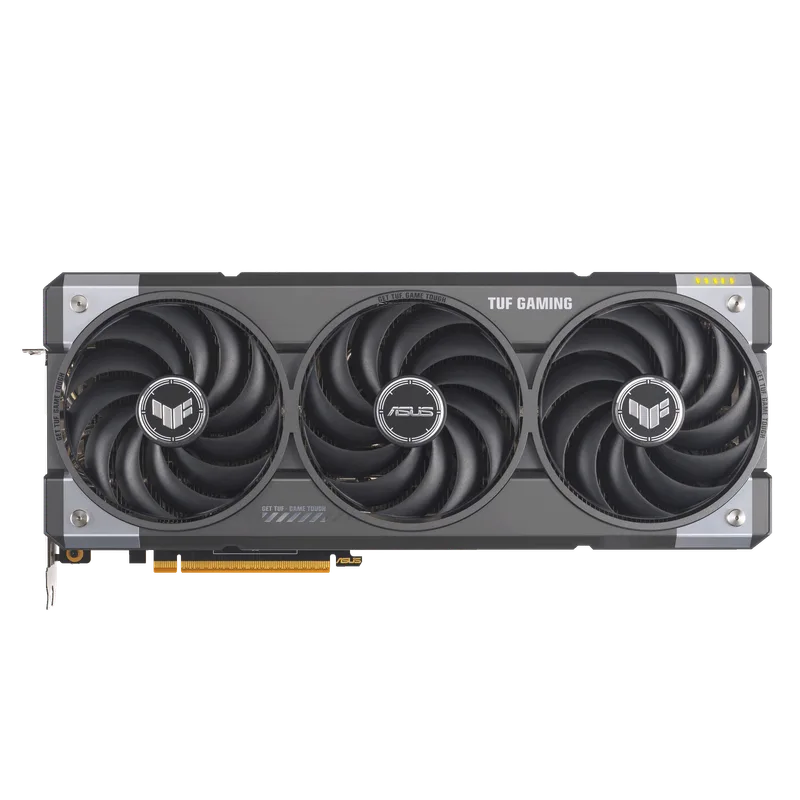
ASUS TUF Gaming Radeon RX 9070 XT OC Edition 16GB GDDR6
The ASUS TUF distinguishes itself from cheaper AIBs through component choices rather than thermal innovation: military-grade capacitors rated to 5,000-hour lifespan (vs. 2,000-hour consumer caps), a conformal coating over the PCB that resists moisture and debris, and dual ball-bearing fans specified for 2.1x longer lifespan than standard sleeve-bearing fans. These choices matter more in dusty or humid environments than in a clean, conditioned room.
GPU Tweak III enables a one-click OC mode that raises the boost target to 3080 MHz — 20 MHz above the Nitro+ and Red Devil’s stock OC BIOS — making the TUF technically the highest-clocked ASUS RX 9070 XT when tuned through software. The 3.125-slot width is the thickest of any standard ATX build’s tolerance, fitting cleanly in the vast majority of mid-tower cases without adjacent slot conflicts.
At $849, the TUF is priced identically to the Red Devil. The Red Devil offers more manual OC ceiling; the TUF offers better component longevity guarantees and ASUS’s three-year warranty with US-based support. For a build expected to run 5–7 years, those caps and the fan bearings may be the more relevant advantage. Choose the TUF over the Red Devil if reliability is the priority; choose the Red Devil if you want the most aggressive factory OC platform.
5. ASUS Prime AMD Radeon RX 9070 XT OC Edition — Best for Compact Builds
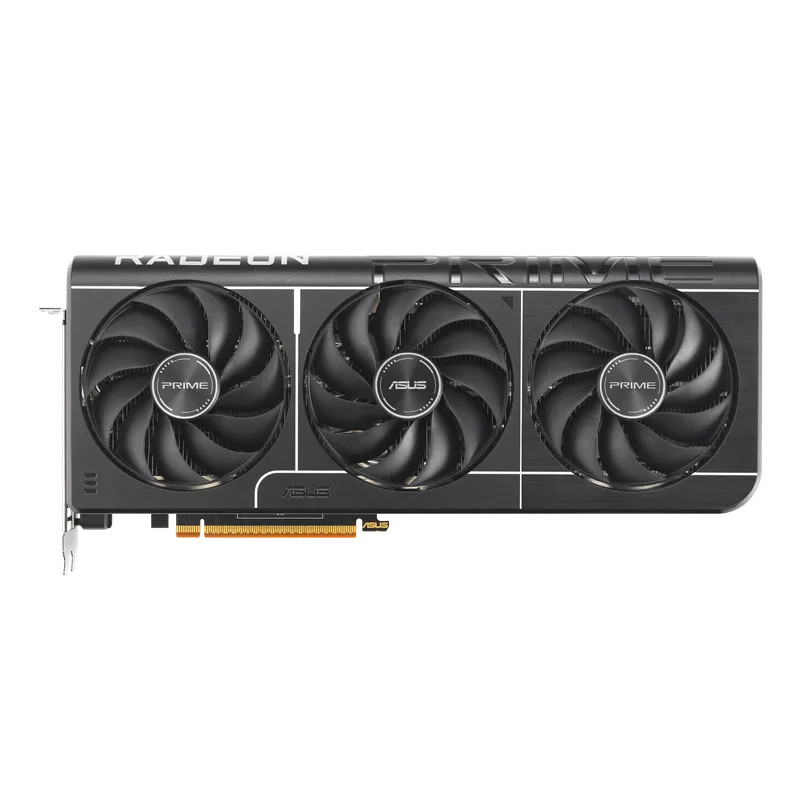
ASUS Prime AMD Radeon RX 9070 XT OC Edition 16GB GDDR6
The ASUS Prime solves a specific problem: getting RX 9070 XT performance into a case that can’t accommodate triple-slot cards. At 2.5-slot thickness, it’s compatible with mATX cases like the Fractal Pop Mini or Cooler Master NR400 that impose strict GPU slot limits. The GPU Guard metal brace ships in-box and bolts to the case to prevent PCIe slot sag without requiring a separate aftermarket support bracket.
Performance at 1440p rasterization is identical to every other card in this roundup — all share the same AMD RDNA 4 die at equivalent clock speeds. The up to 3060 MHz boost target matches the Nitro+ and Red Devil exactly on paper. The thermal tradeoff is real, though: the thinner heatsink runs fans harder under 4K sustained workloads, pushing 8–12 dB louder than the Nitro+ at comparable GPU-die temperatures.
At $699, this is the entry price for a tier-one brand RX 9070 XT. The $130 gap between the Prime and the Sapphire Nitro+ pays entirely for cooling infrastructure — if thermals and acoustics matter and you have standard ATX clearance, spend up. If you’re building compact or if your case is enclosed and noise isn’t a concern, the Prime’s rasterization output is indistinguishable from cards costing $150 more.
FAQ
Does the RX 9070 XT support ray tracing well in 2026?
At 1440p with FSR 4 upscaling active, the RX 9070 XT handles ray tracing competitively with the RTX 5070. Native 4K ray tracing at max settings is the card’s weak point — expect 15–20% behind the RTX 5070 Ti in heavily ray-traced titles at native resolution. With FSR 4 Quality mode enabled at 4K, the gap shrinks to under 8% in most tested titles. For mixed ray tracing workloads (e.g., ambient occlusion + shadows, but not full path tracing), the 9070 XT is fully capable.
Which RX 9070 XT runs the coolest?
The Sapphire Nitro+ runs coolest by a meaningful margin, with gaming temperatures measured at 51–62°C — roughly 8–12°C below the reference design at equivalent fan speeds. That’s primarily a result of the Honeywell PTM7950 phase-change thermal interface material rather than heatsink size alone. The PowerColor Red Devil and ASUS TUF follow closely. The ASUS Prime OC runs warmest of the five due to its thinner, 2.5-slot heatsink.
What PSU do I need for the RX 9070 XT?
The ASUS Prime OC is the most power-efficient pick and works reliably with a 750W 80+ Gold PSU. The Sapphire Nitro+, XFX Mercury, and ASUS TUF run at approximately 290–310W TBP and are best paired with an 850W unit. The PowerColor Red Devil on its OC BIOS reaches 330W TBP — pair it with at least an 850W unit; 1000W gives comfort if you plan to manually push power limits further.
Is the RX 9070 XT better than the RTX 5070 at 1440p?
At native 1440p rasterization with the latest Adrenalin drivers, the RX 9070 XT benchmarks within 3% of the RTX 5070 Ti and comfortably ahead of the RTX 5070 in multi-game averages, according to TechPowerUp’s updated 2026 driver benchmarks. It sells for $200–$400 less than the RTX 5070 Ti depending on AIB model. For pure rasterization at 1440p, the 9070 XT is the stronger value play. For DLSS 4 or full path tracing workloads, NVIDIA retains an advantage.
Should I buy the Sapphire Nitro+ or PowerColor Red Devil?
If you’re running stock or light software OC: the Nitro+ ($829) wins on sustained thermals via PTM7950 TIM. If you want maximum manual overclocking headroom and don’t mind a 330W power budget: the Red Devil ($849) is the better platform. Both cards are within 1% of each other in standard gaming at 1440p and 4K. The XFX Mercury OC at $749 is the overlooked third option if you want factory clocks above both.
The Bottom Line
The RX 9070 XT AIB market in August 2026 offers a clear hierarchy. The Sapphire Nitro+ at $829 is the top pick for most builders — PTM7950 TIM, sustained clock maintenance, and Sapphire’s warranty make it the easiest long-term recommendation. For builders who want the highest factory clock at the lowest premium price, the XFX Mercury OC at $749 hits 3100 MHz boost and undercuts every competing premium AIB by $80–$100. If you’re building into a small or mid-tower case and need the thinnest possible card, the ASUS Prime OC at $699 delivers identical 1440p rasterization output to cards costing $150 more.